
Open Recorder 1.0.3
Open-source screen recorder with internal audio and no internet access
Download
2.56 MB · OpenRecorder-1.0.3.apk
81downloads
1this week
FreeFreeware
0reviews
Screenshots
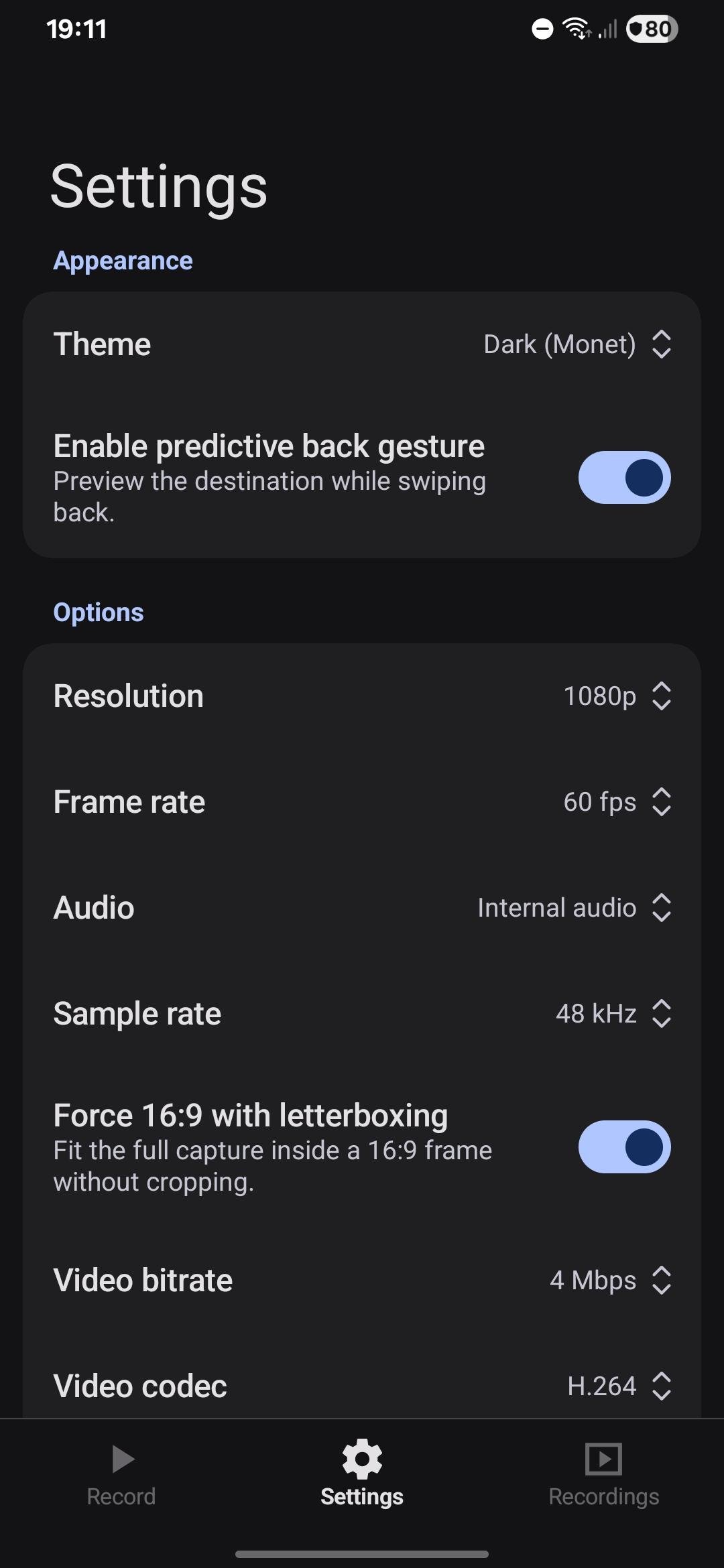
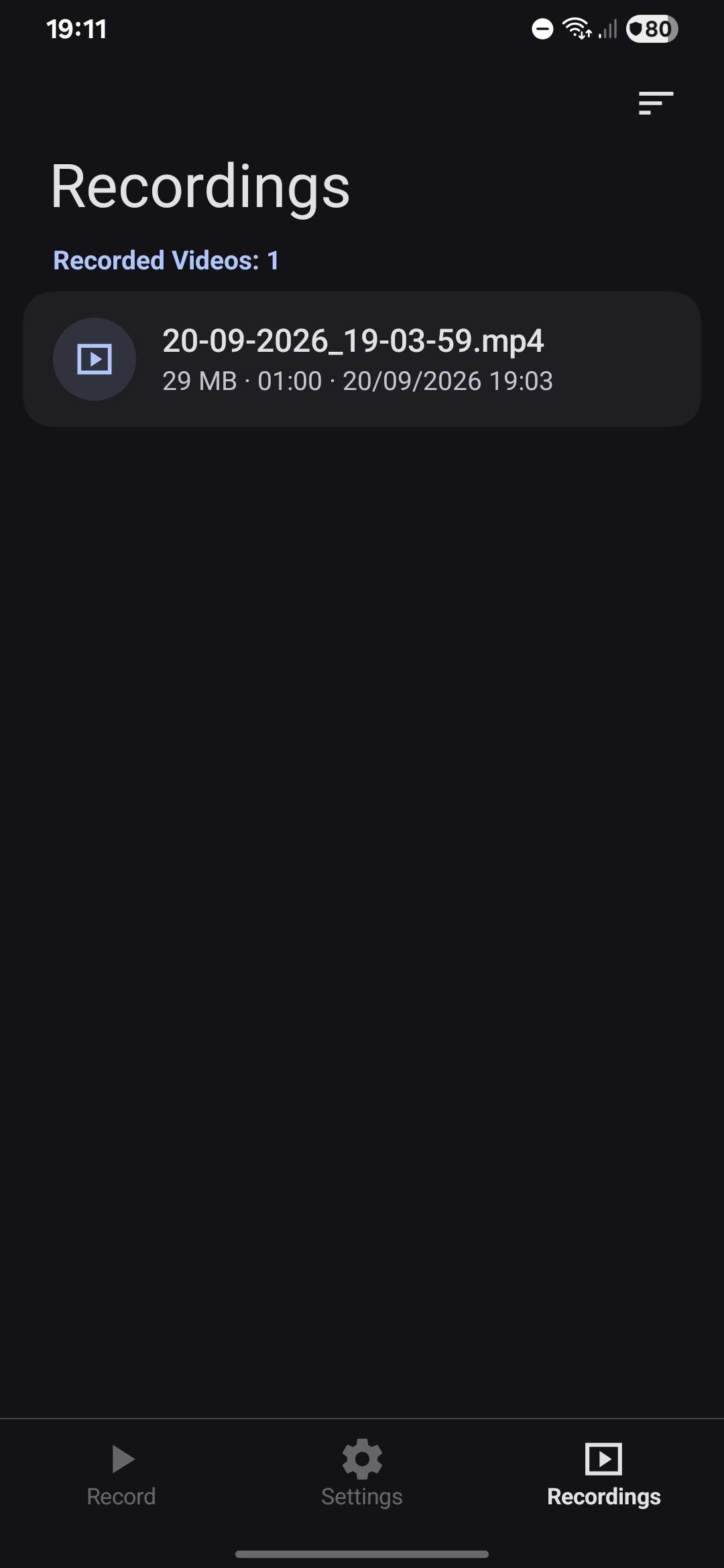
About Open Recorder
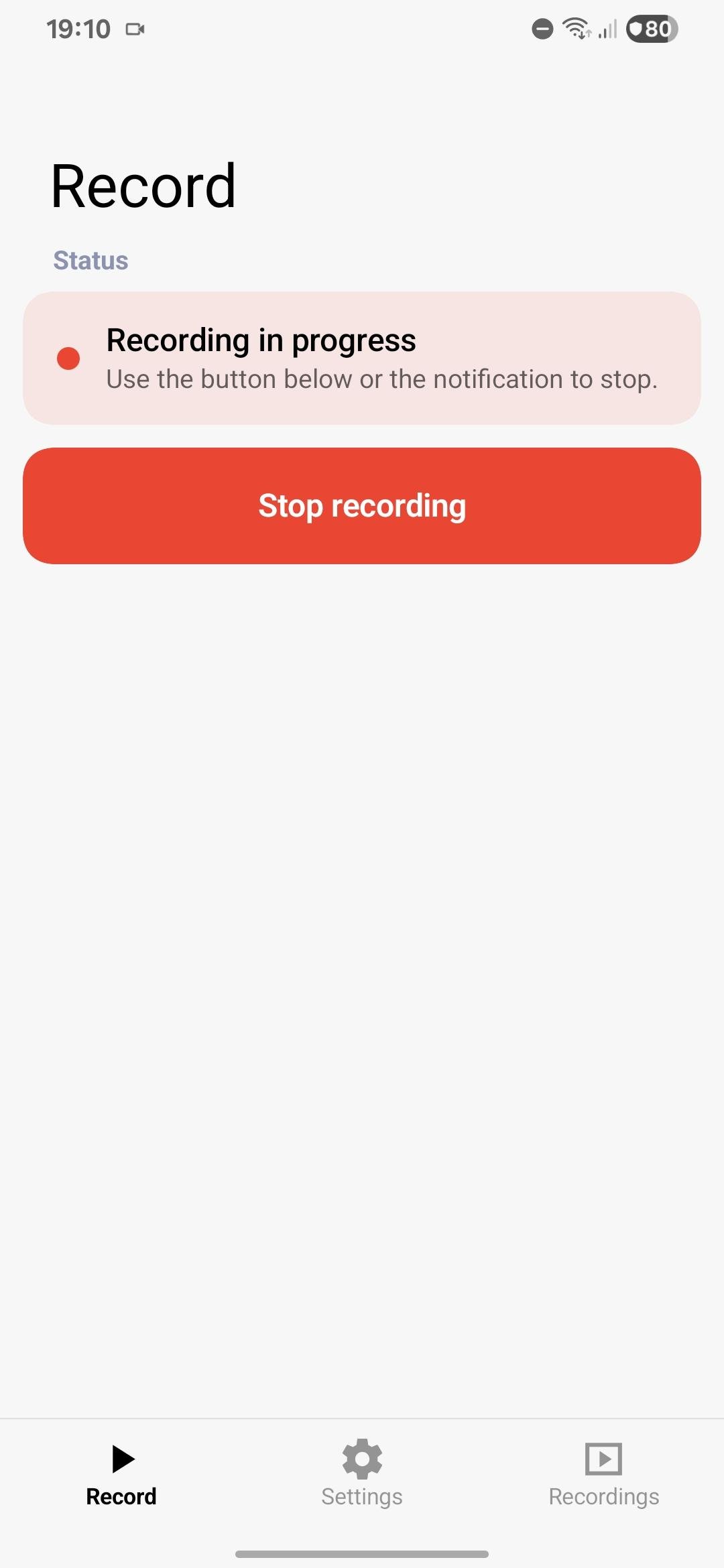
Open Recorder is a simple, open-source screen recorder for Android with internal audio and a modern interface.
No ads, no trackers, and no internet access: the app does not request the internet permission, so it cannot connect to the network. Your recordings stay on your device.
Recording
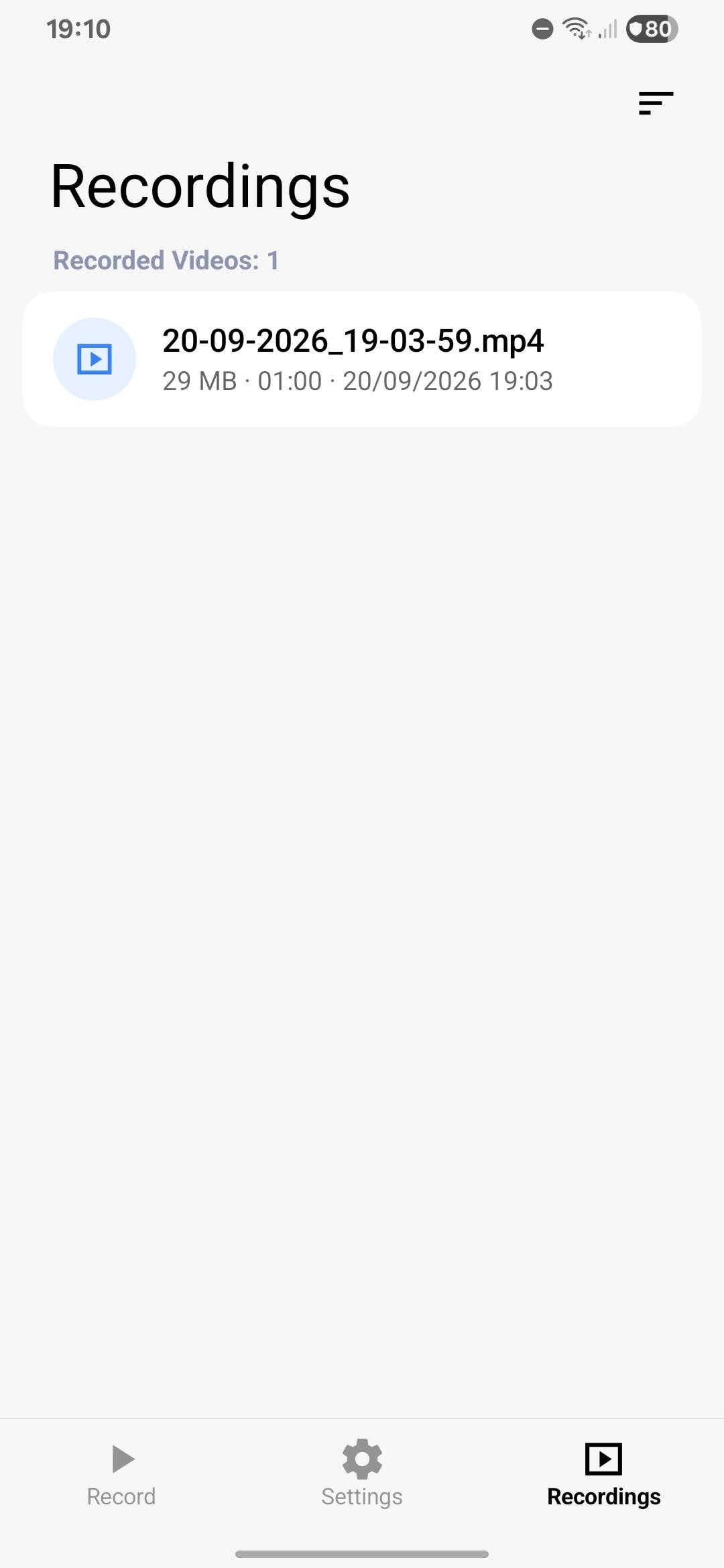
• Record your screen to MP4 files saved in Movies/Open Recorder
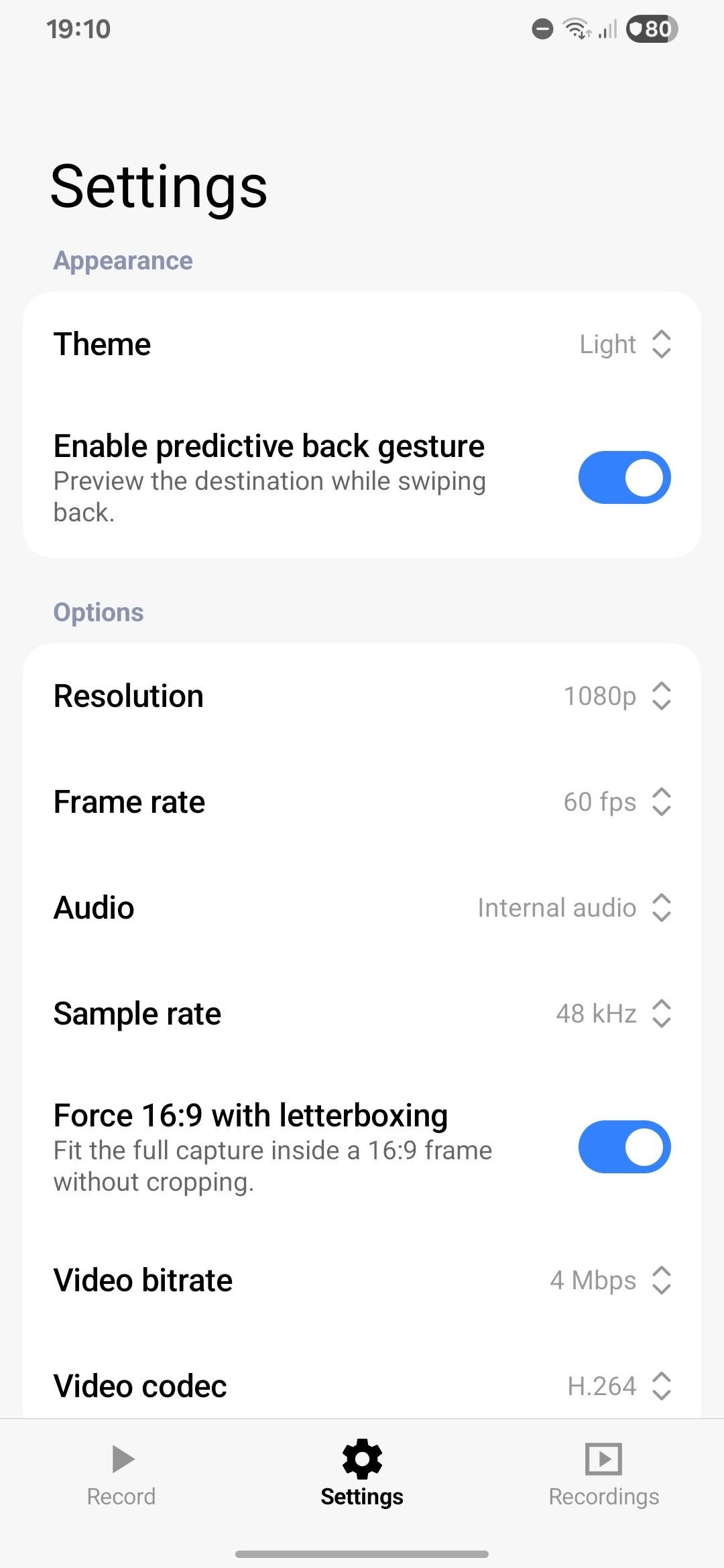
• Audio: none, internal audio, microphone, or microphone and internal audio mixed together
• Audio sample rate: 44.1 kHz or 48 kHz
• Video codec: H.264 or H.265
• Resolution: native, 1080p, 720p, or 480p
• Frame rate: automatic, 120, 90, 60, or 30 fps
• Video bitrate: automatic, 4, 8, 16, or 24 Mbps
• Orientation: automatic, portrait, or landscape
• Optional 16:9 letterboxing that fits the full capture without cropping
• Stop when lock screen: stop the recording when the screen locks
• Countdown before recording: off, 3, 5, or 10 seconds
• Customizable file naming pattern
Controls
• Pause, resume, and stop from the notification
• Quick Settings tile to start and stop recording
• Keeps recording if you close the app
• After saving, watch, share, or delete the video from the notification
Recordings tab
• Browse the videos recorded by Open Recorder
• Sort by date, size, or duration
• Select one, several, or all recordings and delete them
Appearance
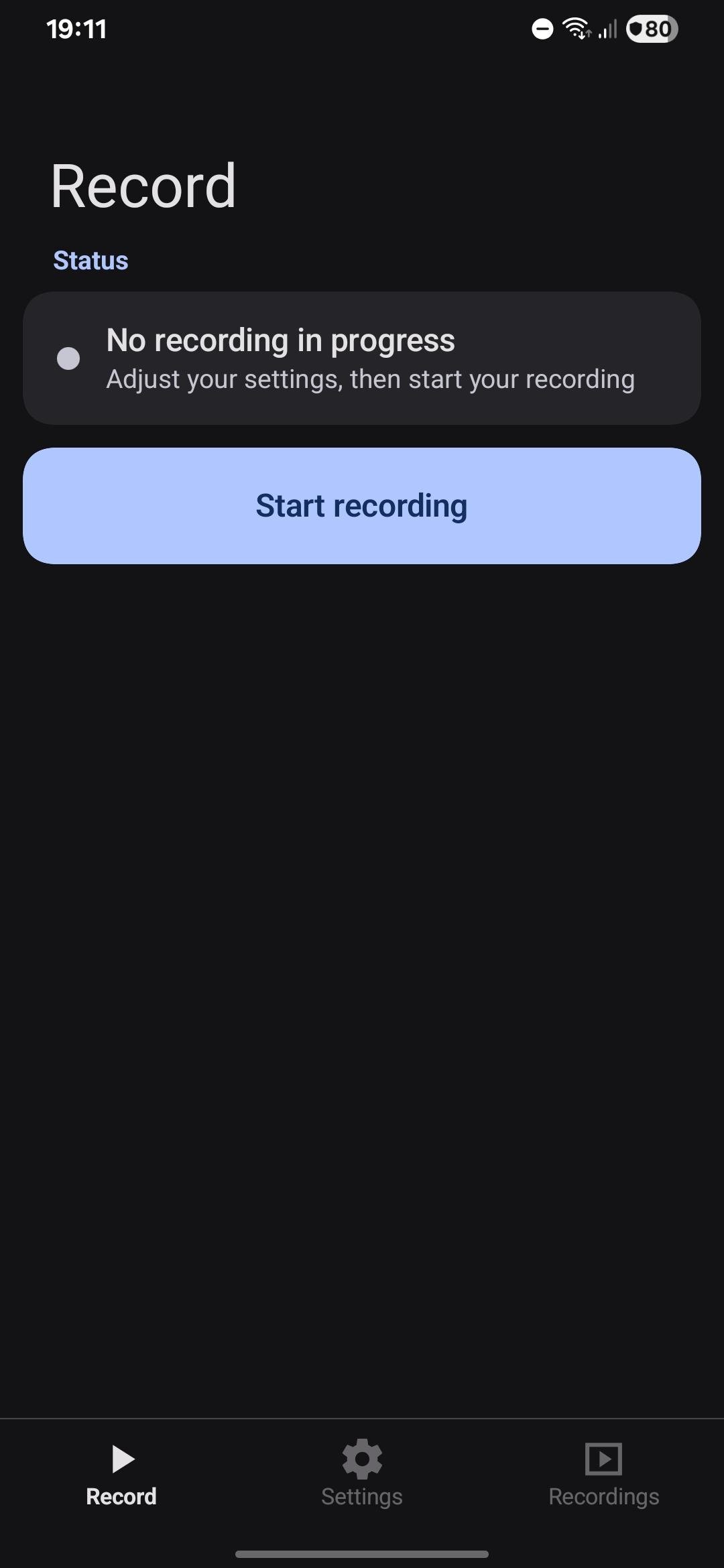
• Light, dark, or follow-system themes
• Dynamic color (Monet) variants of each theme
Privacy
• No internet permission
• No ads, no analytics, no crash reporting, no tracking
• Backups are disabled
• Other apps are not allowed to capture Open Recorder's audio
Limitations
These come from Android itself, not from this app:
• Android asks for your confirmation every time you start a recording
• Apps that block capture (DRM video, banking apps, anything using FLAG_SECURE) can appear black or silent
• Internal audio only includes apps that allow playback capture
Requires Android 10 or later.
License: GPL-3.0-only
| Release info | Update on Oct 29, 2026 |
|---|---|
| Release notes | Changelogs: • Added 1440p and 2160p resolution options • Added a page scale slider from 90% to 110% in Appearance • Added sharing for one or multiple selected videos in Recordings • Separated internal audio and microphone as independent AAC tracks SHA-256 (OpenRecorder-1.0.3.apk): ef6e6fbfef333faa719feff374911377ab367290d3b02465f4c5f9ea0c6699e9 |
| Listing data | F-Droid |
Reviews
No reviews yet. Be the first to review Open Recorder.
Used Open Recorder? Tell other visitors what you thought.
Log in to write a reviewOther products by this publisher
- "No Distractions" for YouTube 4.10 ----
- #Bible 11.6.1 "Incredible App - My sister shared this app with me a few weeks ago and it is truly incredible.
- #filmphotography 1.4.2 So, you decided to shoot on film?
- #LookBusy Fake Calendar Events 1.0.6 Look Busy scans your work calendar for open time slots and fills them with realistic-looking (but secretly fake) work events.
- #Small Talk Is Canceled 1.0.2 #Small Talk Is Canceled — Conversations That Matter
Most viewed Android Recorders
-
1
 ShizuCallRecorder 2.0.0
Empowers ADB through Shizuku to record phone calls on non-rooted device!
-
2
 RecorderX 3.1.1
RecorderX is an application designed for high-fidelity screen capture.
- 3 Com-Phone Story Maker 1.8.2 Create, tell, share and enjoy multimedia digital stories
-
4
 Voice Memos 1.0.2
A voice recorder with an inline player and a trim editor, no ads, no network
-
5
 ScreenCam 2.0.3-fdroid
Lightweight and functional screen recorder
- 6 good-echo 2.0.0 Time travelling audio recorder for Android.
-
7
 RECCoon 1.0.0
Offline recorder with on-device Parakeet transcription
-
8
 Wiki-Say-It! 0.2.10
Record word pronunciations and contribute them to Wikimedia Commons and Wikidata
- 9 Jiyi 1.0.4 Encrypted audio logging app
-
10
 QSO Again 1.0.2
Record and playback amateur radio QSOs with Audioloop and quick rewind.
Most downloaded Android Recorders
-
1
Open Recorder 1.0.3
Open-source screen recorder with internal audio and no internet access
-
2
ShizuCallRecorder 2.0.0
Empowers ADB through Shizuku to record phone calls on non-rooted device!
-
3
RecorderX 3.1.1
RecorderX is an application designed for high-fidelity screen capture.
-
4
 SyncRecord 1.1.0
Create synchronised ad-hoc microphone arrays using multiple smartphones.
-
5
QSO Again 1.0.2
Record and playback amateur radio QSOs with Audioloop and quick rewind.
-
6
ScreenCam 2.0.3-fdroid
Lightweight and functional screen recorder
-
7
Voice Memos 1.0.2
A voice recorder with an inline player and a trim editor, no ads, no network
- 8 Com-Phone Story Maker 1.8.2 Create, tell, share and enjoy multimedia digital stories
- 9 Jiyi 1.0.4 Encrypted audio logging app
- 10 good-echo 2.0.0 Time travelling audio recorder for Android.