
65downloads
16this week
FreeFreeware
0reviews
Screenshots
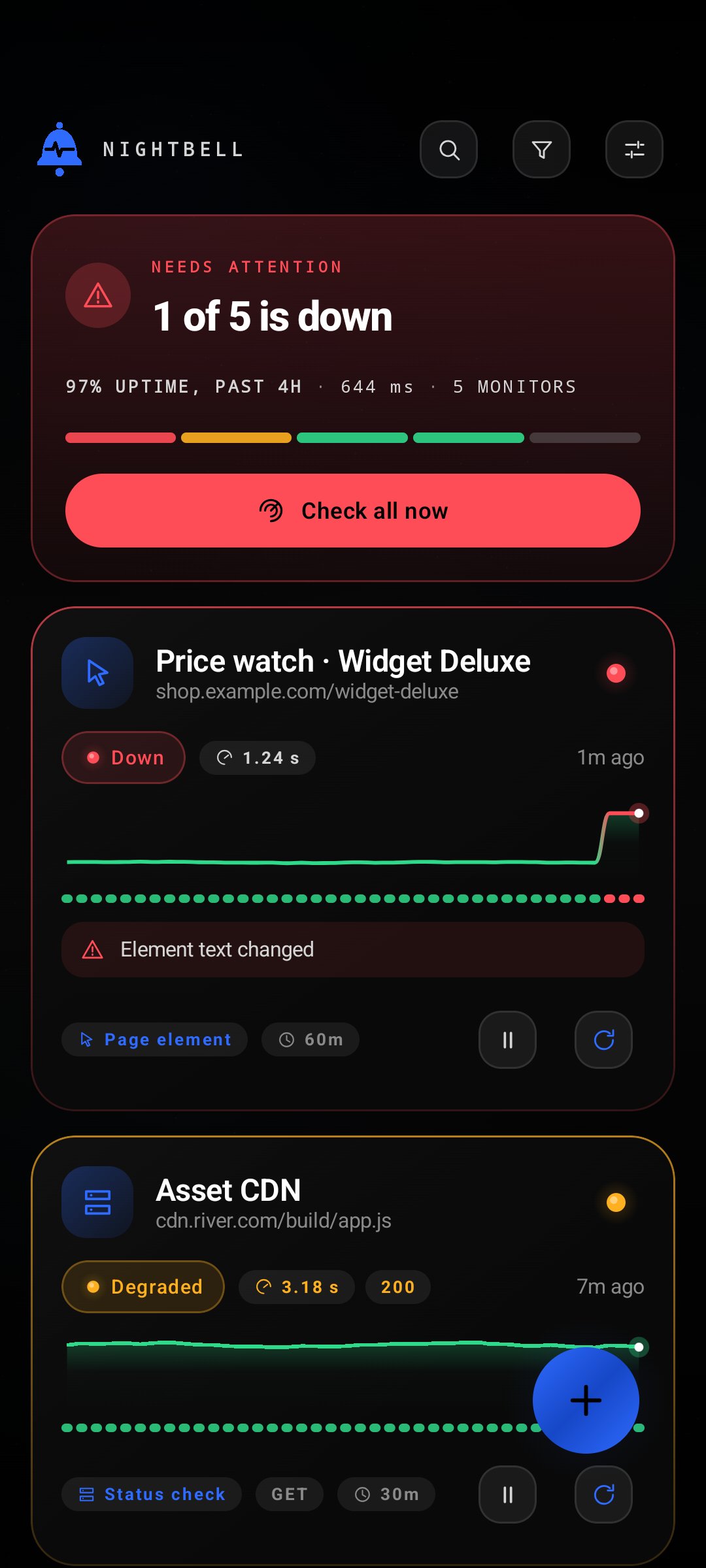
About Nightbell
Point Nightbell at a URL, one element on a rendered web page, a Prometheus
server, your service's own health report, a GitHub repository, a host by
ping, TCP or UDP port, or an IMAP mailbox, and it watches it, charts it,
and gets loud when it breaks.
There is no server and no account. The phone in your pocket does the
checking, and your API tokens and target URLs never leave the device.
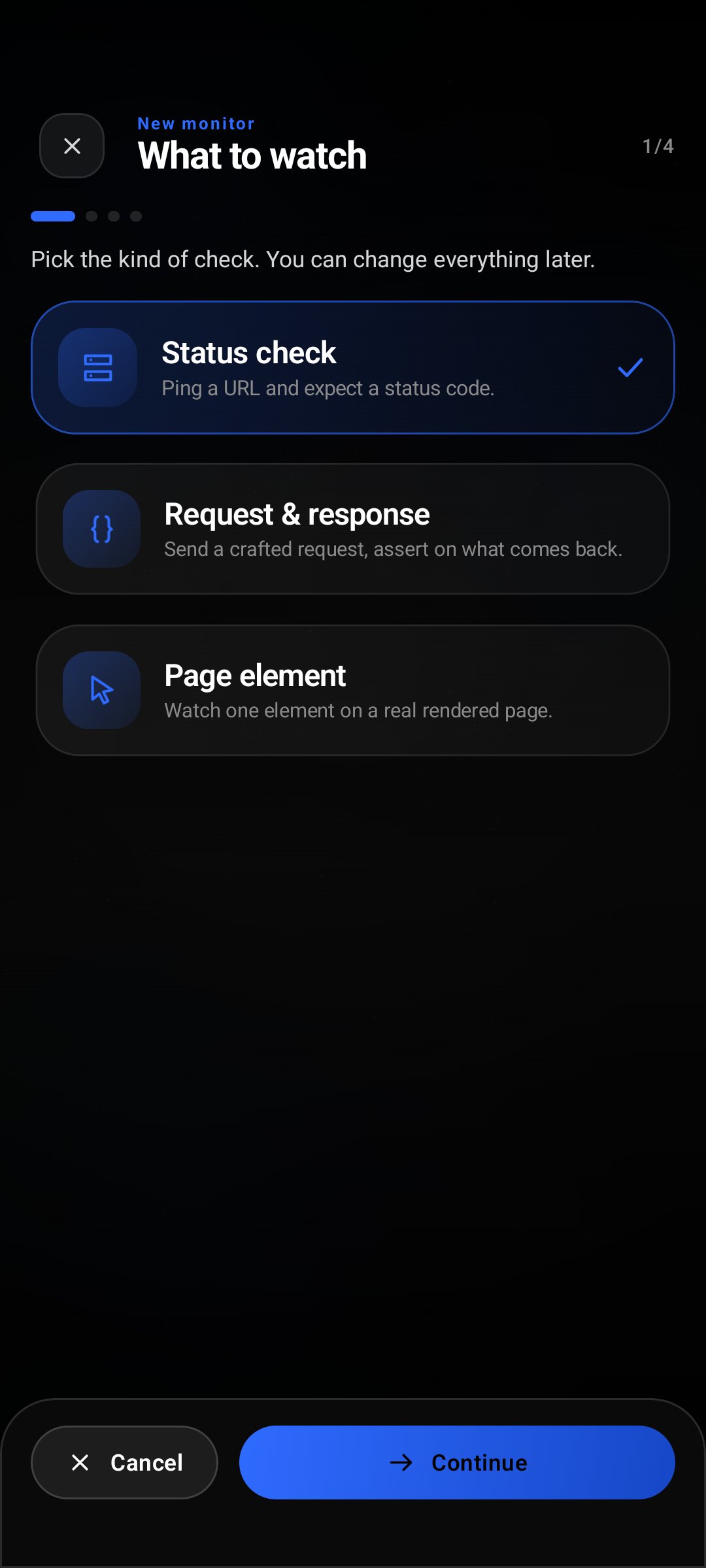
Ten kinds of monitor:
- Status check: hit a URL, assert on the status code.
- Request and response: pick the method, set headers and a body, assert
on what comes back (contains, equals, regex, or a JSON field by path).
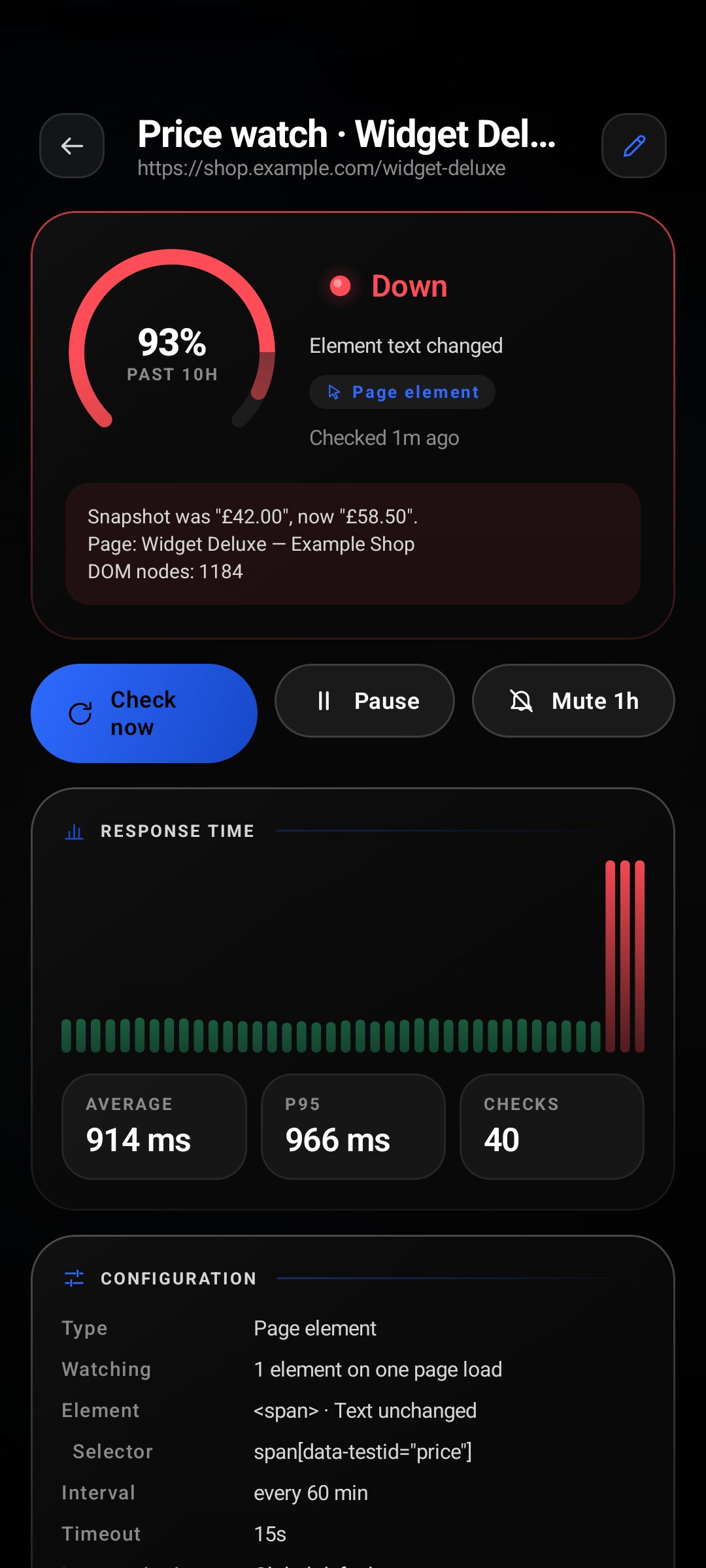
- Page element: load the real page in an embedded browser and watch DOM
nodes you picked by tapping them.
- Prometheus: read a metrics endpoint, run a PromQL query, or watch
Alertmanager.
- Health endpoint: read the report a service writes about itself, part by
part.
- GitHub repository: stars, issues, pull requests, comments, releases and
downloads.
- Ping: ICMP echo over IPv4 or IPv6, no root.
- TCP port: connect to one port and hang up.
- UDP port: send a real DNS, NTP, SNMP or game server query, or your own
bytes, and check the reply.
- Mailbox: new mail in an IMAP folder, louder for the senders that matter.
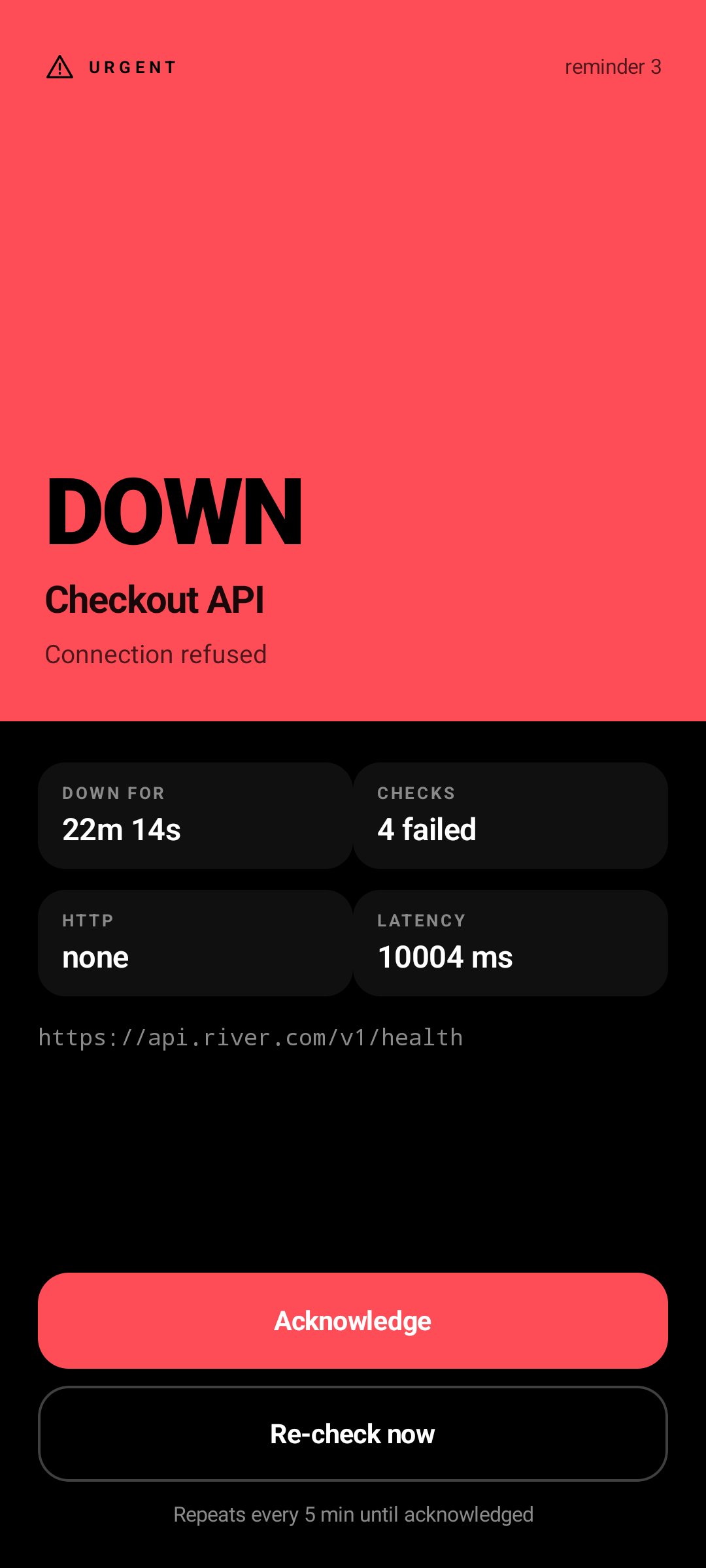
Urgent alerts arrive as a full-screen red page with a looping alarm that
keeps going until you acknowledge it, and it wakes the screen even if the
phone is locked. A first-launch screen walks through the four Android
grants a paging app actually needs (notifications, unrestricted battery,
full-screen intent, Do Not Disturb access), because two of them have no
system dialog and have to be opened by hand.
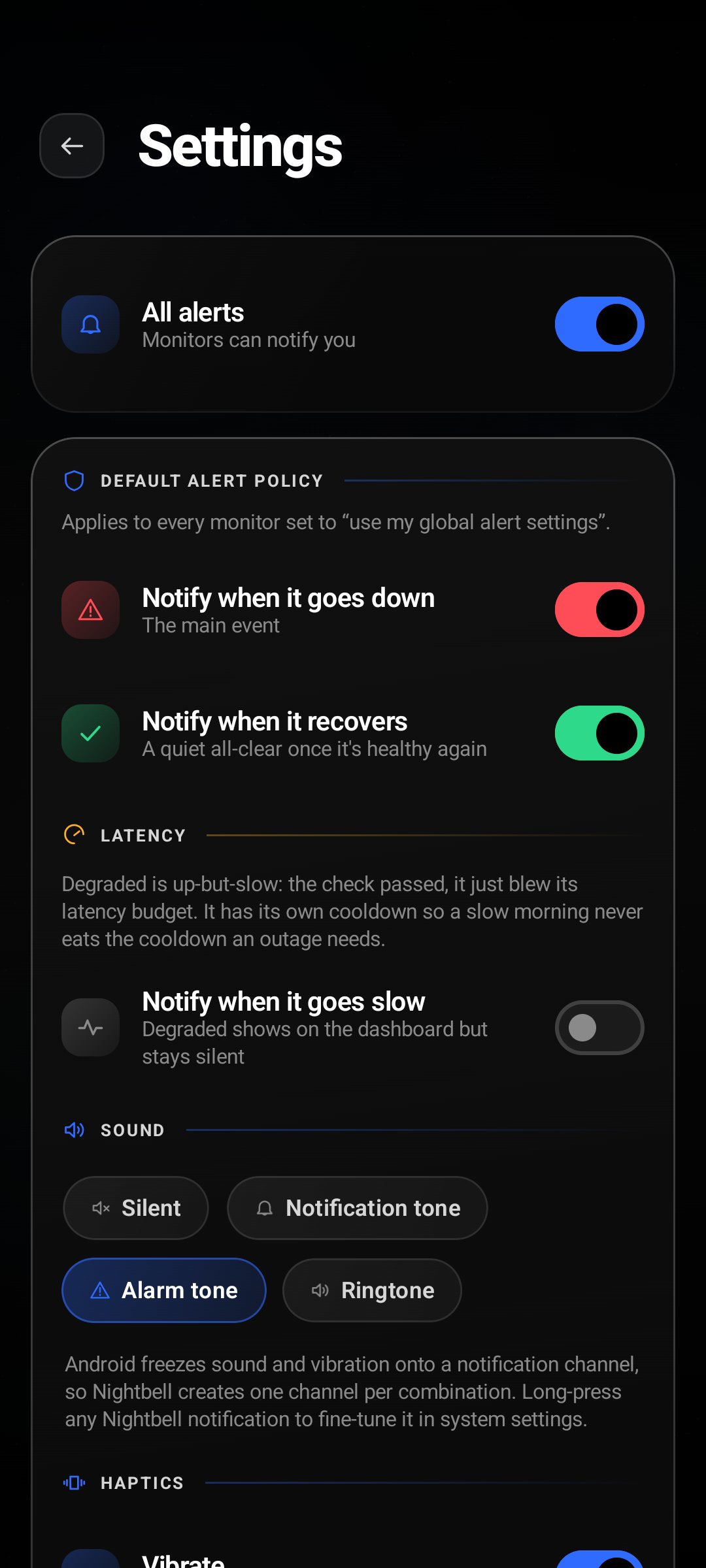
A home-screen widget shows the worst monitor first. Settings let you shape
the alert policy: what counts as down, sound, haptics, escalation, and
quiet hours.
Signed with the developer's own key. No Play Store listing.
License: Apache-2.0
| Release info | Update on Nov 09, 2026 |
|---|---|
| Release notes | Nightbell now says when it has been updated. The first launch on a new version shows "Updated to 3.25.0" with a What's new button, and Settings -> About keeps a What's new button for the version you have installed. Before, the only What's new button was on the update notice, and it went away the moment you installed the update. Both open the new changelog at https://nightbell.app/changelog, every release from Pulse 1.1.2 on, each with the notes it shipped with. The What's new button on the update notice and the update notification lands there too now, on the entry for the version being offered. Coming from 3.24.0, the "Updated to" message shows if this copy checks nightbell.app for updates and has done so at least once, which is the default. Installs that follow GitHub or F-Droid for updates get it from the next release on. Tested on the emulator: the message on the first launch after an update, nothing on a fresh install or a second launch of the same version, the link it opens, and the Settings button. |
| Listing data | F-Droid |
Reviews
No reviews yet. Be the first to review Nightbell.
Used Nightbell? Tell other visitors what you thought.
Log in to write a reviewOther products by this publisher
- "No Distractions" for YouTube 4.10 ----
- #Bible 11.6.1 "Incredible App - My sister shared this app with me a few weeks ago and it is truly incredible.
- #filmphotography 1.4.2 So, you decided to shoot on film?
- #LookBusy Fake Calendar Events 1.0.6 Look Busy scans your work calendar for open time slots and fills them with realistic-looking (but secretly fake) work events.
- #Small Talk Is Canceled 1.0.2 #Small Talk Is Canceled — Conversations That Matter
Most viewed Android Developer Tools
- 1 HTTP Request Shortcuts 4.10.0 Submit HTTP Requests from Shortcuts on your Home Screen
-
2
 RandomFileMaker 1.0
Make random files with SecureRandom. For KeePass keyfile, shredding disk, etc
- 3 ADB Captain 1.6 Run ADB commands on your phone. No root, no PC — via Shizuku.
-
4
 Shellwave 1.10.0
Open-source SSH client and terminal with SFTP, port forwarding and jump hosts
-
5
 AutoPie 0.20.4-beta
Turn Linux commands into Android apps.
- 6 DadosD 20160914_V4 Generate Brazilian test IDs for development/test
-
7
 TermuC 0.2.4
A simple C/C++ IDE backed on Termux
- 8 Turtle 2.0.12 A Platform with Pythonic language to practice CPU/GPU programming on mobile
-
9
 DevSwitch 1.3
Toggle developer options, USB and wireless debugging, with Quick Settings tiles
-
10
 QR Code Displayer 1.4.1
Reconstruct damaged or blurry QR codes entirely on-device for easy scanning.
Most downloaded Android Developer Tools
-
1
Shellwave 1.10.0
Open-source SSH client and terminal with SFTP, port forwarding and jump hosts
- 2 JekyllEx 0.2.6 The mobile IDE to create, build, edit, preview, and publish Jekyll sites.
-
3
 Micro REPL 4.0.0
MicroPython IDE
- 4 ELM327 Emulator 31 OBD-II ELM327 adapter emulator for testing diagnostic apps
-
5
 OMN-Go 26.11.16f
Self-hosted Markdown notes with git sync, LAN sharing, and SQL scripting
-
6
 Taiga Mobile Nova 2.2.3
Unofficial Android client for Taiga.io project management
-
7
 Terminator 3.4.1
Multi-session terminal emulator with Material UI theming and root support
-
8
QR Code Displayer 1.4.1
Reconstruct damaged or blurry QR codes entirely on-device for easy scanning.
- 9 HexViewer 1.60.01 Hexadecimal viewer for Android
- 10 Cookie Extractor 1.3.0 Extract your own session cookies after a manual login