
7downloads
1this week
FreeCommercial
0reviews
Screenshots
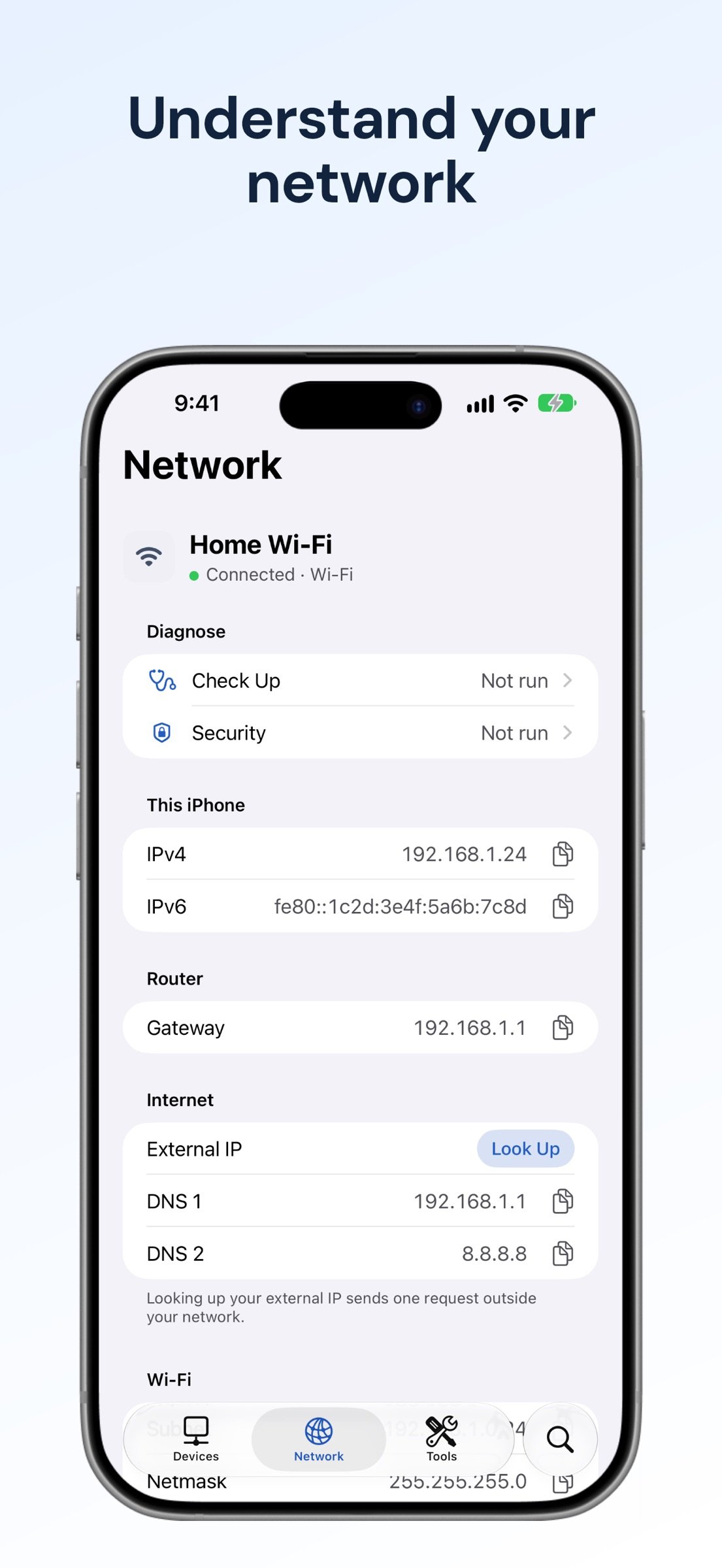
About Network Toolkit
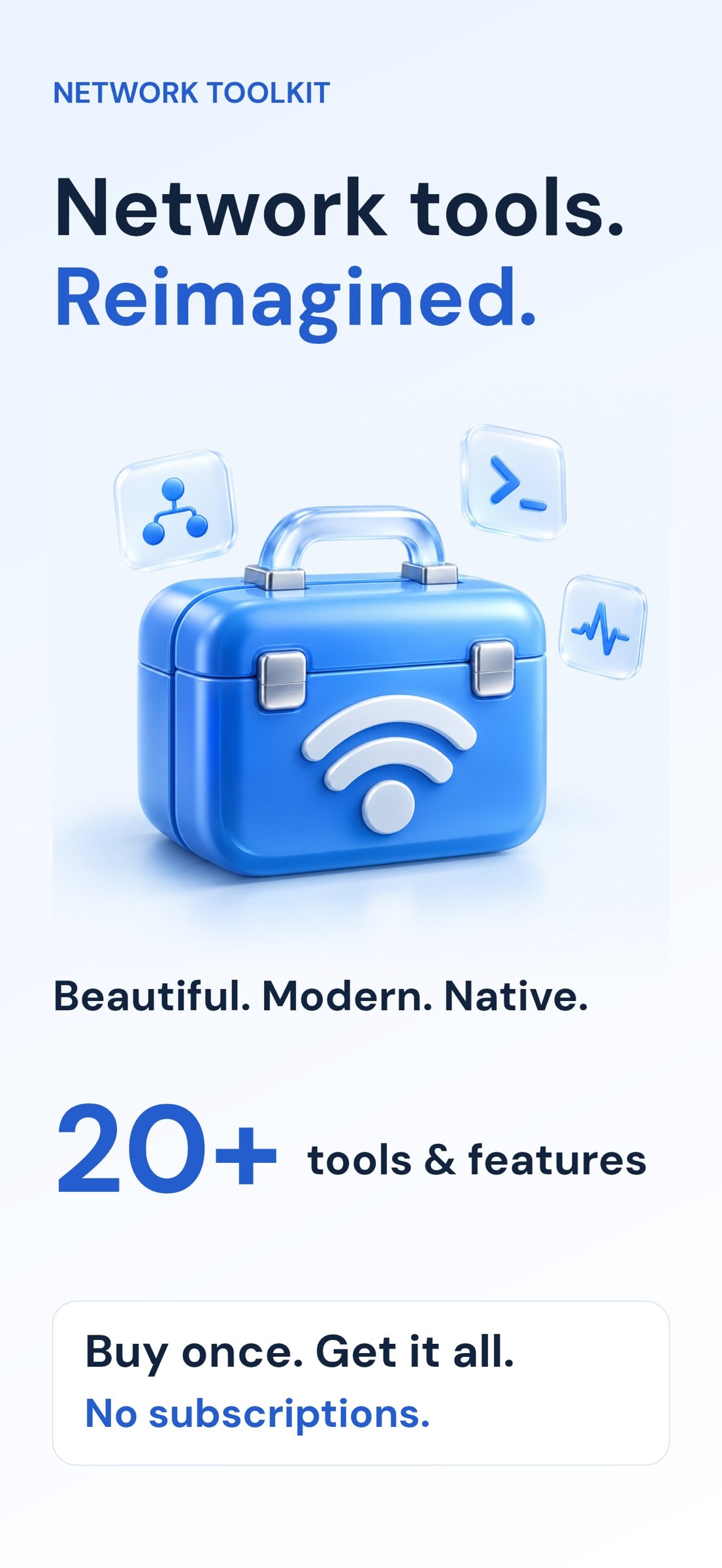
Network tools, reimagined for modern iOS. Discover devices, understand your connection, diagnose problems, and connect to your servers in one beautifully designed app.
20+ tools and features. One purchase. No subscriptions or in-app purchases.
DISCOVER YOUR NETWORK
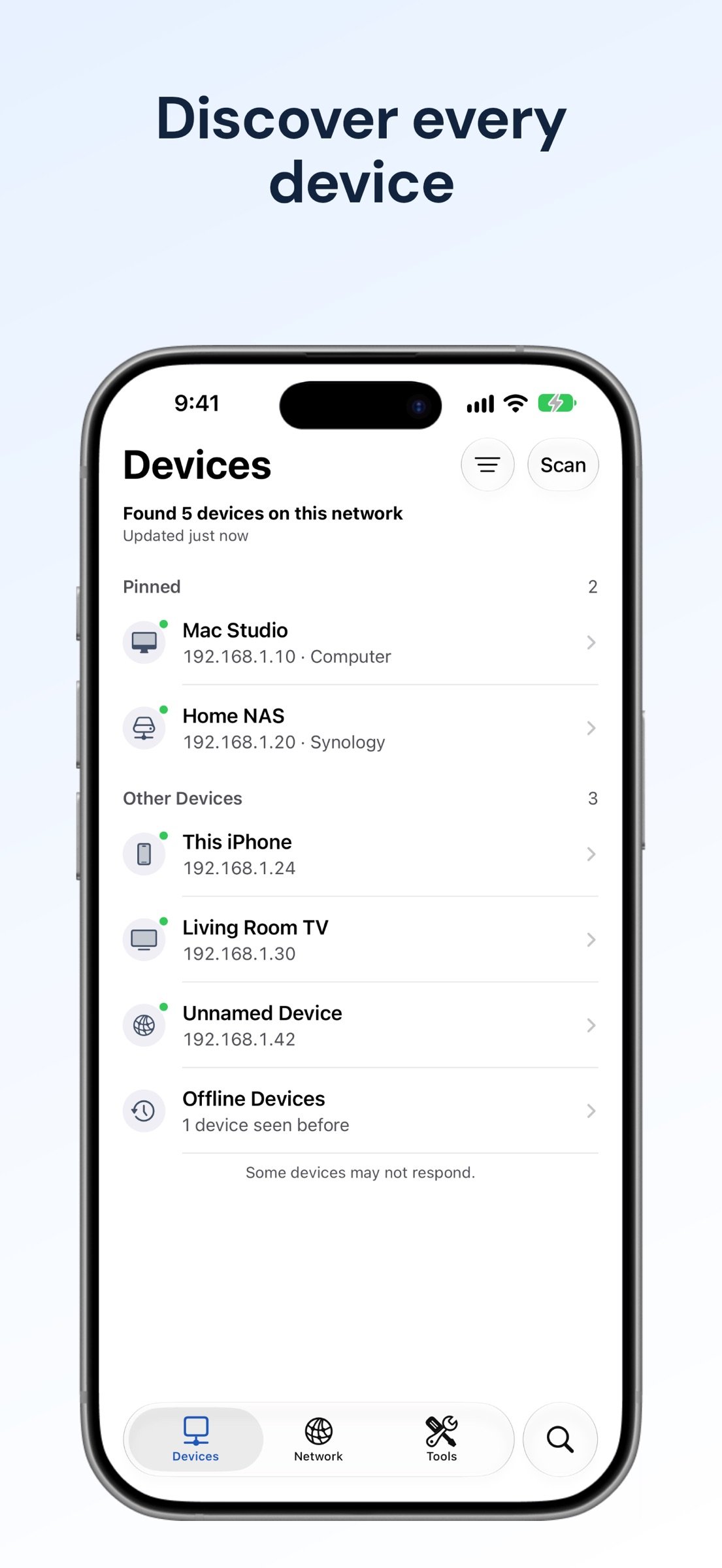
• Scan your LAN for connected devices.
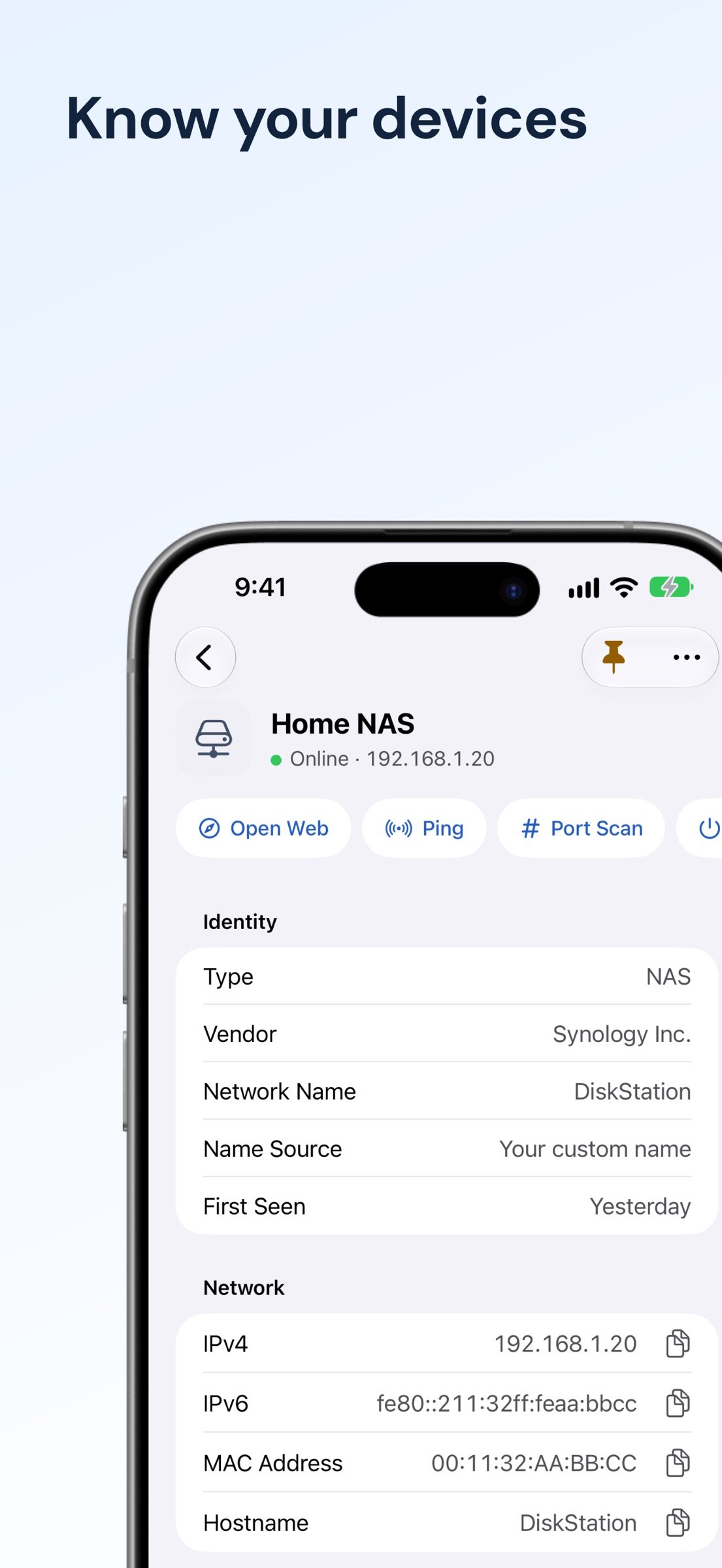
• View device details, rename devices, and keep your network organized.
• Search devices and tools.
• Inspect your current network connection.
• Browse Bonjour and UPnP services.
• Identify hardware vendors with MAC Lookup.
DIAGNOSE CONNECTIONS
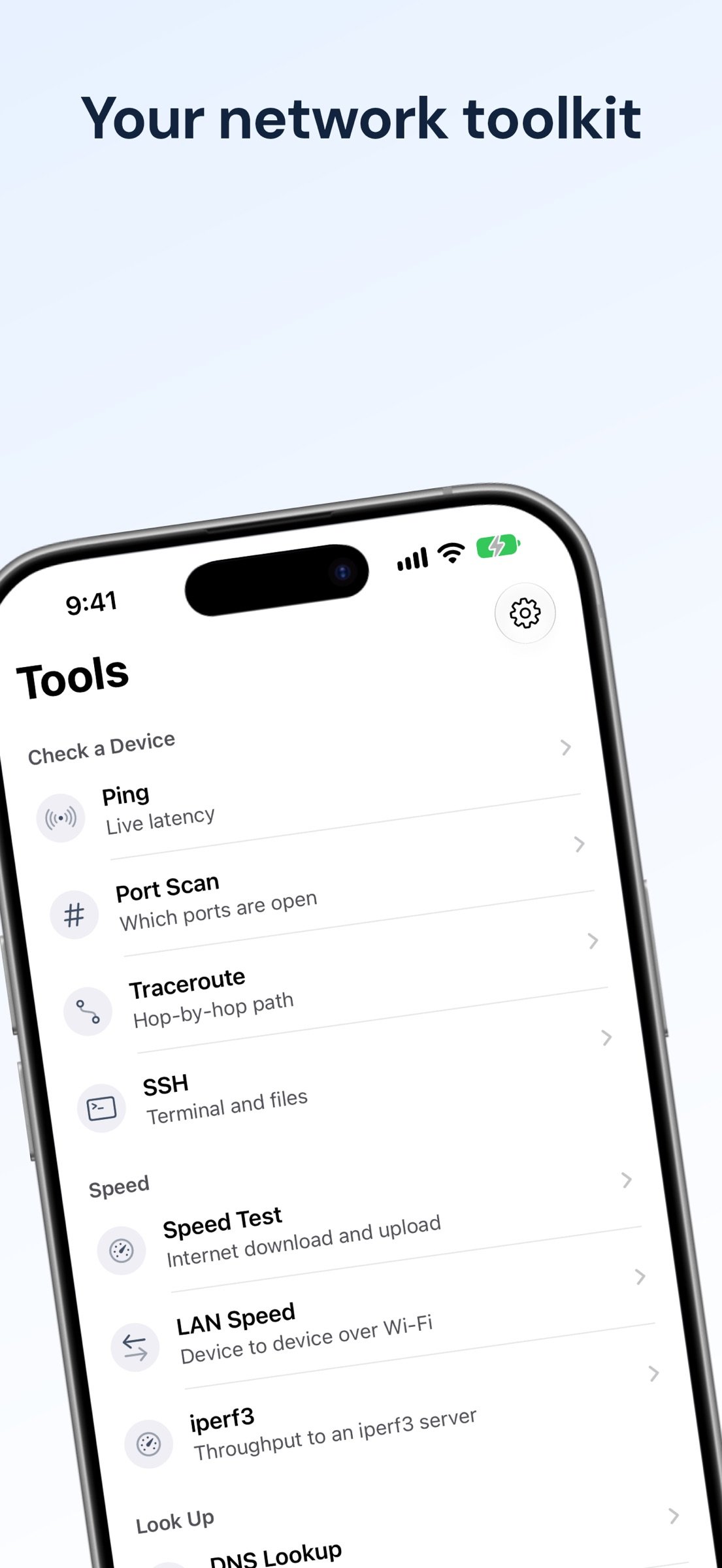
• Ping with live latency charts.
• Scan ports and trace network routes.
• Look up DNS records and Whois information.
• Inspect HTTP responses and TLS certificates.
• Run a connection checkup and review potential network security issues.
MEASURE PERFORMANCE
• Test internet download speed, upload speed, and latency.
• Measure local network speed.
• Run iperf3 tests against a compatible server.
• Review Wi-Fi roaming events.
CONNECT AND MANAGE
• Connect with an SSH terminal and access remote files.
• Send Wake-on-LAN packets.
• Calculate subnets.
• Review network change history and export device data.
BUILT FOR iOS
• Widgets, Live Activities, and Control Center integration.
• Siri and Shortcuts actions.
• Native layouts with light and dark appearances.
STRAIGHTFORWARD PRICING
Buy once and get all included tools. No recurring subscription and no feature-unlock purchases.
Local device discovery and saved network information are processed on your device. Internet diagnostics contact the services or hosts needed to perform the requested test. Internet speed tests use Measurement Lab (M-Lab), which publishes test results, including your public IP address; the app asks for agreement before the first test.
Local network discovery requires local network permission. Revealing your Wi-Fi network name may require location permission. SSH, LAN speed tests, iperf3, and Wake-on-LAN require compatible devices or servers. Use diagnostic tools only on networks and systems you own or are authorized to test.
Terms of Use (EULA): [link removed]
Privacy Policy: [link removed]
License: Commercial
20+ tools and features. One purchase. No subscriptions or in-app purchases.
DISCOVER YOUR NETWORK
• Scan your LAN for connected devices.
• View device details, rename devices, and keep your network organized.
• Search devices and tools.
• Inspect your current network connection.
• Browse Bonjour and UPnP services.
• Identify hardware vendors with MAC Lookup.
DIAGNOSE CONNECTIONS
• Ping with live latency charts.
• Scan ports and trace network routes.
• Look up DNS records and Whois information.
• Inspect HTTP responses and TLS certificates.
• Run a connection checkup and review potential network security issues.
MEASURE PERFORMANCE
• Test internet download speed, upload speed, and latency.
• Measure local network speed.
• Run iperf3 tests against a compatible server.
• Review Wi-Fi roaming events.
CONNECT AND MANAGE
• Connect with an SSH terminal and access remote files.
• Send Wake-on-LAN packets.
• Calculate subnets.
• Review network change history and export device data.
BUILT FOR iOS
• Widgets, Live Activities, and Control Center integration.
• Siri and Shortcuts actions.
• Native layouts with light and dark appearances.
STRAIGHTFORWARD PRICING
Buy once and get all included tools. No recurring subscription and no feature-unlock purchases.
Local device discovery and saved network information are processed on your device. Internet diagnostics contact the services or hosts needed to perform the requested test. Internet speed tests use Measurement Lab (M-Lab), which publishes test results, including your public IP address; the app asks for agreement before the first test.
Local network discovery requires local network permission. Revealing your Wi-Fi network name may require location permission. SSH, LAN speed tests, iperf3, and Wake-on-LAN require compatible devices or servers. Use diagnostic tools only on networks and systems you own or are authorized to test.
Terms of Use (EULA): [link removed]
Privacy Policy: [link removed]
License: Commercial
| Release info | New Release on Oct 12, 2026 |
|---|---|
| Listing data | App Store |
Reviews
No reviews yet. Be the first to review Network Toolkit.
Used Network Toolkit? Tell other visitors what you thought.
Log in to write a reviewOther products by this publisher
- "No Distractions" for YouTube 4.10 ----
- #Bible 11.5 "Incredible App - My sister shared this app with me a few weeks ago and it is truly incredible.
- #filmphotography 1.4.2 So, you decided to shoot on film?
- $quirrel 1.5.1 $quirrel Budget & Finance helps you plan each paycheck, track spending, manage debt, and see what is safe to spend before the next payday.
- % Percentage Calculator Pro 1.41 This is the Pro version of % Percentage Calculator.
Most viewed iOS Developer Tools
-
1
 ZScripter 12.2.0
ZScripter plays compatible Ren'Py, RealLive, NScripter, (PONS)ONScripter-EN/RU/JH/Yuri, Artemis, Siglus, AI5 and UK2 games as well as KiriKiri (+Kirikiroid2 patches) and RPG Maker MV/MZ & XP, VX and VX Ace support.
ZScripter 12.2.0
ZScripter plays compatible Ren'Py, RealLive, NScripter, (PONS)ONScripter-EN/RU/JH/Yuri, Artemis, Siglus, AI5 and UK2 games as well as KiriKiri (+Kirikiroid2 patches) and RPG Maker MV/MZ & XP, VX and VX Ace support.
-
2
 Shader Playground 1.0
Shader Playground is a powerful real-time shader editor built for iPhone and iPad.
Shader Playground 1.0
Shader Playground is a powerful real-time shader editor built for iPhone and iPad.
-
3
 GitHub 1.283.0
There’s a lot you can do on GitHub that doesn’t require a complex development environment – like sharing feedback on a design discussion, or reviewing a few lines of code.
GitHub 1.283.0
There’s a lot you can do on GitHub that doesn’t require a complex development environment – like sharing feedback on a design discussion, or reviewing a few lines of code.
-
4
 Agents Anywhere 2.1.0
Agents Anywhere is a developer tools mobile application for remotely controlling your local computer to complete coding tasks.
Agents Anywhere 2.1.0
Agents Anywhere is a developer tools mobile application for remotely controlling your local computer to complete coding tasks.
-
5
 Code Workspace 0.9.1
Code Workspace is a free, agent-first development environment for iPad and iPhone.
Code Workspace 0.9.1
Code Workspace is a free, agent-first development environment for iPad and iPhone.
-
6
 LocalDevVPN 1.3.0
LocalDevVPN is a developer tool for creating and managing local network tunnels directly on iOS.
LocalDevVPN 1.3.0
LocalDevVPN is a developer tool for creating and managing local network tunnels directly on iOS.
-
7
 Termius 8.0.7
Termius is a modern SSH client designed for productivity and collaboration.
Termius 8.0.7
Termius is a modern SSH client designed for productivity and collaboration.
-
8
 Cursor 1.16.0
Introducing Cursor for iOS: the best way to build, review, and ship software from anywhere.
Cursor 1.16.0
Introducing Cursor for iOS: the best way to build, review, and ship software from anywhere.
-
9
 Rulify 1.0.7
Rulify ????? iOS App ????,???????? App ????,???????????????
Rulify 1.0.7
Rulify ????? iOS App ????,???????? App ????,???????????????
-
10
 C/C++$-LLVM Clang 2.7
This is a learning tool for efficient C/C++ learning, fast programming, ?(LLVM+Clang)offline compilation and local execution?, Git fetching, iCloud storage, and efficient transfer and sharing via LAN HTTP/FTP multi-point connections.
C/C++$-LLVM Clang 2.7
This is a learning tool for efficient C/C++ learning, fast programming, ?(LLVM+Clang)offline compilation and local execution?, Git fetching, iCloud storage, and efficient transfer and sharing via LAN HTTP/FTP multi-point connections.
Most downloaded iOS Developer Tools
-
1
Agents Anywhere 2.1.0
Agents Anywhere is a developer tools mobile application for remotely controlling your local computer to complete coding tasks.
-
2
 a-Shell mini 2.3.2
a-Shell mini is a complete local terminal emulator, allowing to run most Unix commands on you iOS device.
a-Shell mini 2.3.2
a-Shell mini is a complete local terminal emulator, allowing to run most Unix commands on you iOS device.
-
3
Rulify 1.0.7
Rulify ????? iOS App ????,???????? App ????,???????????????
-
4
 LadderTouch 2.1.5
LadderTouch is an app to learn the basics of ladder logic, which is a graphical programming language.
LadderTouch 2.1.5
LadderTouch is an app to learn the basics of ladder logic, which is a graphical programming language.
-
5
 FSNotes 7.5.1
FSNotes is a fast, modern notes manager for macOS and iOS.
FSNotes 7.5.1
FSNotes is a fast, modern notes manager for macOS and iOS.
-
6
C/C++$-LLVM Clang 2.7
This is a learning tool for efficient C/C++ learning, fast programming, ?(LLVM+Clang)offline compilation and local execution?, Git fetching, iCloud storage, and efficient transfer and sharing via LAN HTTP/FTP multi-point connections.
-
7
 HTTP Debugger+ 1.2.3
HTTP Debugger+ is a professional HTTP traffic inspector designed for developers and QA engineers.
HTTP Debugger+ 1.2.3
HTTP Debugger+ is a professional HTTP traffic inspector designed for developers and QA engineers.
-
8
 Expo Go 58.0.5
Start learning to build projects using web technologies with just your iOS device.
Expo Go 58.0.5
Start learning to build projects using web technologies with just your iOS device.
-
9
 Airswitch 1.1
Airswitch is a VPN focused on connection speed and reliable server infrastructure.
Airswitch 1.1
Airswitch is a VPN focused on connection speed and reliable server infrastructure.
-
10
 Sekai 1.75.31
Don’t just watch content—play with it.
Sekai 1.75.31
Don’t just watch content—play with it.