
8downloads
7this week
FreeCommercial
0reviews
Screenshots
About NetOps
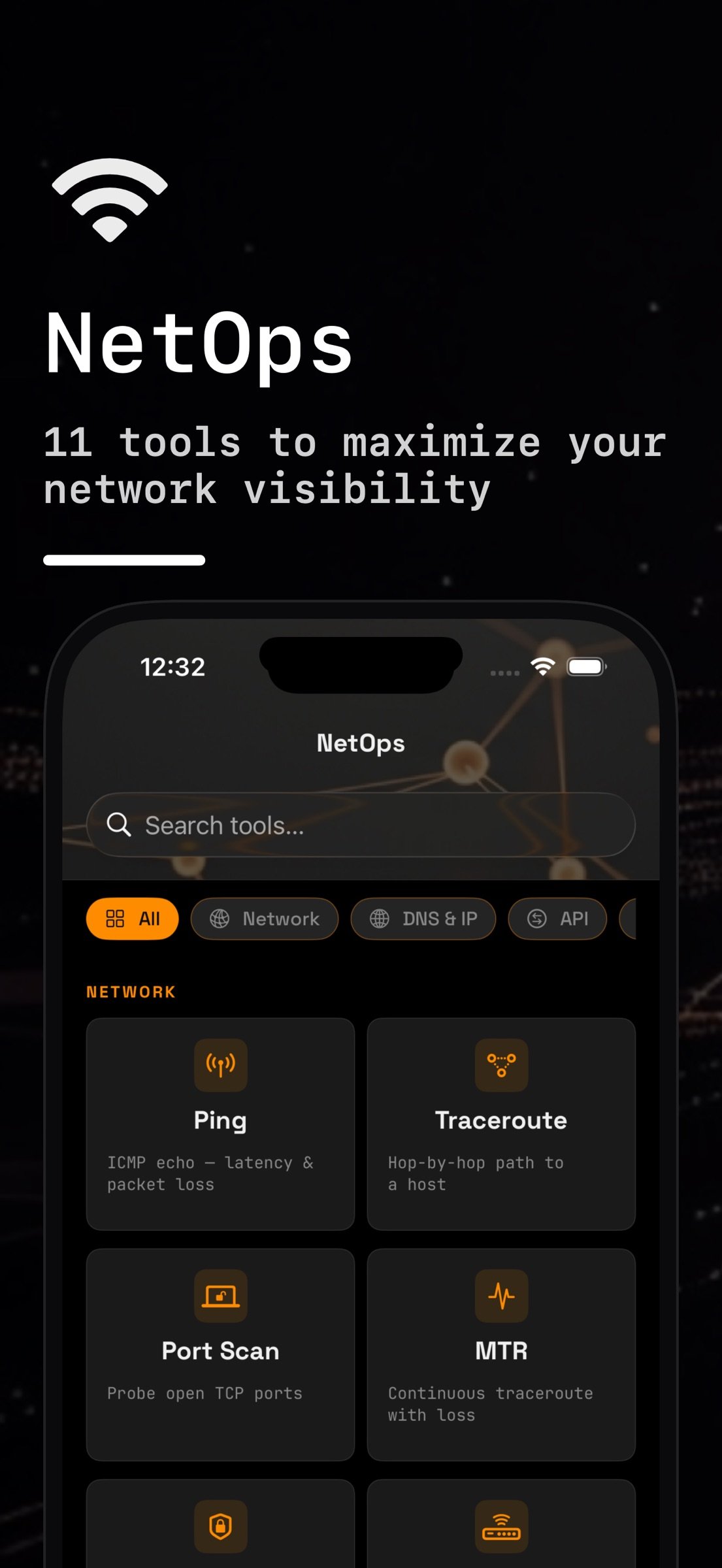
Twelve network tools in one app for sysadmins and developers. NetOps finds the devices on your Wi-Fi, maps a managed switch over SNMP, checks TLS certificates and DNS, and probes hosts and ports, on iPhone and iPad.
LOCAL NETWORK
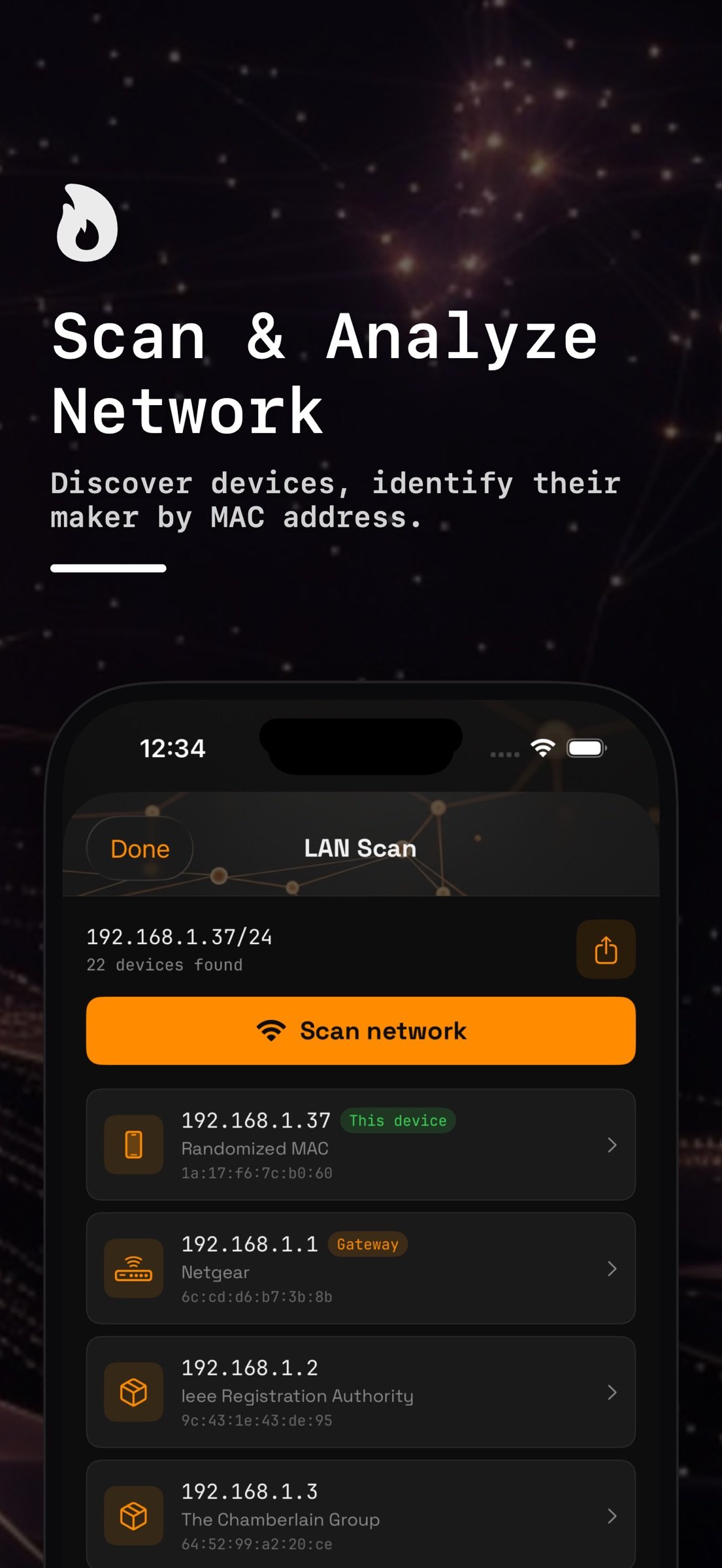
• LAN Scan — Sweeps your Wi-Fi subnet (up to 1,024 addresses), then reads the iOS ARP table to list each device's IP and MAC address, with the maker looked up from the MAC's OUI. Devices using a private (randomized) Wi-Fi address are marked as such. Export as CSV or JSON, or save a device to Hosts.
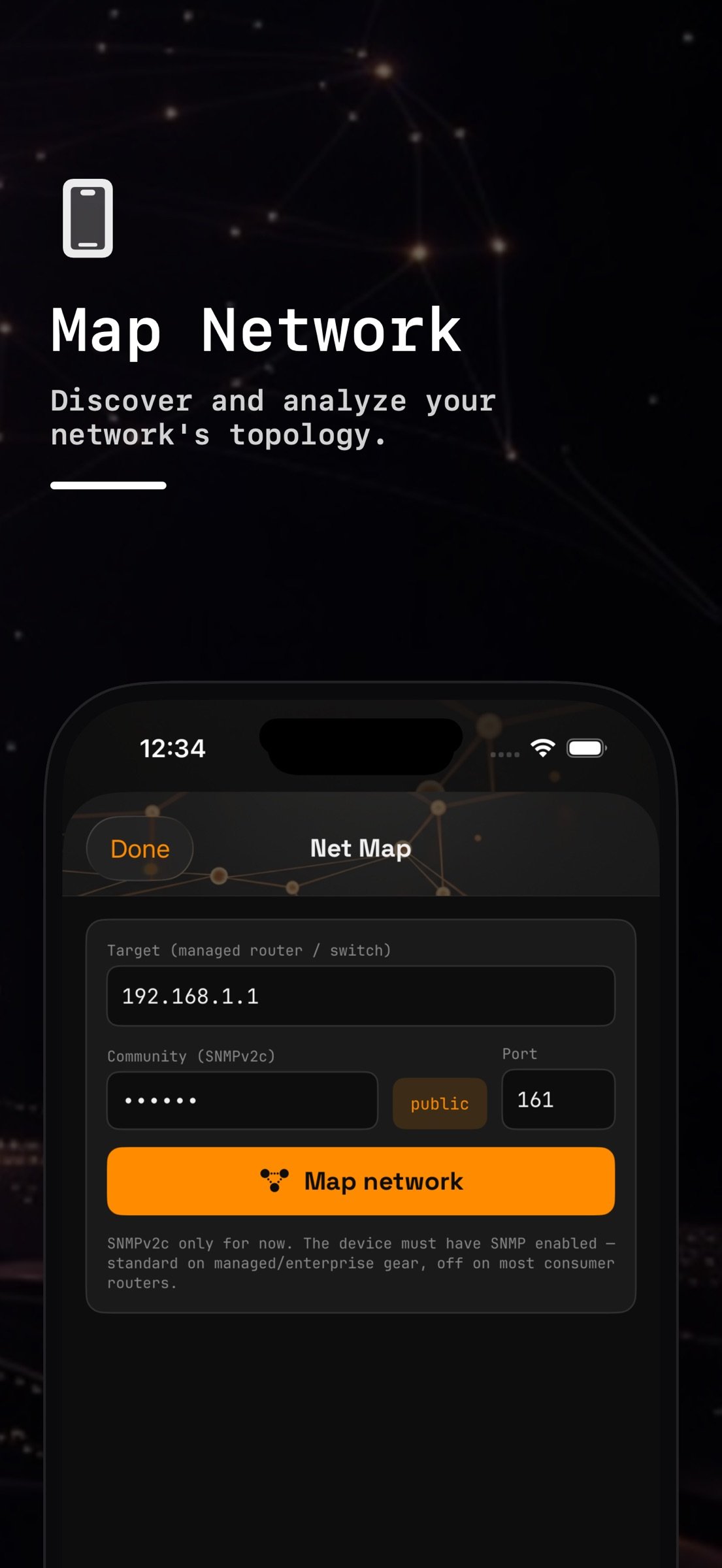
• Net Map — Point it at a managed switch or router that speaks SNMP v2c (GetBulk walks, read community). It reads system name, uptime and location; interfaces with status, speed and MAC; the ARP table with vendors; LLDP and CDP neighbors; MAC-to-switchport; and routed subnets. It reaches devices beyond your own subnet.
PROBES (TCP)
iOS gives apps no ICMP, so these tools time TCP connections, and say so on screen.
• Ping — TCP ping: each probe races connects to ports 80, 443, 53 and 22; an accept or a refusal counts as an answer. Count 1–100 or continuous, interval 0.2–2 s, with min/avg/max, jitter, loss and a latency chart.
• Traceroute — A TCP reachability check: up to 10 connect attempts to the destination, each waiting longer, until it answers. It does not list the routers in between.
• MTR — A continuous TCP ping to one destination with live loss, best, average, worst and jitter. No per-hop table.
• Port Scan — TCP connect scan of a host name or IPv4/IPv6 address: a 22-port common preset, a top-100 list, ports 1–1000, or any custom range. Each port is open, closed (refused), filtered (no answer) or unreachable (no route), and IPv4 is tried first.
CERTIFICATES
• SSL Check — Any host and port: the full chain labelled leaf, intermediate and root, iOS's own trust verdict, whether the certificate covers the host name, the failure reason, days to expiry, issuer, SANs and serial. Expired, self-signed and wrong-host certificates are still shown.
DNS AND IP
• Dig — Query A, AAAA, MX, TXT, CNAME, NS, SOA and PTR records from any resolver over UDP with EDNS0. The response code (NOERROR, NXDOMAIN, SERVFAIL, REFUSED) and a truncated answer are shown. SOA is printed in full and IPv6 in RFC 5952 short form.
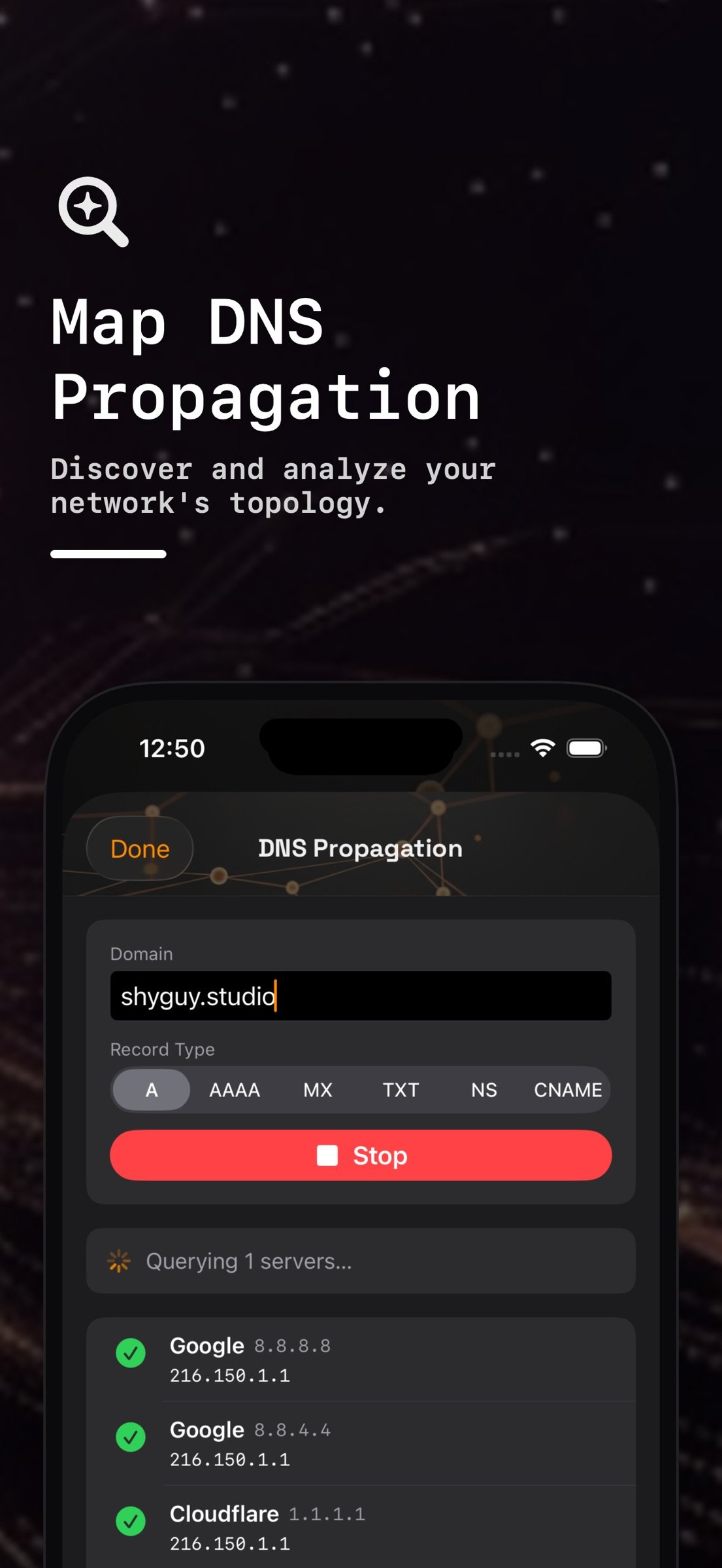
• DNS Propagation — One name and record type across eight public resolvers at once (Google, Cloudflare, Quad9, OpenDNS, DNS.WATCH, Yandex), flagging disagreement.
• WHOIS — Domain and IP registration data over RDAP: dates, status, name servers, network.
• Reverse Lookup — IPv4 address to host name via PTR.
• CIDR Calculator — IPv4 subnet math: network, mask, wildcard, broadcast, first and last host, host counts, and whether an IP falls inside the block.
HOSTS AND HISTORY
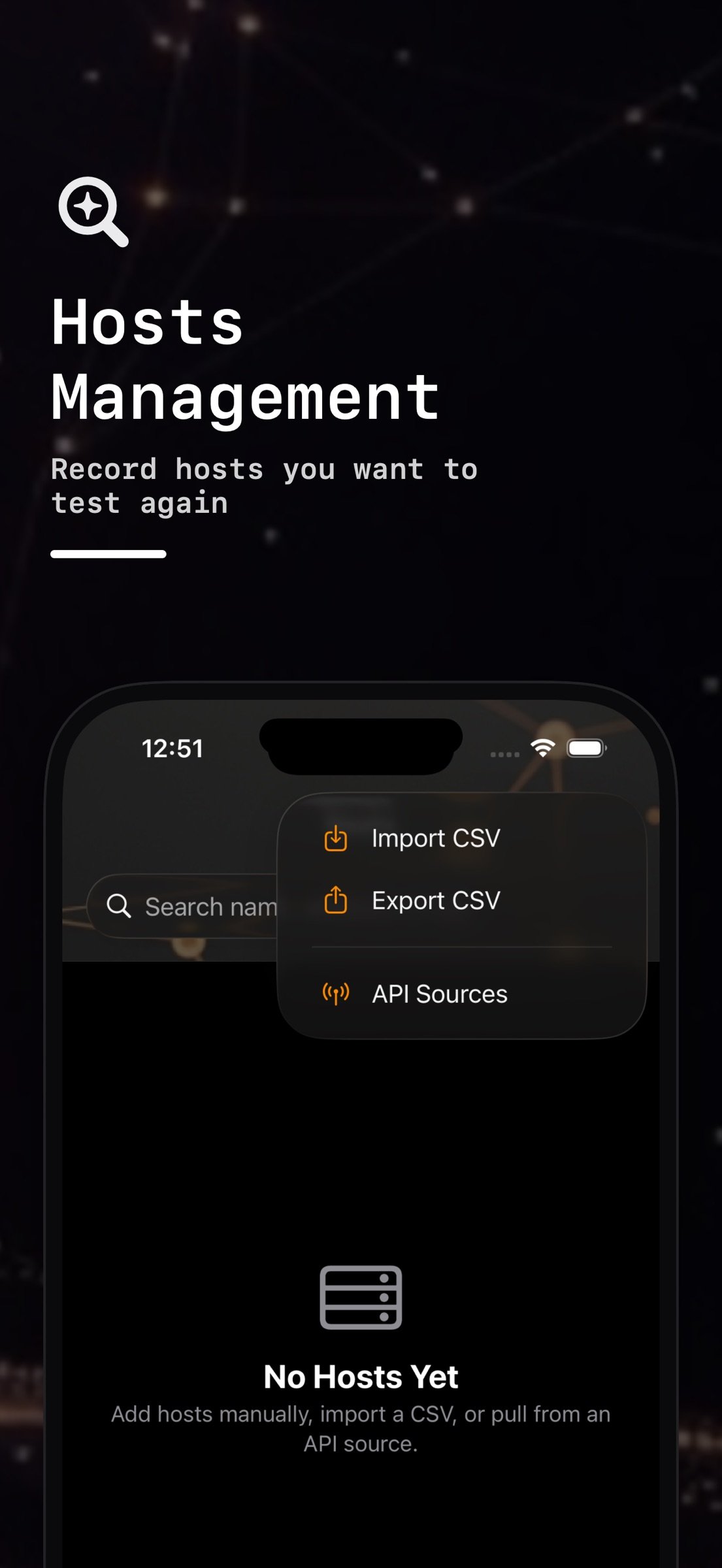
• Hosts — Names, tags, notes and favorites. A host found by LAN Scan is matched by MAC, so it survives an IP change. Import from a CSV file, export to CSV, or sync from an HTTPS inventory API: any JSON list with dot-path field mapping (NetBox works), or an Ansible dynamic inventory, with an optional bearer token kept in the iOS Keychain.
• History — Every tool's runs are saved as text reports you can search, share or delete, kept 7, 30, 90 or 365 days.
WHAT IT DOES NOT DO
• No ICMP ping, hop-by-hop traceroute or per-hop MTR on iOS.
• No Wi-Fi signal survey or list of nearby Wi-Fi networks; LAN Scan finds devices on the network you are joined to.
• No SNMP v3, no SNMP writes, no SSH or Telnet client.
• No packet capture, and nothing runs in the background.
PRIVACY
No account, no analytics, no ads, no tracking. Hosts and history stay on your device. Probes go only to the hosts you enter; WHOIS queries go to rdap.org, DNS queries go to the resolvers you choose, and API sync goes to the URL you set.
PRICE
One purchase. No subscription, no in-app purchases, no upsells.
Published by SHYGUY LLC.
License: Commercial
LOCAL NETWORK
• LAN Scan — Sweeps your Wi-Fi subnet (up to 1,024 addresses), then reads the iOS ARP table to list each device's IP and MAC address, with the maker looked up from the MAC's OUI. Devices using a private (randomized) Wi-Fi address are marked as such. Export as CSV or JSON, or save a device to Hosts.
• Net Map — Point it at a managed switch or router that speaks SNMP v2c (GetBulk walks, read community). It reads system name, uptime and location; interfaces with status, speed and MAC; the ARP table with vendors; LLDP and CDP neighbors; MAC-to-switchport; and routed subnets. It reaches devices beyond your own subnet.
PROBES (TCP)
iOS gives apps no ICMP, so these tools time TCP connections, and say so on screen.
• Ping — TCP ping: each probe races connects to ports 80, 443, 53 and 22; an accept or a refusal counts as an answer. Count 1–100 or continuous, interval 0.2–2 s, with min/avg/max, jitter, loss and a latency chart.
• Traceroute — A TCP reachability check: up to 10 connect attempts to the destination, each waiting longer, until it answers. It does not list the routers in between.
• MTR — A continuous TCP ping to one destination with live loss, best, average, worst and jitter. No per-hop table.
• Port Scan — TCP connect scan of a host name or IPv4/IPv6 address: a 22-port common preset, a top-100 list, ports 1–1000, or any custom range. Each port is open, closed (refused), filtered (no answer) or unreachable (no route), and IPv4 is tried first.
CERTIFICATES
• SSL Check — Any host and port: the full chain labelled leaf, intermediate and root, iOS's own trust verdict, whether the certificate covers the host name, the failure reason, days to expiry, issuer, SANs and serial. Expired, self-signed and wrong-host certificates are still shown.
DNS AND IP
• Dig — Query A, AAAA, MX, TXT, CNAME, NS, SOA and PTR records from any resolver over UDP with EDNS0. The response code (NOERROR, NXDOMAIN, SERVFAIL, REFUSED) and a truncated answer are shown. SOA is printed in full and IPv6 in RFC 5952 short form.
• DNS Propagation — One name and record type across eight public resolvers at once (Google, Cloudflare, Quad9, OpenDNS, DNS.WATCH, Yandex), flagging disagreement.
• WHOIS — Domain and IP registration data over RDAP: dates, status, name servers, network.
• Reverse Lookup — IPv4 address to host name via PTR.
• CIDR Calculator — IPv4 subnet math: network, mask, wildcard, broadcast, first and last host, host counts, and whether an IP falls inside the block.
HOSTS AND HISTORY
• Hosts — Names, tags, notes and favorites. A host found by LAN Scan is matched by MAC, so it survives an IP change. Import from a CSV file, export to CSV, or sync from an HTTPS inventory API: any JSON list with dot-path field mapping (NetBox works), or an Ansible dynamic inventory, with an optional bearer token kept in the iOS Keychain.
• History — Every tool's runs are saved as text reports you can search, share or delete, kept 7, 30, 90 or 365 days.
WHAT IT DOES NOT DO
• No ICMP ping, hop-by-hop traceroute or per-hop MTR on iOS.
• No Wi-Fi signal survey or list of nearby Wi-Fi networks; LAN Scan finds devices on the network you are joined to.
• No SNMP v3, no SNMP writes, no SSH or Telnet client.
• No packet capture, and nothing runs in the background.
PRIVACY
No account, no analytics, no ads, no tracking. Hosts and history stay on your device. Probes go only to the hosts you enter; WHOIS queries go to rdap.org, DNS queries go to the resolvers you choose, and API sync goes to the URL you set.
PRICE
One purchase. No subscription, no in-app purchases, no upsells.
Published by SHYGUY LLC.
License: Commercial
| Release info | Update on Nov 05, 2026 |
|---|---|
| Release notes | Ping, Traceroute and MTR now say plainly that they measure with TCP connects, because iOS does not let apps send ICMP. SSL Check reports iOS's own trust verdict and whether the certificate covers the host name, and labels each certificate as leaf, intermediate or root. Dig shows NXDOMAIN, SERVFAIL and truncated answers, reads long TXT sets in full, prints the whole SOA record and writes IPv6 addresses in short form. Ping, Port Scan and Traceroute accept host names, and Port Scan tries IPv4 first and reports hosts it cannot reach instead of marking every port closed. Every tool now saves its run to History, which you can search, open, share and trim with the retention setting. |
| Listing data | App Store |
Reviews
No reviews yet. Be the first to review NetOps.
Used NetOps? Tell other visitors what you thought.
Log in to write a reviewOther products by this publisher
- "No Distractions" for YouTube 4.10 ----
- #Bible 11.5 "Incredible App - My sister shared this app with me a few weeks ago and it is truly incredible.
- #filmphotography 1.4.2 So, you decided to shoot on film?
- $quirrel 1.5.1 $quirrel Budget & Finance helps you plan each paycheck, track spending, manage debt, and see what is safe to spend before the next payday.
- % Percentage Calculator Pro 1.41 This is the Pro version of % Percentage Calculator.
Most viewed iOS Developer Tools
-
1
 ZScripter 12.1.0
ZScripter plays compatible Ren'Py, RealLive, NScripter, (PONS)ONScripter-EN/RU/JH/Yuri, Artemis, Siglus, AI5 and UK2 games as well as KiriKiri (+Kirikiroid2 patches) and RPG Maker MV/MZ & XP, VX and VX Ace support.
-
2
 Shader Playground 1.0
Shader Playground is a powerful real-time shader editor built for iPhone and iPad.
-
3
 GitHub 1.283.0
There’s a lot you can do on GitHub that doesn’t require a complex development environment – like sharing feedback on a design discussion, or reviewing a few lines of code.
-
4
 Agents Anywhere 2.1.0
Agents Anywhere is a developer tools mobile application for remotely controlling your local computer to complete coding tasks.
-
5
 Code Workspace 0.9.1
Code Workspace is a free, agent-first development environment for iPad and iPhone.
-
6
 LocalDevVPN 1.3.0
LocalDevVPN is a developer tool for creating and managing local network tunnels directly on iOS.
-
7
 Termius 8.0.7
Termius is a modern SSH client designed for productivity and collaboration.
-
8
 Cursor 1.16.0
Introducing Cursor for iOS: the best way to build, review, and ship software from anywhere.
-
9
 Rulify 1.0.7
Rulify ????? iOS App ????,???????? App ????,???????????????
-
10
 C/C++$-LLVM Clang 2.7
This is a learning tool for efficient C/C++ learning, fast programming, ?(LLVM+Clang)offline compilation and local execution?, Git fetching, iCloud storage, and efficient transfer and sharing via LAN HTTP/FTP multi-point connections.
Most downloaded iOS Developer Tools
-
1
Agents Anywhere 2.1.0
Agents Anywhere is a developer tools mobile application for remotely controlling your local computer to complete coding tasks.
-
2
 a-Shell mini 2.3.2
a-Shell mini is a complete local terminal emulator, allowing to run most Unix commands on you iOS device.
-
3
Rulify 1.0.7
Rulify ????? iOS App ????,???????? App ????,???????????????
-
4
 LadderTouch 2.1.5
LadderTouch is an app to learn the basics of ladder logic, which is a graphical programming language.
-
5
 FSNotes 7.5.1
FSNotes is a fast, modern notes manager for macOS and iOS.
-
6
C/C++$-LLVM Clang 2.7
This is a learning tool for efficient C/C++ learning, fast programming, ?(LLVM+Clang)offline compilation and local execution?, Git fetching, iCloud storage, and efficient transfer and sharing via LAN HTTP/FTP multi-point connections.
-
7
 HTTP Debugger+ 1.2.3
HTTP Debugger+ is a professional HTTP traffic inspector designed for developers and QA engineers.
-
8
 Expo Go 58.0.5
Start learning to build projects using web technologies with just your iOS device.
-
9
 Airswitch 1.1
Airswitch is a VPN focused on connection speed and reliable server infrastructure.
-
10
 Sekai 1.75.31
Don’t just watch content—play with it.