
4downloads
0this week
FreeFreeware
0reviews
Screenshots
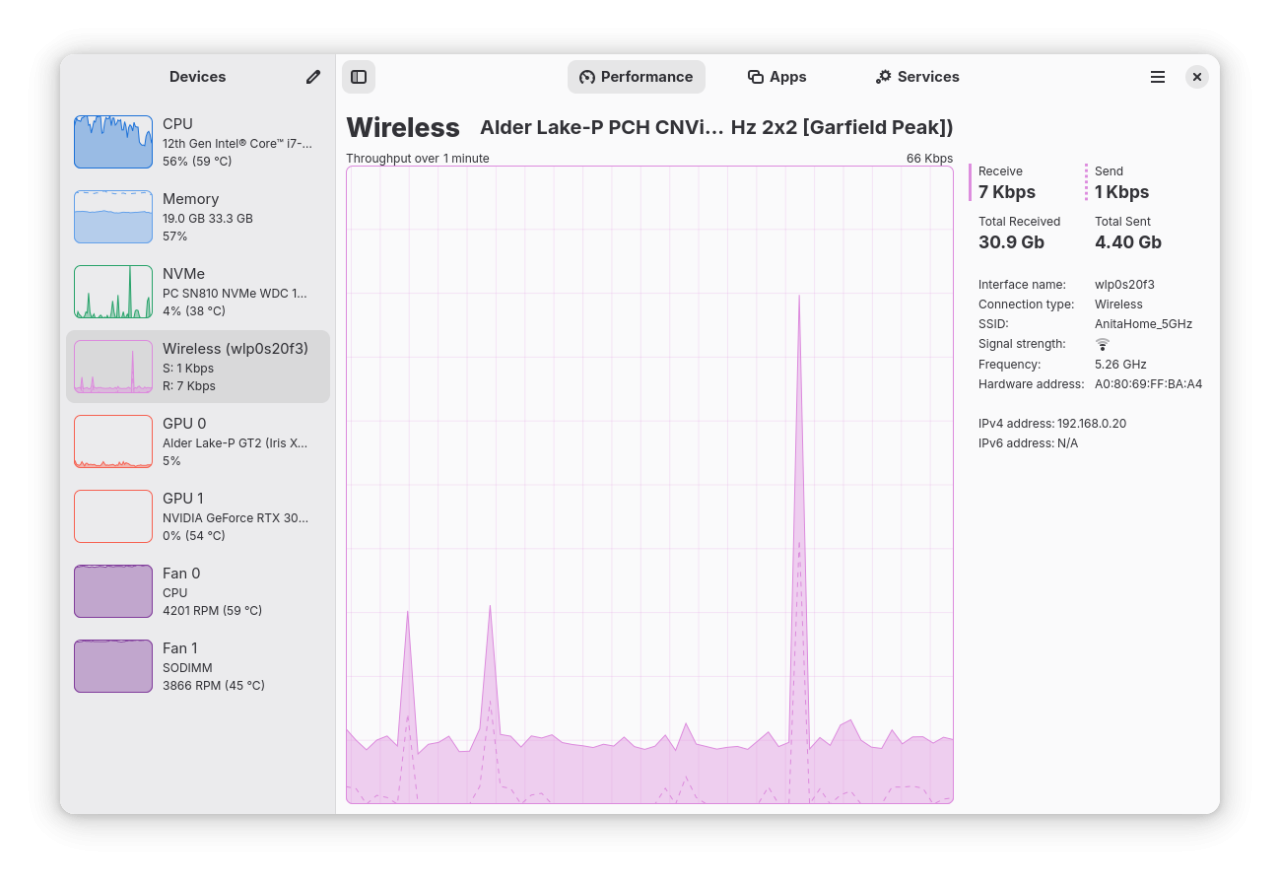
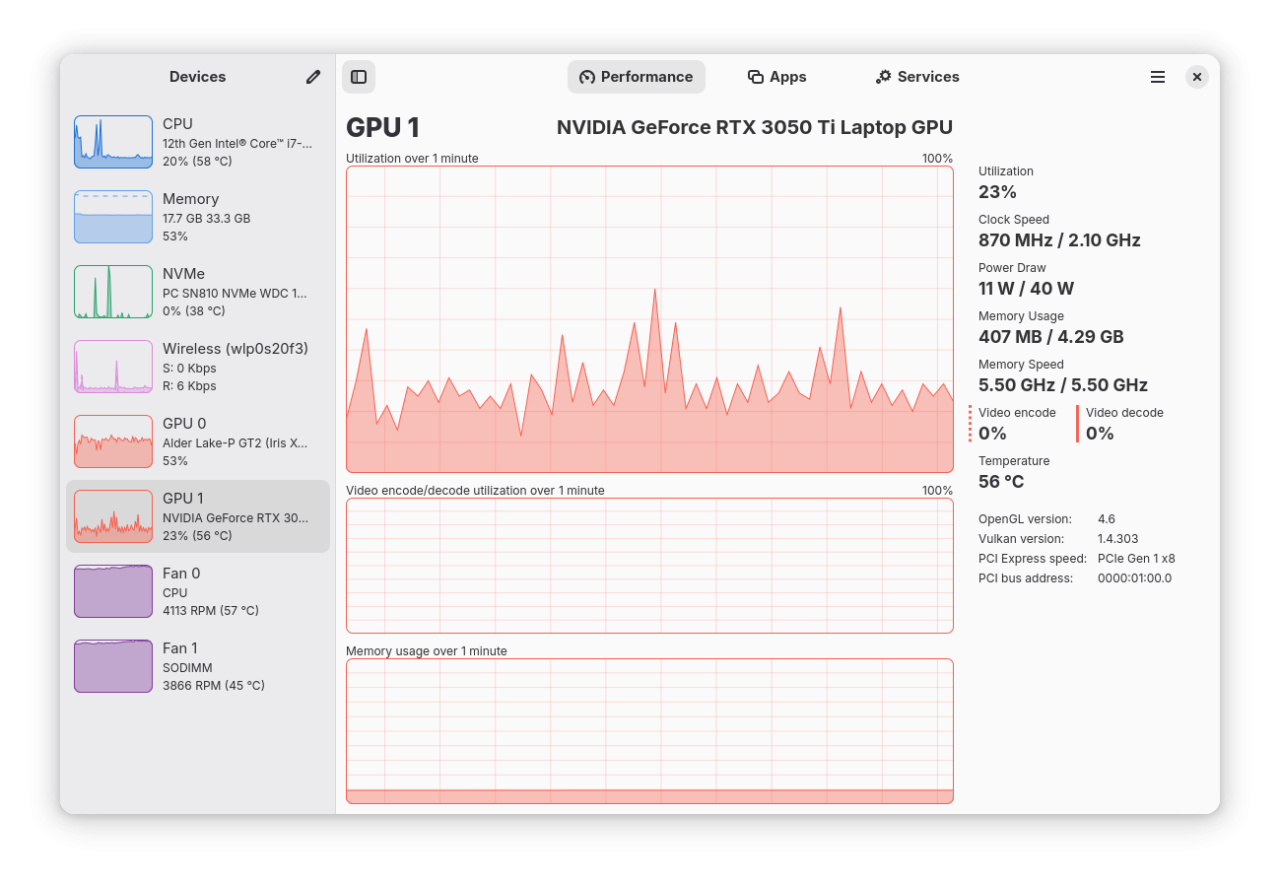
About Mission Center
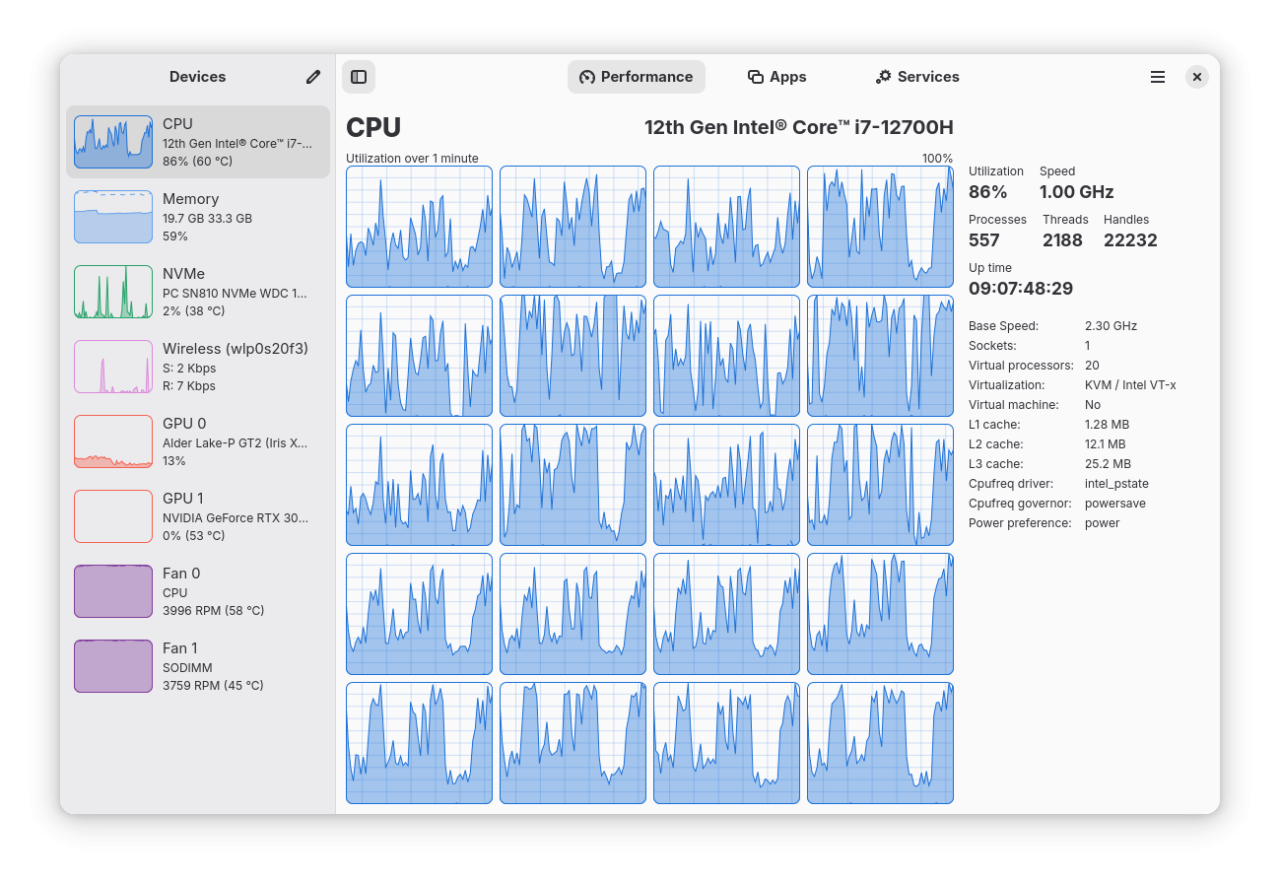
Monitor your CPU, Memory, Disk, Network and GPU usage, accompanied by a per app and process breakdown of these statistics
Features:
• Monitor overall or per-thread CPU usage
• See system process, thread, and handle count, uptime, clock speed (base and current), cache sizes
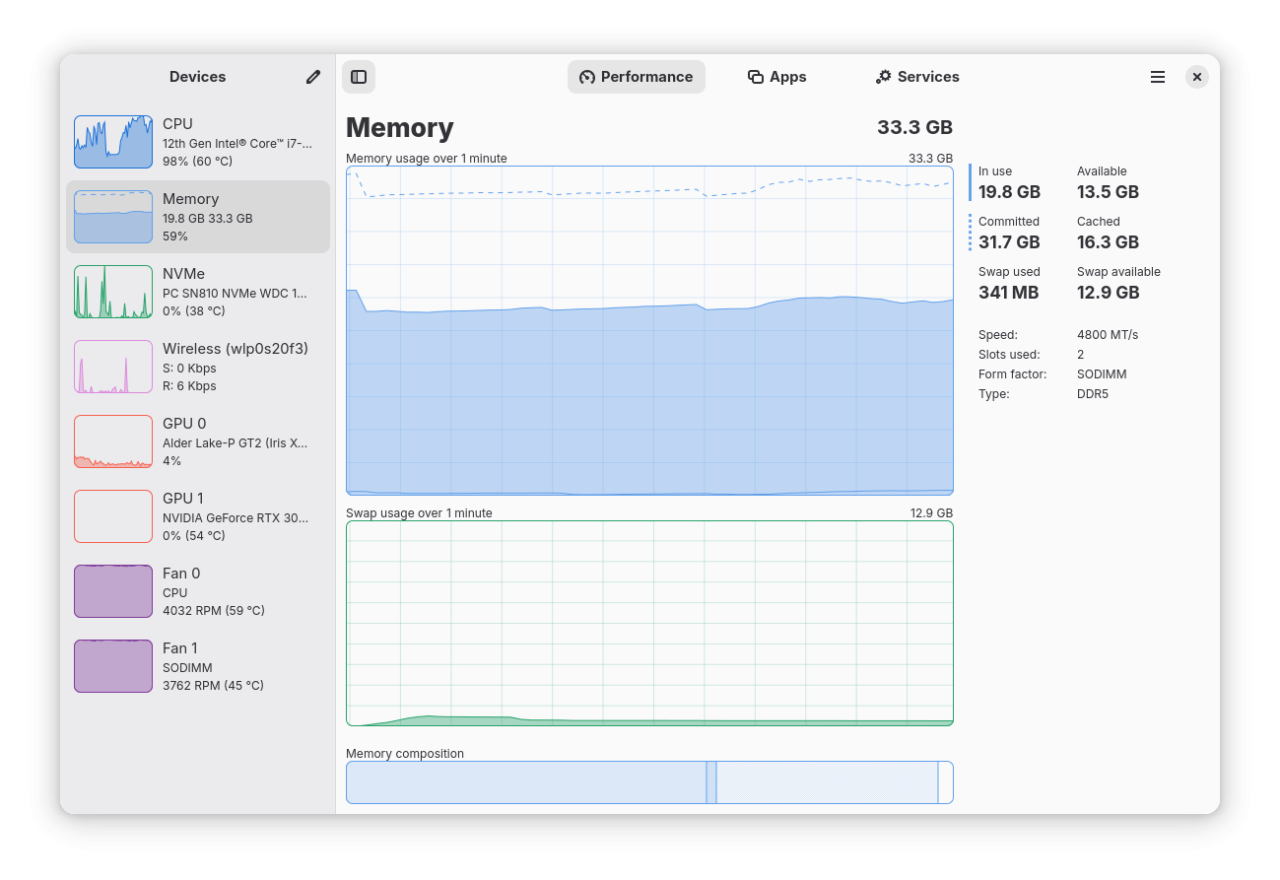
• Monitor RAM and Swap usage
• See a breakdown how the memory is being used by the system
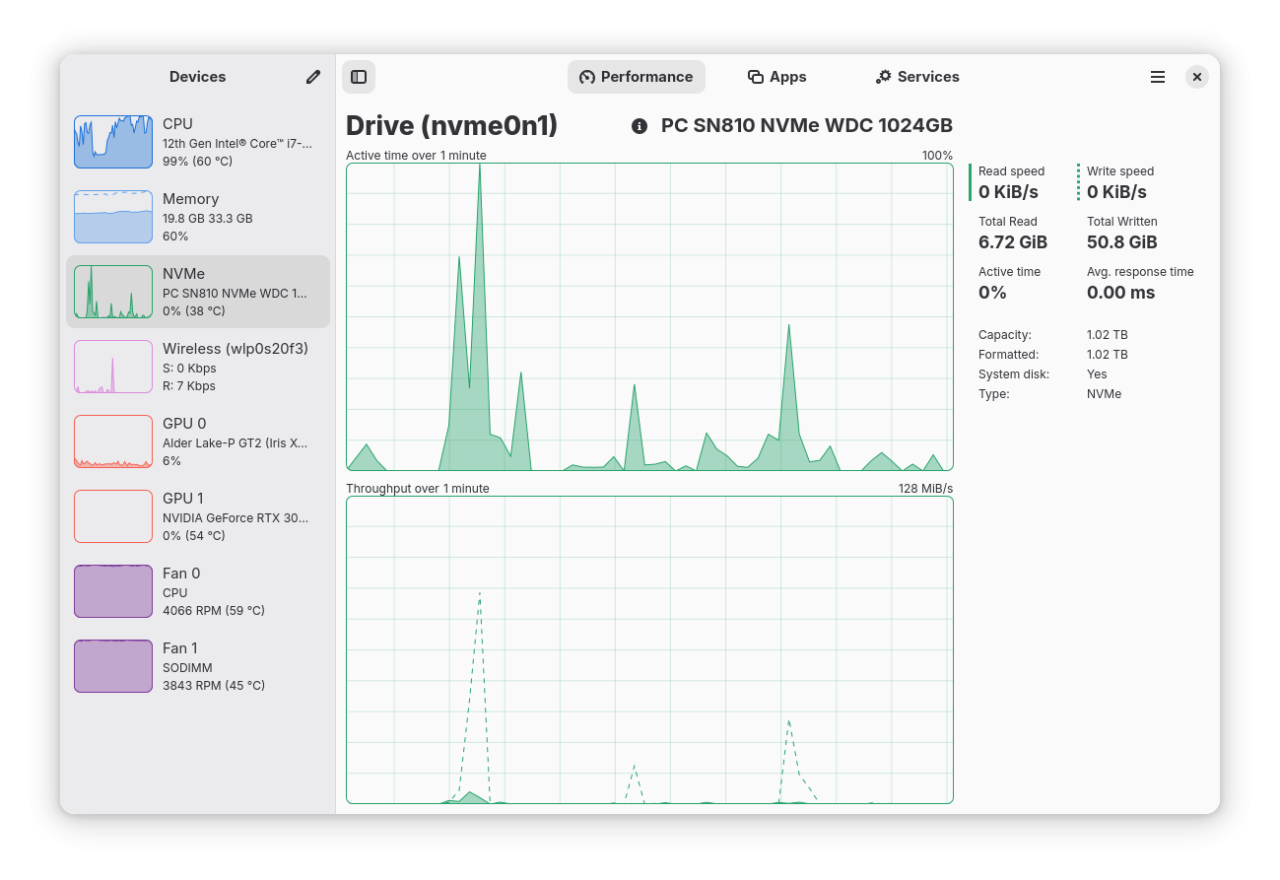
• Monitor Disk utilization and transfer rates
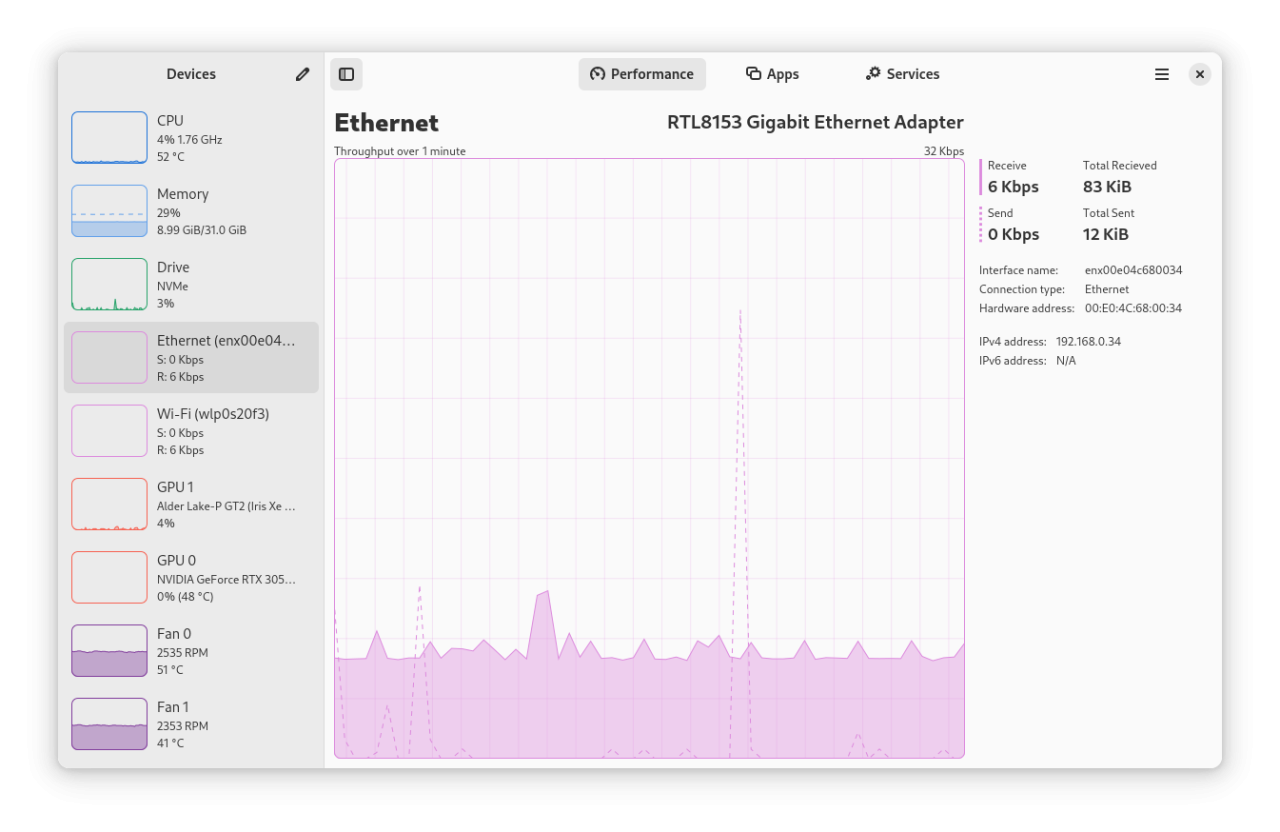
• Monitor network utilization and transfer speeds
• See network interface information such as network card name, connection type (Wi-Fi or Ethernet),
wireless speeds and frequency, hardware address, IP address
• Monitor overall GPU usage, video encoder and decoder usage, memory usage and power consumption, powered
by the popular NVTOP project
• Monitor system fans
• See a breakdown of resource usage by app and process
• Supports a minified summary view for simple monitoring
• Use hardware accelerated rendering for all the graphs in an effort to reduce CPU and overall resource
usage
• Uses GTK4 and Libadwaita
• Written in Rust
Limitations (there is ongoing work to overcome all of these):
• Intel GPU monitoring is only supported for Broadwell and later GPUs; and does not support VRAM, power,
or temperature monitoring
• When using Linux Mint/Cinnamon, launched applications may not show up in the "Applications" section
(Upstream issue: [link removed])
Comments, suggestions, bug reports and contributions welcome
License: GPL-3.0-or-later
Features:
• Monitor overall or per-thread CPU usage
• See system process, thread, and handle count, uptime, clock speed (base and current), cache sizes
• Monitor RAM and Swap usage
• See a breakdown how the memory is being used by the system
• Monitor Disk utilization and transfer rates
• Monitor network utilization and transfer speeds
• See network interface information such as network card name, connection type (Wi-Fi or Ethernet),
wireless speeds and frequency, hardware address, IP address
• Monitor overall GPU usage, video encoder and decoder usage, memory usage and power consumption, powered
by the popular NVTOP project
• Monitor system fans
• See a breakdown of resource usage by app and process
• Supports a minified summary view for simple monitoring
• Use hardware accelerated rendering for all the graphs in an effort to reduce CPU and overall resource
usage
• Uses GTK4 and Libadwaita
• Written in Rust
Limitations (there is ongoing work to overcome all of these):
• Intel GPU monitoring is only supported for Broadwell and later GPUs; and does not support VRAM, power,
or temperature monitoring
• When using Linux Mint/Cinnamon, launched applications may not show up in the "Applications" section
(Upstream issue: [link removed])
Comments, suggestions, bug reports and contributions welcome
License: GPL-3.0-or-later
| Release info | New Release on Jul 23, 2026 |
|---|---|
| Release notes | Noteworthy changes: • Add a new Battery page to the Performance tab, with charge graphs and detailed battery information (@jlo62) • Show per-partition usage details on the disk page, including used and free space (@jojo2357) • Overhaul the graphing backend: smoother animations and rendering, a new loading shimmer while data loads, and less stuttering on application startup (@jojo2357, @kicsyromy) • Improve application detection, fixing wrong names and icons, phantom entries for PWAs, and constantly cycling processes (@kicsyromy) • Improvements to the Snap package, which was upgraded to the core24 snap (@kicsyromy) • Improvements to the AppImage package which now uses quick-sharun, is smaller and no longer depends on FUSE (@kicsyromy) Minor features: • Add a second CPU graph that can show temperature, power draw or CPU frequency (@jlo62) • Add memory compression (zRAM/zswap) statistics to the Memory page (@timatgca) • Refactor and redesign the Preferences dialog (@kicsyromy) • Allow disabling entire device categories and individual network types (@kicsyromy) • Update to GNOME 50 Platform (@kicsyromy) • Pause UI refreshes by holding the CTRL key, just like the Windows Task Manager (@jlo62) • More accurate per-process memory usage using a hybrid PSS approximation (@kicsyromy) • Show per-process swap usage instead of shared memory in the Apps page (@jlo62) • Allow sending process signals that require elevation via `pkexec` (@jojo2357) • Add an option to select what the middle GPU graph displays (@jlo62) • Add a first run dialog and setup script for advanced features (@jlo62) • Add `--app-id`/`-a` command-line flag for setting custom application IDs (@kicsyromy) • Collapse and expand rows using double-click or the left and right arrow keys (@jojo2357) • Display the network connection state in the network details sidebar (@jojo2357) • Show total GPU memory on the graph when GTT is not available (@jlo62) • Add an option to gray out zero values in… |
| Related tags | Processor Processes CPU |
| Listing data | Flathub |
Reviews
No reviews yet. Be the first to review Mission Center.
Used Mission Center? Tell other visitors what you thought.
Log in to write a reviewOther products by this publisher
- "No Distractions" for YouTube 4.10 ----
- #Bible 11.5 "Incredible App - My sister shared this app with me a few weeks ago and it is truly incredible.
- #filmphotography 1.4.2 So, you decided to shoot on film?
- $quirrel 1.5.1 $quirrel Budget & Finance helps you plan each paycheck, track spending, manage debt, and see what is safe to spend before the next payday.
- % Percentage Calculator Pro 1.41 This is the Pro version of % Percentage Calculator.
Most viewed Linux System
-
1
 StreamController 1.5.0-beta.16
Control your Elgato Stream Decks with plugin support
-
2
 FurMark 2.10.2.0
OpenGL and Vulkan GPU stress test
-
3
 LACT 0.10.1
Control your graphics cards
-
4
 Rclone UI 3.7.5
The GUI for rclone.
-
5
 Popsicle 1.3.3
Flash multiple USB devices in parallel
-
6
 Cutecom 0.51.0
Graphical serial terminal
- 7 Calculator 0.1.1-alpha ExpidusOS Calculator
-
8
 Czkawka 12.0.2
Multi functional app to find duplicates, empty folders, similar images, broken files etc.
-
9
 Geekbench 6 6.7.1
Cross-platform system benchmark
-
10
 RISC-V CPU simulator 0.9.9
RISC-V CPU simulator for education purposes
Most downloaded Linux System
-
1
Popsicle 1.3.3
Flash multiple USB devices in parallel
-
2
Rclone UI 3.7.5
The GUI for rclone.
-
3
 ClamUI 0.5.1
GUI for ClamAV
-
4
RISC-V CPU simulator 0.9.9
RISC-V CPU simulator for education purposes
-
5
 GPU-Viewer 4.04
A front-end to glxinfo, vulkaninfo, clinfo and es2_info
-
6
Czkawka 12.0.2
Multi functional app to find duplicates, empty folders, similar images, broken files etc.
-
7
 Contour Terminal Emulator 0.8.0.9335
Contour is a modern and actually fast, modal, virtual terminal emulator, for everyday use
-
8
LACT 0.10.1
Control your graphics cards
-
9
StreamController 1.5.0-beta.16
Control your Elgato Stream Decks with plugin support
- 10 File Manager 0.2.1 ExpidusOS File Manager