16downloads
2this week
FreeFreeware
0reviews
Screenshots

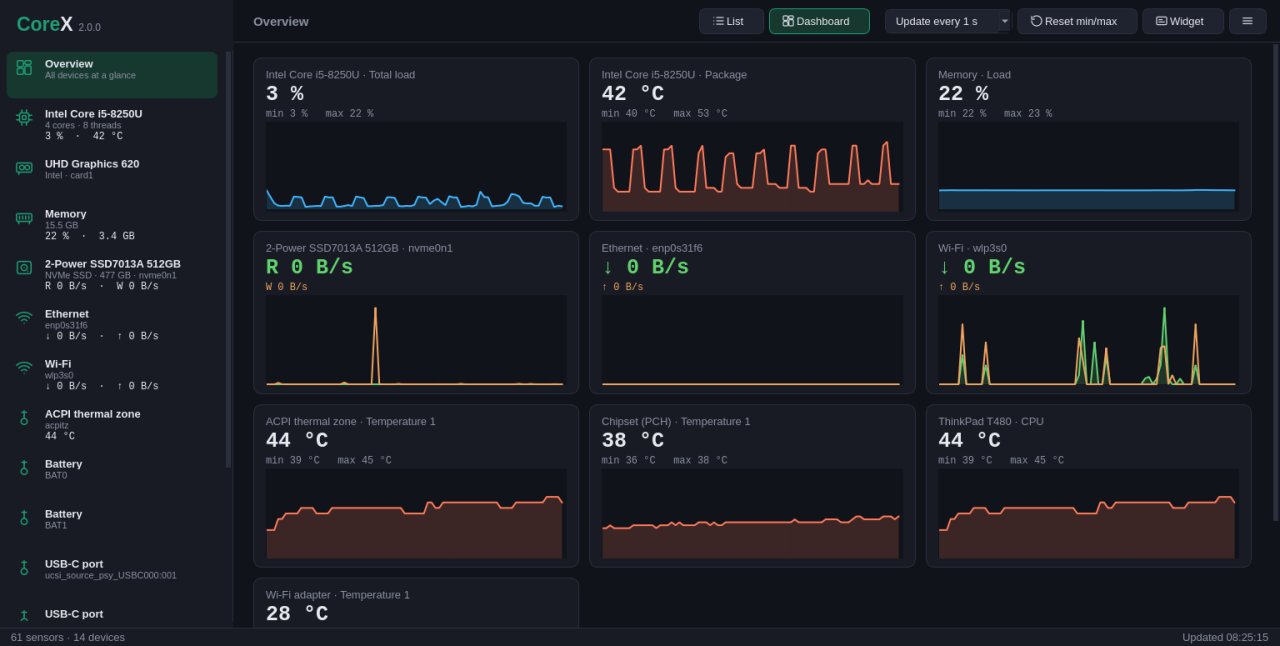
About CoreX HW Monitor
CoreX is a lightweight hardware monitor for Linux that keeps you informed about your system's health at all times.
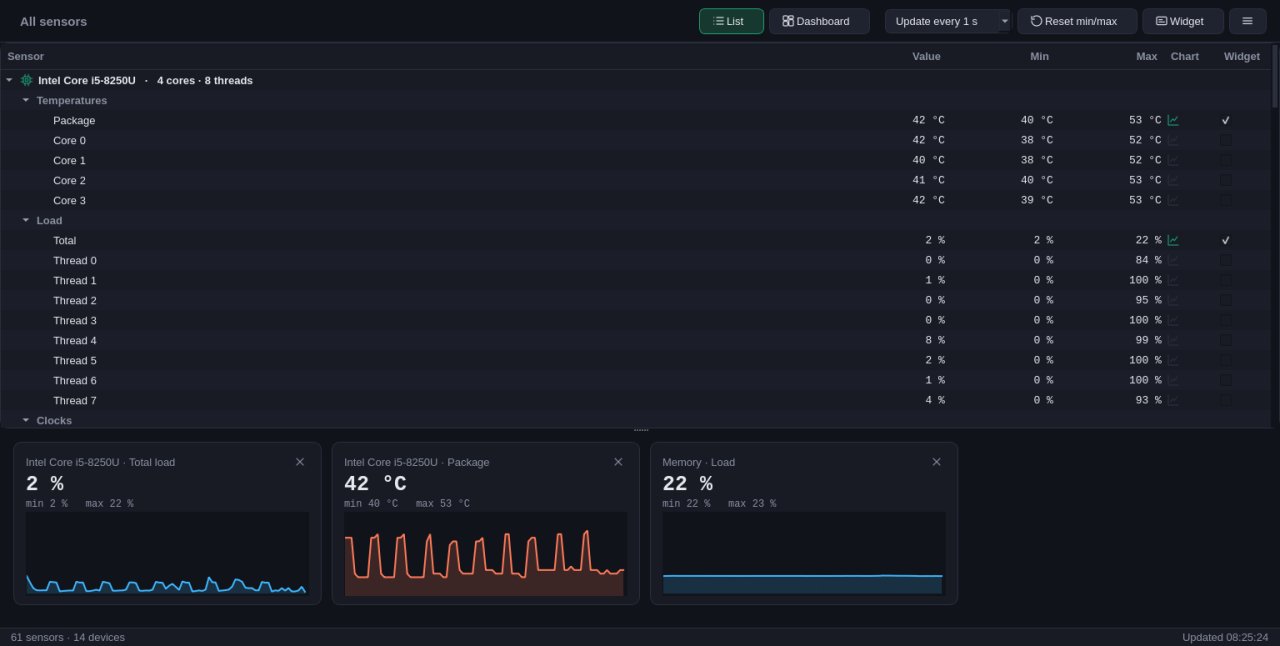
• Every sensor of your PC in one list: CPU and GPU temperatures, fan speeds, voltages, power, clocks, disks and network, each with its minimum and maximum
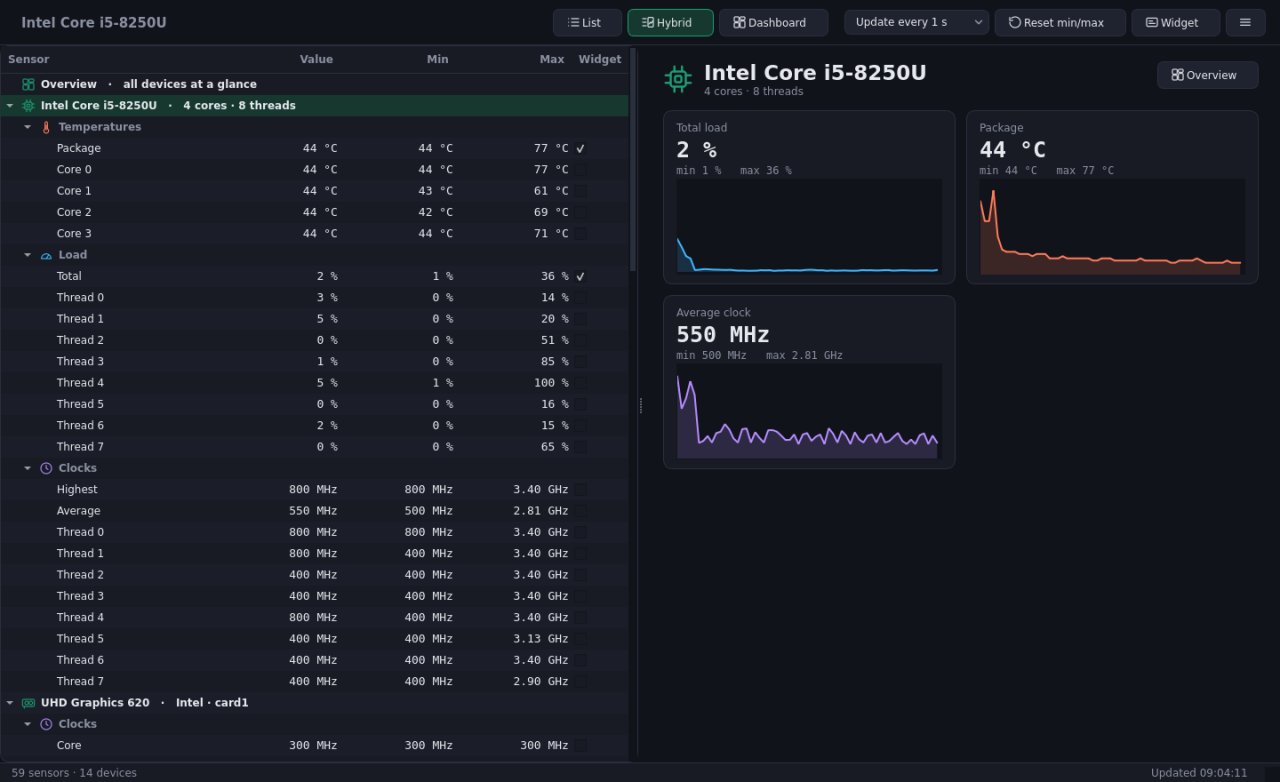
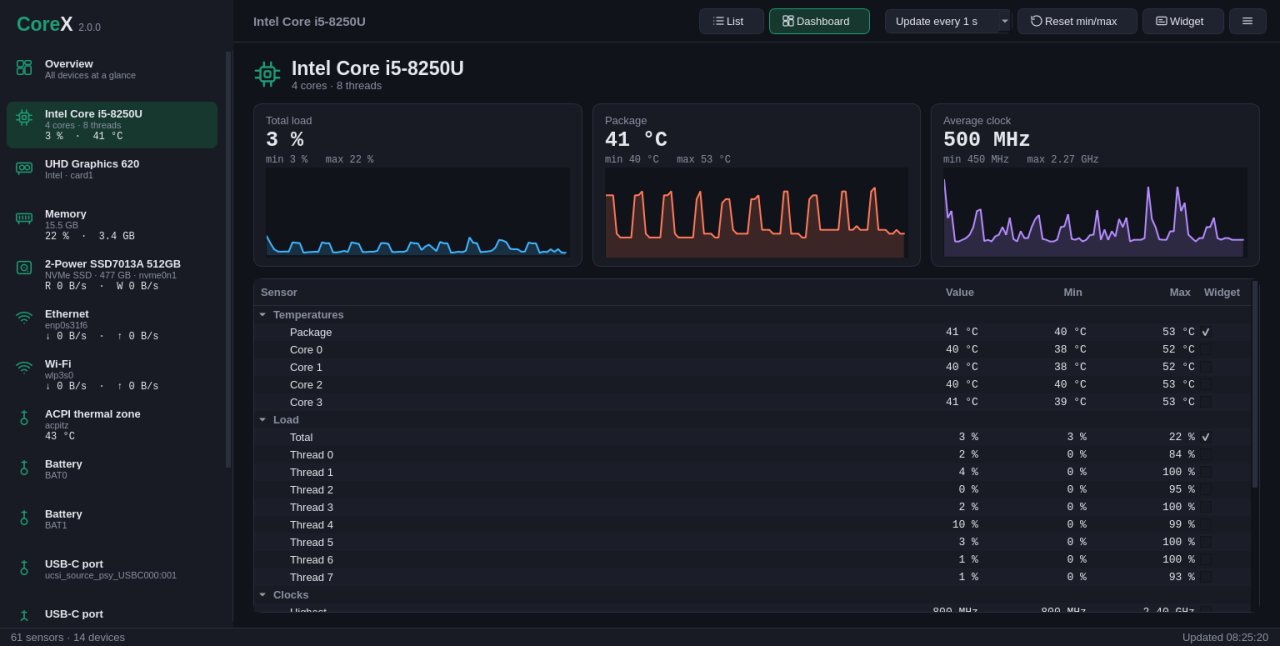
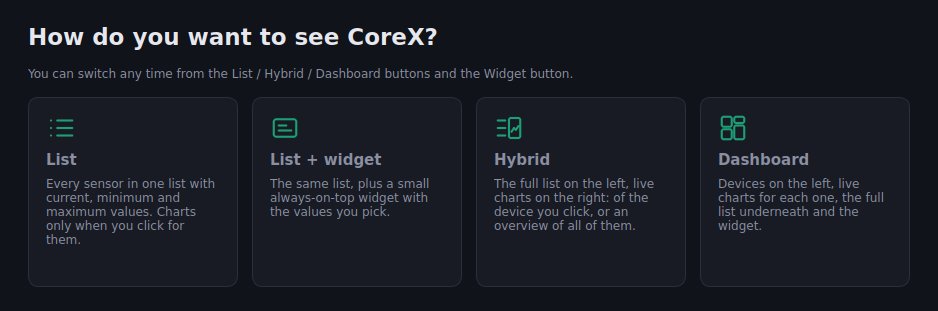
• A dashboard with live charts per device, a hybrid view with the full list next to the charts, or charts only for the values you pick
• An overview you put together yourself: choose its charts and their order
• An always-on-top widget with the values you choose, visible while gaming, working or browsing
• A widget editor: place every value where you want it, align them or arrange them in columns, add icons, pick text sizes, the widget size, the background opacity and a background picture
• History of every sensor for up to a year, with charts and CSV export
• Alerts above or below any value, with a desktop notification
• A system report of your hardware and readings, ready to paste in a forum post
• Dark, light or system theme
• Rename sensors, hide the ones you do not need; CoreX remembers your layout
• Can start with your system, straight into the widget
• Light on resources: it reads the kernel directly, no background services
License: MIT
• Every sensor of your PC in one list: CPU and GPU temperatures, fan speeds, voltages, power, clocks, disks and network, each with its minimum and maximum
• A dashboard with live charts per device, a hybrid view with the full list next to the charts, or charts only for the values you pick
• An overview you put together yourself: choose its charts and their order
• An always-on-top widget with the values you choose, visible while gaming, working or browsing
• A widget editor: place every value where you want it, align them or arrange them in columns, add icons, pick text sizes, the widget size, the background opacity and a background picture
• History of every sensor for up to a year, with charts and CSV export
• Alerts above or below any value, with a desktop notification
• A system report of your hardware and readings, ready to paste in a forum post
• Dark, light or system theme
• Rename sensors, hide the ones you do not need; CoreX remembers your layout
• Can start with your system, straight into the widget
• Light on resources: it reads the kernel directly, no background services
License: MIT
| Release info | Update on Oct 23, 2026 |
|---|---|
| Release notes | • Alert notifications go through the desktop notification portal |
| Related tags | sensor sensors cpu |
| Listing data | Flathub |
Reviews
No reviews yet. Be the first to review CoreX HW Monitor.
Used CoreX HW Monitor? Tell other visitors what you thought.
Log in to write a reviewOther products by this publisher
- "No Distractions" for YouTube 4.10 ----
- #Bible 11.6 "Incredible App - My sister shared this app with me a few weeks ago and it is truly incredible.
- #filmphotography 1.4.2 So, you decided to shoot on film?
- $quirrel 1.5.1 $quirrel Budget & Finance helps you plan each paycheck, track spending, manage debt, and see what is safe to spend before the next payday.
- % Percentage Calculator Pro 1.41 This is the Pro version of % Percentage Calculator.
Most viewed Linux System
-
1
 StreamController 1.5.0-beta.16
Control your Elgato Stream Decks with plugin support
-
2
 FurMark 2.10.2.0
OpenGL and Vulkan GPU stress test
-
3
 Rclone UI 3.7.5
The GUI for rclone.
-
4
 Czkawka 12.0.2
Multi functional app to find duplicates, empty folders, similar images, broken files etc.
-
5
 LACT 0.10.1
Control your graphics cards
- 6 Calculator 0.1.1-alpha ExpidusOS Calculator
-
7
 Popsicle 1.3.3
Flash multiple USB devices in parallel
-
8
 Cutecom 0.51.0
Graphical serial terminal
-
9
 RISC-V CPU simulator 0.9.9
RISC-V CPU simulator for education purposes
- 10 File Manager 0.2.1 ExpidusOS File Manager
Most downloaded Linux System
-
1
 Contour Terminal Emulator 0.8.0.9335
Contour is a modern and actually fast, modal, virtual terminal emulator, for everyday use
-
2
 ClamUI 0.5.1
GUI for ClamAV
-
3
Rclone UI 3.7.5
The GUI for rclone.
-
4
Popsicle 1.3.3
Flash multiple USB devices in parallel
-
5
RISC-V CPU simulator 0.9.9
RISC-V CPU simulator for education purposes
-
6
 GPU-Viewer 4.05
A front-end to glxinfo, vulkaninfo, clinfo and es2_info
-
7
Czkawka 12.0.2
Multi functional app to find duplicates, empty folders, similar images, broken files etc.
-
8
 CoreX HW Monitor 2.3.1
Real-time hardware monitoring
-
9
LACT 0.10.1
Control your graphics cards
-
10
 CTL Dash 1.2.0
Manage services