mediAvatar PowerPoint to Video Converter 1.0.9.1203
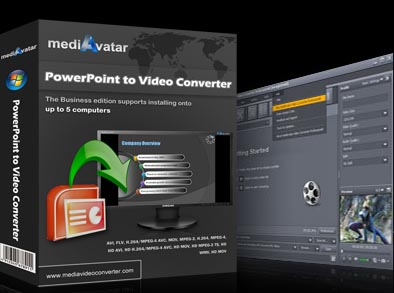
mediAvatar PowerPoint to Video Converter can convert PowerPoint to video of different SD/HD formats like AVI, H.264/MPEG-4 AVC, MPEG2, WMV, FLV, HD H.264/MPEG-4 AVC, HD MPEG 2 TS, HD WMV with watermark to protect the right of presentation author.
Product Disabled!
This product has been disabled by the site staff.Reason:
dead download link
Product Specifications
| User Rating: | User Rating Disabled | |
| FileCart Rating | Staff Rating Disabled | |
| Submitted by: | Link Disabled | |
| License | Shareware | |
| Price | $49.99 | |
| Downloads | 237 | |
| OS Support | Windows Install and Uninstall | |
| File Size | 77.70 MB ( 79,569 KB ) | |
| Published | Aug 11, 2010 (16 years ago) | |
| Updated | Dec 14, 2013 (12 years ago) | |
Latest Searches
league legends 3 minutes ago
kenya plate !g 4 minutes ago
kbufktutyl crfxfnm 6 minutes ago
SMS4HMC25M 8 minutes ago
perfect academia 8 minutes ago
menu liie 20 minutes ago
are all characters speak in their native language in indiana jones great circle 25 minutes ago
grow my clinic 26 minutes ago
clove.desing 28 minutes ago
Popular Searches
id cards 602 times
2025 445 times
2024 385 times
Softperfect 323 times
Database Workbench Pro 258 times
TeraByte Drive Image Backup and Restore 255 times
Elcomsoft Phone Breaker 251 times
ia que faz video com imagem 18 242 times
Elcomsoft Phone Viewer 232 times
Product Details
New:
Improve the converting efficiency and output effect.
Key features:
1.Convert PowerPoint to video of AVI, WMV, MP4, MOV, H.264 and many other formats.
2.Convert PowerPoint to various HD/SD video files for playback on Xbox, PS3, iPod, PSP or other digital devices,also ppt to FLV video for uploading to YouTube.
3.Add your company's trademark as watermark to your ppt video for protecting your presentation from spreading maliciously.
4.Rehearse the PowerPoint presentation, add your own commentary and background music, record the rehearsal and convert the recorded presentation to video.
5.Easily convert PowerPoint to video file with all the slide elements retained including animations, transitions, sound effects, actions and slide playback interval.
6.Remove the animation and sound effect from the presentation and convert the PowerPoint presentation to video quickly.
7.Set slide playback interval and add background music you like to the ppt video with original sound effects reserved as well.
8.Predefined a variety of profiles with optimized parameters, and allows you to change the parameters of any profile to save as a new profile.
9.Adjust the resolution, video quality, frame rate and other output parameters to create a custom presentation video.
10.Preview the presentation slides one by one before converting ppt to video.
11.Support all presentations (ppt, pptx, pptm, ppsx, pps, ppsm, potx, potm, pot) made by Microsoft PowerPoint XP, 2003, 2007.
| Requirements: | 1GHz Intel/AMD processor or above; 256MB RAM |
| Release Info: | Minor Update on May 26, 2011 |
| Release Notes: | Improve the converting efficiency and output effect. |
Reviews
We have disabled this product, you can not write reviews of this product
Reviews of mediAvatar PowerPoint to Video Converter 1.0.9.1203
You can be the first to write a review of mediAvatar PowerPoint to Video Converter!Most Viewed Windows Personnel Management
Absence Management System 6.1.0.2851
EIOBoard In Out Board 7.0
AllMyNotes Organizer Portable 3.16
EssentialPIM Pro 7.54
In-Out Board 2.1
Employee Training Manager Professional 2013.02.02.15
A VIP Organizer 2.9.66
iMagic Hotel Reservation 6.15
Human Resource Manager Professional 2013.02.02.13
Most Downloaded Windows Personnel Management
AllMyNotes Organizer Portable 3.16
EIOBoard In Out Board 7.0
EssentialPIM Pro 7.54
iMagic Hotel Reservation 6.15
Contact Organizer Pro 3.2b
In-Out Board 2.1
Employee Training Manager Professional 2013.02.02.15
CyberMatrix In Out Scheduler 4.00
A VIP Organizer 2.9.66