
24downloads
1this week
FreeFreeware
0reviews
Screenshots
About MCA Selector
MCA Selector is an external tool for Minecraft Java Edition that lets you visualize, select,
export, or delete world chunks and region files.
Common uses: trim large worlds, remove corrupted chunks, and export/import regions.
Key features:
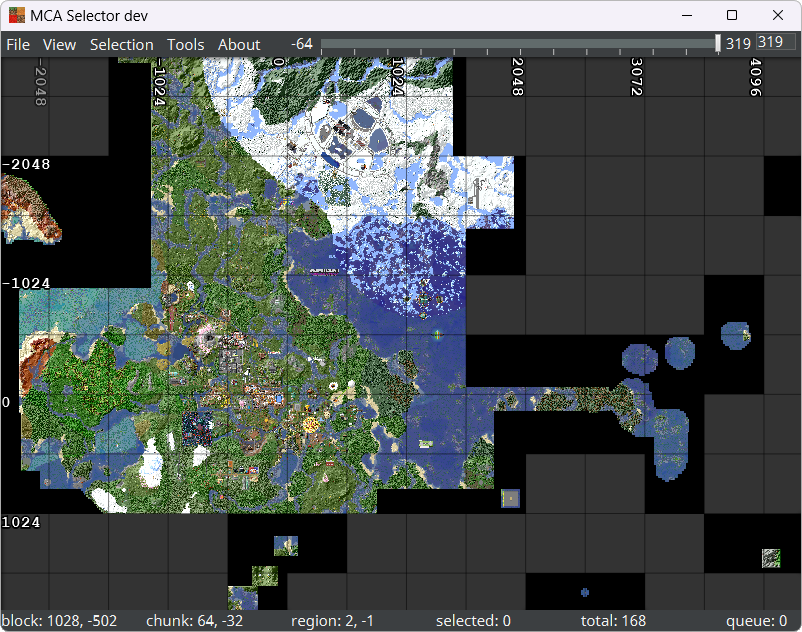
o Top-down map view -- visual overview of regions and chunks for quick navigation and selection.
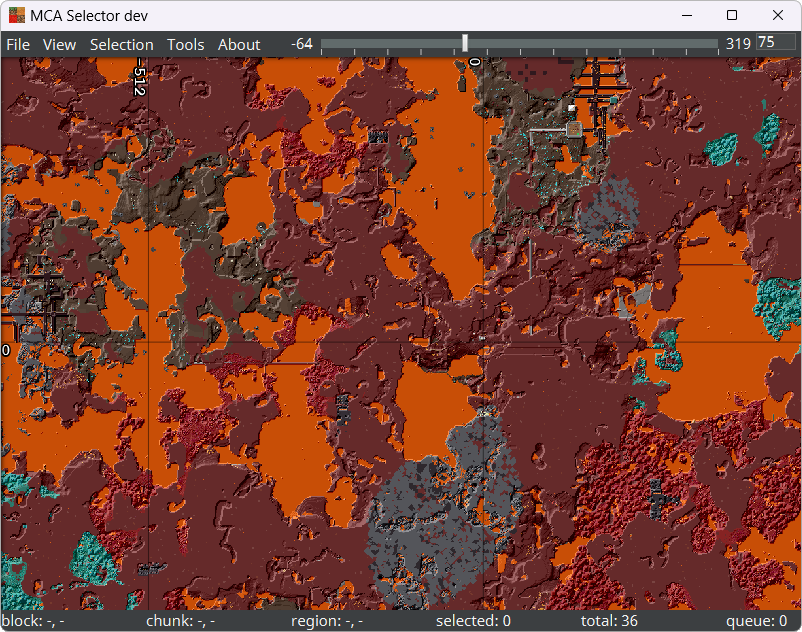
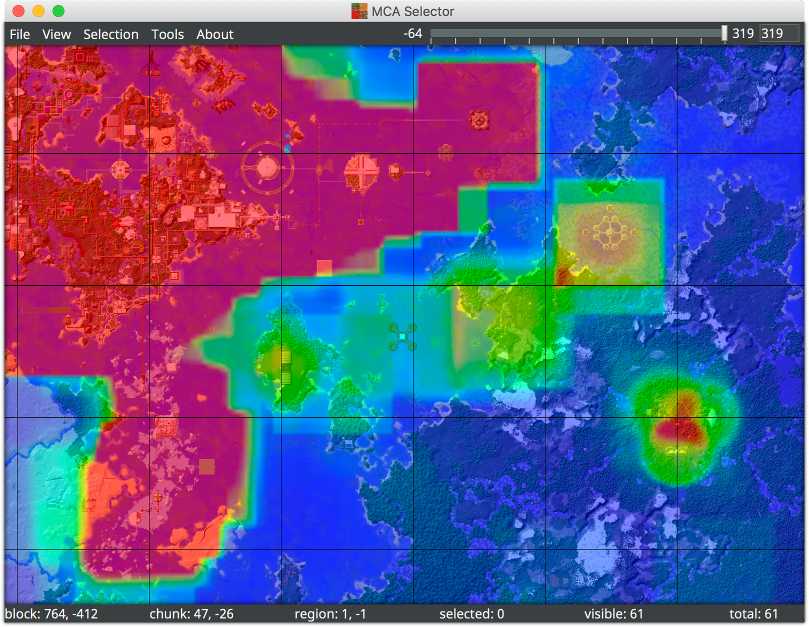
o Customizable overlays -- display per-chunk values as color gradients with configurable min/max
to visualize world data.
o Dimension switching -- open/edit Overworld, Nether, and End (DIM-1/DIM1) region folders.
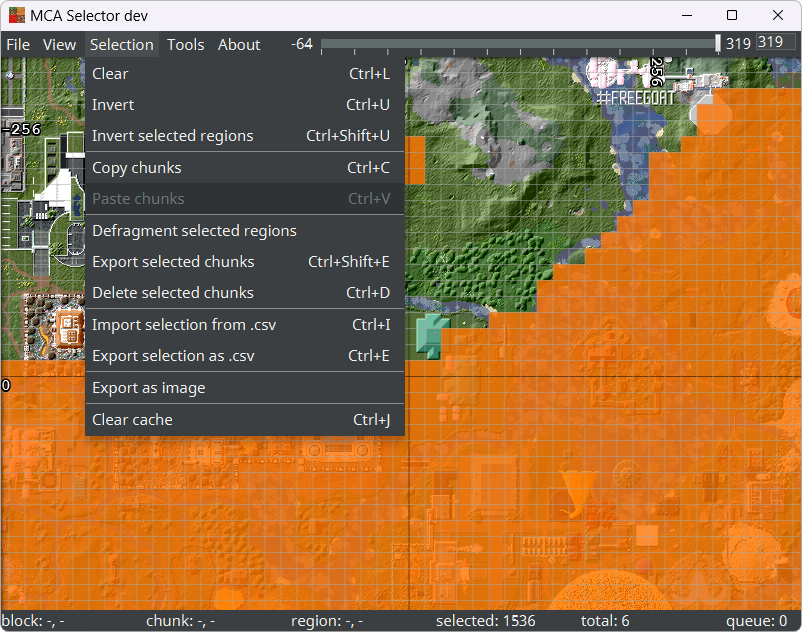
o Select/edit chunks individually or in groups
o Powerful chained filters -- select chunks/regions by data version, last updated time, player
inhabited time, coordinates, modification date and more (even scripting custom filters); multiple
conditions can be combined for precise queries.
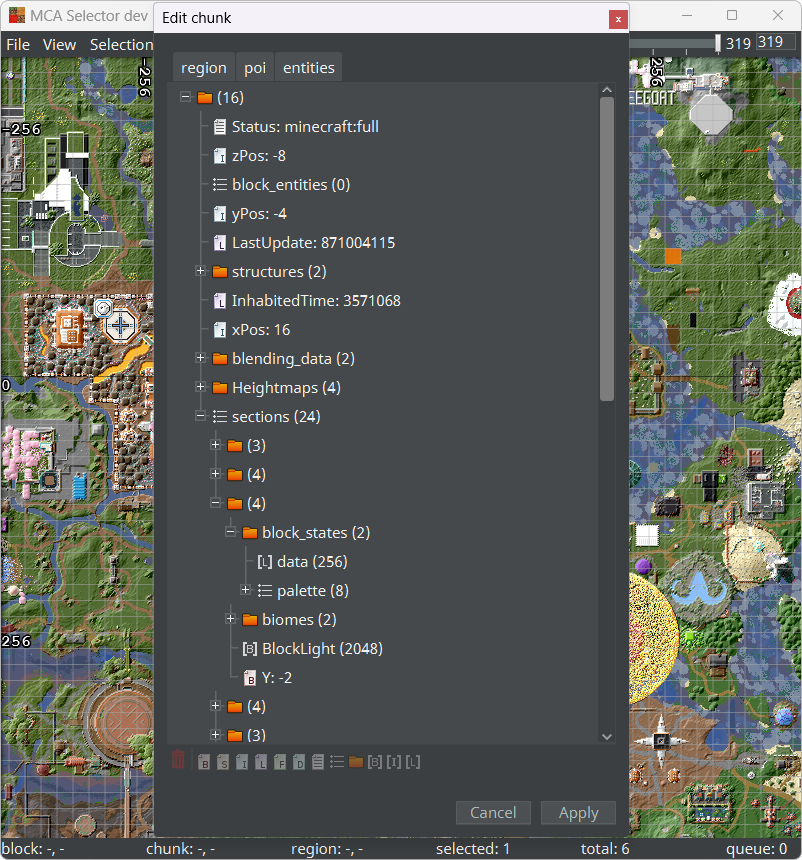
o Chunk Editor -- view and edit the full NBT structure of a chunk, including POI and entity
data; supports rename, add, delete, and drag-and-drop moves.
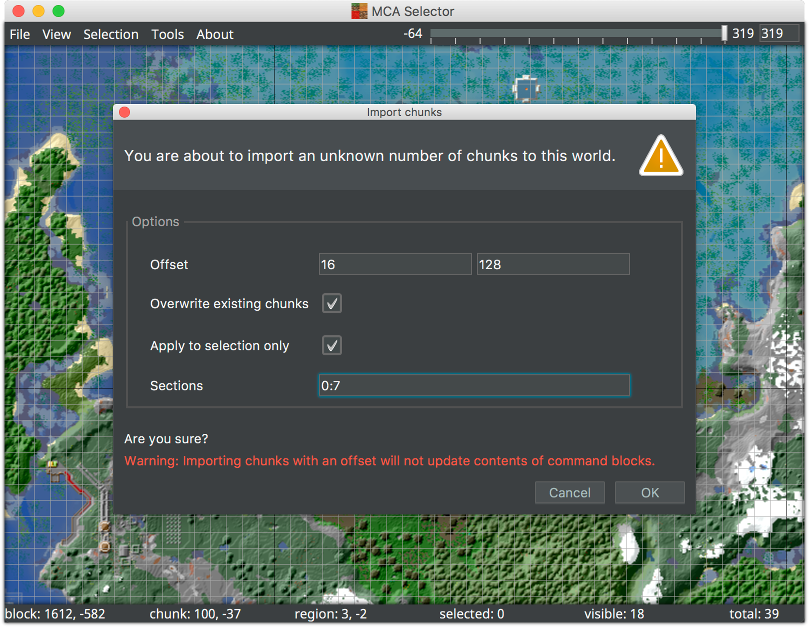
o Easy chunk import/export -- copy chunks from one world to another.
o NBT Changer -- modify specific NBT values directly in world files.
o Chunk regeneration (delete to let Minecraft regenerate with new terrain)
Note that you should always back up your world before editing it with MCA Selector.
License: MIT
| Release info | Update on Sep 15, 2026 |
|---|---|
| Release notes | Updates for Minecraft 26.3 and new zoom options! Join our Discord: [](https://discord.gg/h942U8U) Buy me a coffee: [](https://www.paypal.com/cgi-bin/webscr?cmd=_s-xclick&hosted_button_id=3PV2GDWZL8HCA) Details • Added low detail zoom levels: • Can be configured in the settings. • Improved coordinates rendering (display coordinates on the map edge, or on the map directly, or a mix of both depending on zoom level, all configurable in the menu). • Structure icons are only rendered in high detail zoom levels. • The Settings dialog is now more responsive. • The Render Settings now have a Set default button to make the current render settings persistent. This will apply to any new world that doesn't have custom render settings set yet. • The language selection dropdown is now sorted alphabetically. • The Render Height slider (in the menu bar) is now more responsive. • Both the Compression filter and Compression field now support the unsigned byte value in addition to the internal enum name. • Added RemoveLightingInfo field. This removes the BlockLight and SkyLight data, and sets isLightOn to 0 to force Minecraft to recalculate lighting info. • ReplaceBlocks now removes BlockLight and SkyLight and sets isLightOn to 0. • Updated mappings, rendering and parsing for Minecraft 26.3. • Fixed a bug in the mapping generator to use the first available color as the default color, and added javadoc for its main. |
| Related tags | filter delete import |
| Listing data | Flathub |
Reviews
No reviews yet. Be the first to review MCA Selector.
Used MCA Selector? Tell other visitors what you thought.
Log in to write a reviewOther products by this publisher
- "No Distractions" for YouTube 4.10 ----
- #Bible 11.6.1 "Incredible App - My sister shared this app with me a few weeks ago and it is truly incredible.
- #filmphotography 1.4.2 So, you decided to shoot on film?
- #LookBusy Fake Calendar Events 1.0.6 Look Busy scans your work calendar for open time slots and fills them with realistic-looking (but secretly fake) work events.
- #Small Talk Is Canceled 1.0.2 #Small Talk Is Canceled — Conversations That Matter
Most viewed Linux Games
-
1
 Lander 0.7.2
Lunar Lander style arcade game
-
2
 Modrinth App 0.23.1
Play modded Minecraft with ease
-
3
 Dhewm 3 1.5.5
Dhewm 3 is a Doom 3 GPL source port
-
4
 Pocket Sync 7.2.1
A GUI to do stuff with the Analogue Pocket
-
5
 Goverlay 2.0
Configure gaming overlays
-
6
 X Minecraft Launcher 0.73.1
Play and manage Minecraft
-
7
 AdwSteamGtk 0.9.2
Give Steam the Adwaita treatment
- 8 Julius 1.8.0 Julius is an open source re-implementation of Caesar III
-
9
 Legacy Launcher 1.40.4
Play Minecraft in your own world!
-
10
 Pully 0.2.2
Draw a single line through every square of a puzzle grid
Most downloaded Linux Games
- 1 Minigalaxy 1.4.2 A simple GOG client for Linux
-
2
 Ricochlime 1.14.0
Satisfying monster shooter
-
3
 The Unofficial Homestuck Collection 2.8.1
Offline collection of Homestuck and its related works
- 4 Makou Reactor 2.2.0 A Field Editor for Final Fantasy VII
-
5
 Threadbare 0.2.4
Rebuild an unraveling world
-
6
 Quetoo 1.0.147
A free first person shooter for Mac, PC and Linux
-
7
 JClic 0.3.2.18
Educational activities and games for school students and educators
- 8 Eternal Lands 1.9.7.0-4 A free to play, graphical MMORPG
-
9
Modrinth App 0.23.1
Play modded Minecraft with ease
-
10
 Pandora Launcher 6.0.0
A balanced, easy to use, and powerful modern Minecraft launcher