LazPaint 7.3.0
Fast raster image editor
18downloads
1this week
FreeFreeware
0reviews
Screenshots
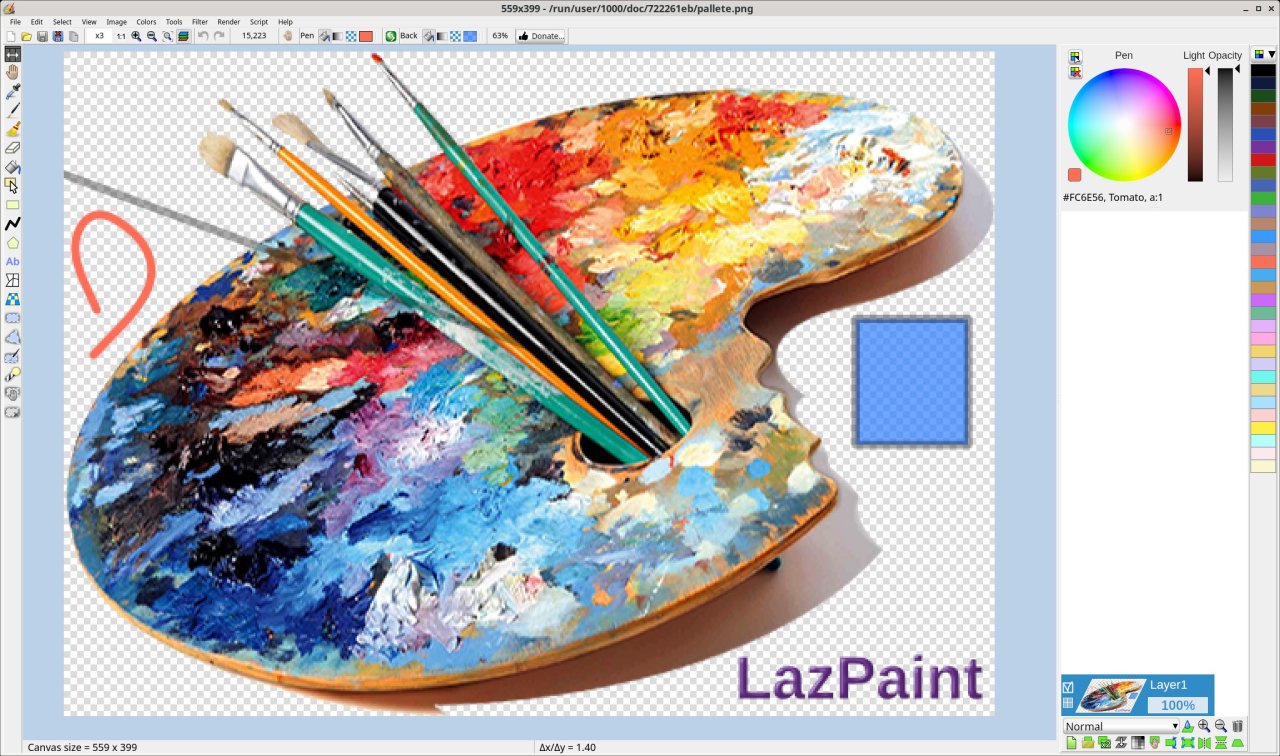
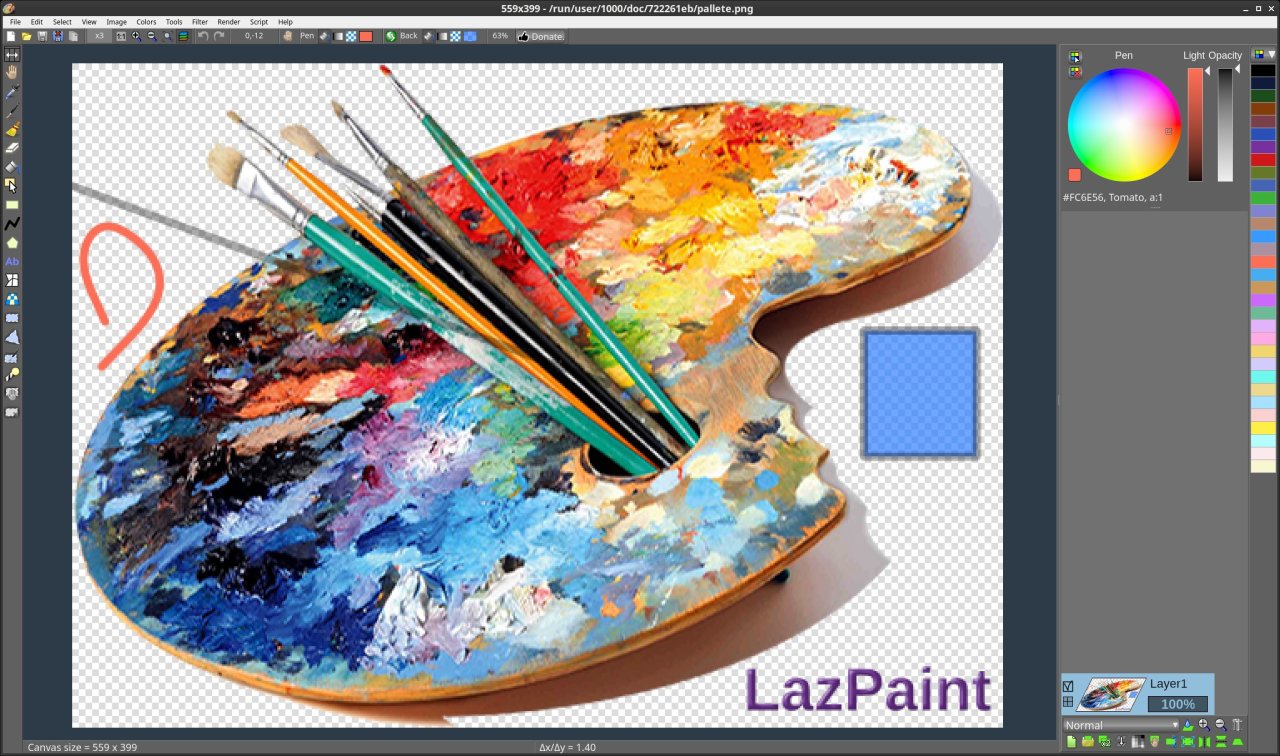
About LazPaint
Free cross-platform image editor with raster and vector layers, written in Lazarus (Free Pascal).
Can read layered files (lzp, ora, pdn, oXo, flat psd), multi-images (gif, ico, tiff), flat files (bmp, jpeg, pcx, png, tga, webp, xpm, xwd), raw images (dng, cr2, nef, arw...), vectorial (svg), 3D (obj). Has drawing tools, vector shapes, phong shading, curve adjustments, filters, render some textures, Python scripting. Uses Qt5 widgetset.
Features:
• Files: read and write a variety of file formats, including layered bitmaps and 3D files.
• Tools: many tools are available to draw on the layers.
• Edit/Select: select parts of an image with antialiasing and modify the selection as a mask.
• View: color window, layer stack window and toolbox window.
• Command line: call LazPaint from a console.
Image manipulation:
• An image can be resampled, flipped horizontally and vertically.
• Smart zoom x3 : resize the image x3 and detects borders; this provides a useful zoom with ancient games sprites.
Color manipulation:
• Colorize : set the color of an image while preserving intensities
• Shift colors : cycle colors and change colorness (saturation)
• Intensity : make colors lighter or darker without making them white
• Lightness : make colors lighter or darker by making them whiter
• Normalize : use the whole range of each color channel and alpha channel
• Negative : invert colors (with gamma correction)
• Linear negative : invert colors (without gamma correction)
• Grayscale : converts colors to grayscale with gamma correction
Filters:
Filters can be applied to the whole image or to the active selection.
• Radial blur : non directional blur
• Motion blur : directional blur
• Custom blur : blur according to a mask
• Sharpen : makes contours more accurate, complementary to Smooth
• Smooth : softens whole image, complementary to Sharpen
• Median : computes the median of colors around each pixel, which softens corners
• Contour : draws contours on a white background (like a pencil drawing)
• Emboss : draws contours with shadow
• Sphere : spherical projection
• Cylinder : cylinder projection
• Clouds : add clouds of the current pen color
• Scripts: scripts are provided to do layer effects. You can as well write your own Python scripts.
License: GPL-3.0-only
| Release info | New Release on May 24, 2025 |
|---|---|
| Release notes | • fixes for high DPI • binding keys (digits) to colors • compilation fix for newer FPC / LCL • runtime fix for Qt • improve safety of Python scripts • enable or disable preview in filter windows • Turkish translation • add hypocycloid in Render menu • increase maximum shape per layer • auto-switch between selection tools • fixed deformation grid error • fixed blank print error • adapt print UI on Linux • fix selection with vertical text alignment • fix euro symbol with AltGr • add superformula layer • easy of use for beginners • aliasing option for shapes • increase canvas size when pasting • increase max shape count • complete translations |
| Related tags | image editor raster |
| Listing data | Flathub |
Reviews
No reviews yet. Be the first to review LazPaint.
Used LazPaint? Tell other visitors what you thought.
Log in to write a reviewOther products by this publisher
- "No Distractions" for YouTube 4.10 ----
- #Bible 11.6.1 "Incredible App - My sister shared this app with me a few weeks ago and it is truly incredible.
- #filmphotography 1.4.2 So, you decided to shoot on film?
- #LookBusy Fake Calendar Events 1.0.6 Look Busy scans your work calendar for open time slots and fills them with realistic-looking (but secretly fake) work events.
- #Small Talk Is Canceled 1.0.2 #Small Talk Is Canceled — Conversations That Matter
Most viewed Linux Graphics
-
1
 CalibRaw 1.5.1
Develop RAW photos with non-destructive editing
- 2 Geotagging 0.7.8 Geo-sync your photos easily
- 3 LibreSprite 1.3 Animated sprite editor and pixel art tool
-
4
 LibreCAD 2.2.1.6
2D Computer Aided Design (CAD)
-
5
 Bambu Studio 2.9.2 Public Release
Get perfect 3D prints!
-
6
 PpdEditor 0.1.2_1
2D paper doll editor
-
7
 Geeqie 3.4
A lightweight image viewer
-
8
 GrafX2 2.9
A bitmap paint program specialized in 256 color drawing
-
9
 Fotema 2.5.2
Admire your photos
-
10
 TextSnatcher 2.0.0
Snatch Text with just a Drag
Most downloaded Linux Graphics
-
1
CalibRaw 1.5.1
Develop RAW photos with non-destructive editing
- 2 Cosmic Comics 3.2.0 Read Comics, Manga and Ebooks the easy way
-
3
 4KWALL 2026.11.3
Set 4K, HD and live wallpapers for your desktop background
- 4 Mapollage 26.03 Create KML files from geotagged photos
-
5
PpdEditor 0.1.2_1
2D paper doll editor
- 6 Mapiah 1.0.2 User friendly multiplatform Therion map editor
-
7
 Seamly2D v2026.11.23.131
Sewing pattern design software
-
8
 Fontmatrix 1.0.1
Organise, inspect and compare your fonts
-
9
 Oculante 0.9.6
A fast and simple image viewer/editor
-
10
 Image Compare 1.4.3
Compare images side by side