17downloads
0this week
FreeLicense
0reviews
Screenshots
About Inkdrop
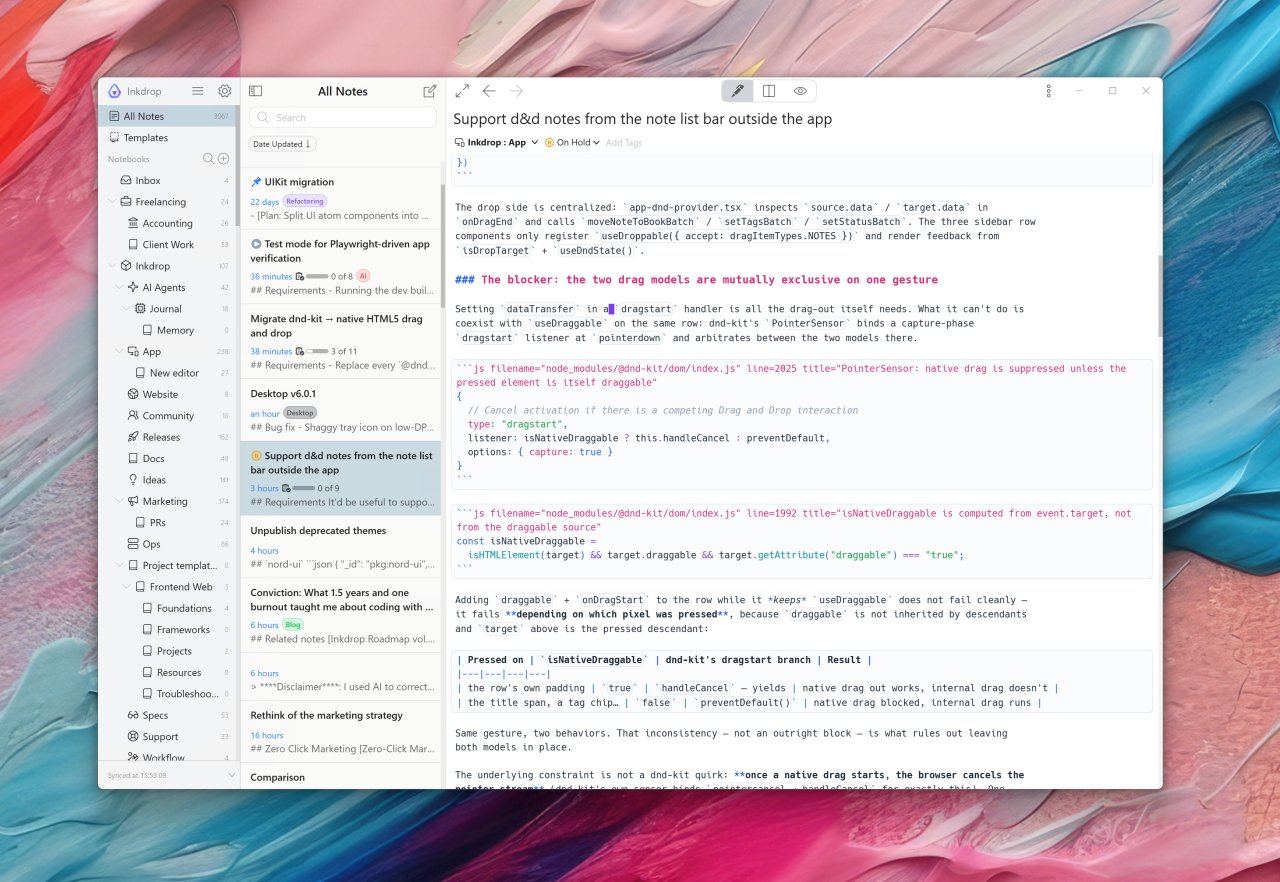
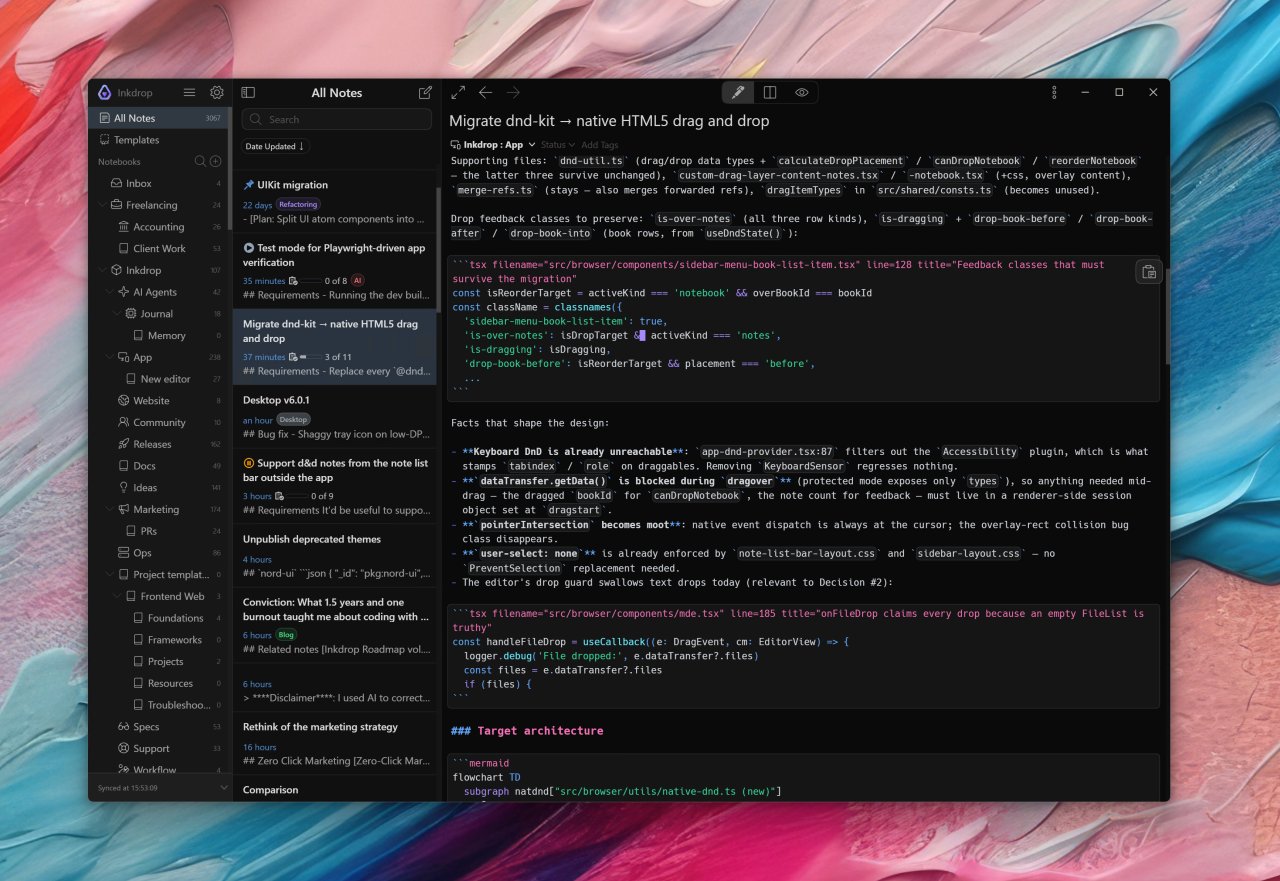
Inkdrop is a note-taking app built around plain Markdown. Notes live in nestable notebooks with
tags and per-note statuses, stay searchable as the collection grows, and remain fully usable offline.
Features:
• A Markdown editor with syntax highlighting for code blocks in many languages, multi-cursor
editing, and optional Vim keybindings
• Preview with KaTeX math, Mermaid diagrams, footnotes and task lists
• Nestable notebooks, tags, note statuses and full-text search
• Encrypted sync across desktop and mobile, with complete offline use
• Custom themes and plugins
• Publishing single notes to the web as shareable pages
• A built-in MCP server, so AI agents can read and write your notes
Inkdrop is proprietary software. The app runs offline against a local database, while syncing
across devices requires an Inkdrop account and a paid subscription after a 30-day free trial.
| Release info | Update on Nov 05, 2026 |
|---|---|
| Release notes | • Editor improvements • Other improvements • Editor: Switching to another note while the current one was still being saved could overwrite the previous note with the new note's title and body, so the same note showed up twice in the note list (Thanks @Yuu_Terachi): If this happened to you, you can get the previous content back from Note revisions • Preview: Find in preview could leave the whole app unresponsive to clicks until restarting it, e.g., when searching with an empty field or pressing Esc right after Enter (Thanks @Mark_Johnson) • Search: Searching with bookId: returned no notes • Search: Searching with a notebook or tag ID in book: / tag:, e.g., book:rUkUZqux (the ID part of what dragging a notebook out of the sidebar pastes), returned no notes. It only accepted names • Editor: Pressing Enter to add a table row didn't scroll horizontally to keep the cursor in view • Editor: The code block language completion didn't show up when the code fence was at the very end of the note, and showed up on closing fences |
| Related tags | markdown notes notebook |
| Listing data | Flathub |
Reviews
No reviews yet. Be the first to review Inkdrop.
Used Inkdrop? Tell other visitors what you thought.
Log in to write a reviewOther products by this publisher
- "No Distractions" for YouTube 4.10 ----
- #Bible 11.6.1 "Incredible App - My sister shared this app with me a few weeks ago and it is truly incredible.
- #filmphotography 1.4.2 So, you decided to shoot on film?
- #LookBusy Fake Calendar Events 1.0.6 Look Busy scans your work calendar for open time slots and fills them with realistic-looking (but secretly fake) work events.
- #Small Talk Is Canceled 1.0.2 #Small Talk Is Canceled — Conversations That Matter
Most viewed Linux Information Management
-
1
 Time Cop 1.8.0
A time tracking app that respects your privacy and gets the job done without getting too fancy
-
2
 Inkdrop 6.3.1
Markdown note-taking for developers
-
3
 Nestful 1.7.0
Stop planning, start doing
-
4
 Prelora 0.4.3
Tasks, timers and reminders
-
5
 Lepse 0.4.1
Personal focus companion
-
6
 RedNotebook 2.43
Graphical diary and journal
-
7
 Clipboard 0.10.0
Cut, copy, and paste anything, anytime, anywhere
-
8
 TowDow 0.0.0
Tasks & process management
Most downloaded Linux Information Management
-
1
Lepse 0.4.1
Personal focus companion
-
2
RedNotebook 2.43
Graphical diary and journal
-
3
Time Cop 1.8.0
A time tracking app that respects your privacy and gets the job done without getting too fancy
-
4
Inkdrop 6.3.1
Markdown note-taking for developers
-
5
Clipboard 0.10.0
Cut, copy, and paste anything, anytime, anywhere
-
6
Prelora 0.4.3
Tasks, timers and reminders
-
7
TowDow 0.0.0
Tasks & process management
-
8
Nestful 1.7.0
Stop planning, start doing