17downloads
0this week
FreeFreeware
0reviews
Screenshots
About Clipboard
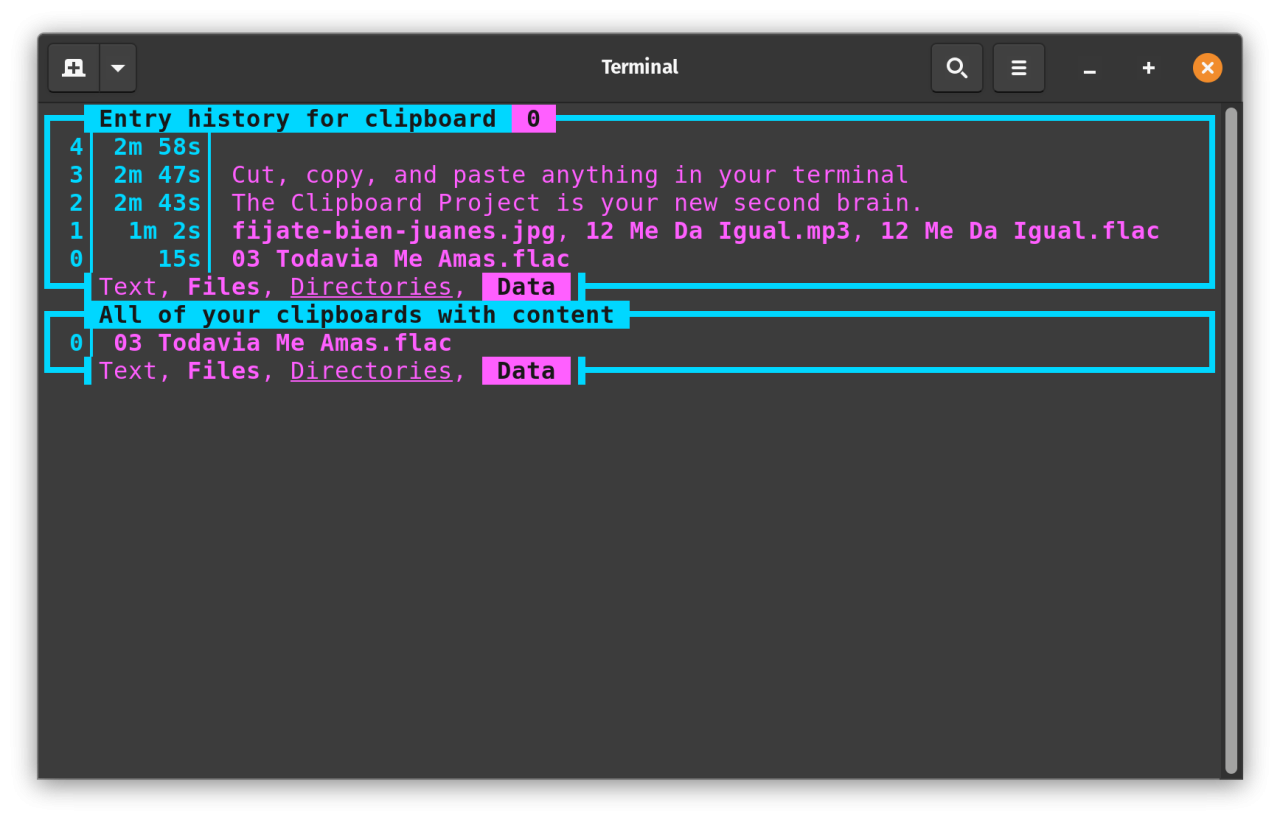
The Clipboard Project is your new second brain.
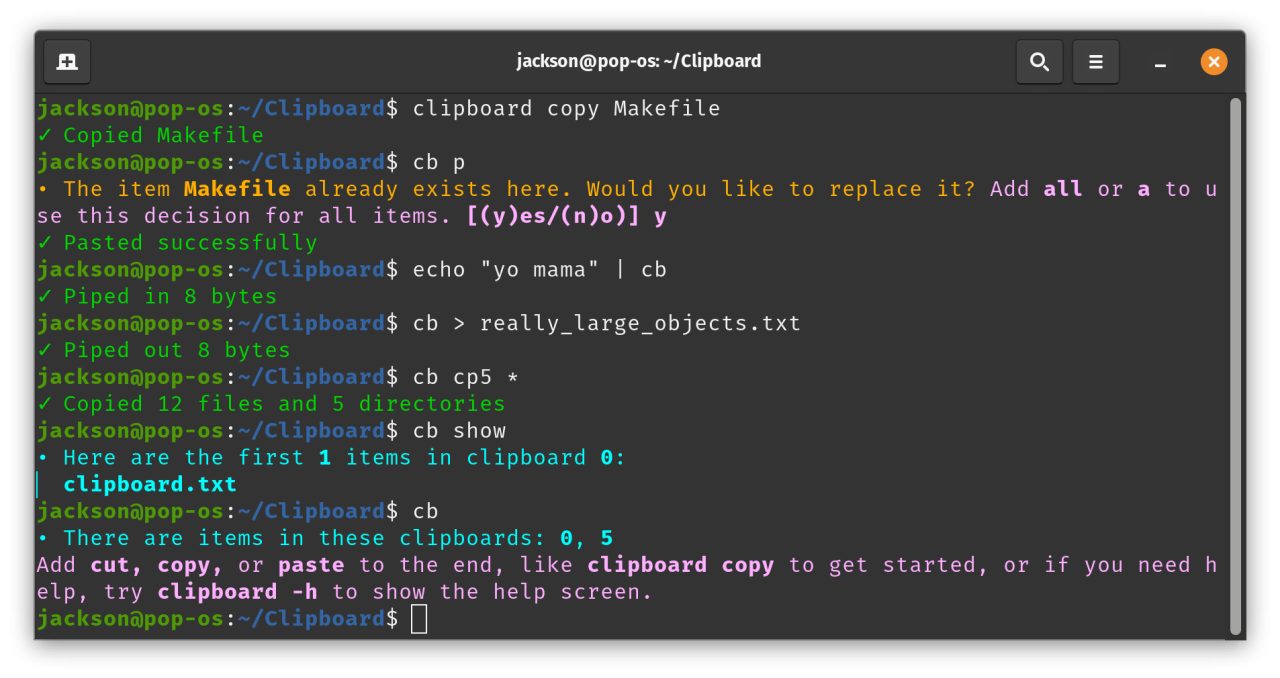
This is an advanced clipboard manager that's super easy to use. Cut, copy and paste anything, anytime, anywhere with unlimited capacity, clipboards, and history!
Script CB to work superbly with your other favorite terminal tools. Integrate it with your existing system clipboards. Save time and effort the easy way.
You can use CB from the desktop to monitor your clipboard status in real time.
To use CB from the terminal, do "flatpak run app.getclipboard.Clipboard". If you'd like to use the command "cb" instead, do "alias cb='flatpak run app.getclipboard.Clipboard'" to make a shortcut. Then, add that to your terminal startup file like .bashrc so that it works every time.
License: GPL-3.0-or-later
| Release info | Update on Nov 17, 2024 |
|---|---|
| Release notes | :warning: Important Notice :warning: There is a critical bug with Wayland support in CB. If you know C++, we would love your help over at this issue! :sparkles: New • Added Script action: You can now assign a custom script to any clipboard with cb script command or cb script filename! See the new docs for the complete details • Added more potential editors to Edit • Added approximate entries remaining to Info • Remove excess whitespace when displaying a preview of text content • Added fully custom RGB theming: use CLIPBOARD_THEME=help=r;g;b,info=r;g;b,error=r;g;b,success=r;g;b,progress=r;g;b • Added versioning to the underlying storage system that CB uses • Optimized directory size calculations • Show the size of each entry in History • Added range support to Clear: use cb clear 42-69 to clear entries 42 through 69 inclusive • Added ability to see the compiled git branch in Help • Added ability to see if ignore secrets are present or not in Info :screwdriver: Fixed • Fixed a subtle bug in History where dates would show absurd values • Fixed the case where copying data from a GUI system doesn't update if the new content is only a subset of the current content • Fixed the case where the default clipboard is duplicated if it's made persistent • Fixed Cut on Windows/macOS not deleting old content :pinching_hand: Changed • Bumped minimum CMake version to 3.20 • Changed formatting of enums to fill multiple lines |
| Related tags | clipboard copy cut |
| Listing data | Flathub |
Reviews
No reviews yet. Be the first to review Clipboard.
Used Clipboard? Tell other visitors what you thought.
Log in to write a reviewOther products by this publisher
- "No Distractions" for YouTube 4.10 ----
- #Bible 11.6.1 "Incredible App - My sister shared this app with me a few weeks ago and it is truly incredible.
- #filmphotography 1.4.2 So, you decided to shoot on film?
- #LookBusy Fake Calendar Events 1.0.6 Look Busy scans your work calendar for open time slots and fills them with realistic-looking (but secretly fake) work events.
- #Small Talk Is Canceled 1.0.2 #Small Talk Is Canceled — Conversations That Matter
Most viewed Linux Information Management
-
1
 Time Cop 1.8.0
A time tracking app that respects your privacy and gets the job done without getting too fancy
-
2
 Inkdrop 6.3.1
Markdown note-taking for developers
-
3
 Nestful 1.7.0
Stop planning, start doing
-
4
 Prelora 0.4.3
Tasks, timers and reminders
-
5
 RedNotebook 2.43
Graphical diary and journal
-
6
 Lepse 0.4.1
Personal focus companion
-
7
 Clipboard 0.10.0
Cut, copy, and paste anything, anytime, anywhere
-
8
 TowDow 0.0.0
Tasks & process management
Most downloaded Linux Information Management
-
1
Lepse 0.4.1
Personal focus companion
-
2
RedNotebook 2.43
Graphical diary and journal
-
3
Time Cop 1.8.0
A time tracking app that respects your privacy and gets the job done without getting too fancy
-
4
Inkdrop 6.3.1
Markdown note-taking for developers
-
5
Clipboard 0.10.0
Cut, copy, and paste anything, anytime, anywhere
-
6
Prelora 0.4.3
Tasks, timers and reminders
-
7
TowDow 0.0.0
Tasks & process management
-
8
Nestful 1.7.0
Stop planning, start doing