
Hardcharger 2.10.0
Hardcharger puts a complete analytical SQL server on your iPhone or iPad.
Download
89.82 MB
0downloads
0this week
FreeCommercial
0reviews
Screenshots

About Hardcharger
Hardcharger puts a complete analytical SQL server on your iPhone or iPad. The same hardcharger-server that runs on Linux, macOS and Windows, with DuckDB 2.0 and its built-in extensions, is built into the app. Nothing leaves the device unless you ask it to.
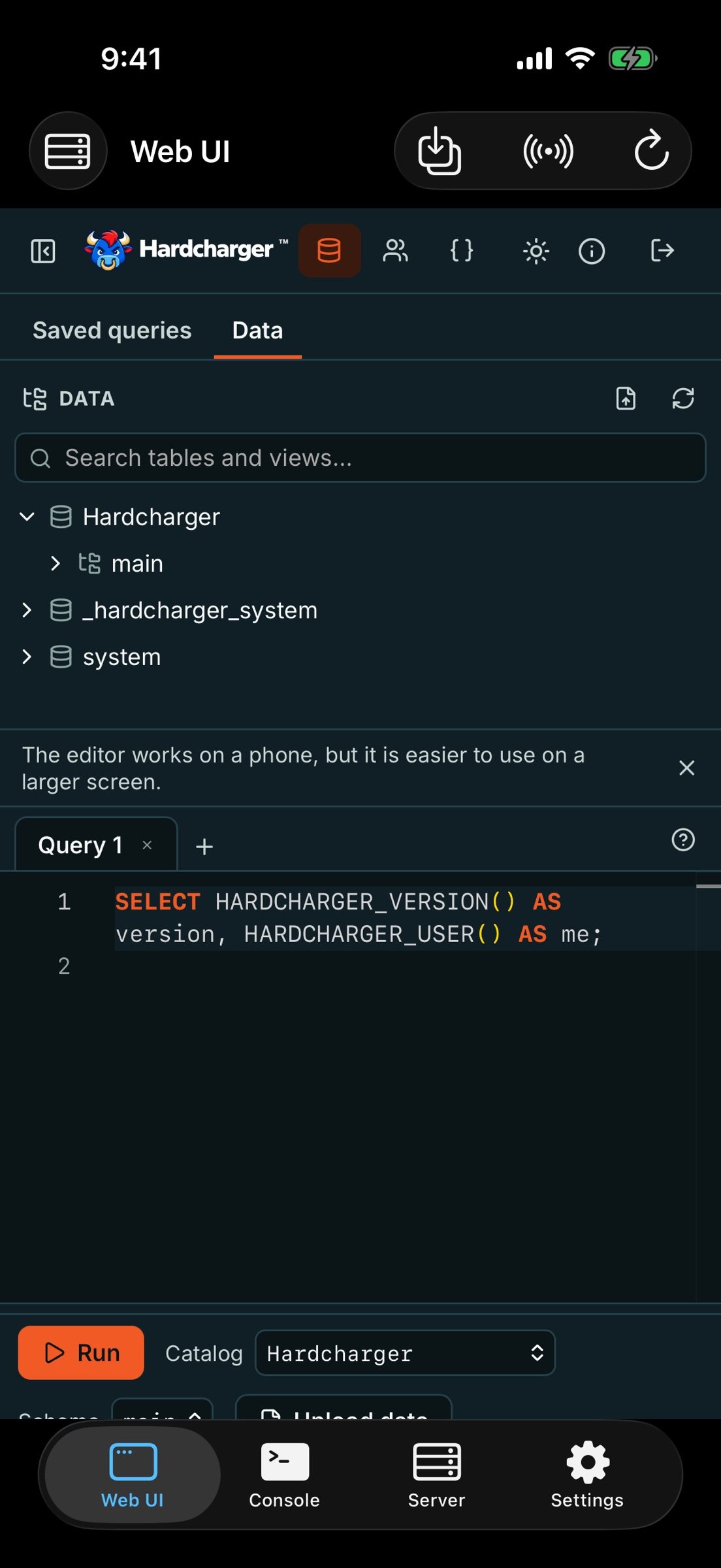
WEB UI The server's own web interface, signed in automatically: a SQL editor, a results grid, a schema browser, sessions, an API page and file uploads. Point it at a saved remote server instead with one tap.
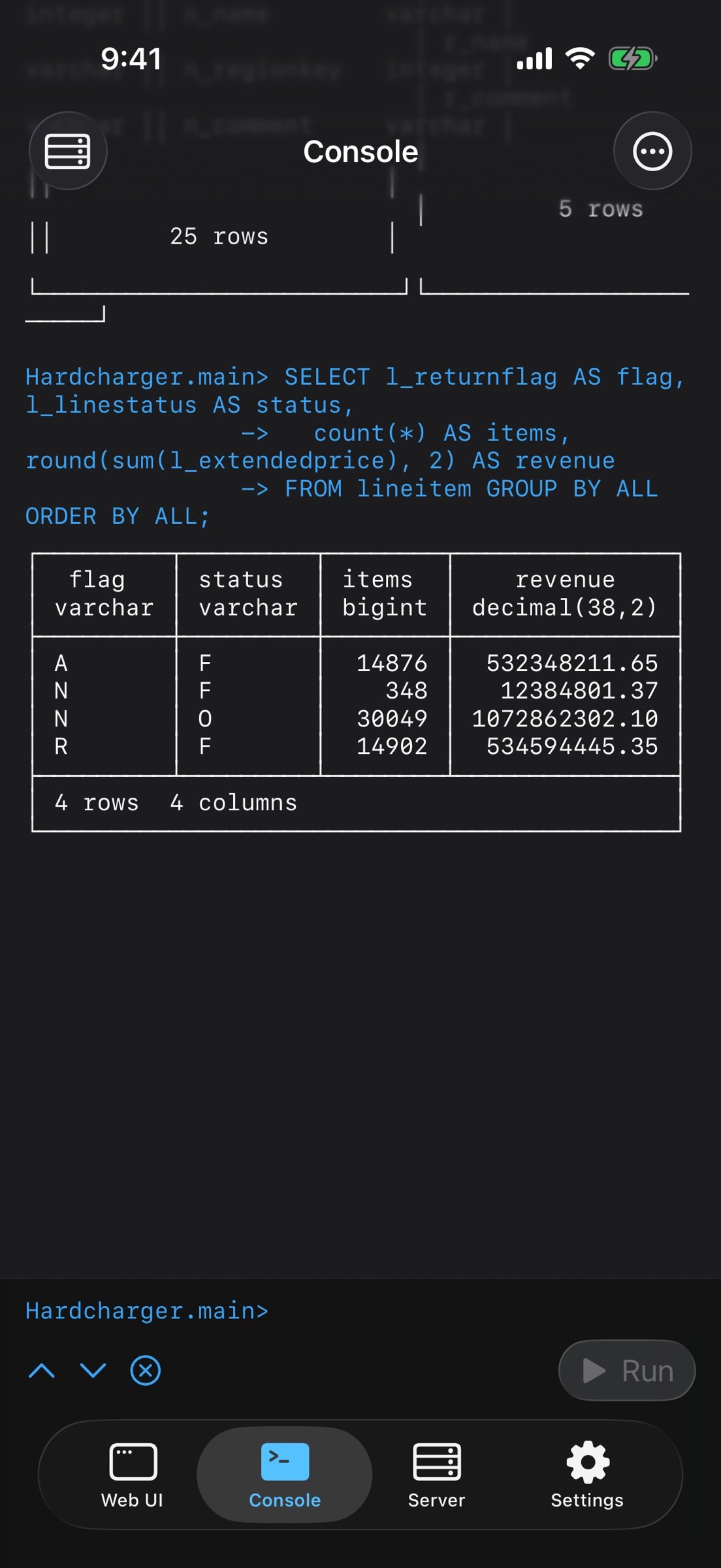
CONSOLE The hardcharger command-line client inside the app, with its dot commands (.tables, .schema, .mode table|csv|json|markdown|line, .timer, .maxrows and more) and output formatting. Return runs a statement once it ends with a semicolon; swipe through history; Command-Return on iPad.
YOUR FILES Import CSV, TSV, JSON and Parquet from the Files app, the share sheet, or a drop on iPad. The database lives in Files (On My iPhone > Hardcharger), so you can back it up, copy it, or open it elsewhere.
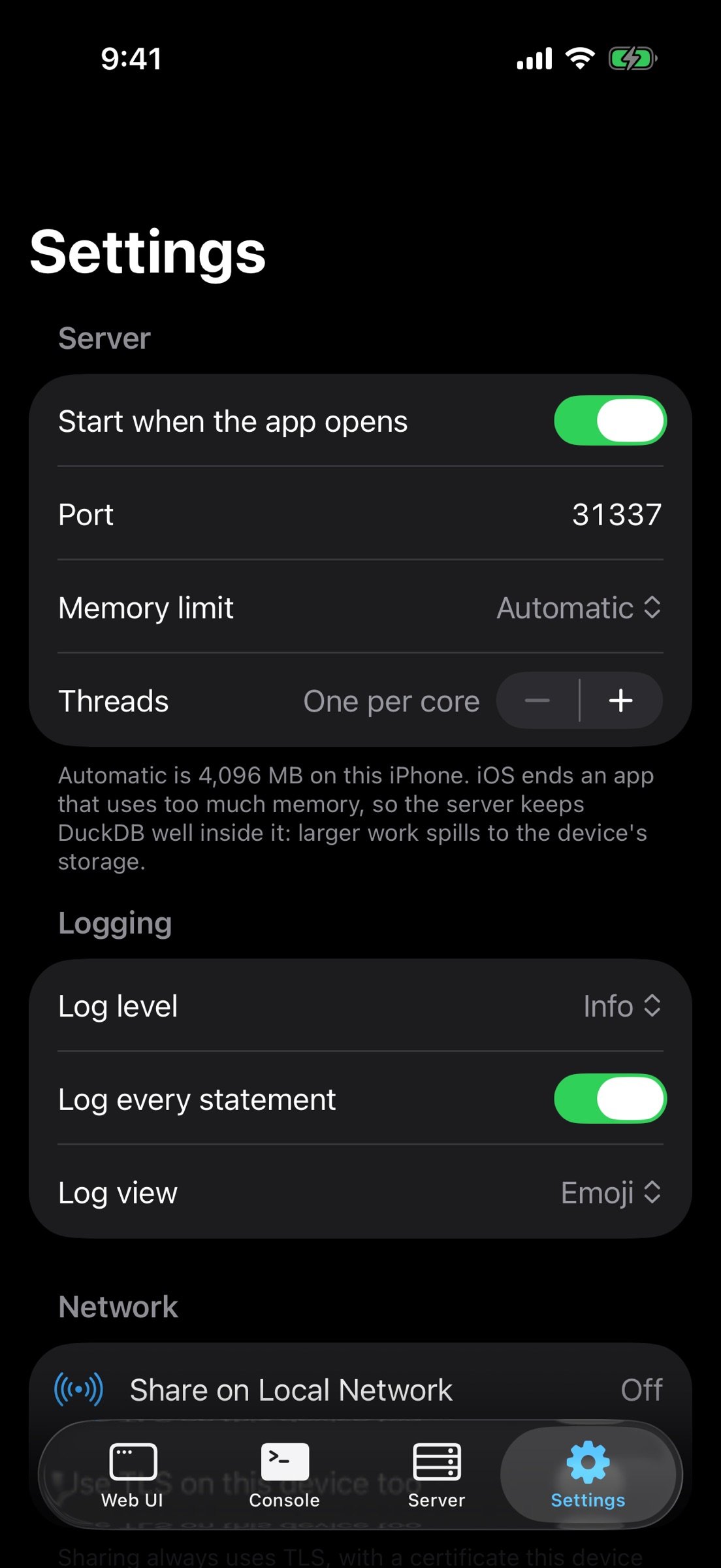
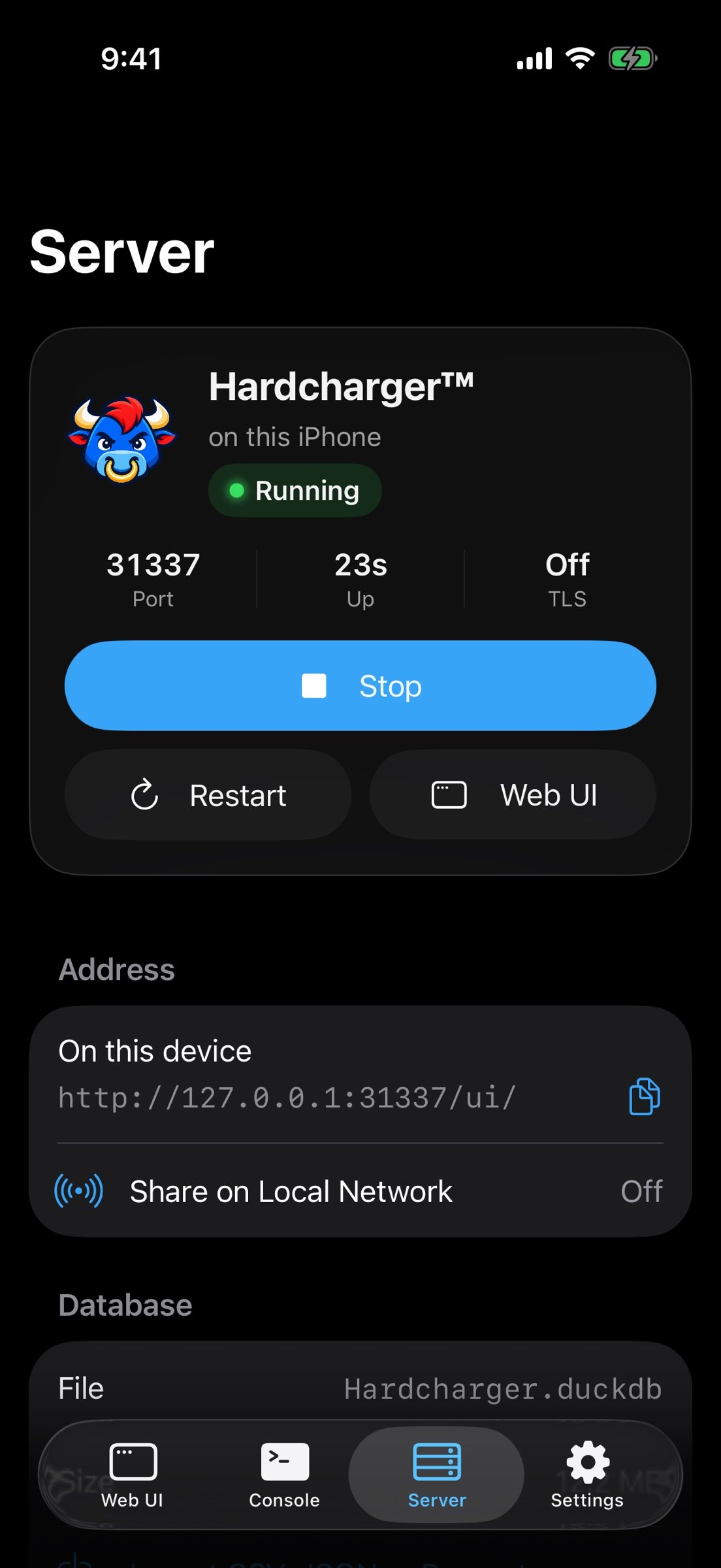
SHARE ON LOCAL NETWORK (off by default) Turn it on and a laptop on the same Wi-Fi opens the web UI over TLS at the address in the QR code, checking the certificate fingerprint the app shows. A second QR code adds the server to another iPhone or iPad.
OTHER SERVERS Save Hardcharger servers anywhere else, with credentials in the Keychain. Sign in with a user name and password, or with the server's single sign-on in a secure browser session. A self-signed server is trusted by its fingerprint only when you say so.
ON iPAD A sidebar, keyboard shortcuts (?1-?6 for screens, ?I import, ??L sharing, ?R reload, ??R and ?. start and stop), multiple windows and Stage Manager.
Hardcharger is open source (Apache 2.0) from GizmoData: [link removed]
License: Commercial
WEB UI The server's own web interface, signed in automatically: a SQL editor, a results grid, a schema browser, sessions, an API page and file uploads. Point it at a saved remote server instead with one tap.
CONSOLE The hardcharger command-line client inside the app, with its dot commands (.tables, .schema, .mode table|csv|json|markdown|line, .timer, .maxrows and more) and output formatting. Return runs a statement once it ends with a semicolon; swipe through history; Command-Return on iPad.
YOUR FILES Import CSV, TSV, JSON and Parquet from the Files app, the share sheet, or a drop on iPad. The database lives in Files (On My iPhone > Hardcharger), so you can back it up, copy it, or open it elsewhere.
SHARE ON LOCAL NETWORK (off by default) Turn it on and a laptop on the same Wi-Fi opens the web UI over TLS at the address in the QR code, checking the certificate fingerprint the app shows. A second QR code adds the server to another iPhone or iPad.
OTHER SERVERS Save Hardcharger servers anywhere else, with credentials in the Keychain. Sign in with a user name and password, or with the server's single sign-on in a secure browser session. A self-signed server is trusted by its fingerprint only when you say so.
ON iPAD A sidebar, keyboard shortcuts (?1-?6 for screens, ?I import, ??L sharing, ?R reload, ??R and ?. start and stop), multiple windows and Stage Manager.
Hardcharger is open source (Apache 2.0) from GizmoData: [link removed]
License: Commercial
| Release info | New Release on Nov 10, 2026 |
|---|---|
| Release notes | - Other servers in the web UI: the schema browser now lists this server and any other Hardcharger servers you add with "Add a server". You can also paste a hardcharger:// or https:// address. - Switch a tab's server: change which server an editor tab uses from its toolbar. Its SQL, name and row limit are kept. - Live query progress: an estimated progress bar for running queries, in the web UI and the console. - Format SQL: Alt+Shift+F or the context menu, and it works with Undo. - Query details: open the SQL and profile of any query you ran, from its results, without running it again. - Maps for geometry data: GEOMETRY columns show as readable text (for example POINT (-80.84 35.23)), and a new Map view plots the results on a world map. The map is built into the app. - TPC-H / TPC-DS: when those tables are present, the web UI offers all 22 (TPC-H) or 99 (TPC-DS) benchmark queries in new tabs. - Nested schemas (new in DuckDB 2.0) show as a tree in the schema browser. - Stopped GizmoData Cloud servers: the console and web UI wait while a stopped server starts up again, with a countdown. They no longer wake a stopped server unless you actually run SQL. - More access-control privileges: you can now grant users rights to create macros, sequences, types and triggers, and to run comments, ANALYZE and VACUUM. - Fixes: the console now prints GEOMETRY, BLOB and ENUM values correctly. A query with no rows and a LIST column no longer fails in the web UI. Alt+W no longer closes a tab with unsaved text without asking. Other reliability fixes. |
| Listing data | App Store |
Reviews
No reviews yet. Be the first to review Hardcharger.
Used Hardcharger? Tell other visitors what you thought.
Log in to write a reviewOther products by this publisher
- "No Distractions" for YouTube 4.10 ----
- #Bible 11.6 "Incredible App - My sister shared this app with me a few weeks ago and it is truly incredible.
- #filmphotography 1.4.2 So, you decided to shoot on film?
- $quirrel 1.5.1 $quirrel Budget & Finance helps you plan each paycheck, track spending, manage debt, and see what is safe to spend before the next payday.
- % Percentage Calculator Pro 1.41 This is the Pro version of % Percentage Calculator.
Most viewed iOS Developer Tools
-
1
 ZScripter 12.2.0
ZScripter plays compatible Ren'Py, RealLive, NScripter, (PONS)ONScripter-EN/RU/JH/Yuri, Artemis, Siglus, AI5 and UK2 games as well as KiriKiri (+Kirikiroid2 patches) and RPG Maker MV/MZ & XP, VX and VX Ace support.
-
2
 GitHub 1.283.0
There’s a lot you can do on GitHub that doesn’t require a complex development environment – like sharing feedback on a design discussion, or reviewing a few lines of code.
-
3
 Shader Playground 1.0
Shader Playground is a powerful real-time shader editor built for iPhone and iPad.
-
4
 Agents Anywhere 2.1.0
Agents Anywhere is a developer tools mobile application for remotely controlling your local computer to complete coding tasks.
-
5
 Code Workspace 0.9.1
Code Workspace is a free, agent-first development environment for iPad and iPhone.
-
6
 Termius 8.0.7
Termius is a modern SSH client designed for productivity and collaboration.
-
7
 LocalDevVPN 1.3.0
LocalDevVPN is a developer tool for creating and managing local network tunnels directly on iOS.
-
8
 Cursor 1.17.0
Introducing Cursor for iOS: the best way to build, review, and ship software from anywhere.
-
9
 HTTP Debugger+ 1.2.3
HTTP Debugger+ is a professional HTTP traffic inspector designed for developers and QA engineers.
-
10
 TestFlight 4.4.1
TestFlight makes it easy to test beta versions of apps and App Clips to provide valuable feedback to developers before they release their apps on the App Store.
Most downloaded iOS Developer Tools
-
1
Agents Anywhere 2.1.0
Agents Anywhere is a developer tools mobile application for remotely controlling your local computer to complete coding tasks.
-
2
 a-Shell mini 2.3.2
a-Shell mini is a complete local terminal emulator, allowing to run most Unix commands on you iOS device.
-
3
 Rulify 1.0.7
Rulify ????? iOS App ????,???????? App ????,???????????????
-
4
 LadderTouch 2.1.5
LadderTouch is an app to learn the basics of ladder logic, which is a graphical programming language.
-
5
 FSNotes 7.6.0
FSNotes is a fast, modern notes manager for macOS and iOS.
-
6
 C/C++$-LLVM Clang 2.7
This is a learning tool for efficient C/C++ learning, fast programming, ?(LLVM+Clang)offline compilation and local execution?, Git fetching, iCloud storage, and efficient transfer and sharing via LAN HTTP/FTP multi-point connections.
-
7
 python3$ 6.6
This is a Python 3.13 learning tool for efficient learning, fast programming, local execution, breakpoint debugging, precise error reporting, Git fetching, iCloud access, and efficient transfer and sharing via LAN HTTP/FTP multi-point connections.
-
8
 websta$-learn html css and js 3.2
This is a learning tool for efficient HTML, CSS, and JS learning, fast programming, local execution, Git retrieval, iCloud storage, efficient transfer and sharing via LAN HTTP/FTP multi-point connections.
-
9
HTTP Debugger+ 1.2.3
HTTP Debugger+ is a professional HTTP traffic inspector designed for developers and QA engineers.
-
10
 App Store Connect 3.3.1
Manage your apps on the go with the App Store Connect app for iPhone and iPad.