20downloads
4this week
FreeCommercial
0reviews
Screenshots
About GitSync.md
GitSync.md is a Git client for iPhone and iPad. Keep Markdown notes and code in real Git repositories, edit your files, then review, commit, and push your changes.
NOTES AND CODE, IN YOUR OWN FILES
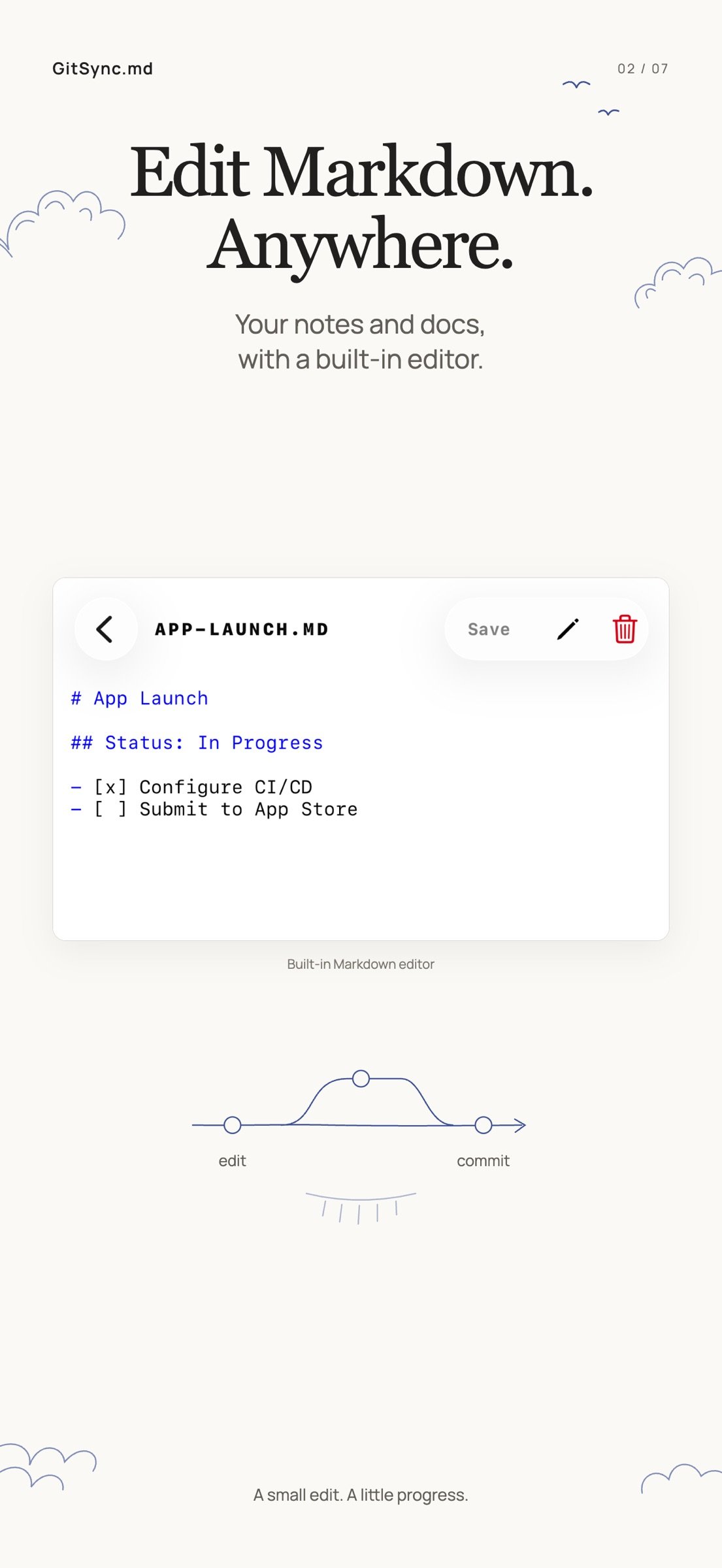
Use the built-in editor, or open repository files in Obsidian, iA Writer, 1Writer, Taio, or another compatible iOS Files app. Your notes stay ordinary files in a real Git working copy.
GITHUB AND YOUR OWN GIT REMOTE
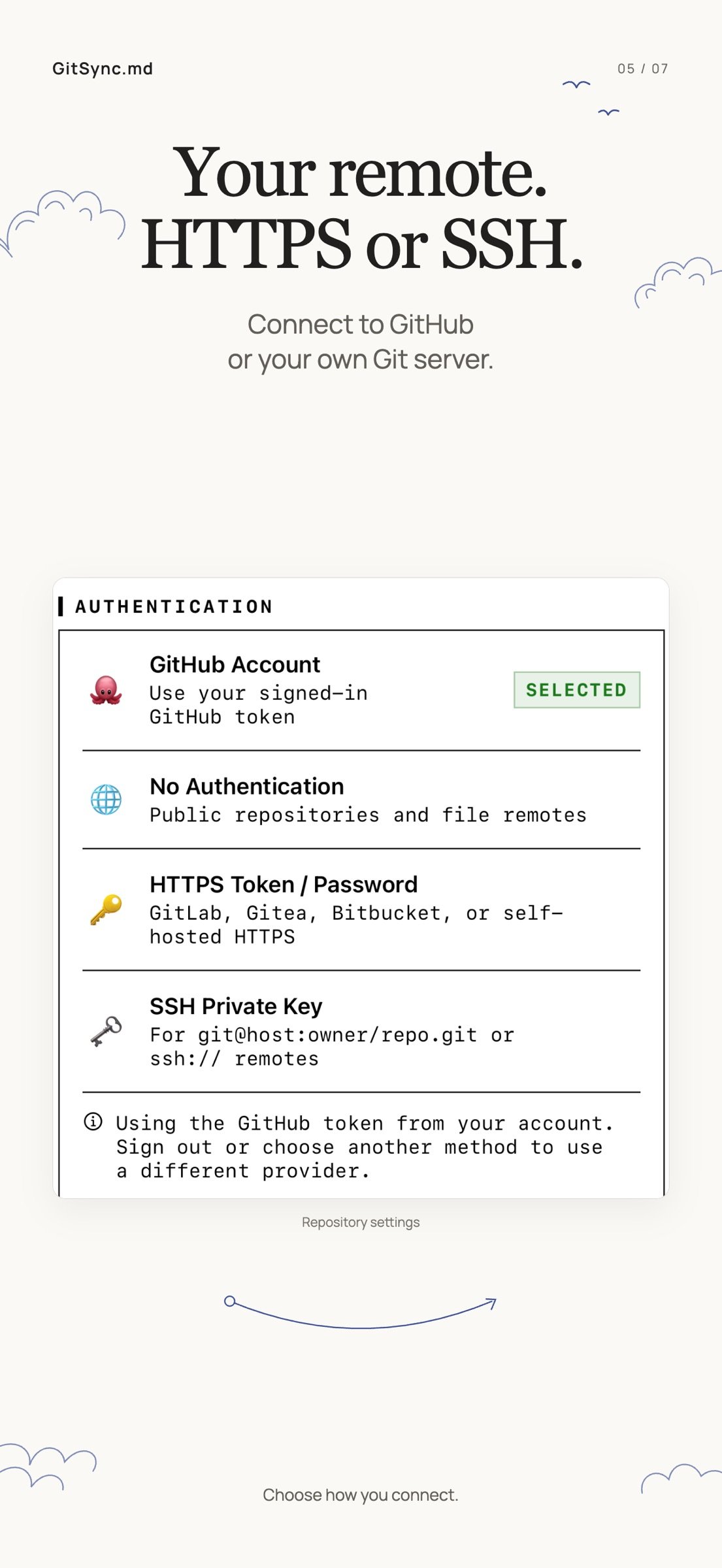
Sign in to GitHub with OAuth or a Personal Access Token. You can also connect to GitLab, Bitbucket, Gitea, or a self-hosted Git remote over HTTPS or SSH using the credentials that remote requires.
REVIEW BEFORE YOU PUSH
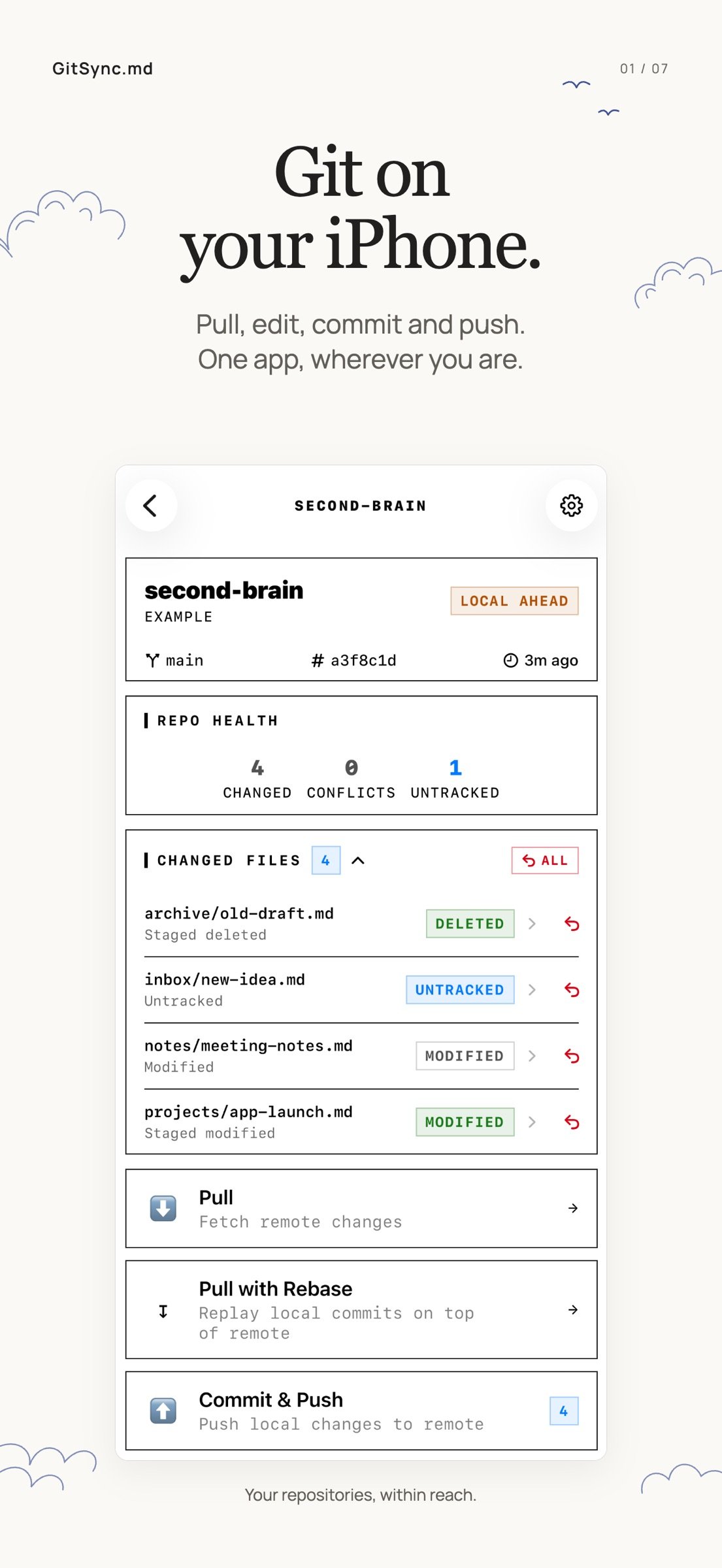
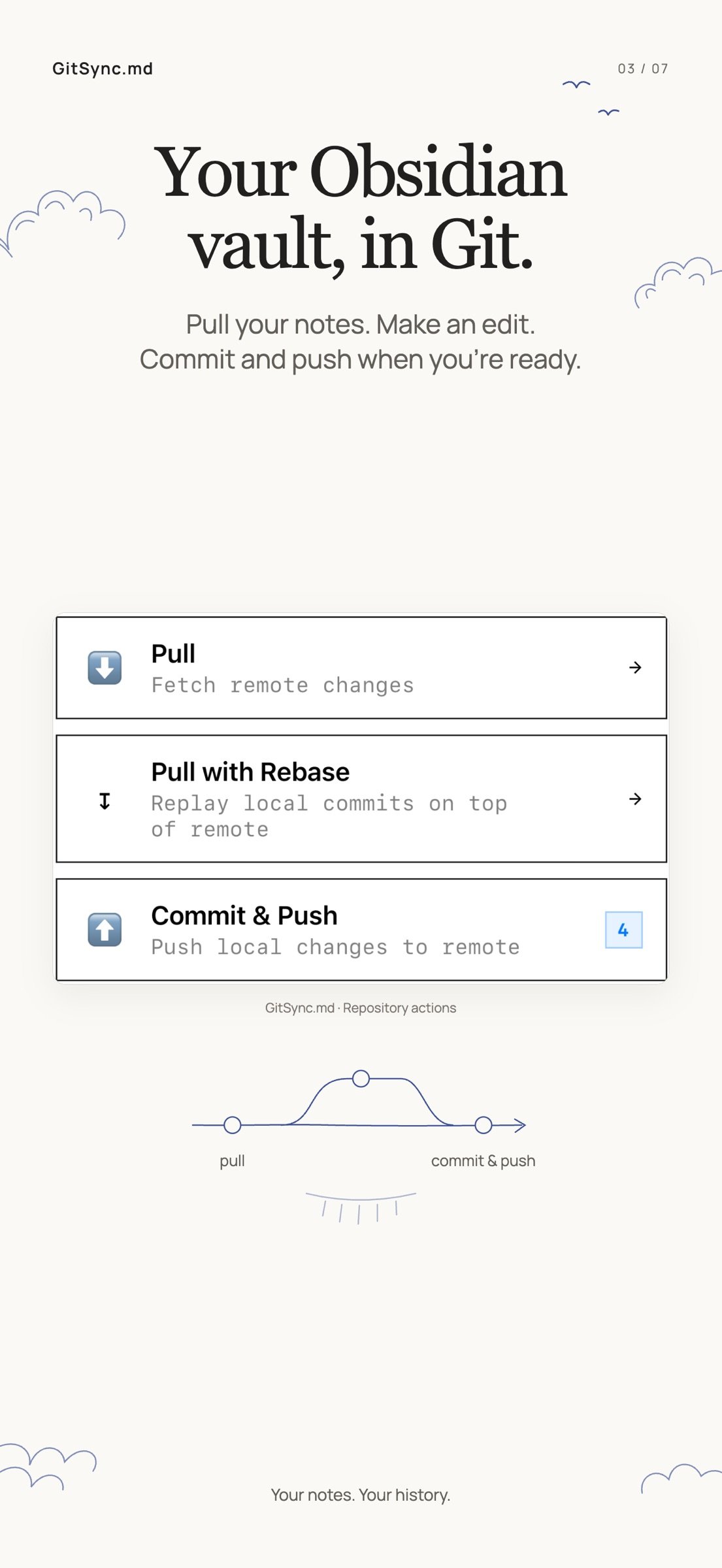
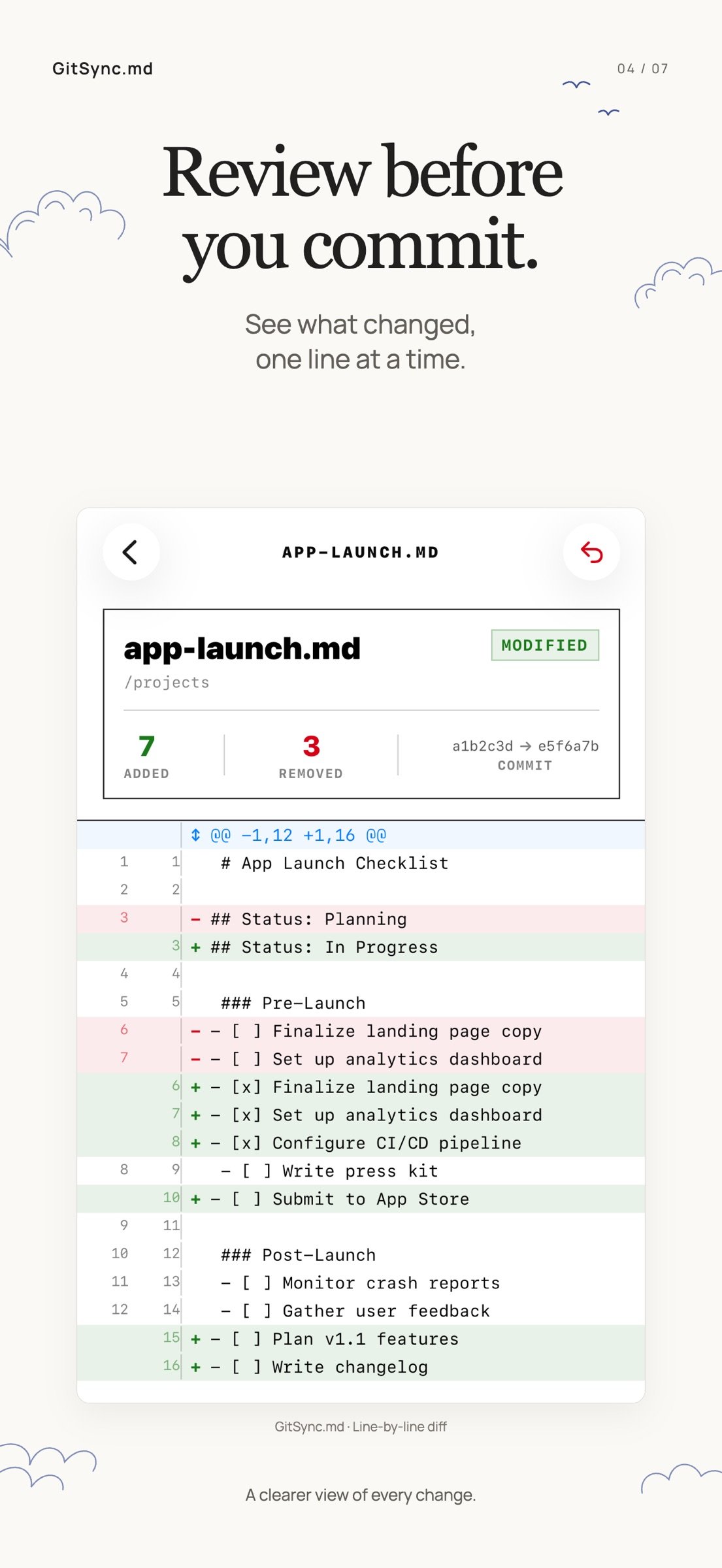
See changed files and text diffs, stage your changes, write a commit message, and push to your remote. Browse commit history, manage branches, stash changes, and use Pull with Rebase. Review and resolve merge conflicts when they occur.
START WITH A REPO OR A LOCAL FOLDER
Clone a repository, open an existing local Git repository, or turn a supported folder on your iPhone or iPad into a Git repository. Publishing a local folder creates a new private GitHub repository as a separate action, so you can review your files before uploading them.
SHORTCUTS FOR YOUR WORKFLOW
Run Pull, Push, or Sync from Apple Shortcuts. Use syncmd:// callback links to trigger repository actions from compatible apps and notes. Synchronization is driven by these actions; this build does not offer automatic background sync.
MULTIPLE REPOSITORIES
Keep your notes, documentation, and code projects in separate repositories, each with its own branch, author details, and storage location.
STANDARD GIT, DIRECT CONNECTIONS
GitSync.md uses libgit2 for on-device Git operations. Your repositories have real .git directories, and Git traffic goes directly to your chosen remote. Git credentials are stored in the iOS Keychain.
Terms of Use (EULA): [link removed]
License: Commercial
NOTES AND CODE, IN YOUR OWN FILES
Use the built-in editor, or open repository files in Obsidian, iA Writer, 1Writer, Taio, or another compatible iOS Files app. Your notes stay ordinary files in a real Git working copy.
GITHUB AND YOUR OWN GIT REMOTE
Sign in to GitHub with OAuth or a Personal Access Token. You can also connect to GitLab, Bitbucket, Gitea, or a self-hosted Git remote over HTTPS or SSH using the credentials that remote requires.
REVIEW BEFORE YOU PUSH
See changed files and text diffs, stage your changes, write a commit message, and push to your remote. Browse commit history, manage branches, stash changes, and use Pull with Rebase. Review and resolve merge conflicts when they occur.
START WITH A REPO OR A LOCAL FOLDER
Clone a repository, open an existing local Git repository, or turn a supported folder on your iPhone or iPad into a Git repository. Publishing a local folder creates a new private GitHub repository as a separate action, so you can review your files before uploading them.
SHORTCUTS FOR YOUR WORKFLOW
Run Pull, Push, or Sync from Apple Shortcuts. Use syncmd:// callback links to trigger repository actions from compatible apps and notes. Synchronization is driven by these actions; this build does not offer automatic background sync.
MULTIPLE REPOSITORIES
Keep your notes, documentation, and code projects in separate repositories, each with its own branch, author details, and storage location.
STANDARD GIT, DIRECT CONNECTIONS
GitSync.md uses libgit2 for on-device Git operations. Your repositories have real .git directories, and Git traffic goes directly to your chosen remote. Git credentials are stored in the iOS Keychain.
Terms of Use (EULA): [link removed]
License: Commercial
| Release info | Update on Oct 27, 2026 |
|---|---|
| Release notes | Updated App Store text and translations to make GitSync.md’s Git and Markdown workflows clearer. App functionality is unchanged. |
| Listing data | App Store |
Reviews
No reviews yet. Be the first to review GitSync.md.
Used GitSync.md? Tell other visitors what you thought.
Log in to write a reviewOther products by this publisher
- "No Distractions" for YouTube 4.10 ----
- #Bible 11.6 "Incredible App - My sister shared this app with me a few weeks ago and it is truly incredible.
- #filmphotography 1.4.2 So, you decided to shoot on film?
- $quirrel 1.5.1 $quirrel Budget & Finance helps you plan each paycheck, track spending, manage debt, and see what is safe to spend before the next payday.
- % Percentage Calculator Pro 1.41 This is the Pro version of % Percentage Calculator.
Most viewed iOS Developer Tools
-
1
 ZScripter 13.0.0
ZScripter plays compatible Ren'Py, RealLive, NScripter, (PONS)ONScripter-EN/RU/JH/Yuri, Artemis, Siglus, AI5 and UK2 games as well as KiriKiri (+Kirikiroid2 patches) and RPG Maker MV/MZ & XP, VX and VX Ace support.
-
2
 GitHub 1.284.0
There’s a lot you can do on GitHub that doesn’t require a complex development environment – like sharing feedback on a design discussion, or reviewing a few lines of code.
-
3
 Agents Anywhere 2.1.0
Agents Anywhere is a developer tools mobile application for remotely controlling your local computer to complete coding tasks.
-
4
 Shader Playground 1.0
Shader Playground is a powerful real-time shader editor built for iPhone and iPad.
-
5
 Code Workspace 0.9.1
Code Workspace is a free, agent-first development environment for iPad and iPhone.
-
6
 LocalDevVPN 1.3.0
LocalDevVPN is a developer tool for creating and managing local network tunnels directly on iOS.
-
7
 Termius 8.2.0
Termius is a modern SSH client designed for productivity and collaboration.
-
8
 TestFlight 4.4.1
TestFlight makes it easy to test beta versions of apps and App Clips to provide valuable feedback to developers before they release their apps on the App Store.
-
9
 Cursor 1.18.0
Introducing Cursor for iOS: the best way to build, review, and ship software from anywhere.
-
10
 HTTP Debugger+ 1.2.3
HTTP Debugger+ is a professional HTTP traffic inspector designed for developers and QA engineers.
Most downloaded iOS Developer Tools
-
1
Agents Anywhere 2.1.0
Agents Anywhere is a developer tools mobile application for remotely controlling your local computer to complete coding tasks.
-
2
 a-Shell mini 2.3.2
a-Shell mini is a complete local terminal emulator, allowing to run most Unix commands on you iOS device.
-
3
 Rulify 1.0.7
Rulify ????? iOS App ????,???????? App ????,???????????????
-
4
 LadderTouch 2.1.5
LadderTouch is an app to learn the basics of ladder logic, which is a graphical programming language.
-
5
 FSNotes 7.6.0
FSNotes is a fast, modern notes manager for macOS and iOS.
-
6
 C/C++$-LLVM Clang 2.7
This is a learning tool for efficient C/C++ learning, fast programming, ?(LLVM+Clang)offline compilation and local execution?, Git fetching, iCloud storage, and efficient transfer and sharing via LAN HTTP/FTP multi-point connections.
-
7
 python3$ 6.6
This is a Python 3.13 learning tool for efficient learning, fast programming, local execution, breakpoint debugging, precise error reporting, Git fetching, iCloud access, and efficient transfer and sharing via LAN HTTP/FTP multi-point connections.
-
8
 Markdown2PDF 1.0
Easily Convert Markdown to PDF with Markdown2PDF
-
9
 Herdy 1.4.0
Herdy puts your remote terminal and long-running coding-agent sessions in your pocket.
-
10
 websta$-learn html css and js 3.2
This is a learning tool for efficient HTML, CSS, and JS learning, fast programming, local execution, Git retrieval, iCloud storage, efficient transfer and sharing via LAN HTTP/FTP multi-point connections.