
Geovo Remote 1.1.1
Geovo Remote controls Geovo on your Mac or Windows PC from your iPhone or iPad, and adds location tools that work right on the device.
Download
2.02 MB
0downloads
0this week
FreeFreeware
0reviews
Screenshots
About Geovo Remote
Geovo Remote controls Geovo on your Mac or Windows PC from your iPhone or iPad, and adds location tools that work right on the device. On its own it doesn't move your location: Geovo on your computer does that.
WITH GEOVO ON YOUR COMPUTER
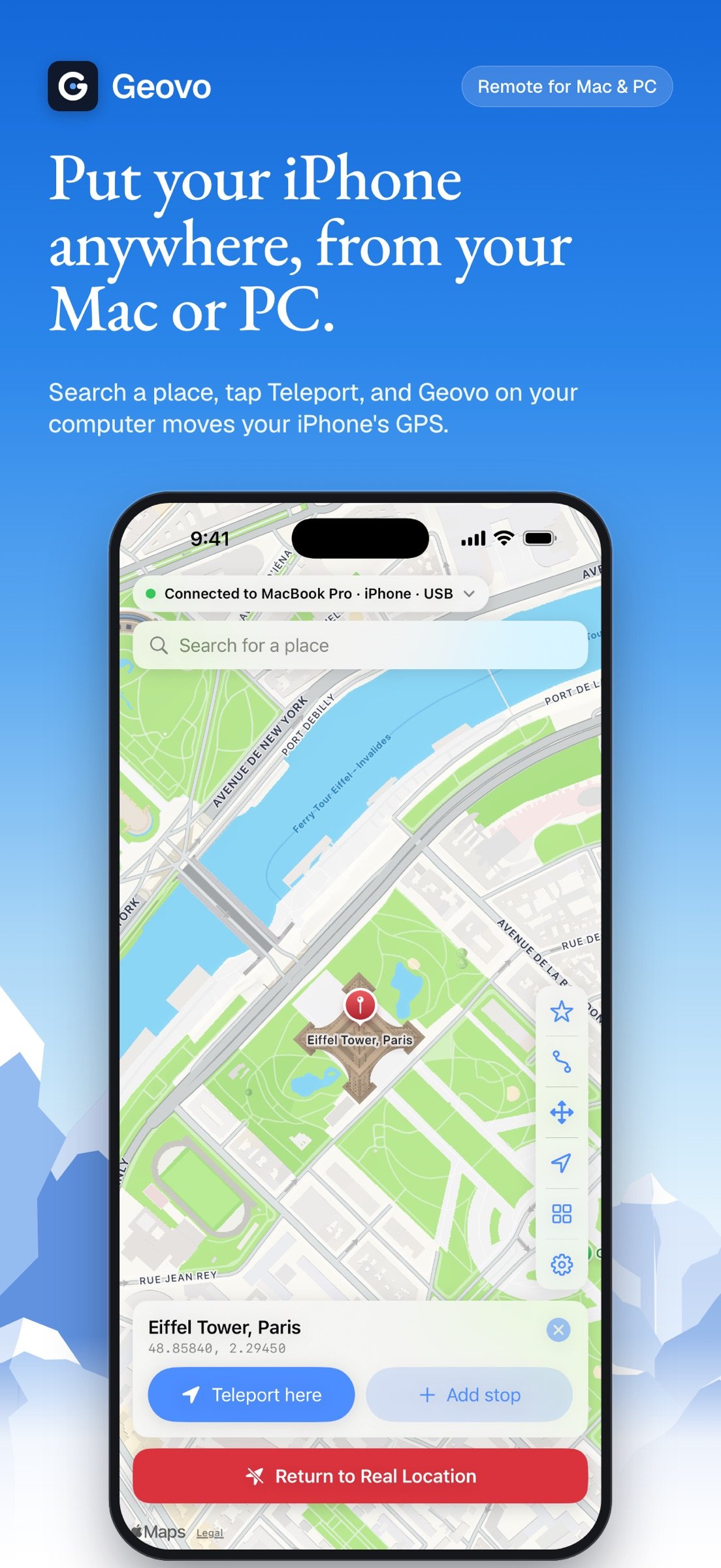
• Pick a place: search for an address or tap the map, then teleport the simulated location there.
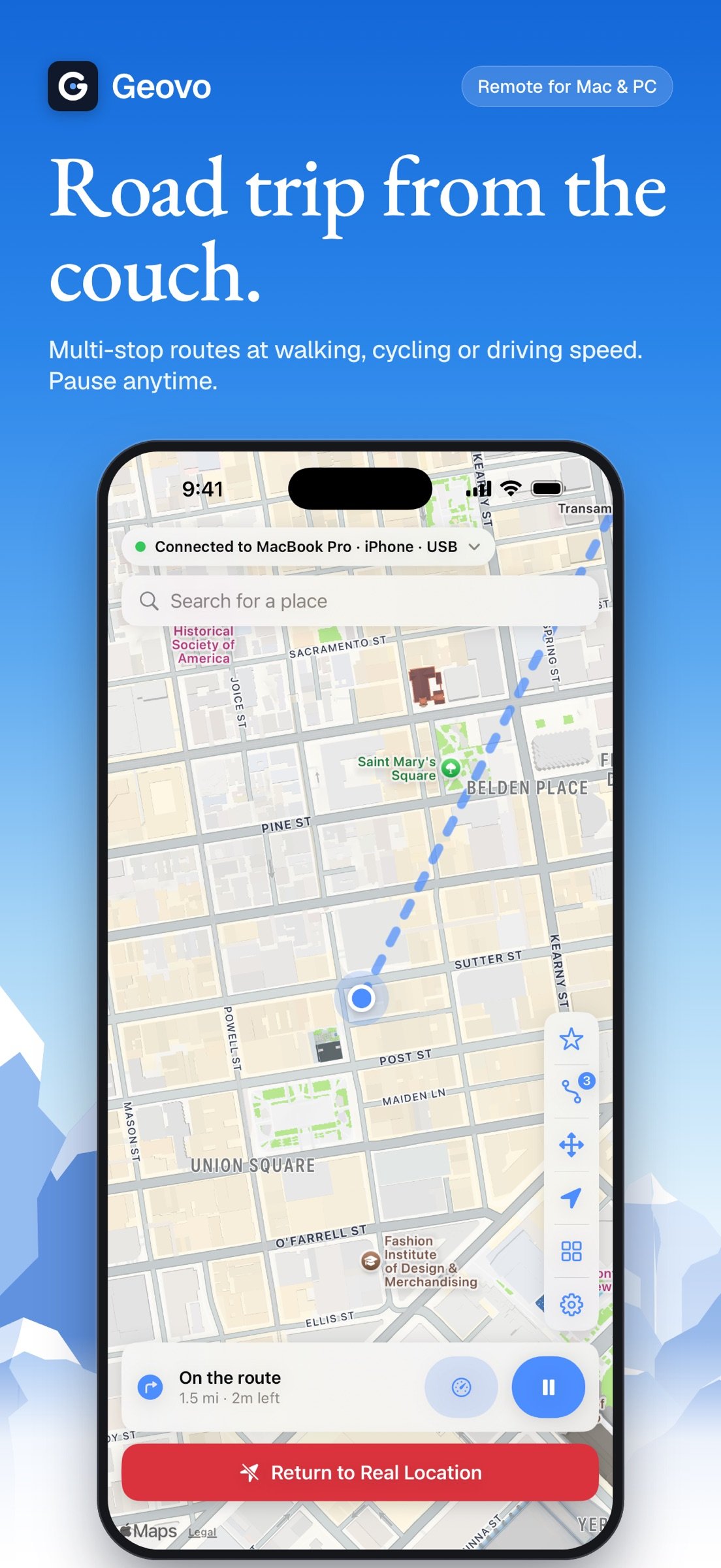
• Plan a route: add stops, choose walking, cycling, driving or a custom speed, add a wait at any stop, then pause, resume or change speed mid-trip.
• Steer with the joystick: move the simulated location step by step to test geofences and maps.
• Use your favorites: places and trips you saved in Geovo on your computer are one tap away.
• Return to Real Location: always on screen, one tap.
TOOLS ON THIS DEVICE (NO COMPUTER NEEDED)
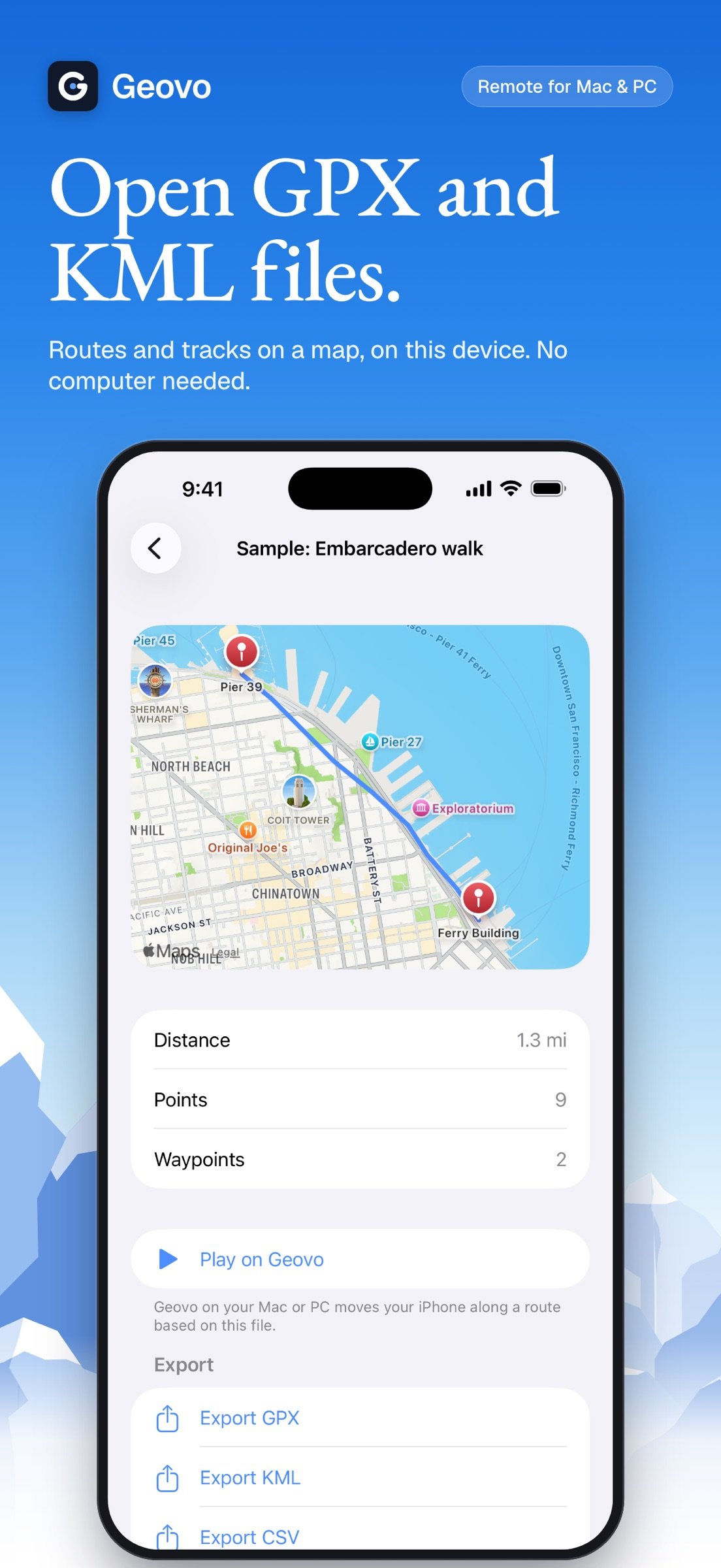
• GPX & KML Viewer: open files from Files, Mail or AirDrop and keep saved routes.
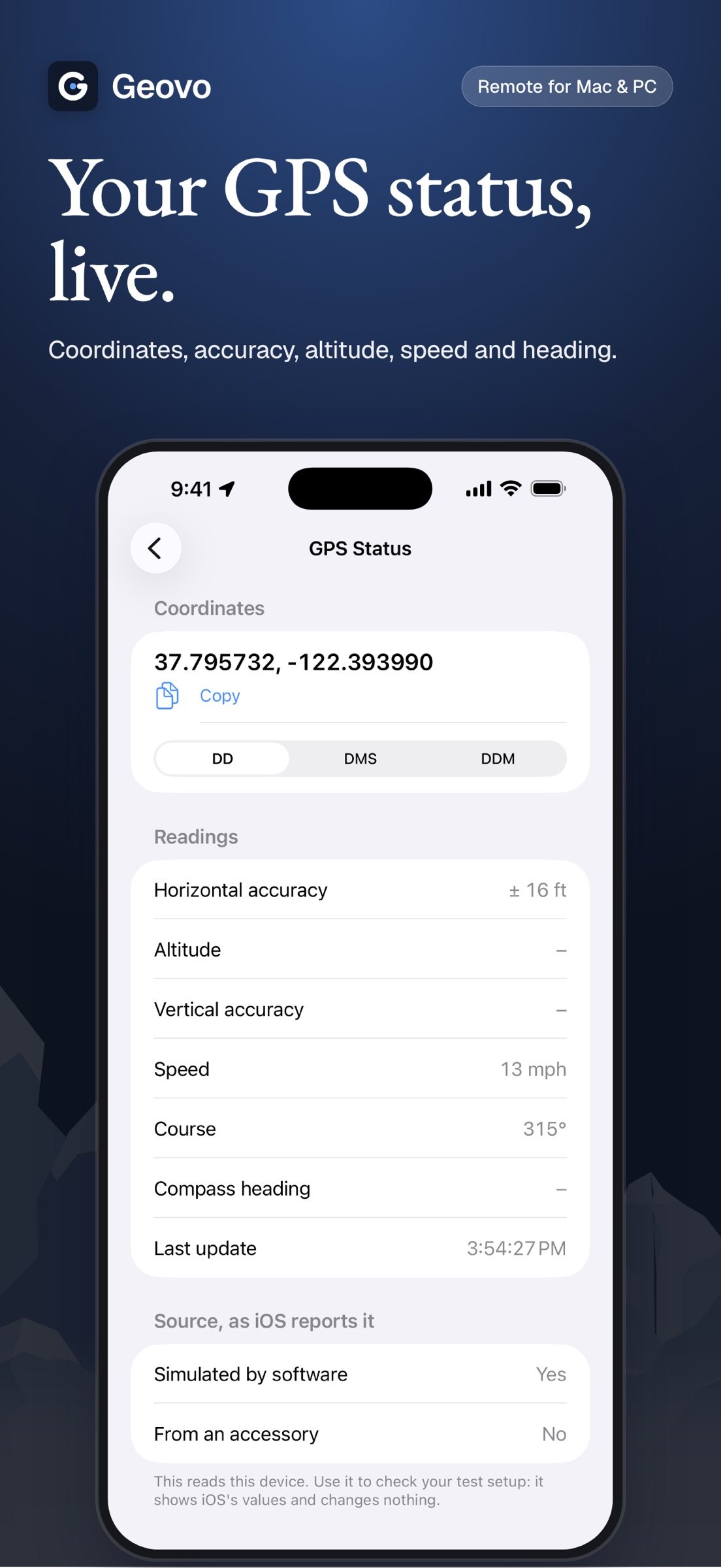
• GPS Status: coordinates, accuracy, altitude, speed and heading, as iOS reports them.
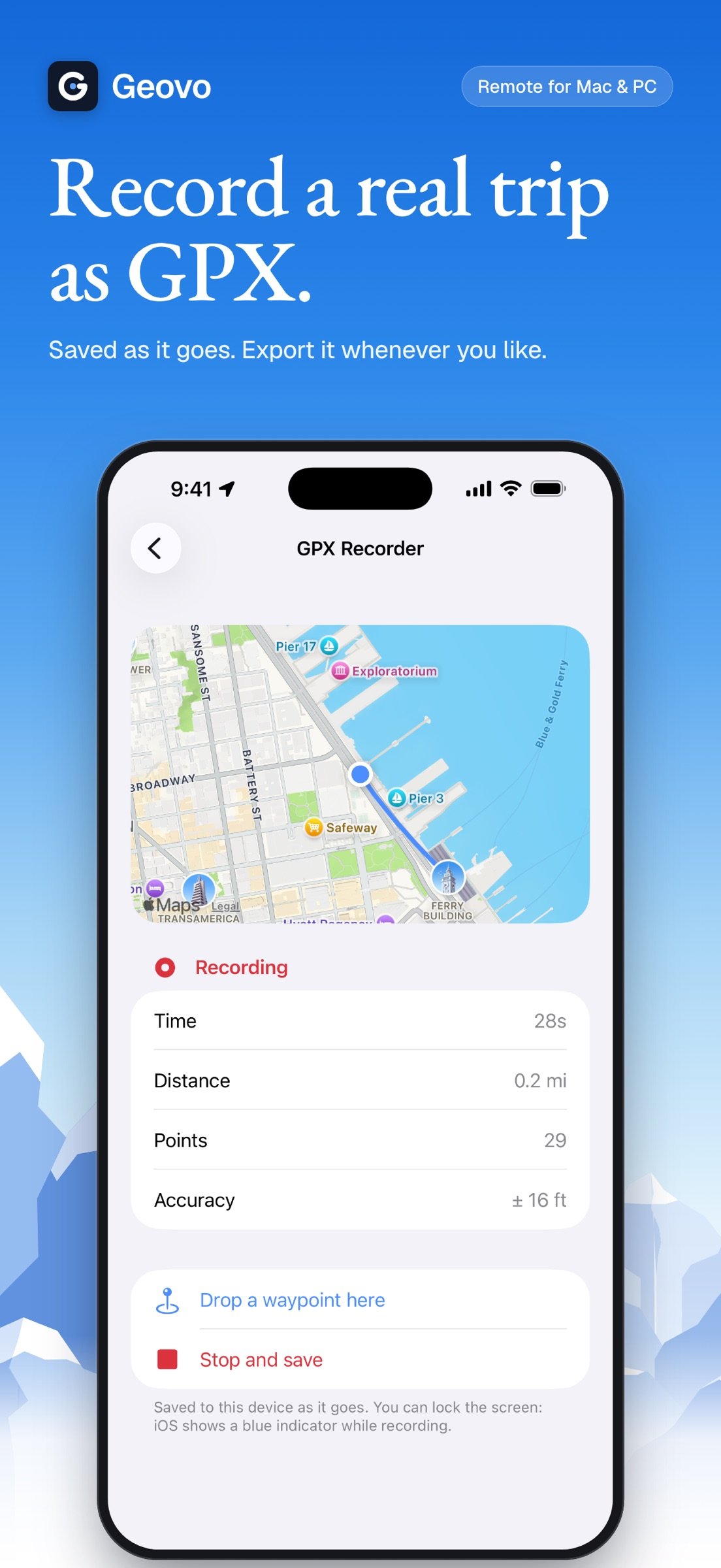
• GPX Recorder: record a trip you start and export it. Uses GPS and more battery while it runs.
• Geofence Test: set a zone and log enter and exit events. iOS reports these with some delay.
PRIVATE BY DESIGN
Your location stays on this device unless you export it. Commands go only to your own computer, over an encrypted connection on your local network. The map comes from Apple Maps. No account, no ads, no tracking, and no data collected.
REQUIREMENTS FOR THE REMOTE
Requires Geovo for Mac or Windows, installed and open on your computer (geovo.app). The computer app includes a free 15-minute trial; continued use needs a Geovo Pro plan on the computer. Geovo Remote itself is free, with no purchases. Your iPhone or iPad and your computer must be on the same Wi-Fi network, and the computer must be on.
Use Geovo only where you're allowed to, and lawfully. While a location is simulated, apps on that device may see the simulated place; tap Return to Real Location when you're done.
| Release info | New Release on Nov 19, 2026 |
|---|---|
| Release notes | Clearer connection messages: when your iPhone or iPad isn't on Wi-Fi, Geovo Remote now says so, and it connects by itself once you join the same Wi-Fi as your computer. Small fixes and improvements. |
| Listing data | App Store |
Reviews
No reviews yet. Be the first to review Geovo Remote.
Used Geovo Remote? Tell other visitors what you thought.
Log in to write a reviewOther products by this publisher
- "No Distractions" for YouTube 4.10 ----
- #Bible 11.6.1 "Incredible App - My sister shared this app with me a few weeks ago and it is truly incredible.
- #filmphotography 1.4.2 So, you decided to shoot on film?
- #LookBusy Fake Calendar Events 1.0.6 Look Busy scans your work calendar for open time slots and fills them with realistic-looking (but secretly fake) work events.
- #Small Talk Is Canceled 1.0.2 #Small Talk Is Canceled — Conversations That Matter
Most viewed iOS Developer Tools
-
1
 ZScripter 15.2.0
ZScripter plays compatible Ren'Py, RealLive, NScripter, (PONS)ONScripter-EN/RU/JH/Yuri, Artemis, Siglus, CatSystem2, Ethornell BGI, N2System (Nitro+), AI5 and UK2 games as well as KiriKiri (+Kirikiroid2 patches), TyranoScript, RPG Maker MV/MZ & XP, …
-
2
 LocalDevVPN 1.3.0
LocalDevVPN is a developer tool for creating and managing local network tunnels directly on iOS.
-
3
 GitHub 1.285.0
There’s a lot you can do on GitHub that doesn’t require a complex development environment – like sharing feedback on a design discussion, or reviewing a few lines of code.
-
4
 Agents Anywhere 2.1.0
Agents Anywhere is a developer tools mobile application for remotely controlling your local computer to complete coding tasks.
-
5
 Andarium 1.0
Andarium lets you run an Android virtual machine on your iPhone and iPad—no computer setup, extra downloads, or complicated configuration required.
-
6
 Shader Playground 1.0
Shader Playground is a powerful real-time shader editor built for iPhone and iPad.
-
7
 Code Workspace 0.9.1
Code Workspace is a free, agent-first development environment for iPad and iPhone.
-
8
 Termius 8.2.0
Termius is a modern SSH client designed for productivity and collaboration.
-
9
 Rulify 1.0.7
Rulify ????? iOS App ????,???????? App ????,???????????????
-
10
 TestFlight 4.4.1
TestFlight makes it easy to test beta versions of apps and App Clips to provide valuable feedback to developers before they release their apps on the App Store.
Most downloaded iOS Developer Tools
-
1
Agents Anywhere 2.1.0
Agents Anywhere is a developer tools mobile application for remotely controlling your local computer to complete coding tasks.
-
2
Rulify 1.0.7
Rulify ????? iOS App ????,???????? App ????,???????????????
-
3
 a-Shell mini 2.4.0
a-Shell mini is a complete local terminal emulator, allowing to run most Unix commands on you iOS device.
-
4
 LadderTouch 2.1.5
LadderTouch is an app to learn the basics of ladder logic, which is a graphical programming language.
-
5
 FSNotes 7.6.1
FSNotes is a fast, modern notes manager for macOS and iOS.
-
6
 Herdy 1.5.1
Herdy puts your remote terminal and long-running coding-agent sessions in your pocket.
-
7
Andarium 1.0
Andarium lets you run an Android virtual machine on your iPhone and iPad—no computer setup, extra downloads, or complicated configuration required.
-
8
LocalDevVPN 1.3.0
LocalDevVPN is a developer tool for creating and managing local network tunnels directly on iOS.
-
9
 Markdown2PDF 1.0
Easily Convert Markdown to PDF with Markdown2PDF
-
10
 C/C++$-LLVM Clang 2.7
This is a learning tool for efficient C/C++ learning, fast programming, ?(LLVM+Clang)offline compilation and local execution?, Git fetching, iCloud storage, and efficient transfer and sharing via LAN HTTP/FTP multi-point connections.