41downloads
35this week
FreeFreeware
0reviews
Screenshots
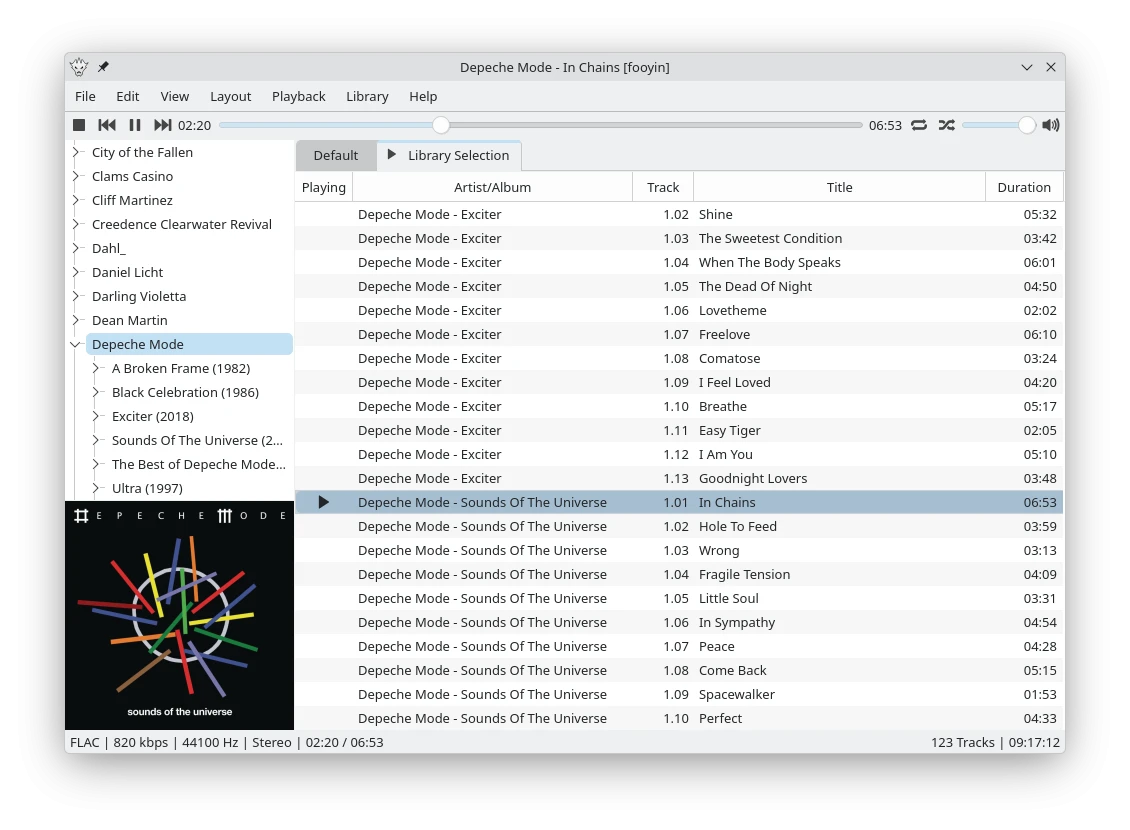
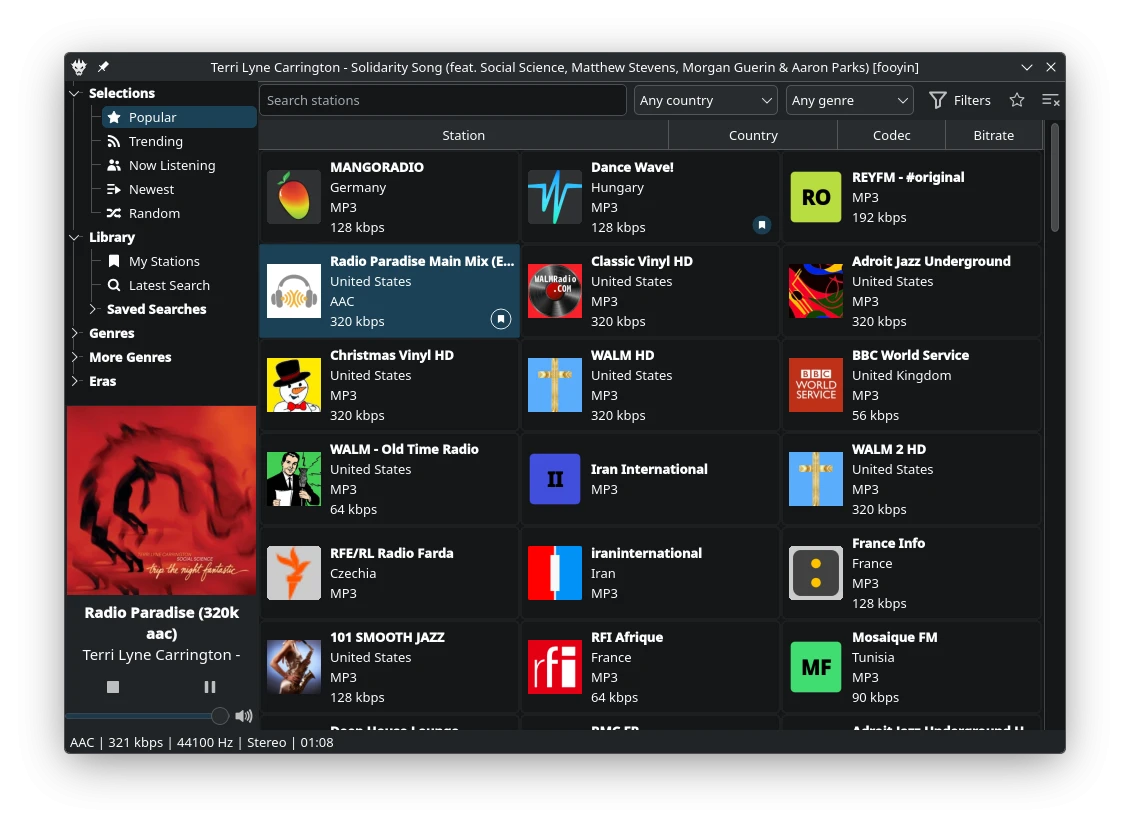
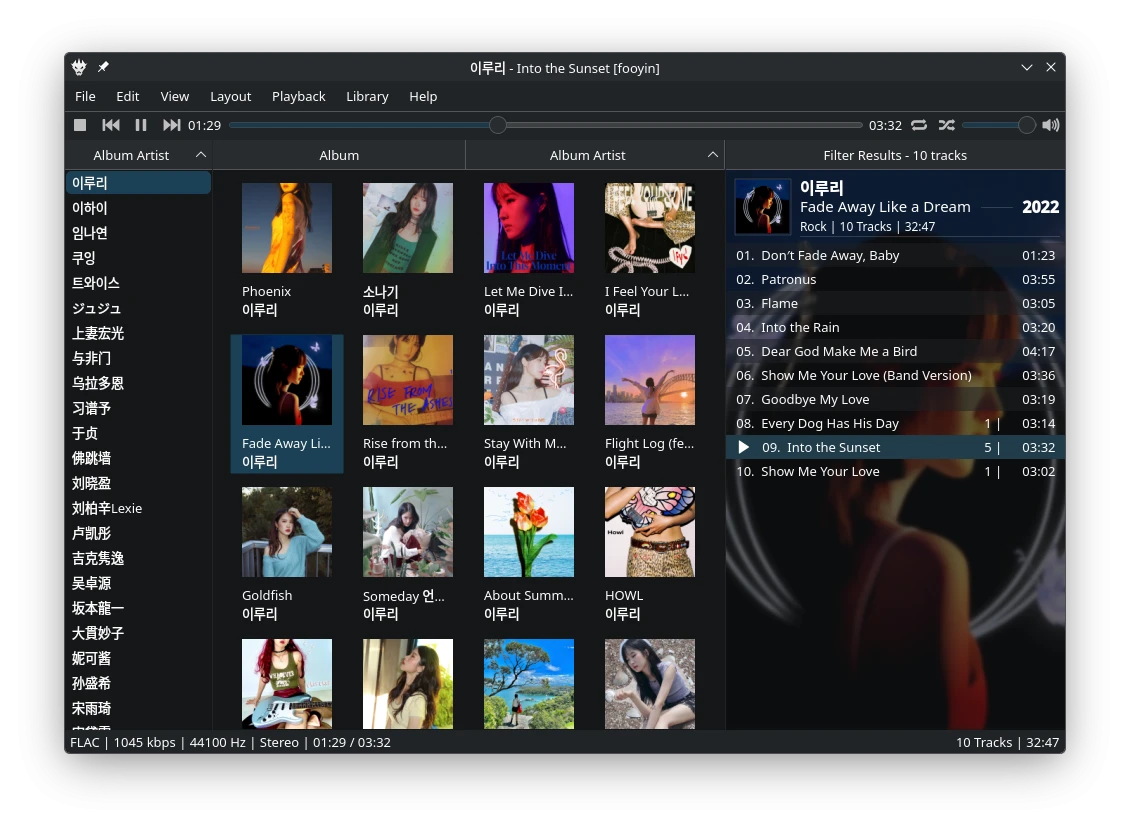
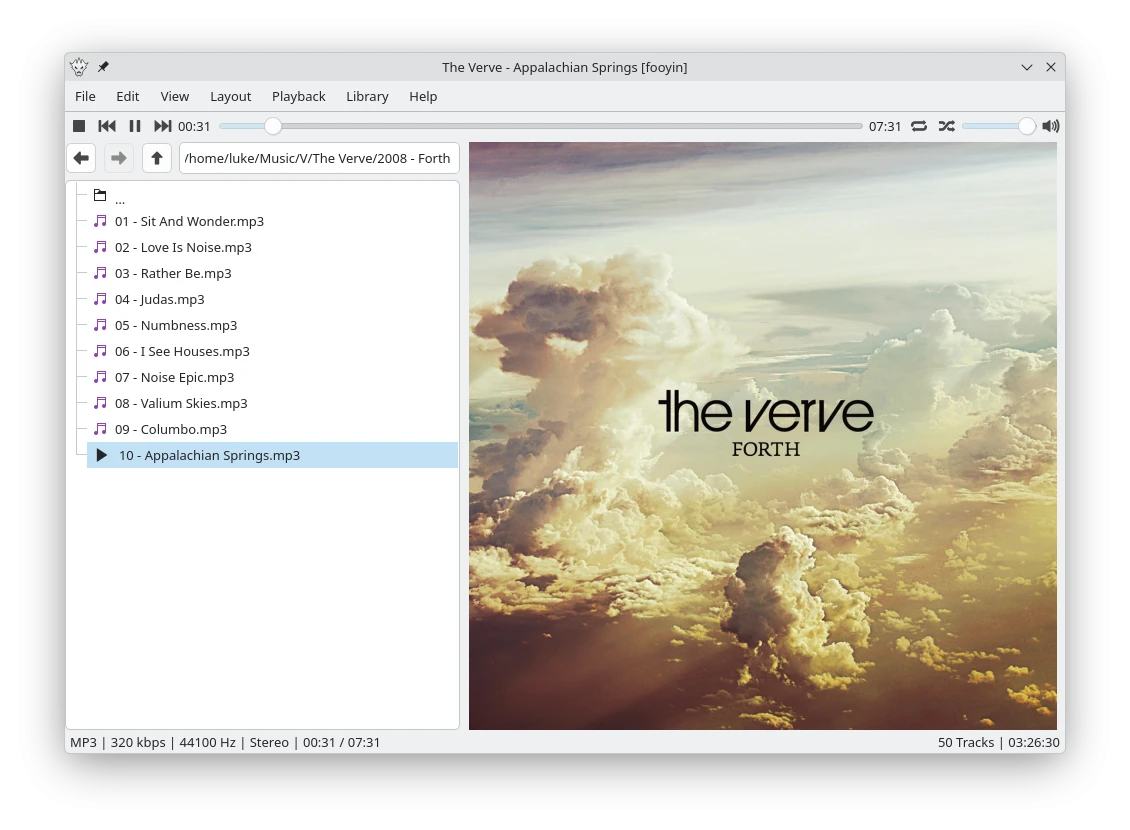
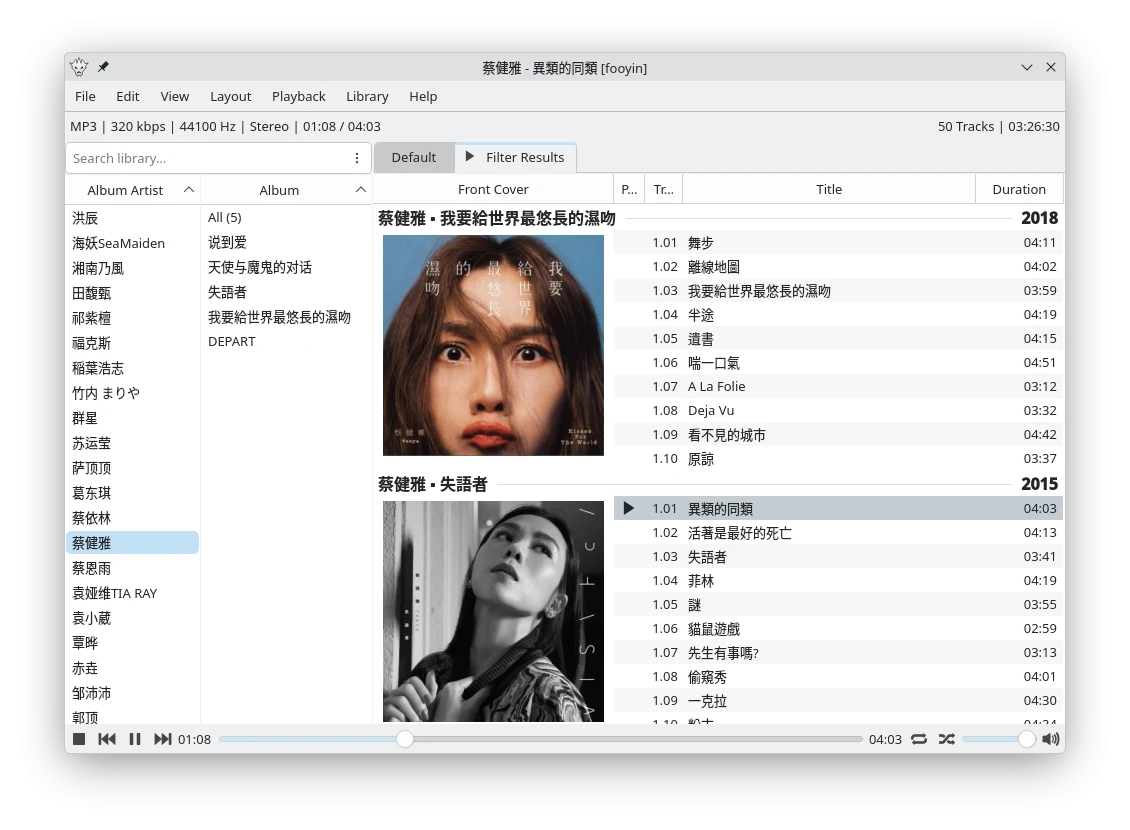
About fooyin
fooyin is a music player built around customisation. Arrange its interface from a blank canvas,
start with a preset layout, and tailor its widgets and shortcuts to suit you.
Browse and filter your library, edit tags and artwork, and organise tracks into playlists or
autoplaylists. Play local music, archives, Audio CDs, and internet radio with gapless playback.
Shape the sound with ReplayGain, fading, and DSP chains, or convert audio between formats.
Extend the player with plugins providing additional audio formats, widgets, visualisations,
and scrobbling services. FooScript enables advanced display formatting, library queries, autoplaylists,
and custom widget behaviour.
License: GPL-3.0-or-later
start with a preset layout, and tailor its widgets and shortcuts to suit you.
Browse and filter your library, edit tags and artwork, and organise tracks into playlists or
autoplaylists. Play local music, archives, Audio CDs, and internet radio with gapless playback.
Shape the sound with ReplayGain, fading, and DSP chains, or convert audio between formats.
Extend the player with plugins providing additional audio formats, widgets, visualisations,
and scrobbling services. FooScript enables advanced display formatting, library queries, autoplaylists,
and custom widget behaviour.
License: GPL-3.0-or-later
| Release info | Update on Nov 08, 2026 |
|---|---|
| Release notes | This was going to be a bugfix release, but before long there were too many changes and improvements, so here we are! This update focuses on the interface, particularly Library Filter. Artwork views now support a fully scriptable inline track expansion panel, alongside a configurable cover flow view: Library Filter also gains more control over artwork scaling, sizing and margins, with additional options for captions. Other new features include named widget config presets, a shared global widget background, animated layout switching, and configurable shortcut targets. Playback improvements include per-track automatic playback and crossfading preferences, an option to disable software volume control, and configurable MPRIS volume curves. Audio conversion can also now run jobs in parallel, and the autoplaylist editor can show a live preview in a sidebar. There are also new scripting variables for identifying remote, virtual, archived and live stream sources, a new lyrics.ovh source, expanded CLI playback controls, and numerous improvements to Radio Browser, Library Tree and metadata handling. As always, this release includes a broad collection of fixes across playback, playlists, scripting, metadata and the interface. Thanks again to everyone who contributed code, translations, testing, bug reports and feedback for this release. New Features • Interface • Add configurable inline track expansion to Library Filter (#1841) • Add configurable cover flow to Library Filter (#701, #1867) • Add configurable animations when switching layouts • Add configurable focused-widget and playing-track targets for supported shortcuts, including Rating (#1363, #1849) • Add named presets to widget configuration dialogs • Add a shared global background for supported widgets • Playback: Add per-track preferences for automatic playback and crossfading (#1844) Improvements • Audio & Playback • Add support for parallel audio conversion • Expand CLI playback controls and align Play… |
| Listing data | Flathub |
Reviews
No reviews yet. Be the first to review fooyin.
Used fooyin? Tell other visitors what you thought.
Log in to write a reviewOther products by this publisher
- "No Distractions" for YouTube 4.10 ----
- #Bible 11.6 "Incredible App - My sister shared this app with me a few weeks ago and it is truly incredible.
- #filmphotography 1.4.2 So, you decided to shoot on film?
- $quirrel 1.5.1 $quirrel Budget & Finance helps you plan each paycheck, track spending, manage debt, and see what is safe to spend before the next payday.
- % Percentage Calculator Pro 1.41 This is the Pro version of % Percentage Calculator.
Most viewed Linux Multimedia
-
1
 CloudMusicPlayer 1.0.4
Linux music player for NetEase Cloud Music
-
2
 Bitwig Studio 6.1.4
Modern music production and performance
-
3
 wiliwili 1.6.0
Watch videos from Bilibili
-
4
 Rune 2.0.0-alpha.14
The player that blends classic design with modern technology
- 5 Audiveris 5.11.0 Optical Music Recognition (OMR) Application
- 6 Feishin 1.17.0 Jellyfin, Navidrome, and OpenSubsonic Compatible Music Player
-
7
 GPU Screen Recorder 6.1.7
A shadowplay-like screen recorder for Linux. The fastest screen recorder for Linux
-
8
 Finamp 1.0.2
Open source Jellyfin music player
-
9
 QPrompt 2.0.3
Personal teleprompter software for all video creators
-
10
 Melodeon 0.6.0
Simple QWebEngine wrapper for MaterialSkin UI on Lyrion Music Server
Most downloaded Linux Multimedia
-
1
Finamp 1.0.2
Open source Jellyfin music player
-
2
CloudMusicPlayer 1.0.4
Linux music player for NetEase Cloud Music
-
3
 JS8Call 2.3.1
Software using the JS8 Digital Mode providing weak signal keyboard to keyboard messaging to Amateur Radio Operators
- 4 Fladder 0.11.1 A cross-platform Jellyfin client
- 5 Musicfox 5.1.0 Terminal music player for Netease Cloud Music
- 6 SONE 0.23.0 Native TIDAL client for Linux — modern UI, bit-perfect lossless FLAC and Hi-Res audio
-
7
 LRCGET 2.2.2
Download synced LRC lyrics
-
8
 Open Orpheus 0.20.0
Netease Cloud Music for Linux
-
9
 fooyin 0.15.0
Play your music your way
-
10
 Smart Video Processor 3.5.3
Organize your movies and shows