1downloads
1this week
FreeCommercial
0reviews
Screenshots
About FileMaker Server Admin
Your FileMaker Servers. Under control.
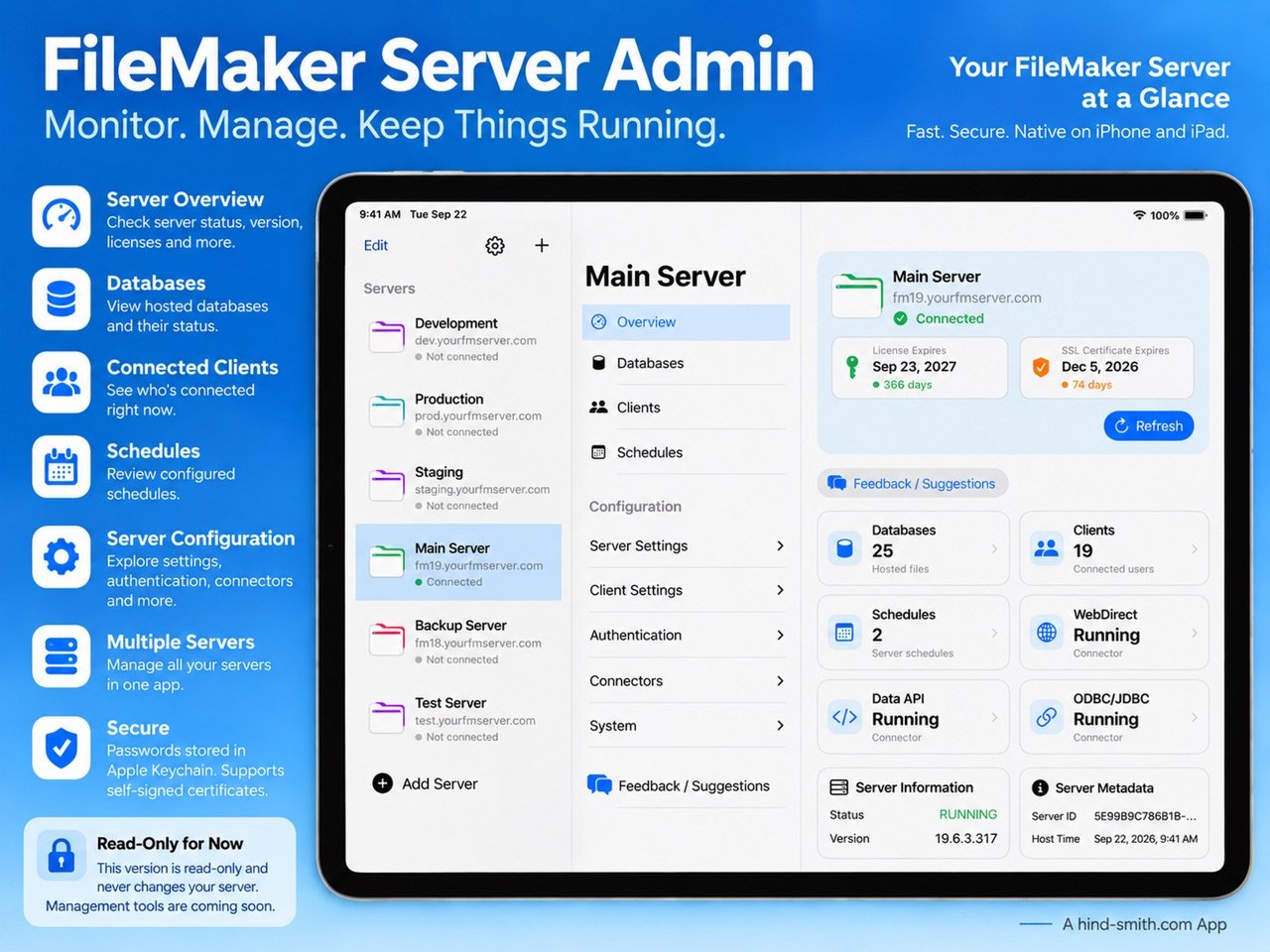
FileMaker Server Admin puts the tools you need to monitor, manage, and secure your FileMaker Servers in one convenient application.
Designed for FileMaker developers, server administrators, and IT professionals, it provides a clear view of your servers and gives you direct access to essential administration functions, wherever you work.
Whether you manage a single FileMaker Server or an entire collection, FileMaker Server Admin helps you stay informed and in control.
Server monitoring
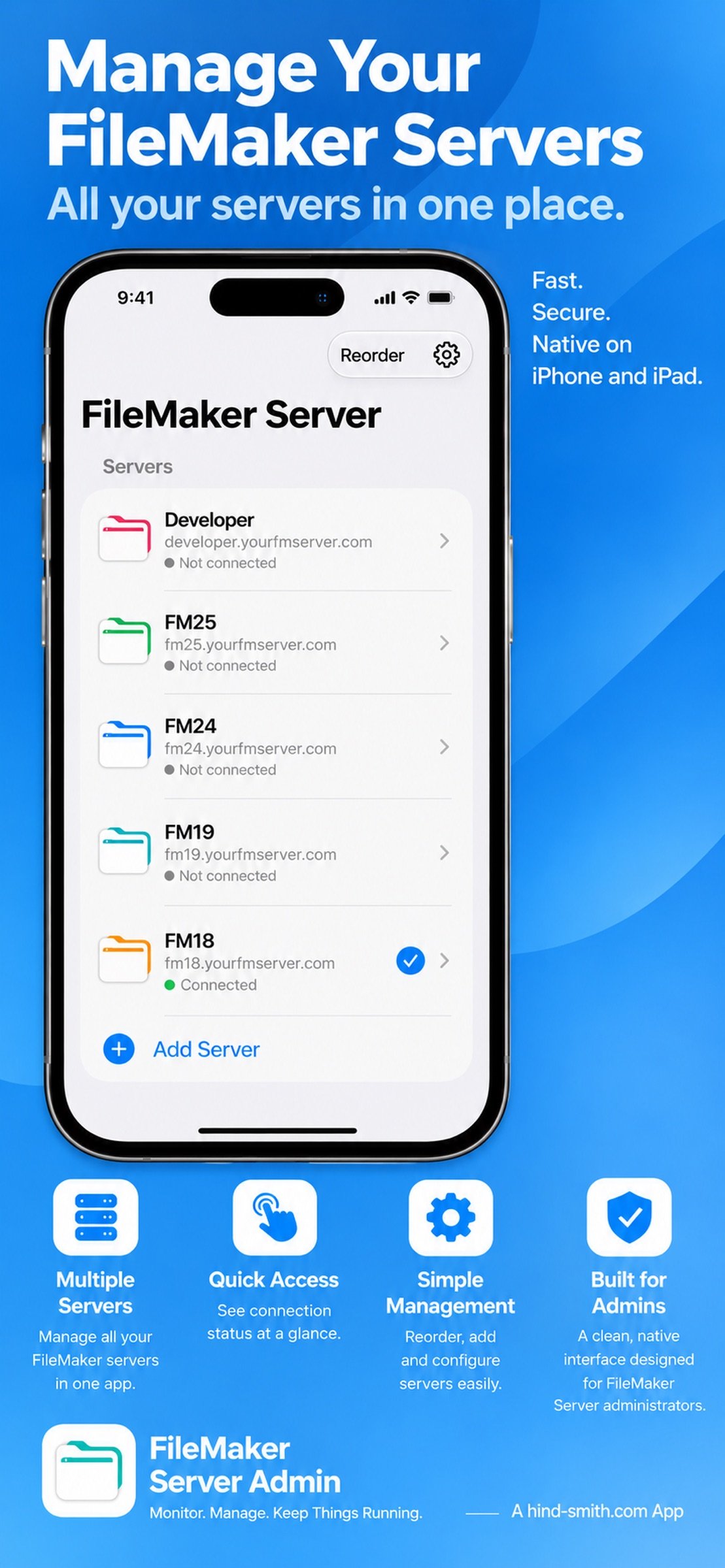
• Connect to and manage multiple FileMaker Servers.
• View server status, version, and connection information.
• Monitor database, client, and schedule activity.
• Keep track of server licence and SSL certificate expiration dates.
• Generate and share detailed PDF server reports.
Database management
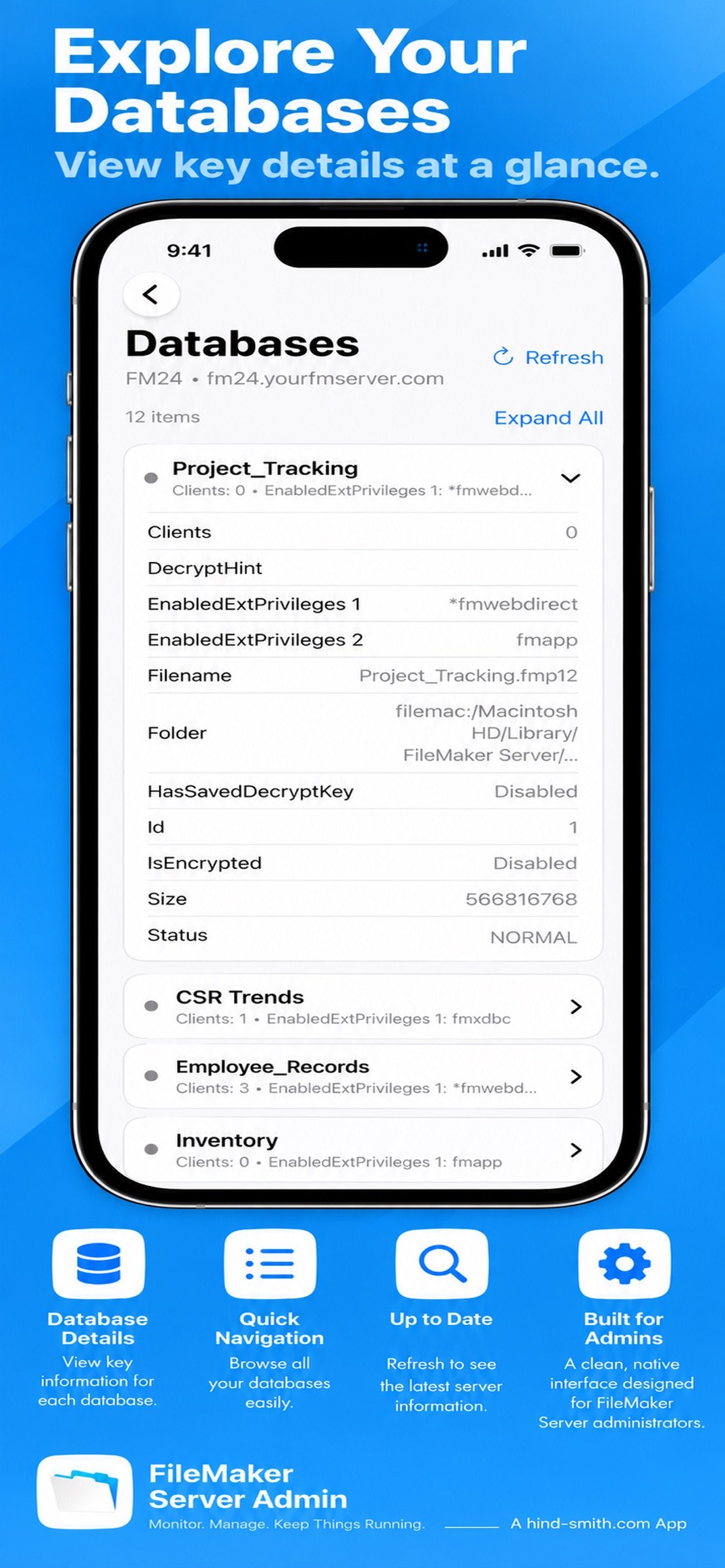
• View hosted databases and their current status.
• Open and close individual databases.
• Close all hosted databases when necessary.
• Review database details and connected client information.
Client management
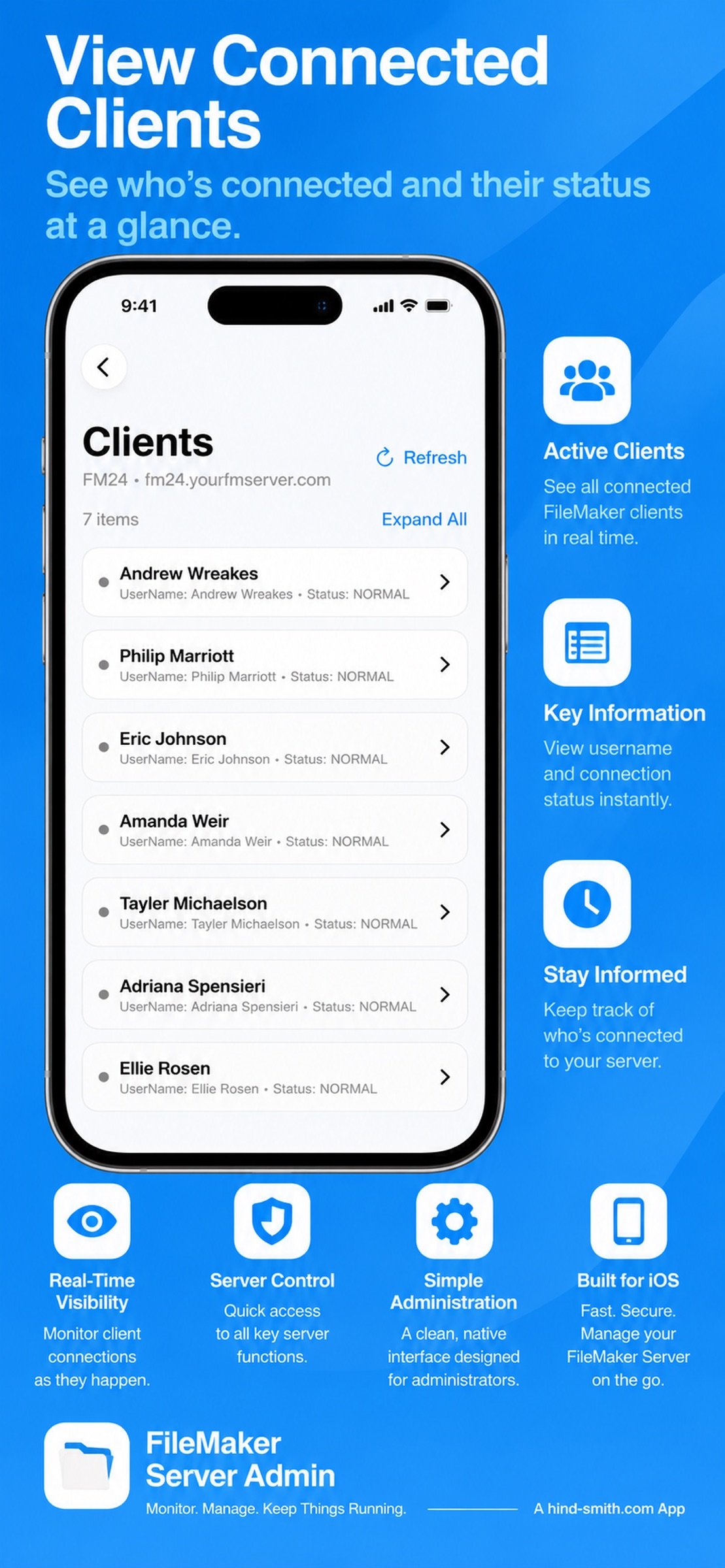
• View connected clients and their session information.
• Disconnect individual clients or all connected clients.
• Send messages to individual clients or broadcast to everyone connected.
• Provide advance notice before disconnecting users.
Security and server configuration
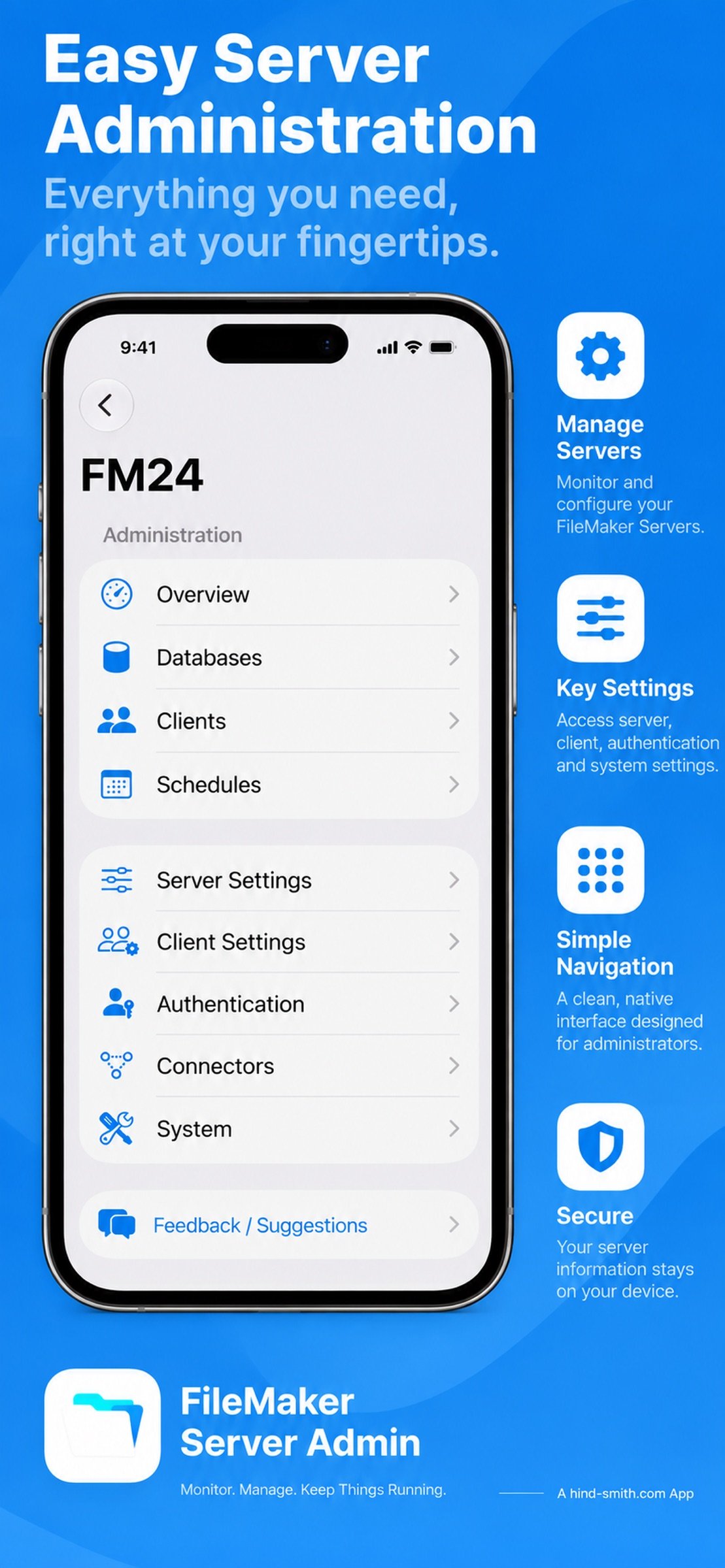
• Enable or disable supported server connectors, including the Data API, WebDirect, ODBC/JDBC, XML, and PHP.
• Control whether new users are permitted to connect.
• Manage database visibility and filtering.
• Review authentication settings and server configuration.
• Adjust supported client session settings.
Schedules and reporting
• View configured server schedules and their status.
• Run supported schedules directly from the application.
• Review schedule details and execution information.
• Create PDF reports containing server information, databases, clients, and schedules.
Designed for Apple devices
FileMaker Server Admin is a native application for Mac, iPhone, and iPad, with an interface designed for each device.
A single purchase provides access across supported Apple platforms. No subscriptions or recurring fees.
Built for FileMaker professionals
FileMaker Server Admin was created by a FileMaker consultancy with decades of experience developing, supporting, and hosting FileMaker solutions.
The application communicates with FileMaker Server using its Admin API. Available features depend on your FileMaker Server version and configuration.
FileMaker Server Admin is an independent application and is not affiliated with or endorsed by Claris International or Apple.
License: Commercial
FileMaker Server Admin puts the tools you need to monitor, manage, and secure your FileMaker Servers in one convenient application.
Designed for FileMaker developers, server administrators, and IT professionals, it provides a clear view of your servers and gives you direct access to essential administration functions, wherever you work.
Whether you manage a single FileMaker Server or an entire collection, FileMaker Server Admin helps you stay informed and in control.
Server monitoring
• Connect to and manage multiple FileMaker Servers.
• View server status, version, and connection information.
• Monitor database, client, and schedule activity.
• Keep track of server licence and SSL certificate expiration dates.
• Generate and share detailed PDF server reports.
Database management
• View hosted databases and their current status.
• Open and close individual databases.
• Close all hosted databases when necessary.
• Review database details and connected client information.
Client management
• View connected clients and their session information.
• Disconnect individual clients or all connected clients.
• Send messages to individual clients or broadcast to everyone connected.
• Provide advance notice before disconnecting users.
Security and server configuration
• Enable or disable supported server connectors, including the Data API, WebDirect, ODBC/JDBC, XML, and PHP.
• Control whether new users are permitted to connect.
• Manage database visibility and filtering.
• Review authentication settings and server configuration.
• Adjust supported client session settings.
Schedules and reporting
• View configured server schedules and their status.
• Run supported schedules directly from the application.
• Review schedule details and execution information.
• Create PDF reports containing server information, databases, clients, and schedules.
Designed for Apple devices
FileMaker Server Admin is a native application for Mac, iPhone, and iPad, with an interface designed for each device.
A single purchase provides access across supported Apple platforms. No subscriptions or recurring fees.
Built for FileMaker professionals
FileMaker Server Admin was created by a FileMaker consultancy with decades of experience developing, supporting, and hosting FileMaker solutions.
The application communicates with FileMaker Server using its Admin API. Available features depend on your FileMaker Server version and configuration.
FileMaker Server Admin is an independent application and is not affiliated with or endorsed by Claris International or Apple.
License: Commercial
| Release info | New Release on Oct 31, 2026 |
|---|---|
| Release notes | Version 1.29 introduces significant new security and server management capabilities, giving FileMaker administrators greater control over their servers from Mac, iPhone, and iPad. Enhanced security and access controls • Enable or disable server connectors, including the Data API, WebDirect, ODBC/JDBC, XML, and PHP. • Control whether new users are permitted to connect to your server. • Manage database visibility and filtering settings. • Review current security configurations and make changes directly from the app. Database management • Open and close individual hosted databases. • Close all hosted databases when necessary. • Quickly identify open and closed databases using clear status indicators. Connected client management • Send messages to individual connected clients or broadcast a message to everyone. • Disconnect individual clients or all connected clients. • Provide advance warning before disconnecting users. • View detailed client connection and session information. Additional improvements • Improved confirmation dialogs and progress indicators for administrative actions. • Clearer status information and configuration displays. • Interface refinements and reliability improvements across macOS, iPhone, and iPad. FileMaker Server Admin has evolved beyond monitoring, providing practical tools to manage your FileMaker Servers wherever you work. One purchase covers Mac, iPhone, and iPad, with no subscription required. |
| Listing data | App Store |
Reviews
No reviews yet. Be the first to review FileMaker Server Admin.
Used FileMaker Server Admin? Tell other visitors what you thought.
Log in to write a reviewOther products by this publisher
- "No Distractions" for YouTube 4.10 ----
- #Bible 11.5 "Incredible App - My sister shared this app with me a few weeks ago and it is truly incredible.
- #filmphotography 1.4.2 So, you decided to shoot on film?
- $quirrel 1.5.1 $quirrel Budget & Finance helps you plan each paycheck, track spending, manage debt, and see what is safe to spend before the next payday.
- % Percentage Calculator Pro 1.41 This is the Pro version of % Percentage Calculator.
Most viewed iOS Developer Tools
-
1
 ZScripter 12.1.0
ZScripter plays compatible Ren'Py, RealLive, NScripter, (PONS)ONScripter-EN/RU/JH/Yuri, Artemis, Siglus, AI5 and UK2 games as well as KiriKiri (+Kirikiroid2 patches) and RPG Maker MV/MZ & XP, VX and VX Ace support.
-
2
 Shader Playground 1.0
Shader Playground is a powerful real-time shader editor built for iPhone and iPad.
-
3
 GitHub 1.283.0
There’s a lot you can do on GitHub that doesn’t require a complex development environment – like sharing feedback on a design discussion, or reviewing a few lines of code.
-
4
 Agents Anywhere 2.1.0
Agents Anywhere is a developer tools mobile application for remotely controlling your local computer to complete coding tasks.
-
5
 Code Workspace 0.9.1
Code Workspace is a free, agent-first development environment for iPad and iPhone.
-
6
 LocalDevVPN 1.3.0
LocalDevVPN is a developer tool for creating and managing local network tunnels directly on iOS.
-
7
 Termius 8.0.7
Termius is a modern SSH client designed for productivity and collaboration.
-
8
 Cursor 1.16.0
Introducing Cursor for iOS: the best way to build, review, and ship software from anywhere.
-
9
 Rulify 1.0.7
Rulify ????? iOS App ????,???????? App ????,???????????????
-
10
 C/C++$-LLVM Clang 2.7
This is a learning tool for efficient C/C++ learning, fast programming, ?(LLVM+Clang)offline compilation and local execution?, Git fetching, iCloud storage, and efficient transfer and sharing via LAN HTTP/FTP multi-point connections.
Most downloaded iOS Developer Tools
-
1
Agents Anywhere 2.1.0
Agents Anywhere is a developer tools mobile application for remotely controlling your local computer to complete coding tasks.
-
2
 a-Shell mini 2.3.2
a-Shell mini is a complete local terminal emulator, allowing to run most Unix commands on you iOS device.
-
3
Rulify 1.0.7
Rulify ????? iOS App ????,???????? App ????,???????????????
-
4
 LadderTouch 2.1.5
LadderTouch is an app to learn the basics of ladder logic, which is a graphical programming language.
-
5
 FSNotes 7.5.1
FSNotes is a fast, modern notes manager for macOS and iOS.
-
6
 HTTP Debugger+ 1.2.3
HTTP Debugger+ is a professional HTTP traffic inspector designed for developers and QA engineers.
-
7
 Sekai 1.75.30
Don’t just watch content—play with it.
-
8
 App Store Connect 3.3.1
Manage your apps on the go with the App Store Connect app for iPhone and iPad.
-
9
LocalDevVPN 1.3.0
LocalDevVPN is a developer tool for creating and managing local network tunnels directly on iOS.
-
10
 Expo Go 58.0.5
Start learning to build projects using web technologies with just your iOS device.