
FieldSim 1.0
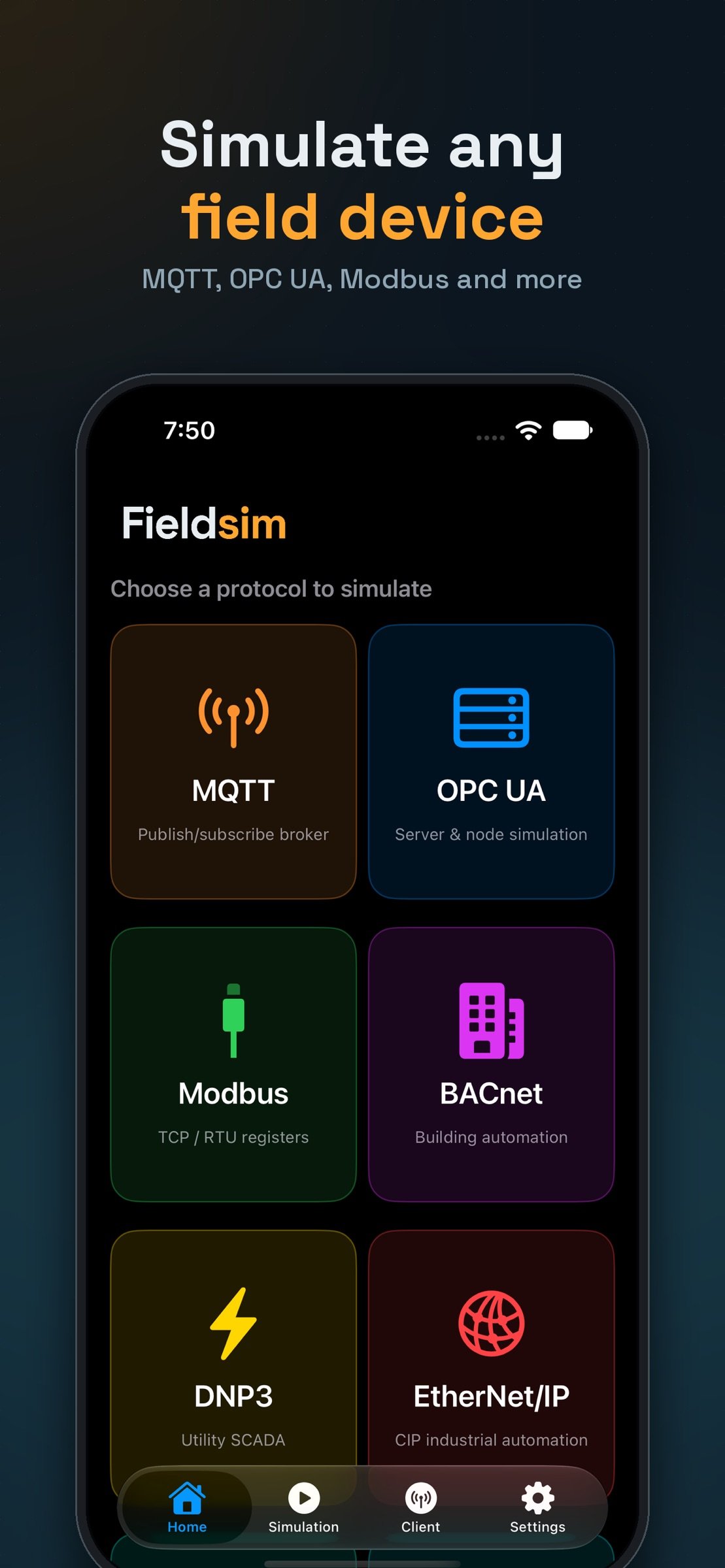
Fieldsim turns your iPhone into a real industrial and IoT protocol test bench — no extra hardware, no lab PC, no separate test tools.
Download
2.49 MB
5downloads
0this week
FreeCommercial
0reviews
Screenshots
About FieldSim
Fieldsim turns your iPhone into a real industrial and IoT protocol test bench — no extra hardware, no lab PC, no separate test tools.
Fieldsim isn't a mock-up. Every protocol is implemented against its real wire-level specification and verified against industry-standard reference clients and libraries. Real SCADA software, PLCs, and IoT gateways can connect to your iPhone and talk to it exactly as they would to a real field device.
Simulate 11 real protocols:
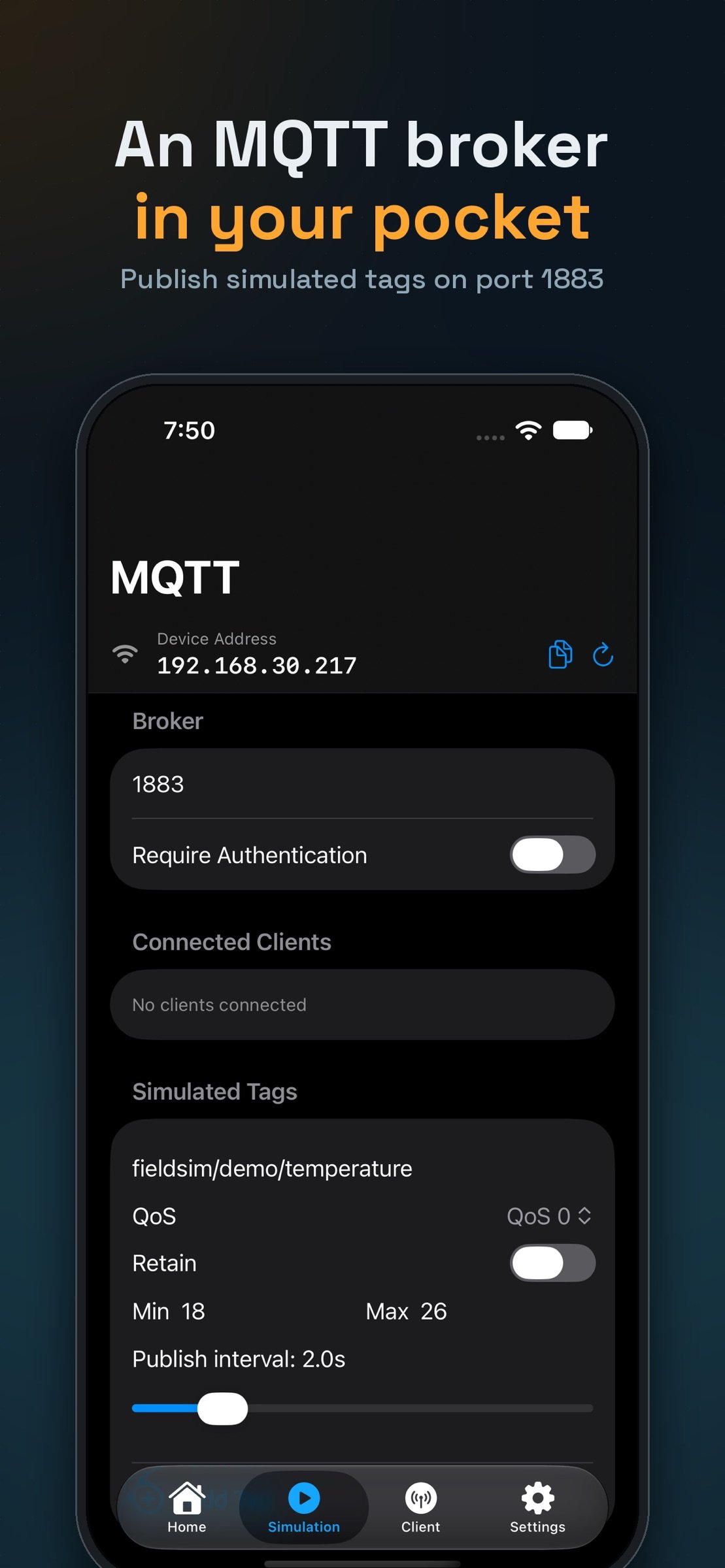
• MQTT — full broker with multi-topic publish/subscribe
• OPC UA — session/subscription server with a real address space
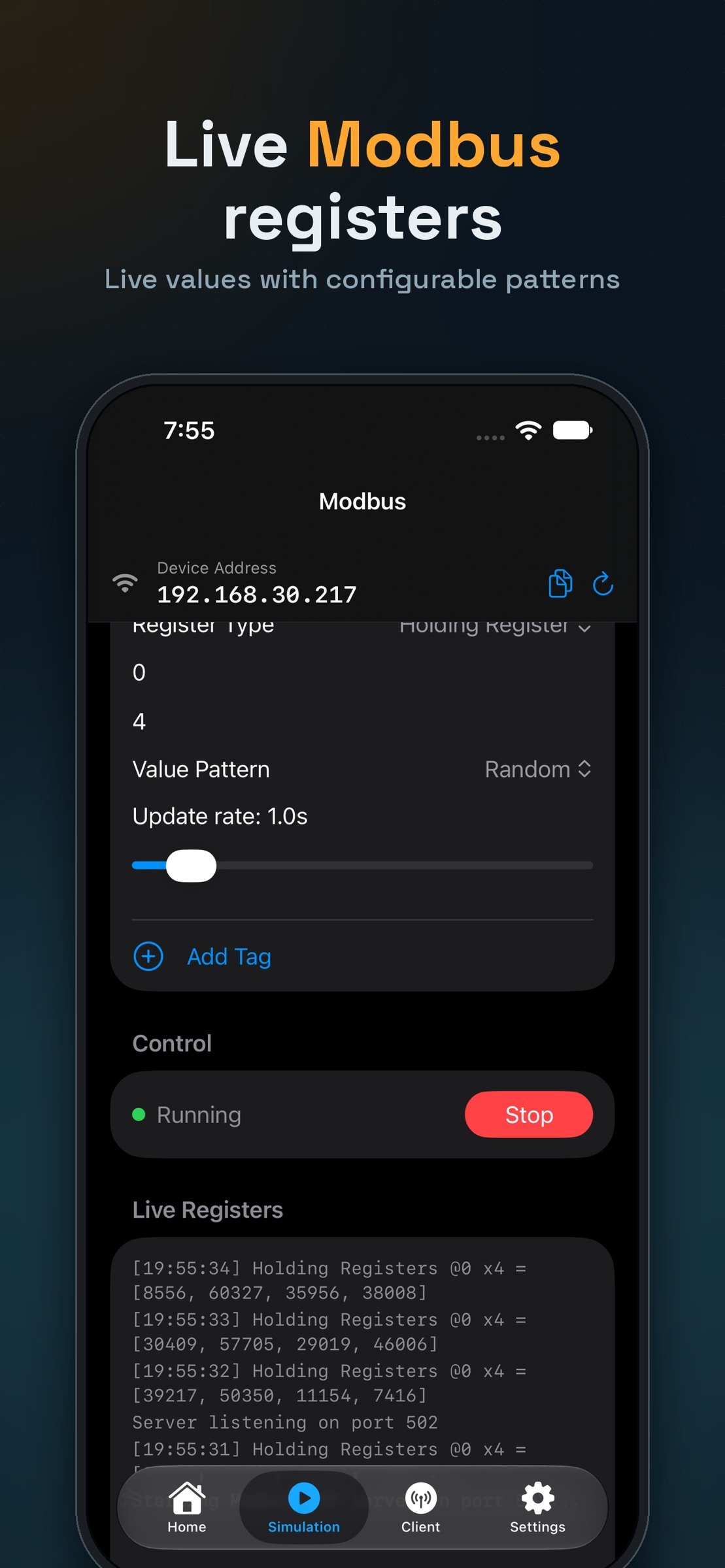
• Modbus TCP — coils, discrete inputs, holding & input registers
• BACnet/IP — Who-Is/I-Am discovery, ReadProperty/WriteProperty
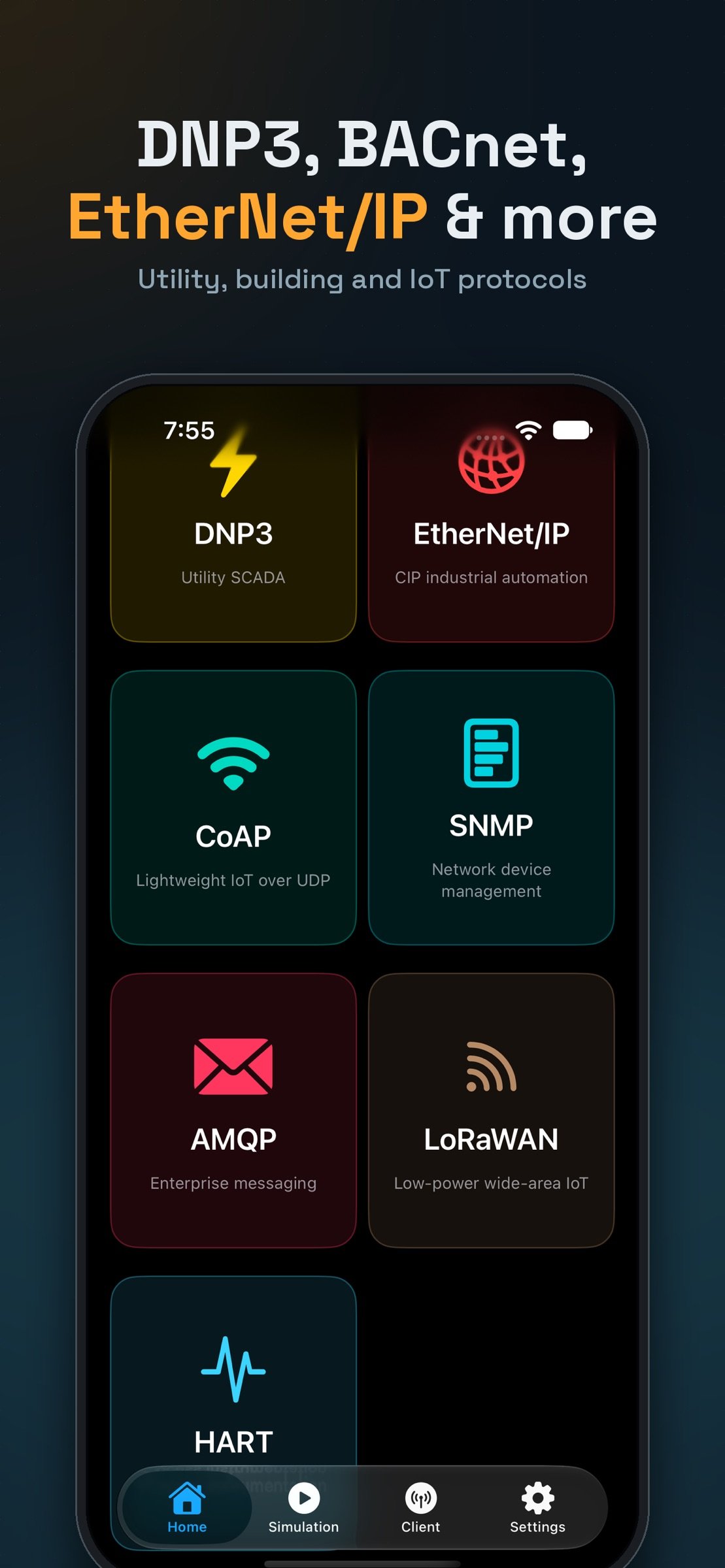
• DNP3 — link/transport/application layers, Class 0 polling, Direct Operate
• EtherNet/IP — CIP explicit messaging (Get/Set_Attribute_Single)
• SNMP v2c — GET/GETNEXT/SET plus trap notifications
• AMQP 0-9-1 — full exchange/queue/consumer message broker
• CoAP — RFC 7252 with the Observe extension for live push updates
• HART-IP — session-managed Pass-Through with Universal Commands
• LoRaWAN — a real Network Server speaking the Semtech UDP protocol, with AES-128/CMAC frame encryption and authentication
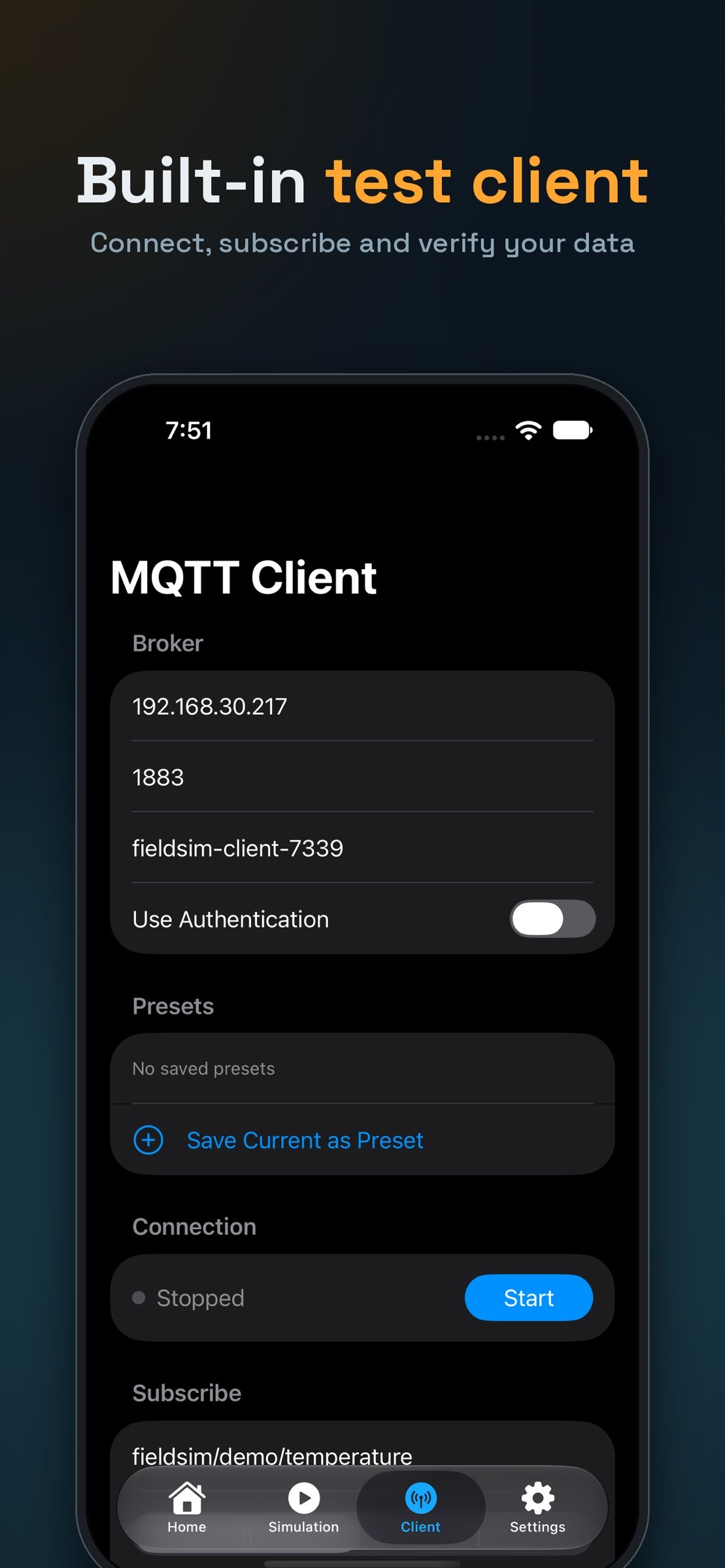
Every protocol, both directions. Each simulator supports multiple simultaneous tags, points, or objects — build out a small virtual plant, not just one sensor. And every protocol also has a matching built-in client on the Client tab, so you can test your simulator (or any other real device on your network) without installing a second app or opening a terminal.
Built for real testing, not demos:
• Live, scrollable activity logs for every simulator and client
• Save and reuse connection presets per protocol — host, port, credentials, and protocol-specific settings
• Automatic detection of your iPhone's network address, so external clients always know where to connect
• Configurable value patterns (random, sine wave, ramp, static) for realistic simulated data
Who it's for:
Automation and controls engineers validating SCADA/HMI integrations, QA teams testing IoT gateways and protocol converters, product developers building device firmware against real-world protocols, and students or instructors learning how industrial protocols actually work on the wire.
Fieldsim is iOS-native, built entirely on Apple's Network framework — fast, lightweight, and works over Wi-Fi with any device on the same network.
License: Commercial
Fieldsim isn't a mock-up. Every protocol is implemented against its real wire-level specification and verified against industry-standard reference clients and libraries. Real SCADA software, PLCs, and IoT gateways can connect to your iPhone and talk to it exactly as they would to a real field device.
Simulate 11 real protocols:
• MQTT — full broker with multi-topic publish/subscribe
• OPC UA — session/subscription server with a real address space
• Modbus TCP — coils, discrete inputs, holding & input registers
• BACnet/IP — Who-Is/I-Am discovery, ReadProperty/WriteProperty
• DNP3 — link/transport/application layers, Class 0 polling, Direct Operate
• EtherNet/IP — CIP explicit messaging (Get/Set_Attribute_Single)
• SNMP v2c — GET/GETNEXT/SET plus trap notifications
• AMQP 0-9-1 — full exchange/queue/consumer message broker
• CoAP — RFC 7252 with the Observe extension for live push updates
• HART-IP — session-managed Pass-Through with Universal Commands
• LoRaWAN — a real Network Server speaking the Semtech UDP protocol, with AES-128/CMAC frame encryption and authentication
Every protocol, both directions. Each simulator supports multiple simultaneous tags, points, or objects — build out a small virtual plant, not just one sensor. And every protocol also has a matching built-in client on the Client tab, so you can test your simulator (or any other real device on your network) without installing a second app or opening a terminal.
Built for real testing, not demos:
• Live, scrollable activity logs for every simulator and client
• Save and reuse connection presets per protocol — host, port, credentials, and protocol-specific settings
• Automatic detection of your iPhone's network address, so external clients always know where to connect
• Configurable value patterns (random, sine wave, ramp, static) for realistic simulated data
Who it's for:
Automation and controls engineers validating SCADA/HMI integrations, QA teams testing IoT gateways and protocol converters, product developers building device firmware against real-world protocols, and students or instructors learning how industrial protocols actually work on the wire.
Fieldsim is iOS-native, built entirely on Apple's Network framework — fast, lightweight, and works over Wi-Fi with any device on the same network.
License: Commercial
| Release info | New Release on Oct 14, 2026 |
|---|---|
| Listing data | App Store |
Reviews
No reviews yet. Be the first to review FieldSim.
Used FieldSim? Tell other visitors what you thought.
Log in to write a reviewOther products by this publisher
- "No Distractions" for YouTube 4.10 ----
- #Bible 11.5 "Incredible App - My sister shared this app with me a few weeks ago and it is truly incredible.
- #filmphotography 1.4.2 So, you decided to shoot on film?
- $quirrel 1.5.1 $quirrel Budget & Finance helps you plan each paycheck, track spending, manage debt, and see what is safe to spend before the next payday.
- % Percentage Calculator Pro 1.41 This is the Pro version of % Percentage Calculator.
Most viewed iOS Developer Tools
-
1
 ZScripter 12.2.0
ZScripter plays compatible Ren'Py, RealLive, NScripter, (PONS)ONScripter-EN/RU/JH/Yuri, Artemis, Siglus, AI5 and UK2 games as well as KiriKiri (+Kirikiroid2 patches) and RPG Maker MV/MZ & XP, VX and VX Ace support.
ZScripter 12.2.0
ZScripter plays compatible Ren'Py, RealLive, NScripter, (PONS)ONScripter-EN/RU/JH/Yuri, Artemis, Siglus, AI5 and UK2 games as well as KiriKiri (+Kirikiroid2 patches) and RPG Maker MV/MZ & XP, VX and VX Ace support.
-
2
 Shader Playground 1.0
Shader Playground is a powerful real-time shader editor built for iPhone and iPad.
Shader Playground 1.0
Shader Playground is a powerful real-time shader editor built for iPhone and iPad.
-
3
 GitHub 1.283.0
There’s a lot you can do on GitHub that doesn’t require a complex development environment – like sharing feedback on a design discussion, or reviewing a few lines of code.
GitHub 1.283.0
There’s a lot you can do on GitHub that doesn’t require a complex development environment – like sharing feedback on a design discussion, or reviewing a few lines of code.
-
4
 Agents Anywhere 2.1.0
Agents Anywhere is a developer tools mobile application for remotely controlling your local computer to complete coding tasks.
Agents Anywhere 2.1.0
Agents Anywhere is a developer tools mobile application for remotely controlling your local computer to complete coding tasks.
-
5
 Code Workspace 0.9.1
Code Workspace is a free, agent-first development environment for iPad and iPhone.
Code Workspace 0.9.1
Code Workspace is a free, agent-first development environment for iPad and iPhone.
-
6
 LocalDevVPN 1.3.0
LocalDevVPN is a developer tool for creating and managing local network tunnels directly on iOS.
LocalDevVPN 1.3.0
LocalDevVPN is a developer tool for creating and managing local network tunnels directly on iOS.
-
7
 Termius 8.0.7
Termius is a modern SSH client designed for productivity and collaboration.
Termius 8.0.7
Termius is a modern SSH client designed for productivity and collaboration.
-
8
 Cursor 1.16.0
Introducing Cursor for iOS: the best way to build, review, and ship software from anywhere.
Cursor 1.16.0
Introducing Cursor for iOS: the best way to build, review, and ship software from anywhere.
-
9
 Rulify 1.0.7
Rulify ????? iOS App ????,???????? App ????,???????????????
Rulify 1.0.7
Rulify ????? iOS App ????,???????? App ????,???????????????
-
10
 C/C++$-LLVM Clang 2.7
This is a learning tool for efficient C/C++ learning, fast programming, ?(LLVM+Clang)offline compilation and local execution?, Git fetching, iCloud storage, and efficient transfer and sharing via LAN HTTP/FTP multi-point connections.
C/C++$-LLVM Clang 2.7
This is a learning tool for efficient C/C++ learning, fast programming, ?(LLVM+Clang)offline compilation and local execution?, Git fetching, iCloud storage, and efficient transfer and sharing via LAN HTTP/FTP multi-point connections.
Most downloaded iOS Developer Tools
-
1
Agents Anywhere 2.1.0
Agents Anywhere is a developer tools mobile application for remotely controlling your local computer to complete coding tasks.
-
2
 a-Shell mini 2.3.2
a-Shell mini is a complete local terminal emulator, allowing to run most Unix commands on you iOS device.
a-Shell mini 2.3.2
a-Shell mini is a complete local terminal emulator, allowing to run most Unix commands on you iOS device.
-
3
Rulify 1.0.7
Rulify ????? iOS App ????,???????? App ????,???????????????
-
4
 LadderTouch 2.1.5
LadderTouch is an app to learn the basics of ladder logic, which is a graphical programming language.
LadderTouch 2.1.5
LadderTouch is an app to learn the basics of ladder logic, which is a graphical programming language.
-
5
 FSNotes 7.5.1
FSNotes is a fast, modern notes manager for macOS and iOS.
FSNotes 7.5.1
FSNotes is a fast, modern notes manager for macOS and iOS.
-
6
C/C++$-LLVM Clang 2.7
This is a learning tool for efficient C/C++ learning, fast programming, ?(LLVM+Clang)offline compilation and local execution?, Git fetching, iCloud storage, and efficient transfer and sharing via LAN HTTP/FTP multi-point connections.
-
7
 HTTP Debugger+ 1.2.3
HTTP Debugger+ is a professional HTTP traffic inspector designed for developers and QA engineers.
HTTP Debugger+ 1.2.3
HTTP Debugger+ is a professional HTTP traffic inspector designed for developers and QA engineers.
-
8
 Expo Go 58.0.5
Start learning to build projects using web technologies with just your iOS device.
Expo Go 58.0.5
Start learning to build projects using web technologies with just your iOS device.
-
9
 Airswitch 1.1
Airswitch is a VPN focused on connection speed and reliable server infrastructure.
Airswitch 1.1
Airswitch is a VPN focused on connection speed and reliable server infrastructure.
-
10
 Sekai 1.75.31
Don’t just watch content—play with it.
Sekai 1.75.31
Don’t just watch content—play with it.