
EVB Folder Player 0.3.7
Offline audiobooks from your folders, with saved progress and large controls
Download
27.36 MB
34downloads
3this week
FreeFreeware
0reviews
Screenshots
About EVB Folder Player
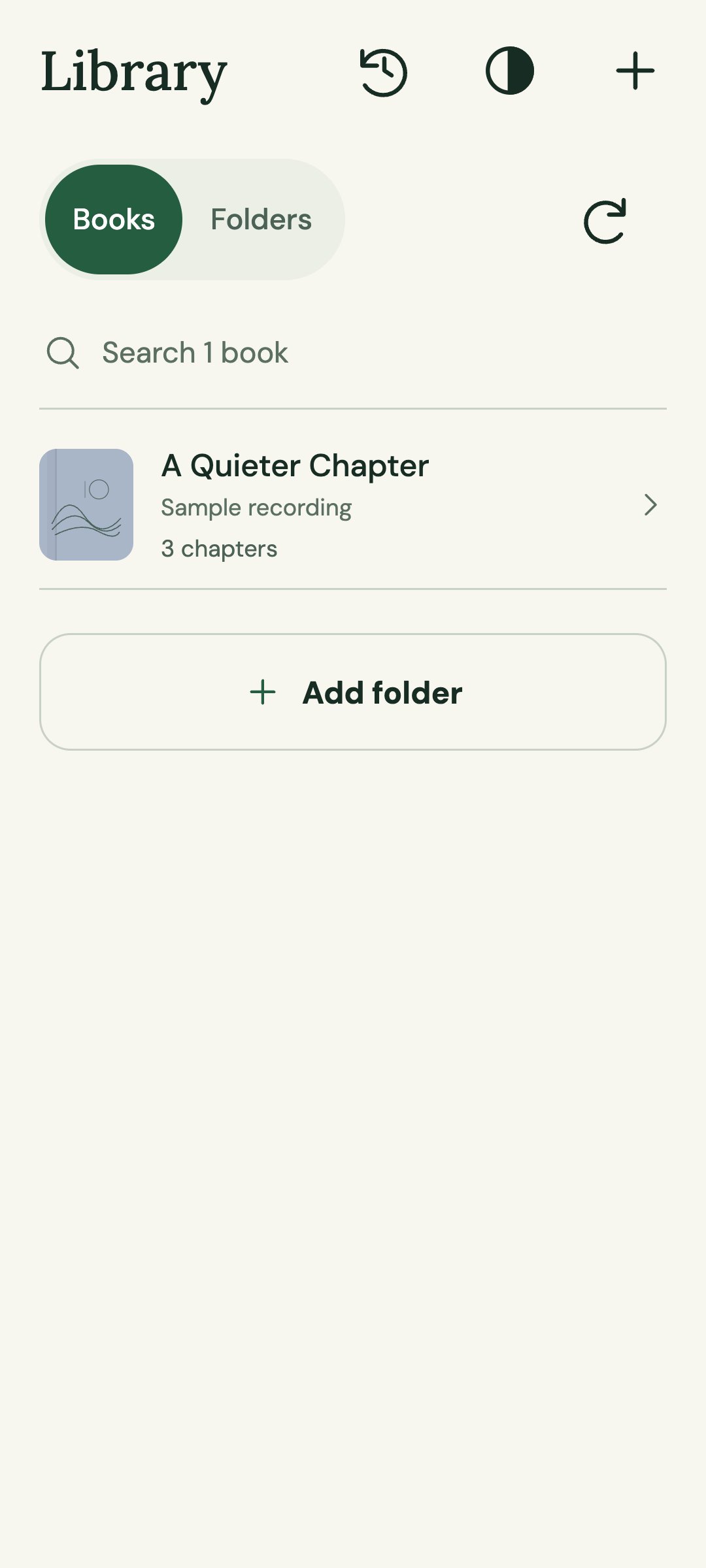
Listen to audiobooks on your Android device. Choose an audio folder, including subfolders, or scan indexed device audio. EVB Folder Player works offline with no accounts, ads, analytics, or tracking. Your existing audio files are never modified, moved, renamed, or deleted.
To add a book someone sent you, open its ZIP archive with EVB Folder Player from Telegram, a browser download, or a file manager. The app unpacks it into a new folder in your audiobook folder and adds it to the library. Archives made on Windows with Cyrillic file names keep their names.
Browse books and folders with natural filename ordering. A folder found both ways is listed once, and you can remove folders or books you don't want listed; the files stay where they are. Keep an independent listening position for each folder and resume your current book from the library or headphones.
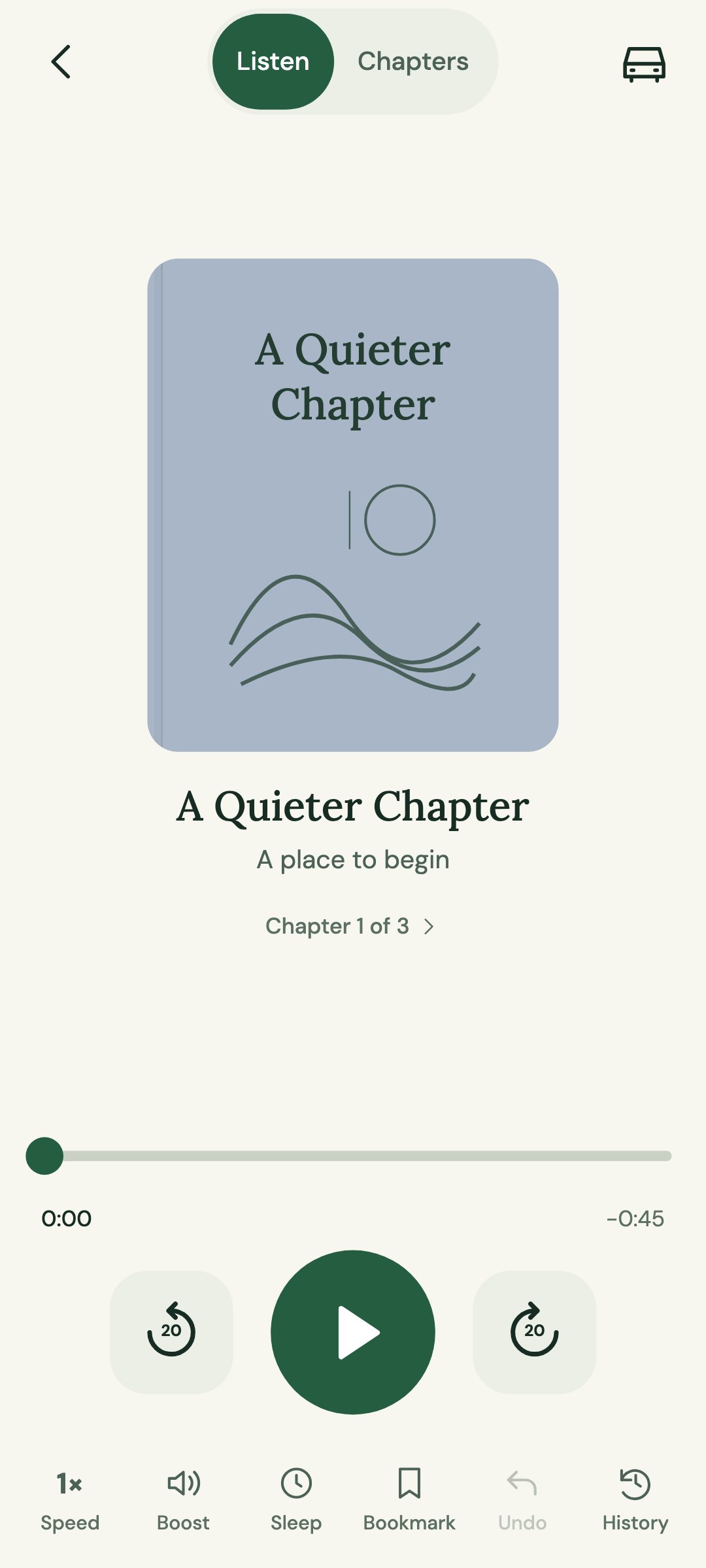
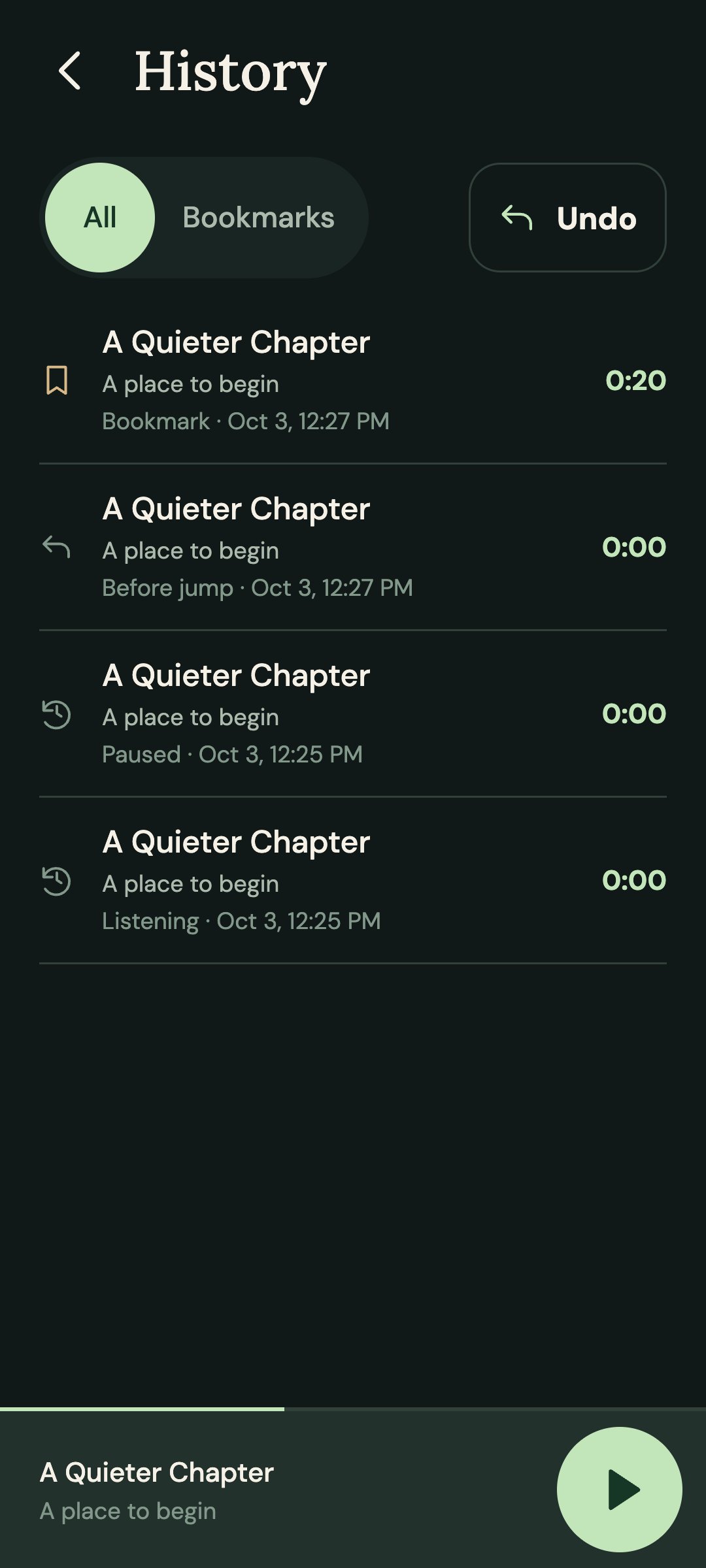
Listening progress is saved during playback and on pause. History, bookmarks, checkpoints before jumps, and undo help you return to an earlier position.
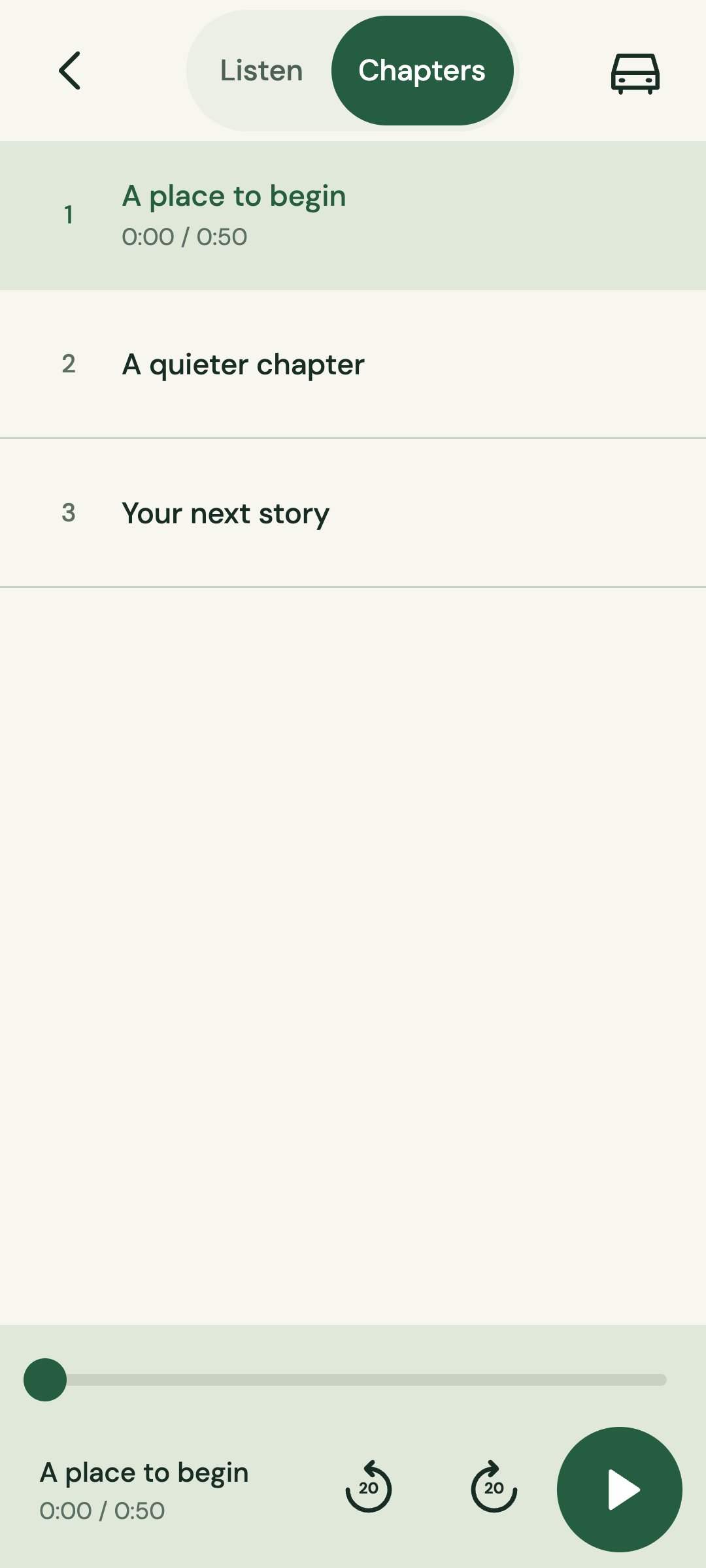
The player shows the current chapter's name in full. In collections whose file names repeat a series or volume, the chapter list groups stories under that name and drops repeated file numbers.
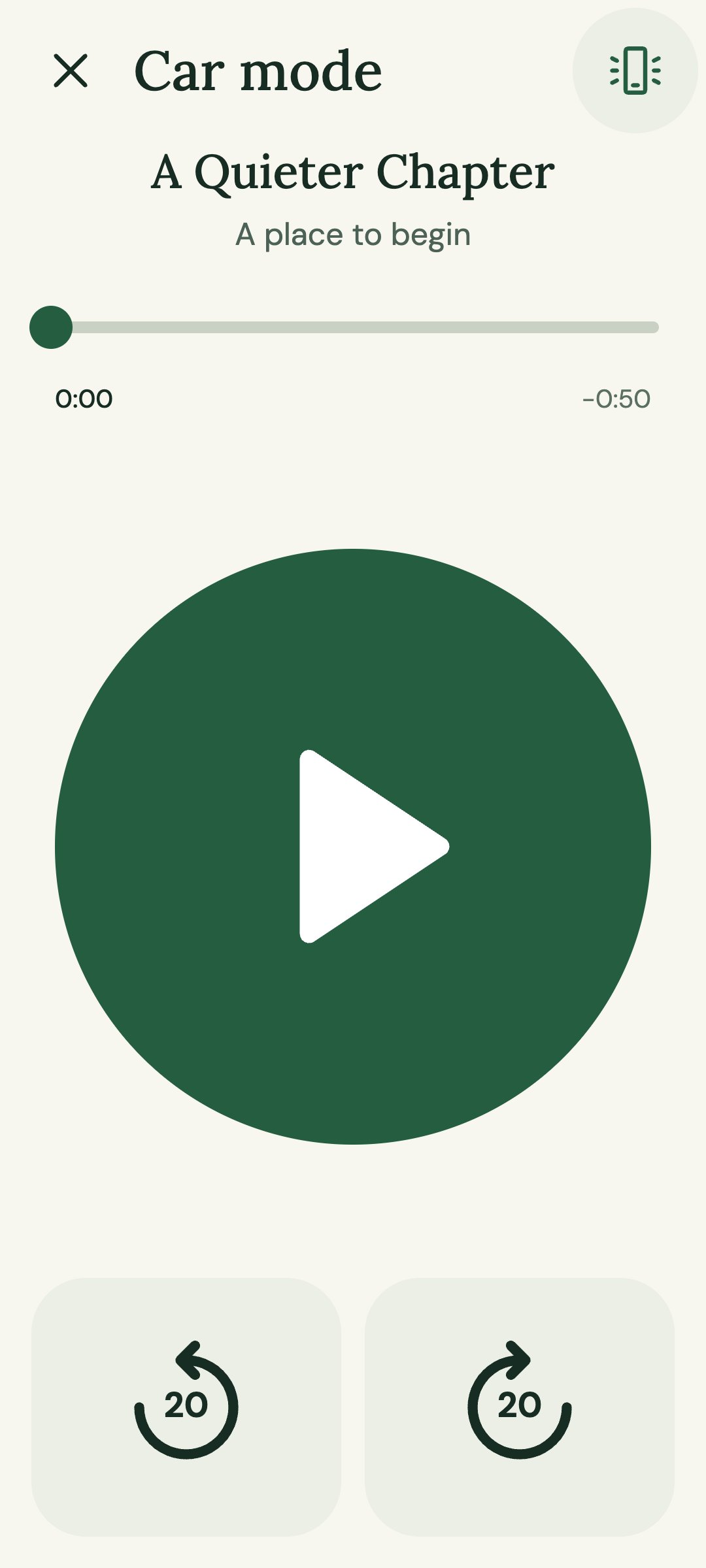
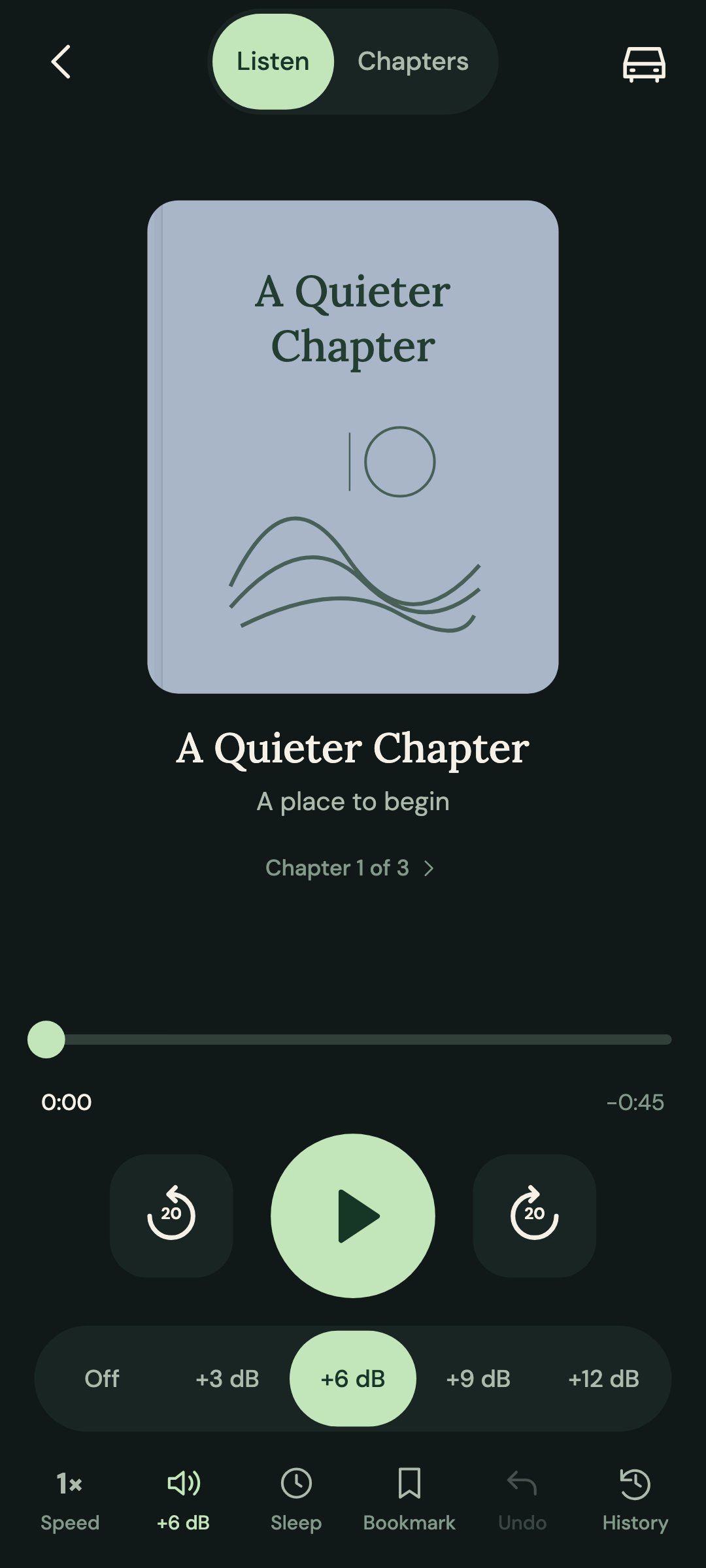
Choose chapters, adjust playback speed, or set a sleep timer. Car mode provides a large play/pause button, separate 20-second jump controls, and an optional keep-screen-on setting. Light, dark, and system themes are available.
If a recording is too quiet, volume boost raises playback by up to 12 dB above Android's maximum volume and compresses loud peaks instead of distorting them.
Playback continues in the background. Pause, resume, or jump 20 seconds back or forward from the lock screen or the notification without unlocking your phone; each jump can be undone. On OPPO, OnePlus and realme phones, turn on Music playback under Live Alerts in Settings to see these controls on the lock screen. Headset next/previous commands are ignored to avoid accidental chapter changes; chapters advance automatically when they finish.
The app stores its library and listening history only on your device. Clearing app storage or uninstalling removes that data, leaving your original audio files untouched.
License: MIT
| Release info | Update on Nov 17, 2026 |
|---|---|
| Release notes | Resuming an MP3 now starts exactly where you stopped. In variable-bitrate MP3s, resuming after the app had been closed, or jumping, could start the audio seconds or, in long files, minutes before the time shown. Playback now finds the exact place in the file. |
| Listing data | F-Droid |
Reviews
No reviews yet. Be the first to review EVB Folder Player.
Used EVB Folder Player? Tell other visitors what you thought.
Log in to write a reviewOther products by this publisher
- "No Distractions" for YouTube 4.10 ----
- #Bible 11.6.1 "Incredible App - My sister shared this app with me a few weeks ago and it is truly incredible.
- #filmphotography 1.4.2 So, you decided to shoot on film?
- #LookBusy Fake Calendar Events 1.0.6 Look Busy scans your work calendar for open time slots and fills them with realistic-looking (but secretly fake) work events.
- #Small Talk Is Canceled 1.0.2 #Small Talk Is Canceled — Conversations That Matter
Most viewed Android Audiobook
-
1
 ShelfDroid 0.6.3
Audiobookshelf Android client with playback, downloads, and server management
-
2
 VoicePlus – Audiobook Player 1.29
Play local audiobooks with a smart sleep timer and listening stats.
-
3
 Voice Audiobook Player 26.10.8-5410008
A calm audiobook player for your own files. No account, no ads.
- 4 Clio Audiobook Player 1.0.6 Clean, modern audiobook player for Android focused on privacy and simplicity.
-
5
 Storii - audiobookshelf client 0.13.3
Audiobookshelf client with downloads, accurate playback sync, and Android Auto
-
6
 SubRead Overlay 0.5.0
Subtitles (.srt) over any media player, in time with it. Tap a word.
-
7
 AudioAnchor 2.7.1
Audio player that tracks the listening process of your audio books and podcasts
-
8
 Pageless 20260908151219-103519022
Offline-first audiobook player for your self-hosted Pageless server.
-
9
 Libre Librivox listener 3.3.0
An unofficial libre application to listen to public domain audiobooks.
- 10 Homer Audio Player for Seniors 1.5.14 Audiobooks and podcasts: simple player managed by a caregiver
Most downloaded Android Audiobook
- 1 Clio Audiobook Player 1.0.6 Clean, modern audiobook player for Android focused on privacy and simplicity.
-
2
Pageless 20260908151219-103519022
Offline-first audiobook player for your self-hosted Pageless server.
-
3
ShelfDroid 0.6.3
Audiobookshelf Android client with playback, downloads, and server management
- 4 Homer Audio Player for Seniors 1.5.14 Audiobooks and podcasts: simple player managed by a caregiver
-
5
AudioAnchor 2.7.1
Audio player that tracks the listening process of your audio books and podcasts
-
6
Storii - audiobookshelf client 0.13.3
Audiobookshelf client with downloads, accurate playback sync, and Android Auto
-
7
Voice Audiobook Player 26.10.8-5410008
A calm audiobook player for your own files. No account, no ads.
-
8
 Lissen: Audiobookshelf client 1.13.2-release
Clean Audiobookshelf Player
-
9
EVB Folder Player 0.3.7
Offline audiobooks from your folders, with saved progress and large controls
-
10
VoicePlus – Audiobook Player 1.29
Play local audiobooks with a smart sleep timer and listening stats.