
DualMac 1.6.2
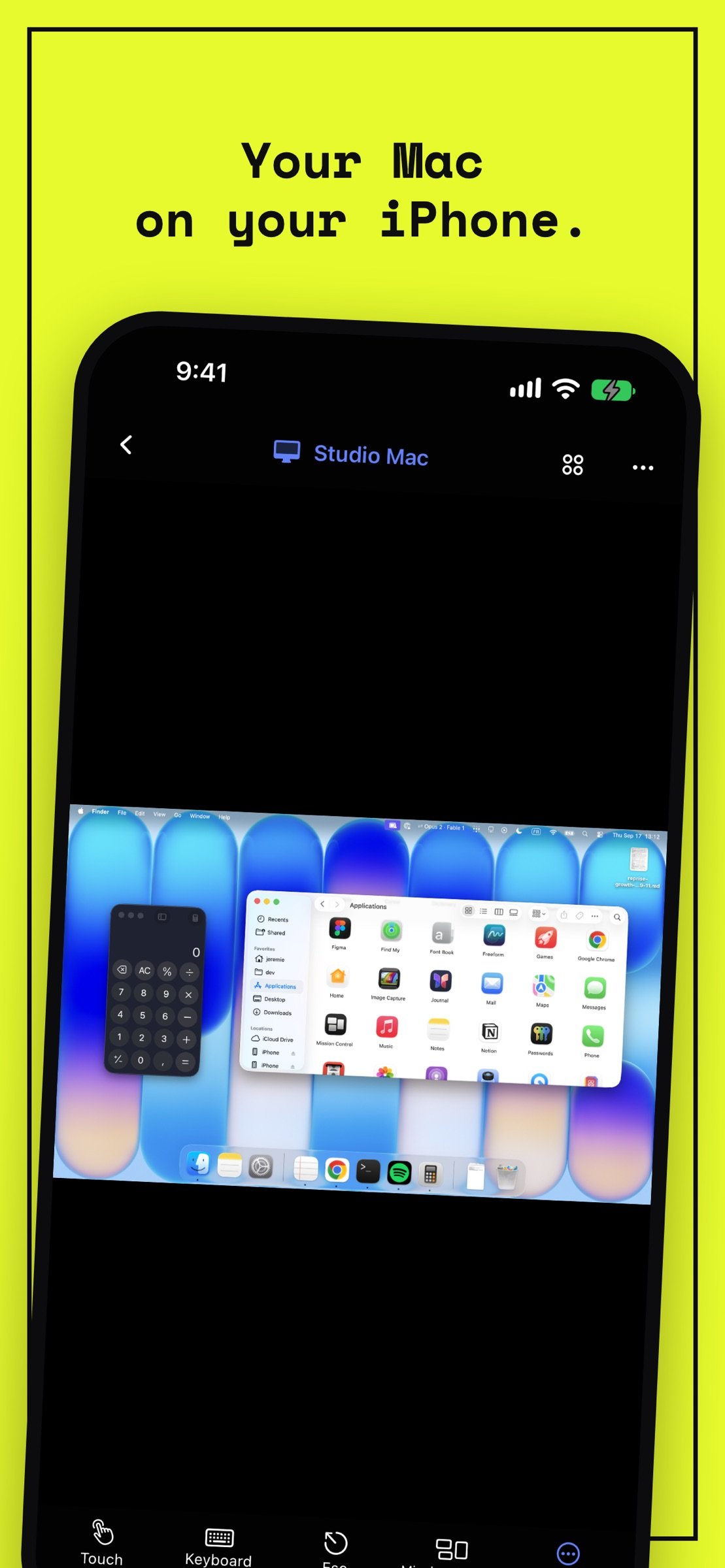
DualMac is a VNC remote desktop for iPad and iPhone that shows and controls the Mac you own.
Download
42.15 MB
8downloads
0this week
FreeFreeware
0reviews
Screenshots
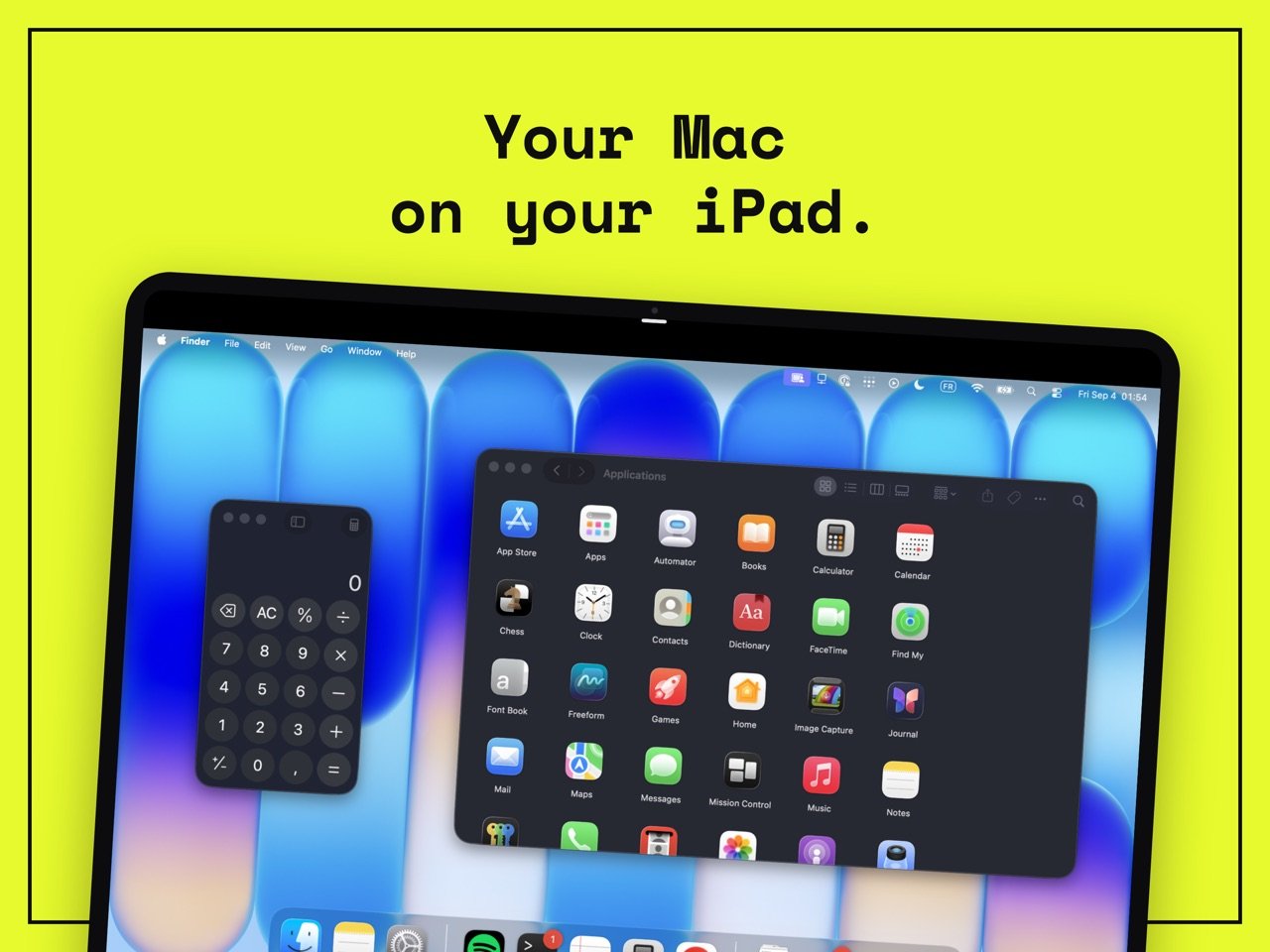
About DualMac
DualMac is a VNC remote desktop for iPad and iPhone that shows and controls the Mac you own. No account needed.
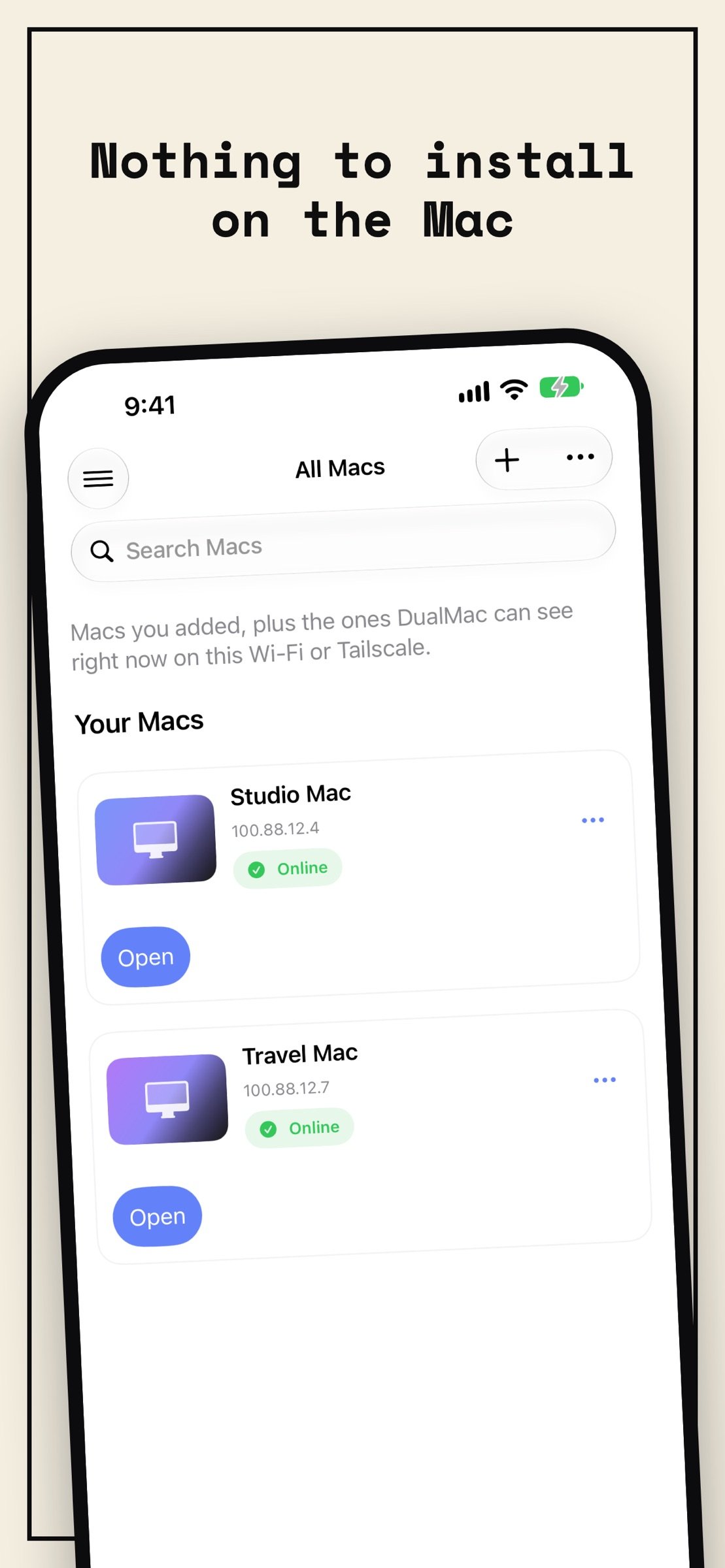
Nothing to install on the Mac
• Connects straight to macOS Screen Sharing, the remote desktop built into every Mac. Standard VNC (RFB) with Mac authentication. No Companion needed for VNC.
• Works on your local network, through your own Tailscale network when away, or over an SSH tunnel with keys. DualMac never exposes VNC to the public Internet and never routes your screen through a relay.
• Ideal for a headless Mac mini, a studio Mac or a build machine you check from the couch.
All your Macs, one library
• Save every Mac you own and open any of them in one tap.
• Touch and hold the app icon for your recent Macs, or open any Mac by name with Siri or Spotlight.
• Observe or control, per session.
Built for iPad
• Direct touch, pointer, hardware keyboard, trackpad and Apple Pencil.
• Mac shortcuts and Mission Control in one tap, configurable toolbar.
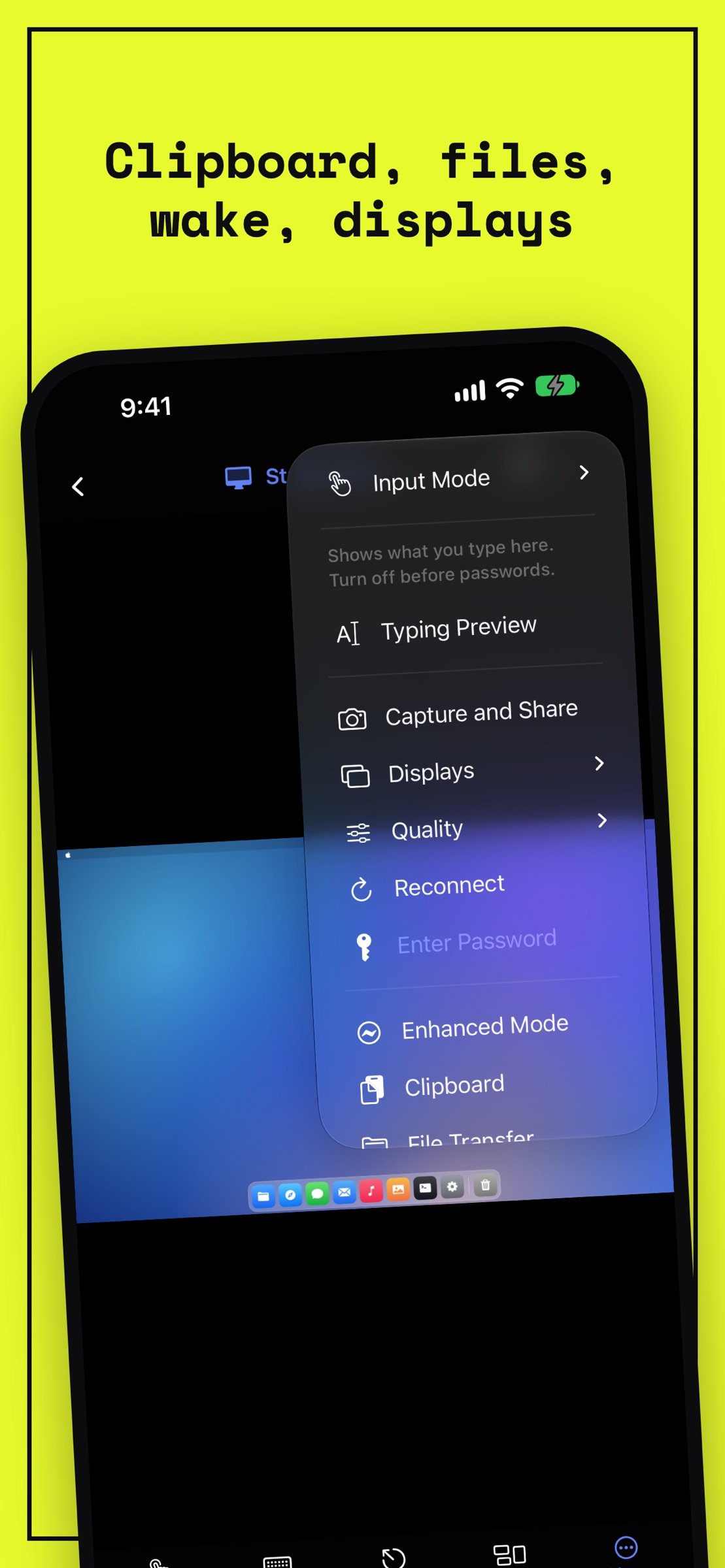
• Multi-display switching, adaptive quality, on-device dictation.
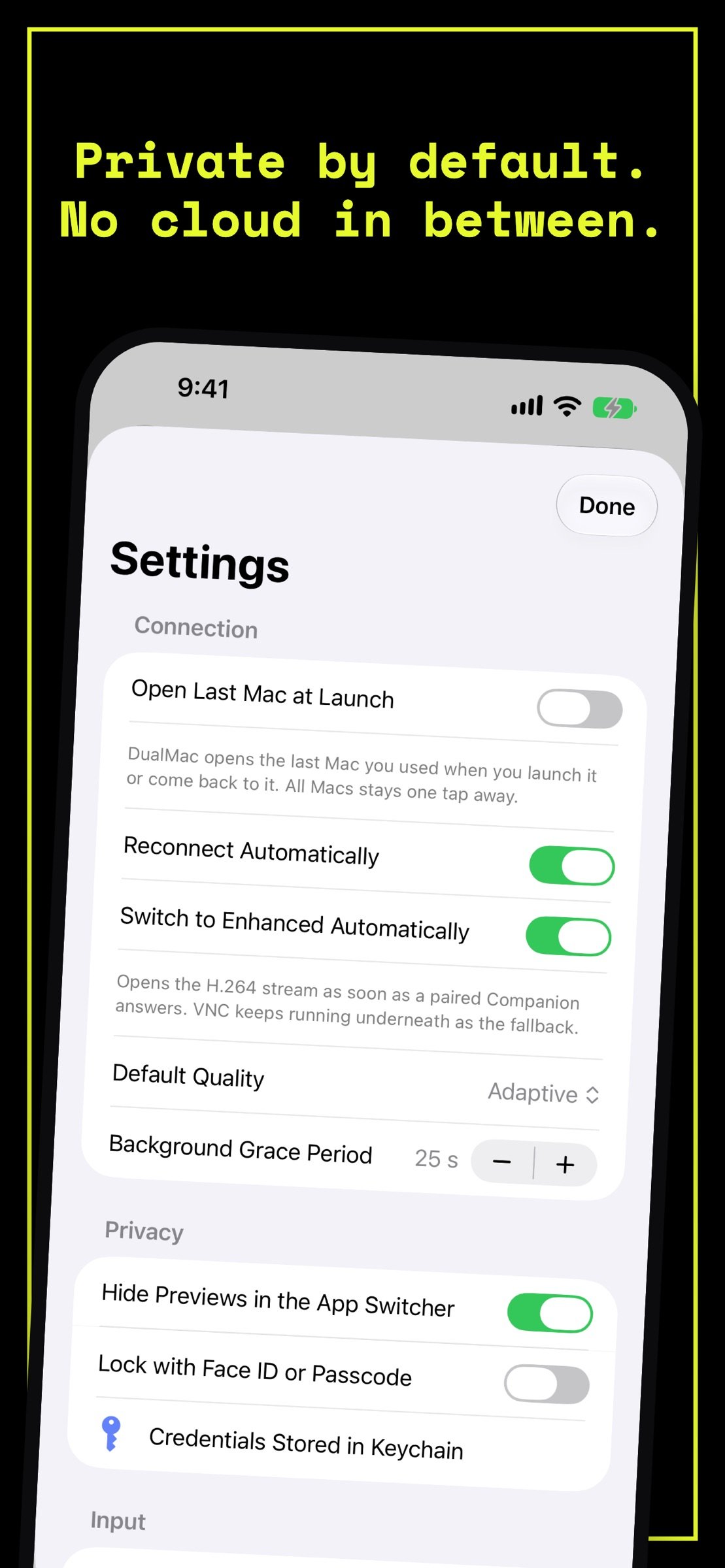
• Clipboard sharing, Face ID lock, hidden previews in the App Switcher.
• Shortcuts, URL schemes, Stage Manager windows, optional iCloud sync of your library (off by default).
On iPhone Duo
• Open iPhone Duo and DualMac switches to its iPad layout, with your Mac on the inner display.
• With iPhone Duo closed, DualMac keeps the iPhone layout on the outer display.
Companion for more
Install DualMac Companion on the Mac, available from dualmac.app, to add:
• Enhanced H.264 streaming
• File transfer with pause and resume, rich clipboard
• Wake the Mac through your other Mac, privacy curtain, lock and sleep
• Remote display selection
Enhanced requires DualMac Companion plus Tailscale on both devices.
Privacy
DualMac has no account and no advertising, and the only service the developer runs is in-app support. Your Macs' names and addresses, screens, files and clipboard never reach the developer. Credentials stay in Keychain. Screen, clipboard and file traffic goes directly between your devices, never through a developer server.
DualMac is not affiliated with or endorsed by Apple or Tailscale.
Requirements
• iPad with iPadOS 17.6 or later, or iPhone with iOS 17.6 or later, including iPhone Duo
• A Mac you own or are authorized to control, with Screen Sharing enabled
• For Enhanced: DualMac Companion, Tailscale on both devices, and the required macOS privacy permissions
Enjoy every feature and unlimited use with DualMac Pro: a yearly subscription with a 7-day free trial, or a one-time purchase. Family Sharing included.
Terms of use: [link removed]
Nothing to install on the Mac
• Connects straight to macOS Screen Sharing, the remote desktop built into every Mac. Standard VNC (RFB) with Mac authentication. No Companion needed for VNC.
• Works on your local network, through your own Tailscale network when away, or over an SSH tunnel with keys. DualMac never exposes VNC to the public Internet and never routes your screen through a relay.
• Ideal for a headless Mac mini, a studio Mac or a build machine you check from the couch.
All your Macs, one library
• Save every Mac you own and open any of them in one tap.
• Touch and hold the app icon for your recent Macs, or open any Mac by name with Siri or Spotlight.
• Observe or control, per session.
Built for iPad
• Direct touch, pointer, hardware keyboard, trackpad and Apple Pencil.
• Mac shortcuts and Mission Control in one tap, configurable toolbar.
• Multi-display switching, adaptive quality, on-device dictation.
• Clipboard sharing, Face ID lock, hidden previews in the App Switcher.
• Shortcuts, URL schemes, Stage Manager windows, optional iCloud sync of your library (off by default).
On iPhone Duo
• Open iPhone Duo and DualMac switches to its iPad layout, with your Mac on the inner display.
• With iPhone Duo closed, DualMac keeps the iPhone layout on the outer display.
Companion for more
Install DualMac Companion on the Mac, available from dualmac.app, to add:
• Enhanced H.264 streaming
• File transfer with pause and resume, rich clipboard
• Wake the Mac through your other Mac, privacy curtain, lock and sleep
• Remote display selection
Enhanced requires DualMac Companion plus Tailscale on both devices.
Privacy
DualMac has no account and no advertising, and the only service the developer runs is in-app support. Your Macs' names and addresses, screens, files and clipboard never reach the developer. Credentials stay in Keychain. Screen, clipboard and file traffic goes directly between your devices, never through a developer server.
DualMac is not affiliated with or endorsed by Apple or Tailscale.
Requirements
• iPad with iPadOS 17.6 or later, or iPhone with iOS 17.6 or later, including iPhone Duo
• A Mac you own or are authorized to control, with Screen Sharing enabled
• For Enhanced: DualMac Companion, Tailscale on both devices, and the required macOS privacy permissions
Enjoy every feature and unlimited use with DualMac Pro: a yearly subscription with a 7-day free trial, or a one-time purchase. Family Sharing included.
Terms of use: [link removed]
| Release info | Update on Nov 15, 2026 |
|---|---|
| Release notes | Fixes a freeze on iPhone Duo when it is open with the iOS keyboard showing. |
| Listing data | App Store |
Reviews
No reviews yet. Be the first to review DualMac.
Used DualMac? Tell other visitors what you thought.
Log in to write a reviewOther products by this publisher
- "No Distractions" for YouTube 4.10 ----
- #Bible 11.6 "Incredible App - My sister shared this app with me a few weeks ago and it is truly incredible.
- #filmphotography 1.4.2 So, you decided to shoot on film?
- $quirrel 1.5.1 $quirrel Budget & Finance helps you plan each paycheck, track spending, manage debt, and see what is safe to spend before the next payday.
- % Percentage Calculator Pro 1.41 This is the Pro version of % Percentage Calculator.
Most viewed iOS Developer Tools
-
1
 ZScripter 13.0.0
ZScripter plays compatible Ren'Py, RealLive, NScripter, (PONS)ONScripter-EN/RU/JH/Yuri, Artemis, Siglus, AI5 and UK2 games as well as KiriKiri (+Kirikiroid2 patches) and RPG Maker MV/MZ & XP, VX and VX Ace support.
-
2
 GitHub 1.284.0
There’s a lot you can do on GitHub that doesn’t require a complex development environment – like sharing feedback on a design discussion, or reviewing a few lines of code.
-
3
 Agents Anywhere 2.1.0
Agents Anywhere is a developer tools mobile application for remotely controlling your local computer to complete coding tasks.
-
4
 Shader Playground 1.0
Shader Playground is a powerful real-time shader editor built for iPhone and iPad.
-
5
 Code Workspace 0.9.1
Code Workspace is a free, agent-first development environment for iPad and iPhone.
-
6
 LocalDevVPN 1.3.0
LocalDevVPN is a developer tool for creating and managing local network tunnels directly on iOS.
-
7
 Termius 8.2.0
Termius is a modern SSH client designed for productivity and collaboration.
-
8
 TestFlight 4.4.1
TestFlight makes it easy to test beta versions of apps and App Clips to provide valuable feedback to developers before they release their apps on the App Store.
-
9
 Cursor 1.18.0
Introducing Cursor for iOS: the best way to build, review, and ship software from anywhere.
-
10
 Rulify 1.0.7
Rulify ????? iOS App ????,???????? App ????,???????????????
Most downloaded iOS Developer Tools
-
1
Agents Anywhere 2.1.0
Agents Anywhere is a developer tools mobile application for remotely controlling your local computer to complete coding tasks.
-
2
Rulify 1.0.7
Rulify ????? iOS App ????,???????? App ????,???????????????
-
3
 a-Shell mini 2.3.2
a-Shell mini is a complete local terminal emulator, allowing to run most Unix commands on you iOS device.
-
4
 LadderTouch 2.1.5
LadderTouch is an app to learn the basics of ladder logic, which is a graphical programming language.
-
5
 FSNotes 7.6.0
FSNotes is a fast, modern notes manager for macOS and iOS.
-
6
 C/C++$-LLVM Clang 2.7
This is a learning tool for efficient C/C++ learning, fast programming, ?(LLVM+Clang)offline compilation and local execution?, Git fetching, iCloud storage, and efficient transfer and sharing via LAN HTTP/FTP multi-point connections.
-
7
 Markdown2PDF 1.0
Easily Convert Markdown to PDF with Markdown2PDF
-
8
 Herdy 1.4.1
Herdy puts your remote terminal and long-running coding-agent sessions in your pocket.
-
9
 python3$ 6.6
This is a Python 3.13 learning tool for efficient learning, fast programming, local execution, breakpoint debugging, precise error reporting, Git fetching, iCloud access, and efficient transfer and sharing via LAN HTTP/FTP multi-point connections.
-
10
 websta$-learn html css and js 3.2
This is a learning tool for efficient HTML, CSS, and JS learning, fast programming, local execution, Git retrieval, iCloud storage, efficient transfer and sharing via LAN HTTP/FTP multi-point connections.