
DPIMech 0.3.0
Open sites your provider blocks with DPI – only for the apps you choose, no root
Download
2.74 MB
11downloads
11this week
FreeFreeware
0reviews
Screenshots
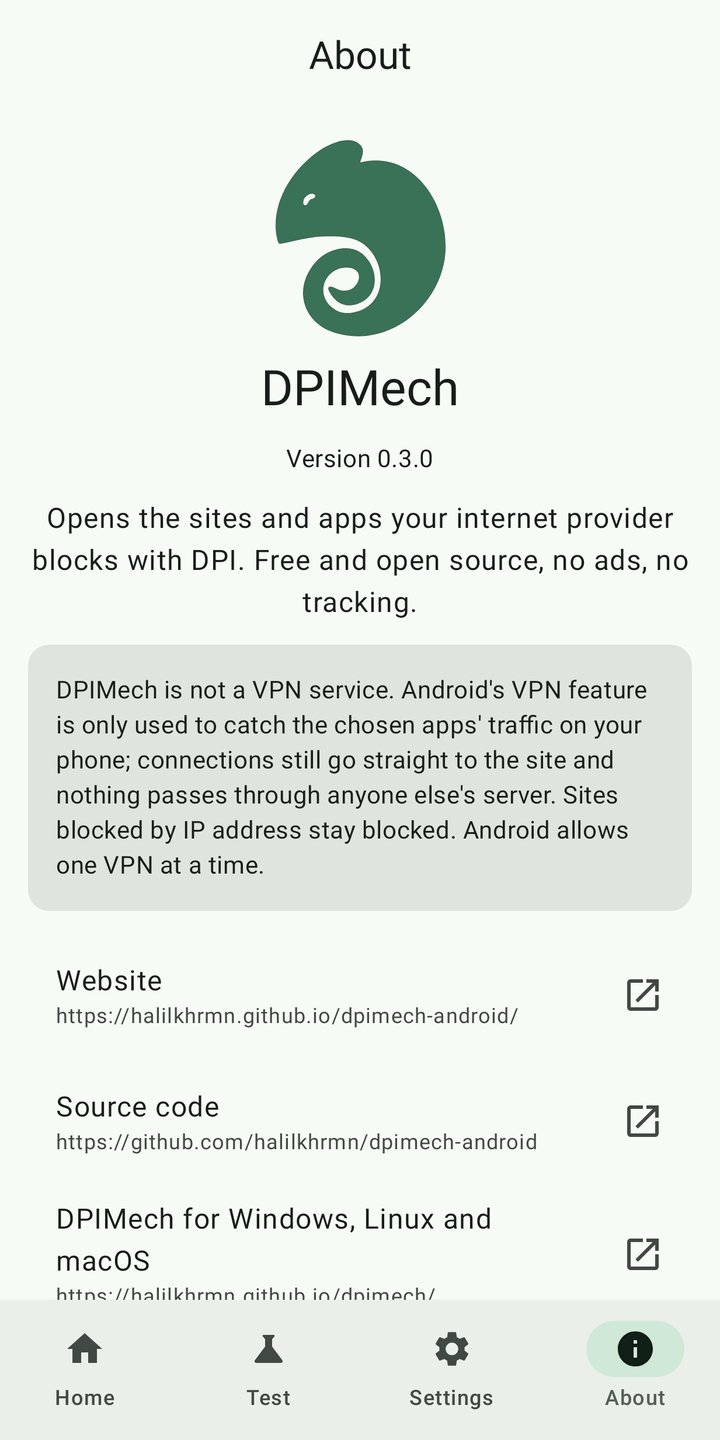
About DPIMech
Some internet providers block sites and apps (Discord, Roblox, YouTube...) with DPI (deep packet inspection). DPIMech gets around it on your phone with ByeDPI, which changes how the first packets of a connection look so the provider's filter does not recognise them.
Not a VPN service. Android's VPN feature is only used to catch traffic on the phone. Every connection still goes straight to the site: nothing passes through anyone else's server, your IP address is not hidden, and sites blocked by IP address stay blocked.
Features:
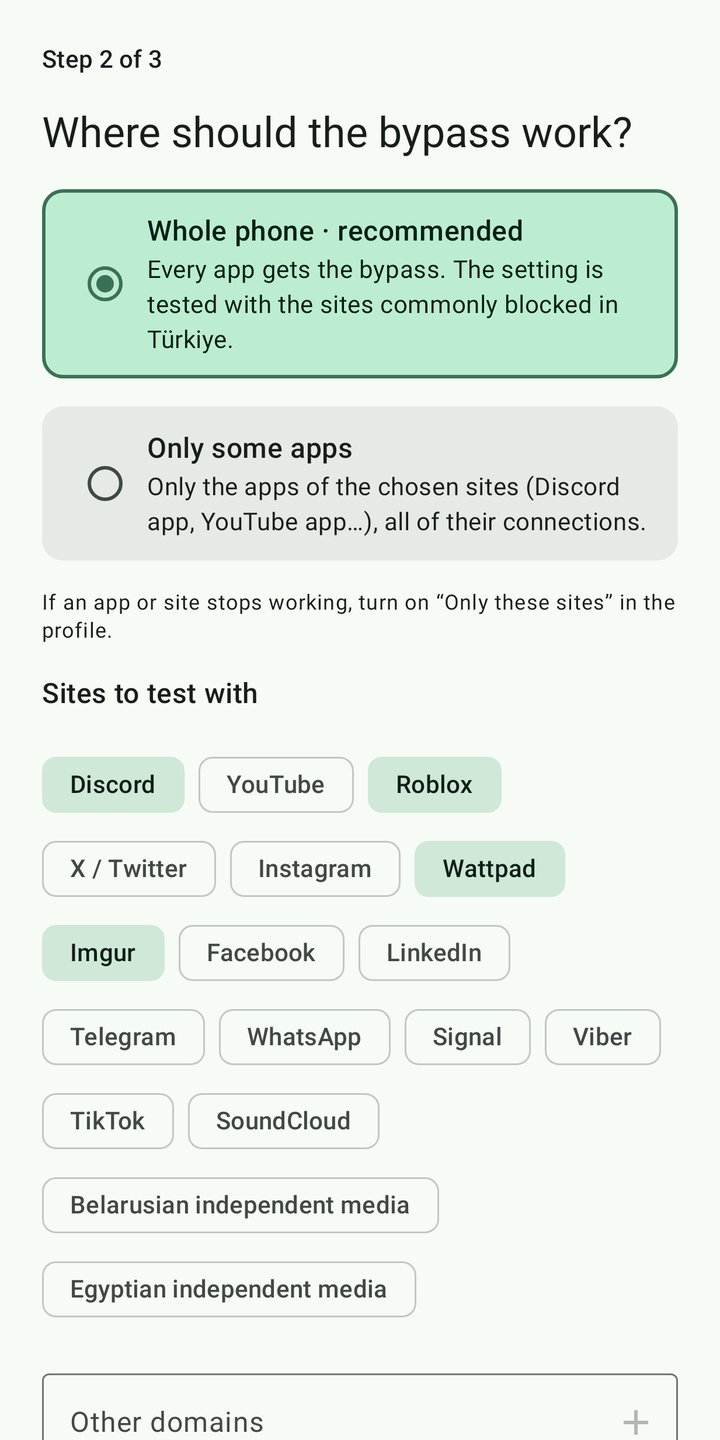
o Setup wizard: pick the sites, DPIMech tests your connection and turns on the setting that works.
o Whole phone or only the apps you pick. Strategies are tested with your sites, then work for all of the apps' connections. In whole-phone mode every app's DNS goes to the DNS server chosen in Settings.
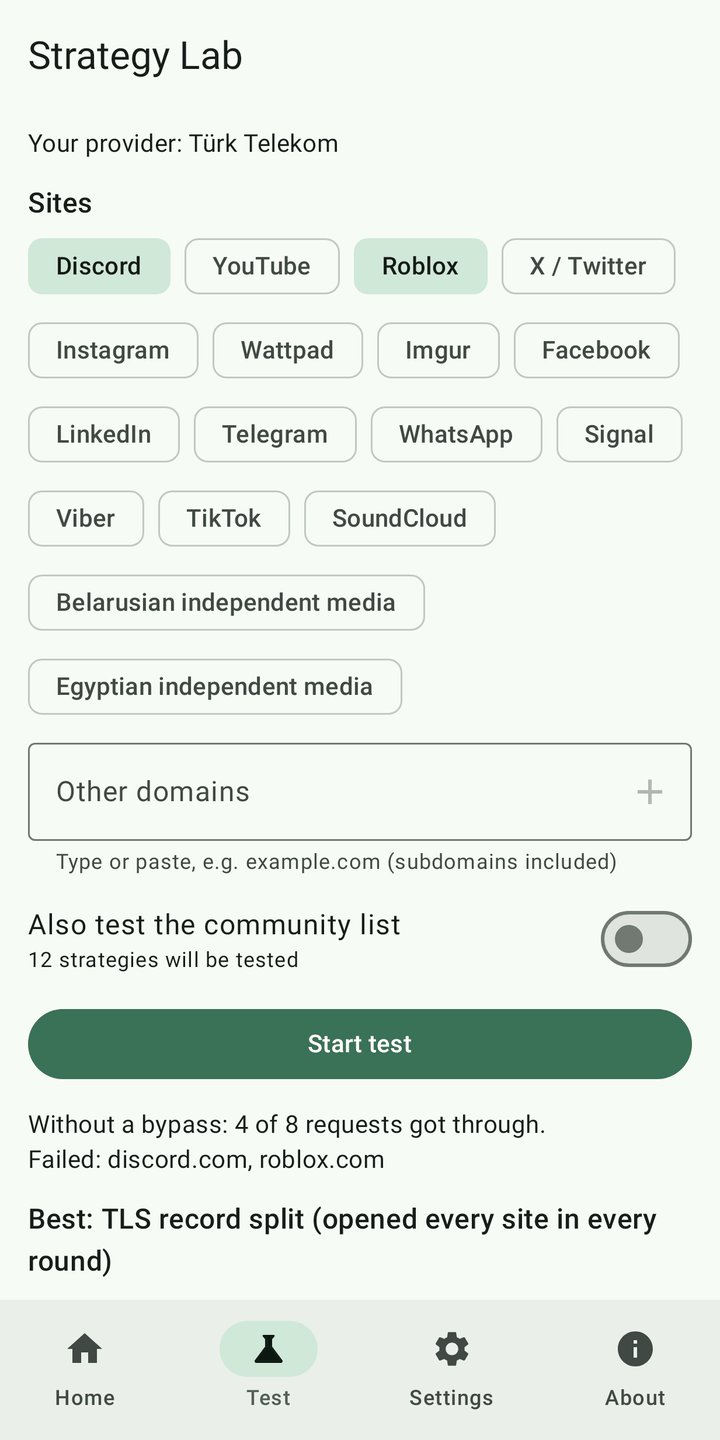
o Strategy Lab: tests strategies against real sites with confirmation rounds and shows which one works on your provider.
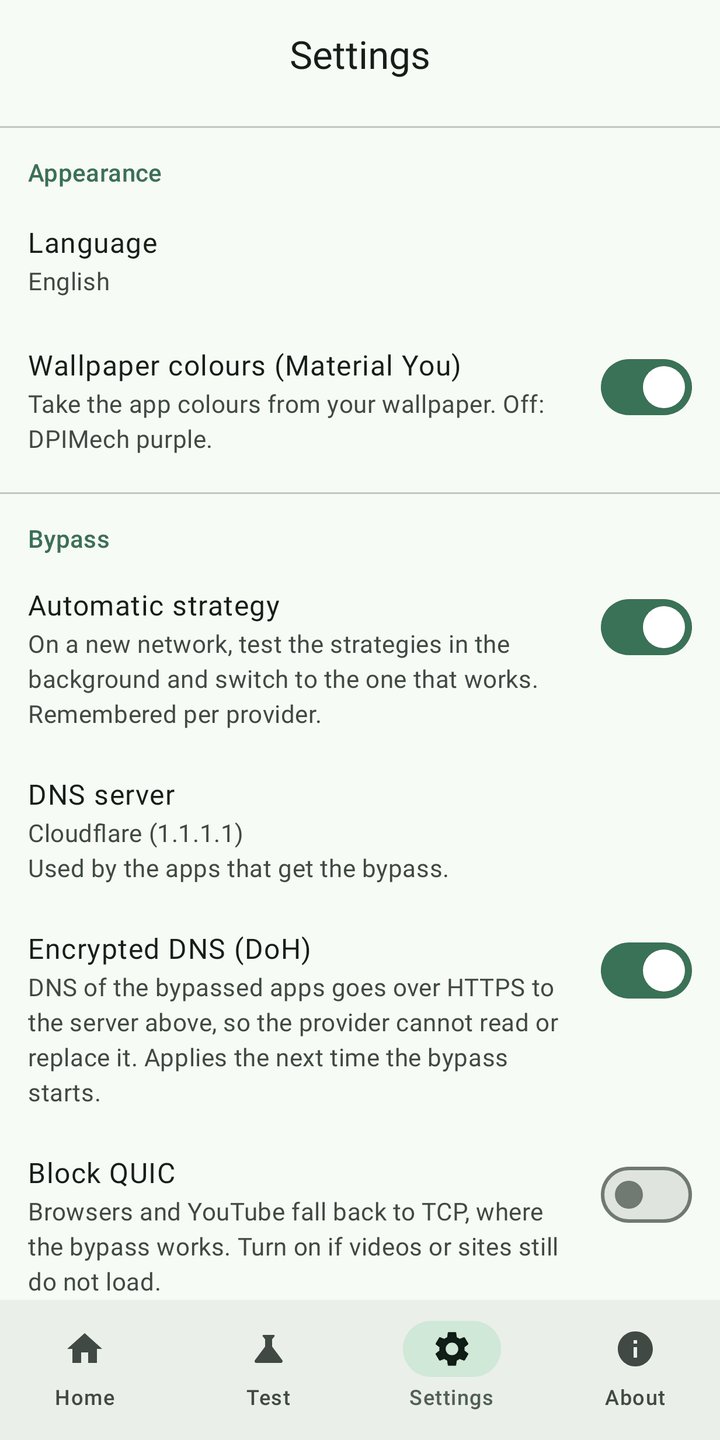
o Automatic strategy: on a new network it finds and remembers what works there.
o Encrypted DNS (DNS over HTTPS) for the bypassed apps, and an optional QUIC block so browsers and YouTube use TCP.
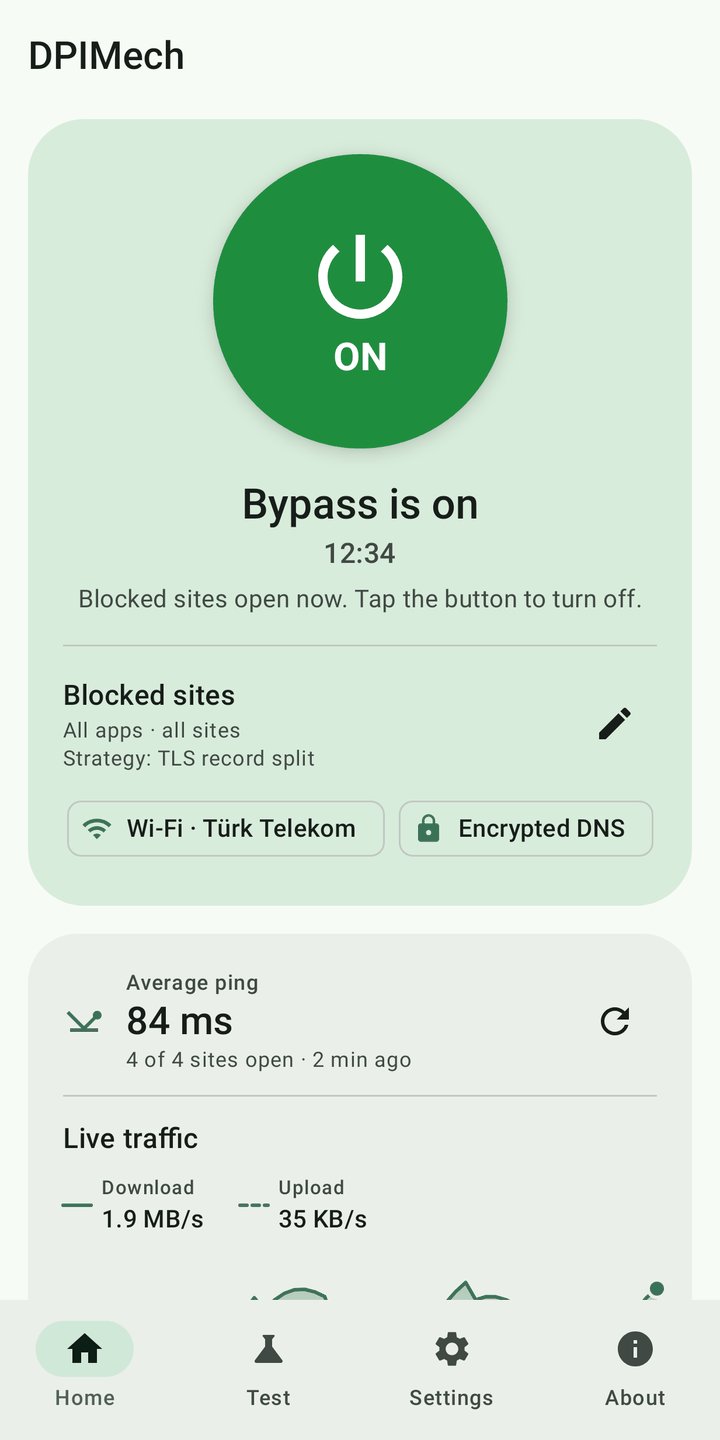
o Home screen with live traffic, average ping of your sites and DNS counts; the notification shows the same.
o Widgets (one per profile if you like), launcher shortcuts that turn a profile on and open its app, Quick Settings tile.
o Strategies shared with the desktop app (Windows, Linux, macOS), updated without a new release, plus a community list.
o DNS blocking check, watchdog that restarts the engine, logs and problem report.
o No root, no Google services, no ads, no analytics. English, Turkce, ???????, ?????, ???????.
Network use: to know which provider a network belongs to (for the per-network strategy), DPIMech asks ipwho.is, which sees your IP address. This happens on each new network only with the automatic strategy, otherwise only when you run a test, and can be turned off in Settings. Strategy and site lists come from GitHub; encrypted DNS goes to the DNS server you choose.
Android allows one VPN at a time, so another VPN or a VPN-based ad blocker cannot run together with DPIMech.
The engines are built from source inside the app: ByeDPI and hev-socks5-tunnel. Community strategies from ByeDPIManager.
License: GPL-3.0-or-later
| Release info | New Release on Nov 13, 2026 |
|---|---|
| Release notes | New logo: the hand-drawn chameleon by Kim De Vries, the same as the desktop app. The sites you choose are now what strategies are tested with; the strategy found works for all connections of the chosen apps or the whole phone, so CDNs and new domains of a site open too. "Only these sites" in a profile limits it again. The wizard keeps the sites you tested. With the provider lookup off, the Lab says so instead of waiting. |
| Listing data | F-Droid |
Reviews
No reviews yet. Be the first to review DPIMech.
Used DPIMech? Tell other visitors what you thought.
Log in to write a reviewOther products by this publisher
- "No Distractions" for YouTube 4.10 ----
- #Bible 11.6.1 "Incredible App - My sister shared this app with me a few weeks ago and it is truly incredible.
- #filmphotography 1.4.2 So, you decided to shoot on film?
- #LookBusy Fake Calendar Events 1.0.6 Look Busy scans your work calendar for open time slots and fills them with realistic-looking (but secretly fake) work events.
- #Small Talk Is Canceled 1.0.2 #Small Talk Is Canceled — Conversations That Matter
Most viewed Android Vpn & Proxy
-
1
 TunnelForge 0.7.9
L2TP/IPsec VPN client for modern Android
-
2
 mqvpn 0.19.2
Multipath VPN combining Wi-Fi and cellular for bonding and failover
- 3 Mercurygram Tor Plugin 13.2.1.1 Tor companion plugin that routes Mercurygram traffic through the Tor network
-
4
 Private Internet Access VPN 4.1.5
Fast, secure and open source VPN client for Android.
- 5 Socks5 Proxy 3.0.3 Socks5 client based on VPN
-
6
 Parvaz 0.1.18
Farsi-first browser tunnel through a self-hosted Apps Script relay
-
7
 MegaProxy 1.4.0
VPN with HTTPS/SSH Jump, SOCKS5, MASQUE and optional app ownership checks
-
8
 Tor VPN Beta 1.10.0Beta
Tor-powered with per-app routing, access unblocking & network-level privacy.
- 9 Proxy Exit 1.0 Use your phone's mobile connection as a proxy for desktop browsers.
-
10
 Forkray 2.3.15
A V2Ray client for Android, forked from v2rayNG and built from source
Most downloaded Android Vpn & Proxy
-
1
mqvpn 0.19.2
Multipath VPN combining Wi-Fi and cellular for bonding and failover
- 2 Socks5 Proxy 3.0.3 Socks5 client based on VPN
-
3
MegaProxy 1.4.0
VPN with HTTPS/SSH Jump, SOCKS5, MASQUE and optional app ownership checks
-
4
Private Internet Access VPN 4.1.5
Fast, secure and open source VPN client for Android.
-
5
Forkray 2.3.15
A V2Ray client for Android, forked from v2rayNG and built from source
-
6
TunnelForge 0.7.9
L2TP/IPsec VPN client for modern Android
- 7 Mercurygram Tor Plugin 13.2.1.1 Tor companion plugin that routes Mercurygram traffic through the Tor network
- 8 Proxy Exit 1.0 Use your phone's mobile connection as a proxy for desktop browsers.
-
9
Parvaz 0.1.18
Farsi-first browser tunnel through a self-hosted Apps Script relay
-
10
 Ygg Proxy 0.5.14.1
SOCKS5/HTTP proxies into the Yggdrasil mesh — no VPN, no root