Developer Colour Palette 1.0.3
Developer Colour Palette helps you to choose, convert, organise and share the colours that you use for the projects that you are working on.
Download
10.31 MB
0downloads
0this week
FreeCommercial
0reviews
Screenshots
About Developer Colour Palette
Developer Colour Palette helps you to choose, convert, organise and share the colours that you use for the projects that you are working on.
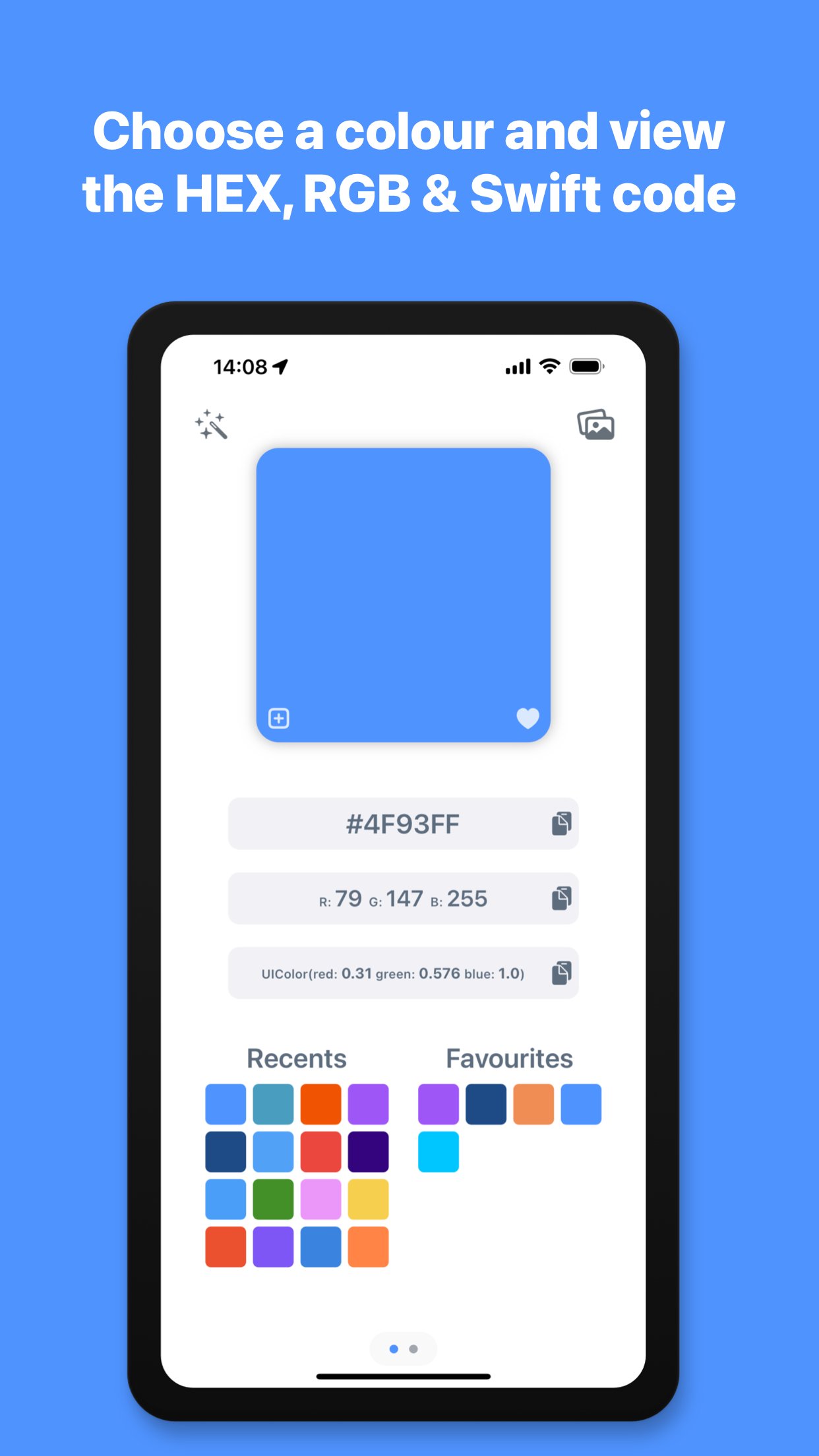
Choose a colour using the built in colour picker, or enter the colour values to see them converted to HEX, RGB and Swift code. You can then copy the colour codes with a single tap to use in your projects. The app automatically shows your recently used colours for reuse and allows you to add frequently used colours to your favourites.
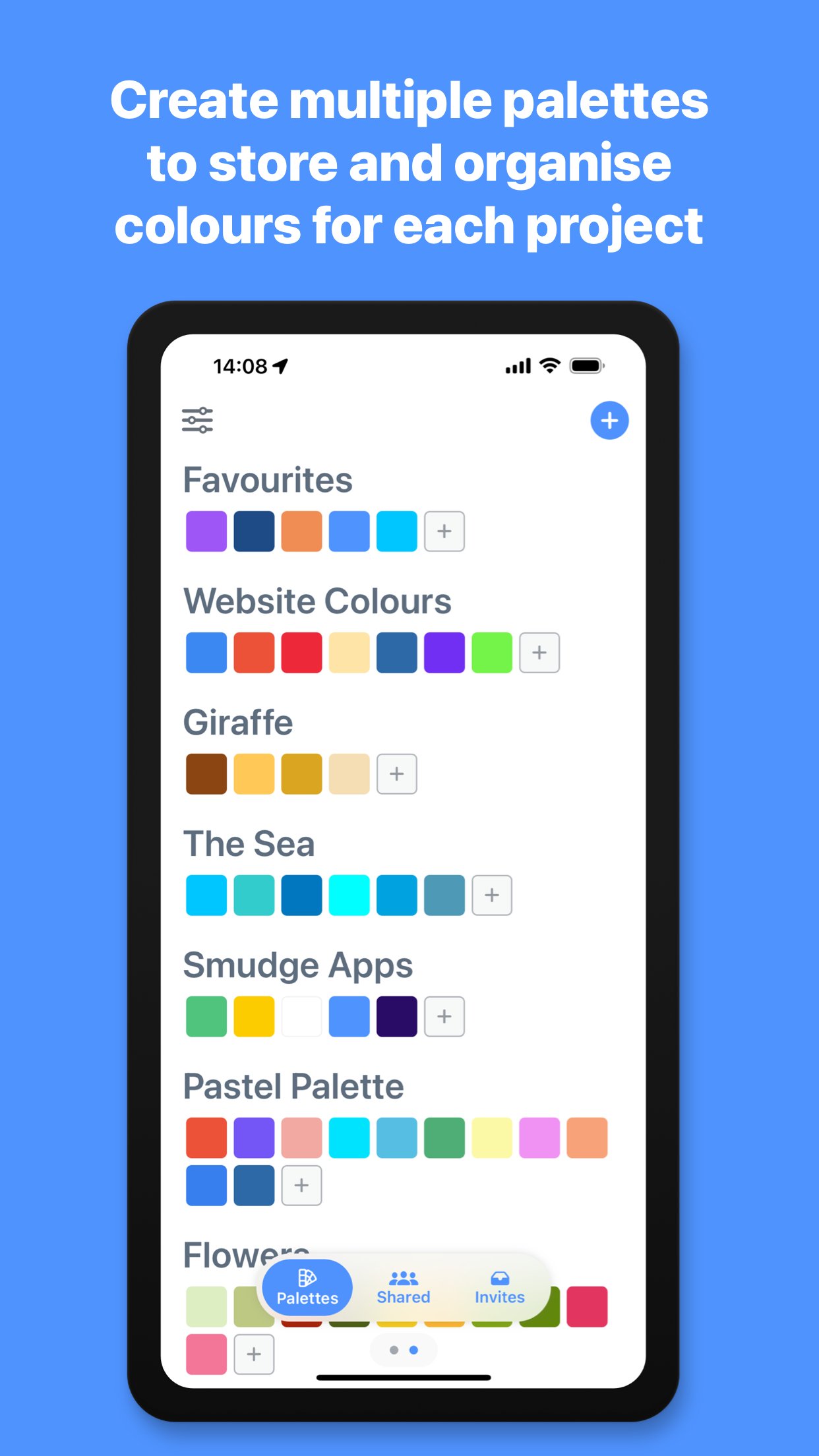
You can organise your colours further, by grouping them in to different palettes for each project or brand that you are working with, name the colours to describe what part of the project they are being used for and write notes on each palette and colour. The palettes you create and colours you add will be automatically synced to the cloud and accessible on all of your Apple devices.
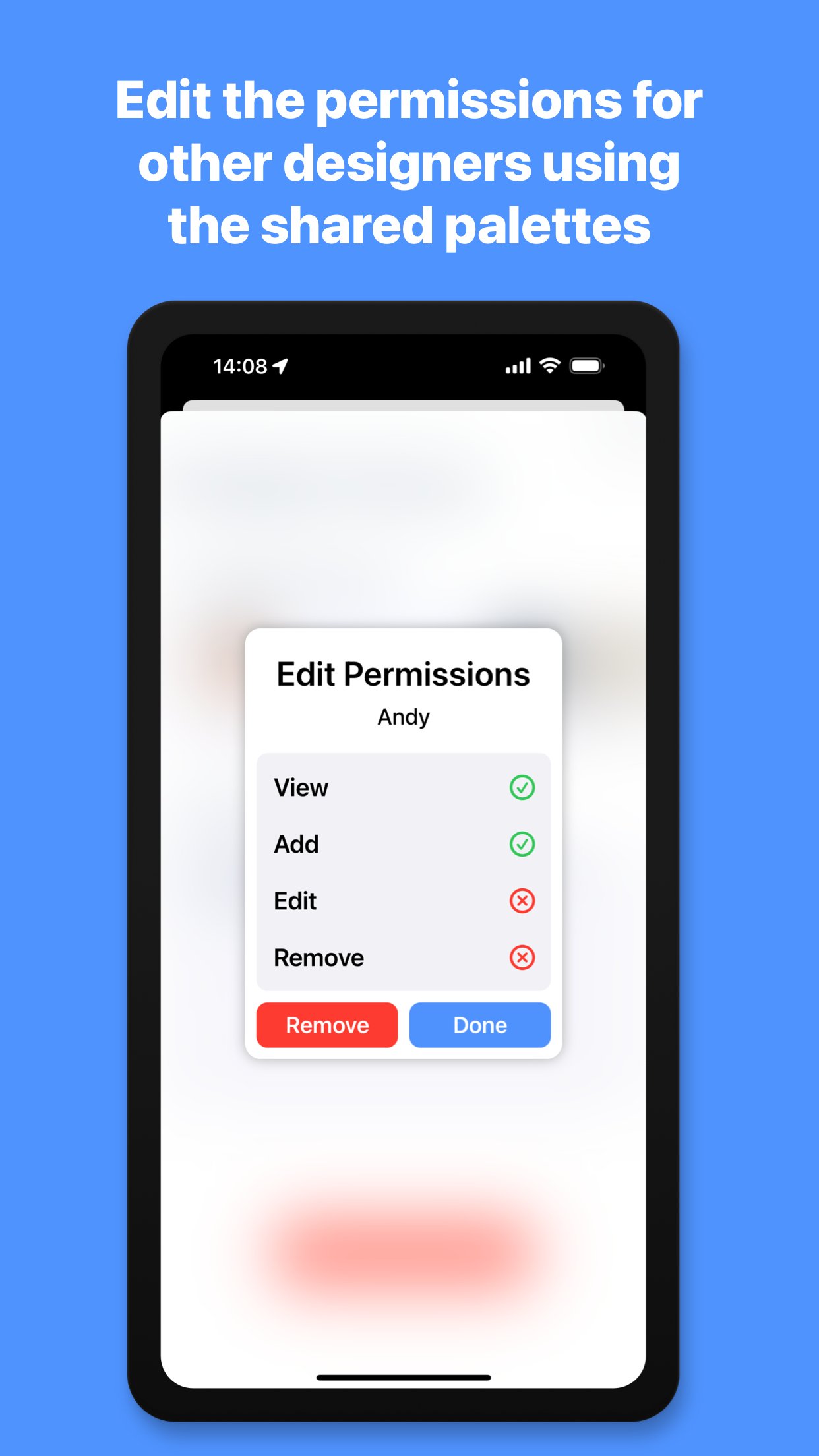
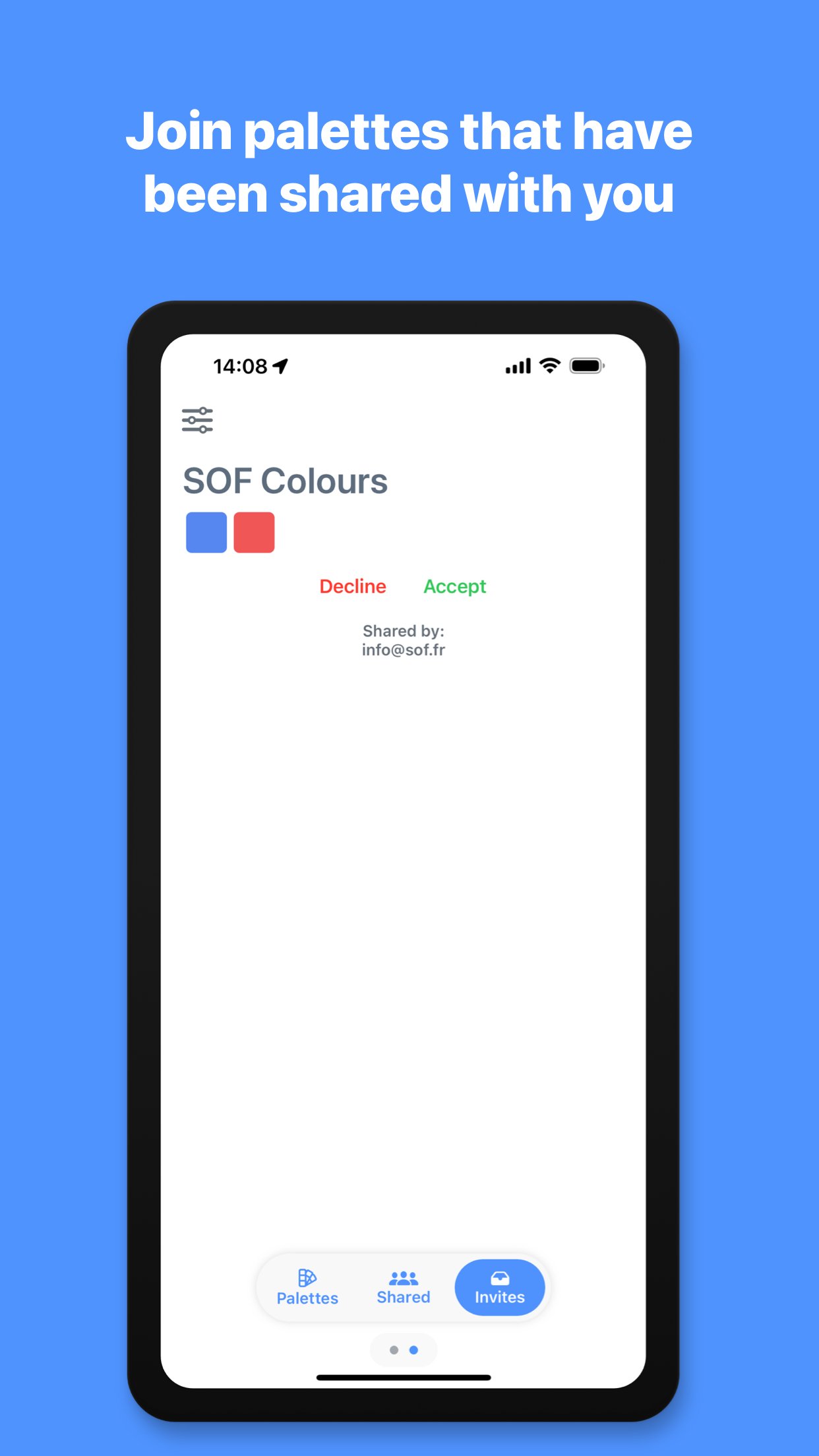
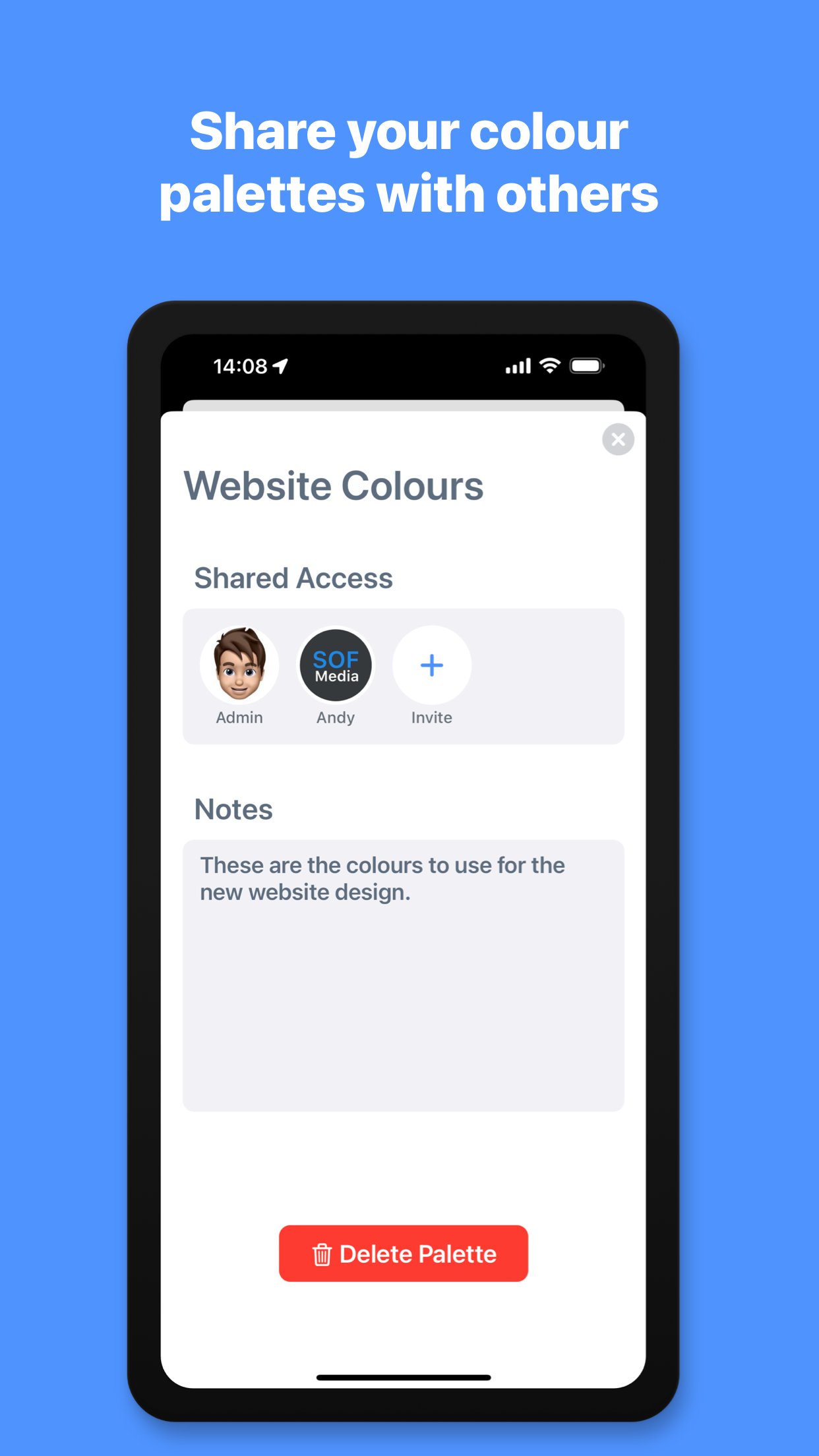
You can also share these palettes with other members of your design team or with a client, so that you are all working from the same colour palette. Invite others to your palette and set permissions for each person you invite, granting or denying them read, add, edit or remove access. You can also see any palettes that you have been sent within the app and choose to accept or deny the invitation, to add the palette to your shared list. The palettes you create and the palettes that are shared with you are automatically grouped and separated.
Import an image, client’s logo or style guide file from your photo library, files or camera and use the magnified colour picker to choose a specific colour from the image. The app will automatically scan the image using AI and detect the dominant colours within the image. Once it has extracted the colours, you can create a new palette containing these colours with a single tap.
If you need a little help with inspiration or to find the right colour for your project, you can use the AI Assistant tool to generate a palette or get the colour of an object. Enter a phrase such as “The sea” to see various shades of blue, “Giraffe” to see the colours of a giraffe or “New York Taxi” to be shown the colour code of the New York Taxi yellow. Once the assistant has detected the colours, you can then create a palette with these colours and it is automatically named from your search phrase.
*Subscription required for some features described above, including cloud palettes, sharing features and AI features - Monthly usage limits apply to AI features.
- Subscription Details -
Developer Colour Palette requires a monthly subscription after your 14 day free trial.
Your subscription can be cancelled at any time. No long term commitment required.
Subscriptions will be charged to your iTunes account at confirmation of purchase. Your subscription will automatically renew unless automatic renewal is turned off at least 24 hours before the end of the current period. Your account will be charged for renewal within 24 hours prior to the end of the current period. You can manage your subscriptions and automatic renewal status in Account Settings after purchase. Price may vary by location.
Privacy Policy: [link removed]
Terms and Conditions: [link removed]
License: Commercial
Choose a colour using the built in colour picker, or enter the colour values to see them converted to HEX, RGB and Swift code. You can then copy the colour codes with a single tap to use in your projects. The app automatically shows your recently used colours for reuse and allows you to add frequently used colours to your favourites.
You can organise your colours further, by grouping them in to different palettes for each project or brand that you are working with, name the colours to describe what part of the project they are being used for and write notes on each palette and colour. The palettes you create and colours you add will be automatically synced to the cloud and accessible on all of your Apple devices.
You can also share these palettes with other members of your design team or with a client, so that you are all working from the same colour palette. Invite others to your palette and set permissions for each person you invite, granting or denying them read, add, edit or remove access. You can also see any palettes that you have been sent within the app and choose to accept or deny the invitation, to add the palette to your shared list. The palettes you create and the palettes that are shared with you are automatically grouped and separated.
Import an image, client’s logo or style guide file from your photo library, files or camera and use the magnified colour picker to choose a specific colour from the image. The app will automatically scan the image using AI and detect the dominant colours within the image. Once it has extracted the colours, you can create a new palette containing these colours with a single tap.
If you need a little help with inspiration or to find the right colour for your project, you can use the AI Assistant tool to generate a palette or get the colour of an object. Enter a phrase such as “The sea” to see various shades of blue, “Giraffe” to see the colours of a giraffe or “New York Taxi” to be shown the colour code of the New York Taxi yellow. Once the assistant has detected the colours, you can then create a palette with these colours and it is automatically named from your search phrase.
*Subscription required for some features described above, including cloud palettes, sharing features and AI features - Monthly usage limits apply to AI features.
- Subscription Details -
Developer Colour Palette requires a monthly subscription after your 14 day free trial.
Your subscription can be cancelled at any time. No long term commitment required.
Subscriptions will be charged to your iTunes account at confirmation of purchase. Your subscription will automatically renew unless automatic renewal is turned off at least 24 hours before the end of the current period. Your account will be charged for renewal within 24 hours prior to the end of the current period. You can manage your subscriptions and automatic renewal status in Account Settings after purchase. Price may vary by location.
Privacy Policy: [link removed]
Terms and Conditions: [link removed]
License: Commercial
| Release info | New Release on Sep 08, 2023 |
|---|---|
| Release notes | • Bug fixes and stability improvements. |
| Listing data | App Store |
Reviews
No reviews yet. Be the first to review Developer Colour Palette.
Used Developer Colour Palette? Tell other visitors what you thought.
Log in to write a reviewOther products by this publisher
- "No Distractions" for YouTube 4.10 ----
- #Bible 11.6 "Incredible App - My sister shared this app with me a few weeks ago and it is truly incredible.
- #filmphotography 1.4.2 So, you decided to shoot on film?
- $quirrel 1.5.1 $quirrel Budget & Finance helps you plan each paycheck, track spending, manage debt, and see what is safe to spend before the next payday.
- % Percentage Calculator Pro 1.41 This is the Pro version of % Percentage Calculator.
Most viewed iOS Developer Tools
-
1
 ZScripter 13.0.0
ZScripter plays compatible Ren'Py, RealLive, NScripter, (PONS)ONScripter-EN/RU/JH/Yuri, Artemis, Siglus, AI5 and UK2 games as well as KiriKiri (+Kirikiroid2 patches) and RPG Maker MV/MZ & XP, VX and VX Ace support.
-
2
 GitHub 1.284.0
There’s a lot you can do on GitHub that doesn’t require a complex development environment – like sharing feedback on a design discussion, or reviewing a few lines of code.
-
3
 Agents Anywhere 2.1.0
Agents Anywhere is a developer tools mobile application for remotely controlling your local computer to complete coding tasks.
-
4
 Shader Playground 1.0
Shader Playground is a powerful real-time shader editor built for iPhone and iPad.
-
5
 Code Workspace 0.9.1
Code Workspace is a free, agent-first development environment for iPad and iPhone.
-
6
 LocalDevVPN 1.3.0
LocalDevVPN is a developer tool for creating and managing local network tunnels directly on iOS.
-
7
 Termius 8.2.0
Termius is a modern SSH client designed for productivity and collaboration.
-
8
 TestFlight 4.4.1
TestFlight makes it easy to test beta versions of apps and App Clips to provide valuable feedback to developers before they release their apps on the App Store.
-
9
 Cursor 1.18.0
Introducing Cursor for iOS: the best way to build, review, and ship software from anywhere.
-
10
 Rulify 1.0.7
Rulify ????? iOS App ????,???????? App ????,???????????????
Most downloaded iOS Developer Tools
-
1
Agents Anywhere 2.1.0
Agents Anywhere is a developer tools mobile application for remotely controlling your local computer to complete coding tasks.
-
2
 a-Shell mini 2.3.2
a-Shell mini is a complete local terminal emulator, allowing to run most Unix commands on you iOS device.
-
3
Rulify 1.0.7
Rulify ????? iOS App ????,???????? App ????,???????????????
-
4
 LadderTouch 2.1.5
LadderTouch is an app to learn the basics of ladder logic, which is a graphical programming language.
-
5
 FSNotes 7.6.0
FSNotes is a fast, modern notes manager for macOS and iOS.
-
6
 C/C++$-LLVM Clang 2.7
This is a learning tool for efficient C/C++ learning, fast programming, ?(LLVM+Clang)offline compilation and local execution?, Git fetching, iCloud storage, and efficient transfer and sharing via LAN HTTP/FTP multi-point connections.
-
7
 Markdown2PDF 1.0
Easily Convert Markdown to PDF with Markdown2PDF
-
8
 Herdy 1.4.1
Herdy puts your remote terminal and long-running coding-agent sessions in your pocket.
-
9
 python3$ 6.6
This is a Python 3.13 learning tool for efficient learning, fast programming, local execution, breakpoint debugging, precise error reporting, Git fetching, iCloud access, and efficient transfer and sharing via LAN HTTP/FTP multi-point connections.
-
10
 websta$-learn html css and js 3.2
This is a learning tool for efficient HTML, CSS, and JS learning, fast programming, local execution, Git retrieval, iCloud storage, efficient transfer and sharing via LAN HTTP/FTP multi-point connections.