CSS Inspector for Safari 1.1.45
Discover a world where understanding website designs becomes a breeze with the "CSS Inspector for Safari" extension.
Download
5.45 MB
7downloads
0this week
FreeCommercial
0reviews
Screenshots
About CSS Inspector for Safari
Discover a world where understanding website designs becomes a breeze with the "CSS Inspector for Safari" extension. Have you ever looked at a website and wondered about its design intricacies? What colors are they using? What typography makes it stand out? Which margins and paddings are giving it that unique layout? Say goodbye to the complexities and dive into the world of CSS with unmatched ease.
Features:
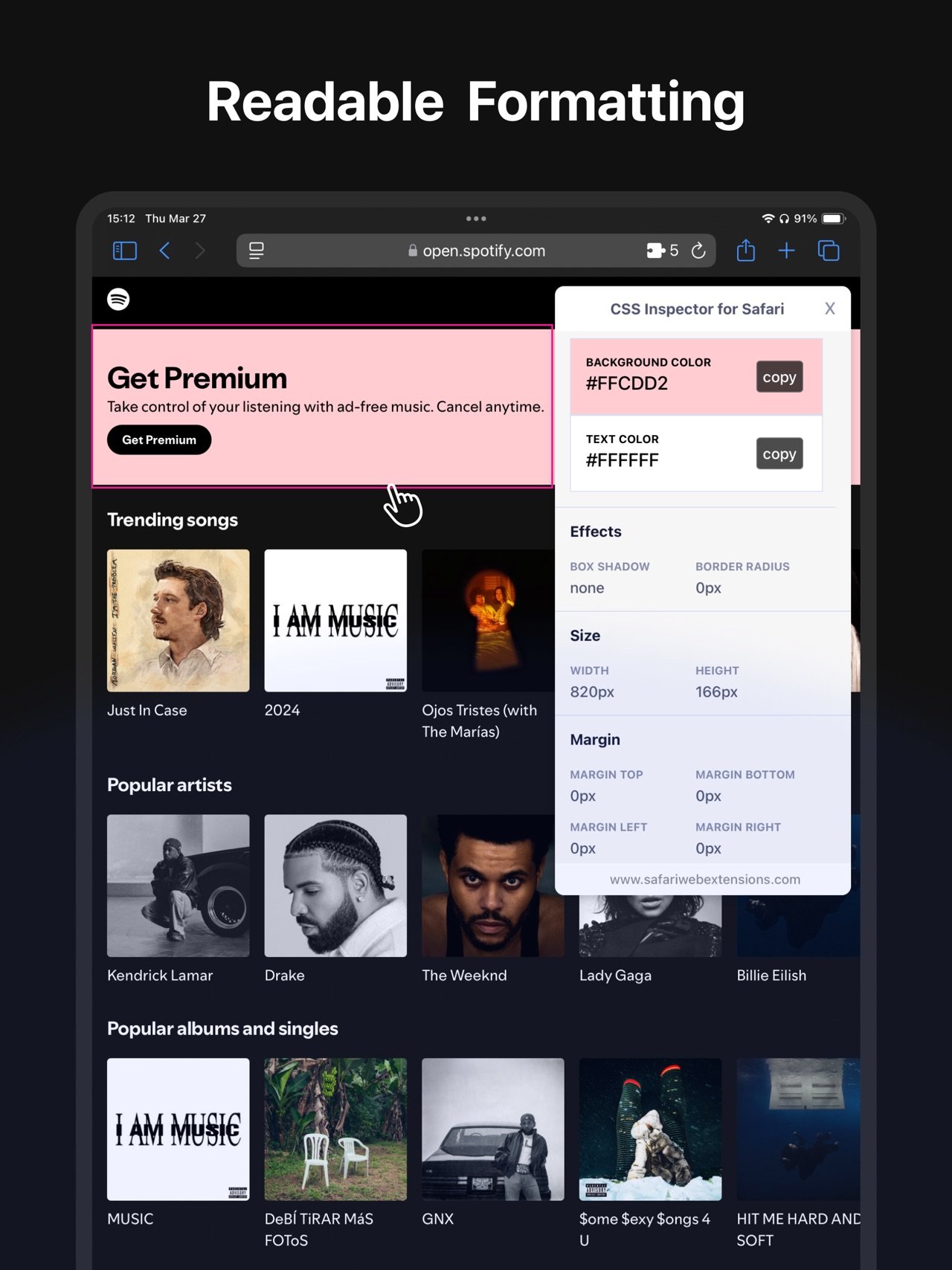
Hover to Highlight: As you move your cursor across the page, every website element gets highlighted, enabling you to understand page structures without any guesswork.
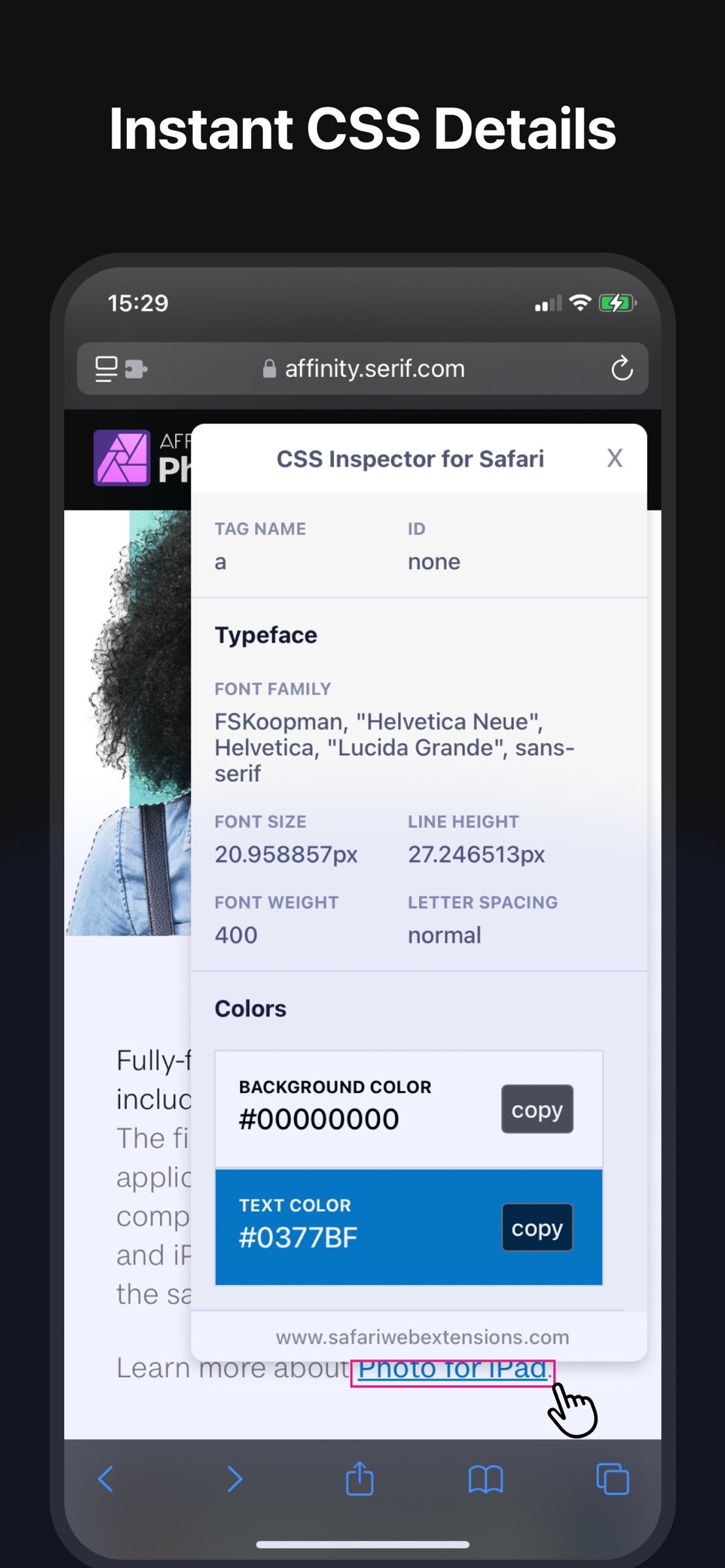
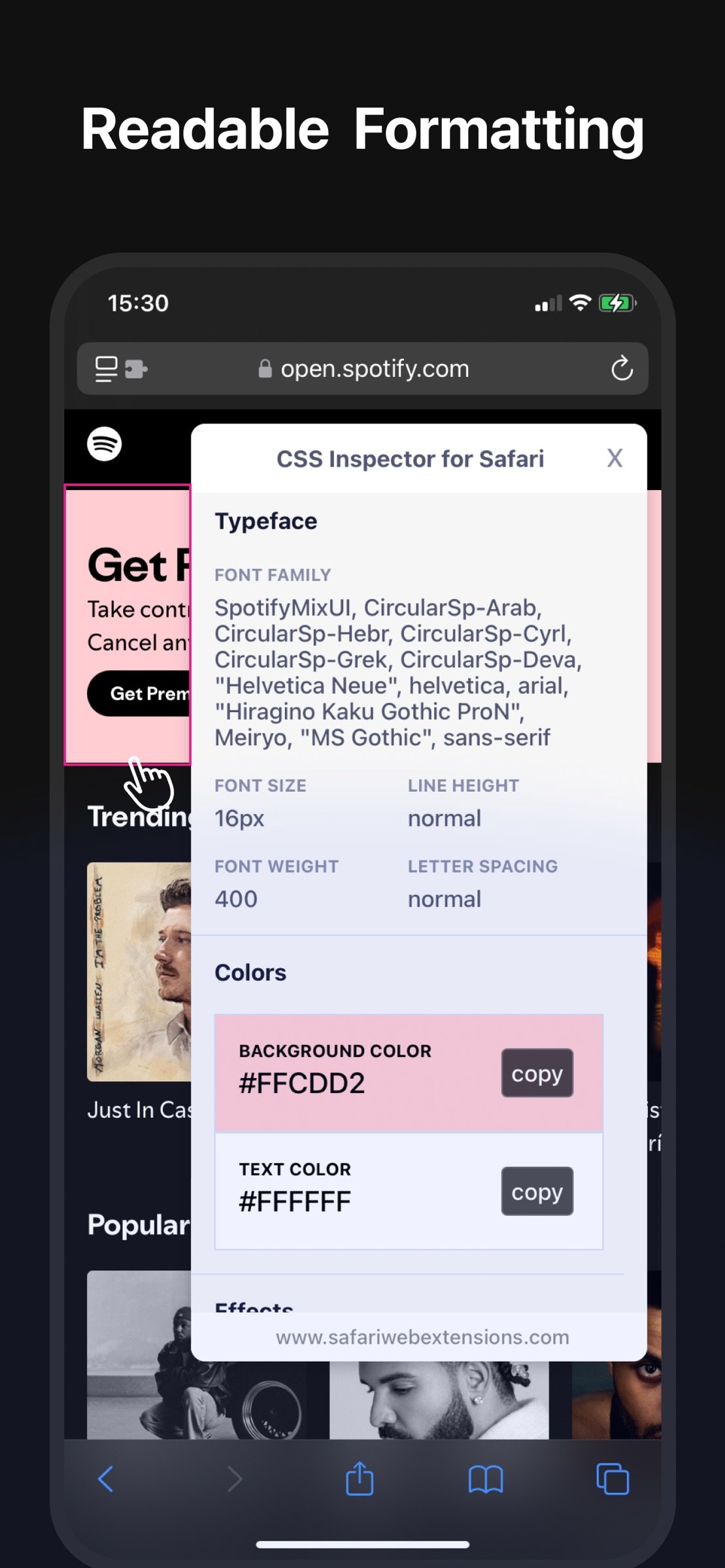
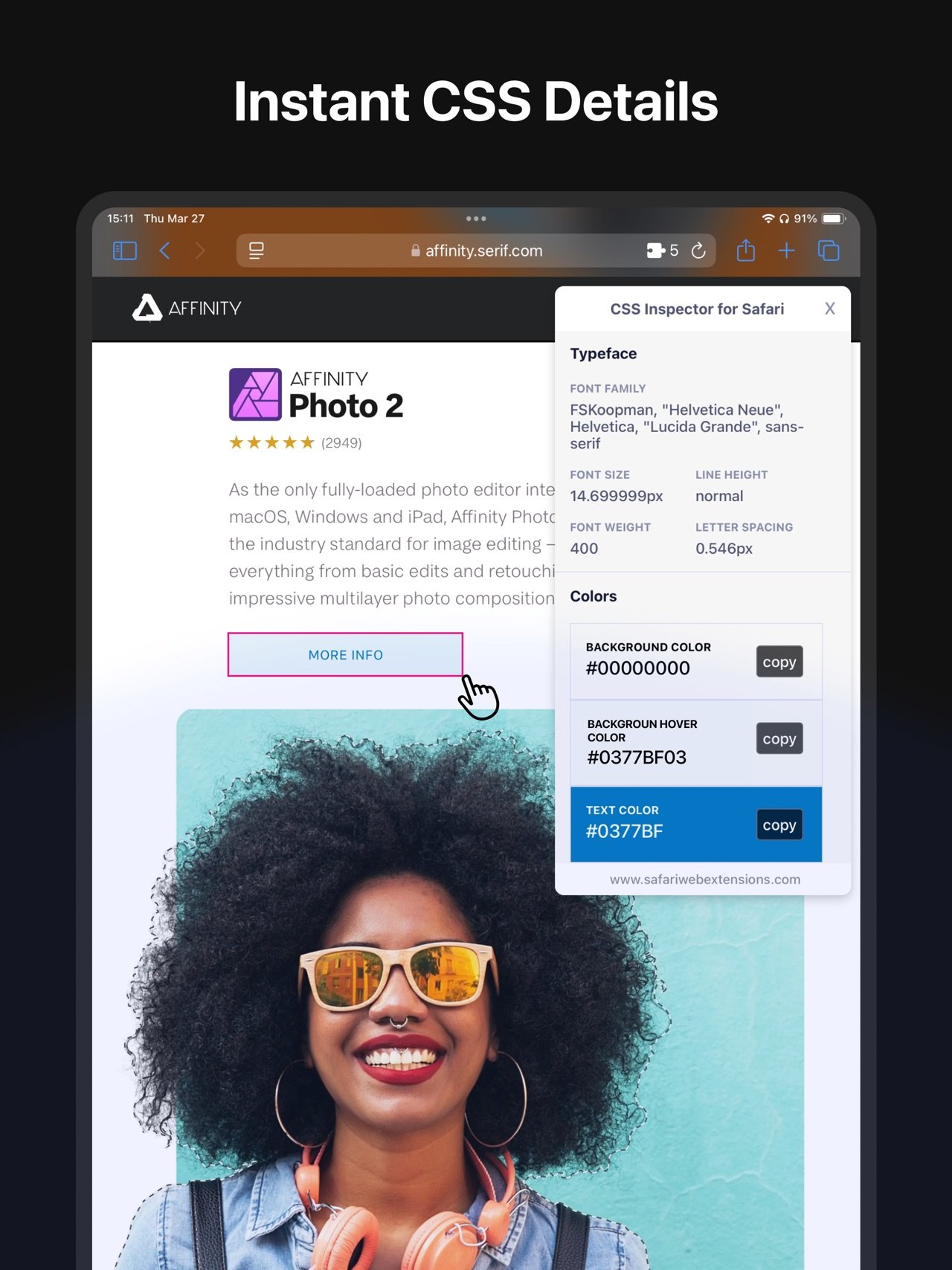
Click for Detailed Insights: Upon clicking an element, a dedicated small window pops up. Explore typography specifics, grasp color schemes, understand effects applied, and get details about sizes, margins, and paddings.
Human-Readable Format: No more getting lost in technical jargon. The information is displayed in a well-organized, clear, and comprehensible manner.
Quick Copy Feature: Found a color you like? Maybe a specific shade or gradient caught your eye? No need to jot it down or remember; with a simple click, you can copy information directly from the pop-up window.
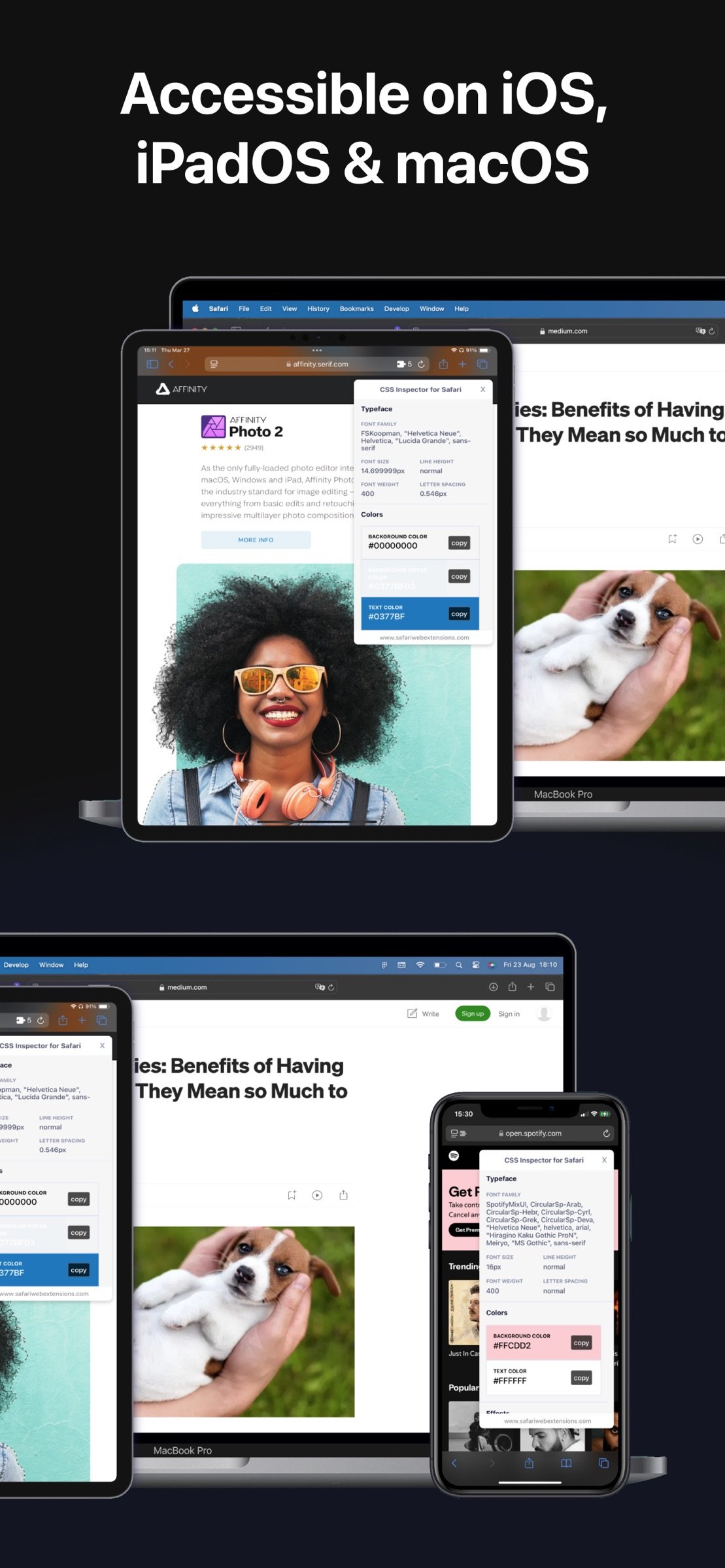
Cross-Device Compatibility: CSS Inspector is available on macOS, iOS, and iPadOS, ensuring that you have a consistent and optimized browsing experience across all your Apple devices.
Beyond these features, "CSS Inspector for Safari" is built with user experience at its core. It’s lightweight, ensuring that your browsing speed remains unhindered.
Whether you're a professional working on a project, a student learning about web designs, or someone who enjoys understanding the digital spaces they visit, "CSS Inspector for Safari" is your go-to tool. Experience a nuanced way to explore websites, gather design inspirations, or simply feed your curiosity.
Join thousands of users who have transformed their Safari browsing experience. Equip yourself with a tool that not only adds value but also empowers your digital journey. Download "CSS Inspector for Safari" and make the web a canvas of learning and exploration!
License: Commercial
Features:
Hover to Highlight: As you move your cursor across the page, every website element gets highlighted, enabling you to understand page structures without any guesswork.
Click for Detailed Insights: Upon clicking an element, a dedicated small window pops up. Explore typography specifics, grasp color schemes, understand effects applied, and get details about sizes, margins, and paddings.
Human-Readable Format: No more getting lost in technical jargon. The information is displayed in a well-organized, clear, and comprehensible manner.
Quick Copy Feature: Found a color you like? Maybe a specific shade or gradient caught your eye? No need to jot it down or remember; with a simple click, you can copy information directly from the pop-up window.
Cross-Device Compatibility: CSS Inspector is available on macOS, iOS, and iPadOS, ensuring that you have a consistent and optimized browsing experience across all your Apple devices.
Beyond these features, "CSS Inspector for Safari" is built with user experience at its core. It’s lightweight, ensuring that your browsing speed remains unhindered.
Whether you're a professional working on a project, a student learning about web designs, or someone who enjoys understanding the digital spaces they visit, "CSS Inspector for Safari" is your go-to tool. Experience a nuanced way to explore websites, gather design inspirations, or simply feed your curiosity.
Join thousands of users who have transformed their Safari browsing experience. Equip yourself with a tool that not only adds value but also empowers your digital journey. Download "CSS Inspector for Safari" and make the web a canvas of learning and exploration!
License: Commercial
| Release info | Update on Nov 07, 2026 |
|---|---|
| Release notes | - Bug fixes and performance improvements. - Improved the user interface for iPhone Duo. |
| Listing data | App Store |
Reviews
No reviews yet. Be the first to review CSS Inspector for Safari.
Used CSS Inspector for Safari? Tell other visitors what you thought.
Log in to write a reviewOther products by this publisher
- "No Distractions" for YouTube 4.10 ----
- #Bible 11.6 "Incredible App - My sister shared this app with me a few weeks ago and it is truly incredible.
- #filmphotography 1.4.2 So, you decided to shoot on film?
- $quirrel 1.5.1 $quirrel Budget & Finance helps you plan each paycheck, track spending, manage debt, and see what is safe to spend before the next payday.
- % Percentage Calculator Pro 1.41 This is the Pro version of % Percentage Calculator.
Most viewed iOS Developer Tools
-
1
 ZScripter 12.2.0
ZScripter plays compatible Ren'Py, RealLive, NScripter, (PONS)ONScripter-EN/RU/JH/Yuri, Artemis, Siglus, AI5 and UK2 games as well as KiriKiri (+Kirikiroid2 patches) and RPG Maker MV/MZ & XP, VX and VX Ace support.
-
2
 GitHub 1.283.0
There’s a lot you can do on GitHub that doesn’t require a complex development environment – like sharing feedback on a design discussion, or reviewing a few lines of code.
-
3
 Shader Playground 1.0
Shader Playground is a powerful real-time shader editor built for iPhone and iPad.
-
4
 Agents Anywhere 2.1.0
Agents Anywhere is a developer tools mobile application for remotely controlling your local computer to complete coding tasks.
-
5
 Code Workspace 0.9.1
Code Workspace is a free, agent-first development environment for iPad and iPhone.
-
6
 LocalDevVPN 1.3.0
LocalDevVPN is a developer tool for creating and managing local network tunnels directly on iOS.
-
7
 Termius 8.0.7
Termius is a modern SSH client designed for productivity and collaboration.
-
8
 Cursor 1.17.0
Introducing Cursor for iOS: the best way to build, review, and ship software from anywhere.
-
9
 HTTP Debugger+ 1.2.3
HTTP Debugger+ is a professional HTTP traffic inspector designed for developers and QA engineers.
-
10
 Rulify 1.0.7
Rulify ????? iOS App ????,???????? App ????,???????????????
Most downloaded iOS Developer Tools
-
1
Agents Anywhere 2.1.0
Agents Anywhere is a developer tools mobile application for remotely controlling your local computer to complete coding tasks.
-
2
Rulify 1.0.7
Rulify ????? iOS App ????,???????? App ????,???????????????
-
3
 a-Shell mini 2.3.2
a-Shell mini is a complete local terminal emulator, allowing to run most Unix commands on you iOS device.
-
4
 LadderTouch 2.1.5
LadderTouch is an app to learn the basics of ladder logic, which is a graphical programming language.
-
5
 FSNotes 7.6.0
FSNotes is a fast, modern notes manager for macOS and iOS.
-
6
 C/C++$-LLVM Clang 2.7
This is a learning tool for efficient C/C++ learning, fast programming, ?(LLVM+Clang)offline compilation and local execution?, Git fetching, iCloud storage, and efficient transfer and sharing via LAN HTTP/FTP multi-point connections.
-
7
 python3$ 6.6
This is a Python 3.13 learning tool for efficient learning, fast programming, local execution, breakpoint debugging, precise error reporting, Git fetching, iCloud access, and efficient transfer and sharing via LAN HTTP/FTP multi-point connections.
-
8
 websta$-learn html css and js 3.2
This is a learning tool for efficient HTML, CSS, and JS learning, fast programming, local execution, Git retrieval, iCloud storage, efficient transfer and sharing via LAN HTTP/FTP multi-point connections.
-
9
HTTP Debugger+ 1.2.3
HTTP Debugger+ is a professional HTTP traffic inspector designed for developers and QA engineers.
-
10
 Expo Go 58.0.5
Start learning to build projects using web technologies with just your iOS device.