
Conduck 1.7
Conduck is the native Apple client for your self-hosted or BYO-key AI - in your pocket, in the car, and on your wrist.
Download
70.98 MB
25downloads
2this week
FreeFreeware
0reviews
Screenshots
About Conduck
Conduck is the native Apple client for your self-hosted or BYO-key AI - in your pocket, in the car, and on your wrist.
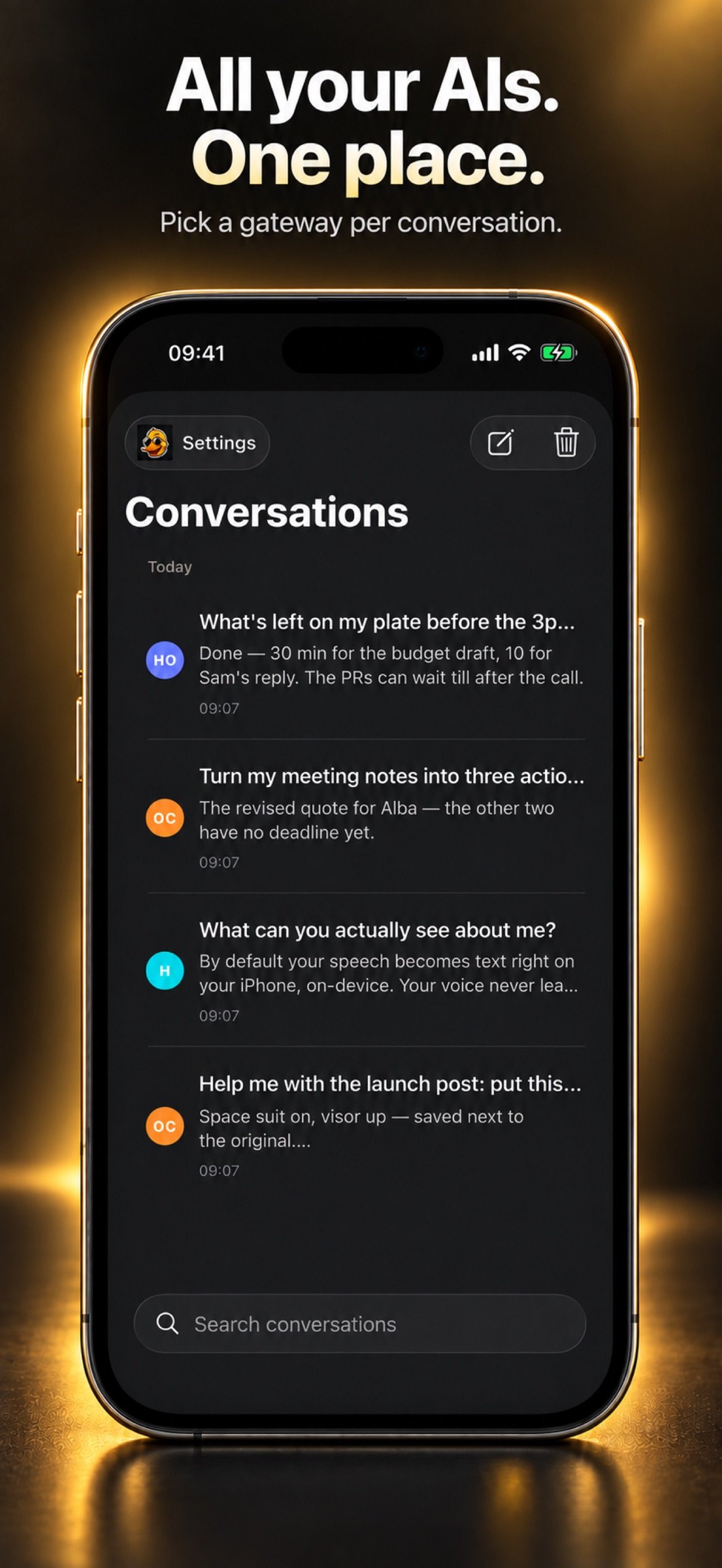
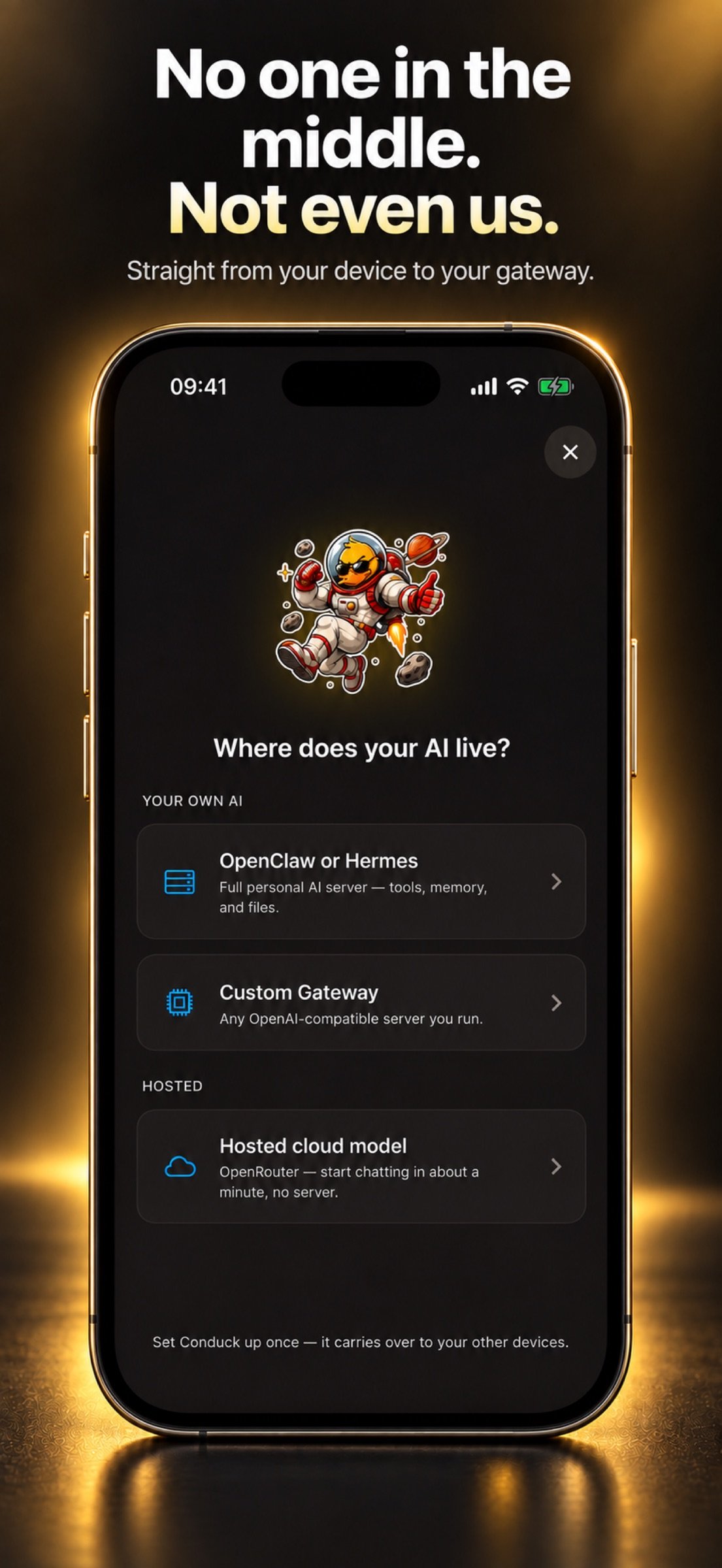
Connect your own AI server - OpenClaw, Hermes, or a compatible model server such as Pi or LM Aider - or bring an OpenRouter key for a hosted model and start in about a minute. Your keys, your AI. No Conduck account and no Conduck-operated intermediary server.
Ask from anywhere
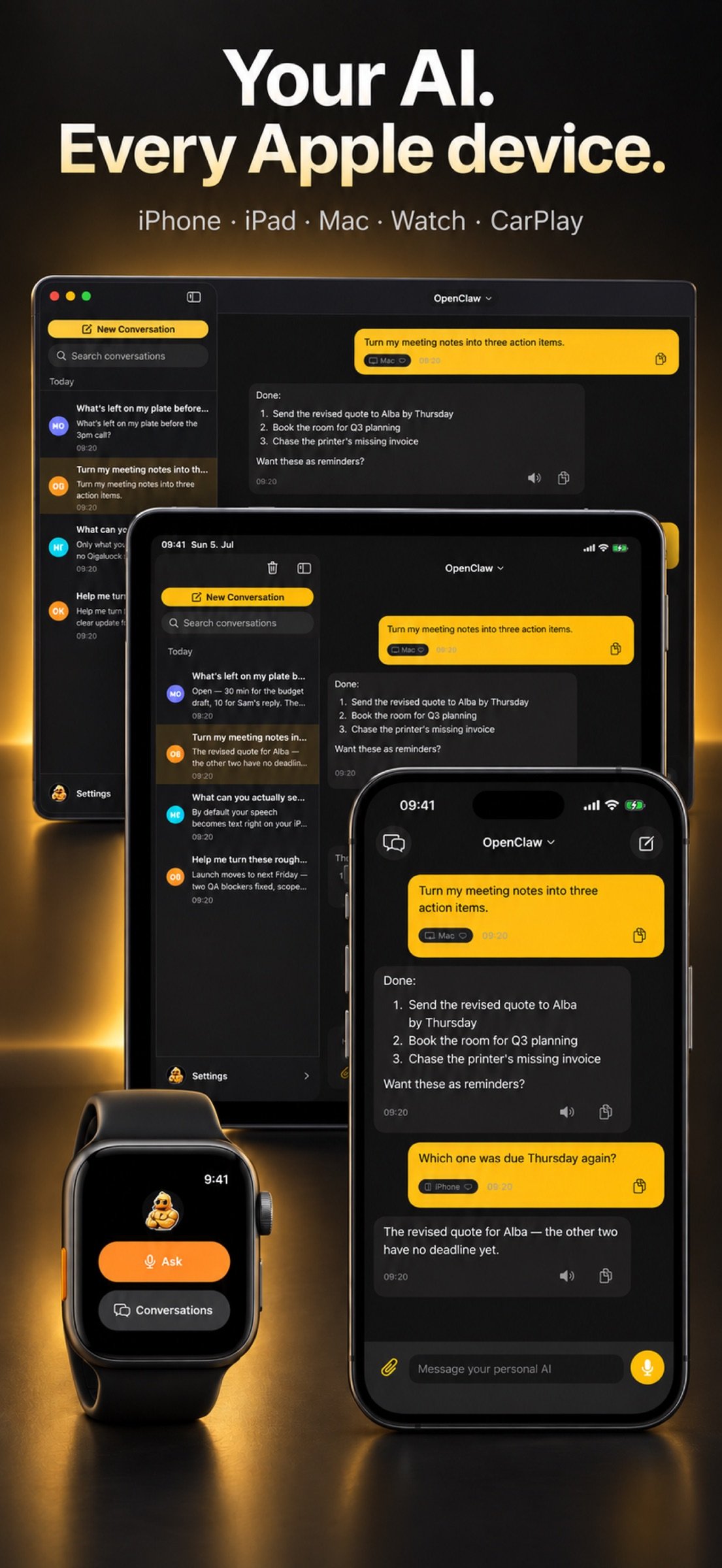
• iPhone & iPad: start a chat and type, or hold to talk
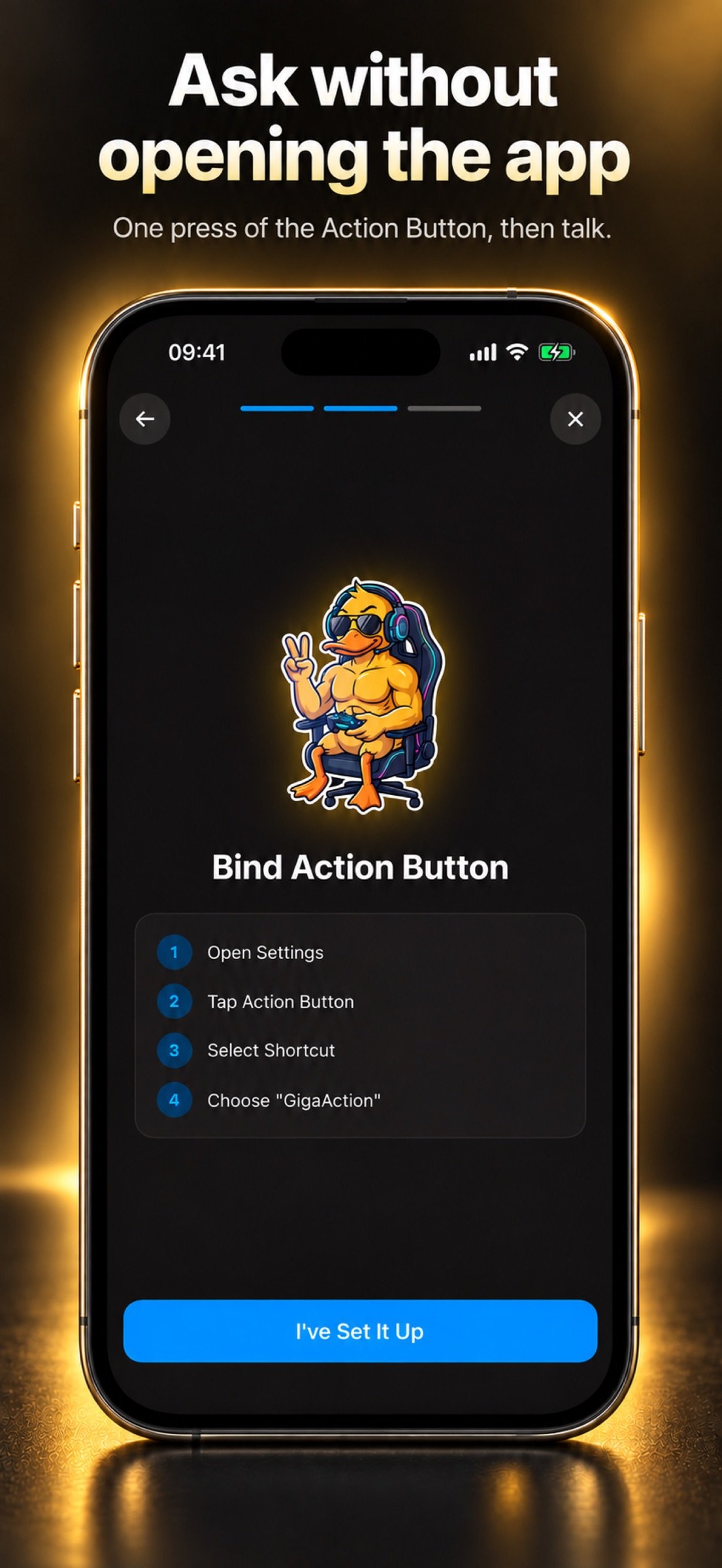
• Action Button, Shortcuts & Control Center: fire off a quick question without opening the app
• Apple Watch: ask straight from your wrist
• CarPlay: a hands-free voice conversation on the road
• Mac: a full desktop app and menu-bar companion, with a global hotkey and Screenshot & Ask
Work: collect now, brief your AI later
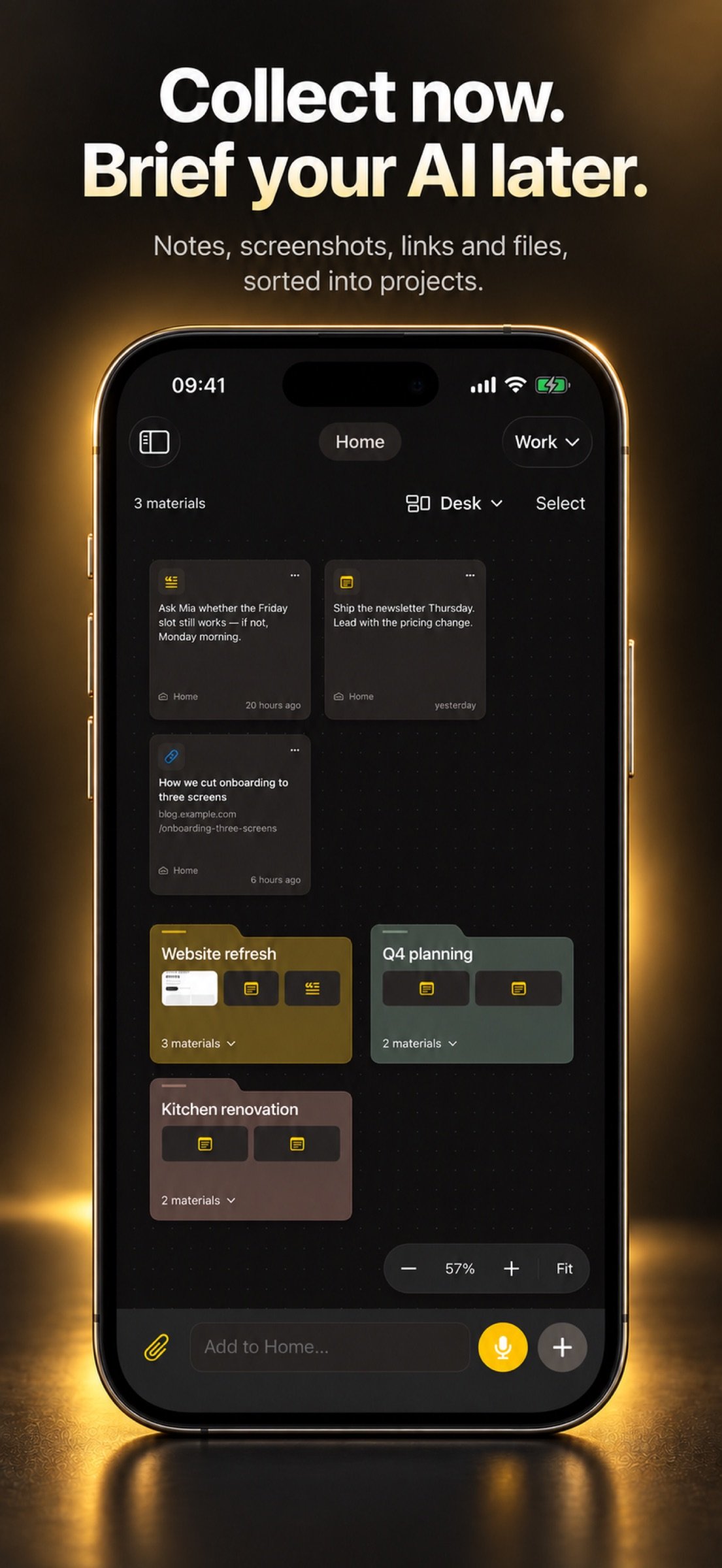
• A private desk beside your chats. Save thoughts, voice notes, screenshots, links and files from the app, the share sheet, Shortcuts, the Mac menu bar, Apple Watch or CarPlay. A voice note is saved as words.
• Adding to Work sends nothing to your AI. Arrange materials on Home, or file them into projects with their own background notes.
• When you're ready, write the task, pick the materials and choose your AI. Review the exact message, then send.
• With a self-hosted agent and file exchange set up, files your AI returns join the project.
• With content sync on, the desk syncs through your private iCloud. Very large files stay on the device that captured them.
Private by architecture, not by promise
• Conduck operates no intermediary server. No Conduck account, no analytics, no ads, no tracking.
• By default, your speech is turned into text by Apple on your own devices. Your voice never leaves them.
• Prefer a cloud transcription service? Your audio goes straight from your device to that provider with your own key. We're never in the middle.
• Your conversations stay on your device and sync through your own private iCloud. We can't read them.
• Your keys and tokens live in the Keychain, and every connection over the internet is HTTPS. A server on your own network can be reached without it if you choose, and Conduck says so on screen when you do.
See what you actually use
• Settings shows a private record of request attempts and conversations over the last 7, 30 or 90 days, typed and spoken compared.
• Broken down by connection, device and requested model, with the token counts your AI reports, and reliability split into first-try deliveries, retries, cancellations and failures.
• Recorded on your devices and synced through your private iCloud. Never sent to us.
Free plan and Conduck Pro
• Free: three active projects and three configured gateways in total across OpenClaw, Hermes and custom connections. Unconfigured options don't count, and OpenRouter never uses a slot.
• Pro: unlimited active projects and configured gateways on iPhone, iPad and Mac.
• Archive a project to free a slot. Above the free limits, choose which projects and gateways stay active; your materials, conversations and saved connection settings are kept.
Conduck Pro is an optional monthly subscription: USD 29.99 in the US or EUR 29.99 in euro-area storefronts. Other storefront prices are shown in the app. Payment is charged to your Apple Account. It renews automatically unless canceled; manage it in your App Store subscription settings.
AI and speech provider usage is billed separately by your chosen providers. Pro includes no model or voice credits.
Terms: [link removed]
Privacy: [link removed]
Open source
The application source is available under Apache 2.0 at github.com/GigaDuckAI/conduck. Official App Store builds keep the Conduck identity and CarPlay; personal source builds use the Conduck Community identity without CarPlay.
What you'll need
Conduck is the interface, not the AI. You bring the AI and any key it needs; guided setup helps you connect. Conduck creates no account and hosts no model for you.
| Release info | New Release on Oct 06, 2026 |
|---|---|
| Release notes | Conduck now supports four interface languages. • Use the app in English, Spanish, Simplified Chinese or Japanese. • Choose your app language the first time you open this version, and change it anytime in Settings. • iPhone and iPad keep separate choices. Apple Watch and CarPlay follow the connected iPhone. • Translations include Chats, Work, setup, settings, errors, sharing controls and Shortcuts. |
| Listing data | App Store |
Reviews
No reviews yet. Be the first to review Conduck.
Used Conduck? Tell other visitors what you thought.
Log in to write a reviewOther products by this publisher
- "No Distractions" for YouTube 4.10 ----
- #Bible 11.6.1 "Incredible App - My sister shared this app with me a few weeks ago and it is truly incredible.
- #filmphotography 1.4.2 So, you decided to shoot on film?
- #LookBusy Fake Calendar Events 1.0.6 Look Busy scans your work calendar for open time slots and fills them with realistic-looking (but secretly fake) work events.
- #Small Talk Is Canceled 1.0.2 #Small Talk Is Canceled — Conversations That Matter
Most viewed iOS Developer Tools
-
1
 ZScripter 15.0.0
ZScripter plays compatible Ren'Py, RealLive, NScripter, (PONS)ONScripter-EN/RU/JH/Yuri, Artemis, Siglus, CatSystem2, Ethornell BGI, N2System (Nitro+), AI5 and UK2 games as well as KiriKiri (+Kirikiroid2 patches), TyranoScript, RPG Maker MV/MZ & XP, …
-
2
 GitHub 1.285.0
There’s a lot you can do on GitHub that doesn’t require a complex development environment – like sharing feedback on a design discussion, or reviewing a few lines of code.
-
3
 LocalDevVPN 1.3.0
LocalDevVPN is a developer tool for creating and managing local network tunnels directly on iOS.
-
4
 Agents Anywhere 2.1.0
Agents Anywhere is a developer tools mobile application for remotely controlling your local computer to complete coding tasks.
-
5
 Shader Playground 1.0
Shader Playground is a powerful real-time shader editor built for iPhone and iPad.
-
6
 Andarium 1.0
Andarium lets you run an Android virtual machine on your iPhone and iPad—no computer setup, extra downloads, or complicated configuration required.
-
7
 Code Workspace 0.9.1
Code Workspace is a free, agent-first development environment for iPad and iPhone.
-
8
 Termius 8.2.0
Termius is a modern SSH client designed for productivity and collaboration.
-
9
 Rulify 1.0.7
Rulify ????? iOS App ????,???????? App ????,???????????????
-
10
 TestFlight 4.4.1
TestFlight makes it easy to test beta versions of apps and App Clips to provide valuable feedback to developers before they release their apps on the App Store.
Most downloaded iOS Developer Tools
-
1
Agents Anywhere 2.1.0
Agents Anywhere is a developer tools mobile application for remotely controlling your local computer to complete coding tasks.
-
2
Rulify 1.0.7
Rulify ????? iOS App ????,???????? App ????,???????????????
-
3
 a-Shell mini 2.3.2
a-Shell mini is a complete local terminal emulator, allowing to run most Unix commands on you iOS device.
-
4
 LadderTouch 2.1.5
LadderTouch is an app to learn the basics of ladder logic, which is a graphical programming language.
-
5
 FSNotes 7.6.1
FSNotes is a fast, modern notes manager for macOS and iOS.
-
6
 Herdy 1.5.1
Herdy puts your remote terminal and long-running coding-agent sessions in your pocket.
-
7
Andarium 1.0
Andarium lets you run an Android virtual machine on your iPhone and iPad—no computer setup, extra downloads, or complicated configuration required.
-
8
 C/C++$-LLVM Clang 2.7
This is a learning tool for efficient C/C++ learning, fast programming, ?(LLVM+Clang)offline compilation and local execution?, Git fetching, iCloud storage, and efficient transfer and sharing via LAN HTTP/FTP multi-point connections.
-
9
LocalDevVPN 1.3.0
LocalDevVPN is a developer tool for creating and managing local network tunnels directly on iOS.
-
10
 Markdown2PDF 1.0
Easily Convert Markdown to PDF with Markdown2PDF