
ClipHistory 1.4.7
Private clipboard history with an authorised Shizuku recorder
Download
2.57 MB · app.cliphistory_17.apk
7downloads
0this week
FreeFreeware
0reviews
Screenshots
About ClipHistory
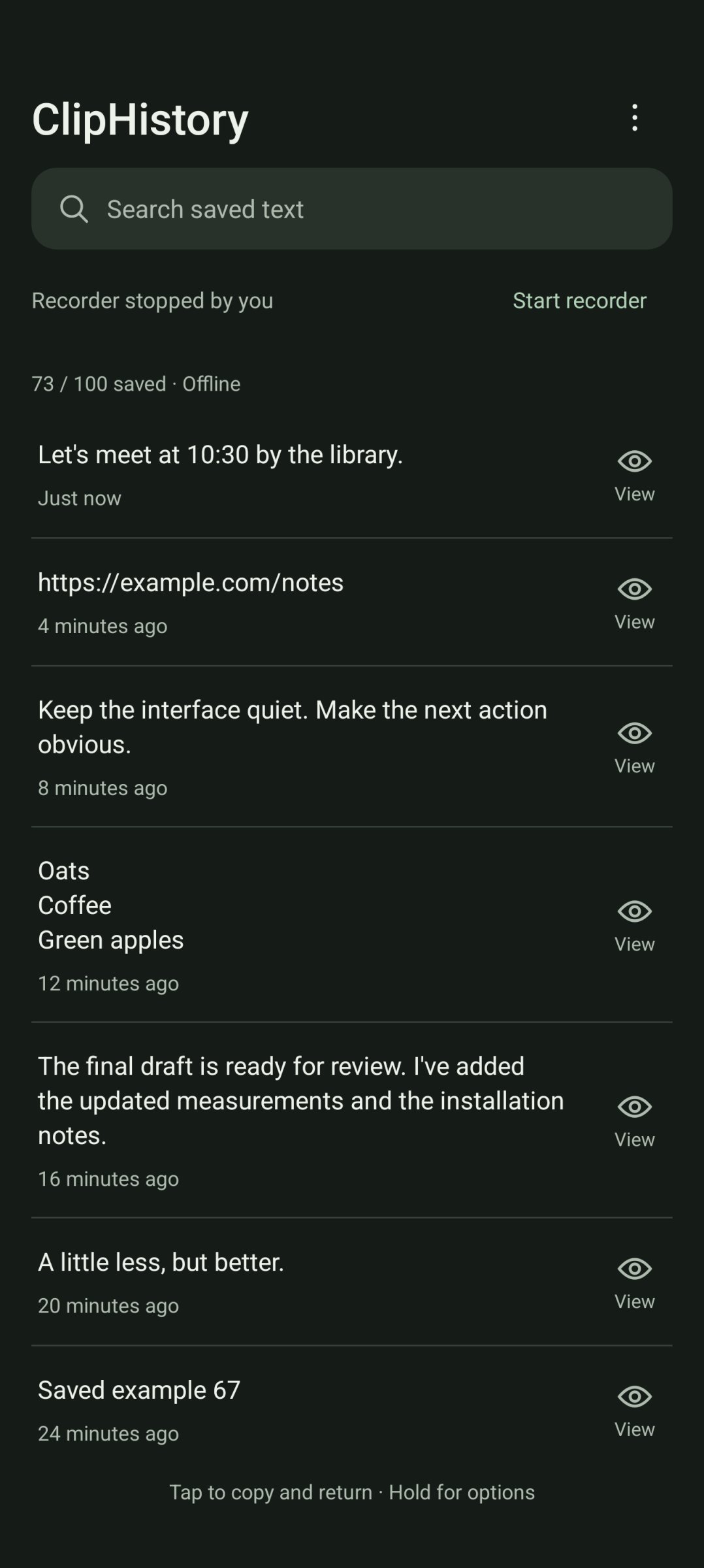
Keep a calm, searchable history of copied plain text on your device.
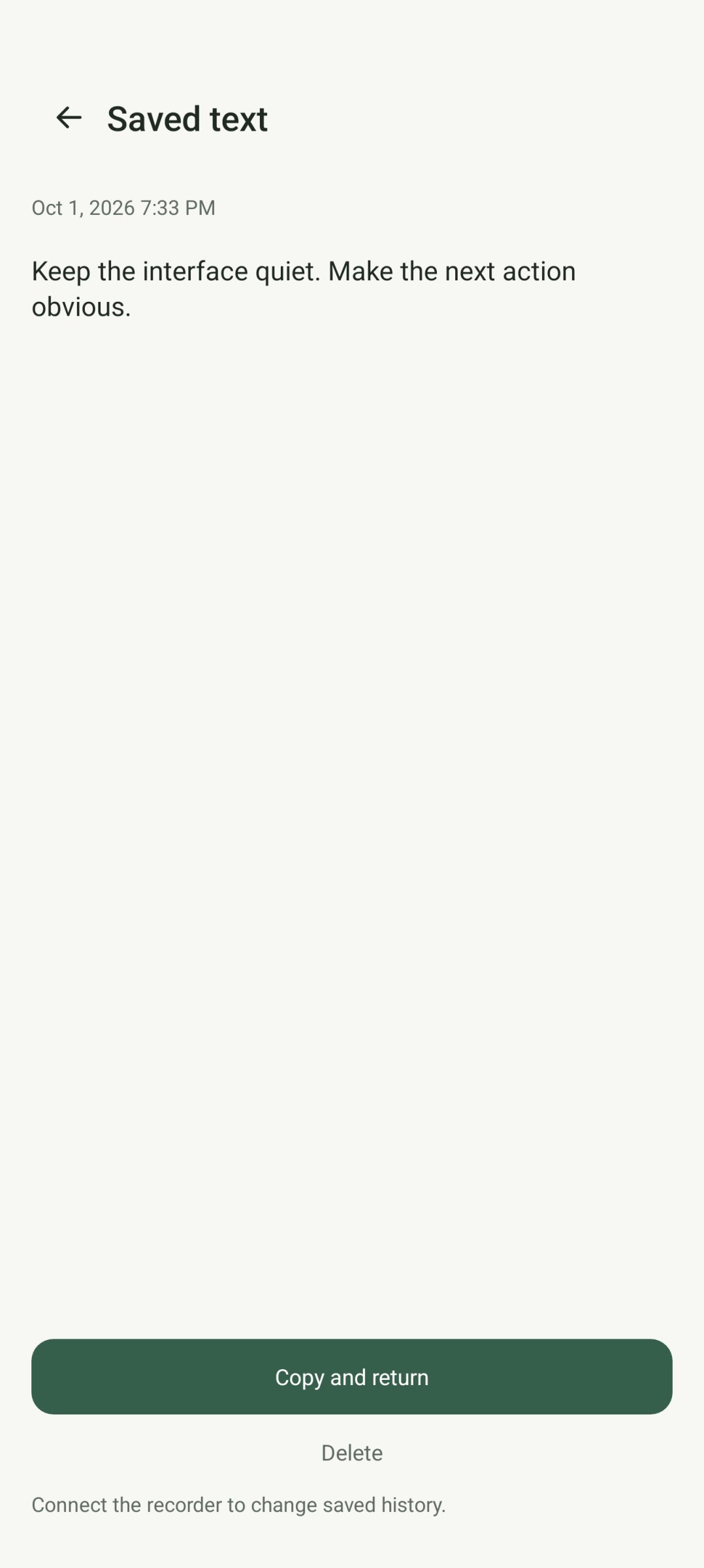
• Tap to copy, or choose View to read and select the exact full text.
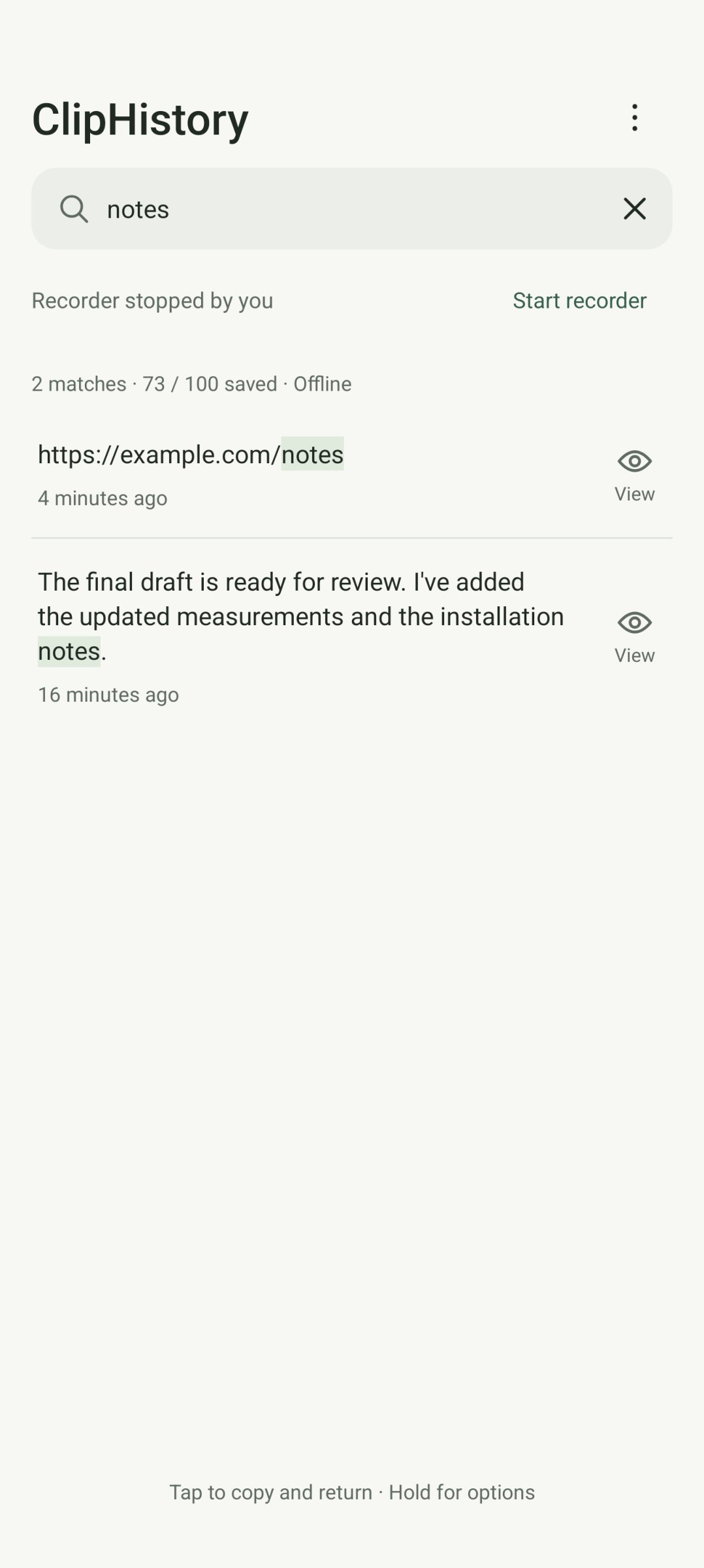
• Search the entire saved text, including long entries.
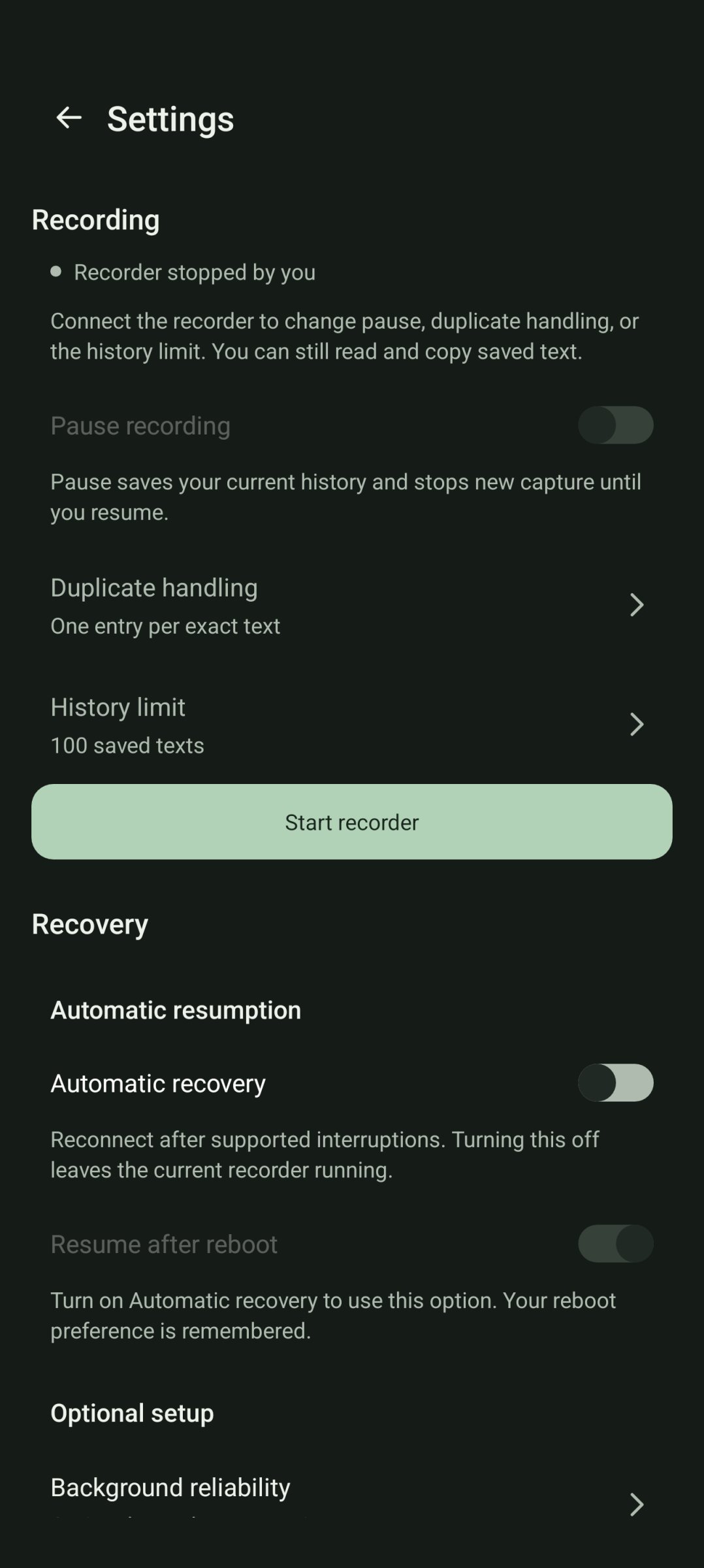
• Pause recording, choose a limit from 20 to 500 entries, and clear or delete saved text.
• Undo the most recent single deletion while the recorder remains connected. Clear all cannot be undone.
• Keep one entry per exact text, or skip only consecutive repeats.
• Use light, dark or system appearance and optional motion.
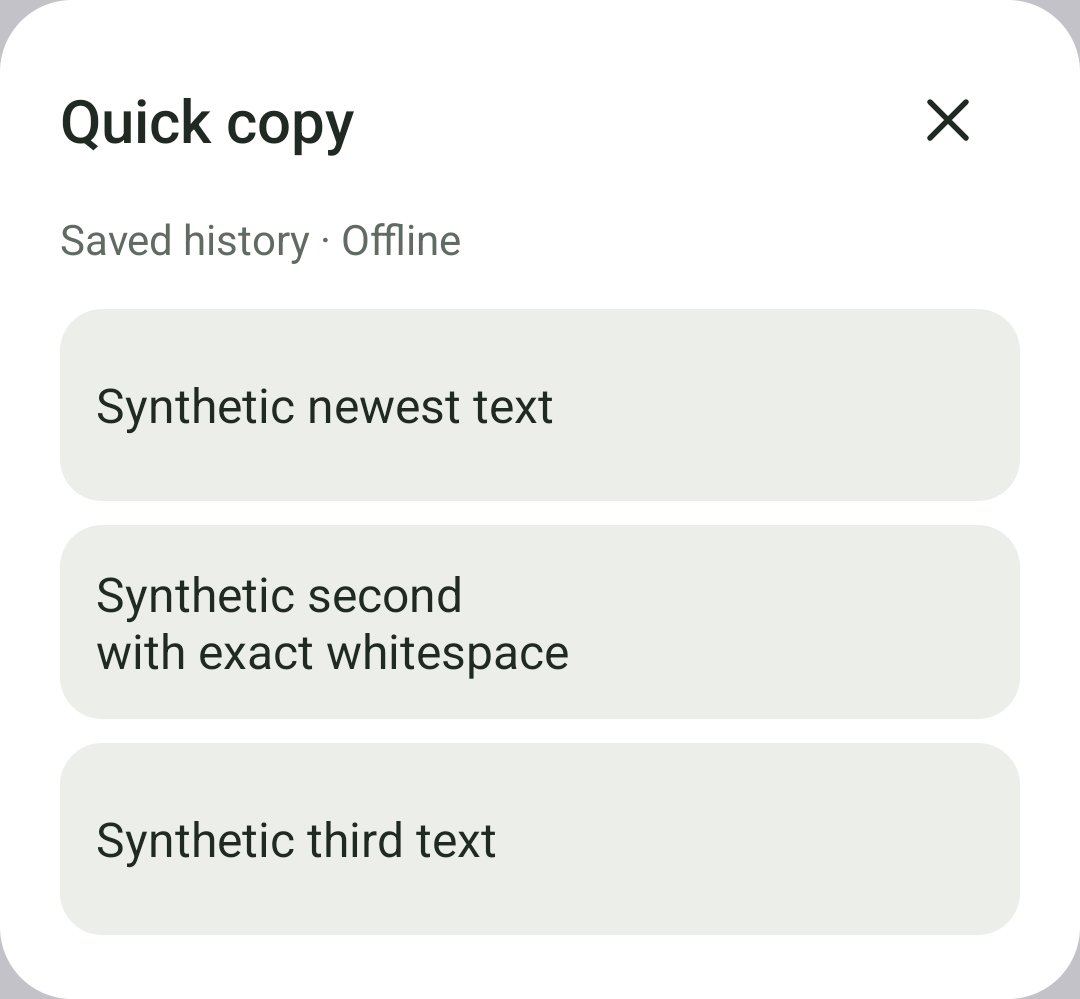
• Use a temporary floating three-entry quick-copy panel or open full history from the tile.
• Choose automatic recovery, reboot resumption, explicit Stop, screen privacy and welcome options in clearly grouped Settings.
• Read saved history offline when the recorder is stopped.
• Keep all stored history encrypted on this device. Optionally save source-marked sensitive text, with automatic deletion that defaults to five minutes.
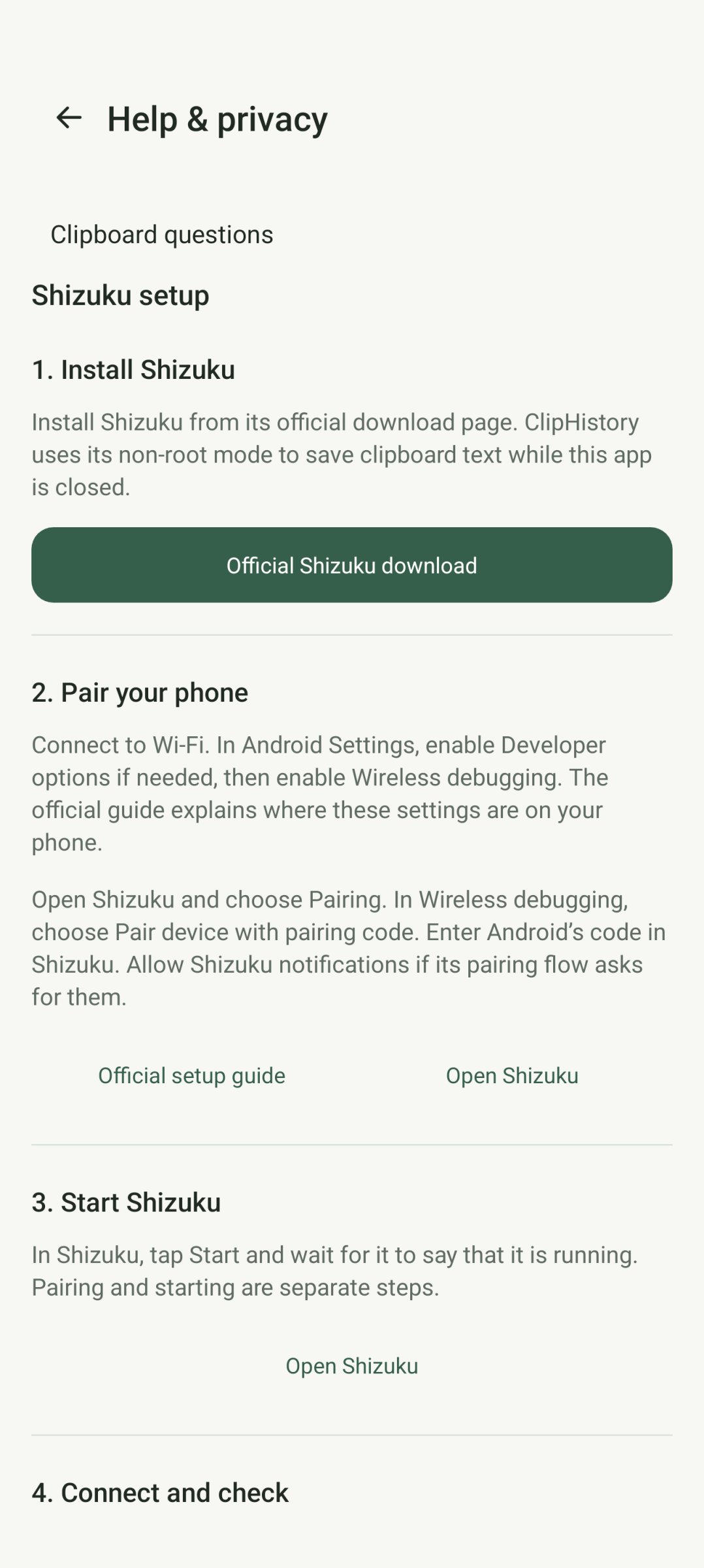
Requires Android 11 or newer, the primary device profile, and Shizuku API 13 or newer with UserService support, running in shell mode: started with wireless debugging or ADB, or on a rooted phone through Sui with Shell mode, which also starts by itself after every restart. Shizuku or a compatible service is installed separately; some forks need a compatibility companion. Guided setup covers pairing, starting the service and granting access. Restart the service after reboot if it does not start automatically. Android 11–12 use manual Quick Settings tile setup; separate Recents-preview privacy requires Android 13 or newer.
No internet permission, account, advertising, analytics or cloud service. Your usual keyboard stays unchanged. History uses private no-backup storage. Screenshots and screen recording are blocked by default and can be allowed. Separate Recents hiding is available on Android 13 and newer.
Text over 64 KiB and unsupported payloads are skipped. Source-marked sensitive text is skipped by default; optional capture and its deletion timer are in Privacy settings. Timed sensitive entries also expire after reboot. Turning sensitive capture off removes saved sensitive text. Indefinite retention requires confirmation. Not every source app marks private text. Encryption protects stored files; text remains readable in the app and Android clipboard while in use. The Android internal clipboard interface can vary across devices and OS updates. Saved sensitive entries stay hidden in the list and quick panel until you open them. Root mode is not supported because Android does not allow clipboard reading from root; on a rooted phone, start the service with wireless debugging or ADB. Work profiles are not supported.
Source and issue tracker: [link removed]
| Release info | New Release on Nov 11, 2026 |
|---|---|
| Release notes | Rooted phones can now record without wireless debugging: with the Sui module's Shell mode, tap Connect and choose Always (Shell), and recording resumes by itself after every restart. ClipHistory guides you through that choice and explains how to switch if root or Deny was chosen. Connecting no longer ends in "Recorder stopped by you" when Sui restarts the app to apply your choice. Setup help has a new "Rooted phone" answer. |
| Listing data | F-Droid |
Reviews
No reviews yet. Be the first to review ClipHistory.
Used ClipHistory? Tell other visitors what you thought.
Log in to write a reviewOther products by this publisher
- "No Distractions" for YouTube 4.10 ----
- #Bible 11.6.1 "Incredible App - My sister shared this app with me a few weeks ago and it is truly incredible.
- #filmphotography 1.4.2 So, you decided to shoot on film?
- #LookBusy Fake Calendar Events 1.0.6 Look Busy scans your work calendar for open time slots and fills them with realistic-looking (but secretly fake) work events.
- #Small Talk Is Canceled 1.0.2 #Small Talk Is Canceled — Conversations That Matter
Most viewed Android System
-
1
 Work Profile VPN Switcher 1.2.1
Automatically manage work profile when VPN connects or disconnects
- 2 Contacts 4 Contacts Organised by Group
-
3
 GrayPause 1.5
Keep your phone in grayscale, take short color breaks that end by themselves
- 4 LibChecker 2.5.5.1.2a0850a View the third-party libraries used by applications
-
5
 Tideo Auto Brightness 1.15.2
A glass-box replacement for Android's adaptive brightness
-
6
 SDK Monitor 2.1
Display and monitor the targetSDK from installed apps
- 7 Sift 1.0.7 A minimalist recipe keeper.
- 8 TouchDroid 2.0.1 Use your Android Device as Touchpad.
- 9 MAXS Module Ringermode 0.5.19 A Module for MAXS
- 10 Coffee 2.27 Keep display awake
Most downloaded Android System
-
1
 Sapio 2.10.0
Android apps that respect you!
- 2 Discord Timestamp Inserter 1.0.2 Input method for quickly inserting Discord timestamps
-
3
 Restoid 0.8.0
Secure, deduplicated backup for apps and files powered by the restic engine.
-
4
 StudFinder - Stud Finder for Android 17
Find wall studs with your Android's built-in magnetometer. Free, no ads.
- 5 QuickShot: Share Screenshot 3.9 Replace the assistant gesture with quick screenshot share. Quickest way to share
- 6 DBZ Battery Widget 1.7 View your battery status with your favorite DBZ character
-
7
 Voki Bot 0.8.0
Android automation tool
- 8 Custom RR: ROMs & Recovery 1.5.0 Custom ROMs, recoveries & Treble GSIs for your Android, all in one catalog.
-
9
Work Profile VPN Switcher 1.2.1
Automatically manage work profile when VPN connects or disconnects
- 10 Deepr 1.0.29 Simplify link handling. Save, organize, and open links with ease.