
Circle to Share 0.3.7
Crop and share a screenshot from anywhere; nothing is saved unless you ask.
Download
4.85 MB
49downloads
24this week
FreeFreeware
0reviews
Screenshots
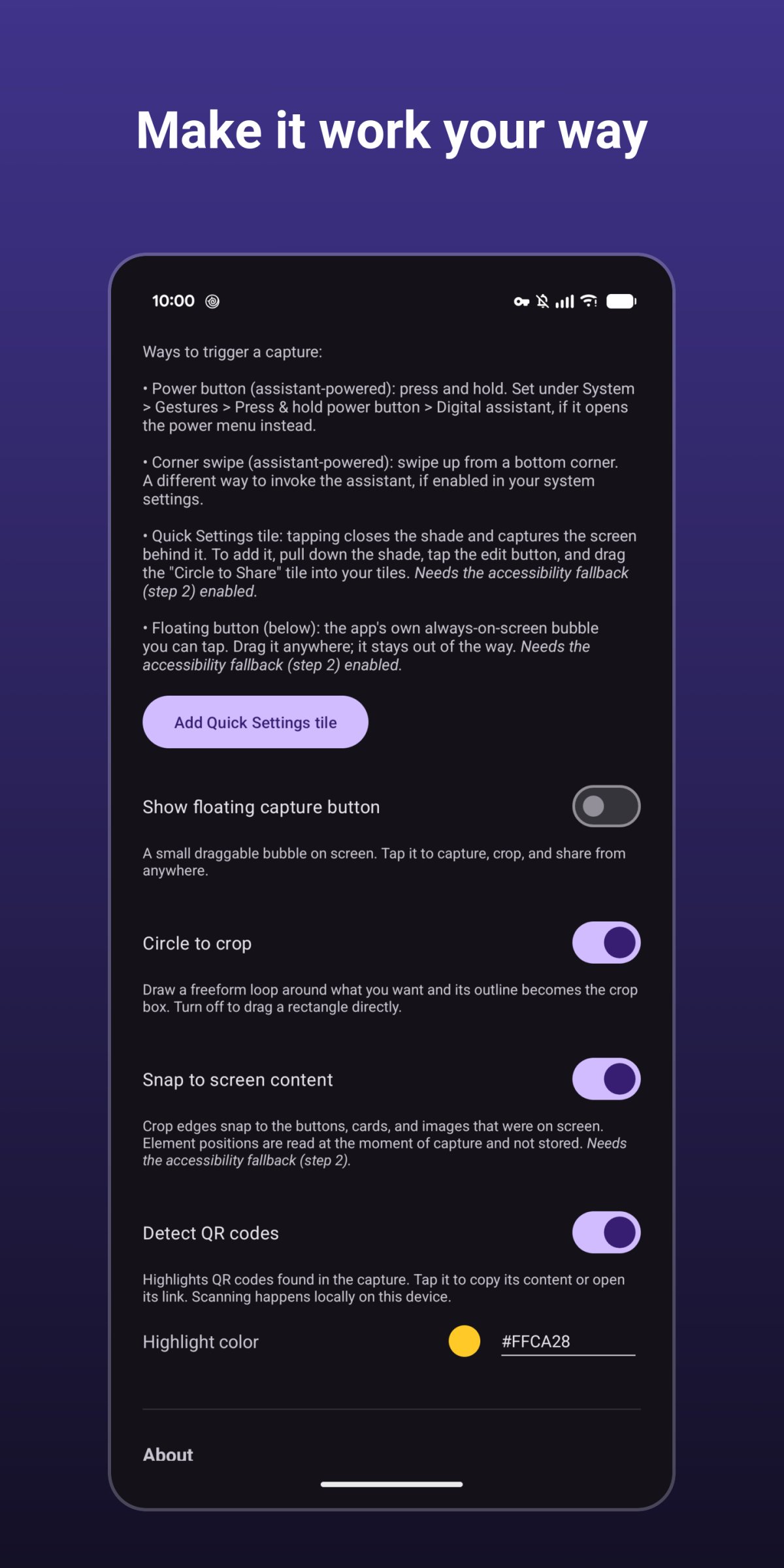
About Circle to Share
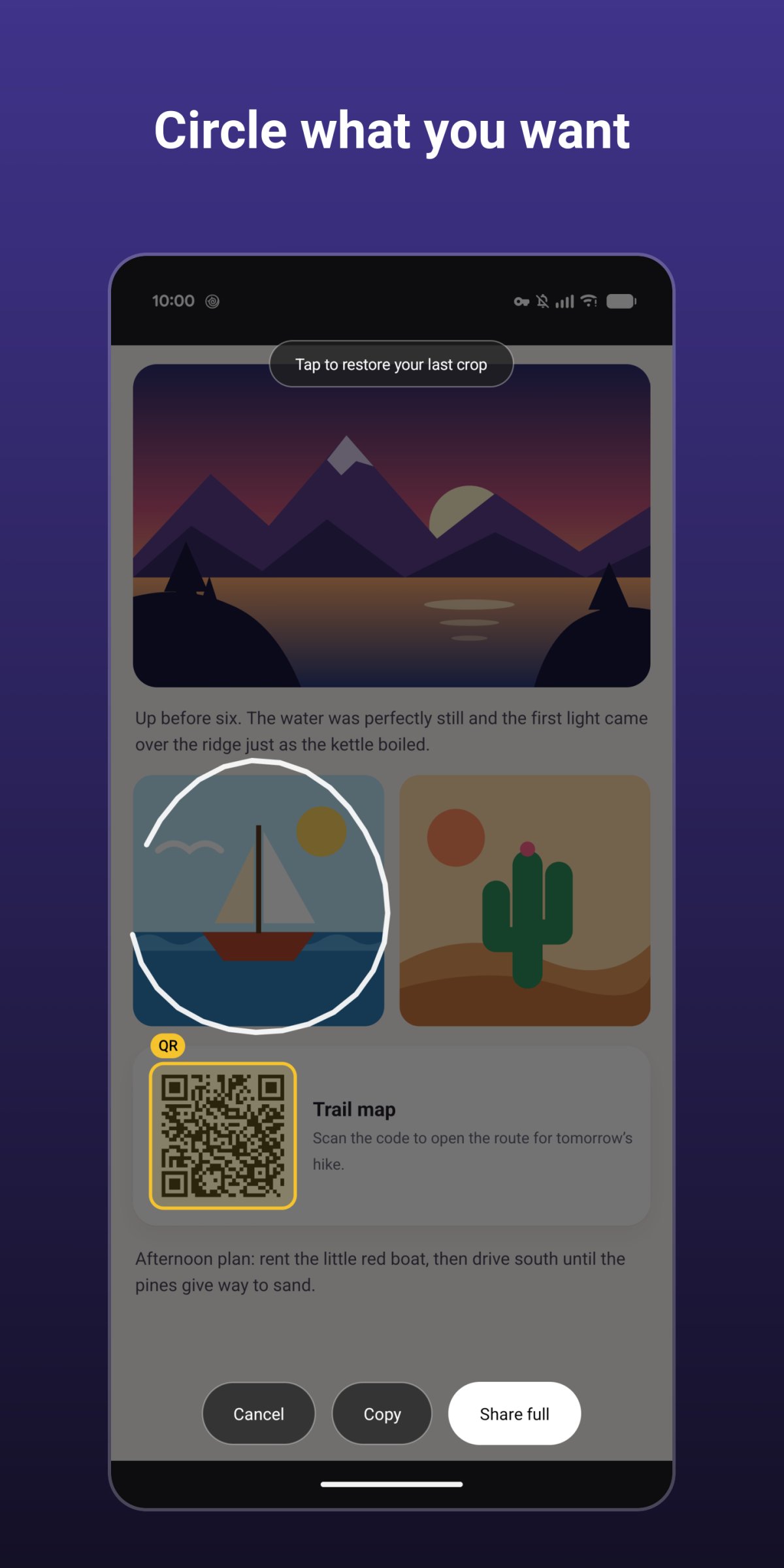
Circle to Share captures the screen from anywhere, lets you crop it, and shares, copies or saves the result — nothing is kept on your device unless you ask.
Trigger it, the screen freezes, and you can circle what you want.
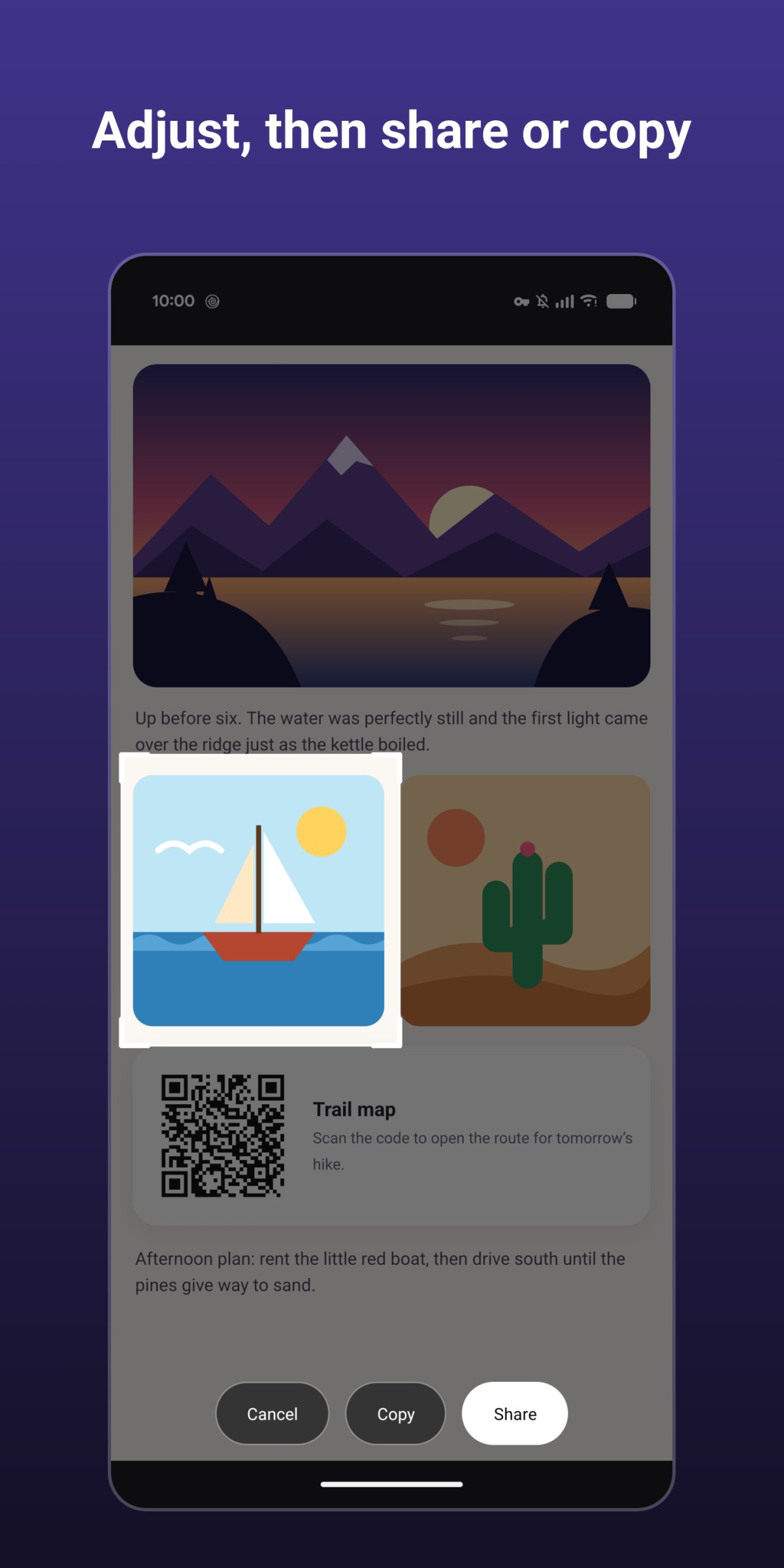
Then tap Share, Copy or Save.
A shared or copied crop lives in the app's private cache only and never lands in your gallery;
Save puts it into your Screenshots folder.
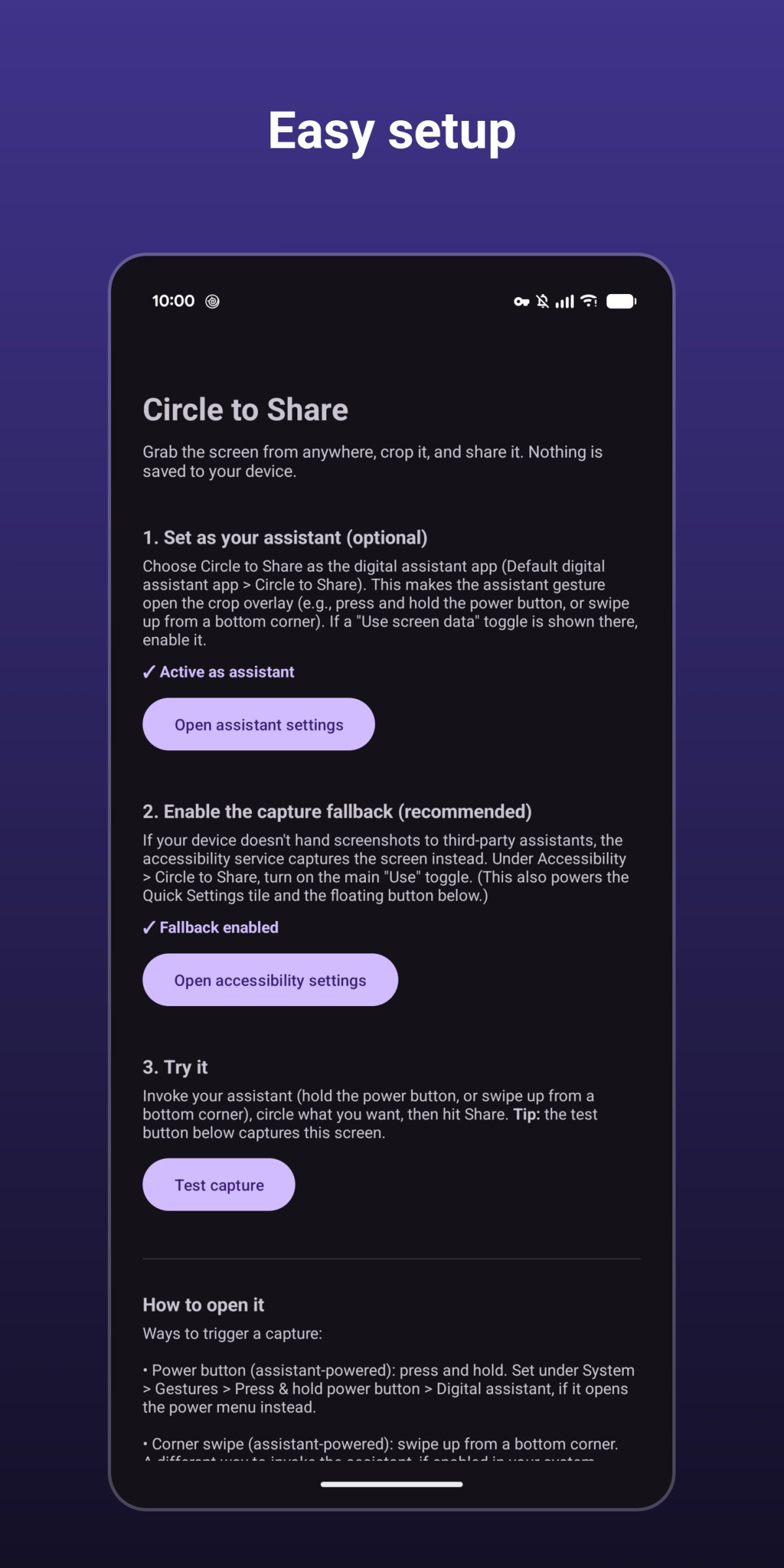
How to open it (use any of them):
* Power button (assistant-powered): press and hold.
* Corner swipe (assistant-powered): swipe up from a bottom corner.
* Quick Settings tile: tap it and the shade closes before the capture.
* Floating bubble: an optional, always-on-screen button you can tap from any app and drag out of the way.
Highlights:
* No permissions: no internet, storage, camera, microphone, or location.
* Nothing is saved to your device (unless you tap Save).
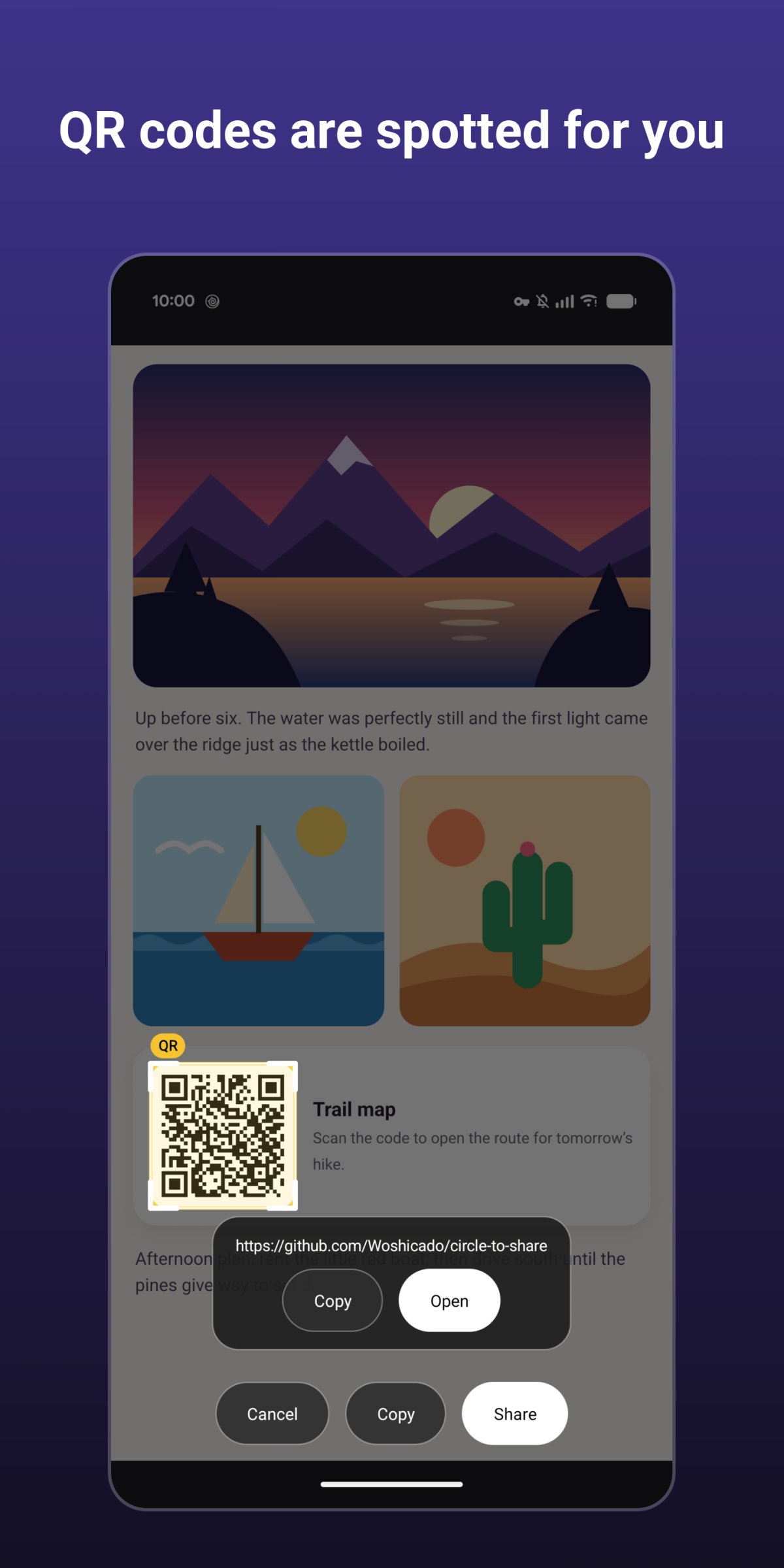
* QR codes in the capture are highlighted, and can be opened, copied, or shared.
* Optional snapping: crop edges align with the buttons, cards and images that were on screen.
* Scrollshots (experimental): "More above"/"More below" in the crop tool to scroll the app underneath.
Accessibility service: the Quick Settings tile, the floating bubble, snapping, scrollshots, and a capture fallback for devices that don't hand screenshots to third-party assistants use Android's AccessibilityService API. It is optional and off until you agree to the in-app disclosure and switch it on. It captures the screen and reads element positions at the moment you trigger a capture, and scrolls the app underneath only when you tap "More above" or "More below". The list of your apps on the scrollshot settings page is read on your device when you open it and is not stored.
Note: screens that block screenshots (banking apps, DRM video) cannot be captured.
License: GPL-3.0-or-later
Trigger it, the screen freezes, and you can circle what you want.
Then tap Share, Copy or Save.
A shared or copied crop lives in the app's private cache only and never lands in your gallery;
Save puts it into your Screenshots folder.
How to open it (use any of them):
* Power button (assistant-powered): press and hold.
* Corner swipe (assistant-powered): swipe up from a bottom corner.
* Quick Settings tile: tap it and the shade closes before the capture.
* Floating bubble: an optional, always-on-screen button you can tap from any app and drag out of the way.
Highlights:
* No permissions: no internet, storage, camera, microphone, or location.
* Nothing is saved to your device (unless you tap Save).
* QR codes in the capture are highlighted, and can be opened, copied, or shared.
* Optional snapping: crop edges align with the buttons, cards and images that were on screen.
* Scrollshots (experimental): "More above"/"More below" in the crop tool to scroll the app underneath.
Accessibility service: the Quick Settings tile, the floating bubble, snapping, scrollshots, and a capture fallback for devices that don't hand screenshots to third-party assistants use Android's AccessibilityService API. It is optional and off until you agree to the in-app disclosure and switch it on. It captures the screen and reads element positions at the moment you trigger a capture, and scrolls the app underneath only when you tap "More above" or "More below". The list of your apps on the scrollshot settings page is read on your device when you open it and is not stored.
Note: screens that block screenshots (banking apps, DRM video) cannot be captured.
License: GPL-3.0-or-later
| Release info | Update on Nov 17, 2026 |
|---|---|
| Release notes | * Add "Licenses" page with the app's own license (GPL-3.0), and the components' licenses it is built with |
| Listing data | F-Droid |
Reviews
No reviews yet. Be the first to review Circle to Share.
Used Circle to Share? Tell other visitors what you thought.
Log in to write a reviewOther products by this publisher
- "No Distractions" for YouTube 4.10 ----
- #Bible 11.6.1 "Incredible App - My sister shared this app with me a few weeks ago and it is truly incredible.
- #filmphotography 1.4.2 So, you decided to shoot on film?
- $quirrel 1.5.1 $quirrel Budget & Finance helps you plan each paycheck, track spending, manage debt, and see what is safe to spend before the next payday.
- % Percentage Calculator Pro 1.41 This is the Pro version of % Percentage Calculator.
Most viewed Android Graphics
-
1
 Kompact Image Compressor 2.2.1
Offline image editor, compressor, resizer and converter.
-
2
 Materializr 1.7.7
Maker 3D CAD - the middle ground between Tinkercad and FreeCAD
-
3
 LBalance 1.0
LBalance is a clinometer or balance app offering different Layouts.
-
4
 ComfyChair 0.9.6
Native Android client for ComfyUI - generate AI images and videos on mobile
- 5 Camera Folder 1.0.3 Allows all jpg apps to take a photo from the camera and process it.
-
6
 Open Stable Diffusion 1.12
An app for generating images using AI
- 7 Exif Thumbnail Adder 1.0.1 Add thumbnail in the EXIF tag of JPEG picture not having one (batch processing)
-
8
 Slideshow Wallpaper 1.2.5
A Live Wallpaper showing a slideshow of user-selected images
- 9 Frame Extractor 1.1 Extract high-resolution frames from any video with millisecond precision.
-
10
 MakeACopy 4.9.2
Privacy-focused document scanner with OCR and PDF export
Most downloaded Android Graphics
-
1
Slideshow Wallpaper 1.2.5
A Live Wallpaper showing a slideshow of user-selected images
-
2
 Pixiv-MultiPlatform 1.8.8
Third-party Pixiv client
-
3
ComfyChair 0.9.6
Native Android client for ComfyUI - generate AI images and videos on mobile
-
4
 Souvenirs 3.1.0
Make photo albums and share them on Nextcloud. Support for image, sound, video,
-
5
 Metadata Remover 3.0.0
Protect your privacy by removing metadata from your photos!
-
6
 Renamite 0.3.17
Motion / vector animation editor
-
7
Open Stable Diffusion 1.12
An app for generating images using AI
-
8
Circle to Share 0.3.7
Crop and share a screenshot from anywhere; nothing is saved unless you ask.
- 9 how many? - Count from Photo 0.4.0 Count Objects in Photos
-
10
 MetaJammer 0.6.0
Scramble, fake, or strip metadata from media files for total privacy.