
C Code Develop 5.2.0
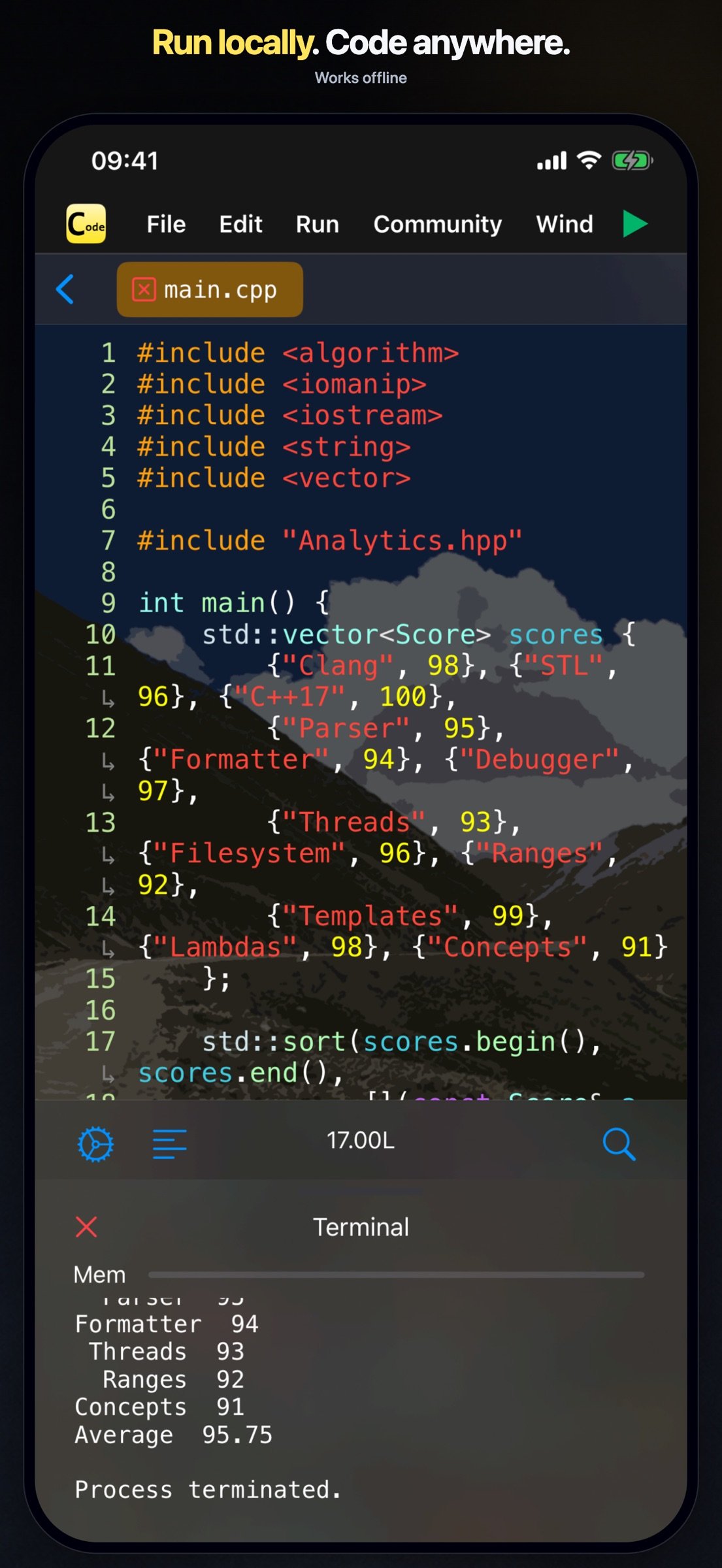
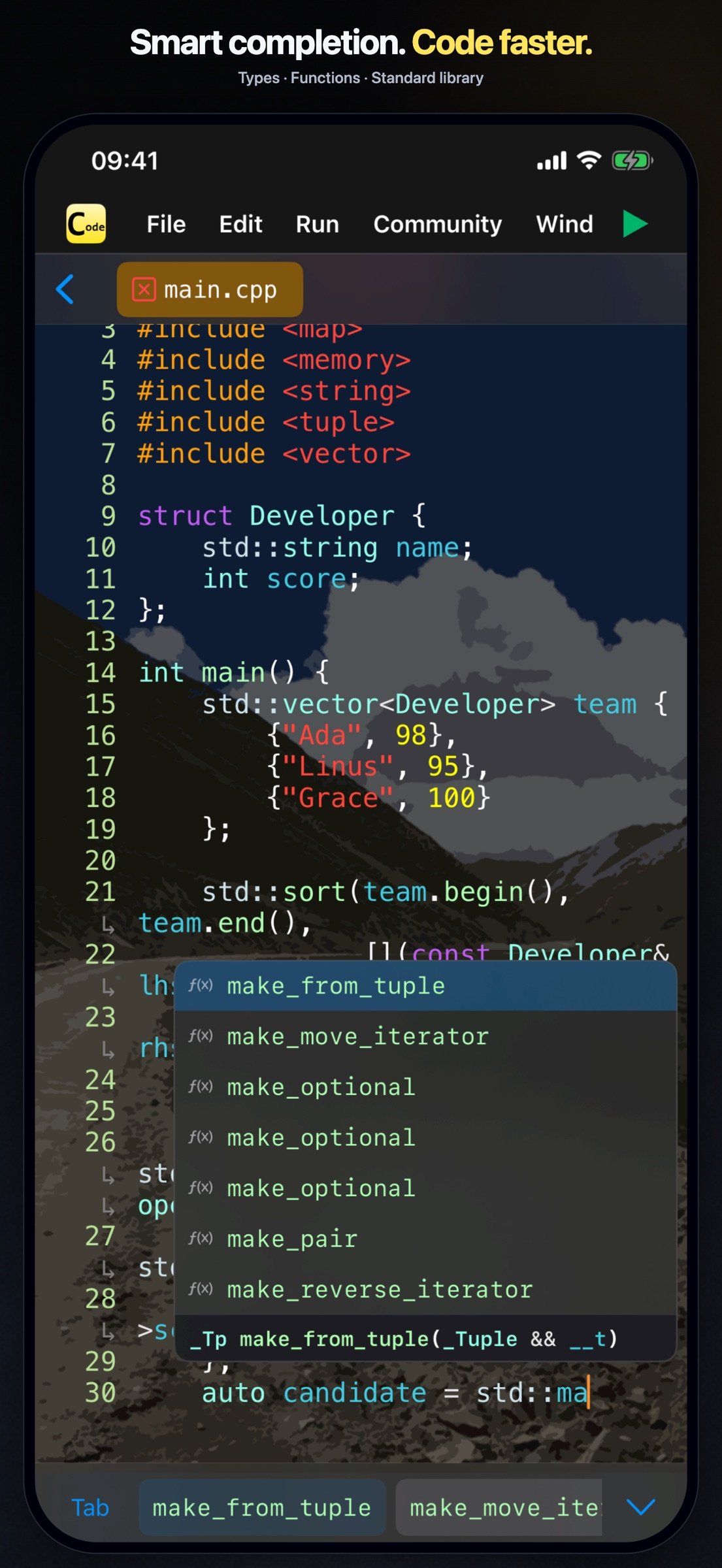
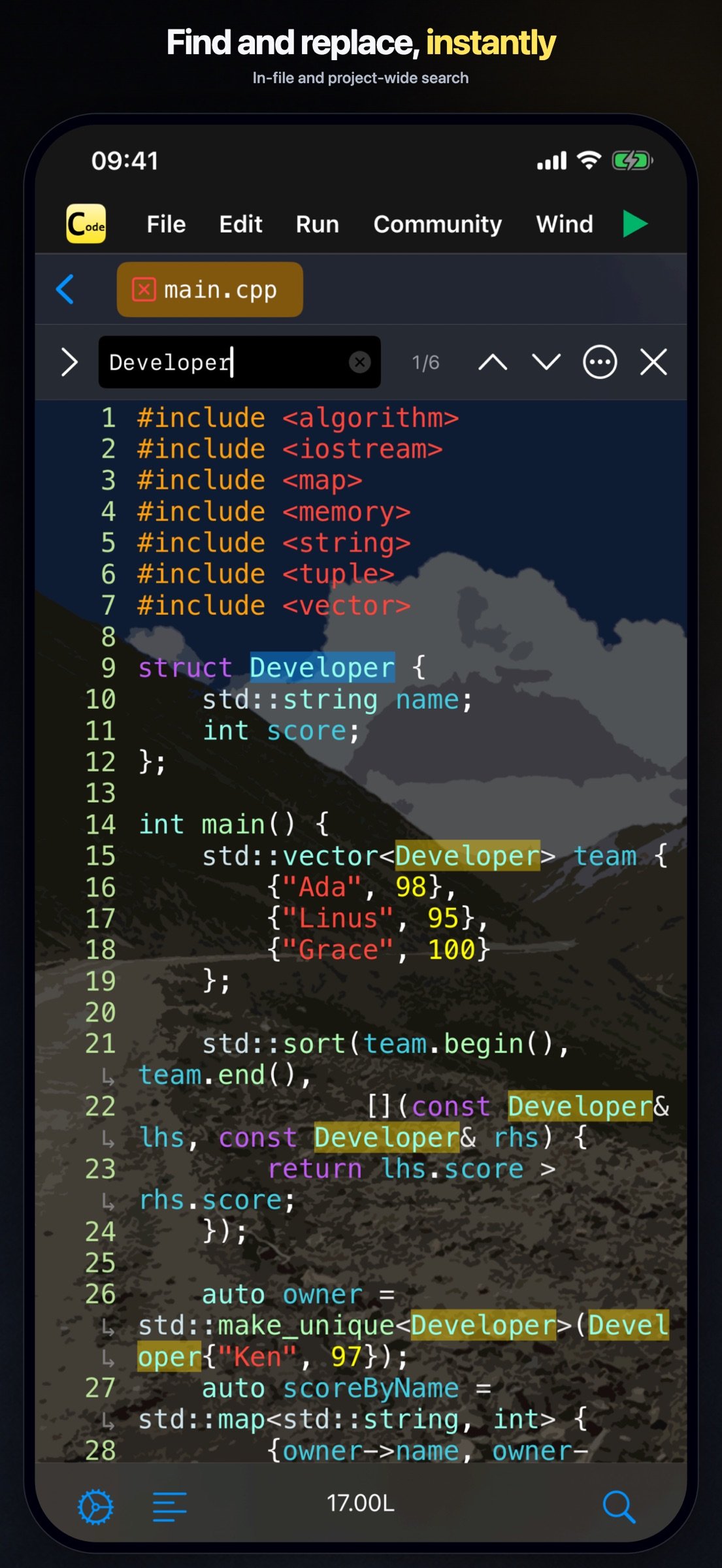
-- Support code auto completion and automatic code formatting;
Download
199.47 MB
0downloads
0this week
FreeCommercial
0reviews
Screenshots
About C Code Develop
-- Support code auto completion and automatic code formatting;
-- Support debugger (breakpoints);
-- Run Offline & Support File IO & Support interaction & Support multi-processing;
-- Support Project References;
A tiny C language development environment, support project management and header file reference, support code executing.
For Coding enthusiasts and Computer-Science students, some Data-Structure projects are included.
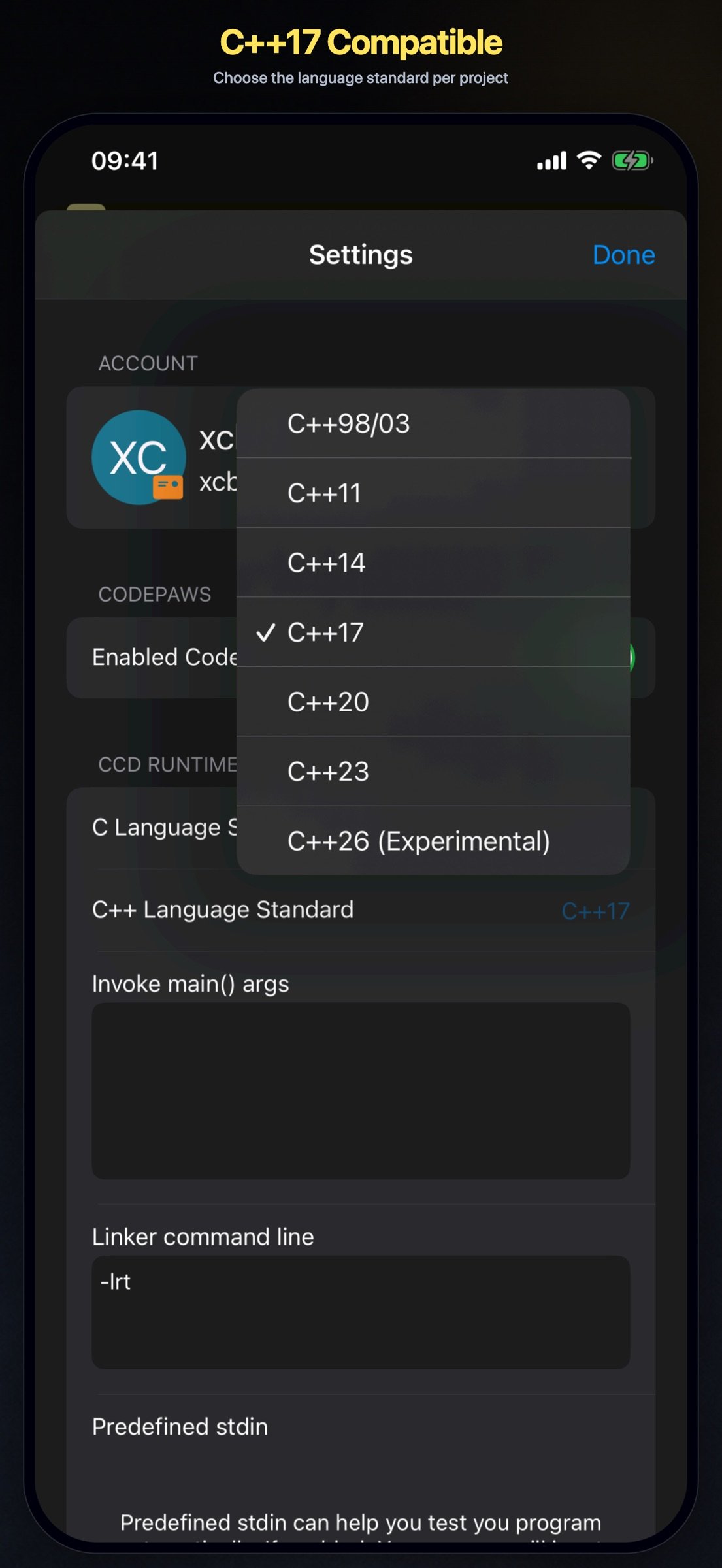
You can use the tiny environment provided to run your project locally, or you can export the project to your computer to compile and run the project. The tiny environment includes a small C standard library that supports commonly used header files and most standard C99 library functions, and C Code Develop provides a easy access header file ccd.h, also some C++ features like argument reference, iostream(cin and cout) are supported. For safety reasons, inline assembly and some other unsafe syntax are not supported.
*1. Editor Support auto completion, auto format, long-press to document and other efficient features.
*2. Terminal (stdin and stdout) is fully supported, and also you can open *.txt file in project use fopen(), because of the app now only support view and edit text file, you can't open file without .txt suffix or other suffix, or use binary (b) as open mode is not currently supported.
License: Commercial
-- Support debugger (breakpoints);
-- Run Offline & Support File IO & Support interaction & Support multi-processing;
-- Support Project References;
A tiny C language development environment, support project management and header file reference, support code executing.
For Coding enthusiasts and Computer-Science students, some Data-Structure projects are included.
You can use the tiny environment provided to run your project locally, or you can export the project to your computer to compile and run the project. The tiny environment includes a small C standard library that supports commonly used header files and most standard C99 library functions, and C Code Develop provides a easy access header file ccd.h, also some C++ features like argument reference, iostream(cin and cout) are supported. For safety reasons, inline assembly and some other unsafe syntax are not supported.
*1. Editor Support auto completion, auto format, long-press to document and other efficient features.
*2. Terminal (stdin and stdout) is fully supported, and also you can open *.txt file in project use fopen(), because of the app now only support view and edit text file, you can't open file without .txt suffix or other suffix, or use binary (b) as open mode is not currently supported.
License: Commercial
| Release info | New Release on Aug 12, 2026 |
|---|---|
| Release notes | 1. Projects now support folders, making complex project structures easier to organize. 2. Expanded file APIs so code can read, write, rename, move, and delete project files, as well as create, enumerate, rename, and delete folders. 3. Added Community for browsing, publishing, and sharing projects. 4. Fixed some bugs. |
| Listing data | App Store |
Reviews
No reviews yet. Be the first to review C Code Develop.
Used C Code Develop? Tell other visitors what you thought.
Log in to write a reviewOther products by this publisher
- #Bible 11.5 "Incredible App - My sister shared this app with me a few weeks ago and it is truly incredible.
- % Percentage Calculator Pro 1.41 This is the Pro version of % Percentage Calculator.
- (beat) for iOS 0.5.8 An elegant Fountain screenwriting app, created by a screenwriter for screenwriters.
- (Deep) HIARCS Chess Explorer 1.14 Chess database, analysis and game playing program
- (How to) Pronounce PRO 1.5.6 This is a PRO version of (How to) Pronounce.
Most viewed iOS Developer Tools
-
1
 GitHub 1.281.0
There’s a lot you can do on GitHub that doesn’t require a complex development environment – like sharing feedback on a design discussion, or reviewing a few lines of code.
GitHub 1.281.0
There’s a lot you can do on GitHub that doesn’t require a complex development environment – like sharing feedback on a design discussion, or reviewing a few lines of code.
-
2
 Expo Go 57.0.9
Start learning to build projects using web technologies with just your iOS device.
Expo Go 57.0.9
Start learning to build projects using web technologies with just your iOS device.
-
3
 Scarlet 1.1.3
Let's face it, there are a lot of developers who like the idea of an issue tracker, but find it too much effort to use & maintain for solo, indie or hobby projects.
Scarlet 1.1.3
Let's face it, there are a lot of developers who like the idea of an issue tracker, but find it too much effort to use & maintain for solo, indie or hobby projects.
-
4
 LocalDevVPN 1.3.0
LocalDevVPN is a developer tool for creating and managing local network tunnels directly on iOS.
LocalDevVPN 1.3.0
LocalDevVPN is a developer tool for creating and managing local network tunnels directly on iOS.
-
5
 Cursor 1.13.0
Introducing Cursor for iOS: the best way to build, review, and ship software from anywhere.
Cursor 1.13.0
Introducing Cursor for iOS: the best way to build, review, and ship software from anywhere.
-
6
 HTTP Debugger+ 1.2.2
HTTP Debugger+ is a professional HTTP traffic inspector designed for developers and QA engineers.
HTTP Debugger+ 1.2.2
HTTP Debugger+ is a professional HTTP traffic inspector designed for developers and QA engineers.
-
7
 Sekai 1.75.26
Don’t just watch content—play with it.
Sekai 1.75.26
Don’t just watch content—play with it.
-
8
 App Store Connect 3.3
Manage your apps on the go with the App Store Connect app for iPhone and iPad.
App Store Connect 3.3
Manage your apps on the go with the App Store Connect app for iPhone and iPad.
-
9
 Termius 8.0.3
Termius is a modern SSH client designed for productivity and collaboration.
Termius 8.0.3
Termius is a modern SSH client designed for productivity and collaboration.
-
10
 Replit 2.203.2
Describe what you want.
Replit 2.203.2
Describe what you want.
Most downloaded iOS Developer Tools
-
1
App Store Connect 3.3
Manage your apps on the go with the App Store Connect app for iPhone and iPad.
-
2
 TestFlight 4.4.0
TestFlight makes it easy to test beta versions of apps and App Clips to provide valuable feedback to developers before they release their apps on the App Store.
TestFlight 4.4.0
TestFlight makes it easy to test beta versions of apps and App Clips to provide valuable feedback to developers before they release their apps on the App Store.
-
3
 Rulify 1.0.6
Rulify ????? iOS App ????,???????? App ????,???????????????
Rulify 1.0.6
Rulify ????? iOS App ????,???????? App ????,???????????????
-
4
HTTP Debugger+ 1.2.2
HTTP Debugger+ is a professional HTTP traffic inspector designed for developers and QA engineers.
-
5
Replit 2.203.2
Describe what you want.
-
6
 Apple Developer 11.1
Welcome to Apple Developer, your source for developer news, features, and videos — and the best place to experience WWDC.
Apple Developer 11.1
Welcome to Apple Developer, your source for developer news, features, and videos — and the best place to experience WWDC.
-
7
Expo Go 57.0.9
Start learning to build projects using web technologies with just your iOS device.
-
8
 Visual REST Client 1.3.0
Your APIs. Your files.
Visual REST Client 1.3.0
Your APIs. Your files.
-
9
 Http Traffic pro 1.3.1
Compared with the ordinary version, the professional version is updated frequently, and there is no advertisement in the professional version, so the experience is better
Http Traffic pro 1.3.1
Compared with the ordinary version, the professional version is updated frequently, and there is no advertisement in the professional version, so the experience is better
-
10
GitHub 1.281.0
There’s a lot you can do on GitHub that doesn’t require a complex development environment – like sharing feedback on a design discussion, or reviewing a few lines of code.