AwayDoomscrollin' 1.4.1
Break the scrolling loop on Instagram, TikTok and YouTube
Download
3.03 MB
26downloads
17this week
FreeFreeware
0reviews
Screenshots
About AwayDoomscrollin'
Break the scrolling loop without losing touch. AwayDoomscrollin' is an open-source Android accessibility app from Resolve Community that limits feeds and short-video scrolling on Instagram, TikTok and YouTube while keeping purposeful use available.
Protection and compatibility:
• Protection uses accessibility information provided by other apps. It reads the structure of the screen rather than its text, so it works the same in any language. App, Android or device software changes can delay detection or cause missed or incorrect detections. Protection is not guaranteed to work perfectly on every device.
Features:
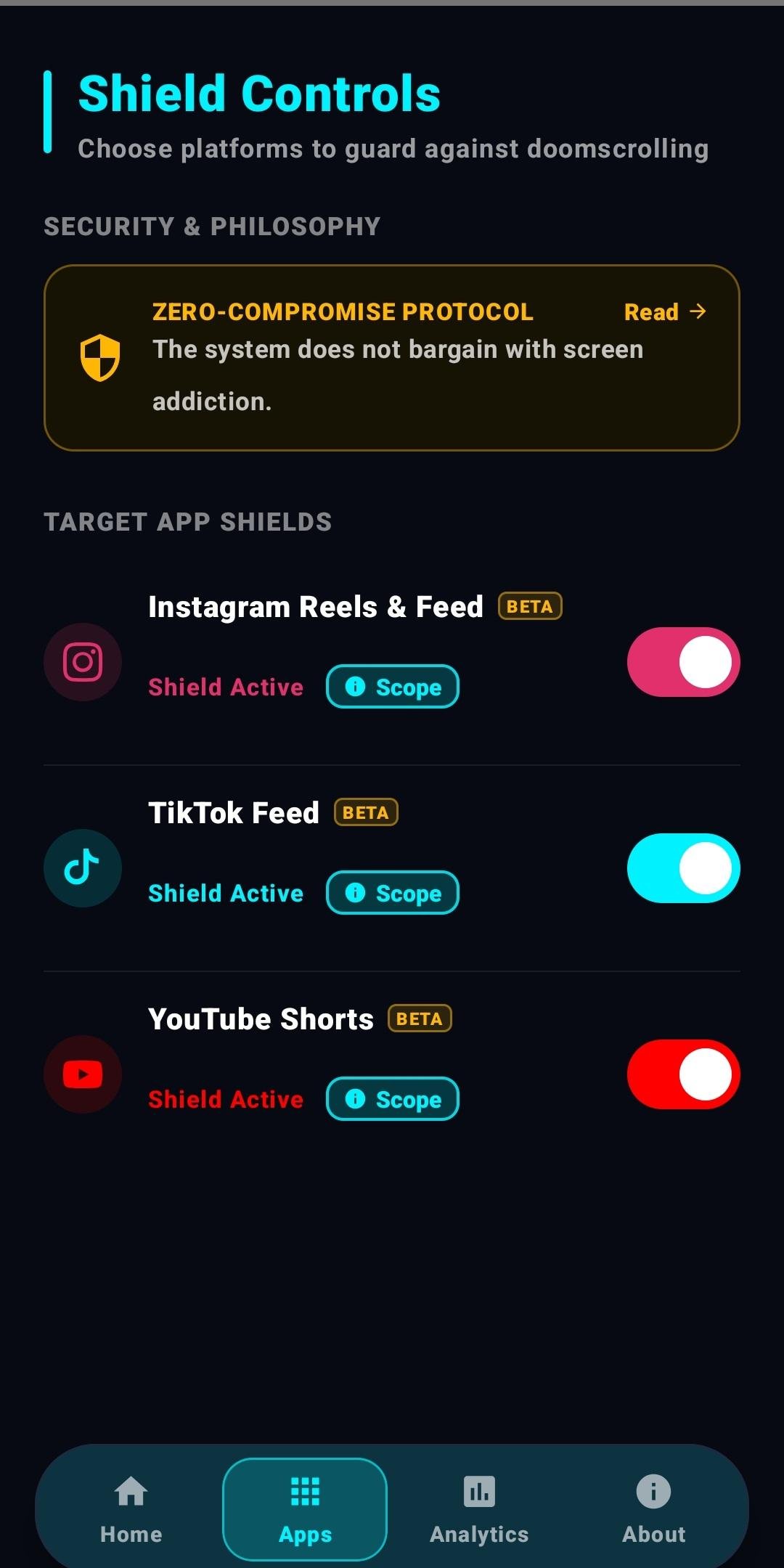
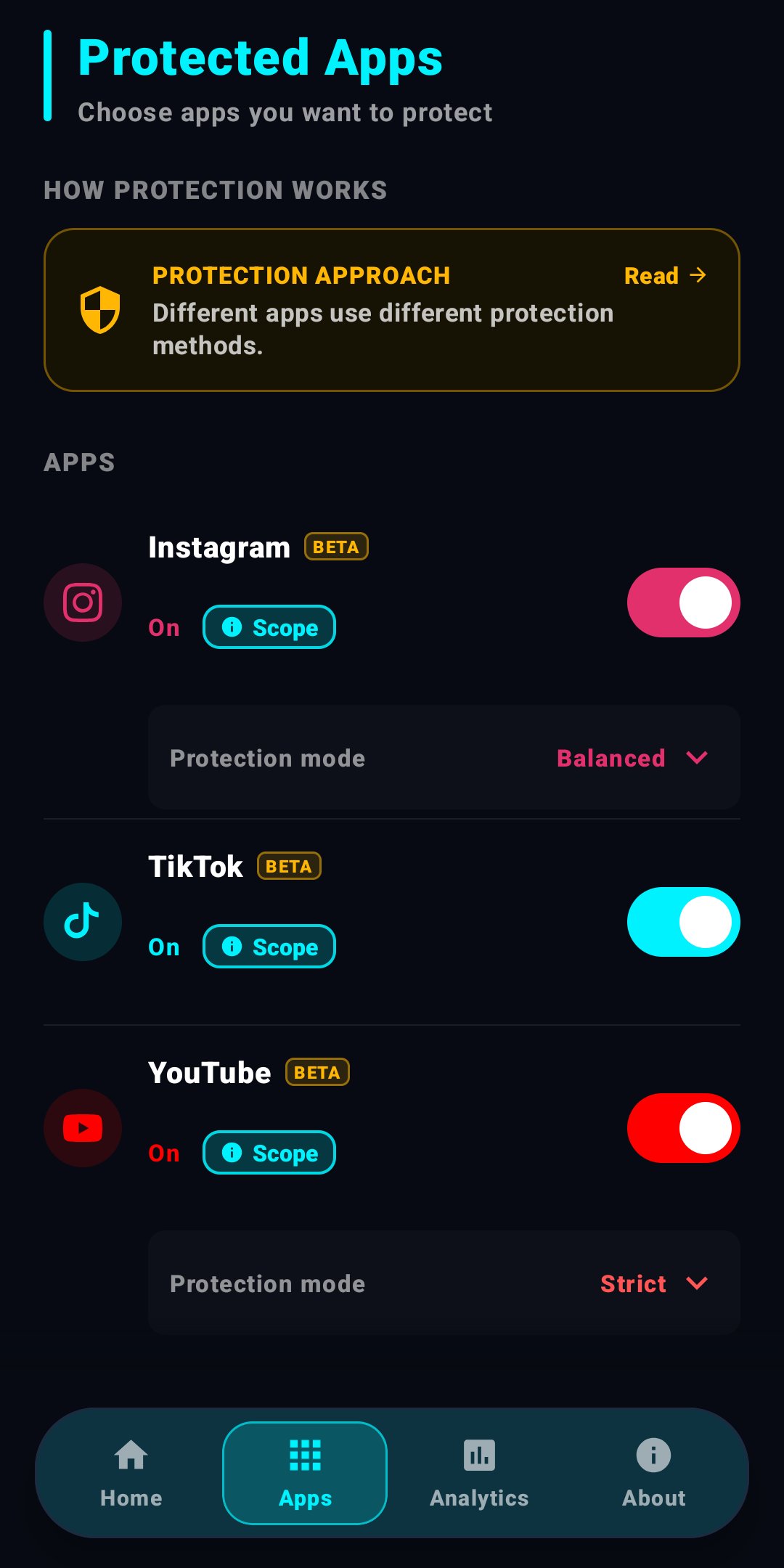
• Instagram: Both modes cover Home and Explore and block the Reels tab. Messages and search remain available. Balanced keeps profiles and profile posts open and lets you watch one Reel you open with its comments; swiping to the next one takes you back. Stories and Highlights also remain available in Balanced. Strict additionally covers profile posts and blocks Reels, Stories and Highlights. Shared media galleries in message details may also be covered.
• YouTube: Both modes cover Home and Subscriptions and block the Shorts tab. Search results, channels, playlists, the You tab and long videos remain available. Strict blocks all Shorts. Balanced lets you watch one Short opened from search, a channel or a link; swiping to the next one takes you back. Scrolling comments does not count as changing videos.
• TikTok: Opening and browsing TikTok is allowed. The first swipe to the next video in a video feed takes you back, and on Home every top tab other than For You switches back to For You. TikTok has one protection setting, without Strict and Balanced modes.
• User control: Protection can be disabled from the app or Android accessibility settings; the app does not monitor settings or prevent service deactivation.
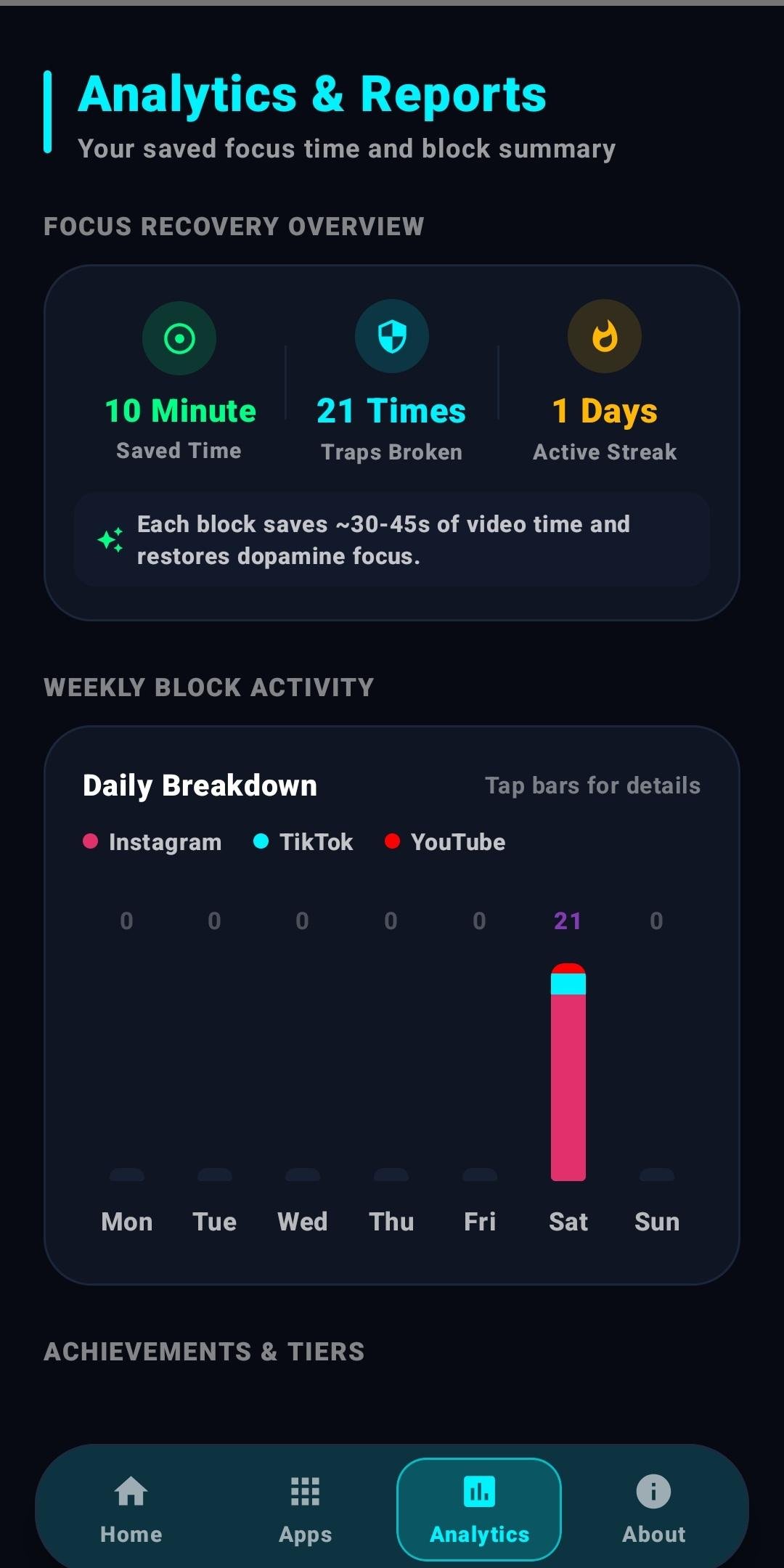
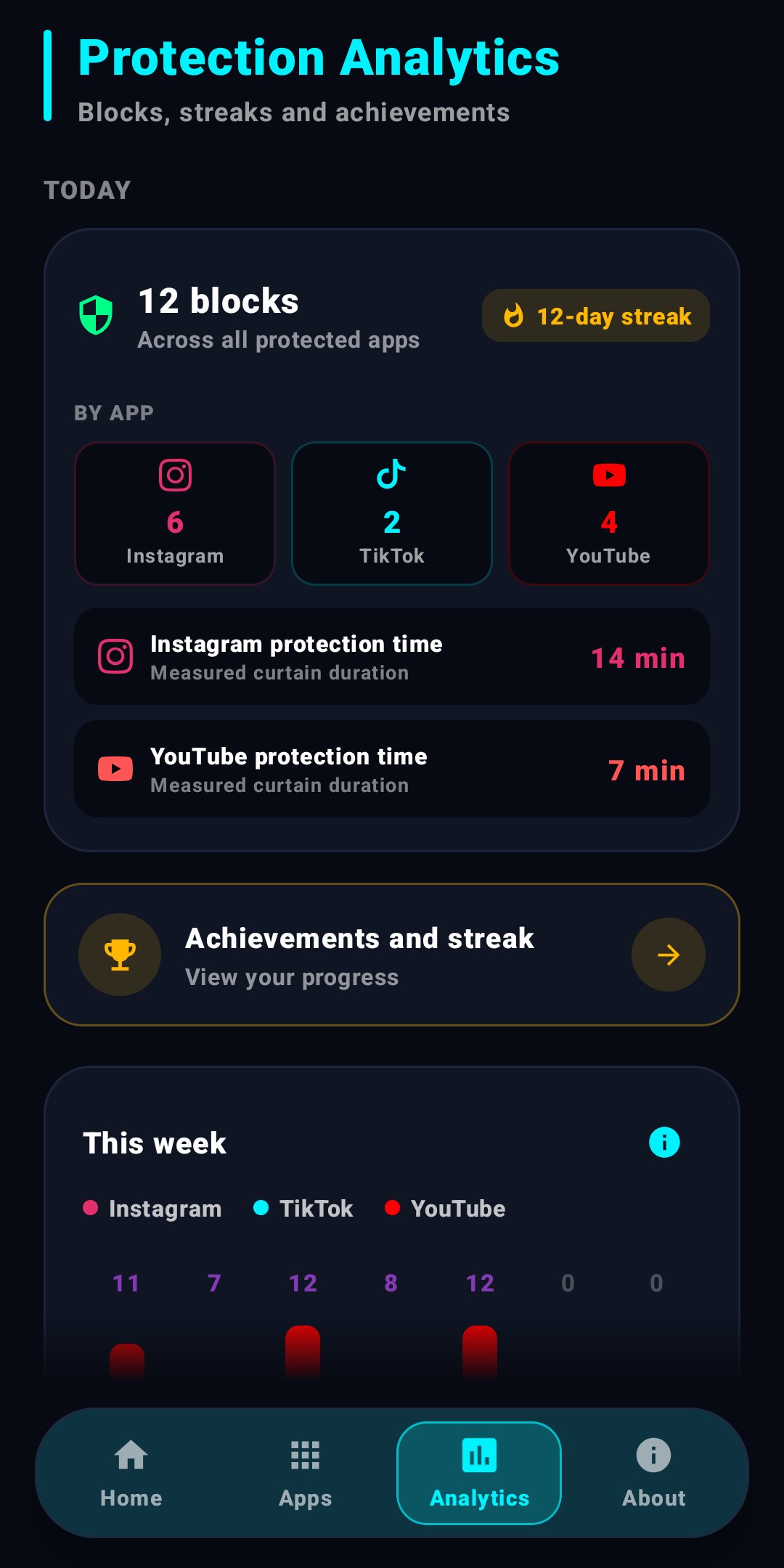
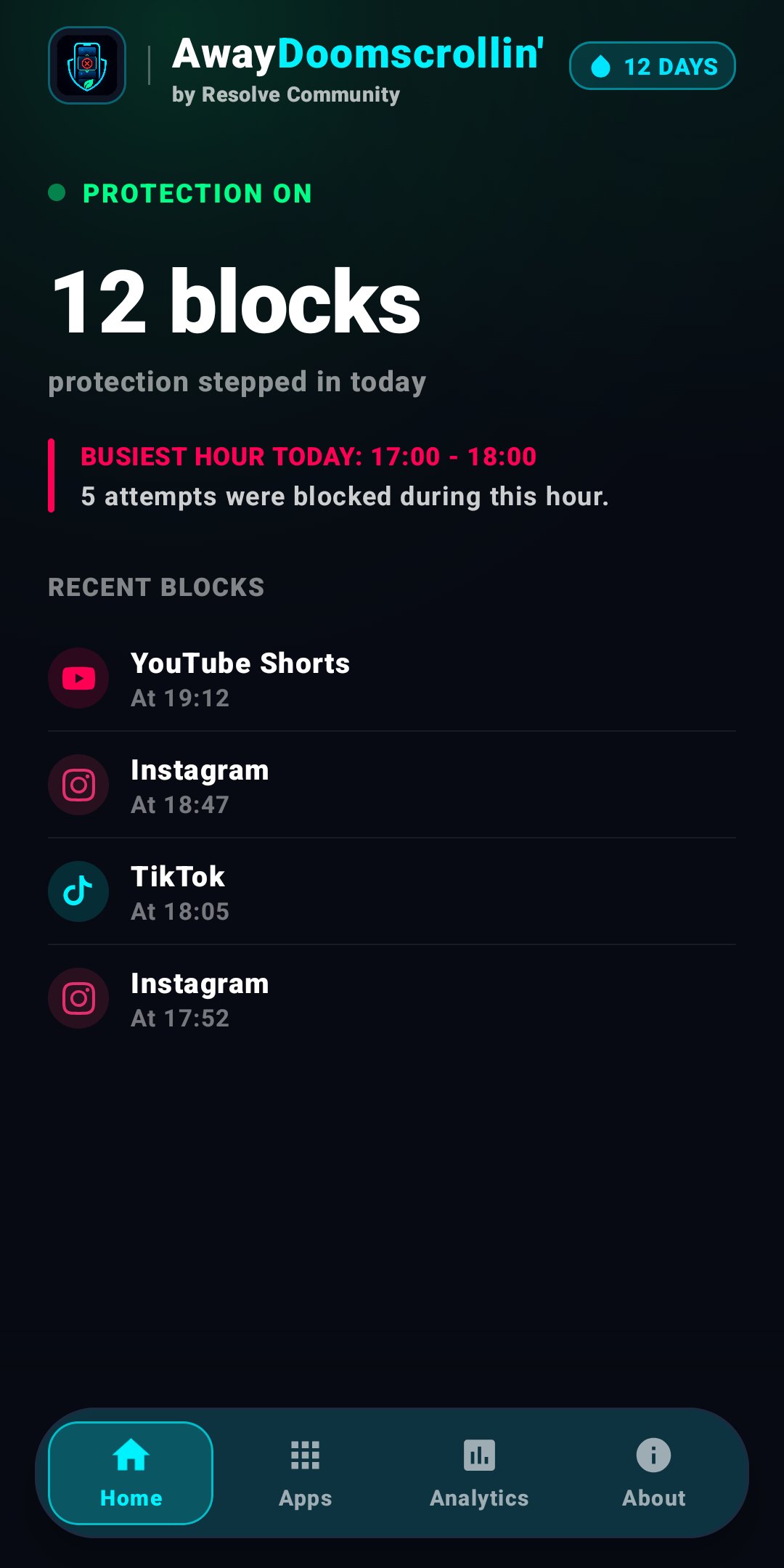
• Analytics: View block counts for today, this week, this month and all time, the hour with the most attempts, measured Instagram and YouTube curtain durations and a daily streak that counts every day protection is on. Curtain time is not an estimate of time saved.
Privacy and network transparency:
• The Android manifest declares INTERNET permission. Screen-content analysis and blocking run on-device, but the app is not fully offline.
• Optional usage-data sharing is off by default. No telemetry request is made and no telemetry installation UUID is created until you read the detailed disclosure and choose “Agree to share.” Protection works without sharing.
• While enabled, telemetry sends v3 protocol/report identifiers, a random installation UUID, device model, Android and screen information, AwayDoomscrollin', Instagram, TikTok and YouTube versions, total and per-app intervention counts, and accumulated Instagram and YouTube curtain-visibility times with their measurement versions to awaydoomscrollin.com. Local streak days and XP are not sent. Users who previously enabled v2 sharing are asked again before the expanded v3 summary is sent. Explicit opt-in may trigger one immediate attempt; later automatic attempts share one persisted 24-hour interval. Turning telemetry off stops new submissions, though an in-flight request may finish. The latest active server snapshot expires within 90 days, encrypted local backups use a separate 14-day rotation, and the server stores a SHA-256 installation key rather than the raw UUID.
• Detection and protection logic runs entirely on-device; internet access is never used for protection decisions.
AwayDoomscrollin' is an independent project. It is not affiliated with, sponsored by, or endorsed by Meta, ByteDance, Google, Instagram, TikTok, or YouTube. Their names are used only to describe compatibility.
License: GPL-3.0-only
Protection and compatibility:
• Protection uses accessibility information provided by other apps. It reads the structure of the screen rather than its text, so it works the same in any language. App, Android or device software changes can delay detection or cause missed or incorrect detections. Protection is not guaranteed to work perfectly on every device.
Features:
• Instagram: Both modes cover Home and Explore and block the Reels tab. Messages and search remain available. Balanced keeps profiles and profile posts open and lets you watch one Reel you open with its comments; swiping to the next one takes you back. Stories and Highlights also remain available in Balanced. Strict additionally covers profile posts and blocks Reels, Stories and Highlights. Shared media galleries in message details may also be covered.
• YouTube: Both modes cover Home and Subscriptions and block the Shorts tab. Search results, channels, playlists, the You tab and long videos remain available. Strict blocks all Shorts. Balanced lets you watch one Short opened from search, a channel or a link; swiping to the next one takes you back. Scrolling comments does not count as changing videos.
• TikTok: Opening and browsing TikTok is allowed. The first swipe to the next video in a video feed takes you back, and on Home every top tab other than For You switches back to For You. TikTok has one protection setting, without Strict and Balanced modes.
• User control: Protection can be disabled from the app or Android accessibility settings; the app does not monitor settings or prevent service deactivation.
• Analytics: View block counts for today, this week, this month and all time, the hour with the most attempts, measured Instagram and YouTube curtain durations and a daily streak that counts every day protection is on. Curtain time is not an estimate of time saved.
Privacy and network transparency:
• The Android manifest declares INTERNET permission. Screen-content analysis and blocking run on-device, but the app is not fully offline.
• Optional usage-data sharing is off by default. No telemetry request is made and no telemetry installation UUID is created until you read the detailed disclosure and choose “Agree to share.” Protection works without sharing.
• While enabled, telemetry sends v3 protocol/report identifiers, a random installation UUID, device model, Android and screen information, AwayDoomscrollin', Instagram, TikTok and YouTube versions, total and per-app intervention counts, and accumulated Instagram and YouTube curtain-visibility times with their measurement versions to awaydoomscrollin.com. Local streak days and XP are not sent. Users who previously enabled v2 sharing are asked again before the expanded v3 summary is sent. Explicit opt-in may trigger one immediate attempt; later automatic attempts share one persisted 24-hour interval. Turning telemetry off stops new submissions, though an in-flight request may finish. The latest active server snapshot expires within 90 days, encrypted local backups use a separate 14-day rotation, and the server stores a SHA-256 installation key rather than the raw UUID.
• Detection and protection logic runs entirely on-device; internet access is never used for protection decisions.
AwayDoomscrollin' is an independent project. It is not affiliated with, sponsored by, or endorsed by Meta, ByteDance, Google, Instagram, TikTok, or YouTube. Their names are used only to describe compatibility.
License: GPL-3.0-only
| Release info | Update on Nov 05, 2026 |
|---|---|
| Release notes | AwayDoomscrollin' v1.4.1 This update fixes the issues reported after v1.4.0, opens YouTube Subscriptions in Balanced mode and adds a troubleshooting log for support. Thank you to everyone who wrote to us. YOUTUBE • Balanced: Subscriptions are open. They only show channels you chose to follow, so you can watch them and manage your subscriptions again. The Home feed stays covered in both modes, and Strict keeps Subscriptions covered too. • YouTube's new layout moved Subscriptions to the row of tabs above the Home feed. In Balanced that row now stays uncovered; Music, Live and More stay covered like Home. • In the new layout, dragging the top bar upward no longer uncovers the Home feed. • A Short opened from Subscriptions follows the usual Balanced rule: you can watch it, and swiping to the next one takes you back. • If YouTube was left on the Shorts tab, opening it again no longer plays the Shorts feed in Balanced mode. • Android 9 and 10: a Short opened from search in Balanced mode no longer closes at once. Moving on to the next Short is still detected. • Strict: tapping Create no longer shows a curtain over the camera. • The notification permission prompt, YouTube's update page and YouTube's own pop-ups are no longer covered. • Balanced: a Reel sent in a chat or opened from a profile no longer closes as soon as it opens. It stays open after you visit the recent apps screen, the home screen, another app or the Reel's camera, and after folding, unfolding or rotating the phone. A different Reel opened on top of it, for example from its audio page, is still blocked. • Foldables and tablets: on Instagram's large-screen layout the side menu is no longer covered, so Messages and Search stay reachable from Home, and the Home feed is covered all the way down. Tapping Home from Notifications works again on large and outer screens. • Instagram's own pop-ups, Android permission prompts and pages that open in their own window, such as "Create a new password" after… |
| Listing data | F-Droid |
Reviews
No reviews yet. Be the first to review AwayDoomscrollin'.
Used AwayDoomscrollin'? Tell other visitors what you thought.
Log in to write a reviewOther products by this publisher
- "No Distractions" for YouTube 4.10 ----
- #Bible 11.5 "Incredible App - My sister shared this app with me a few weeks ago and it is truly incredible.
- #filmphotography 1.4.2 So, you decided to shoot on film?
- $quirrel 1.5.1 $quirrel Budget & Finance helps you plan each paycheck, track spending, manage debt, and see what is safe to spend before the next payday.
- % Percentage Calculator Pro 1.41 This is the Pro version of % Percentage Calculator.
Most viewed Android System
-
1
 Work Profile VPN Switcher 1.2.1
Automatically manage work profile when VPN connects or disconnects
-
2
 GrayPause 1.5
Keep your phone in grayscale, take short color breaks that end by themselves
- 3 Sift 1.0.7 A minimalist recipe keeper.
-
4
 SDK Monitor 2.1
Display and monitor the targetSDK from installed apps
- 5 LibChecker 2.5.5 View the third-party libraries used by applications
- 6 Contacts 4 Contacts Organised by Group
- 7 TouchDroid 2.0.1 Use your Android Device as Touchpad.
- 8 MAXS Module Ringermode 0.5.19 A Module for MAXS
- 9 Ril Control 1.0 Control the RIL-daemon process
- 10 Coffee 2.27 Keep display awake
Most downloaded Android System
- 1 Sift 1.0.7 A minimalist recipe keeper.
- 2 Contextium 1.5.0 Configurable Android context menu helper
-
3
SDK Monitor 2.1
Display and monitor the targetSDK from installed apps
- 4 EtchDroid ISO to USB Writer 2.2 Write operating system ISO images to USB drives, no root required
- 5 TouchDroid 2.0.1 Use your Android Device as Touchpad.
-
6
 Cache Cleaner 2.3.2
Clean cache of installed user and system apps using Accessibility
- 7 DEfO ECH Apps 0.3 Experimental fork of F-Droid to use TLS ECH with Cloudflare as the default host
- 8 OnePlus Laser Tool 1.0.4 Professional laser rangefinder for OnePlus devices with Laser AF hardware.
- 9 Apk Extractor 1.4 Get APK files from installed apps
- 10 AwayDoomscrollin' 1.4.1 Break the scrolling loop on Instagram, TikTok and YouTube