18downloads
1this week
FreeCommercial
0reviews
Screenshots
About Adaptivity (A)
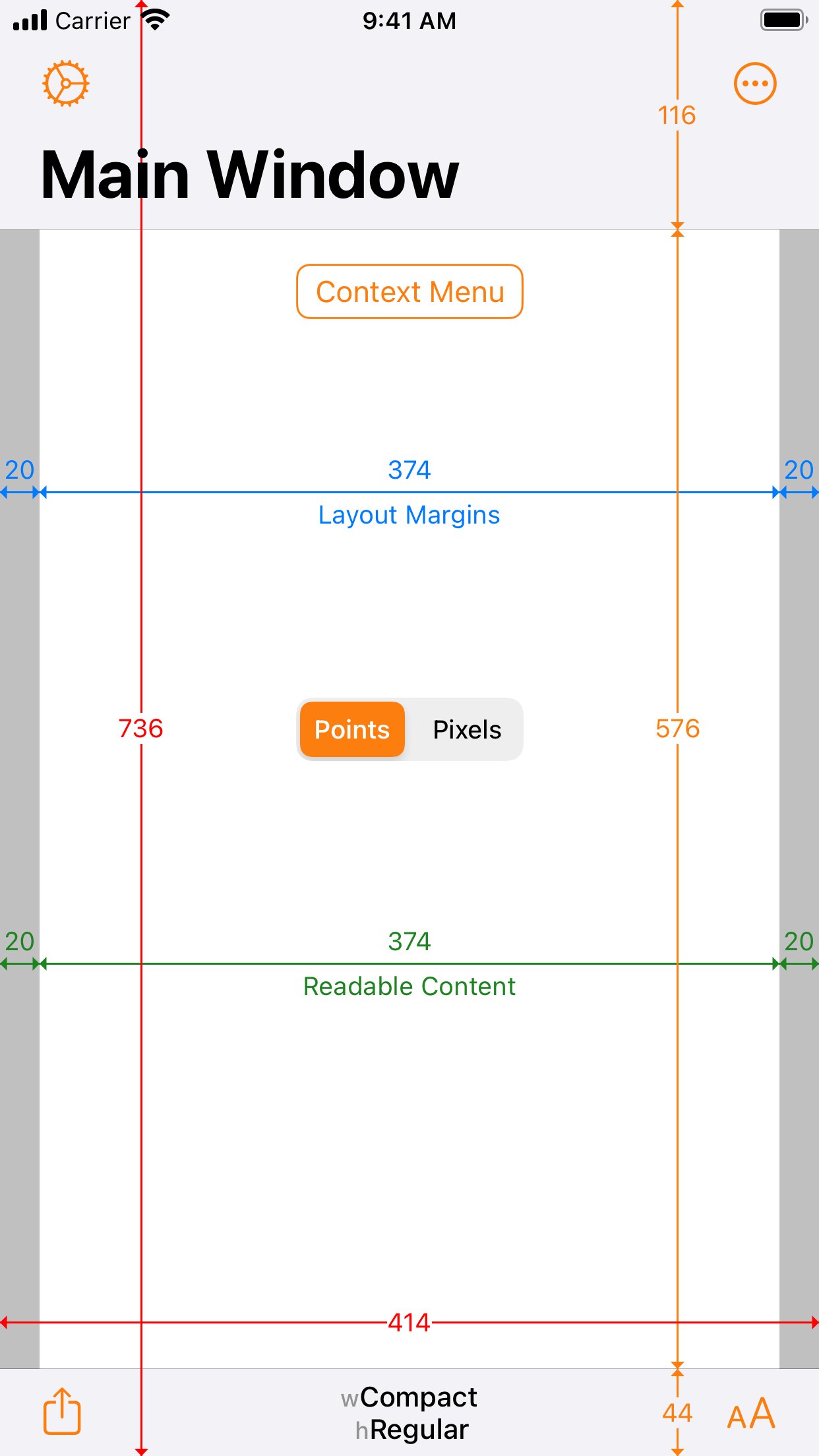
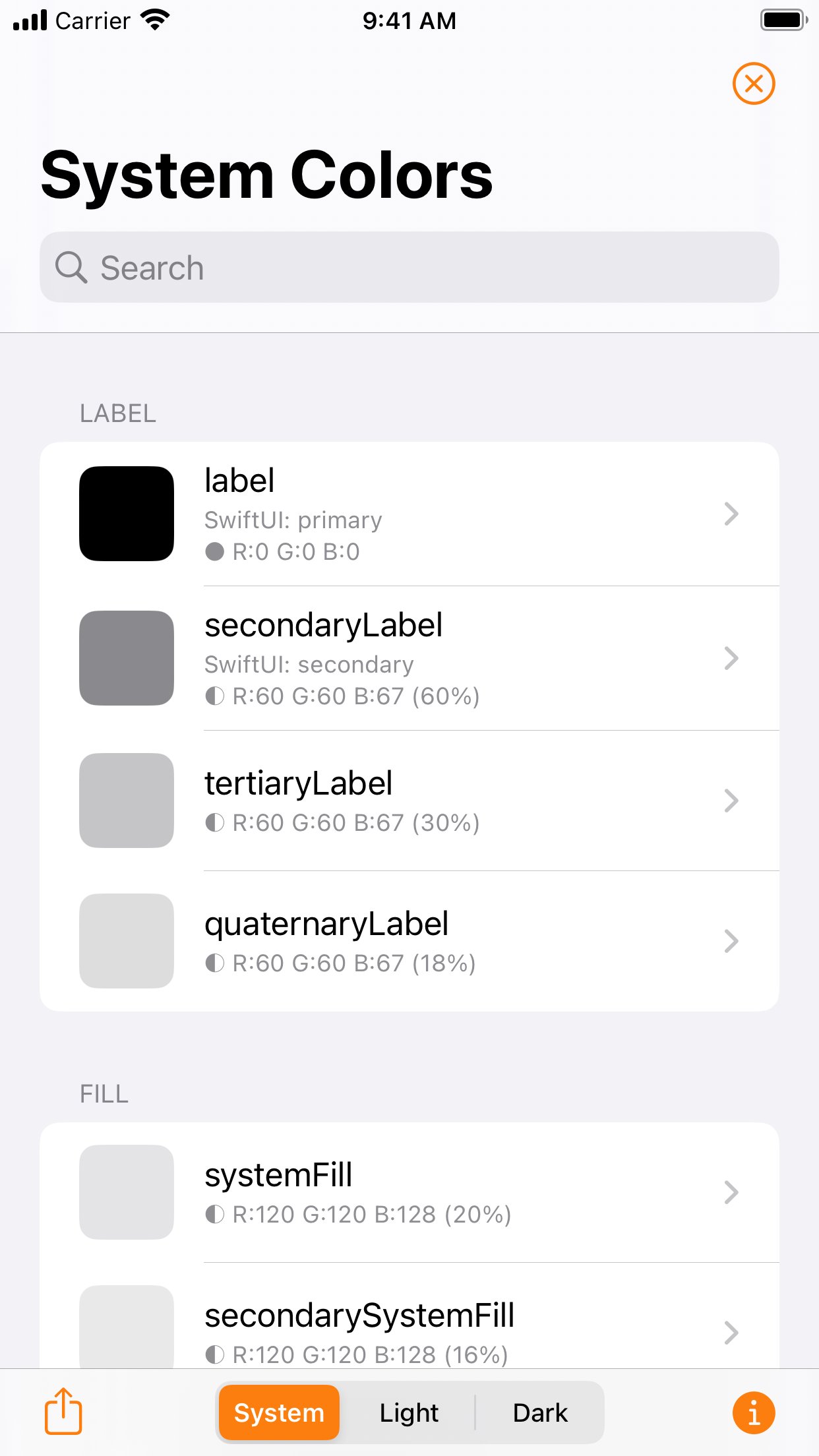
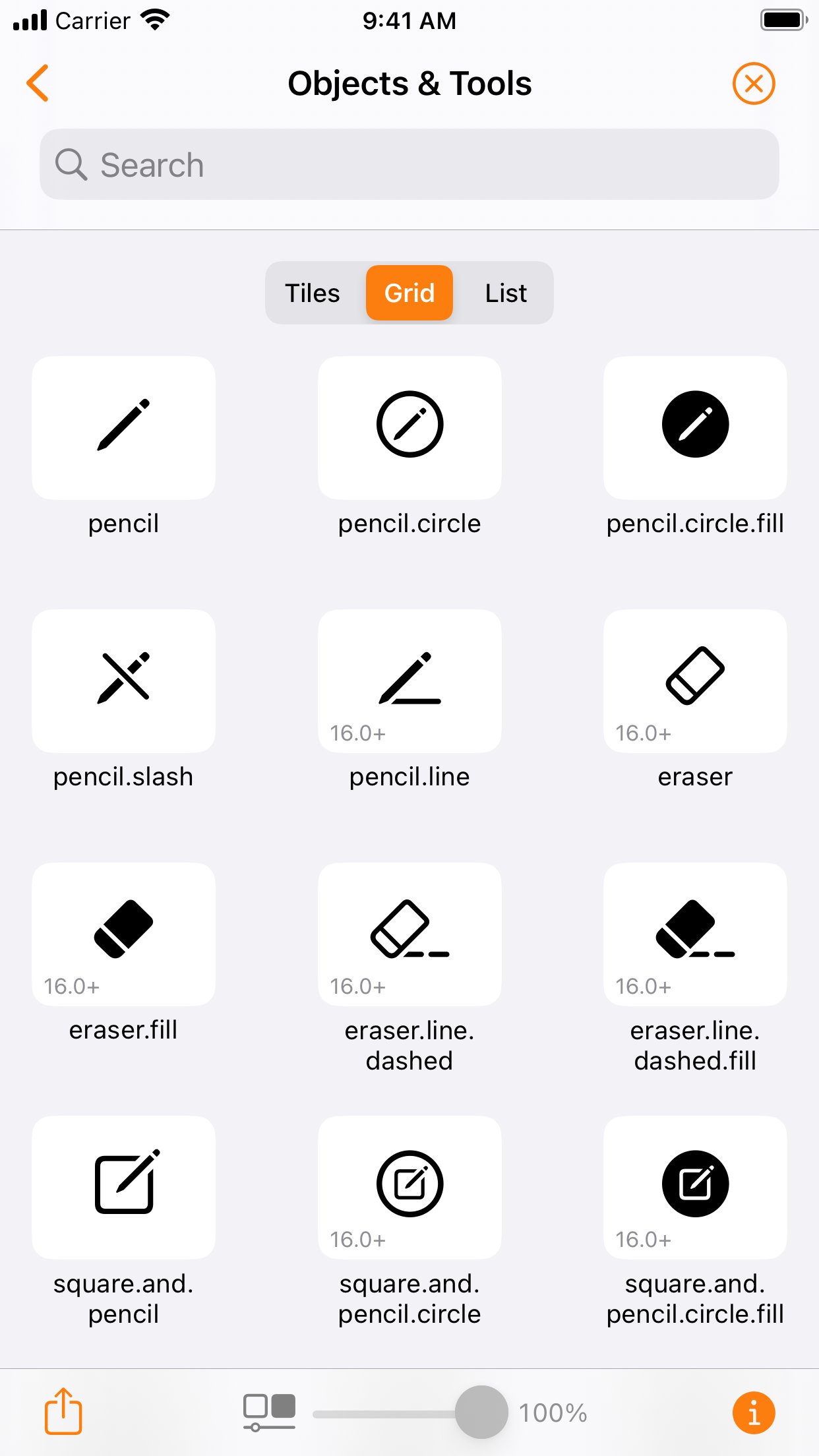
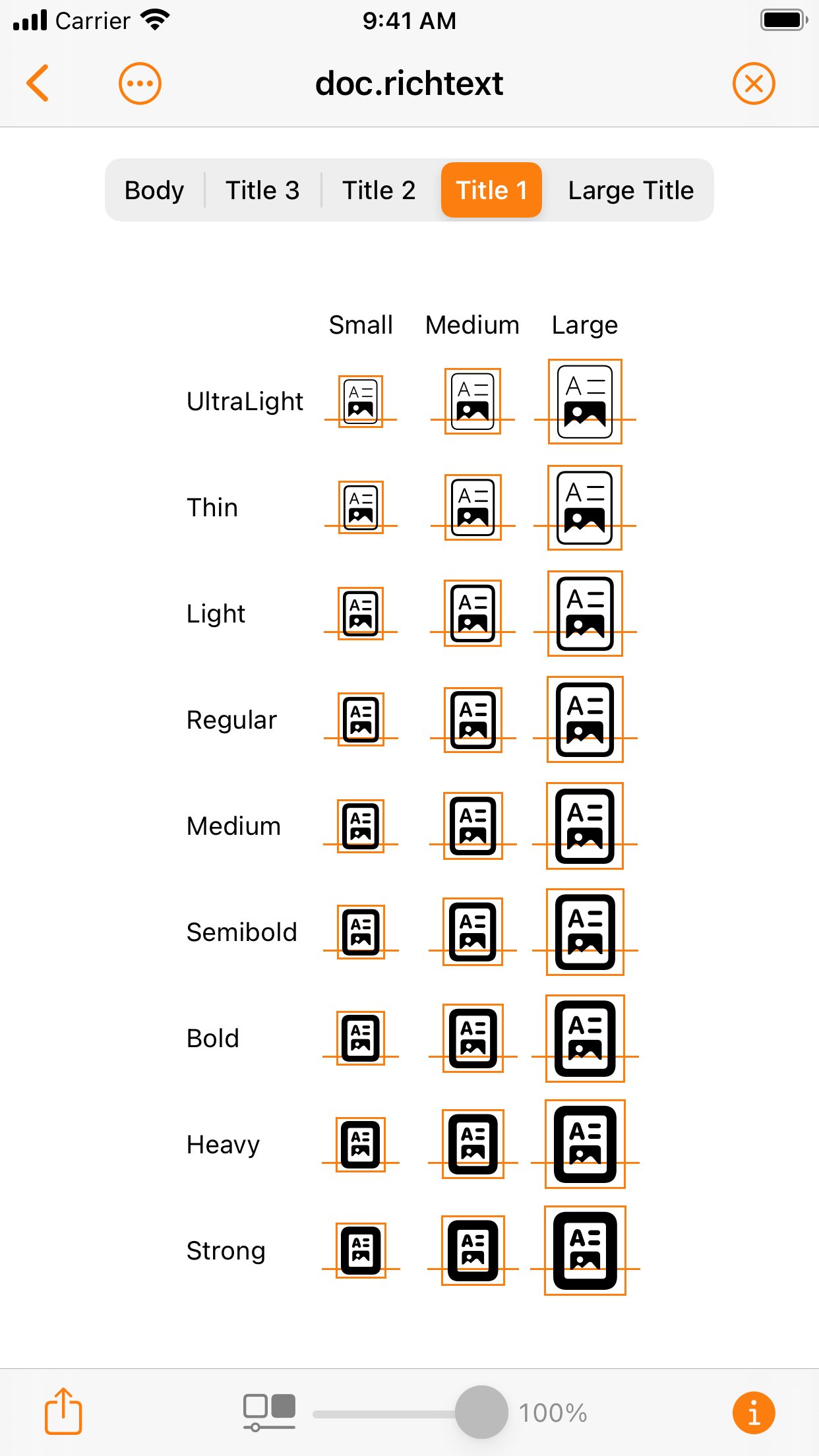
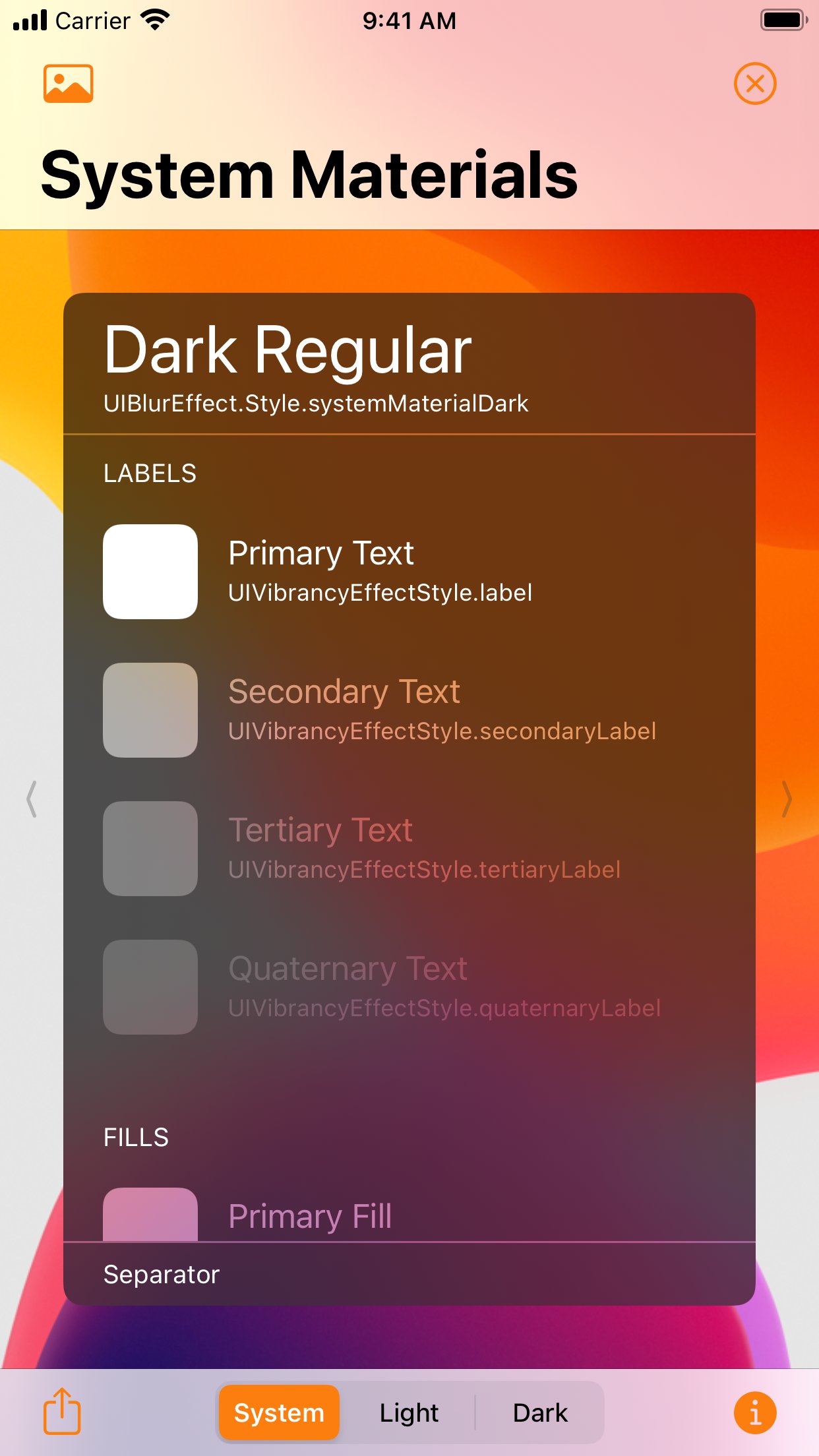
Adaptivity is an invaluable tool for developers and designers. Use it to visualize how Size Classes and margins for layout, readable content and the safe area look on real devices and how they change with respect to orientation, iPad multitasking and Dynamic Type size changes. A comprehensive System Images browser shows the different SF Symbols data sets across iOS versions with availability, localization and name change information. There are also views for visualizing Dynamic Type styles, System Colors, System Fonts and System Materials.
TESTIMONIALS
o "Adaptivity is not just highly recommended - it's essential" -- Paul Hudson, Hacking With Swift article "8 essential apps for iOS developers", 30th March 2020.
o "It's a very, very good tool as a reference for both developers and designers" -- Gui Rambo, Stacktrace podcast episode #77, 1st April 2020.
o "I'm not trying to spend your money, but to me this is a no-brainer" -- Sean Allen YouTube video "Indie Dev Apps", 12th April 2020.
MAIN FEATURES
o Visualize sizes for full view, layout margins, readable content guide and safe area layout guide.
o Sizes displayed in points or pixels.
o Regular or large navigation bar titles.
o Toggle status bar and navigation bar/toolbar/tab bar visibility.
o Activity View Controller support for sharing a snapshot image of each view.
o iPad multitasking and multiple window support (see note).
o Dark appearance support (requires iOS/iPadOS 13 or later).
o Setting to force right-to-left layout.
o Keyboard shortcuts.
o Keyboard navigation (requires iPadOS 15 or later).
o Handoff actions from Adaptivity (A), (B) or (C) on one device to Adaptivity (A) on another.
o External display support.
OTHER VIEWS
o Popover, Form/Page Sheet, Full Screen and Automatic modal presentations.
o Customise Sheet Presentations on iOS/iPadOS 15 or later.
o Tab Bar Controller.
o Table View Controller.
o Classic style Split View Controller.
o Double and triple column style Split View Controllers (requires iOS/iPadOS 14 or later).
o Keyboard Dodging and Custom Keyboard.
o Dynamic Type styles for the current Content Size Category.
o Explore Pointer Interactions (requires iPadOS 13.4 or later and a trackpad or mouse).
o Explore System Colors.
o Explore System Fonts.
o Explore System Images (requires iOS/iPadOS 13 or later). Choose which SF Symbols data set to view, configure rendering modes and much more.
o Explore System Materials (requires iOS/iPadOS 13 or later).
EXTENSION TARGETS
o Siri shortcut with custom response UI (requires iOS 12 or later).
o Pre- and post-iOS 14 style Widgets to show layout.
o iOS 14 style Widgets to show random System Images.
o iOS 14 style Widgets to show Dynamic Type text styles.
o iOS 16 lock screen Widgets to show layout.
o iOS 16 lock screen Widgets to show random System Images.
o Notification Content Extension.
o Watch App (requires watchOS 4 or later).
o iMessage App.
Note: Adaptivity (A) supports multiple windows on iPadOS 13 or later. On earlier iOS versions, Adaptivity (B) must also be downloaded to run Adaptivity twice using Split View or Slide Over iPad multitasking.
Adaptivity (A) is a universal purchase and includes a Mac Catalyst version of the app. Buying one allows the other to be downloaded at no extra cost using the same Apple ID.
Adaptivity (C) has the same reduced features as Adaptivity (B) but only supports iPhone. Use it to visualize how an iPhone-only app appears on iPad.
For more information see [link removed]
License: Commercial
| Release info | New Release on Feb 20, 2023 |
|---|---|
| Release notes | This app has been updated by Apple to prepare for watchOS 27 compatibility. No new features are included. SYSTEM IMAGES • Updated data for those living in the future. If you find Adaptivity (A) useful, please rate or review it in the App Store, or recommend it other developers and designers. The app was first released in 2015 and I have never charged for a new version. Any additional contributions to the Tip Jar, big or small, are very welcome and will help keep it that way. This makes a huge difference to me and the future of the app. Thanks in advance, Geoff. |
| Listing data | App Store |
Reviews
No reviews yet. Be the first to review Adaptivity (A).
Used Adaptivity (A)? Tell other visitors what you thought.
Log in to write a reviewOther products by this publisher
- "No Distractions" for YouTube 4.10 ----
- #Bible 11.6.1 "Incredible App - My sister shared this app with me a few weeks ago and it is truly incredible.
- #filmphotography 1.4.2 So, you decided to shoot on film?
- #LookBusy Fake Calendar Events 1.0.6 Look Busy scans your work calendar for open time slots and fills them with realistic-looking (but secretly fake) work events.
- #Small Talk Is Canceled 1.0.2 #Small Talk Is Canceled — Conversations That Matter
Most viewed iOS Developer Tools
-
1
 ZScripter 15.0.0
ZScripter plays compatible Ren'Py, RealLive, NScripter, (PONS)ONScripter-EN/RU/JH/Yuri, Artemis, Siglus, CatSystem2, Ethornell BGI, N2System (Nitro+), AI5 and UK2 games as well as KiriKiri (+Kirikiroid2 patches), TyranoScript, RPG Maker MV/MZ & XP, …
-
2
 GitHub 1.285.0
There’s a lot you can do on GitHub that doesn’t require a complex development environment – like sharing feedback on a design discussion, or reviewing a few lines of code.
-
3
 LocalDevVPN 1.3.0
LocalDevVPN is a developer tool for creating and managing local network tunnels directly on iOS.
-
4
 Agents Anywhere 2.1.0
Agents Anywhere is a developer tools mobile application for remotely controlling your local computer to complete coding tasks.
-
5
 Andarium 1.0
Andarium lets you run an Android virtual machine on your iPhone and iPad—no computer setup, extra downloads, or complicated configuration required.
-
6
 Shader Playground 1.0
Shader Playground is a powerful real-time shader editor built for iPhone and iPad.
-
7
 Code Workspace 0.9.1
Code Workspace is a free, agent-first development environment for iPad and iPhone.
-
8
 Termius 8.2.0
Termius is a modern SSH client designed for productivity and collaboration.
-
9
 Rulify 1.0.7
Rulify ????? iOS App ????,???????? App ????,???????????????
-
10
 TestFlight 4.4.1
TestFlight makes it easy to test beta versions of apps and App Clips to provide valuable feedback to developers before they release their apps on the App Store.
Most downloaded iOS Developer Tools
-
1
Agents Anywhere 2.1.0
Agents Anywhere is a developer tools mobile application for remotely controlling your local computer to complete coding tasks.
-
2
Rulify 1.0.7
Rulify ????? iOS App ????,???????? App ????,???????????????
-
3
 a-Shell mini 2.4.0
a-Shell mini is a complete local terminal emulator, allowing to run most Unix commands on you iOS device.
-
4
 LadderTouch 2.1.5
LadderTouch is an app to learn the basics of ladder logic, which is a graphical programming language.
-
5
 FSNotes 7.6.1
FSNotes is a fast, modern notes manager for macOS and iOS.
-
6
 Herdy 1.5.1
Herdy puts your remote terminal and long-running coding-agent sessions in your pocket.
-
7
Andarium 1.0
Andarium lets you run an Android virtual machine on your iPhone and iPad—no computer setup, extra downloads, or complicated configuration required.
-
8
LocalDevVPN 1.3.0
LocalDevVPN is a developer tool for creating and managing local network tunnels directly on iOS.
-
9
 Markdown2PDF 1.0
Easily Convert Markdown to PDF with Markdown2PDF
-
10
 C/C++$-LLVM Clang 2.7
This is a learning tool for efficient C/C++ learning, fast programming, ?(LLVM+Clang)offline compilation and local execution?, Git fetching, iCloud storage, and efficient transfer and sharing via LAN HTTP/FTP multi-point connections.