
YACReader 3.42.0
YACReader offers you the best way to read and manage your digital comics and mangas.
Download
102.11 MB
16downloads
1this week
FreeCommercial
0reviews
Screenshots
About YACReader
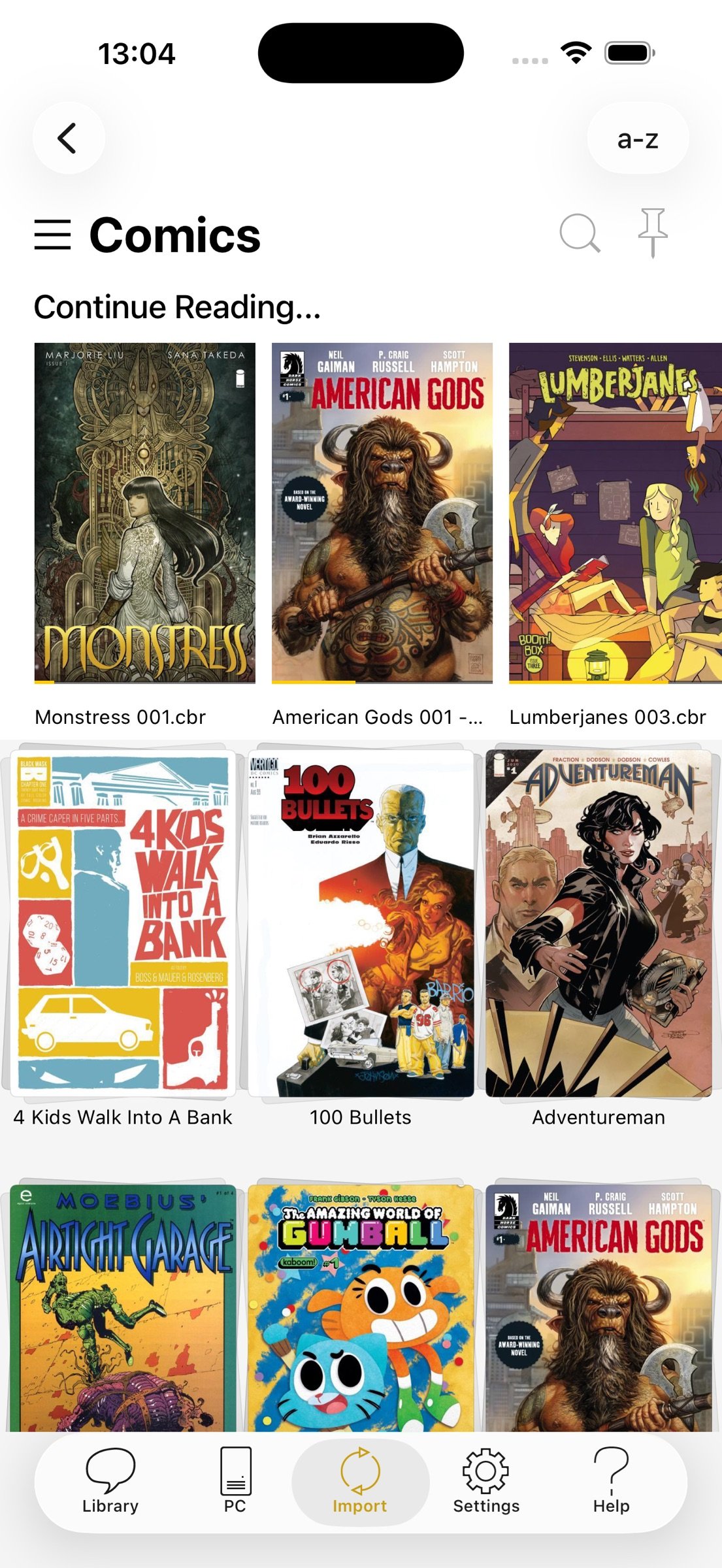
YACReader offers you the best way to read and manage your digital comics and mangas. Enjoy your collections anywhere. YACReader supports all the common digital comic formats, such as: cbz, cbr, zip, rar, rar5 or pdf.
Importing your comics into your iPad or iPhone has never been easier. You can use your Dropbox, Box and OneDrive account for synchronizing your comics with YACReader. YACReader supports iTunes/Finder File Sharing to copy comics between your computer and YACReader. You can also browse, import ,remote read (stream) and sync back the digital comic collections stored in your computer using the desktop version of YACReader (totally free)*. Import comics from any place in your device thanks to the integration with Document Picker.
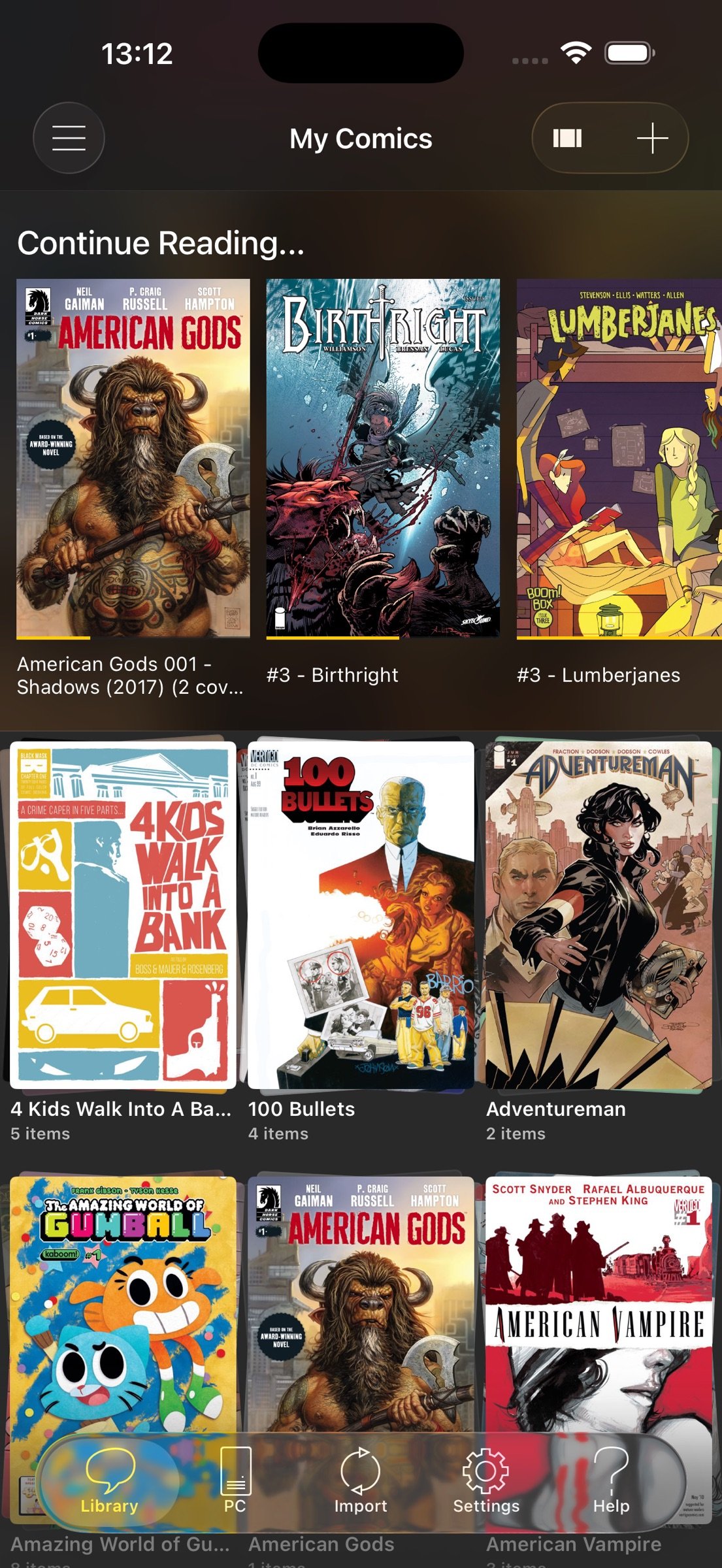
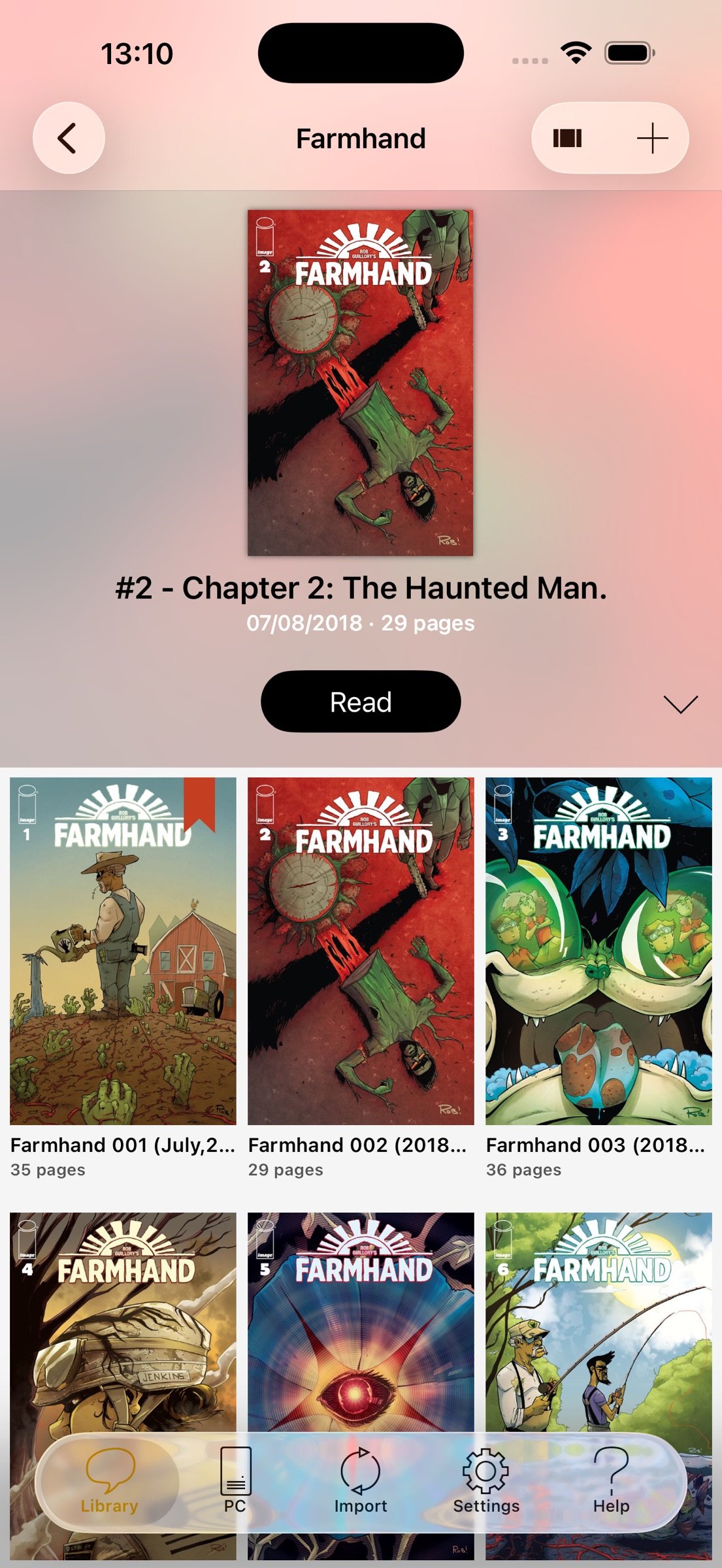
Organize your comic library creating folders and copy, cut, paste or delete comics and folders. YACReader has the easiest method for selecting multiple comics and folders and organize them.
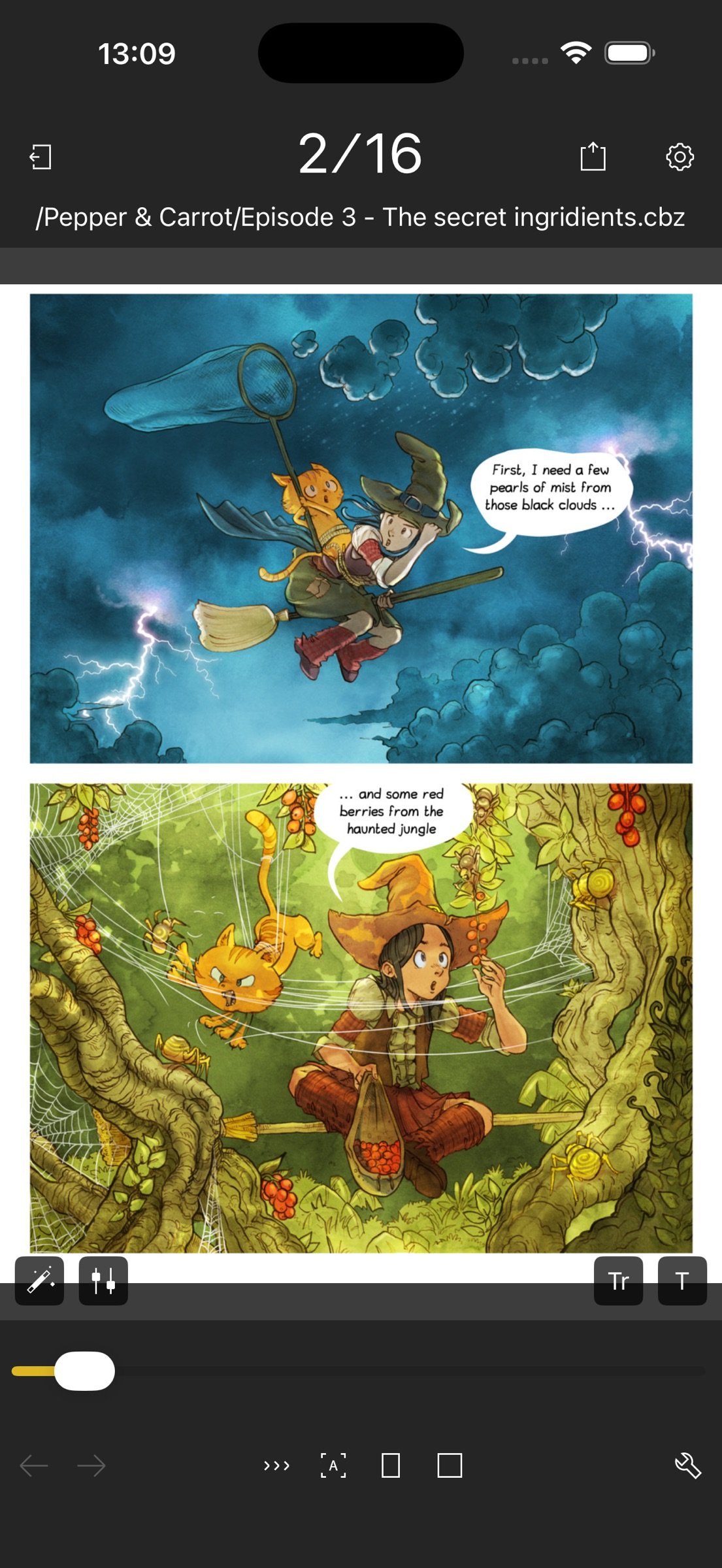
Using a tap gesture is all you need to read your comics from start to finish thanks to the built-in YACReader automatic scroll. Enjoy reading comics and do not worry about anything else. Do you like Manga? YACReader supports Manga mode for reading right to left and it also support continuous vertical scroll for webtoon. Configure your reading experience with various fit modes, single or double page mode, continuous scroll, automatic margins trimming, several ways to setup the hot areas in the screen and more.
YACReader offers guided reading, you can zoom in any panel and then continue reading panel by panel from there. It also includes settings to personalize the experience. This is a feature continuously developed thanks to all the feedback coming from the users.
On iOS 18+ devices, YACReader lets you translate comics in real time. It uses on-device OCR and translation on the current page, with no internet connection required, and lets you configure the language, colors, and font. YACReader can also detect the color of the text and speech bubbles and use the same colors as in the original comic, making the experience as pleasant as possible. This is an experimental feature and depends heavily on image quality. It fully respects your privacy; to use it, you will need to download the dictionaries for the languages you want. Supported languages depend on what iOS supports natively.
You can also enhance you comics with a full featured image filters editor, filter settings can be synchronized through YACReaderLibrary across any device that supports the new filters.
YACReader is kept updated to support the latest iOS features, such as Widgets, Dark Mode or Split Screen.
YACReader for desktops has been downloaded more than 2 million times since 2009, every update counts with hundreds of thousand downloads. Now, you can also enjoy YACReader on your iOS device.
The best feature YACReader has to offer is its customer support, if you have any questions don't hesitate to contact me.
Visit the web site at [link removed] or get support at ios@yacreader.com
*Visit the web site of YACReader for computers at [link removed] - YACReader for computer is FREE and is available for all major computer platforms.
Find other users and help at: http:www.yacreader.com/forum - Facebook page - [link removed] , Twitter - [link removed] or the YouTube channel - [link removed].
License: Commercial
Importing your comics into your iPad or iPhone has never been easier. You can use your Dropbox, Box and OneDrive account for synchronizing your comics with YACReader. YACReader supports iTunes/Finder File Sharing to copy comics between your computer and YACReader. You can also browse, import ,remote read (stream) and sync back the digital comic collections stored in your computer using the desktop version of YACReader (totally free)*. Import comics from any place in your device thanks to the integration with Document Picker.
Organize your comic library creating folders and copy, cut, paste or delete comics and folders. YACReader has the easiest method for selecting multiple comics and folders and organize them.
Using a tap gesture is all you need to read your comics from start to finish thanks to the built-in YACReader automatic scroll. Enjoy reading comics and do not worry about anything else. Do you like Manga? YACReader supports Manga mode for reading right to left and it also support continuous vertical scroll for webtoon. Configure your reading experience with various fit modes, single or double page mode, continuous scroll, automatic margins trimming, several ways to setup the hot areas in the screen and more.
YACReader offers guided reading, you can zoom in any panel and then continue reading panel by panel from there. It also includes settings to personalize the experience. This is a feature continuously developed thanks to all the feedback coming from the users.
On iOS 18+ devices, YACReader lets you translate comics in real time. It uses on-device OCR and translation on the current page, with no internet connection required, and lets you configure the language, colors, and font. YACReader can also detect the color of the text and speech bubbles and use the same colors as in the original comic, making the experience as pleasant as possible. This is an experimental feature and depends heavily on image quality. It fully respects your privacy; to use it, you will need to download the dictionaries for the languages you want. Supported languages depend on what iOS supports natively.
You can also enhance you comics with a full featured image filters editor, filter settings can be synchronized through YACReaderLibrary across any device that supports the new filters.
YACReader is kept updated to support the latest iOS features, such as Widgets, Dark Mode or Split Screen.
YACReader for desktops has been downloaded more than 2 million times since 2009, every update counts with hundreds of thousand downloads. Now, you can also enjoy YACReader on your iOS device.
The best feature YACReader has to offer is its customer support, if you have any questions don't hesitate to contact me.
Visit the web site at [link removed] or get support at ios@yacreader.com
*Visit the web site of YACReader for computers at [link removed] - YACReader for computer is FREE and is available for all major computer platforms.
Find other users and help at: http:www.yacreader.com/forum - Facebook page - [link removed] , Twitter - [link removed] or the YouTube channel - [link removed].
License: Commercial
| Release info | Update on Oct 29, 2026 |
|---|---|
| Release notes | - Updated library, remote browsing, import, settings and reader layouts for iPhone Duo. - Improved live translation accuracy. - “Continue Reading” now hides automatically when there is nothing to resume. - Fixed content being cut off in the remote library browser. - Fixed a widget issue that could leave it displaying a black screen. - Improved reader controls and fixed minor interface issues. |
| Listing data | App Store |
Reviews
No reviews yet. Be the first to review YACReader.
Used YACReader? Tell other visitors what you thought.
Log in to write a reviewOther products by this publisher
- "No Distractions" for YouTube 4.10 ----
- #Bible 11.6 "Incredible App - My sister shared this app with me a few weeks ago and it is truly incredible.
- #filmphotography 1.4.2 So, you decided to shoot on film?
- $quirrel 1.5.1 $quirrel Budget & Finance helps you plan each paycheck, track spending, manage debt, and see what is safe to spend before the next payday.
- % Percentage Calculator Pro 1.41 This is the Pro version of % Percentage Calculator.
Most viewed iOS Photo & Video
-
1
 ShortDiShow 2.0
Drama Quest Island — An offline interactive short-drama adventure.
-
2
 Infuse 8.5.10
Infuse: Enterprise provides the same great features as the standard version of Infuse and includes permanent access to all Pro features via a traditional paid app.
-
3
 AI Video Generator 2.0.2
Vixel – AI Video Generator
-
4
 OPlayer 4.8
Play all your videos directly without having to convert them!
-
5
 Necrometer II 1.2
Necrometer II is a paranormal investigation companion designed for ghost hunters and researchers.
-
6
 CapCut 20.1.0
CapCut offers easy-to-use video editing functions, in-APP fonts and effects, advanced features such as keyframe animation, smooth slow-motion, chroma key, and stabilization, to help you capture and snip moments.
-
7
 Ai Photo 1.1.2
AI Photo Retouch – BG Eraser
-
8
 Treblo 1.6.0
Make songs with the world's best AI music model.
-
9
 CNU 3.0.12
CNU?????????????????????,???????????????
-
10
 Pop Dot Comics 1.48
Create a comic worthy of the Sunday newspaper or your favorite pulp-fiction cover.
Most downloaded iOS Photo & Video
-
1
Infuse 8.5.10
Infuse: Enterprise provides the same great features as the standard version of Infuse and includes permanent access to all Pro features via a traditional paid app.
-
2
 DJI Fly 1.21.18
DJI Fly is designed to help pilots fly drones with ease.
-
3
 Analog Radio 3.0
The iPhone and iPad devices don't have the FM/AM radio antenna installed.
-
4
 TurboCollage Automatic 1.2.4
#1 Easy automatic photo collage maker for iPhone & iPad.
-
5
 ReelyGo 1.1.42
ReelyGo: Your Daily Drama Escape
-
6
 AGAIN. Rehearsal Notes 2.0.1
AGAIN. is the rehearsal app that remembers why the band stopped — and, new in Version 2, who said what in a writing session or a table read.
-
7
Treblo 1.6.0
Make songs with the world's best AI music model.
-
8
 Rozeta Sequencer Suite 1.3.16
Rozeta is a suite of MIDI sequencers and controllers that lets you explore a new, freeform approach to sequencing and controlling mobile music apps.
-
9
 SSS IPTV, Simple, Smart Super 1.0.2
An Easiest way to watch TV Online or Movies or Series, Bring your Own list M3u,
-
10
Pop Dot Comics 1.48
Create a comic worthy of the Sunday newspaper or your favorite pulp-fiction cover.