
WPD Reader 3.0
Do you receive Corel® WordPerfect® documents (.wpd, .wpt, .wp, .wp4, .wp5, .wp6) as email attachments on you iPhone and iPad?
Download
163.52 MB
17downloads
5this week
FreeCommercial
0reviews
Screenshots
About WPD Reader
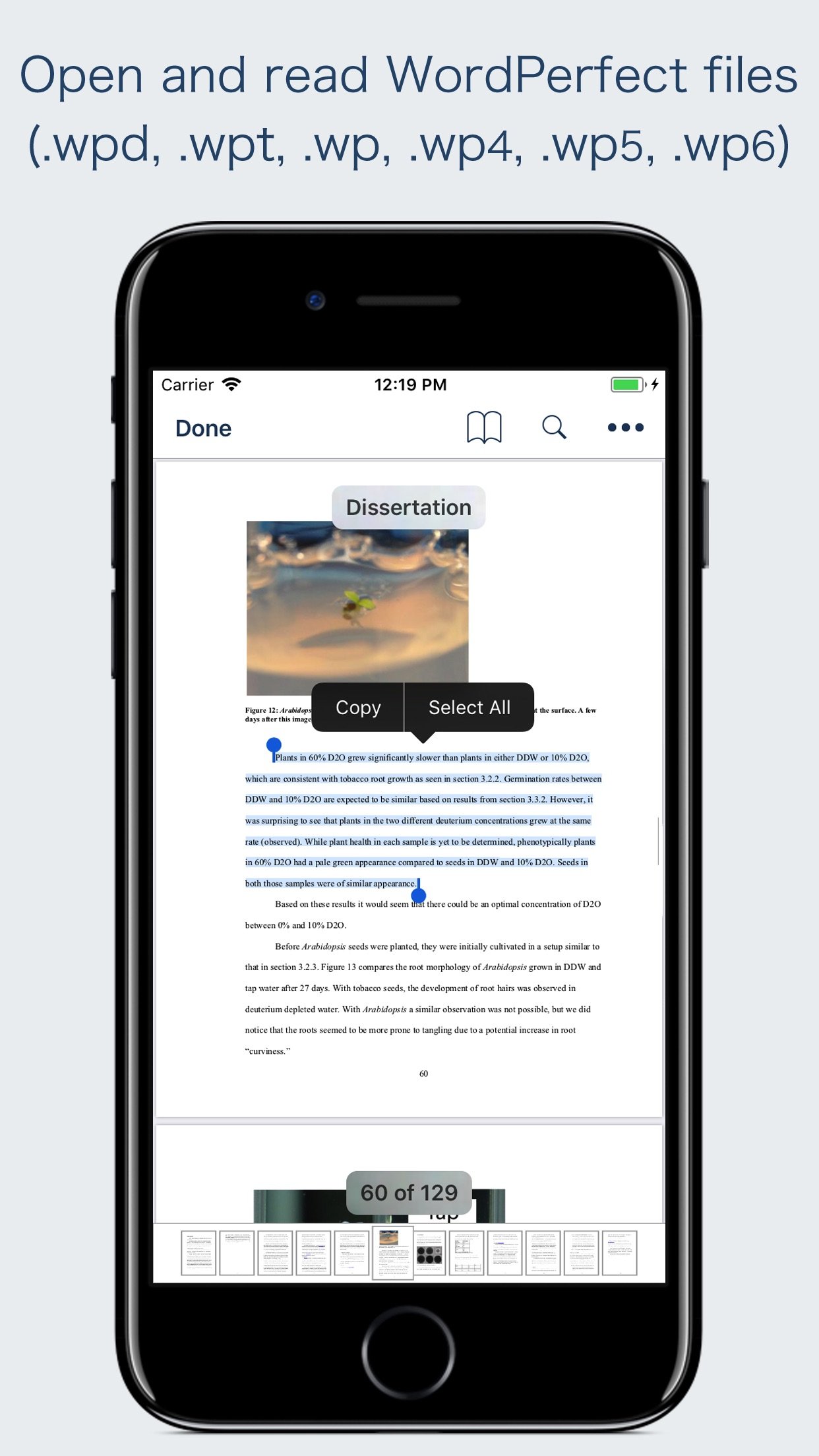
Do you receive Corel® WordPerfect® documents (.wpd, .wpt, .wp, .wp4, .wp5, .wp6) as email attachments on you iPhone and iPad? Are you having plenty of WordPerfect files that no decent viewer available to open on your iPhone and iPad? The easiest way to circumvent these problems is WPD Reader.
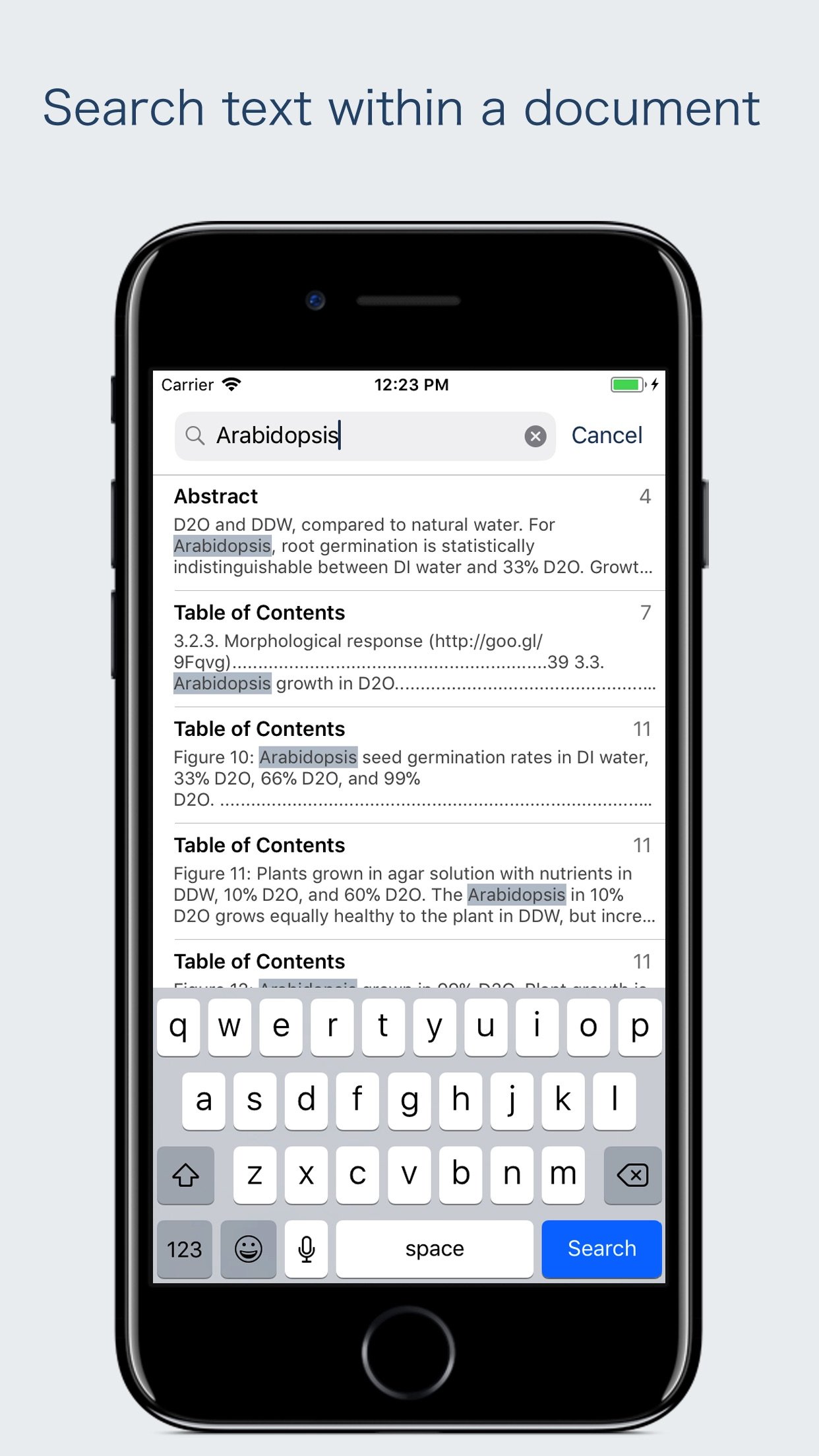
“WPD Reader” allows you to open and read WordPerfect (version 1-11) documents on iOS device. It offers you fantastic reading experience using document outlines, page thumbnails and text search features.
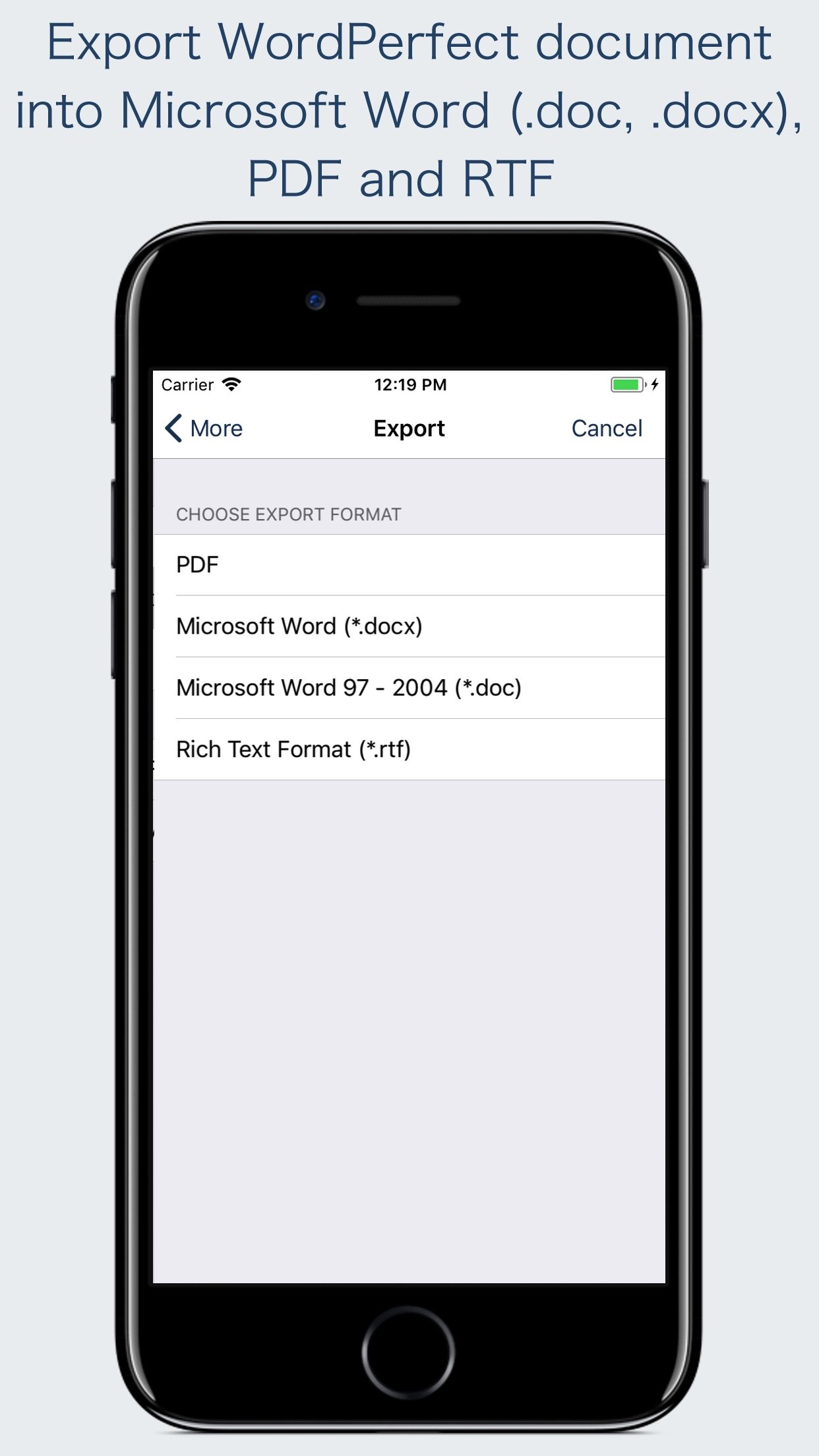
In addition, “WPD Reader” allows you to export WordPerfect document into Microsoft Word(.docx, .doc) and RTF to make it available for editing in other Word processing software.
Converts the text, text characteristics, paragraphs, text frames linking, text frame columns, tables, graphics and other document objects and properties to the matching Microsoft Word format objects and properties by preserving layout.
- It also allows to convert WordPerfect document into PDF.
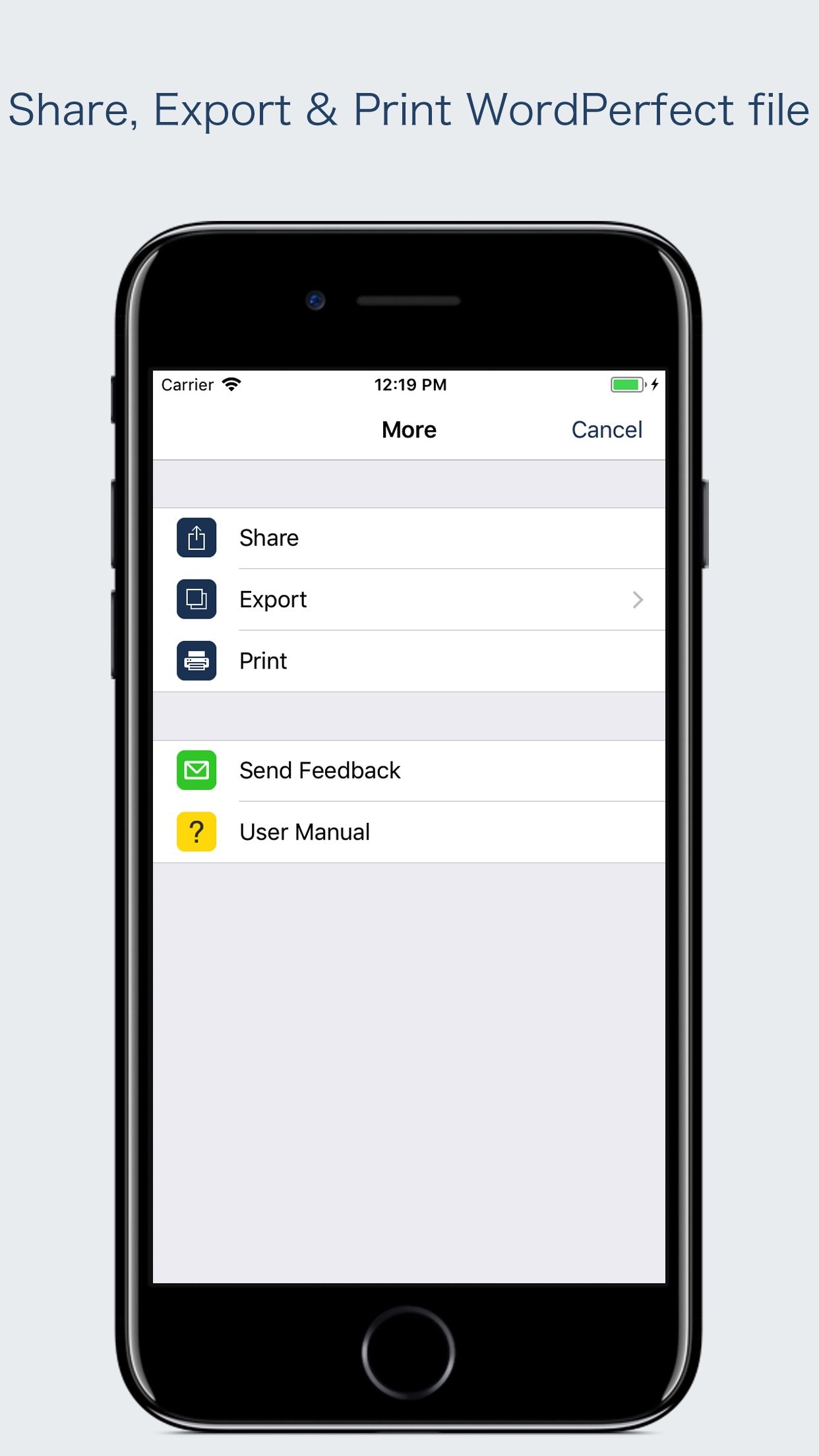
- Standard document interaction interface to share, send and save exported documents.
READING FEATURES:
- Fully selectable and searchable text contents. Select and copy text to clipboard for further use.
- Pinch out and Pinch in to ZoomIn and ZoomOut view.
- Navigate through topics by document outlines, if exist.
- Search text feature to find a character, word or sentence any where in a document.
- Scroll through your document by Page Thumbnails or Go to page feature.
DOCUMENT MANAGEMENT
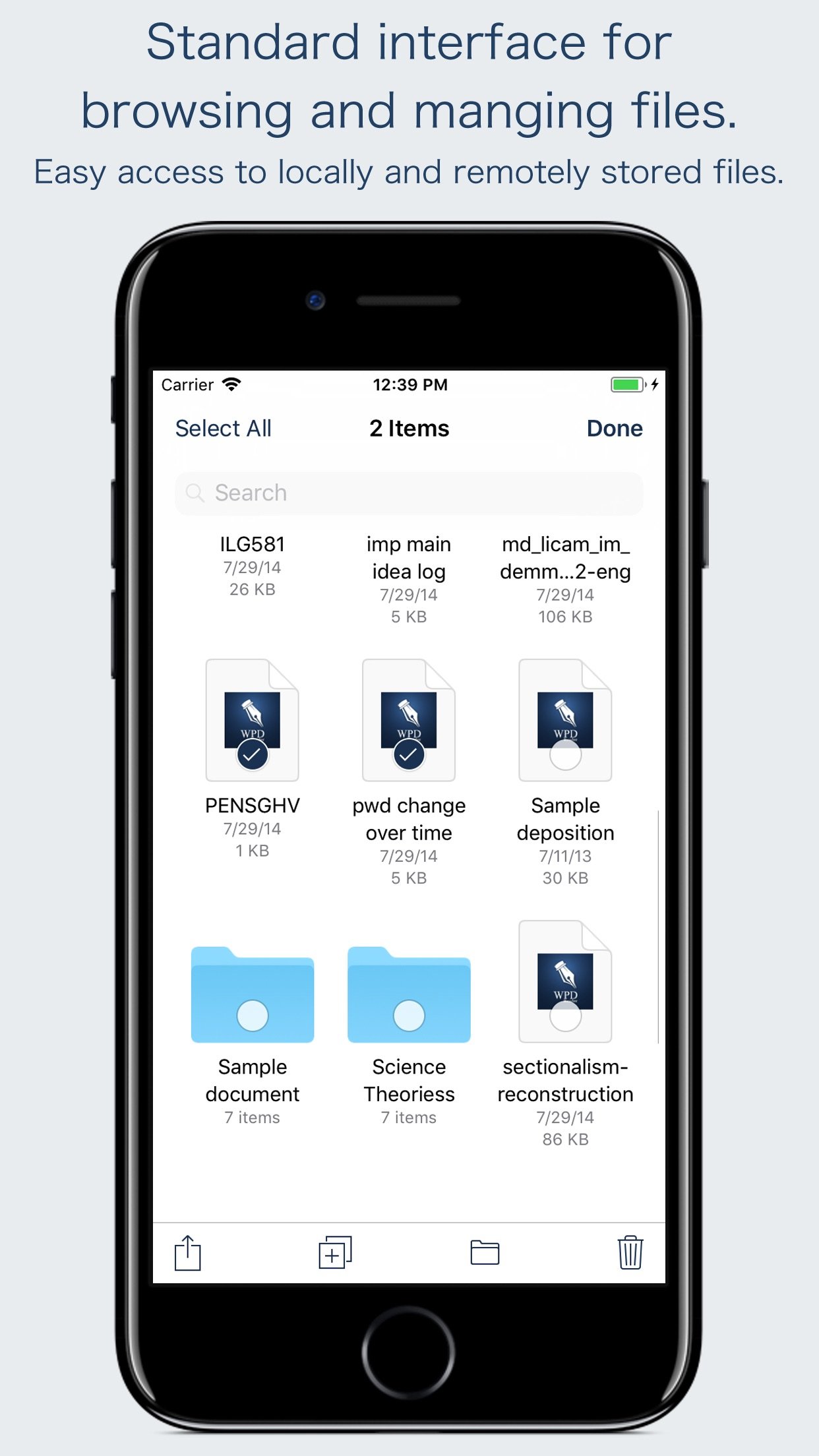
- The inbuilt document browse view automatically gives you the option to share documents using the Share button or a drag-and-drop action. It also provides a standard interface for browsing and managing documents.
- Automatically handles access to iCloud for you within the app. It also provides access to documents managed by third-party storage service extensions installed on your device.
- Browse, find and sort documents to help you locate the document you want. Tap the file that you want to open.
- You can move, delete, duplicate and rename a document with document manager in browser view.
- In the document manager, you can group related documents into folders so they’re easy to find.
- Support to open and convert Corel WordPerfect (version 1-11) format files.
Note: “WPD Reader” is standalone application running natively to open and convert WordPerfect document securely right on your iOS device.
You can refer User Manual for any assistance Or Contact Support.
Microsoft® is a registered trademark of Microsoft Corporation, registered in the U.S. and other countries.
Corel® and WordPerfect® are registered trademarks of Corel Corporation or Corel Corporation Limited.
License: Commercial
“WPD Reader” allows you to open and read WordPerfect (version 1-11) documents on iOS device. It offers you fantastic reading experience using document outlines, page thumbnails and text search features.
In addition, “WPD Reader” allows you to export WordPerfect document into Microsoft Word(.docx, .doc) and RTF to make it available for editing in other Word processing software.
Converts the text, text characteristics, paragraphs, text frames linking, text frame columns, tables, graphics and other document objects and properties to the matching Microsoft Word format objects and properties by preserving layout.
- It also allows to convert WordPerfect document into PDF.
- Standard document interaction interface to share, send and save exported documents.
READING FEATURES:
- Fully selectable and searchable text contents. Select and copy text to clipboard for further use.
- Pinch out and Pinch in to ZoomIn and ZoomOut view.
- Navigate through topics by document outlines, if exist.
- Search text feature to find a character, word or sentence any where in a document.
- Scroll through your document by Page Thumbnails or Go to page feature.
DOCUMENT MANAGEMENT
- The inbuilt document browse view automatically gives you the option to share documents using the Share button or a drag-and-drop action. It also provides a standard interface for browsing and managing documents.
- Automatically handles access to iCloud for you within the app. It also provides access to documents managed by third-party storage service extensions installed on your device.
- Browse, find and sort documents to help you locate the document you want. Tap the file that you want to open.
- You can move, delete, duplicate and rename a document with document manager in browser view.
- In the document manager, you can group related documents into folders so they’re easy to find.
- Support to open and convert Corel WordPerfect (version 1-11) format files.
Note: “WPD Reader” is standalone application running natively to open and convert WordPerfect document securely right on your iOS device.
You can refer User Manual for any assistance Or Contact Support.
Microsoft® is a registered trademark of Microsoft Corporation, registered in the U.S. and other countries.
Corel® and WordPerfect® are registered trademarks of Corel Corporation or Corel Corporation Limited.
License: Commercial
| Release info | New Release on Jan 25, 2026 |
|---|---|
| Release notes | - Bug fixes and UI improvements to streamline with latest iOS. We are thankful to all users for their valuable feedback :) |
| Listing data | App Store |
Reviews
No reviews yet. Be the first to review WPD Reader.
Used WPD Reader? Tell other visitors what you thought.
Log in to write a reviewOther products by this publisher
- "No Distractions" for YouTube 4.10 ----
- #Bible 11.6 "Incredible App - My sister shared this app with me a few weeks ago and it is truly incredible.
- #filmphotography 1.4.2 So, you decided to shoot on film?
- $quirrel 1.5.1 $quirrel Budget & Finance helps you plan each paycheck, track spending, manage debt, and see what is safe to spend before the next payday.
- % Percentage Calculator Pro 1.41 This is the Pro version of % Percentage Calculator.
Most viewed iOS Productivity
-
1
 WordPress 27.4
Manage or create your WordPress blog or website right from your iOS device: create and edit posts and pages, upload your favorite photos and videos, view stats and reply to comments.
- 2 Voice Translator - Alive 1.6 Translation app that turns your iPhone into an interpreter instantly.
-
3
 Claude by Anthropic 1.261111.19
Meet Claude, your AI problem solver and thinking partner.
- 4 "No Distractions" for YouTube 4.10 ----
-
5
 WristMemo 2.0
WristMemo turns your Apple Watch into an all-day voice recorder.
- 6 (beat) for iOS 0.5.10 An elegant Fountain screenwriting app, created by a screenwriter for screenwriters.
-
7
 Life360 26.43.0
Whether at home, online, or on the move, our comprehensive family safety features bring peace of mind to your loved ones AND help safeguard your personal belongings.
-
8
 Colicine 1.3.0
Have you ever been there—
-
9
 DeepSeek 2.8.0
Experience seamless interaction with DeepSeek's official AI assistant for free!
-
10
 Howbout 16.7.0
The shared calendar for friends, couples, and family
Most downloaded iOS Productivity
- 1 Voice Translator - Alive 1.6 Translation app that turns your iPhone into an interpreter instantly.
-
2
DeepSeek 2.8.0
Experience seamless interaction with DeepSeek's official AI assistant for free!
-
3
 SessionsAI 1.2.1
Sessions AI is a private AI workspace that runs entirely on your iPhone, iPad, or Mac.
-
4
 Voices AI 1.16.15
Discover Voices, the premier voice transformation app designed exclusively for iOS.
-
5
 Block Distracting Websites 1.11
"It's a great way to save time, and stop browsing Reddit when you should be doing coursework."
-
6
 Plot Digitizer 1.4.1
Plot Digitizer is an app to extract numerical data from plot images.
-
7
 Google Docs 1.2026.45104
Create, edit, and collaborate on online documents with the Google Docs app.
-
8
 Pixy Mood Tracker 1.110.0
Track your mood, one pixel at a time.
-
9
 MyHyundai with Bluelink 5.4.5
The MyHyundai app makes getting information about your Hyundai vehicle easier than ever.
-
10
 ScreenRecess 1.0.0
A gentle nudge to put your device down when it’s hard to stop.