
MyHyundai with Bluelink 5.4.5
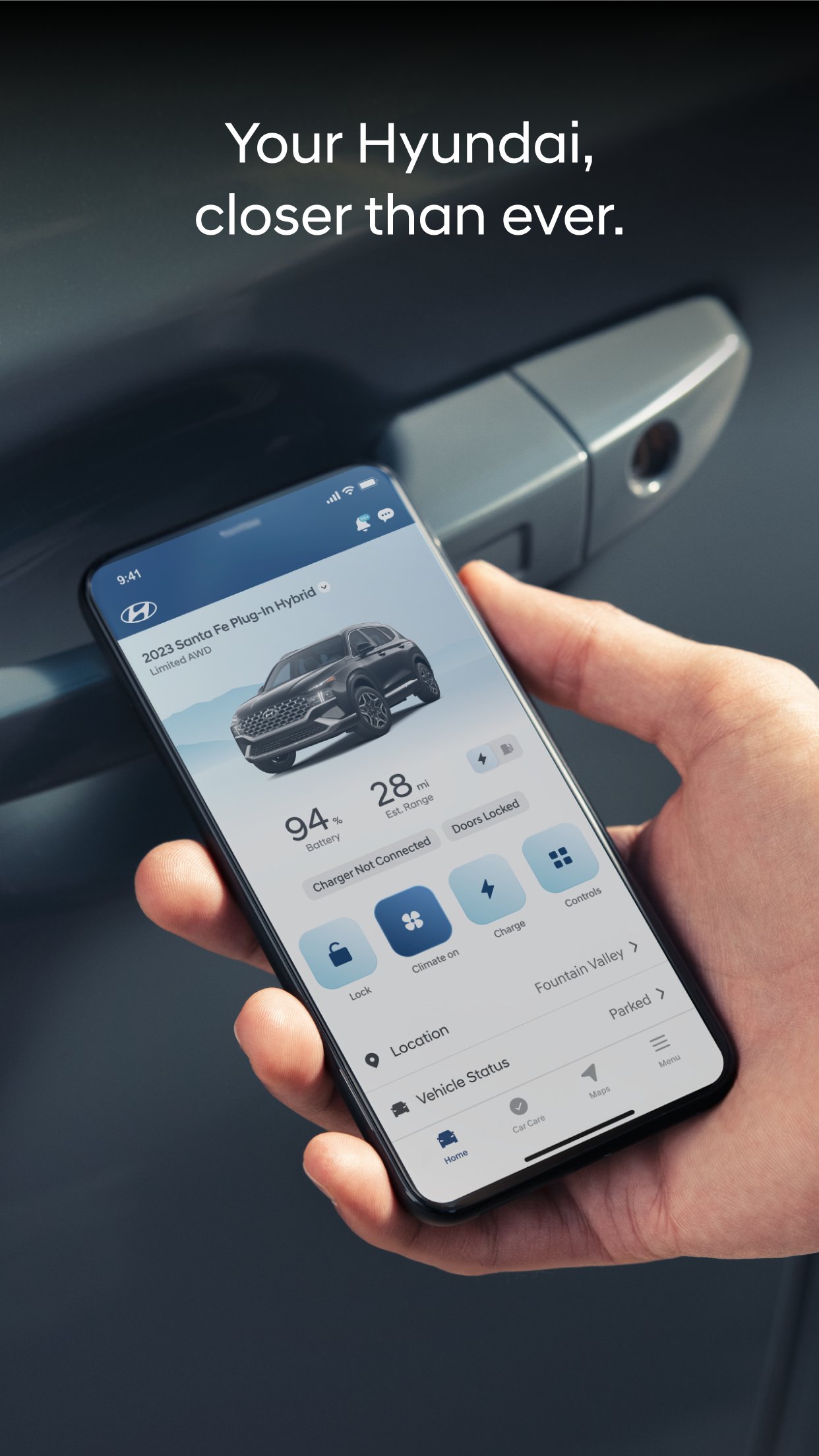
The MyHyundai app makes getting information about your Hyundai vehicle easier than ever.
Download
369.12 MB
27downloads
7this week
FreeFreeware
0reviews
Screenshots
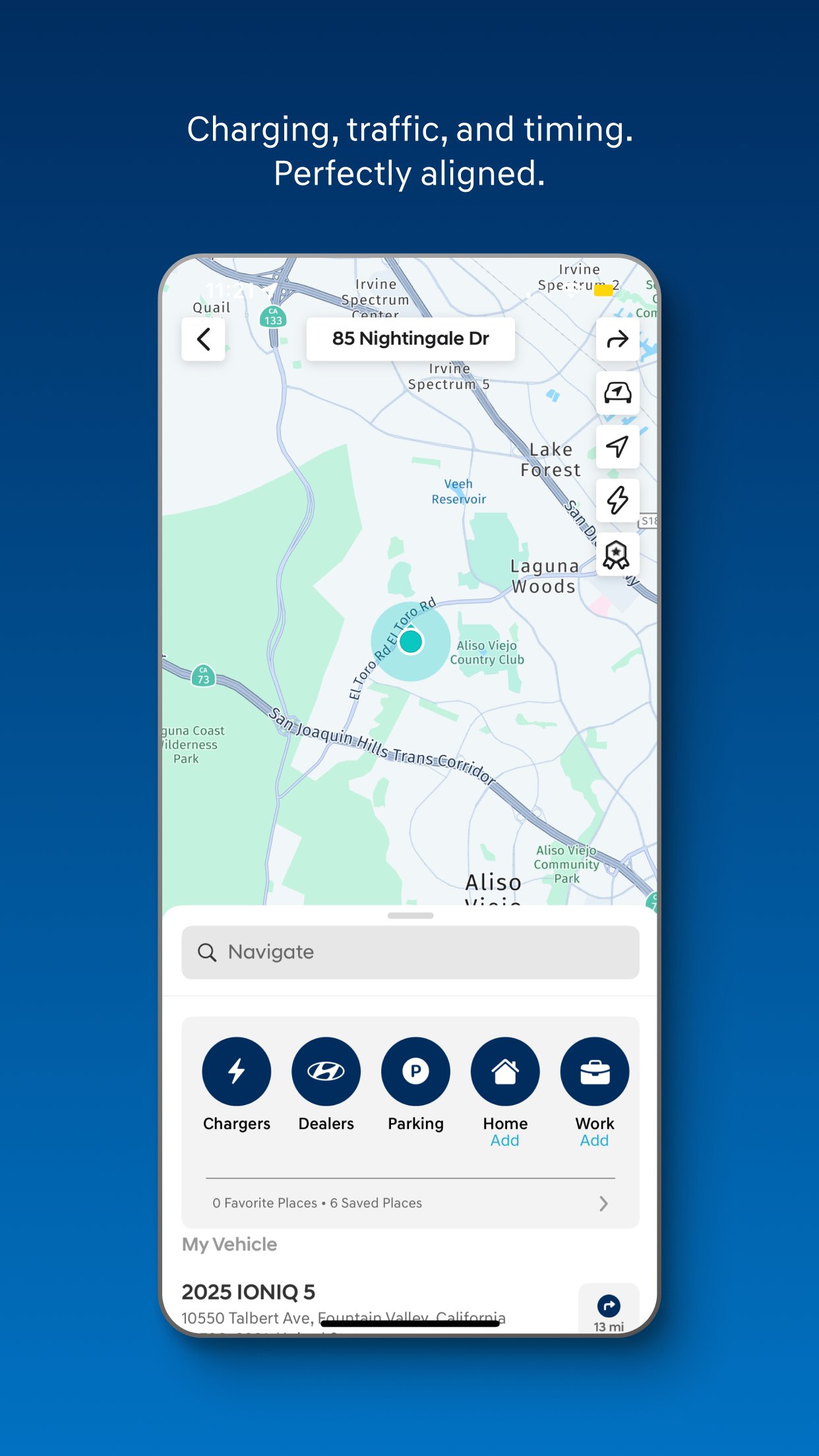
About MyHyundai with Bluelink
The MyHyundai app makes getting information about your Hyundai vehicle easier than ever. The MyHyundai app allows you to access owner resources, schedule service or connect to your Bluelink enabled vehicle from your phone. Bluelink technology enables and empowers you while you are on the go, giving you access to your Bluelink features from your office, at home, or just about anywhere.
Access the app with your MyHyundai.com ID, password and PIN to take advantage of Bluelink’s Remote features. Log in and send commands conveniently using Touch ID and Face ID. An active Bluelink subscription is required to use Bluelink features in the app. To renew or upgrade to either Remote or Guidance, please visit MyHyundai.com.
An active Bluelink Remote Package (R) or Guidance Package (G) subscription is required to access select features. Feature support varies by vehicle model. Please visit HyundaiBluelink.com to check what Bluelink features your vehicle supports.
With the MyHyundai app you can:
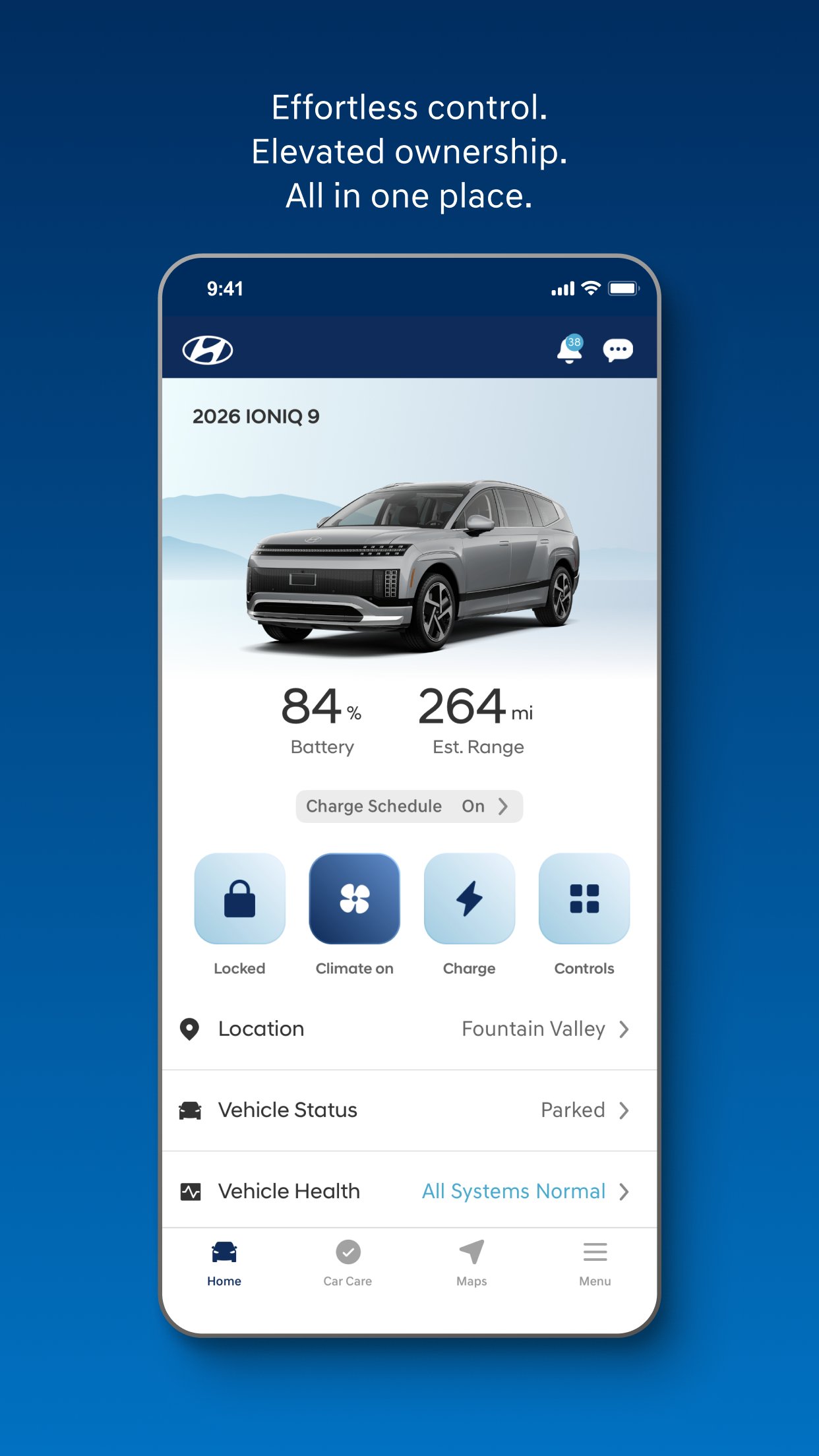
• Remotely start your vehicle (R)
• Remotely unlock or lock the door (R)
• Start your vehicle with saved presets you customize (R)
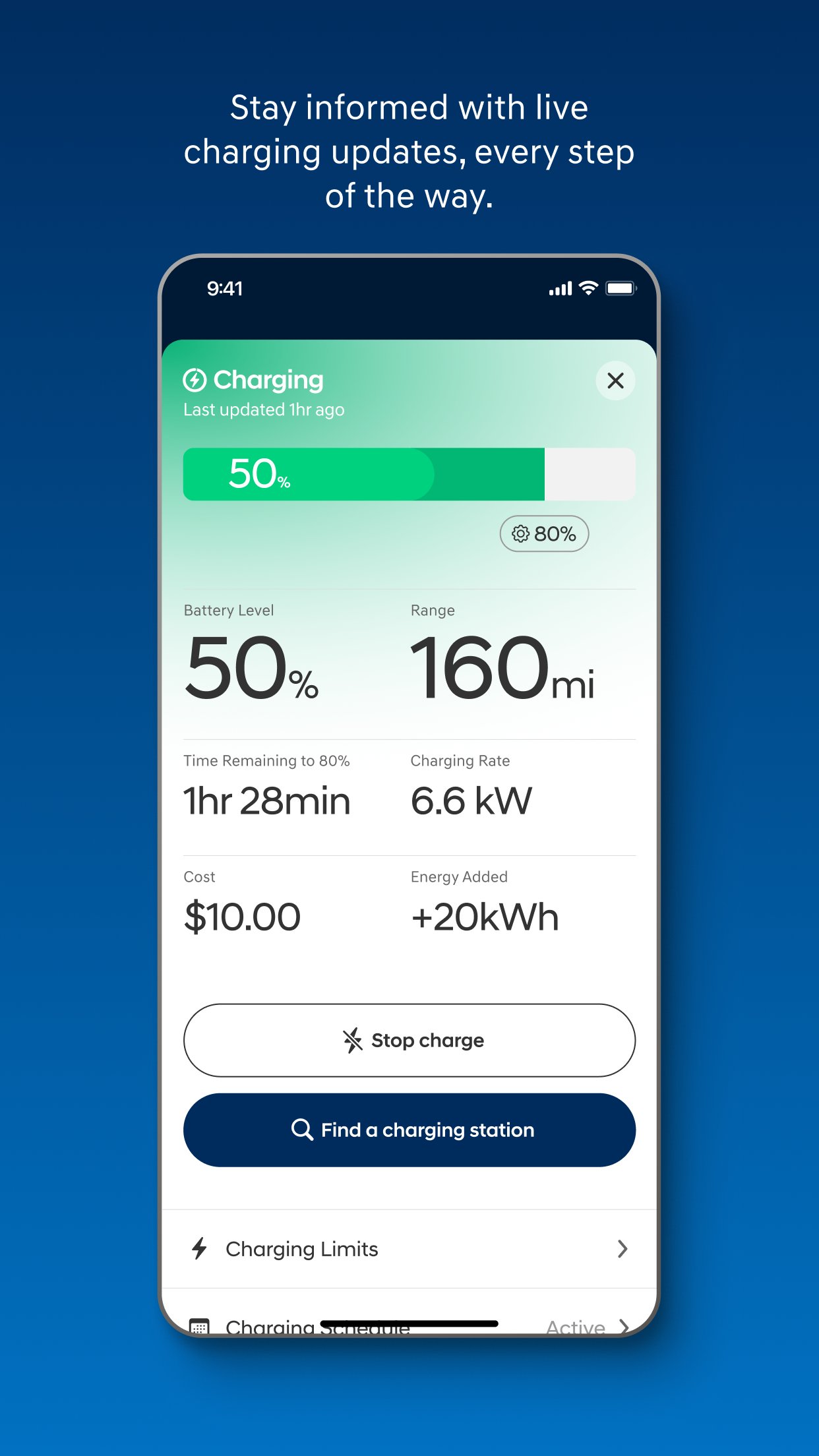
• View charging status, manage charging schedules and settings (EV and PHEV vehicles only) (R)
• Learn more about key features with user tutorials
• Remotely activate the horn and lights (R)
• Search and send Points of Interest to your vehicle (G)
• Access saved POI History (G)
• Make a Car Care service appointment
• Access Bluelink Customer Care
• Find your car (R)
• Access maintenance information and other convenient features.
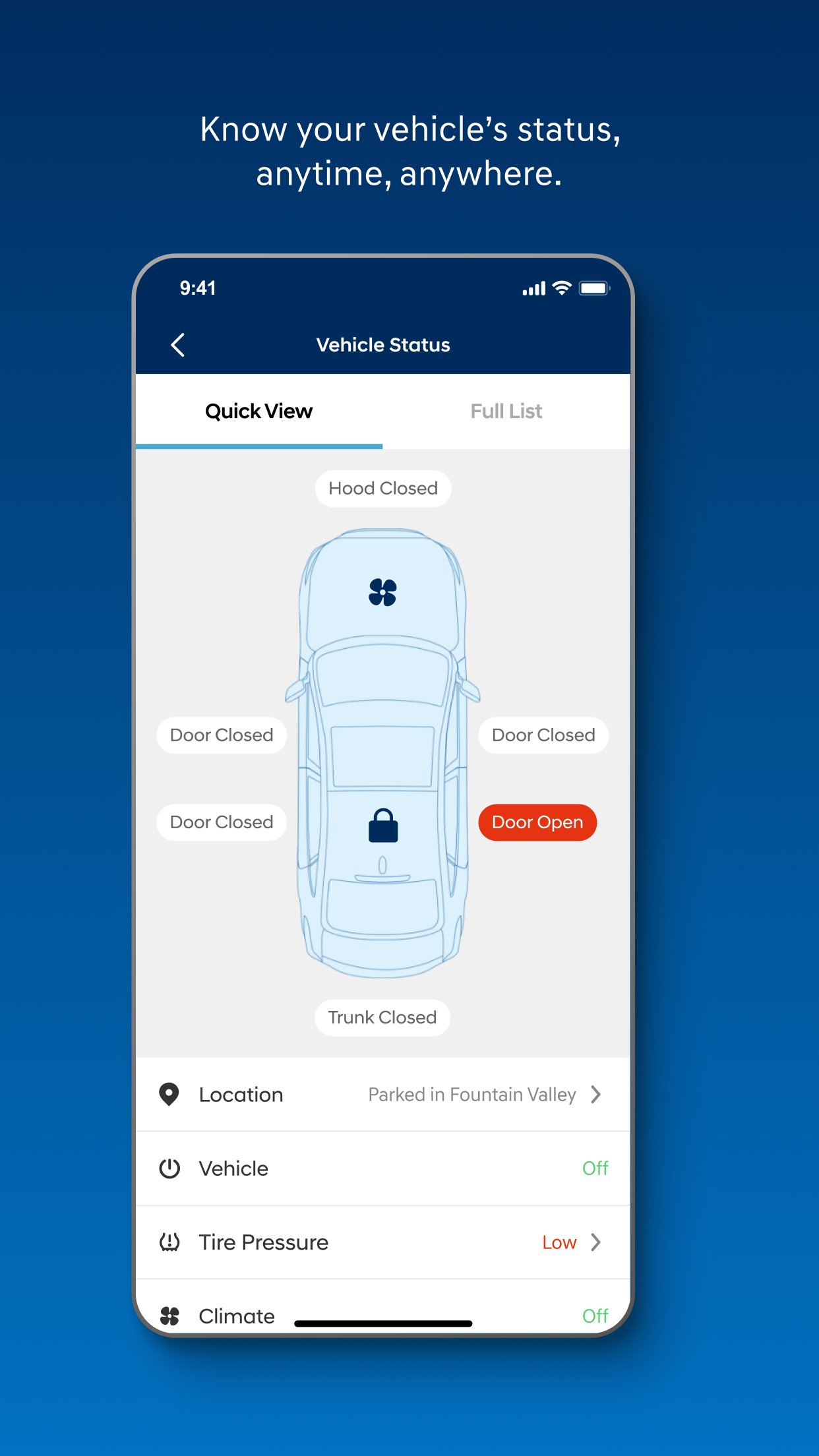
• Check Vehicle Status (supported on select 2015MY+ vehicles)
• Access vehicle features with four phone widgets for Remote Features, Parking Meter, POI search and Ioniq EV vehicle
MyHyundai app also supports Apple Watch. Use voice commands or the smartwatch app menu to access select features.
With MyHyundai for Apple Watch you can:
• Remotely start your vehicle (R)
• Remotely unlock or lock the door (R)
• Remotely activate the horn and lights (R)
• Find your car (R)
*Note: Active Bluelink subscription and Bluelink equipped vehicle with capabilities required.
The MyHyundai app asks for the following device permissions as needed:
• Camera: For adding driver and profile pictures
• Contacts: To select from phone contacts when sending secondary driver invites
• Location: For map and location functionality throughout the app
• Phone: For placing calls when tapping on buttons or links to call
• Files: For saving PDFs or other downloaded documents to the device
• Notifications: To allow push notification messages from the app
• Touch ID/Face ID: For enabling fingerprint and/or face recognition functionality
For technical assistance, please contact us at AppsTeam@hmausa.com.
Disclaimer: Feature support varies by vehicle model. Please visit HyundaiBluelink.com to check what Bluelink features your vehicle supports.
License: Free
Access the app with your MyHyundai.com ID, password and PIN to take advantage of Bluelink’s Remote features. Log in and send commands conveniently using Touch ID and Face ID. An active Bluelink subscription is required to use Bluelink features in the app. To renew or upgrade to either Remote or Guidance, please visit MyHyundai.com.
An active Bluelink Remote Package (R) or Guidance Package (G) subscription is required to access select features. Feature support varies by vehicle model. Please visit HyundaiBluelink.com to check what Bluelink features your vehicle supports.
With the MyHyundai app you can:
• Remotely start your vehicle (R)
• Remotely unlock or lock the door (R)
• Start your vehicle with saved presets you customize (R)
• View charging status, manage charging schedules and settings (EV and PHEV vehicles only) (R)
• Learn more about key features with user tutorials
• Remotely activate the horn and lights (R)
• Search and send Points of Interest to your vehicle (G)
• Access saved POI History (G)
• Make a Car Care service appointment
• Access Bluelink Customer Care
• Find your car (R)
• Access maintenance information and other convenient features.
• Check Vehicle Status (supported on select 2015MY+ vehicles)
• Access vehicle features with four phone widgets for Remote Features, Parking Meter, POI search and Ioniq EV vehicle
MyHyundai app also supports Apple Watch. Use voice commands or the smartwatch app menu to access select features.
With MyHyundai for Apple Watch you can:
• Remotely start your vehicle (R)
• Remotely unlock or lock the door (R)
• Remotely activate the horn and lights (R)
• Find your car (R)
*Note: Active Bluelink subscription and Bluelink equipped vehicle with capabilities required.
The MyHyundai app asks for the following device permissions as needed:
• Camera: For adding driver and profile pictures
• Contacts: To select from phone contacts when sending secondary driver invites
• Location: For map and location functionality throughout the app
• Phone: For placing calls when tapping on buttons or links to call
• Files: For saving PDFs or other downloaded documents to the device
• Notifications: To allow push notification messages from the app
• Touch ID/Face ID: For enabling fingerprint and/or face recognition functionality
For technical assistance, please contact us at AppsTeam@hmausa.com.
Disclaimer: Feature support varies by vehicle model. Please visit HyundaiBluelink.com to check what Bluelink features your vehicle supports.
License: Free
| Release info | Update on Oct 15, 2026 |
|---|---|
| Release notes | • Enhanced the Home screen with more vehicle status information at a glance. • Added a live Climate tile when Climate Start is activated from the app (supported vehicles only). • Redesigned the Climate Start screen for a simpler, more intuitive experience. • Refreshed Vehicle Status Quick View for quick visual display of key vehicle details. • Added the ability to view vehicle recall status and detail. |
| Listing data | App Store |
Reviews
No reviews yet. Be the first to review MyHyundai with Bluelink.
Used MyHyundai with Bluelink? Tell other visitors what you thought.
Log in to write a reviewOther products by this publisher
- "No Distractions" for YouTube 4.10 ----
- #Bible 11.6 "Incredible App - My sister shared this app with me a few weeks ago and it is truly incredible.
- #filmphotography 1.4.2 So, you decided to shoot on film?
- $quirrel 1.5.1 $quirrel Budget & Finance helps you plan each paycheck, track spending, manage debt, and see what is safe to spend before the next payday.
- % Percentage Calculator Pro 1.41 This is the Pro version of % Percentage Calculator.
Most viewed iOS Productivity
-
1
 WordPress 27.4
Manage or create your WordPress blog or website right from your iOS device: create and edit posts and pages, upload your favorite photos and videos, view stats and reply to comments.
- 2 Voice Translator - Alive 1.6 Translation app that turns your iPhone into an interpreter instantly.
-
3
 Claude by Anthropic 1.261106.19
Meet Claude, your AI problem solver and thinking partner.
- 4 "No Distractions" for YouTube 4.10 ----
- 5 (beat) for iOS 0.5.10 An elegant Fountain screenwriting app, created by a screenwriter for screenwriters.
-
6
 DeepSeek 2.7.5
Experience seamless interaction with DeepSeek's official AI assistant for free!
-
7
 Life360 26.42.0
Whether at home, online, or on the move, our comprehensive family safety features bring peace of mind to your loved ones AND help safeguard your personal belongings.
-
8
 Howbout 16.7.0
The shared calendar for friends, couples, and family
-
9
 Voices AI 1.16.15
Discover Voices, the premier voice transformation app designed exclusively for iOS.
-
10
 Plot Digitizer 1.4.1
Plot Digitizer is an app to extract numerical data from plot images.
Most downloaded iOS Productivity
- 1 Voice Translator - Alive 1.6 Translation app that turns your iPhone into an interpreter instantly.
-
2
 SessionsAI 1.2.1
Sessions AI is a private AI workspace that runs entirely on your iPhone, iPad, or Mac.
-
3
DeepSeek 2.7.5
Experience seamless interaction with DeepSeek's official AI assistant for free!
-
4
Voices AI 1.16.15
Discover Voices, the premier voice transformation app designed exclusively for iOS.
-
5
 Block Distracting Websites 1.11
"It's a great way to save time, and stop browsing Reddit when you should be doing coursework."
-
6
Plot Digitizer 1.4.1
Plot Digitizer is an app to extract numerical data from plot images.
-
7
 Google Docs 1.2026.43105
Create, edit, and collaborate on online documents with the Google Docs app.
-
8
 Pixy Mood Tracker 1.110.0
Track your mood, one pixel at a time.
-
9
 VPN 2.61.0
VPN - Super Unlimited Proxy is a free VPN and proxy app for iPhone, iPad, Mac and Apple Vision Pro.
- 10 (beat) for iOS 0.5.10 An elegant Fountain screenwriting app, created by a screenwriter for screenwriters.