
WOV 1.7.2
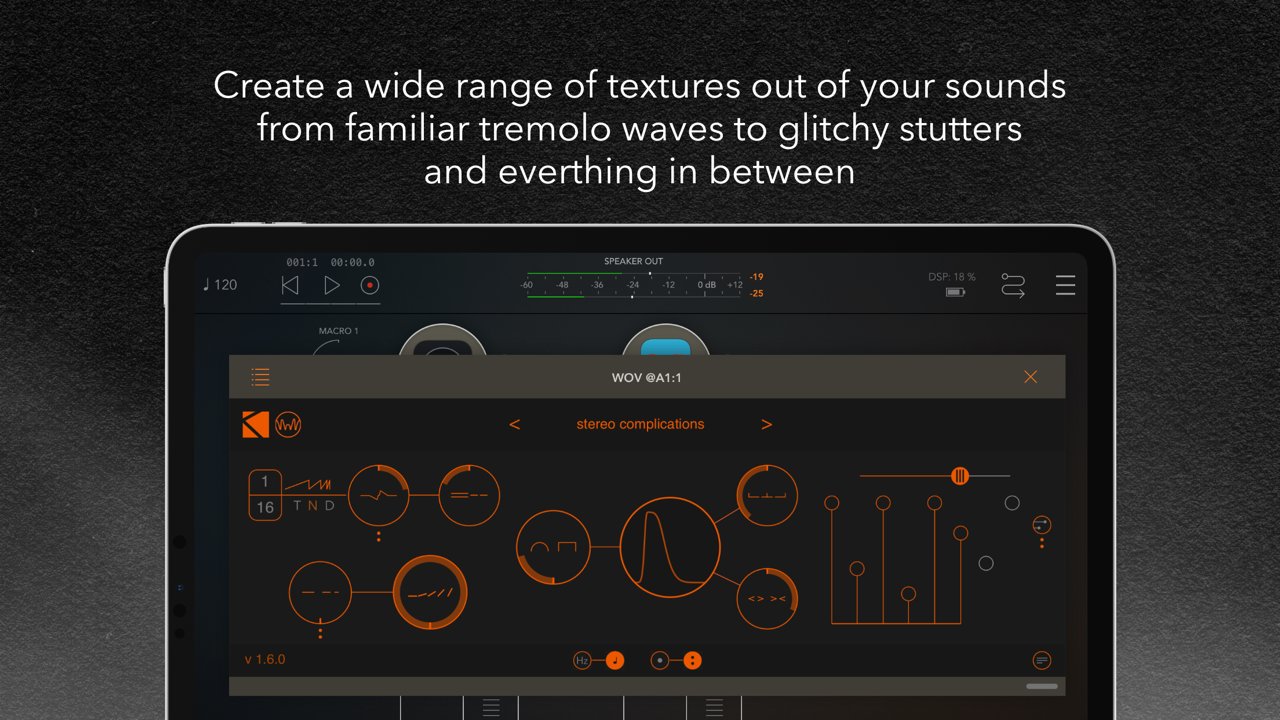
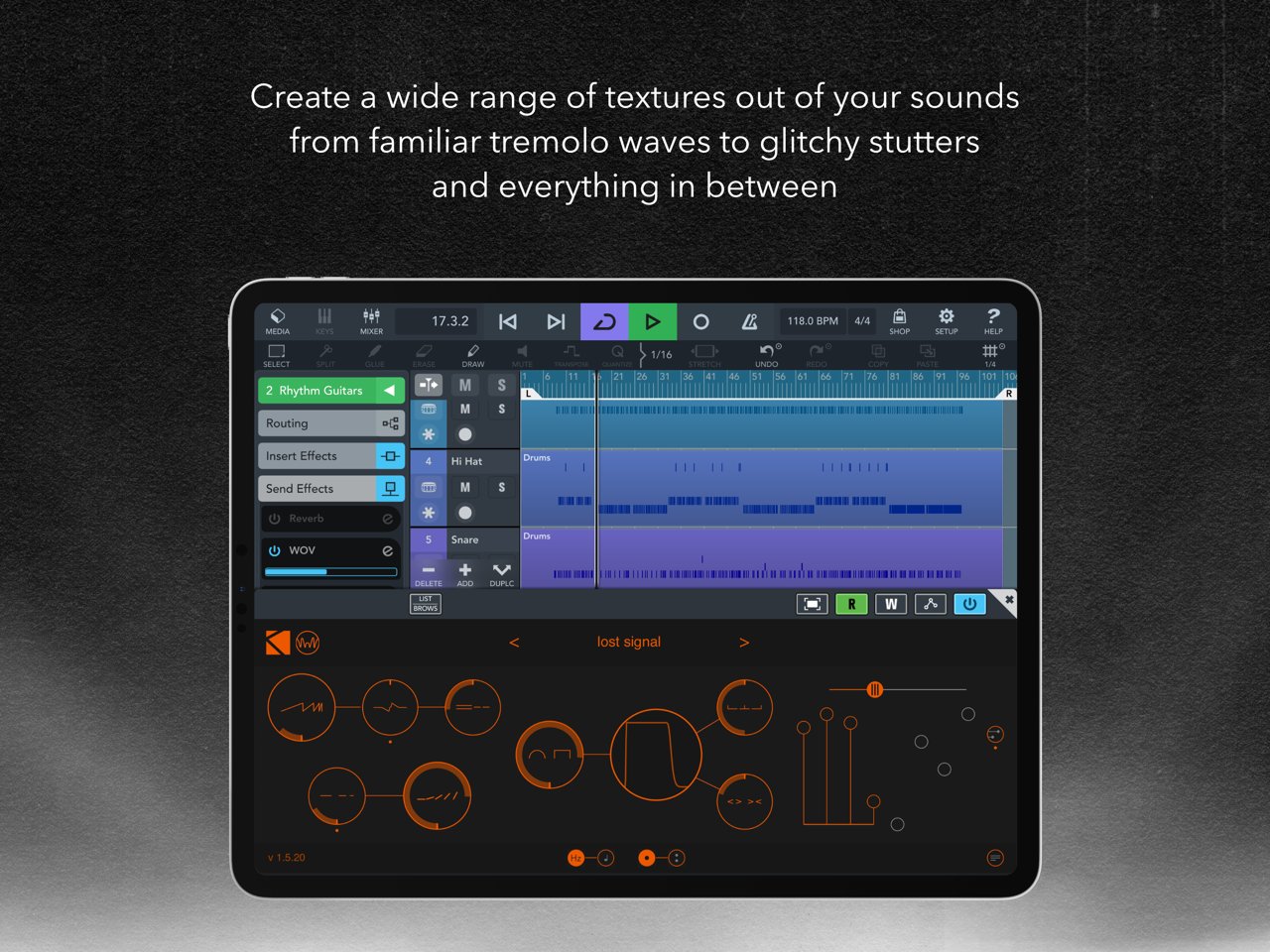
WOV for iOS is an AUv3 effect for making a wide range of textures out of your sounds – from familiar tremolo waves to glitchy stutters and everything in between.
Download
31.43 MB
17downloads
1this week
FreeCommercial
0reviews
Screenshots
About WOV
WOV for iOS is an AUv3 effect for making a wide range of textures out of your sounds – from familiar tremolo waves to glitchy stutters and everything in between.
WOV lands on iOS with an injection of inspiring presets by Richard Devine and Stèv!
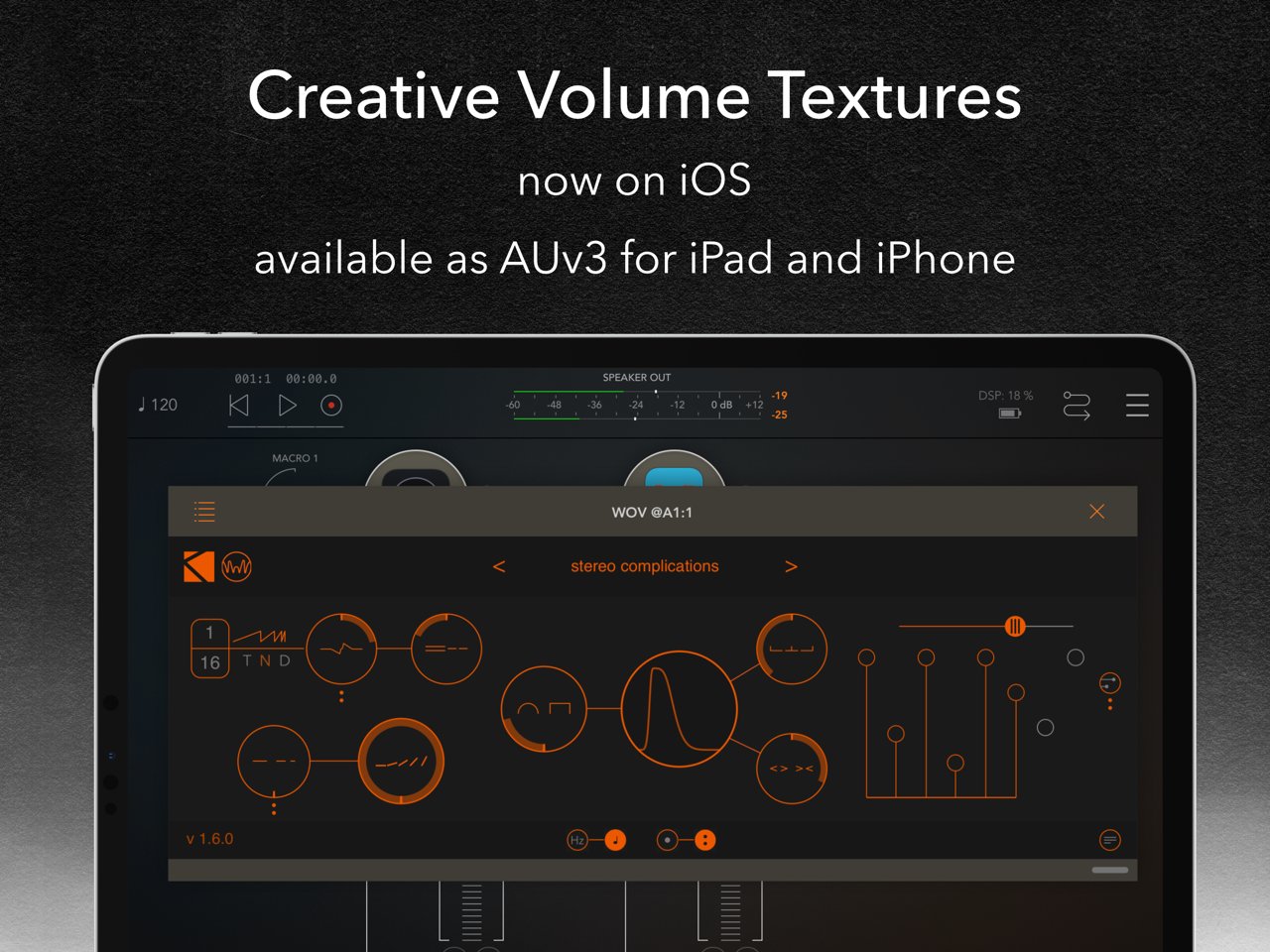
*** Please note: WOV is an Audio Unit extension (AUv3) – it only works in an AUv3 host app like Garageband, AUM, Cubasis, Modstep, Beatmaker 3, etc... ***
HOW IT WORKS / DESCRIPTION
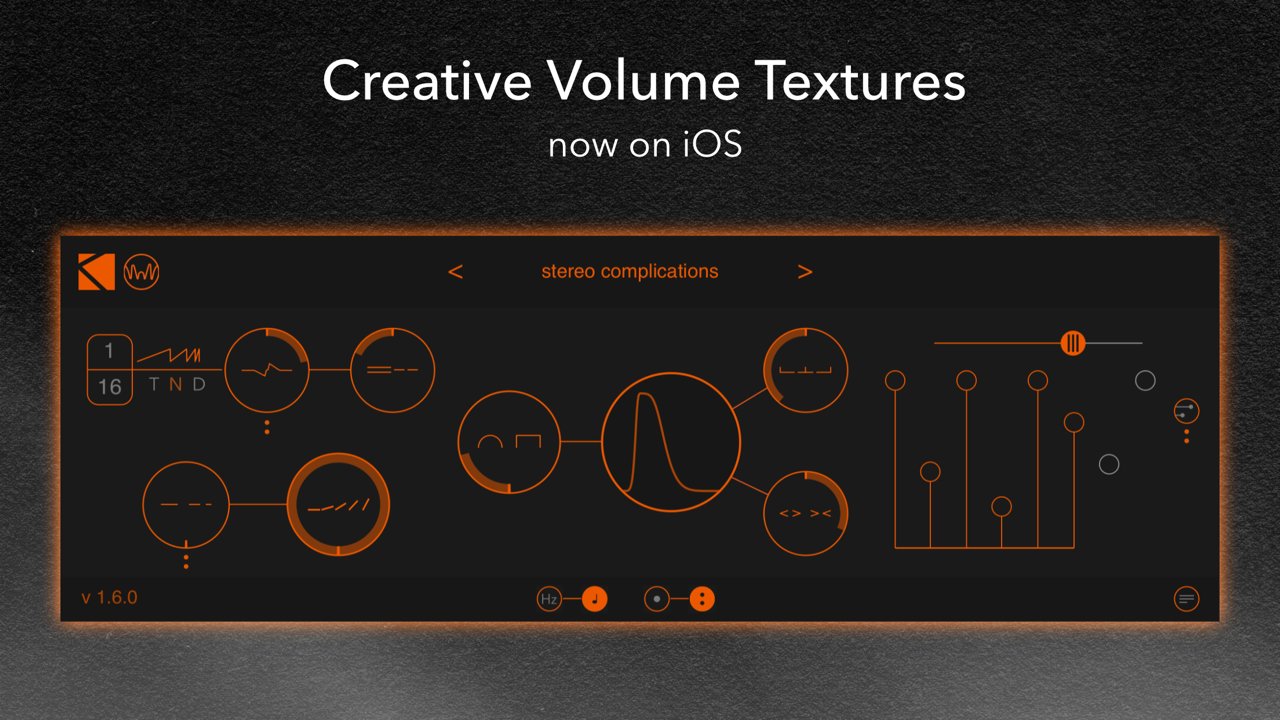
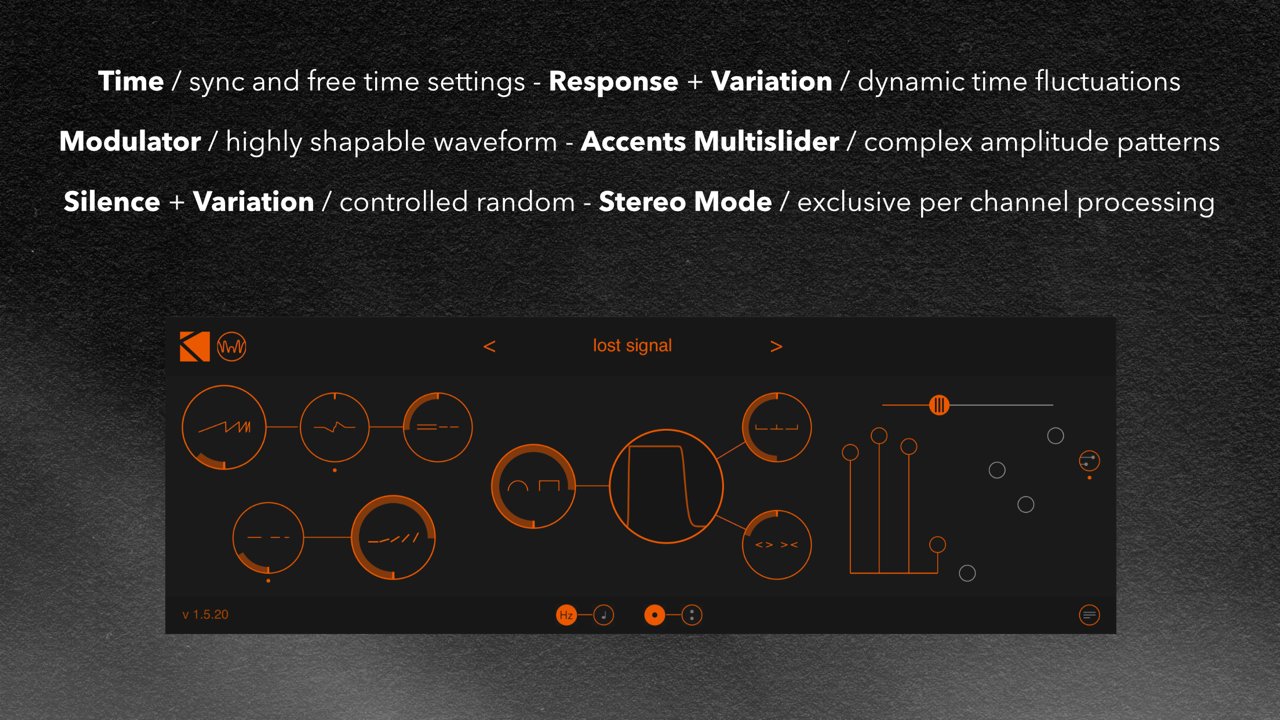
The Rate Section
This section determines the rate or speed at which WOV operates. Rate can either be assigned in Hz, or in fractions of a beat in sync with a hosting app – to switch between Hz and sync modes, use the switches at the bottom center of WOV.
It’s easy to set up a static rate for WOV and leave things at that – but WOV has much more to offer! To the right of the Rate control, the bipolar Response knob sets the sensitivity with which WOV’s rate will either slow down or speed up depending on the volume of the incoming signal. The bipolar Variation control further introduces randomized amounts of variation to the rate – at its extremes going as far half the rate (knob to the far left) or twice the rate (knob to the far right).
The Depth Section
Depth sets the amount of modulation over the dry signal – to the left and it’s more subtle, all the way to the right and WOV will act as a repeating gate. Silence introduces more randomness to the plugin, increasing the likelihood that the amplitude will be zero for some cycles.
The Waveform Section
The waveform of a tremolo effect is essentially its repeating envelope. Classic tremolo effects offer stock waves – WOV, being a K-Devices product, is much more customizable!
The Wave knob morphs between a quasi-sine shape (far left) and a slightly rounded-off square shape (far right). Peak acts as a kind of attack control for the waveform – far left for a sharp attack, or far right to reach the peak more gradually. Finally, the Warp knob allows you to either squeeze or expand the waveform, affecting the length of each sound. When the Wave control is set to a full square, Warp acts as a duty cycle/pulsewidth control.
The Accents Multislider
The eight-step sequencer uses a multislider to set the relative accent value for each beat of the rate. The slider adjusts between two and eight steps in length, and a button offsets the accents going to the right channel one step over from the left (note that this requires Stereo to be enabled).
—
Get Wide
WOV can either preserve the stereo placement of its input signal, or it can add stereo offset to the output signal. Enabling the Stereo switch directly affects the Response, Silence, and Sequencer for a wider sound.
Go By Feel
As part of encouraging more musical and creative applications of WOV, in addition to using symbols for controls, the controls in WOV do not have individual readouts. We encourage you to let your ears determine the right knob positions whenever you can! If you’d like a precise readout, however, you can see/edit it by clicking on any parameter and looking in the upper-right corner of WOV.
Icons
By default, all labels are graphical – for text labels, click the symbols/text label switch in the lower-right had corner.
License: Commercial
WOV lands on iOS with an injection of inspiring presets by Richard Devine and Stèv!
*** Please note: WOV is an Audio Unit extension (AUv3) – it only works in an AUv3 host app like Garageband, AUM, Cubasis, Modstep, Beatmaker 3, etc... ***
HOW IT WORKS / DESCRIPTION
The Rate Section
This section determines the rate or speed at which WOV operates. Rate can either be assigned in Hz, or in fractions of a beat in sync with a hosting app – to switch between Hz and sync modes, use the switches at the bottom center of WOV.
It’s easy to set up a static rate for WOV and leave things at that – but WOV has much more to offer! To the right of the Rate control, the bipolar Response knob sets the sensitivity with which WOV’s rate will either slow down or speed up depending on the volume of the incoming signal. The bipolar Variation control further introduces randomized amounts of variation to the rate – at its extremes going as far half the rate (knob to the far left) or twice the rate (knob to the far right).
The Depth Section
Depth sets the amount of modulation over the dry signal – to the left and it’s more subtle, all the way to the right and WOV will act as a repeating gate. Silence introduces more randomness to the plugin, increasing the likelihood that the amplitude will be zero for some cycles.
The Waveform Section
The waveform of a tremolo effect is essentially its repeating envelope. Classic tremolo effects offer stock waves – WOV, being a K-Devices product, is much more customizable!
The Wave knob morphs between a quasi-sine shape (far left) and a slightly rounded-off square shape (far right). Peak acts as a kind of attack control for the waveform – far left for a sharp attack, or far right to reach the peak more gradually. Finally, the Warp knob allows you to either squeeze or expand the waveform, affecting the length of each sound. When the Wave control is set to a full square, Warp acts as a duty cycle/pulsewidth control.
The Accents Multislider
The eight-step sequencer uses a multislider to set the relative accent value for each beat of the rate. The slider adjusts between two and eight steps in length, and a button offsets the accents going to the right channel one step over from the left (note that this requires Stereo to be enabled).
—
Get Wide
WOV can either preserve the stereo placement of its input signal, or it can add stereo offset to the output signal. Enabling the Stereo switch directly affects the Response, Silence, and Sequencer for a wider sound.
Go By Feel
As part of encouraging more musical and creative applications of WOV, in addition to using symbols for controls, the controls in WOV do not have individual readouts. We encourage you to let your ears determine the right knob positions whenever you can! If you’d like a precise readout, however, you can see/edit it by clicking on any parameter and looking in the upper-right corner of WOV.
Icons
By default, all labels are graphical – for text labels, click the symbols/text label switch in the lower-right had corner.
License: Commercial
| Release info | New Release on Mar 31, 2021 |
|---|---|
| Release notes | - improved sync with host transport |
| Listing data | App Store |
Reviews
No reviews yet. Be the first to review WOV.
Used WOV? Tell other visitors what you thought.
Log in to write a reviewOther products by this publisher
- "No Distractions" for YouTube 4.10 ----
- #Bible 11.6 "Incredible App - My sister shared this app with me a few weeks ago and it is truly incredible.
- #filmphotography 1.4.2 So, you decided to shoot on film?
- $quirrel 1.5.1 $quirrel Budget & Finance helps you plan each paycheck, track spending, manage debt, and see what is safe to spend before the next payday.
- % Percentage Calculator Pro 1.41 This is the Pro version of % Percentage Calculator.
Most viewed iOS Photo & Video
-
1
 ShortDiShow 2.0
Drama Quest Island — An offline interactive short-drama adventure.
-
2
 Infuse 8.5.10
Infuse: Enterprise provides the same great features as the standard version of Infuse and includes permanent access to all Pro features via a traditional paid app.
-
3
 AI Video Generator 2.0.3
Vixel – AI Video Generator
-
4
 OPlayer 4.8
Play all your videos directly without having to convert them!
-
5
 Necrometer II 1.2
Necrometer II is a paranormal investigation companion designed for ghost hunters and researchers.
-
6
 CapCut 20.1.0
CapCut offers easy-to-use video editing functions, in-APP fonts and effects, advanced features such as keyframe animation, smooth slow-motion, chroma key, and stabilization, to help you capture and snip moments.
-
7
 Ai Photo 1.1.2
AI Photo Retouch – BG Eraser
- 8 #filmphotography 1.4.2 So, you decided to shoot on film?
-
9
 Treblo 1.6.5
Make songs with the world's best AI music model.
-
10
 Pop Dot Comics 1.48
Create a comic worthy of the Sunday newspaper or your favorite pulp-fiction cover.
Most downloaded iOS Photo & Video
-
1
Infuse 8.5.10
Infuse: Enterprise provides the same great features as the standard version of Infuse and includes permanent access to all Pro features via a traditional paid app.
-
2
 DJI Fly 1.21.18
DJI Fly is designed to help pilots fly drones with ease.
-
3
 Analog Radio 3.0
The iPhone and iPad devices don't have the FM/AM radio antenna installed.
-
4
 TurboCollage Automatic 1.2.4
#1 Easy automatic photo collage maker for iPhone & iPad.
-
5
 Rozeta Sequencer Suite 1.3.16
Rozeta is a suite of MIDI sequencers and controllers that lets you explore a new, freeform approach to sequencing and controlling mobile music apps.
-
6
 ReelyGo 1.1.42
ReelyGo: Your Daily Drama Escape
-
7
Treblo 1.6.5
Make songs with the world's best AI music model.
-
8
Pop Dot Comics 1.48
Create a comic worthy of the Sunday newspaper or your favorite pulp-fiction cover.
-
9
 AGAIN. Rehearsal Notes 2.0.1
AGAIN. is the rehearsal app that remembers why the band stopped — and, new in Version 2, who said what in a writing session or a table read.
-
10
 Sun Scout 1.5.0
If your work or play requires sunlight, Sun Scout is built for you.