
WM Keyboard 0.6.5
A private, offline keyboard: 955 languages, smart typing, themes, and tools.
Download
31.67 MB
12downloads
2this week
FreeFreeware
0reviews
Screenshots
About WM Keyboard
WM Keyboard is an Android keyboard that keeps its intelligence on your phone. Prediction, autocorrect, glide typing, transliteration, emoji search and learning are all local computation over files in the app's own storage. There is no analytics SDK, no advertising, no account and no server of ours for the app to phone home to. This edition is built with no Google library on its compile classpath at all.
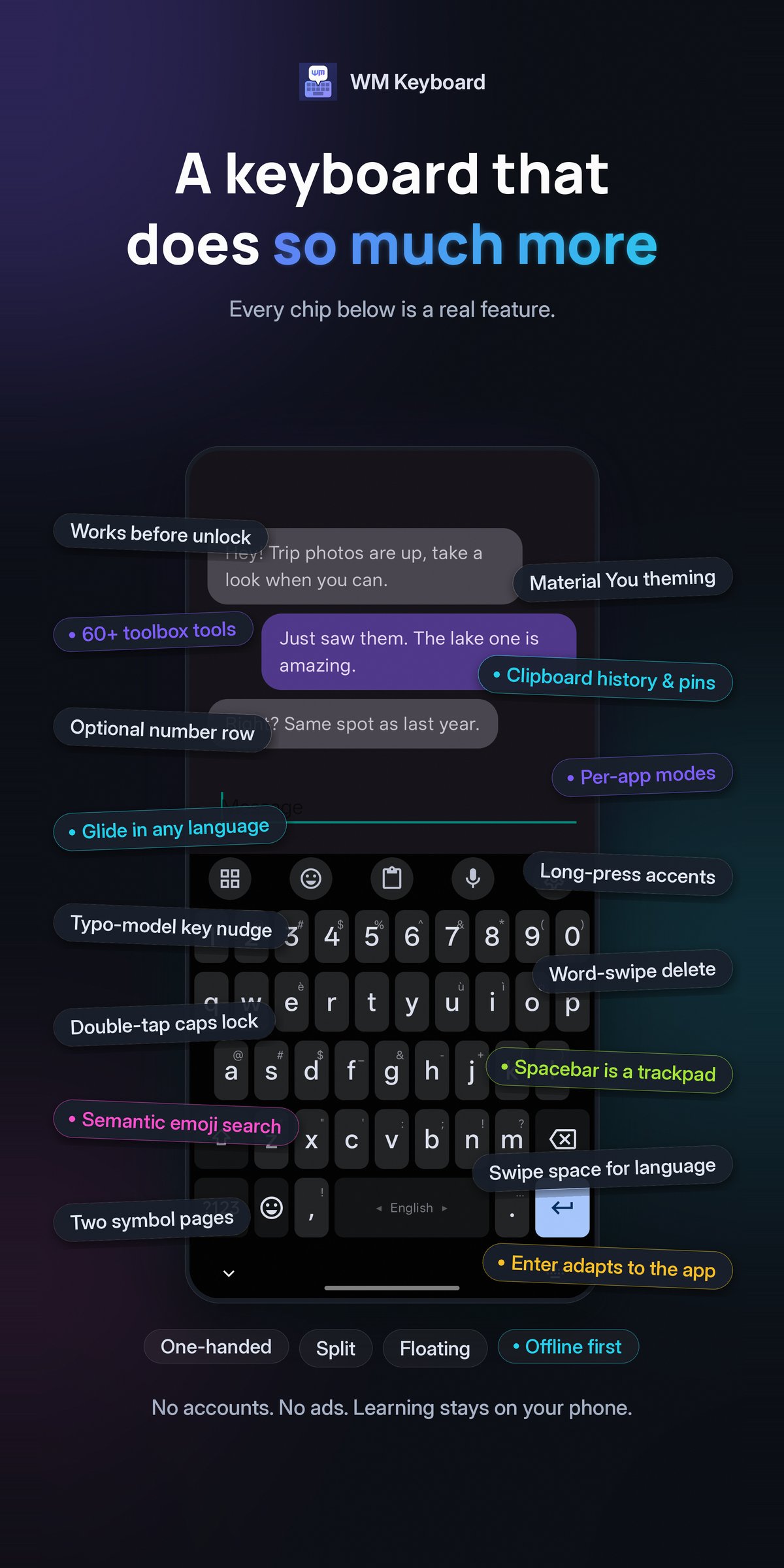
955 LANGUAGES, 2,000 LAYOUTS
Native scripts, InScript variants, romanized entries, CJK and constructed languages, all from one data-driven registry. A fresh install starts in the languages your phone is already set to and suggests more from your system language list.
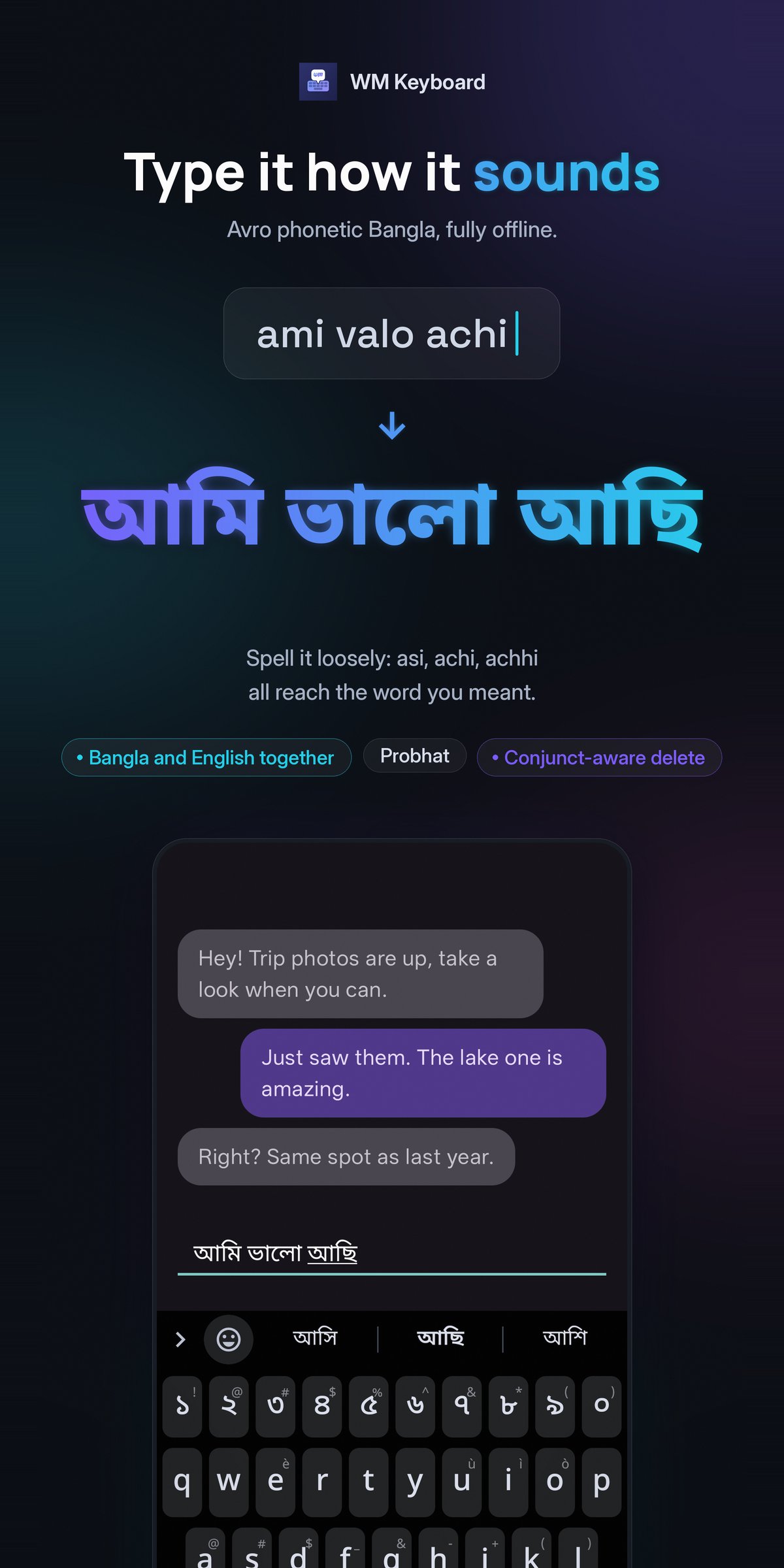
BENGALI THE WAY YOU ACTUALLY TYPE IT
Avro-compatible phonetic typing, so "ami valo achi" becomes ??? ???? ???. The phonetic index is lenient: "asi", "achi" and "achhi" all reach the right word. Probhat is there too, with aspirates on shift, plus conjunct-aware backspace.
TYPING THAT LEARNS, LOCALLY
A trie-lattice beam decoder shared by tapping and glide, n-gram context ranking, autocorrect gated by a likelihood ratio rather than a blunt threshold, and on-device learning of your words, bigrams and trigrams. One tap clears all of it.
A REAL TOOLBOX
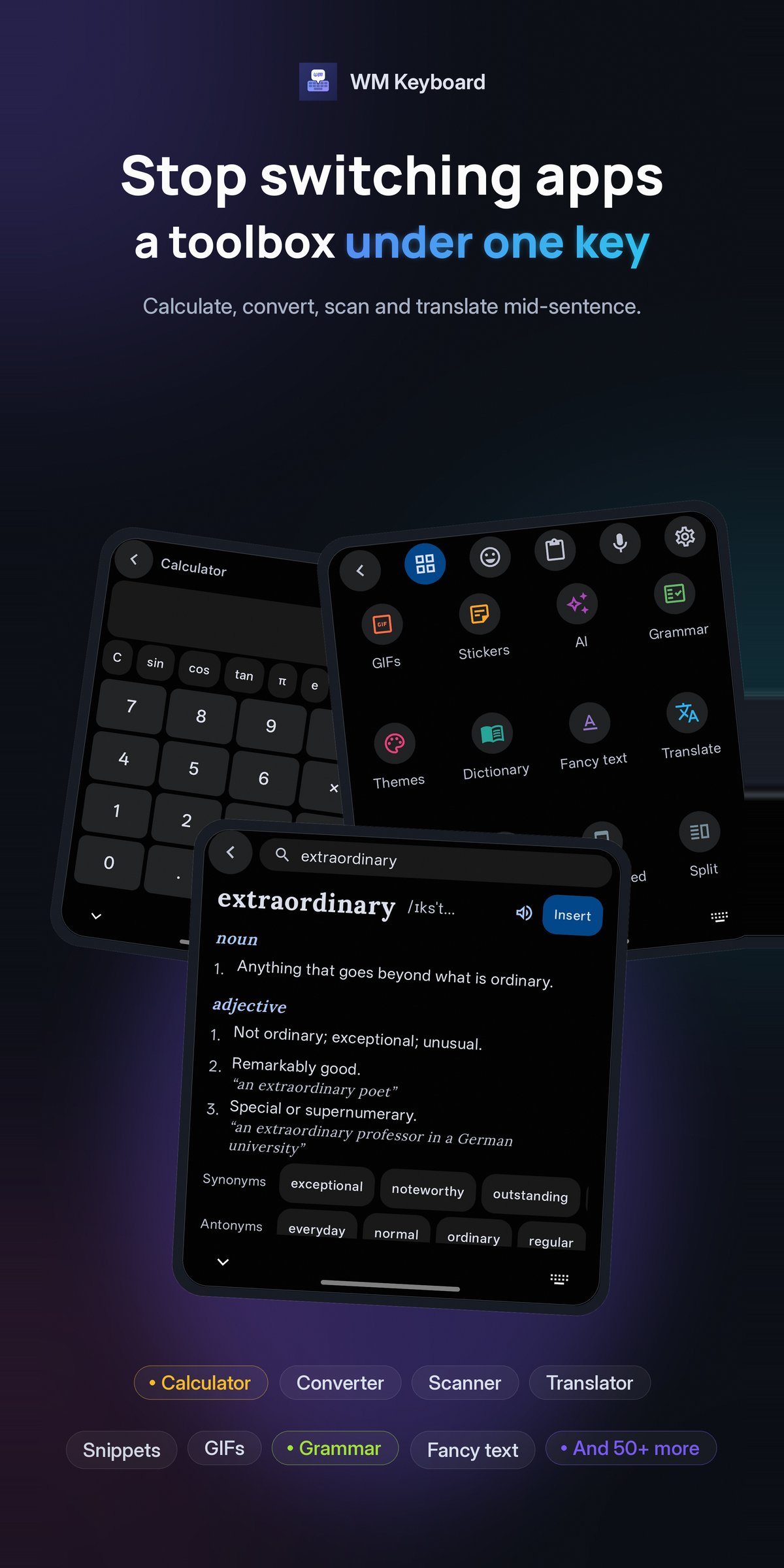
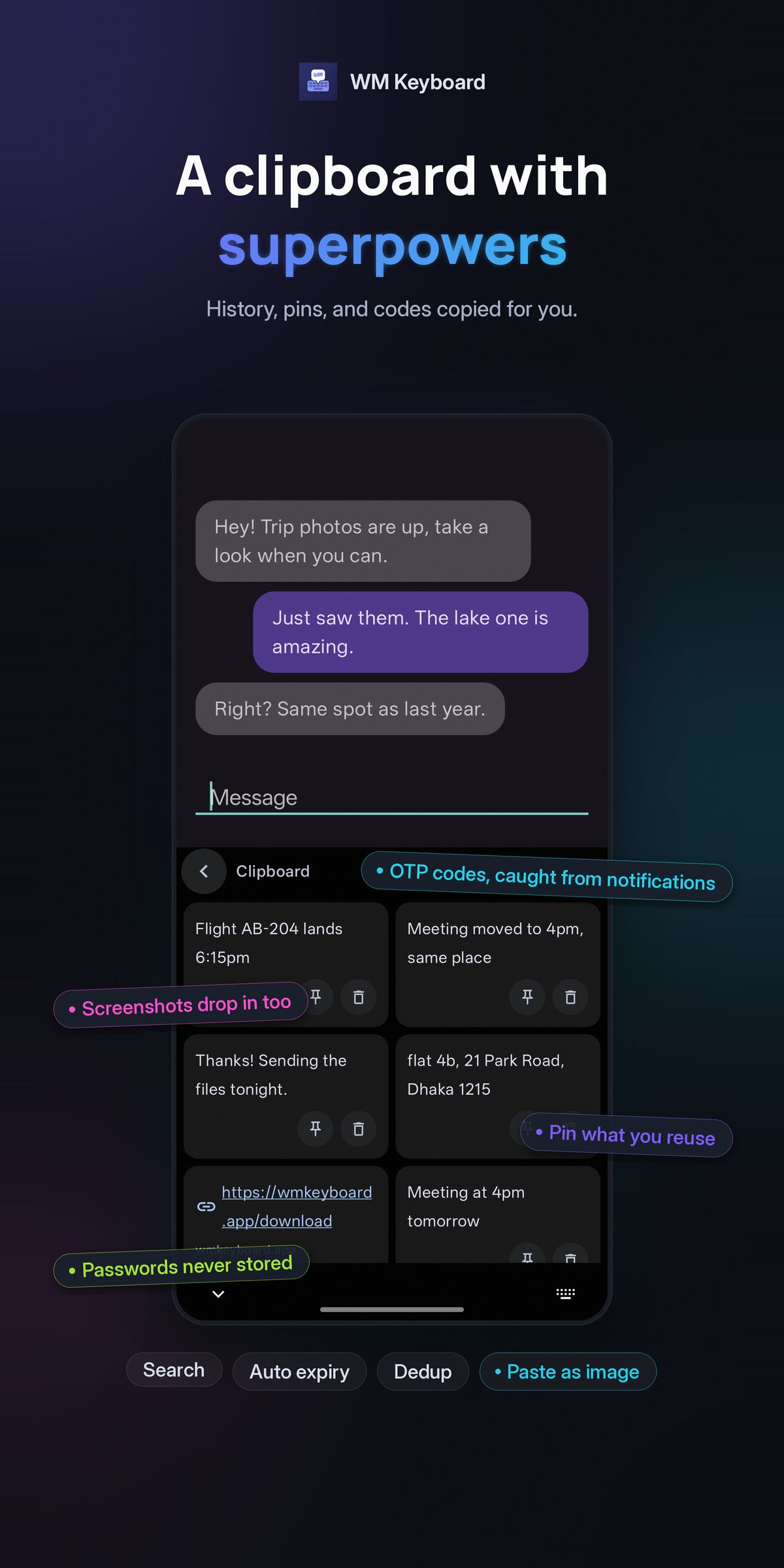
Clipboard with history, pinning and search. Snippets and text expansion. Calculator, unit and currency conversion, calendars, translate, dictionary lookup, web search, camera, media controls, an app launcher and more, most of them fully offline.
EMOJI, GIFS AND STICKERS
The Emoji 17.0 catalog with semantic search in 125 languages, per-person skin tones, kaomoji, custom sticker packs, and long-press to send animated emoji.
MAKE IT YOURS
A full theme editor: palettes, fonts, key shapes, textures, decals, particles and photo backgrounds, plus Material You and AMOLED. Resize the keyboard, split it, float it, or run it one-handed. Themes and layouts export and import as files, and an addon repository can serve you more.
VOICE AND AI
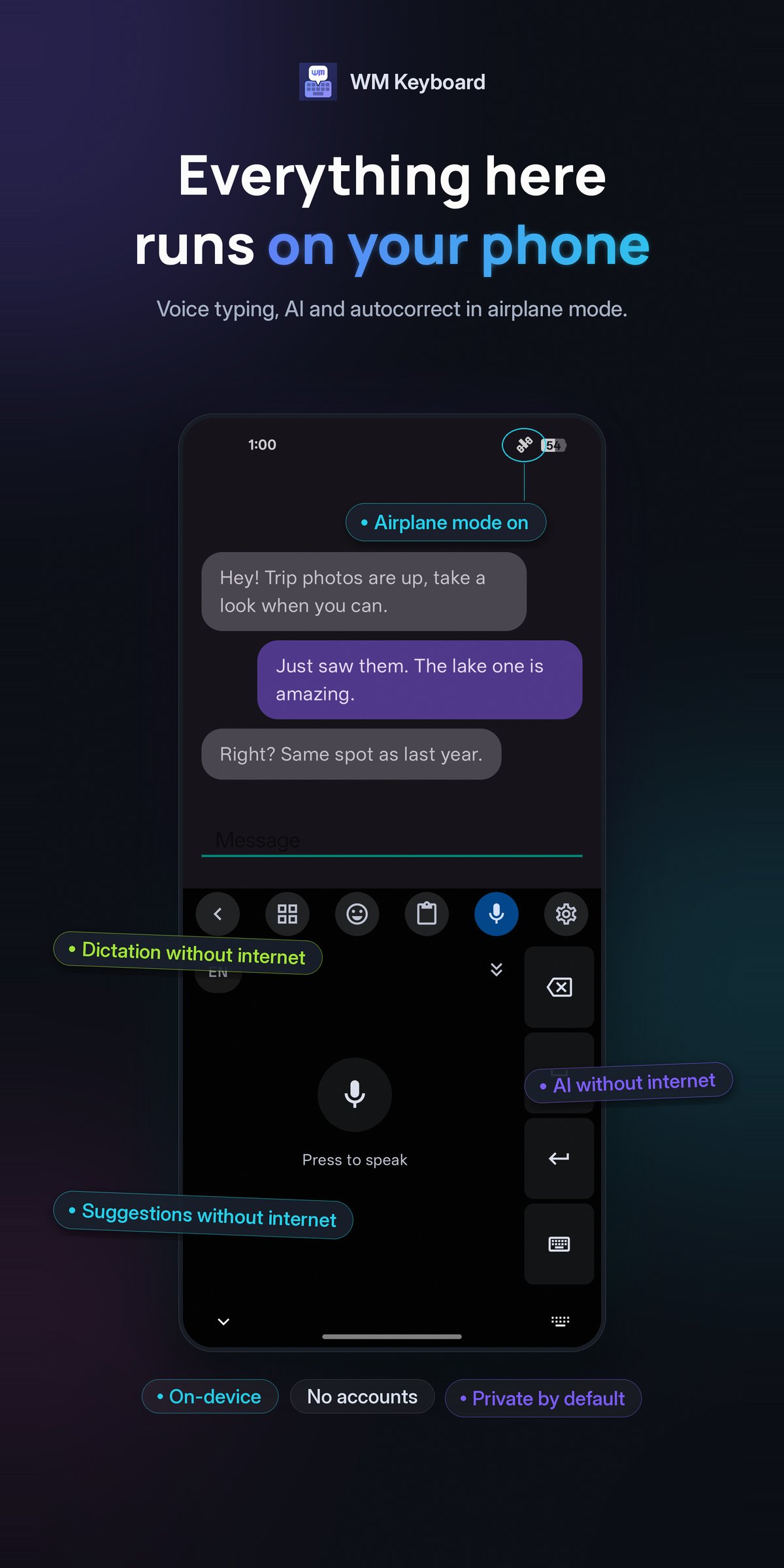
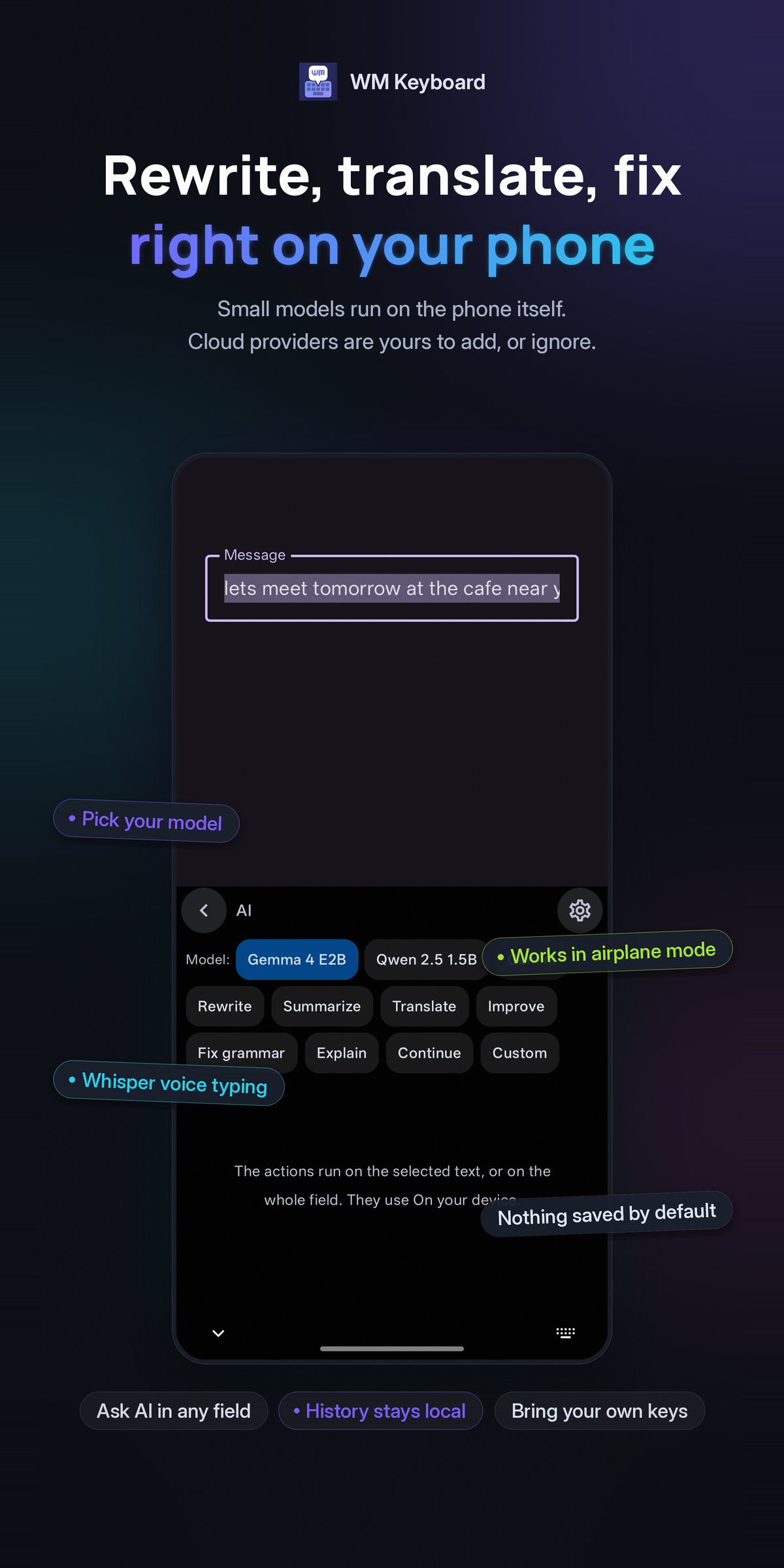
Speech recognition with a continuous mode, through Android's own recognizer or entirely on the phone: Whisper on whisper.cpp, and Asr4All, Parakeet and Moonshine on ExecuTorch, each model a download you ask for. Harper checks grammar offline. AI writing tools are optional, with your own API key or your own server. Nothing is enabled behind your back.
PRIVACY
Every network feature is a tool you choose to open, and each one is documented. This edition downloads nothing unasked: automatic language data is off by default, so a language's n-gram pack and emoji dictionary arrive only when you accept the prompt or press the button. One connection is not a tool, and it is worth naming: a script with no font of its own is drawn in Noto, fetched through Android's downloadable-fonts provider -- Google Play Services where that is installed, and nothing where it is not. Typing on its own never reaches the network: a weather or currency chip waits for your tap before it fetches anything, and exchange rates come from currency-api and Frankfurter, both free software with open data, unless you pick another source. Every service the keyboard uses can also be pointed at another server, including one you run yourself. The update check asks F-Droid only when you press the button for it. Password and secure fields turn off learning, suggestions and clipboard capture on their own, and incognito mode does the same on demand. Backups are written where you point them, and a passphrase encrypts them.
This is the F-Droid build. It leaves out handwriting, text and QR scanning, the Whistle dictation engine and the on-device AI chat models, because they are built on Google libraries or code without published source, and it carries neither. Offline voice libraries come from outside F-Droid, once you allow it. Its privacy policy is its own: [link removed]
The full documentation, including exactly what touches the network and when, is at [link removed]
License: MIT
955 LANGUAGES, 2,000 LAYOUTS
Native scripts, InScript variants, romanized entries, CJK and constructed languages, all from one data-driven registry. A fresh install starts in the languages your phone is already set to and suggests more from your system language list.
BENGALI THE WAY YOU ACTUALLY TYPE IT
Avro-compatible phonetic typing, so "ami valo achi" becomes ??? ???? ???. The phonetic index is lenient: "asi", "achi" and "achhi" all reach the right word. Probhat is there too, with aspirates on shift, plus conjunct-aware backspace.
TYPING THAT LEARNS, LOCALLY
A trie-lattice beam decoder shared by tapping and glide, n-gram context ranking, autocorrect gated by a likelihood ratio rather than a blunt threshold, and on-device learning of your words, bigrams and trigrams. One tap clears all of it.
A REAL TOOLBOX
Clipboard with history, pinning and search. Snippets and text expansion. Calculator, unit and currency conversion, calendars, translate, dictionary lookup, web search, camera, media controls, an app launcher and more, most of them fully offline.
EMOJI, GIFS AND STICKERS
The Emoji 17.0 catalog with semantic search in 125 languages, per-person skin tones, kaomoji, custom sticker packs, and long-press to send animated emoji.
MAKE IT YOURS
A full theme editor: palettes, fonts, key shapes, textures, decals, particles and photo backgrounds, plus Material You and AMOLED. Resize the keyboard, split it, float it, or run it one-handed. Themes and layouts export and import as files, and an addon repository can serve you more.
VOICE AND AI
Speech recognition with a continuous mode, through Android's own recognizer or entirely on the phone: Whisper on whisper.cpp, and Asr4All, Parakeet and Moonshine on ExecuTorch, each model a download you ask for. Harper checks grammar offline. AI writing tools are optional, with your own API key or your own server. Nothing is enabled behind your back.
PRIVACY
Every network feature is a tool you choose to open, and each one is documented. This edition downloads nothing unasked: automatic language data is off by default, so a language's n-gram pack and emoji dictionary arrive only when you accept the prompt or press the button. One connection is not a tool, and it is worth naming: a script with no font of its own is drawn in Noto, fetched through Android's downloadable-fonts provider -- Google Play Services where that is installed, and nothing where it is not. Typing on its own never reaches the network: a weather or currency chip waits for your tap before it fetches anything, and exchange rates come from currency-api and Frankfurter, both free software with open data, unless you pick another source. Every service the keyboard uses can also be pointed at another server, including one you run yourself. The update check asks F-Droid only when you press the button for it. Password and secure fields turn off learning, suggestions and clipboard capture on their own, and incognito mode does the same on demand. Backups are written where you point them, and a passphrase encrypts them.
This is the F-Droid build. It leaves out handwriting, text and QR scanning, the Whistle dictation engine and the on-device AI chat models, because they are built on Google libraries or code without published source, and it carries neither. Offline voice libraries come from outside F-Droid, once you allow it. Its privacy policy is its own: [link removed]
The full documentation, including exactly what touches the network and when, is at [link removed]
License: MIT
| Release info | Update on Nov 04, 2026 |
|---|---|
| Release notes | What's new in 0.6.5 Modes can follow the app, the time of day, the screen's direction or a hardware keyboard. Romanized typing covers 77 more languages, 341 more get word lists, and every Gboard and Samsung Keyboard layout this one lacked is here. Chinese layouts float words over the keys, keys can be wood, metal or neon, a theme can be copied from a screenshot, and Notes, To-do, Clock, Calendar and Send files have new panels. Re-cut (versionCode 42) 0.6.5 was re-cut as versionCode 42 on 6 November, with these on top. It installs over the first build as an update. o Fixes for the crashes and freezes Google Play reported from 0.6.3: o the key sounds page no longer crashes in languages Play machine-translates; o Restore and theme export say so when the phone has no file picker; o a fast double tap on undo or redo no longer crashes the layout editor; o vocabulary packs download without running out of memory; o the Bengali index is built once rather than once per keyboard restart; o on-device translation no longer crashes on phones whose download manager refuses the app; o the code and file editors handle large files without crashing in the background or stalling. o The keyboard no longer freezes when the app you type in stops answering: after one slow read it stops waiting on that app for a moment, instead of waiting it out read after read until Android called the keyboard frozen. Closing the keyboard and the AI chat's header wait less too. o One number row and one arrow keys row for every layout, set once as keys or as JSON. o A touch bloom effect: light spreads from the finger and the keys under it dip and spring back. o The toolbar and suggestion strip can run the full width over narrower keys, and the toolbar row has a height slider. o Suggestion pills take colours of their own in the theme editor, and the strip's undo and correction chips take the theme's colour. o A batch of theme files imports in one pick. o Holding o offers ? and the four card suits. o... |
| Listing data | F-Droid |
Reviews
No reviews yet. Be the first to review WM Keyboard.
Used WM Keyboard? Tell other visitors what you thought.
Log in to write a reviewOther products by this publisher
- "No Distractions" for YouTube 4.10 ----
- #Bible 11.6 "Incredible App - My sister shared this app with me a few weeks ago and it is truly incredible.
- #filmphotography 1.4.2 So, you decided to shoot on film?
- $quirrel 1.5.1 $quirrel Budget & Finance helps you plan each paycheck, track spending, manage debt, and see what is safe to spend before the next payday.
- % Percentage Calculator Pro 1.41 This is the Pro version of % Percentage Calculator.
Most viewed Android Keyboard & Ime
-
1
 VocaPhone 0.2.6
Voice dictation keyboard that transcribes on hardware you control
- 2 FlorisBoard 0.5.2 An open-source keyboard which respects your privacy. Currently in beta.
- 3 Kinetica 2.2.1 Two-thumb keyboard: both thumbs swipe and tap at once. No network access.
- 4 KeliBoard 4.0.1 Customizable open-source keyboard
- 5 AdaptKey 1.2.97 Privacy-first Android keyboard that learns your typing style. Fully offline.
-
6
 Xime IME 3.5.0-alpha.3
A Rime-based Chinese IME for Wubi and Pinyin input
- 7 Afrikaans for AnySoftKeyboard 5.1.6158 Afrikaans Language Pack for AnySoftKeyboard
- 8 8Vim Keyboard 0.17.5 A small screen keyboard inspired by VIM and 8Pen
- 9 Fcitx5 (Unikey Plugin) 0.1.3-0-g048f581c Unikey (Vietnamese input method) engine support for Fcitx5
- 10 ICS Theme for AnySoftKeyboard 5.1.6158 Ice Cream Sandwich Theme for AnySoftKeyboard
Most downloaded Android Keyboard & Ime
- 1 Kinetica 2.2.1 Two-thumb keyboard: both thumbs swipe and tap at once. No network access.
-
2
 Parakeetype 0.5.0
Fast on-device speech-to-text keyboard and voice input - no cloud, no tracking.
-
3
 Ezhuthola: Malayalam Keyboard 0.5.0
Type Malayalam in Manglish. No ads, no tracking, no internet.
-
4
 zinna-IME 0.1.2
Offline Japanese keyboard with mozc conversion, flick and qwerty
-
5
 Ramblr 1.0.49
Tap, ramble, tap. Clean dictated text lands wherever your cursor is.
-
6
Xime IME 3.5.0-alpha.3
A Rime-based Chinese IME for Wubi and Pinyin input
- 7 Guileless Bopomofo Keyboard 5.2.1 A simple Bopomofo software keyboard (input method editor) for typing Hanyu
-
8
 ReteKey 0.2.3
Hangul keyboard with Esc, Tab, Ctrl and F-keys. 470 KB, one permission.
-
9
 KeyTab 0.23
Keyboard (IME) with tabbed file manager, offline word prediction and TAB key.
-
10
 Traditional T9 64.0
A T9 keyboard inspired by the classic Nokia phones of the 2000s.