
Voyager 1.15.0
Voyager - Material Design 3 file browser with SFTP, FTP, SMB, and WebDAV support
Download
12.86 MB
31downloads
15this week
FreeFreeware
0reviews
Screenshots
About Voyager
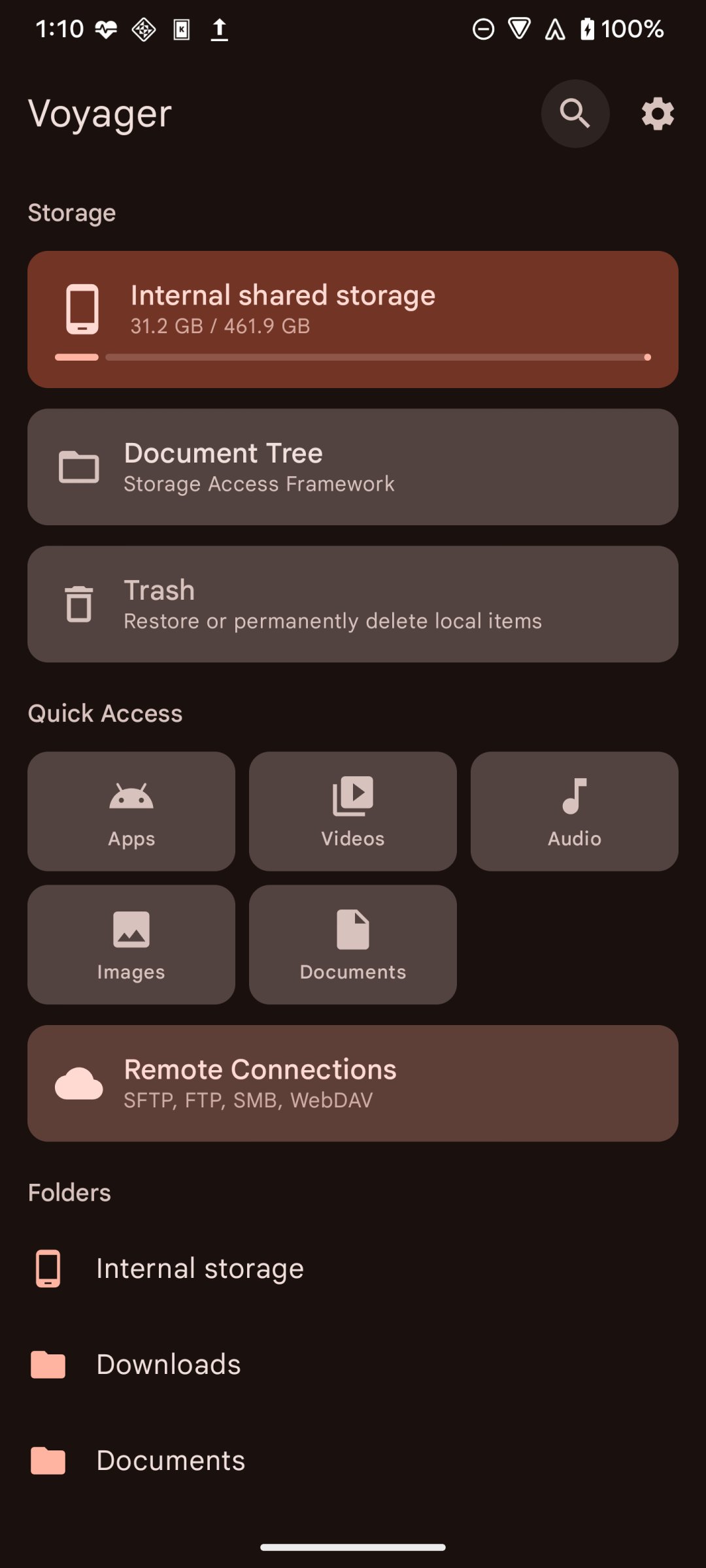
Voyager is an open-source file manager for Android with built-in SFTP, FTP, SMB, and WebDAV access, built with Material Design 3 and Jetpack Compose.
Features:
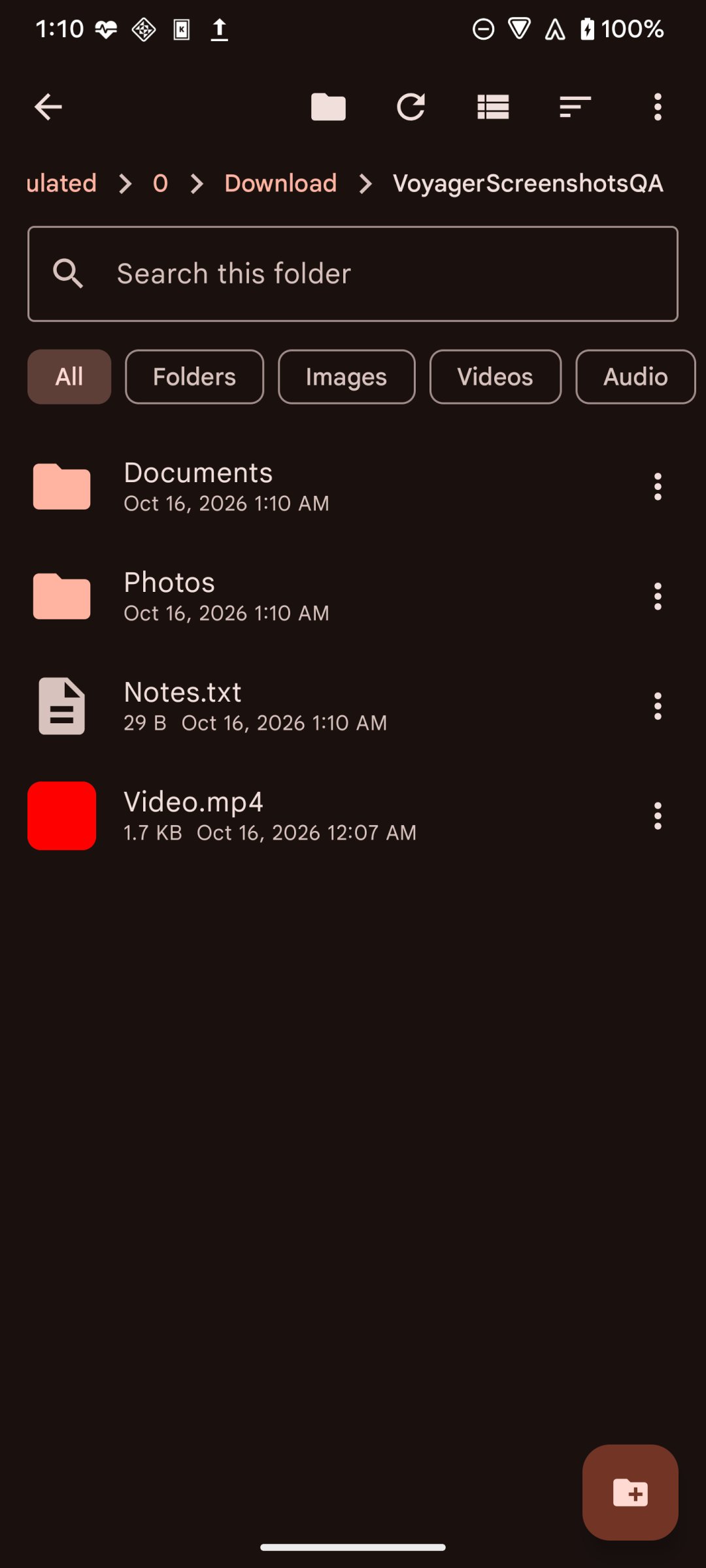
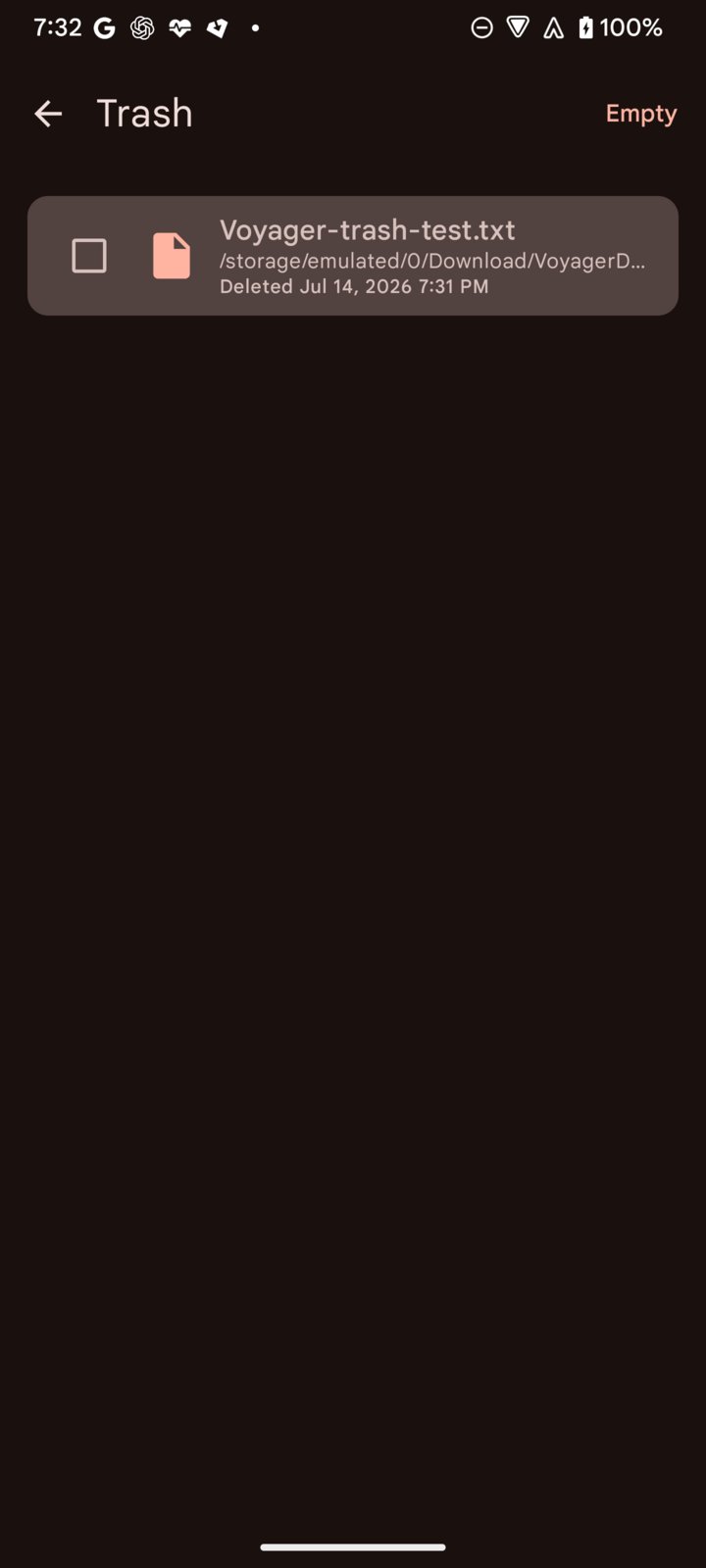
• Local file browsing with file management (copy, move, rename, Trash, permanent delete, create)
• Share one or several local and document-tree files through Android's system share sheet
• File details with selectable metadata
• Local and remote image thumbnails, first-page PDF previews, and readable local APK application-icon thumbnails
• Filename search across accessible mounted shared storage, with an action to open a result's folder
• Per-file action menus in List and Compact views
• Optional root and Shizuku sessions with explicit authorization
• Storage Access Framework document-tree browsing and file management
• Open files through Android defaults or choose a handler with Open with
• Create ZIP archives and safely extract ZIP, TAR, TGZ, TBZ2, GZ, and BZ2 files with progress and cancellation
• Find duplicate files by content, with editable folder-name exclusions and recycle folders excluded by default
• SFTP remote access, with password, keyboard-interactive, private key, or generated key-pair authentication whose public key can be copied or saved
• FTP remote access
• SMB/CIFS browsing, including disk-share discovery when a connection omits the share name
• WebDAV remote access with direct audio/video playback and seeking when the server supports byte ranges
• HTTPS WebDAV trust through Android system and user-installed certificate authorities
• Copy and move files between local storage and a remote server, in both directions
• Create remote files and folders, and upload documents through Android's system picker
• Download remote files and folders to the device, with confirmation before file-tap downloads on SFTP, FTP, and SMB
• Upload and download progress with active filenames, item counts, bytes, percentage when known, and speed
• Multiple browser sessions for local and remote locations, with a session switcher
• Optional automatic closure of inactive sessions after Voyager remains in the background
• Mounted external storage volumes, such as SD cards and USB/OTG, listed alongside internal storage
• 20 built-in themes including Catppuccin, Nord, Solarized, Gruvbox, Rosé Pine, Tokyo Night, and High Contrast
• Custom theme support
• AMOLED black theme
• List, compact list, and grid view modes
• Focus-aware Android TV remote navigation with select and long-press actions
• Bookmarks, quick access, and customizable Home section visibility and order
• Storage usage overview
• Hidden files toggle
• Multiple sort options (name, size, date, type)
• Multi-select with copy/cut/paste
• Material You dynamic color support (Android 12+)
Privacy:
• No analytics or tracking
• No internet access required for local browsing
• All network connections are user-initiated
• Fully open source (GPLv3)
Help translate or review wording on Crowdin: [link removed]
Contributor guide: [link removed]
License: GPL-3.0-only
Features:
• Local file browsing with file management (copy, move, rename, Trash, permanent delete, create)
• Share one or several local and document-tree files through Android's system share sheet
• File details with selectable metadata
• Local and remote image thumbnails, first-page PDF previews, and readable local APK application-icon thumbnails
• Filename search across accessible mounted shared storage, with an action to open a result's folder
• Per-file action menus in List and Compact views
• Optional root and Shizuku sessions with explicit authorization
• Storage Access Framework document-tree browsing and file management
• Open files through Android defaults or choose a handler with Open with
• Create ZIP archives and safely extract ZIP, TAR, TGZ, TBZ2, GZ, and BZ2 files with progress and cancellation
• Find duplicate files by content, with editable folder-name exclusions and recycle folders excluded by default
• SFTP remote access, with password, keyboard-interactive, private key, or generated key-pair authentication whose public key can be copied or saved
• FTP remote access
• SMB/CIFS browsing, including disk-share discovery when a connection omits the share name
• WebDAV remote access with direct audio/video playback and seeking when the server supports byte ranges
• HTTPS WebDAV trust through Android system and user-installed certificate authorities
• Copy and move files between local storage and a remote server, in both directions
• Create remote files and folders, and upload documents through Android's system picker
• Download remote files and folders to the device, with confirmation before file-tap downloads on SFTP, FTP, and SMB
• Upload and download progress with active filenames, item counts, bytes, percentage when known, and speed
• Multiple browser sessions for local and remote locations, with a session switcher
• Optional automatic closure of inactive sessions after Voyager remains in the background
• Mounted external storage volumes, such as SD cards and USB/OTG, listed alongside internal storage
• 20 built-in themes including Catppuccin, Nord, Solarized, Gruvbox, Rosé Pine, Tokyo Night, and High Contrast
• Custom theme support
• AMOLED black theme
• List, compact list, and grid view modes
• Focus-aware Android TV remote navigation with select and long-press actions
• Bookmarks, quick access, and customizable Home section visibility and order
• Storage usage overview
• Hidden files toggle
• Multiple sort options (name, size, date, type)
• Multi-select with copy/cut/paste
• Material You dynamic color support (Android 12+)
Privacy:
• No analytics or tracking
• No internet access required for local browsing
• All network connections are user-initiated
• Fully open source (GPLv3)
Help translate or review wording on Crowdin: [link removed]
Contributor guide: [link removed]
License: GPL-3.0-only
| Release info | Update on Nov 08, 2026 |
|---|---|
| Release notes | Voyager 1.15.0 adds incoming file sharing and combined file and folder search. • Receive files through Android's share sheet, choose a local folder, document tree, or remote destination, and tap Save here. • Find files and folders across accessible mounted shared storage. Open folder results directly or expand the browser's current query through Search shared storage. • Transfer regular files through the Shizuku service using direct file I/O. Interrupted, cancelled, or abandoned writes discard their temporary stage. • Correct Traditional Chinese translations through Crowdin and update German and Italian strings. Requires Android 8.0 or later. The universal APK supports all included architectures. Changes since 1.14.0. |
| Listing data | F-Droid |
Reviews
No reviews yet. Be the first to review Voyager.
Used Voyager? Tell other visitors what you thought.
Log in to write a reviewOther products by this publisher
- "No Distractions" for YouTube 4.10 ----
- #Bible 11.6 "Incredible App - My sister shared this app with me a few weeks ago and it is truly incredible.
- #filmphotography 1.4.2 So, you decided to shoot on film?
- $quirrel 1.5.1 $quirrel Budget & Finance helps you plan each paycheck, track spending, manage debt, and see what is safe to spend before the next payday.
- % Percentage Calculator Pro 1.41 This is the Pro version of % Percentage Calculator.
Most viewed Android File Managers
-
1
Voyager 1.15.0
Voyager - Material Design 3 file browser with SFTP, FTP, SMB, and WebDAV support
-
2
 Little File Explorer 4.18
Android 1.0+ mini simple file manager/explorer
- 3 Fossify File Manager 1.6.4 Handy, lightweight, open-source file explorer with essential features.
- 4 FileManagerSphere 1.1.3 Make organizing, navigating and manipulating documents and media more efficient
- 5 Files 1.0.8 Open Android's built-in Files app.
-
6
 Pile 1.2.10
Organize your documents with tags. Private, offline, and built for you.
-
7
 Simple File Manager 1.0.2
No bloat simple file manager
-
8
 Teyin 2026.8
Lightweight, privacy-first file manager designed for speed and simplicity
- 9 FilePipe: Auto Files Organizer 3.11.3 Your files, your rules. Automatically sort and move media with smart rules.
Most downloaded Android File Managers
-
1
Pile 1.2.10
Organize your documents with tags. Private, offline, and built for you.
-
2
Voyager 1.15.0
Voyager - Material Design 3 file browser with SFTP, FTP, SMB, and WebDAV support
-
3
Simple File Manager 1.0.2
No bloat simple file manager
-
4
Teyin 2026.8
Lightweight, privacy-first file manager designed for speed and simplicity
-
5
Little File Explorer 4.18
Android 1.0+ mini simple file manager/explorer
- 6 Files 1.0.8 Open Android's built-in Files app.
- 7 FilePipe: Auto Files Organizer 3.11.3 Your files, your rules. Automatically sort and move media with smart rules.
- 8 Fossify File Manager 1.6.4 Handy, lightweight, open-source file explorer with essential features.
- 9 FileManagerSphere 1.1.3 Make organizing, navigating and manipulating documents and media more efficient