14downloads
2this week
FreeCommercial
0reviews
Screenshots
About Voxbend
Your voice, a new character, a finished video. Voxbend lets you record or import a clip, apply an effect, and check the result before sharing it. One purchase, with no subscription, ads or account. Processing stays on your iPhone or iPad.
FROM ORIGINAL TO FINISHED VIDEO
1. Record a take or choose audio or video from Photos or Files.
2. Pick a voice and compare the original and processed sound.
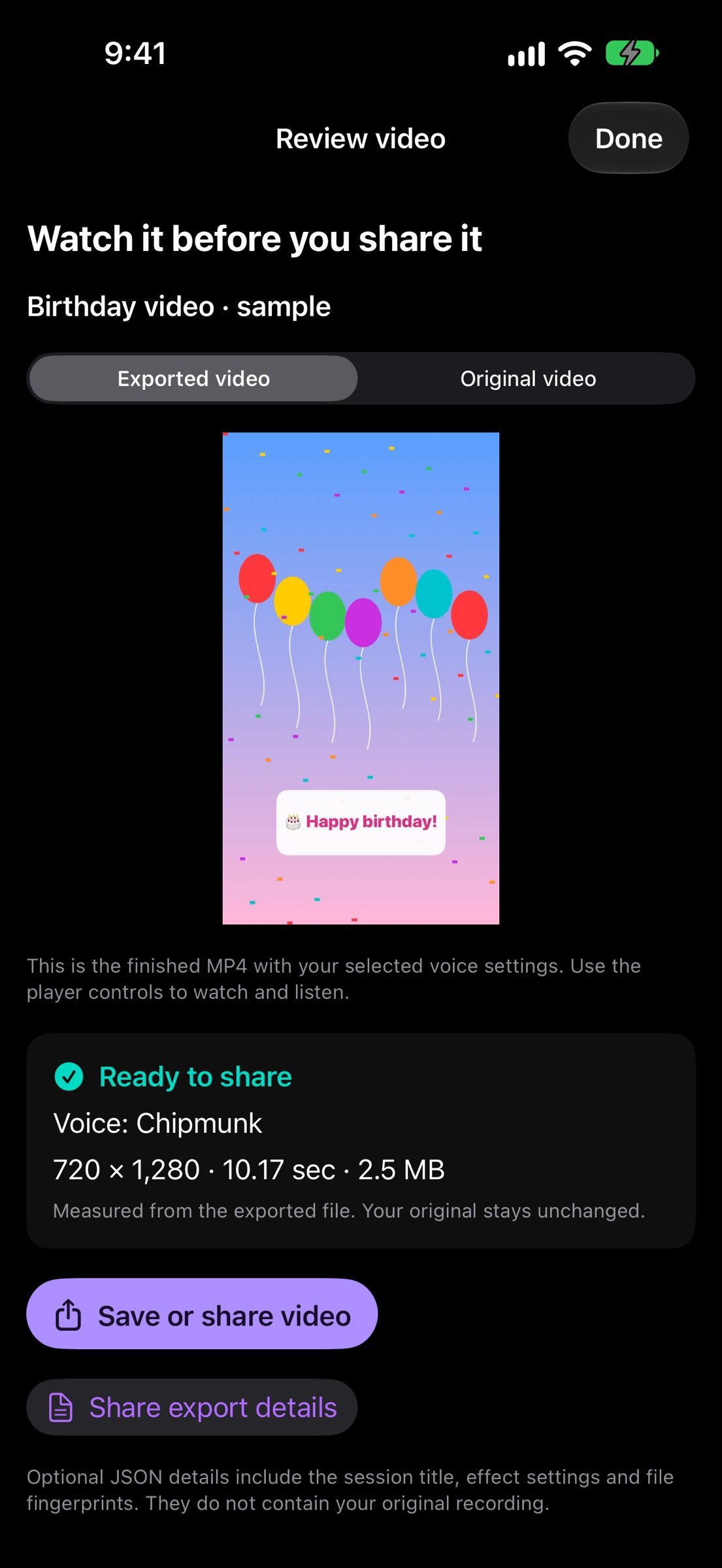
3. Build your MP4, watch it, then save or share it.
The video review screen switches between the original movie and the exported version. The original is untrimmed; the export follows your trim and speed settings. Dimensions, duration and size come from the actual output file. Optional export details preserve the recipe and file fingerprints. Audio-only sessions can become portrait waveform videos.
30 VOICE EFFECTS
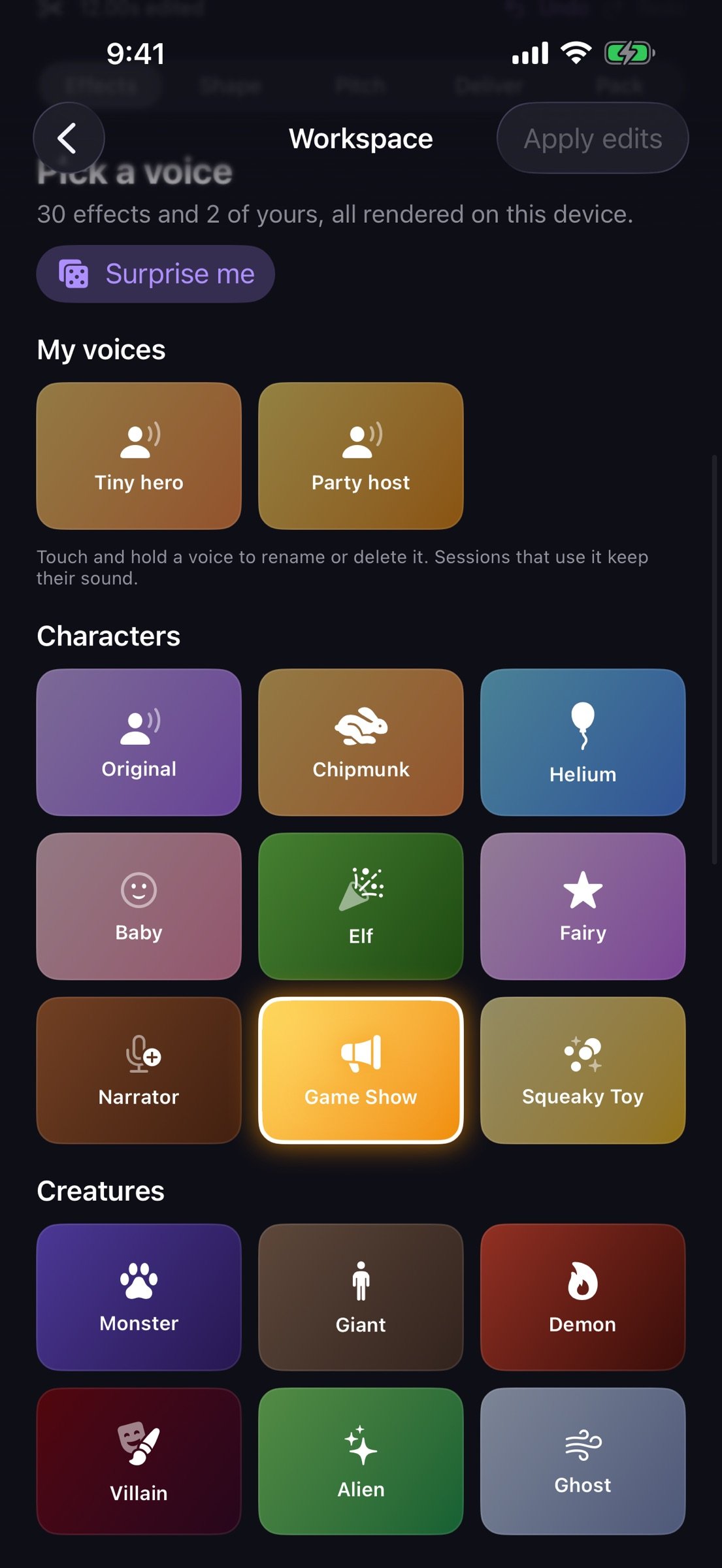
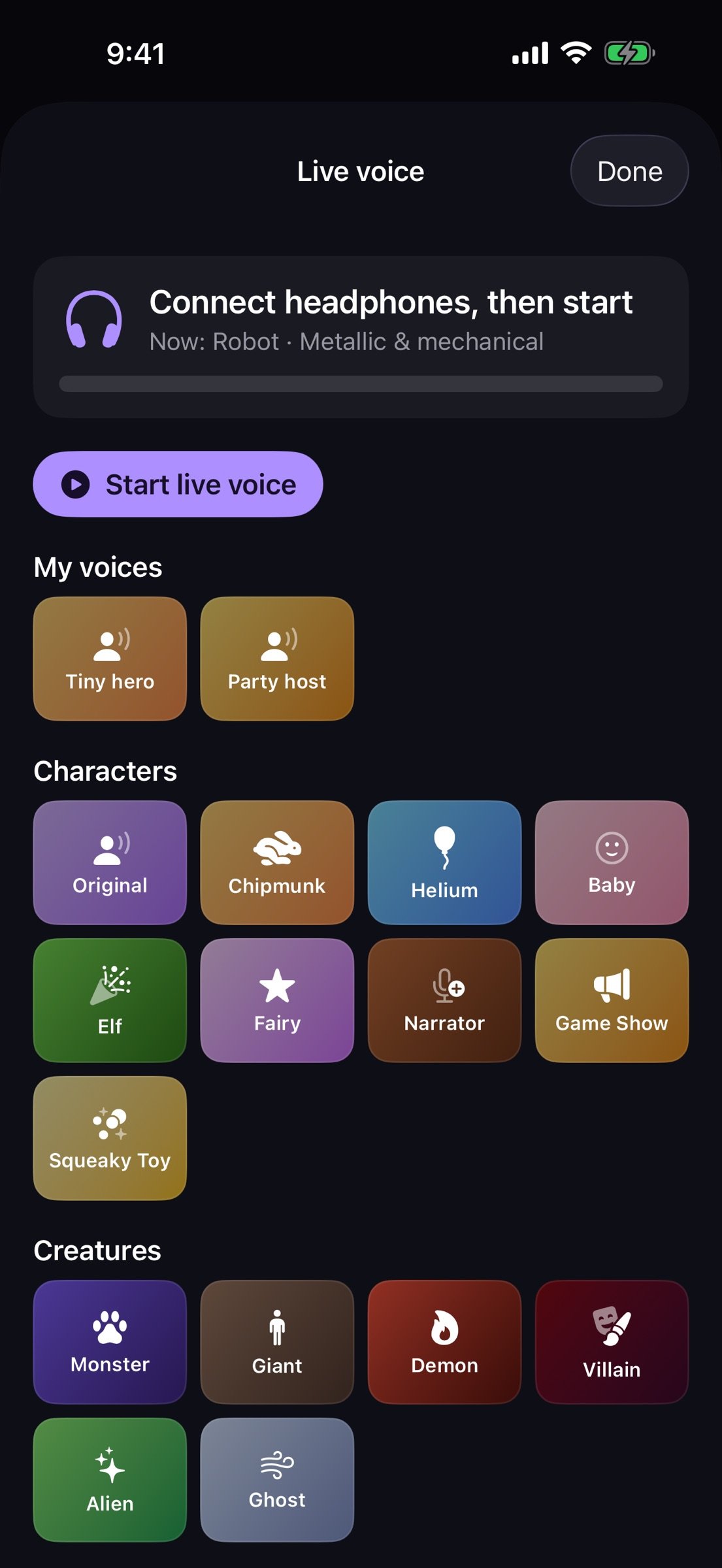
Try Robot, Chipmunk, Monster, Announcer and more across Characters, Creatures, Places, Gadgets, and Speed & Reverse. Surprise me chooses a different effect. Shape pitch, speed, vocal color EQ, reverb, distortion, ring modulation and echo; trim, fade and reverse recordings. Save up to 40 custom voices and 12 variations per session, with 24-step undo/redo.
LIVE VOICE WITH HEADPHONES
Hear effects as you speak, switch voices and keep a take for later editing. Headphones are required to prevent feedback. Speed and reverse effects apply to recorded takes rather than live input. Voxbend does not change your voice inside phone calls or other apps.
PITCH AND SPEECH
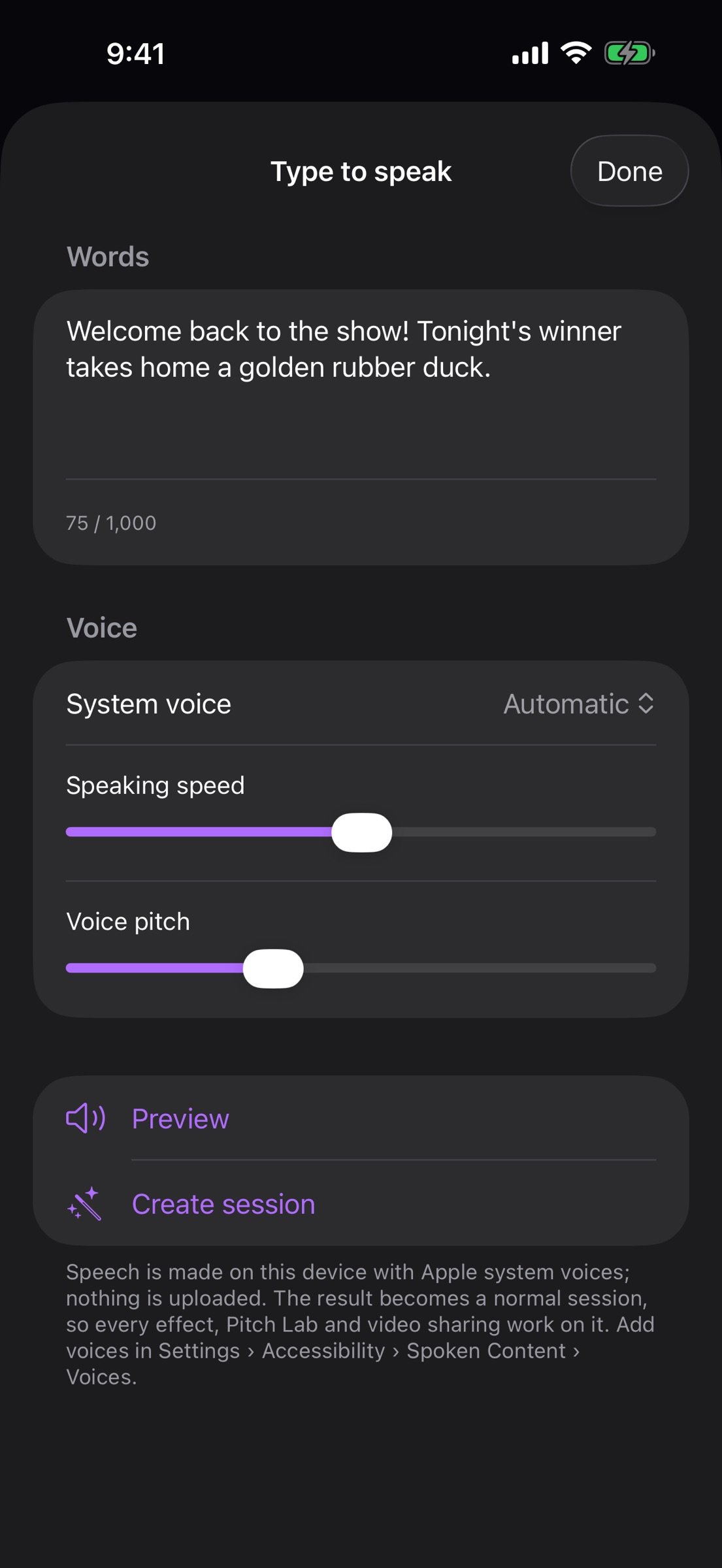
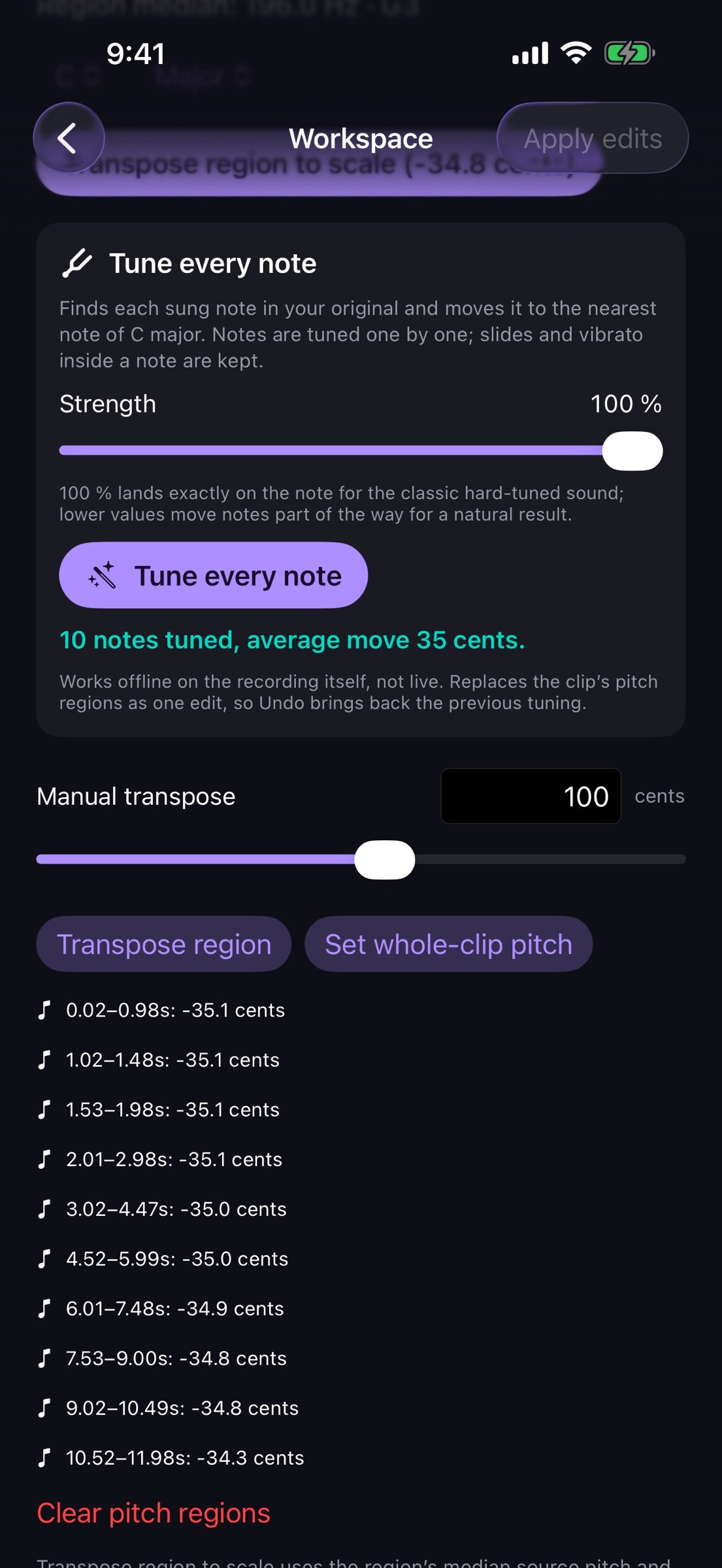
Inspect the pitch trace, transpose a selected region, or tune detected notes toward a chosen key and scale with adjustable strength. Tuning works on recordings, not live input. Type up to 1,000 characters and use an available Apple system voice to create a take.
AUDIO, VIDEO AND SOUND PACKS
Deliver WAV at 16/24 bit or AAC at 44.1/48 kHz, or MP4 video. Audio measurements report sample peak and RMS, not LUFS or true peak. Render up to 12 variations into a ZIP sound pack with a recipe manifest. Back up and restore your library, originals, videos, edits and custom voices in one file.
QUICK ACCESS
Widgets and Control Center buttons open recording or Live voice. Use the Change Voice action in Shortcuts to process an audio file on your device.
YOUR ORIGINALS STAY INTACT
Record up to five minutes. Import audio up to five minutes and 150 MB, or video up to five minutes and 1 GB. Edits are stored separately from the original. Microphone access is requested for recording or Live voice, and Photos access only when you choose to save a video. You choose each sharing destination.
Included reference clips and demonstration videos are synthetic samples. Vocal color is tonal EQ, not formant shifting. The app interface and screenshots are in English.
License: Commercial
| Release info | Update on Nov 18, 2026 |
|---|---|
| Release notes | Voxbend 7.0 makes recording safer and adds two editing tools. - Every "Record a take" recording is now saved to your library, even when a call, a headphone change or the five-minute limit stops it. Audio already captured is recovered after an unexpected exit. - Opening Control Center no longer ends a recording. - New: "Trim silence" sets the start and end around the sound in your original, as one edit you can undo. - New: optional peak normalizing to -1 dBFS for audio files and sound packs. - Takes with no usable audio are set aside instead of showing an error at every launch, and a Settings shortcut appears when microphone access is off. Your original recordings remain unchanged. |
| Listing data | App Store |
Reviews
No reviews yet. Be the first to review Voxbend.
Used Voxbend? Tell other visitors what you thought.
Log in to write a reviewOther products by this publisher
- "No Distractions" for YouTube 4.10 ----
- #Bible 11.6.1 "Incredible App - My sister shared this app with me a few weeks ago and it is truly incredible.
- #filmphotography 1.4.2 So, you decided to shoot on film?
- #LookBusy Fake Calendar Events 1.0.6 Look Busy scans your work calendar for open time slots and fills them with realistic-looking (but secretly fake) work events.
- #Small Talk Is Canceled 1.0.2 #Small Talk Is Canceled — Conversations That Matter
Most viewed iOS Photo & Video
-
1
 Restore Old Photos 1.1.0
Bring old family photos back to life, privately on your iPhone or iPad.
-
2
 Infrared Developer 1.2
Infrared Developer is a photo editor built for infrared photography.
-
3
 ShortDiShow 2.0
Drama Quest Island — An offline interactive short-drama adventure.
-
4
 Face Witness 1.0.4
FaceWitness lets you create a face by putting together individual features.
-
5
 Infuse 8.5.11
Infuse: Enterprise provides the same great features as the standard version of Infuse and includes permanent access to all Pro features via a traditional paid app.
-
6
 makeART Coloring Book 1.0
Color something beautiful.
-
7
 AI Video Generator 2.0.3
Vixel – AI Video Generator
- 8 #filmphotography 1.4.2 So, you decided to shoot on film?
-
9
 OPlayer 4.8
Play all your videos directly without having to convert them!
-
10
 CapCut 20.3.0
CapCut is an all-in-one video editing solution that offers essential editing features, creative effects, AI tools, filters, stickers, and fonts, and a wide range of video templates to empower users to easily create incredible videos regardless of th…
Most downloaded iOS Photo & Video
-
1
 DJI Fly 1.21.18
DJI Fly is designed to help pilots fly drones with ease.
-
2
Infuse 8.5.11
Infuse: Enterprise provides the same great features as the standard version of Infuse and includes permanent access to all Pro features via a traditional paid app.
-
3
 ReelyGo 1.1.60
ReelyGo: Your Daily Drama Escape
-
4
 Analog Radio 3.0
The iPhone and iPad devices don't have the FM/AM radio antenna installed.
-
5
 TurboCollage Automatic 1.2.4
#1 Easy automatic photo collage maker for iPhone & iPad.
-
6
 Rozeta Sequencer Suite 1.3.16
Rozeta is a suite of MIDI sequencers and controllers that lets you explore a new, freeform approach to sequencing and controlling mobile music apps.
-
7
 Treblo 1.6.7
Make songs with the world's best AI music model.
-
8
 Pop Dot Comics 1.48
Create a comic worthy of the Sunday newspaper or your favorite pulp-fiction cover.
-
9
 AGAIN. Rehearsal Notes 2.0.1
AGAIN. is the rehearsal app that remembers why the band stopped — and, new in Version 2, who said what in a writing session or a table read.
-
10
 Sun Scout 1.5.0
If your work or play requires sunlight, Sun Scout is built for you.