Vocal Tune Studio 1.4.5
With Vocal Tune Studio, pitch and time correction of vocal recordings is now finally possible on your iPhone or iPad!
Download
17.23 MB
21downloads
5this week
FreeCommercial
0reviews
Screenshots
About Vocal Tune Studio
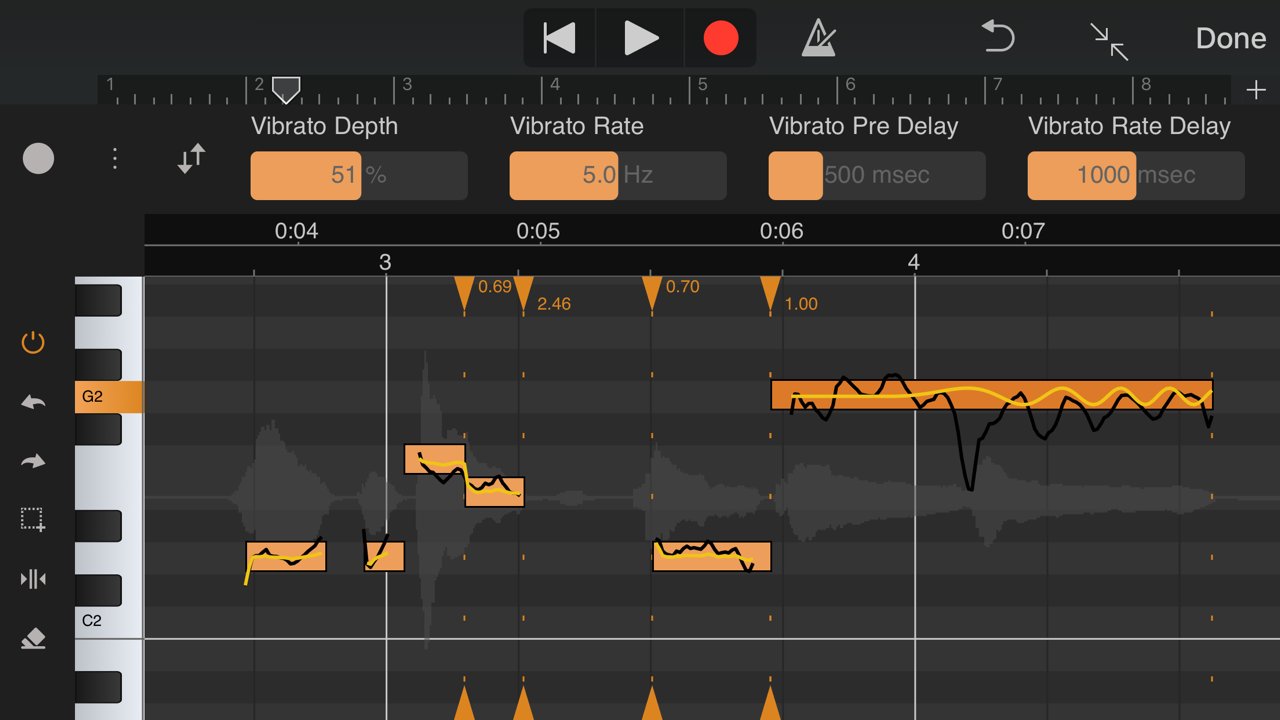
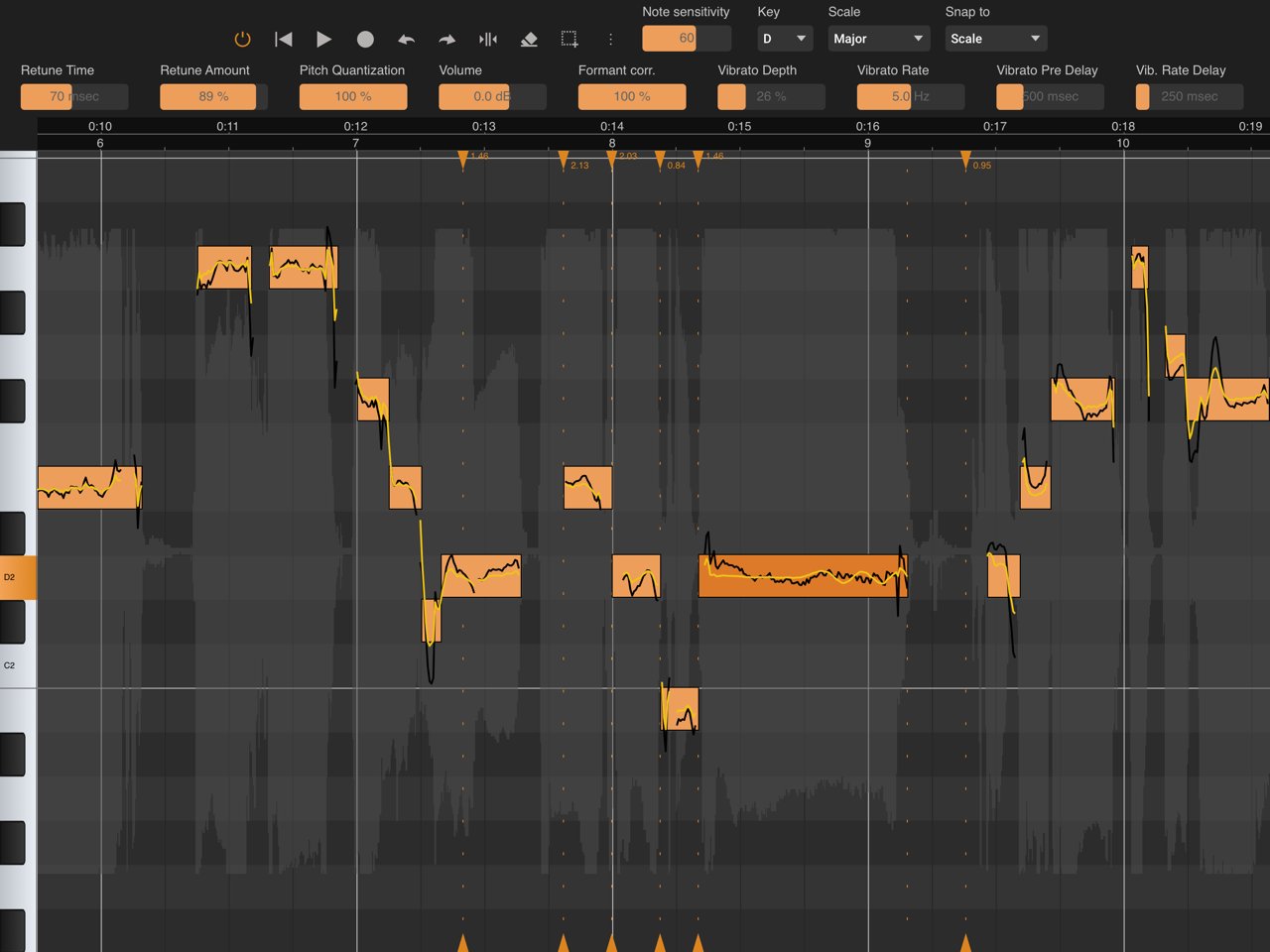
With Vocal Tune Studio, pitch and time correction of vocal recordings is now finally possible on your iPhone or iPad! Use it as an Audio Unit effect inside your favourite DAW or in standalone mode.
From popular effects to subtile correction:
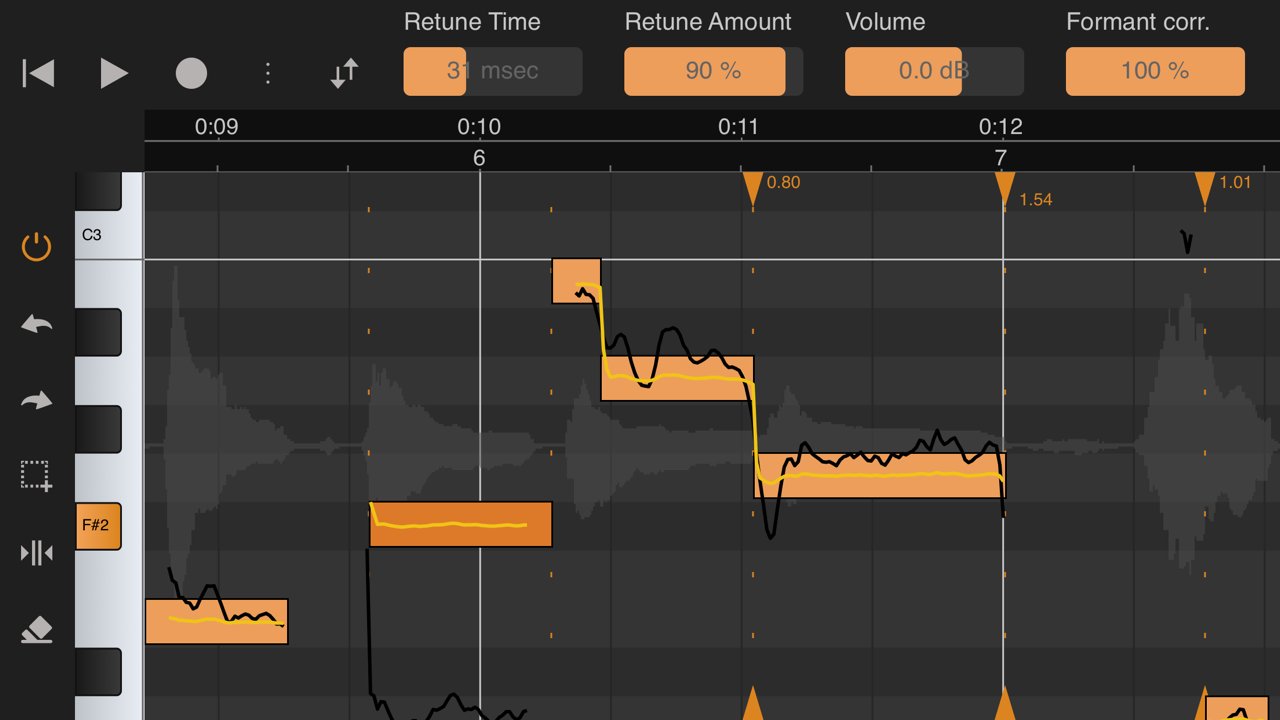
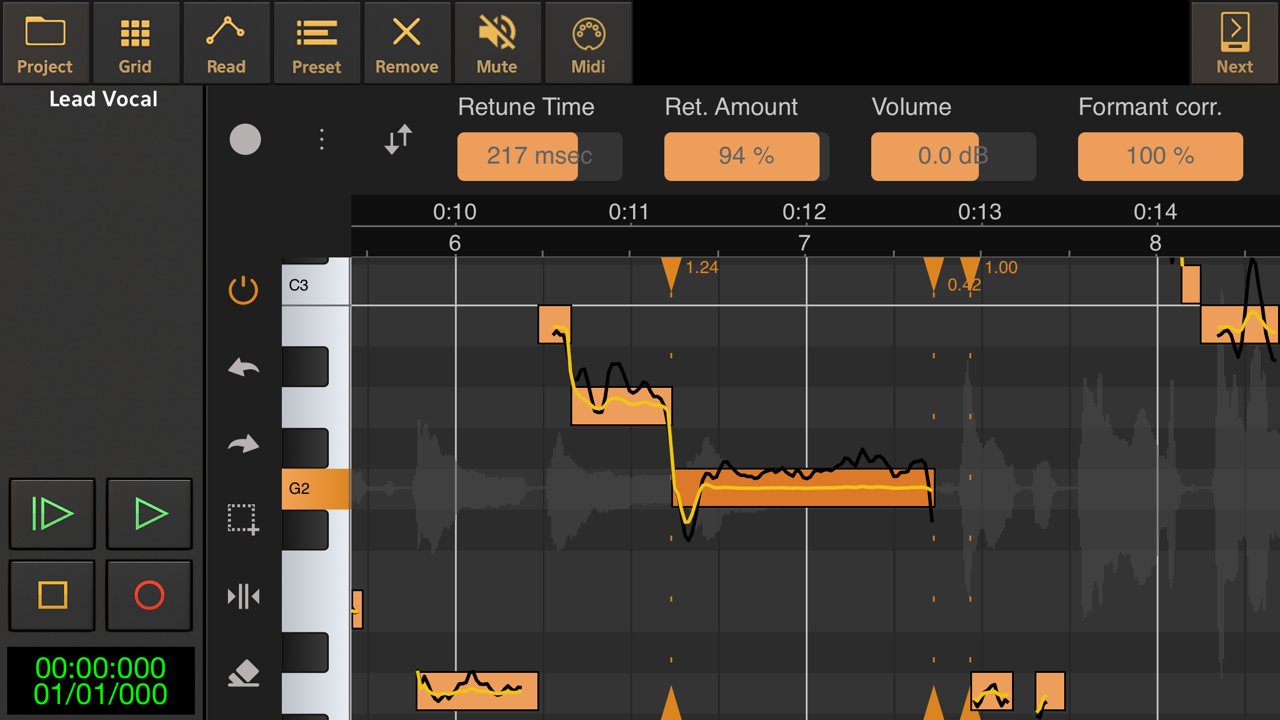
Retune notes to achieve the popular auto tune effect or apply a more subtile correction. Besides pitch correction, notes can be corrected for timing and volume level as well.
Deep editing:
Each individual note can be adjusted for retune time, retune amount, volume and the amount of formant correction. Artificial vibrato can also be added and adjusted to taste using the vibrato depth and rate controls and settings to adjust the time when the vibrato kicks in and the time in which it reaches the full vibrato depth to obtain a natural sounding vibrato.
Key and scale detection:
Vocal Tune Studio can detect the key and scale of a vocal recording automatically or a key and scale can be manually chosen.
Two workflows:
Choose between two workflows similar to popular desktop vocal tune software: start with either all notes quantised (corrected) or non-quantised. When choosing non-quantised, an additional Pitch Quantisation slider lets you move notes between their original sung pitch and the target pitch within the selected key and scale.
Time correction as a bonus for all audio material:
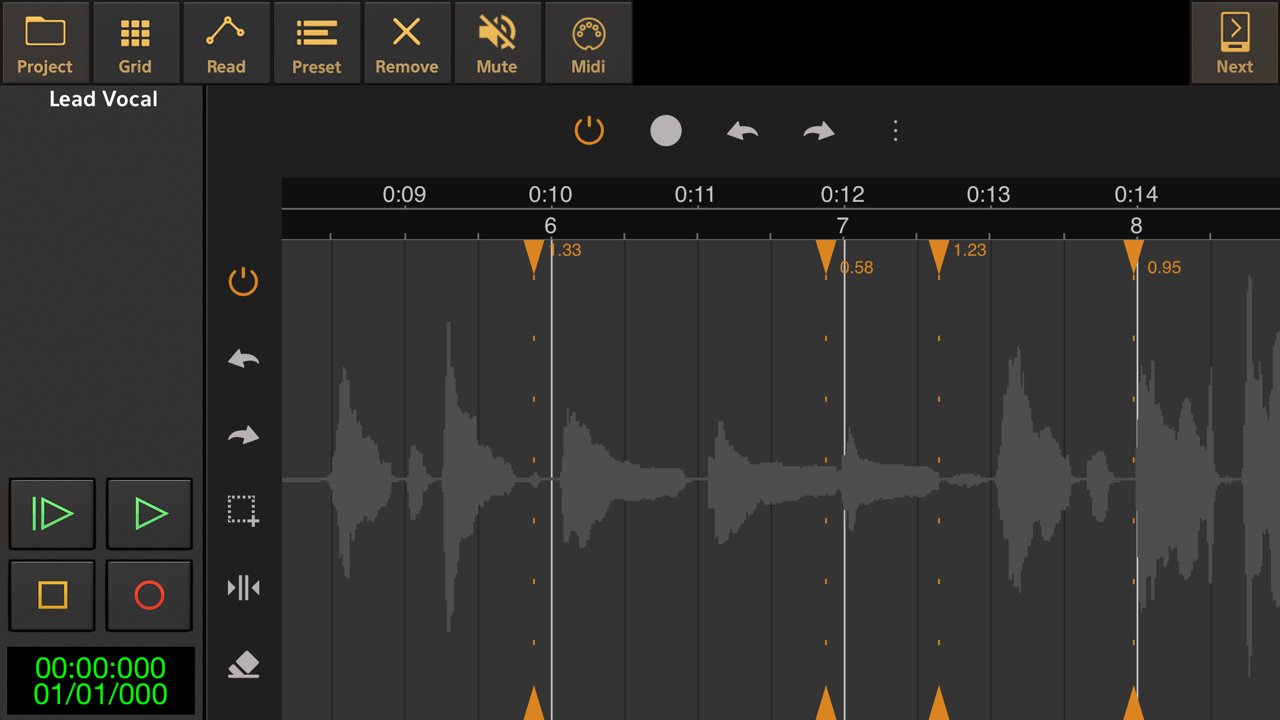
Aside from vocal pitch correction, Vocal Tune Studio also features a generic time correction/stretching mode which works on any type of audio material (not only vocals, but also guitars etc.). In this mode, any part of a recording that was played off-beat can be time corrected without affecting parts that were recorded in time.
Export MIDI:
Besides the host's ability to render the effect to an audio file, the identified notes can also be exported as standard MIDI file.
Standalone mode:
Besides being a AUv3 plug-in, you can also run the app standalone. Record audio directly, import an audio file or paste an audio file from the iOS clipboard. Auto or manually tune your vocals and correct them for timing errors or apply time correction for any audio material. When finished, export the result to a WAV file.
Note:
Vocal Tune Studio is also available within our DAW, Audio Evolution Mobile Studio and offers much higher integration there, not requiring to 'record' the audio first into Vocal Tune Studio.
User manual:
You can find the user manual in PDF and HTML formats here:
[link removed]
Tutorial video:
Vocal Tune Studio being used inside Audio Evolution Mobile Studio
[link removed]
PLEASE NOTE: due to a bug in Auria, Vocal Tune Studio stops working when mixing down or freezing tracks. A work-around is to create a new audio track and select the master bus as input to perform bouncing.
License: Commercial
From popular effects to subtile correction:
Retune notes to achieve the popular auto tune effect or apply a more subtile correction. Besides pitch correction, notes can be corrected for timing and volume level as well.
Deep editing:
Each individual note can be adjusted for retune time, retune amount, volume and the amount of formant correction. Artificial vibrato can also be added and adjusted to taste using the vibrato depth and rate controls and settings to adjust the time when the vibrato kicks in and the time in which it reaches the full vibrato depth to obtain a natural sounding vibrato.
Key and scale detection:
Vocal Tune Studio can detect the key and scale of a vocal recording automatically or a key and scale can be manually chosen.
Two workflows:
Choose between two workflows similar to popular desktop vocal tune software: start with either all notes quantised (corrected) or non-quantised. When choosing non-quantised, an additional Pitch Quantisation slider lets you move notes between their original sung pitch and the target pitch within the selected key and scale.
Time correction as a bonus for all audio material:
Aside from vocal pitch correction, Vocal Tune Studio also features a generic time correction/stretching mode which works on any type of audio material (not only vocals, but also guitars etc.). In this mode, any part of a recording that was played off-beat can be time corrected without affecting parts that were recorded in time.
Export MIDI:
Besides the host's ability to render the effect to an audio file, the identified notes can also be exported as standard MIDI file.
Standalone mode:
Besides being a AUv3 plug-in, you can also run the app standalone. Record audio directly, import an audio file or paste an audio file from the iOS clipboard. Auto or manually tune your vocals and correct them for timing errors or apply time correction for any audio material. When finished, export the result to a WAV file.
Note:
Vocal Tune Studio is also available within our DAW, Audio Evolution Mobile Studio and offers much higher integration there, not requiring to 'record' the audio first into Vocal Tune Studio.
User manual:
You can find the user manual in PDF and HTML formats here:
[link removed]
Tutorial video:
Vocal Tune Studio being used inside Audio Evolution Mobile Studio
[link removed]
PLEASE NOTE: due to a bug in Auria, Vocal Tune Studio stops working when mixing down or freezing tracks. A work-around is to create a new audio track and select the master bus as input to perform bouncing.
License: Commercial
| Release info | New Release on May 13, 2026 |
|---|---|
| Release notes | * Solved an issue with duplicate notes if the host restored the state of the AU * Improved vertical zooming * Increase horizontal zooming range |
| Listing data | App Store |
Reviews
No reviews yet. Be the first to review Vocal Tune Studio.
Used Vocal Tune Studio? Tell other visitors what you thought.
Log in to write a reviewOther products by this publisher
- "No Distractions" for YouTube 4.10 ----
- #Bible 11.6 "Incredible App - My sister shared this app with me a few weeks ago and it is truly incredible.
- #filmphotography 1.4.2 So, you decided to shoot on film?
- $quirrel 1.5.1 $quirrel Budget & Finance helps you plan each paycheck, track spending, manage debt, and see what is safe to spend before the next payday.
- % Percentage Calculator Pro 1.41 This is the Pro version of % Percentage Calculator.
Most viewed iOS Photo & Video
-
1
 ShortDiShow 2.0
Drama Quest Island — An offline interactive short-drama adventure.
-
2
 Infuse 8.5.10
Infuse: Enterprise provides the same great features as the standard version of Infuse and includes permanent access to all Pro features via a traditional paid app.
-
3
 AI Video Generator 2.0.2
Vixel – AI Video Generator
-
4
 OPlayer 4.8
Play all your videos directly without having to convert them!
-
5
 Necrometer II 1.2
Necrometer II is a paranormal investigation companion designed for ghost hunters and researchers.
-
6
 CapCut 20.1.0
CapCut offers easy-to-use video editing functions, in-APP fonts and effects, advanced features such as keyframe animation, smooth slow-motion, chroma key, and stabilization, to help you capture and snip moments.
-
7
 Ai Photo 1.1.2
AI Photo Retouch – BG Eraser
-
8
 Treblo 1.6.0
Make songs with the world's best AI music model.
-
9
 Pop Dot Comics 1.48
Create a comic worthy of the Sunday newspaper or your favorite pulp-fiction cover.
- 10 #filmphotography 1.4.2 So, you decided to shoot on film?
Most downloaded iOS Photo & Video
-
1
Infuse 8.5.10
Infuse: Enterprise provides the same great features as the standard version of Infuse and includes permanent access to all Pro features via a traditional paid app.
-
2
 DJI Fly 1.21.18
DJI Fly is designed to help pilots fly drones with ease.
-
3
 Analog Radio 3.0
The iPhone and iPad devices don't have the FM/AM radio antenna installed.
-
4
 TurboCollage Automatic 1.2.4
#1 Easy automatic photo collage maker for iPhone & iPad.
-
5
Treblo 1.6.0
Make songs with the world's best AI music model.
-
6
 ReelyGo 1.1.42
ReelyGo: Your Daily Drama Escape
-
7
 Rozeta Sequencer Suite 1.3.16
Rozeta is a suite of MIDI sequencers and controllers that lets you explore a new, freeform approach to sequencing and controlling mobile music apps.
-
8
 AGAIN. Rehearsal Notes 2.0.1
AGAIN. is the rehearsal app that remembers why the band stopped — and, new in Version 2, who said what in a writing session or a table read.
-
9
Pop Dot Comics 1.48
Create a comic worthy of the Sunday newspaper or your favorite pulp-fiction cover.
-
10
 SSS IPTV, Simple, Smart Super 1.0.2
An Easiest way to watch TV Online or Movies or Series, Bring your Own list M3u,