
VizRef Lite 1.1.7
VizRef Lite® for iPhone enables creatives to finally take their inspiration anywhere on their phones.
Download
4.40 MB
26downloads
1this week
FreeCommercial
0reviews
Screenshots
About VizRef Lite
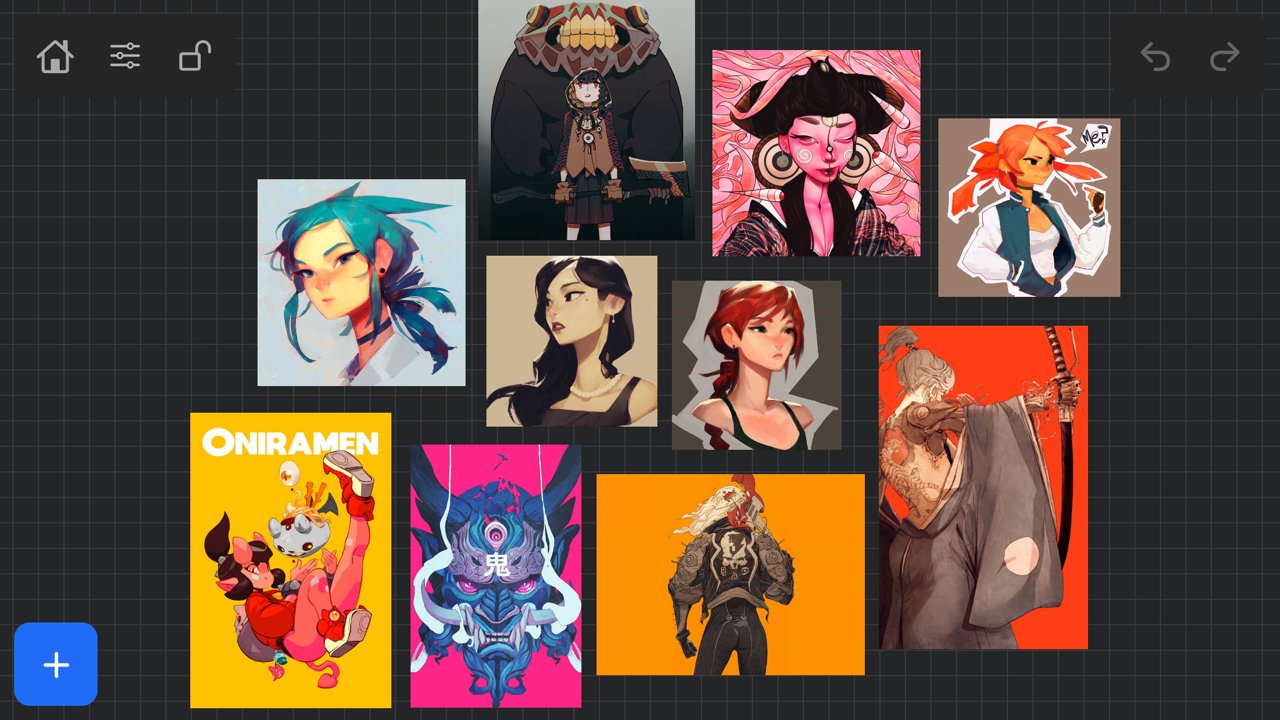
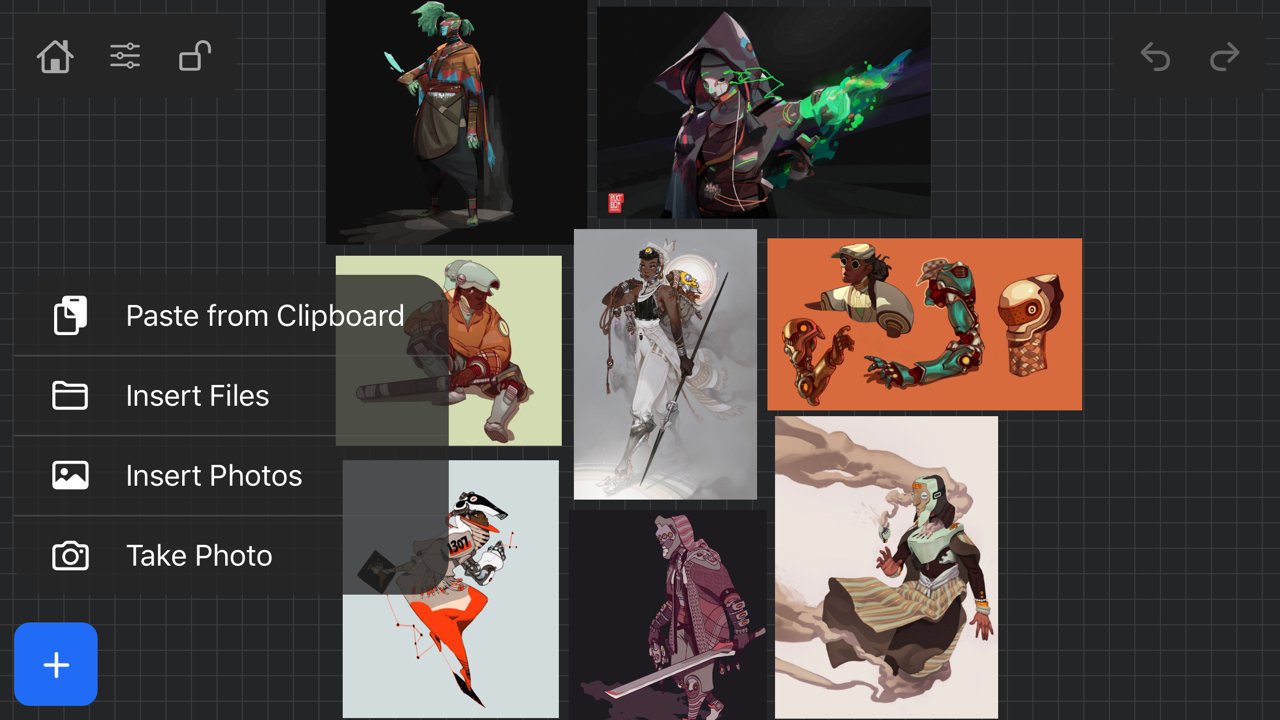
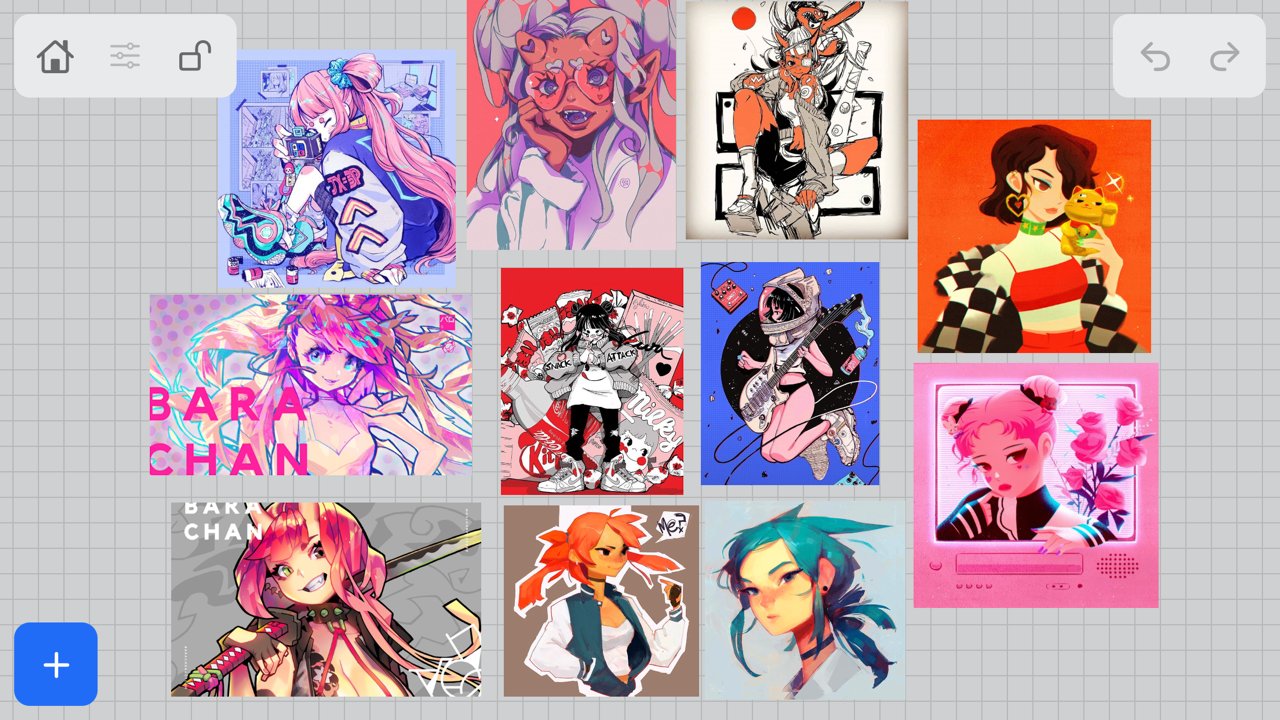
VizRef Lite® for iPhone enables creatives to finally take their inspiration anywhere on their phones. *You can not use iPad multitasking features with the iPhone version of VizRef. Please Download VIZREF for use on iPad. * It becomes the perfect companion app for Procreate or paired with your favorite drawing/animation application by using your iPhone as a second monitor dedicated to references. Take your reference boards with you while you travel and draw in your sketchbook. Make visual reference boards with any images or gifs from web browsers, cloud storage, photos, screen captures and more. The first mood board creation app made by artists for artists, that brings comprehensive referencing tools to animators and visual artists. We are dedicated to bringing creatives what they need most in being inspired everywhere they go.
HIGHLIGHTS
-VIZREF LITE® version for iPhone has all the same in-app features as VIZREF on iPad ( Vizref Lite if used on IPad does not have multitasking features and is not fullscreen. For iPad please purchase VIZREF®
-Take your visual reference boards with you while you sketch at your favorite locations
-Perfect companion app paired with Procreate® Adobe Fresco ® Clip Studio Paint® Infinite Painter® etc. by utilizing iPhone as a second monitor along with an iPad
-Supports many image types including GIF
-Quickly copy and paste images from web
-Batch Import from Photos app
-Batch Export images from boards to cloud storage using Files app
-Import High-Resolution images with HD toggle
-*Focus on whats importing with Focus mode. ( rotate imageboard )
*Multi-Select and auto pack images for a quicker workflow *
-
-Import from iCloud, Dropbox, Google Drive
-Quick and responsive visual reference board experience
-Easy to use/ minimal UI
-Light mode and Dark mode
-Set thumbnails for reference boards to visually organize your inspiration
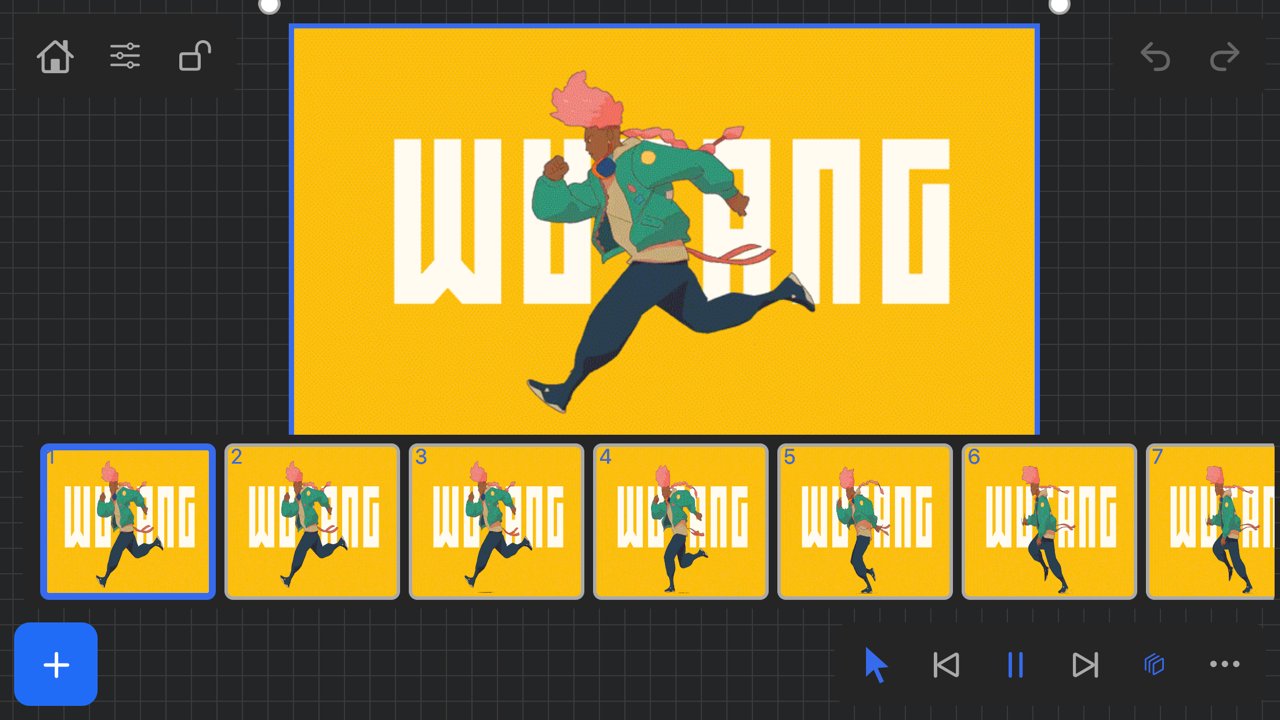
ANIMATED GIF SUPPORT
-Reference your favorite animated gifs
-Pause animation and play frame by frame to better understand referenced animations
-Advanced animation timeline gives you an interactive visual breakdown of all frames
EASY TO USE REFERENCE TOOLS
-Crop images to optimize screen space and view more references
-Greyscale toggle for images for value reference
-Flip horizontally and vertically
-Rotate Images
-Copy-paste images into other apps
Artwork and animation credits
@_Artazi
@_baomii
@_Deadslug_
@amnesiapancake
@barachan
@belgeist
@criisalys
@ergo.josh
@evan_monteiro
@gloomwastaken
@mrbeezul
@onemegawatt
@rocketboiART
@samuelyounart
@cobalt_requin
VizRef was created by Max Gonzalez (@mrbeezul) and RoboWorld Entertainment with supporting development from Valere Labs
License: Commercial
| Release info | New Release on Jun 08, 2021 |
|---|---|
| Release notes | NEW FEATURES in 1.1.7 Exporting- Fixed some bugs related to exporting. Some of the UI was unresponsive when hitting export within the app. This was most likely due to some newer IOS versions that were later released. *** Please keep in mind that exporting/ importing directly into other apps such as Dropbox or even using Airdrop and Discord all work completely differently because of how those apps are created. We, unfortunately, can not improve much on batch exporting/ importing into these apps unless those developers improve how their apps deal with multiple images being imported or passing through them. For batch exporting images, I still recommend hooking up Dropbox/ Google Drive to the files app on your iPad and just batch exporting through the files app from Vizref. Please also keep in mind that batch exporting hundreds of images at once will most likely crash Vizref. This is also out of our control. I recommend batch exporting about 50 images at once for the most stable and consistent experience. Vizref and other apps can't export hundreds of images at once because every app on the iPad is limited to how much Memory it can use during all operations. The app is crashing because of the hard limit set by Apple for each app. Features - Revert Button- Revert will undo any cropping or rotating you've done to the image. The main reason for adding the revert button was that some users were finding their images were oddly scaled/ stretched to the wrong ratio. Revert is a backup for returning your image to the correct ratio/ scaling - the revert button is located in the toolbox icon at the bottom right after selecting an image. - Exporting gif files. Should work now give it a try! *Bug Fixes* -Fixed a bug that caused images from your board to not display if your board crashed on exporting. This bug should be completely gone. If it persists after updating your app please contact us at vizrefpro@gmail.com **If your images have disappeared from your board, please n |
| Listing data | App Store |
Reviews
No reviews yet. Be the first to review VizRef Lite.
Used VizRef Lite? Tell other visitors what you thought.
Log in to write a reviewOther products by this publisher
- "No Distractions" for YouTube 4.10 ----
- #Bible 11.6.1 "Incredible App - My sister shared this app with me a few weeks ago and it is truly incredible.
- #filmphotography 1.4.2 So, you decided to shoot on film?
- #LookBusy Fake Calendar Events 1.0.6 Look Busy scans your work calendar for open time slots and fills them with realistic-looking (but secretly fake) work events.
- #Small Talk Is Canceled 1.0.2 #Small Talk Is Canceled — Conversations That Matter
Most viewed iOS Photo & Video
-
1
 ShortDiShow 2.0
Drama Quest Island — An offline interactive short-drama adventure.
-
2
 Face Witness 1.0.4
FaceWitness lets you create a face by putting together individual features.
-
3
 Infuse 8.5.10
Infuse: Enterprise provides the same great features as the standard version of Infuse and includes permanent access to all Pro features via a traditional paid app.
-
4
 AI Video Generator 2.0.3
Vixel – AI Video Generator
- 5 #filmphotography 1.4.2 So, you decided to shoot on film?
-
6
 OPlayer 4.8
Play all your videos directly without having to convert them!
-
7
 CapCut 20.2.0
CapCut offers easy-to-use video editing functions, in-APP fonts and effects, advanced features such as keyframe animation, smooth slow-motion, chroma key, and stabilization, to help you capture and snip moments.
-
8
 Necrometer II 1.3
Necrometer II is a paranormal investigation companion designed for ghost hunters and researchers.
-
9
 Ai Photo 1.1.2
AI Photo Retouch – BG Eraser
-
10
 Analog Radio 3.0
The iPhone and iPad devices don't have the FM/AM radio antenna installed.
Most downloaded iOS Photo & Video
-
1
 DJI Fly 1.21.18
DJI Fly is designed to help pilots fly drones with ease.
-
2
Infuse 8.5.10
Infuse: Enterprise provides the same great features as the standard version of Infuse and includes permanent access to all Pro features via a traditional paid app.
-
3
 TurboCollage Automatic 1.2.4
#1 Easy automatic photo collage maker for iPhone & iPad.
-
4
 ReelyGo 1.1.60
ReelyGo: Your Daily Drama Escape
-
5
Analog Radio 3.0
The iPhone and iPad devices don't have the FM/AM radio antenna installed.
-
6
 Rozeta Sequencer Suite 1.3.16
Rozeta is a suite of MIDI sequencers and controllers that lets you explore a new, freeform approach to sequencing and controlling mobile music apps.
-
7
 AGAIN. Rehearsal Notes 2.0.1
AGAIN. is the rehearsal app that remembers why the band stopped — and, new in Version 2, who said what in a writing session or a table read.
-
8
 Pop Dot Comics 1.48
Create a comic worthy of the Sunday newspaper or your favorite pulp-fiction cover.
-
9
 Treblo 1.6.6
Make songs with the world's best AI music model.
-
10
 Sun Scout 1.5.0
If your work or play requires sunlight, Sun Scout is built for you.