
visualOS 1.7.0
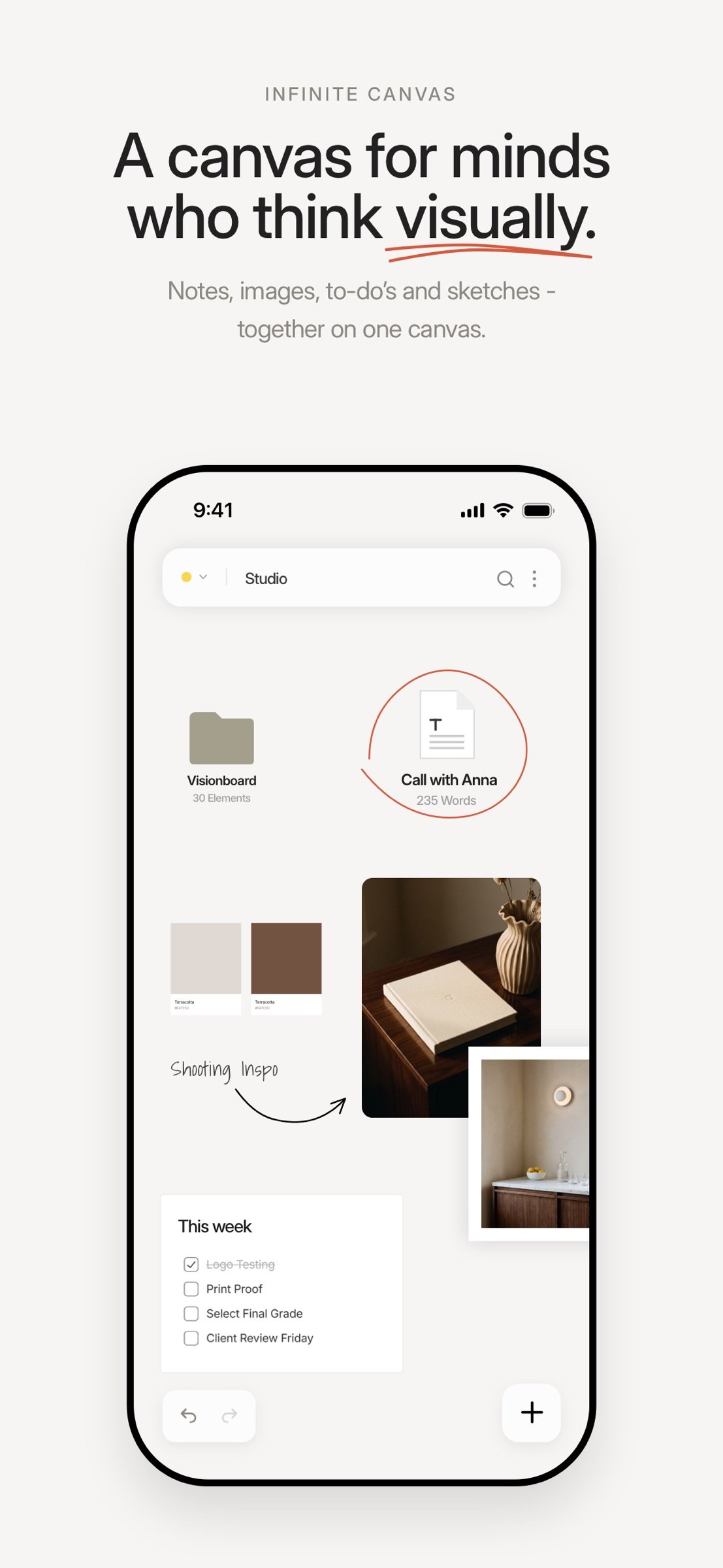
visualOS is an infinite canvas for people who think visually — for moodboards, notes, images, to-do’s and sketches.
Download
22.17 MB
14downloads
2this week
FreeCommercial
0reviews
Screenshots
About visualOS
visualOS is an infinite canvas for people who think visually — for moodboards, notes, images, to-do’s and sketches. It works fully offline and saves to real files in a folder on your device.
YOUR DATA IS A FOLDER YOU CAN OPEN
Connect any folder on your disk and visualOS mirrors your canvas into it — every folder on the canvas is a real folder, every document a Markdown file, every image an image. Put the folder in iCloud Drive and it syncs through your cloud, not ours. If you ever leave, everything stays readable. Forever.
OFFLINE ISN'T A MODE. IT'S THE ARCHITECTURE.
On a flight, on the train, in a studio with no signal — visualOS doesn’t care. Your work doesn’t live on our servers, so there is no sync wheel, no forced login. Your canvas opens instantly because everything is already here.
BOARDS WITHIN BOARDS
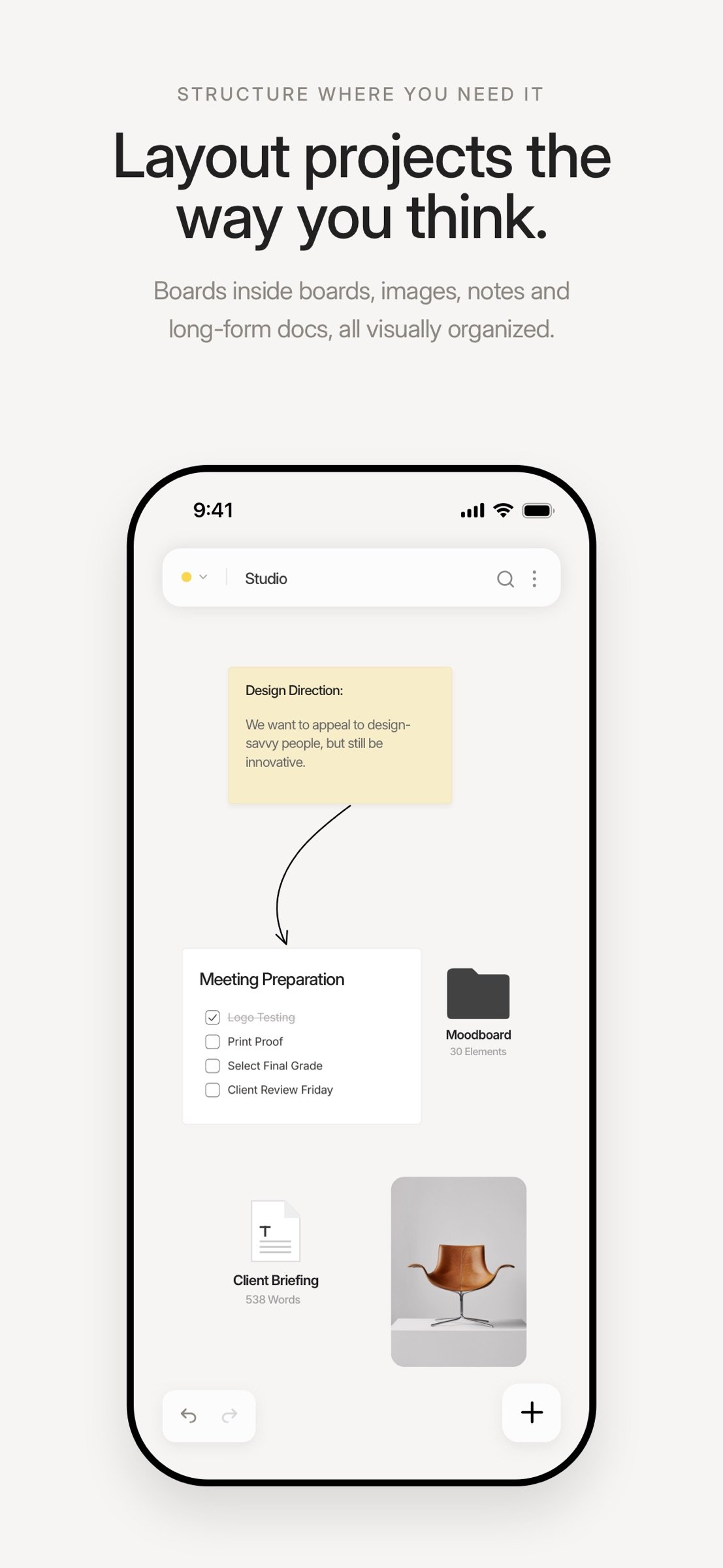
Any board can hold more boards. A project becomes a world: moodboards inside client boards inside your studio. Drag elements into a board to file them away; breadcrumbs keep you oriented; a double-tap takes you deeper.
NO ACCOUNT. NO SUBSCRIPTION.
Open it and work. There's nothing to sign up for, nothing to verify, nothing to cancel. Pay once and it's yours forever — one purchase unlocks every Apple device.
FREE IN THE BROWSER, BUT THE APP GOES FURTHER
Try visualOS free in your browser at visualos.app. When you're ready for it everywhere, the app adds what a browser can't: true offline access on the train or a plane, native pan-and-zoom gestures, Apple Pencil drawing, and your boards saved as real files that sync across iPhone, iPad and Mac through your own iCloud.
EVERYTHING ELSE
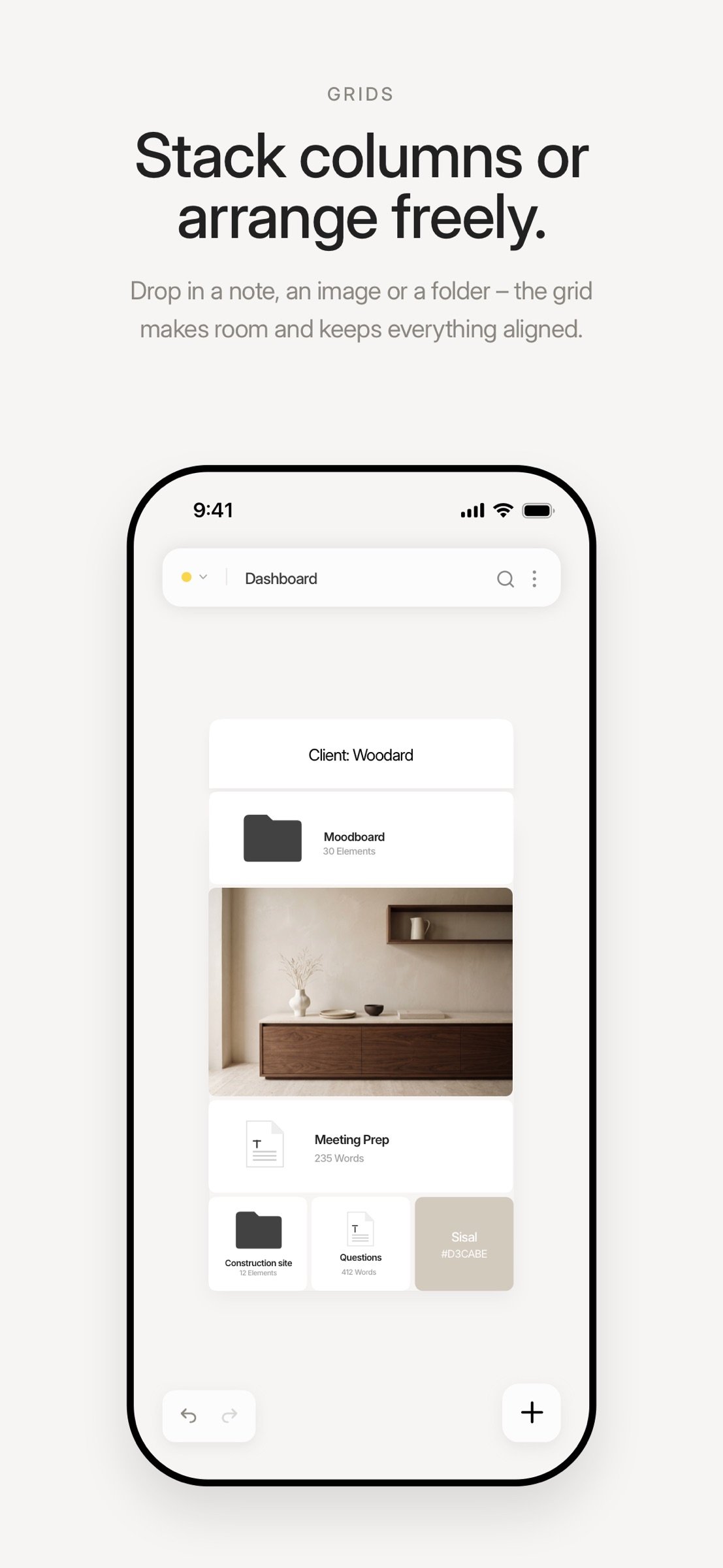
• Grids that line up your cards in columns and rows
• Frames for print, PDFs and social media formats
• Mindmaps with three layouts
• Remove a picture’s background in one tap, right on your device
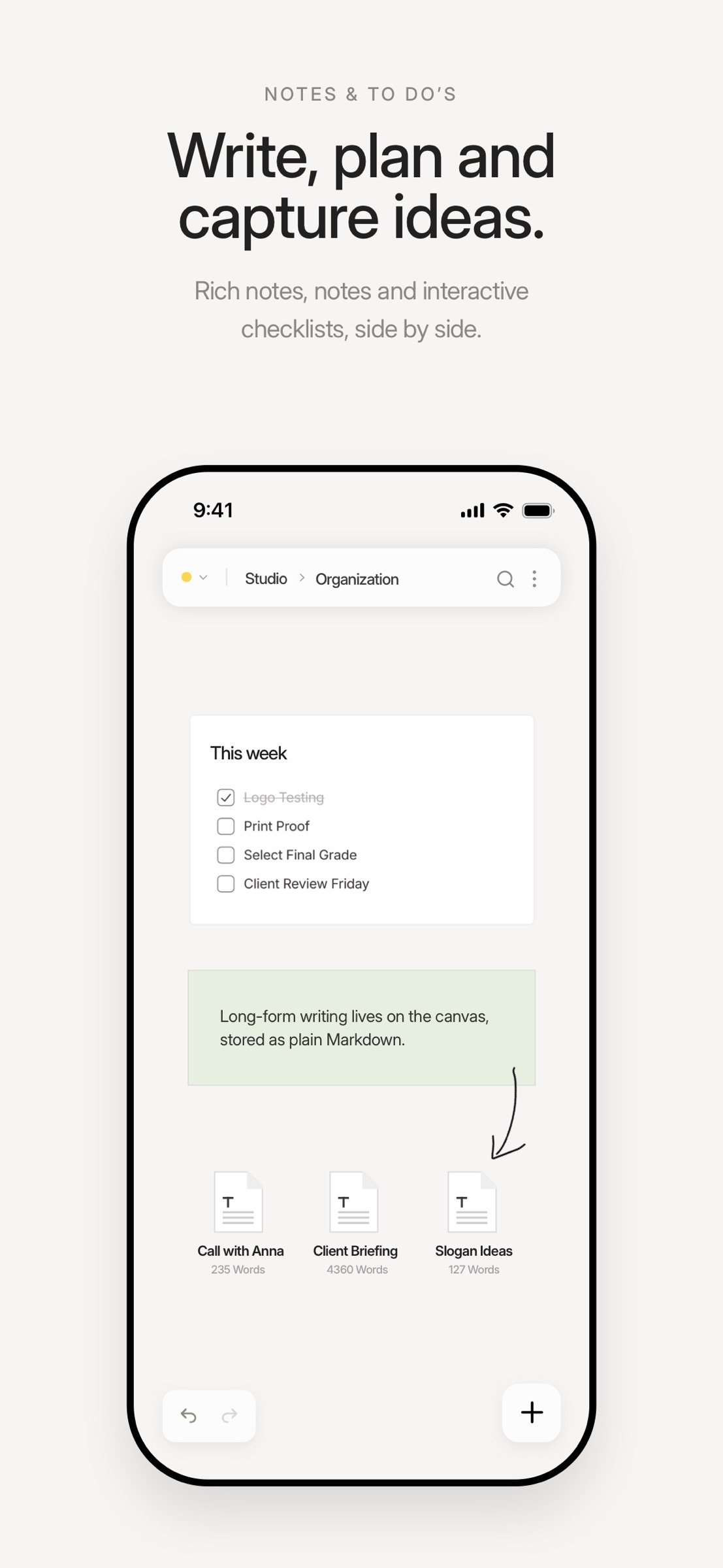
• Notes & rich text
• Long-form documents stored as plain Markdown
• Interactive to-do lists on the canvas
• Images & PDFs — drag, paste or drop them in
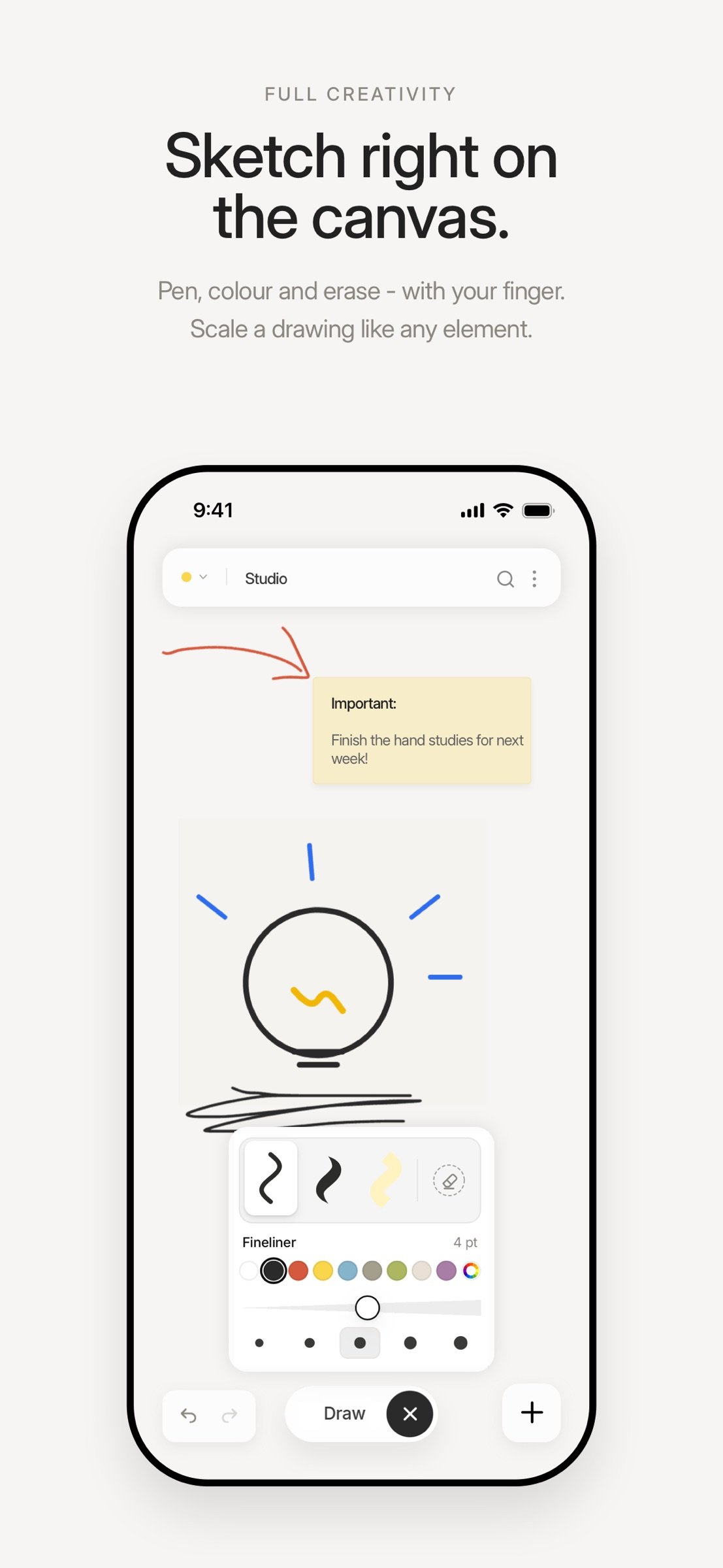
• Freehand drawing
• Magnetic arrows that snap and bend
• Search every board at once
• Export as JPG, PNG or PDF, or print
• Groups, locking and a snap grid
Your ideas. Your files.
ABOUT US
As creatives, we’ve always relied on visual canvas tools to organize our thoughts, plan projects, and make sense of ideas. But one thing kept bothering us: our files and knowledge were always tied to cloud-based services. We wanted the freedom to access everything offline, without worrying about losing our work or giving up our privacy. So why can’t our own files on our device be visualized in the same intuitive way? And that’s how the idea for visualOS was born: a visual representation of your internal folder structure — offline, private, and secure. Your data stays on your device, where it belongs.
We’re Sarah and Gerald, a husband-and-wife team who have been living, loving, and building things together for more than 20 years. Creating visualOS has been a ton of fun and thanks to AI we were able to push it further than we initially imagined.
Now we’d love to hear what you think. If visualOS helps you work a little more creatively or makes your files easier to navigate, we’d be grateful if you shared it with others.
License: Commercial
YOUR DATA IS A FOLDER YOU CAN OPEN
Connect any folder on your disk and visualOS mirrors your canvas into it — every folder on the canvas is a real folder, every document a Markdown file, every image an image. Put the folder in iCloud Drive and it syncs through your cloud, not ours. If you ever leave, everything stays readable. Forever.
OFFLINE ISN'T A MODE. IT'S THE ARCHITECTURE.
On a flight, on the train, in a studio with no signal — visualOS doesn’t care. Your work doesn’t live on our servers, so there is no sync wheel, no forced login. Your canvas opens instantly because everything is already here.
BOARDS WITHIN BOARDS
Any board can hold more boards. A project becomes a world: moodboards inside client boards inside your studio. Drag elements into a board to file them away; breadcrumbs keep you oriented; a double-tap takes you deeper.
NO ACCOUNT. NO SUBSCRIPTION.
Open it and work. There's nothing to sign up for, nothing to verify, nothing to cancel. Pay once and it's yours forever — one purchase unlocks every Apple device.
FREE IN THE BROWSER, BUT THE APP GOES FURTHER
Try visualOS free in your browser at visualos.app. When you're ready for it everywhere, the app adds what a browser can't: true offline access on the train or a plane, native pan-and-zoom gestures, Apple Pencil drawing, and your boards saved as real files that sync across iPhone, iPad and Mac through your own iCloud.
EVERYTHING ELSE
• Grids that line up your cards in columns and rows
• Frames for print, PDFs and social media formats
• Mindmaps with three layouts
• Remove a picture’s background in one tap, right on your device
• Notes & rich text
• Long-form documents stored as plain Markdown
• Interactive to-do lists on the canvas
• Images & PDFs — drag, paste or drop them in
• Freehand drawing
• Magnetic arrows that snap and bend
• Search every board at once
• Export as JPG, PNG or PDF, or print
• Groups, locking and a snap grid
Your ideas. Your files.
ABOUT US
As creatives, we’ve always relied on visual canvas tools to organize our thoughts, plan projects, and make sense of ideas. But one thing kept bothering us: our files and knowledge were always tied to cloud-based services. We wanted the freedom to access everything offline, without worrying about losing our work or giving up our privacy. So why can’t our own files on our device be visualized in the same intuitive way? And that’s how the idea for visualOS was born: a visual representation of your internal folder structure — offline, private, and secure. Your data stays on your device, where it belongs.
We’re Sarah and Gerald, a husband-and-wife team who have been living, loving, and building things together for more than 20 years. Creating visualOS has been a ton of fun and thanks to AI we were able to push it further than we initially imagined.
Now we’d love to hear what you think. If visualOS helps you work a little more creatively or makes your files easier to navigate, we’d be grateful if you shared it with others.
License: Commercial
| Release info | Update on Nov 08, 2026 |
|---|---|
| Release notes | o New: Grids - create columns AND rows. Free but organized. o New: Frames - pages in a set format (paper, social media, presentation ...) to lay out, export and print o New: Background-Remover - remove a picture's background with one click o New: Sub-tasks in to-do lists o New: Multiple Export options JPG, PNG, PDF and printing o New: Markdown in notes and text elements, just like in documents o Drag a picture's edge to crop it o Select multiple items on touch devices with longpress + drag o Several pictures keep their proportions when you resize them together o Drag tasks in to-do lists and see where they land before you let go o Move selected elements in fine steps with the arrow keys o Link now sits in the ? menu, next to Mindmap and Frame o Locked elements can no longer be deleted - unlock them first o Text stays exactly in place when you start editing it o Fresh look for search and the link editor - and on iPhone a floating + menu, formatting bars right above the keyboard and haptic feedback o Fixed: A rotated picture could disappear when zoomed in, and was missing from exports o Fixed: A deleted picture or file could turn up again in New Items o Fixed: No more "Unknown file" items in New Items with Dropbox on iPhone and iPad Mac app: o The hand cursor shows when you pan with Space or drag a task o Many smaller improvements and fixes We're happy you love what we've built! If you are missing something, please contact us anytime. |
| Listing data | App Store |
Reviews
No reviews yet. Be the first to review visualOS.
Used visualOS? Tell other visitors what you thought.
Log in to write a reviewOther products by this publisher
- "No Distractions" for YouTube 4.10 ----
- #Bible 11.6 "Incredible App - My sister shared this app with me a few weeks ago and it is truly incredible.
- #filmphotography 1.4.2 So, you decided to shoot on film?
- $quirrel 1.5.1 $quirrel Budget & Finance helps you plan each paycheck, track spending, manage debt, and see what is safe to spend before the next payday.
- % Percentage Calculator Pro 1.41 This is the Pro version of % Percentage Calculator.
Most viewed iOS Productivity
-
1
 WordPress 27.4
Manage or create your WordPress blog or website right from your iOS device: create and edit posts and pages, upload your favorite photos and videos, view stats and reply to comments.
- 2 Voice Translator - Alive 1.6 Translation app that turns your iPhone into an interpreter instantly.
-
3
 Claude by Anthropic 1.261109.19
Meet Claude, your AI problem solver and thinking partner.
- 4 "No Distractions" for YouTube 4.10 ----
- 5 (beat) for iOS 0.5.10 An elegant Fountain screenwriting app, created by a screenwriter for screenwriters.
-
6
 Life360 26.43.0
Whether at home, online, or on the move, our comprehensive family safety features bring peace of mind to your loved ones AND help safeguard your personal belongings.
-
7
 DeepSeek 2.7.5
Experience seamless interaction with DeepSeek's official AI assistant for free!
-
8
 WristMemo 2.0
WristMemo turns your Apple Watch into an all-day voice recorder.
-
9
 Howbout 16.7.0
The shared calendar for friends, couples, and family
-
10
 Plot Digitizer 1.4.1
Plot Digitizer is an app to extract numerical data from plot images.
Most downloaded iOS Productivity
- 1 Voice Translator - Alive 1.6 Translation app that turns your iPhone into an interpreter instantly.
-
2
DeepSeek 2.7.5
Experience seamless interaction with DeepSeek's official AI assistant for free!
-
3
 SessionsAI 1.2.1
Sessions AI is a private AI workspace that runs entirely on your iPhone, iPad, or Mac.
-
4
 Voices AI 1.16.15
Discover Voices, the premier voice transformation app designed exclusively for iOS.
-
5
 Block Distracting Websites 1.11
"It's a great way to save time, and stop browsing Reddit when you should be doing coursework."
-
6
Plot Digitizer 1.4.1
Plot Digitizer is an app to extract numerical data from plot images.
-
7
 Google Docs 1.2026.45104
Create, edit, and collaborate on online documents with the Google Docs app.
-
8
 Pixy Mood Tracker 1.110.0
Track your mood, one pixel at a time.
-
9
 VPN 2.61.0
VPN - Super Unlimited Proxy is a free VPN and proxy app for iPhone, iPad, Mac and Apple Vision Pro.
-
10
 MyHyundai with Bluelink 5.4.5
The MyHyundai app makes getting information about your Hyundai vehicle easier than ever.