
Videocraft 6.0.2
Videocraft is a complete multi-track video editor, photo slideshow maker, and movie maker app.
Download
21.44 MB
19downloads
2this week
FreeCommercial
0reviews
Screenshots
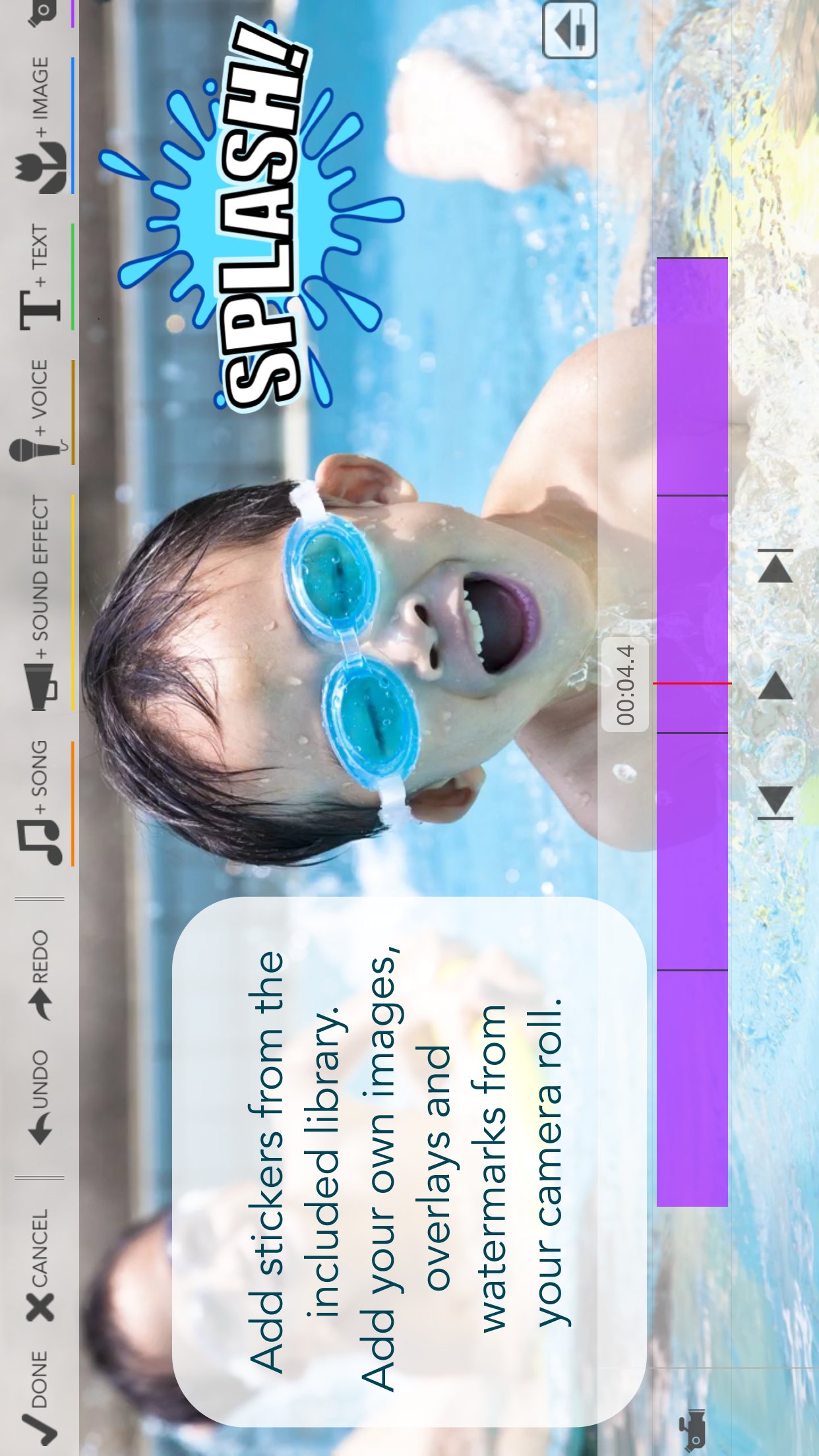
About Videocraft
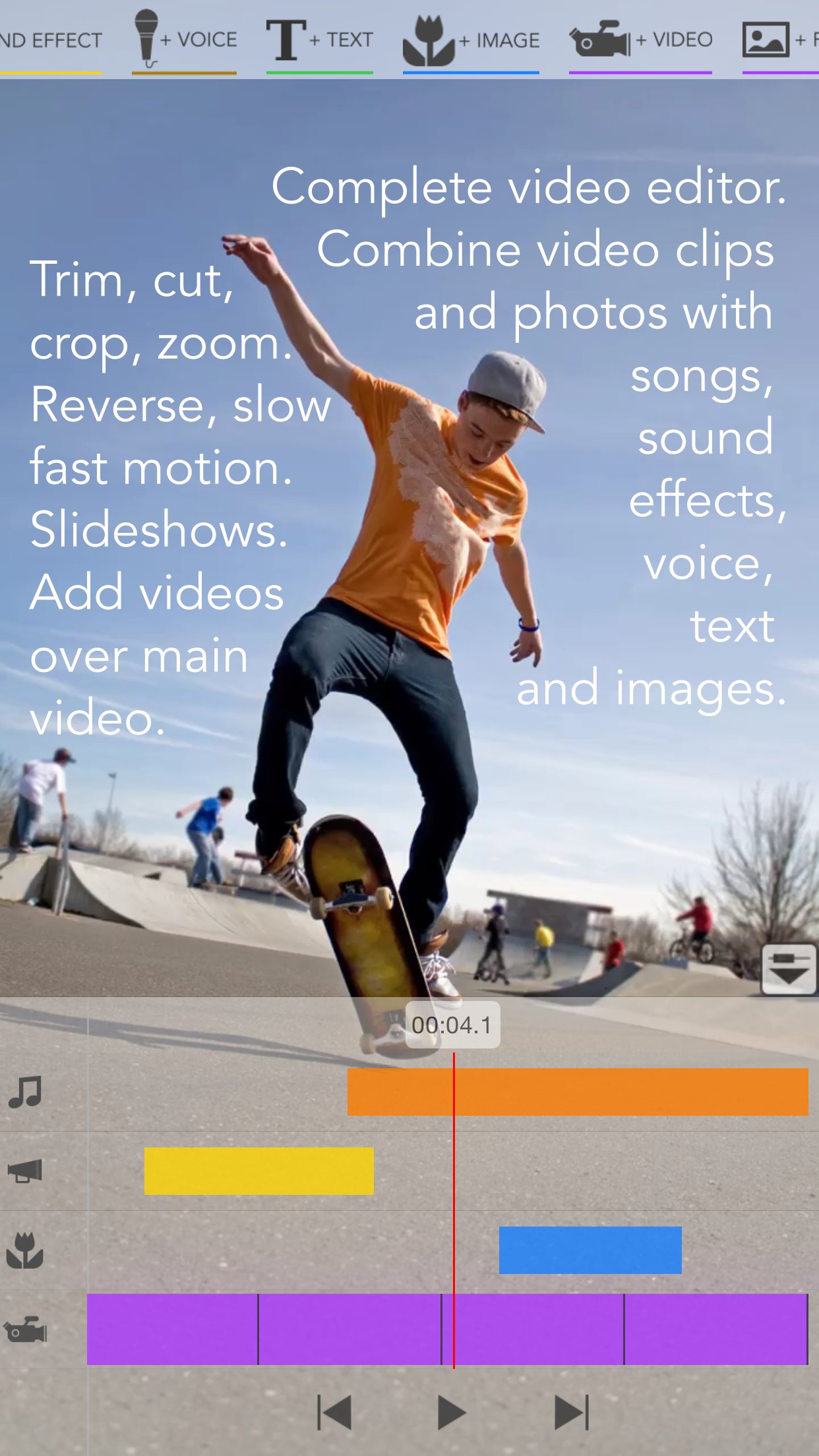
Videocraft is a complete multi-track video editor, photo slideshow maker, and movie maker app. Combine video clips and photos with music, sound effects, voice-over, images, GIFs, and text in one powerful timeline. With a beautiful and simple design, anyone can create and share amazing videos in minutes.
All features are available with no subscription and no watermarks.
Feature Highlights
Files Integration
• Use videos, photos, images, GIFs, and music stored in iCloud Files.
Project Aspect Ratio, Resolution, and Frame Rate
• Create square (1:1), standard (4:3), wide (16:9), or extra-wide (2:1) projects.
• Choose landscape or portrait orientation.
• Export in 4K, 1080p, or 720p.
• Choose 30fps or 60fps.
Add Multiple Video Clips and Photos
• Add videos and photos from Photos or Files.
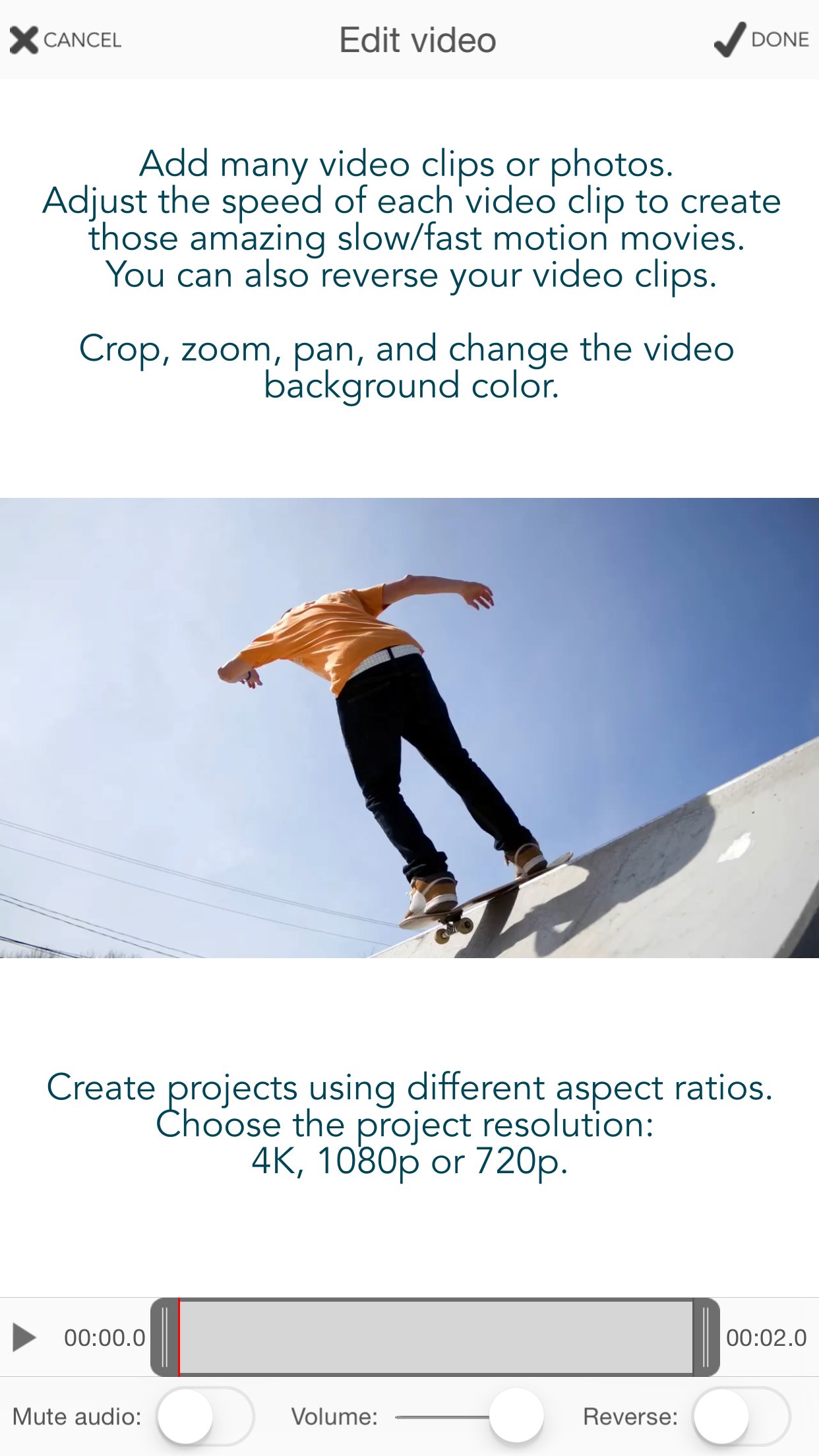
• Trim video clips to use only the segment you need.
• Crop, pan, and zoom video clips and photos to fill or fit your project aspect ratio.
• Mute video clip audio or adjust its volume.
• Add fade in, fade out, and crossfade transitions.
• Set the duration of each photo.
• Change the video background color.
Ken Burns Effect
• Create beautiful photo stories with smooth pan and zoom motion.
Reverse Video
Slow / Fast Motion
Stop Motion
• Convert long videos into stop motion videos.
• Import multiple photos and play them in sequence to create stop motion movies.
Video Over Video (PIP, B-Roll)
• Add multiple videos over the main video track.
• Resize and position them however you like.
• Play them side by side.
Create Audio Tracks from Video Clips
• Extract audio from videos to use in your project.
• Play the audio of a video before the video appears for more creative transitions.
Blur Effect
• Apply blur to censored parts of your video.
Add Music Tracks
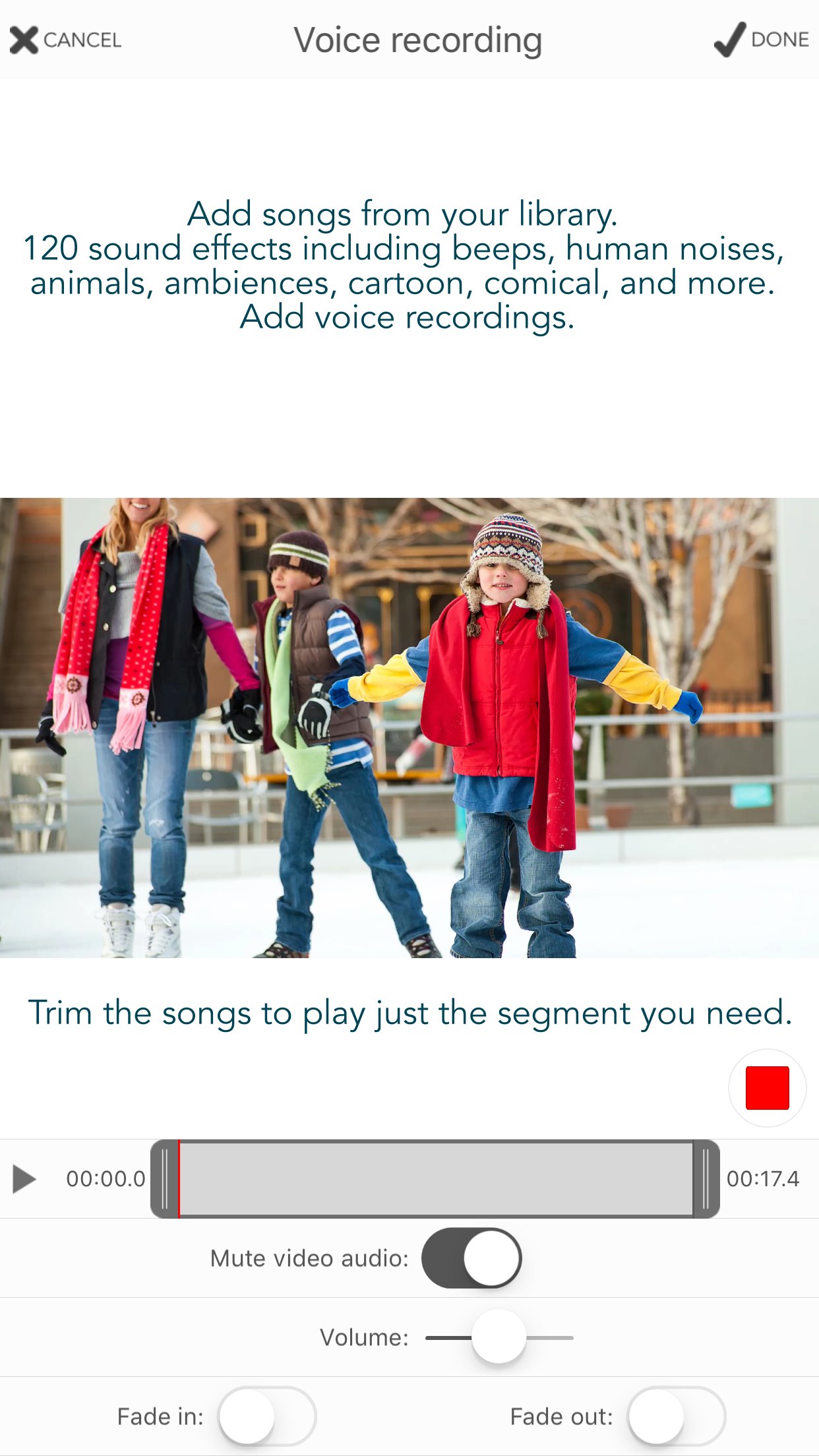
• Add songs from Music or Files.
• Trim songs to use only the segment you want.
• Auto-Sync music with the main video track.
• Adjust volume levels.
• Mute the main video audio track while the song plays.
• Add fade in and fade out for smooth transitions.
Add Sound Effects
• Add sound effects from the included sound effects library.
• Includes 120 sound effects such as beeps, human noises, animals, ambiences, cartoon sounds, comical effects, vehicles, weapons, explosions, and more.
Add Voice-Over
• Easily record narration for your video.
• Adjust the volume level.
• Mute the main video audio track while the recording plays.
Add Images Over Video
• Add images, GIFs, and animated stickers from Photos or Files on top of the video.
• Add your own watermarks, borders, and overlays.
• Combine text with included images to create callouts.
• Includes transitions such as wipe, move, scale, and fade.
Add Text Over Video
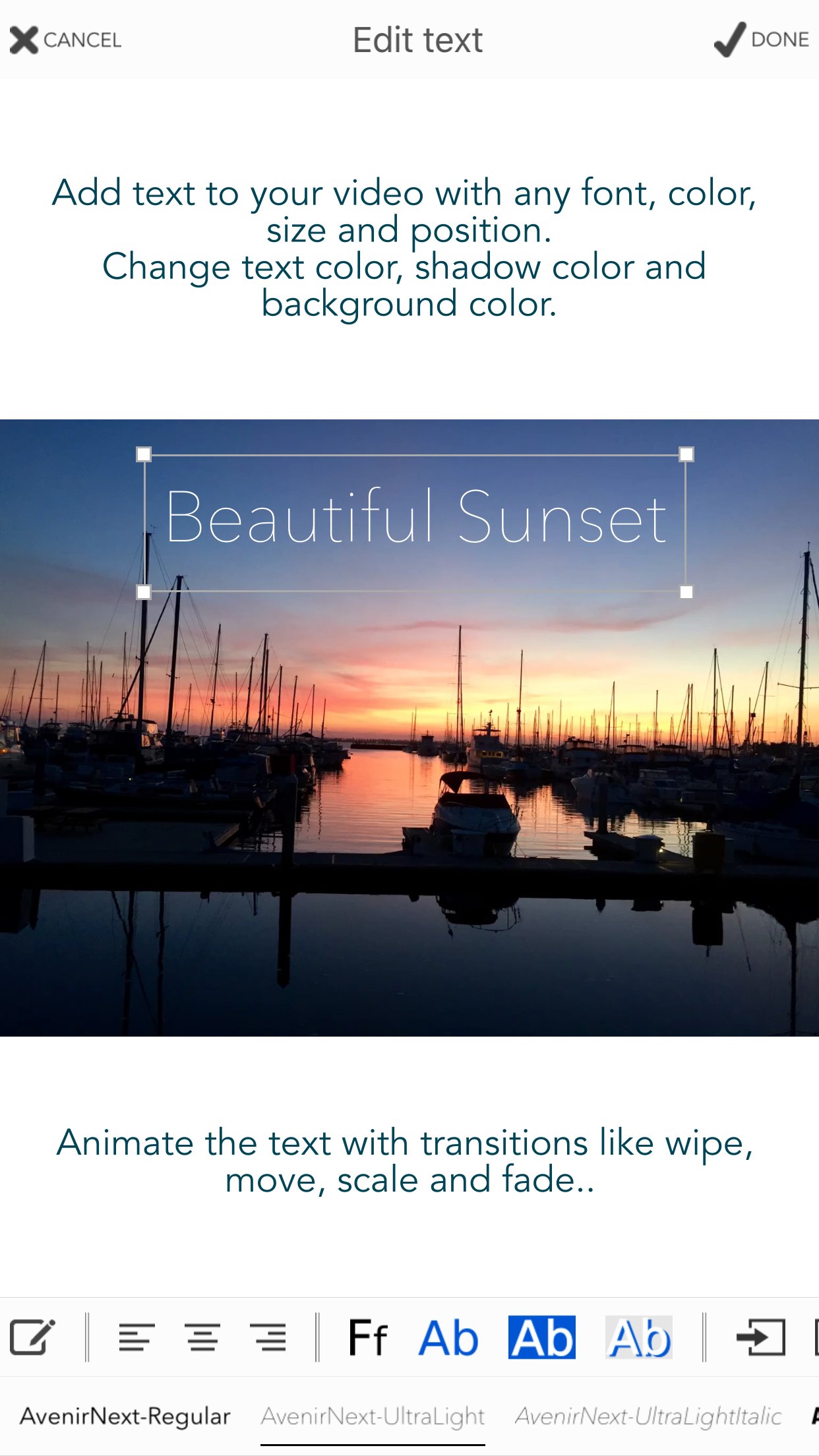
• Add text with any font, color, size, and position.
• Includes all fonts installed on the device.
• Change text color, shadow color, and background color.
• Includes transitions such as wipe, move, scale, and fade.
Easy-to-Use Video Editing Tools
• Add tracks using the toolbar buttons.
• Each track is represented by a bar in the timeline.
• Access track options by tapping its icon on the left.
• Drag the bar to change its position.
• Drag the bar handles to change its duration.
• Duplicate bars for easy reuse.
• Pinch the timeline to zoom in or out.
• Reorder video clips by dragging their purple bar.
• Includes undo and redo.
Gallery
• Projects are saved in the gallery so you can continue your work at any time.
• Rename projects and make copies to try different ideas.
Export Your Creation
• Export your project as a new video in Photos.
• Export the current frame as a new photo in your Photo Library.
• Perfect for creating memes, combining photos and text, or extracting a frame from your video.
For questions, feedback, and support:
Gamelarious: [link removed]
Support: support@gamelarious.com
X: @gamelarious
License: Commercial
| Release info | New Release on Apr 05, 2026 |
|---|---|
| Release notes | o Introducing Auto-Sync to align your video with the beat of your music o Preserve video sound when changing playback speed o Enjoy a faster, smoother editing experience with performance improvements o Includes stability enhancements and bug fixes Thanks for all the feedback. Our goal is to make Videocraft the best video editor in the app store. |
| Listing data | App Store |
Reviews
No reviews yet. Be the first to review Videocraft.
Used Videocraft? Tell other visitors what you thought.
Log in to write a reviewOther products by this publisher
- "No Distractions" for YouTube 4.10 ----
- #Bible 11.6.1 "Incredible App - My sister shared this app with me a few weeks ago and it is truly incredible.
- #filmphotography 1.4.2 So, you decided to shoot on film?
- #LookBusy Fake Calendar Events 1.0.6 Look Busy scans your work calendar for open time slots and fills them with realistic-looking (but secretly fake) work events.
- #Small Talk Is Canceled 1.0.2 #Small Talk Is Canceled — Conversations That Matter
Most viewed iOS Photo & Video
-
1
 ShortDiShow 2.0
Drama Quest Island — An offline interactive short-drama adventure.
-
2
 Face Witness 1.0.4
FaceWitness lets you create a face by putting together individual features.
-
3
 Infuse 8.5.10
Infuse: Enterprise provides the same great features as the standard version of Infuse and includes permanent access to all Pro features via a traditional paid app.
-
4
 AI Video Generator 2.0.3
Vixel – AI Video Generator
- 5 #filmphotography 1.4.2 So, you decided to shoot on film?
-
6
 OPlayer 4.8
Play all your videos directly without having to convert them!
-
7
 CapCut 20.3.0
CapCut is an all-in-one video editing solution that offers essential editing features, creative effects, AI tools, filters, stickers, and fonts, and a wide range of video templates to empower users to easily create incredible videos regardless of th…
-
8
 Ai Photo 1.2.0
AI Photo Retouch – BG Eraser
-
9
 Necrometer II 1.3
Necrometer II is a paranormal investigation companion designed for ghost hunters and researchers.
-
10
 Analog Radio 3.0
The iPhone and iPad devices don't have the FM/AM radio antenna installed.
Most downloaded iOS Photo & Video
-
1
 DJI Fly 1.21.18
DJI Fly is designed to help pilots fly drones with ease.
-
2
Infuse 8.5.10
Infuse: Enterprise provides the same great features as the standard version of Infuse and includes permanent access to all Pro features via a traditional paid app.
-
3
 ReelyGo 1.1.60
ReelyGo: Your Daily Drama Escape
-
4
 TurboCollage Automatic 1.2.4
#1 Easy automatic photo collage maker for iPhone & iPad.
-
5
Analog Radio 3.0
The iPhone and iPad devices don't have the FM/AM radio antenna installed.
-
6
 Rozeta Sequencer Suite 1.3.16
Rozeta is a suite of MIDI sequencers and controllers that lets you explore a new, freeform approach to sequencing and controlling mobile music apps.
-
7
 Pop Dot Comics 1.48
Create a comic worthy of the Sunday newspaper or your favorite pulp-fiction cover.
-
8
 AGAIN. Rehearsal Notes 2.0.1
AGAIN. is the rehearsal app that remembers why the band stopped — and, new in Version 2, who said what in a writing session or a table read.
-
9
 Treblo 1.6.6
Make songs with the world's best AI music model.
-
10
 Sun Scout 1.5.0
If your work or play requires sunlight, Sun Scout is built for you.