TypeDraw 1.11
Pay-per-book: Your first notebook with unlimited pages is included with your initial purchase, and you can add up to four more books for a one-time fee of $1.99 each.
Download
63.44 MB
15downloads
1this week
FreeCommercial
0reviews
Screenshots

About TypeDraw
Pay-per-book: Your first notebook with unlimited pages is included with your initial purchase, and you can add up to four more books for a one-time fee of $1.99 each. All features included, forever. No subscriptions, ever. That is a promise.
TypeDraw brings the joy and simplicity of a paper notebook into the digital world, with smart tools to find your notes whenever you need them and endless ways to make it yours. All topped off with stunning cover art options made by real humans and endless ways to personalise your notebook.
No account required. Your notes stay local and private on your device, or sync through your own iCloud account if you choose. Your data stays yours, and you can even lock your book. Export a single page or your whole book as a PDF and send it to your files, your agents or your mother.
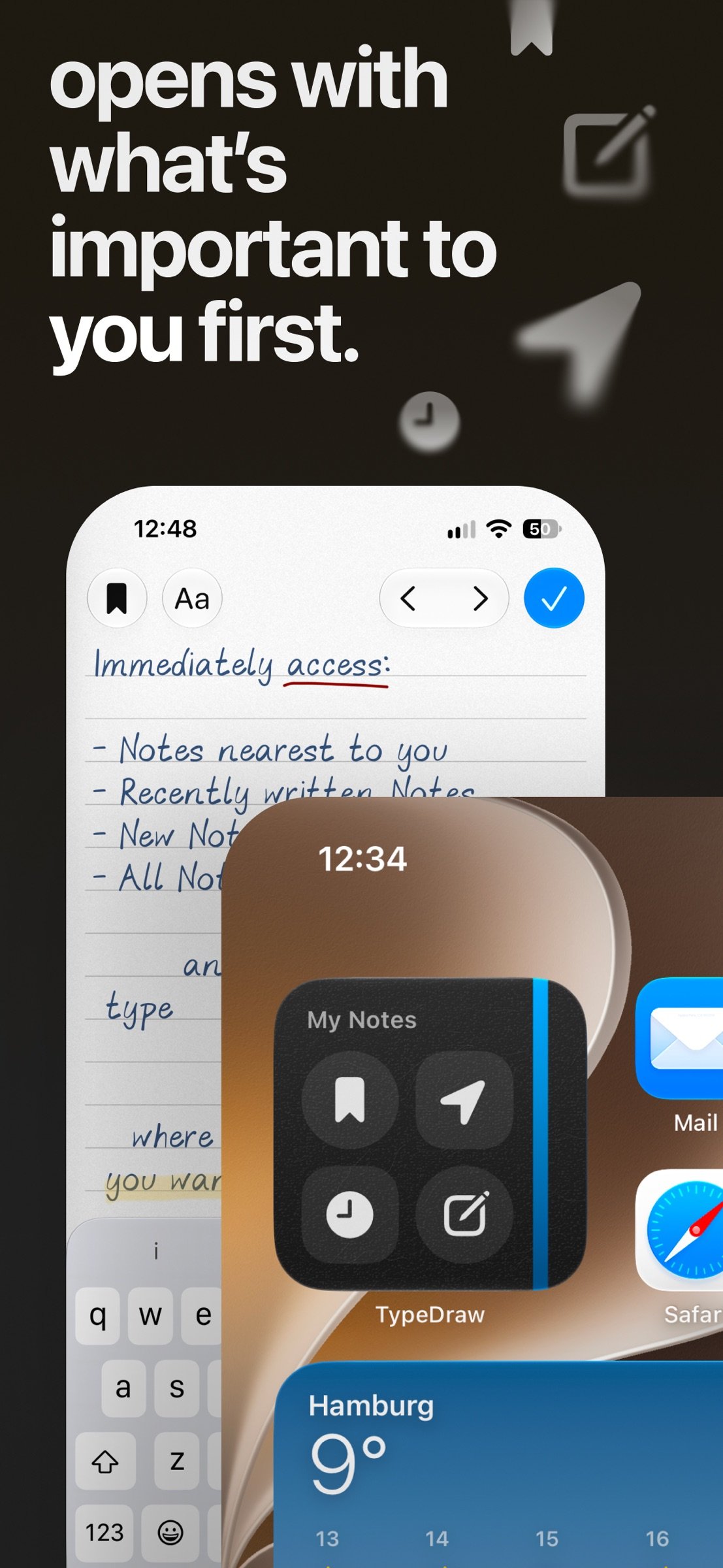
- Opens to what matters in the moment: a fresh page, your most recent note, or a note from that restaurant you’re finally visiting again after years. To enter swipe the book cover or jump straight into what you need with a beautiful Home Screen widget.
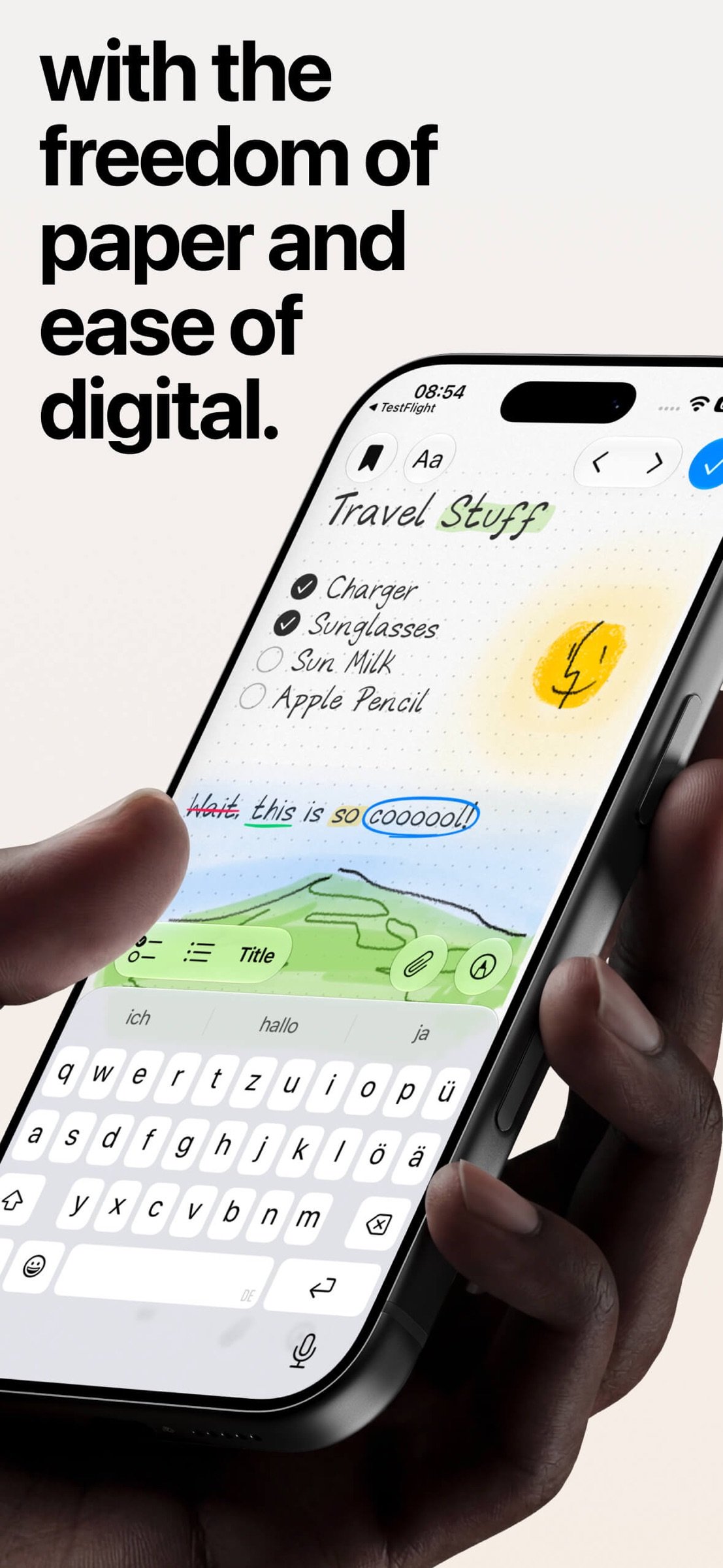
- Type, draw and write anywhere, just as you would in a real notebook. Link Notes, add photos, PDFs, timestamps, checklists, titles, bullet points and more to your notes. Turn the pages with a curl or a tap, sketch with your fingers, or use Apple Pencil on iPad and iPhone Duo. It adapts to how you want to use it: whether you prefer typing, drawing or using Apple’s Scribble feature, TypeDraw adjusts to you, not the other way around.
- Enjoy a free canvas where text and drawings belong together. Highlight or underline text, and your strokes automatically convert to responsive “Smart Marks” that adapt when you edit words, change line breaks or adjust the layout.
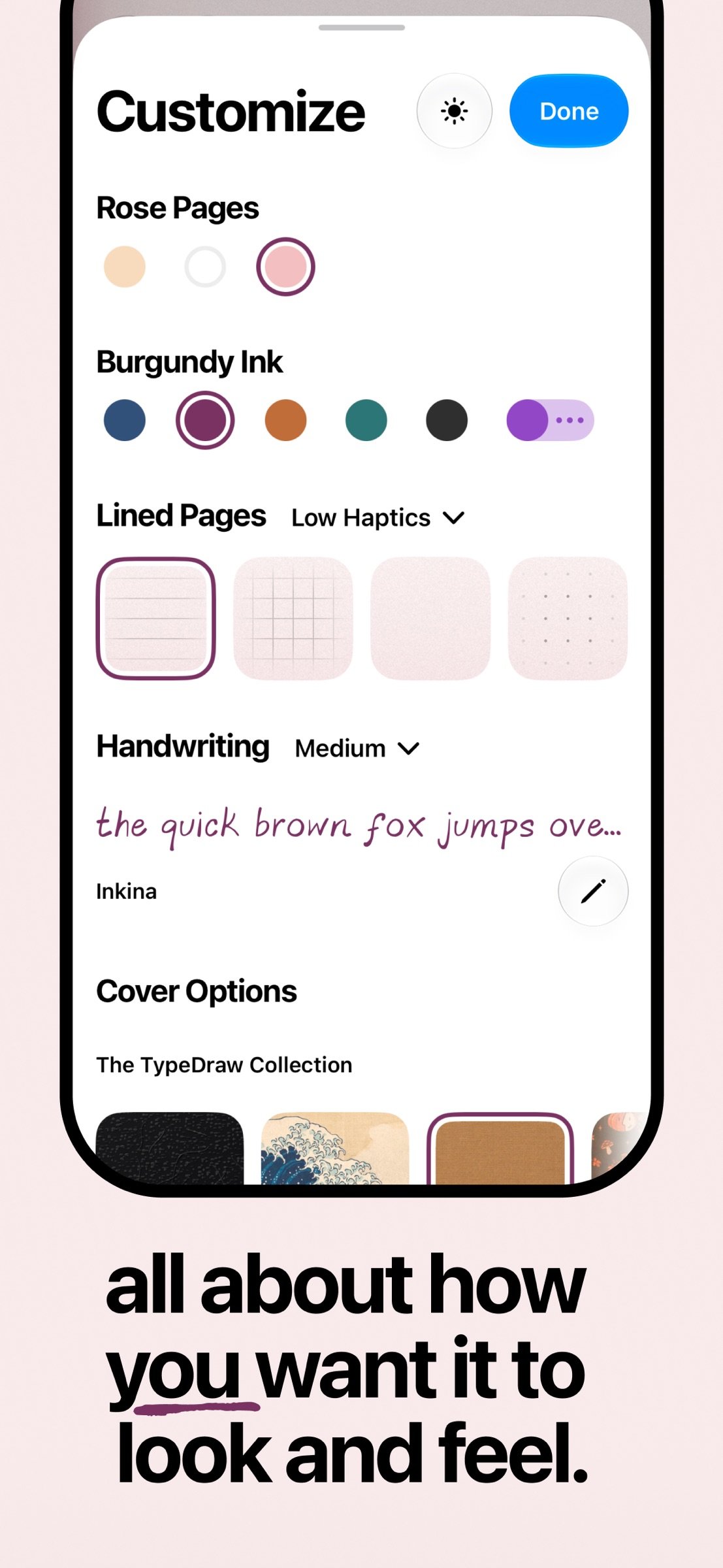
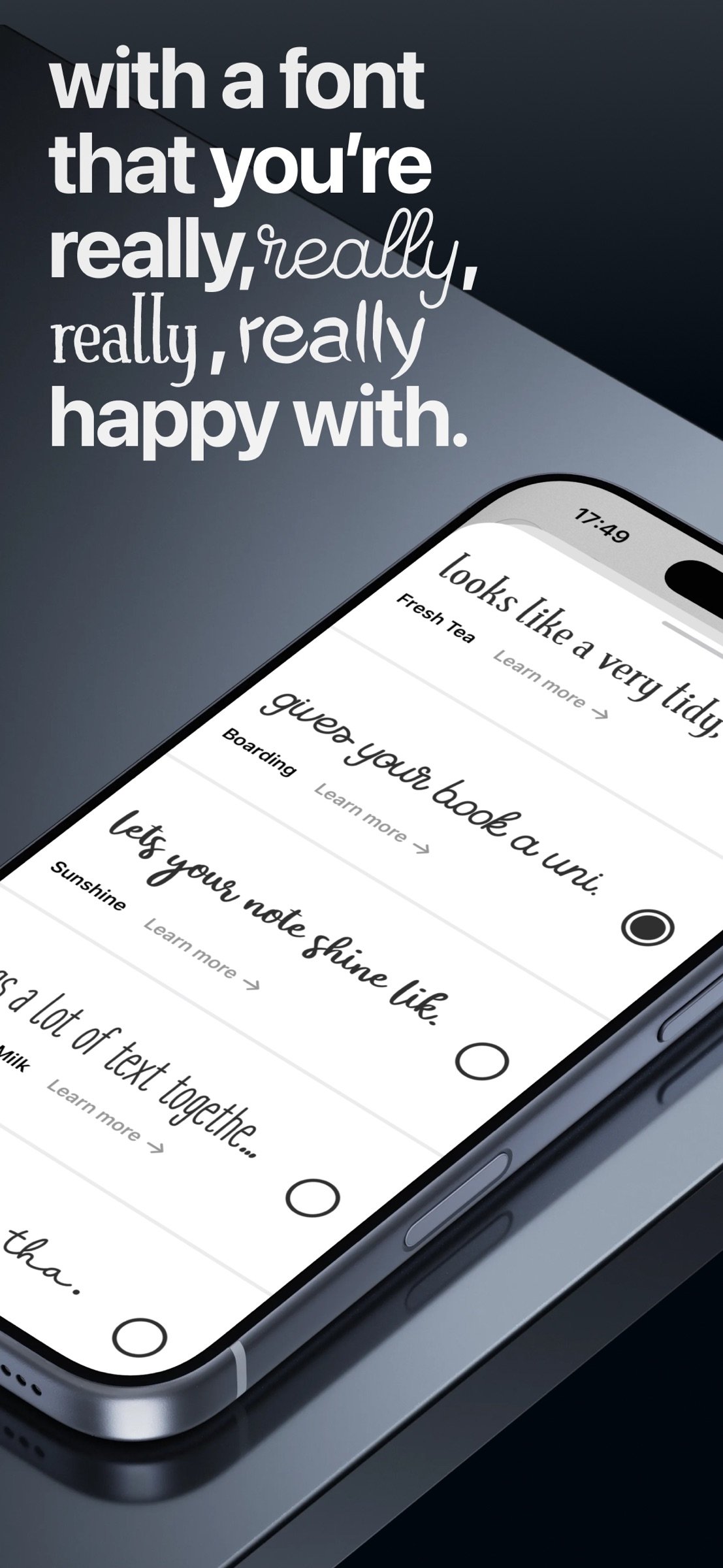
- Make it yours! Pick lined, grid, blank or dotted paper and explore 12 handwritten typefaces from Shaped Fonts, choose from all preinstalled iOS system fonts or even upload your own. And if that’s not enough, turn your handwriting into a font you can type with in just minutes. Choose your page colour, ink colour, font size and text colour for all pages or just one specific page, and go wild. Ooh, and wait until you’ve seen our gorgeous Dark Mode.
- Choose from beautiful cover artworks from our own TypeDraw collection or explore premium art from illustrators like Gabor Estefan and make your notebook something truly satisfying to look at every time you open it. Take that, generative AI!
- Add up to four additional notebooks to your setup. Each requires a small one-time in-app purchase so we can keep the app subscription-free. Switch between books by long-pressing the cover, selecting one in Settings or, on iPhone Duo and iPad, swiping in the desk view.
- Keep an overview with a table of contents you can sort by page number, time or location… so the notes nearest to you are always easy to find. All notes are searchable, too, and you can reorder them with a simple drag and drop.
- Have fun and don’t take life too seriously!
License: Commercial
TypeDraw brings the joy and simplicity of a paper notebook into the digital world, with smart tools to find your notes whenever you need them and endless ways to make it yours. All topped off with stunning cover art options made by real humans and endless ways to personalise your notebook.
No account required. Your notes stay local and private on your device, or sync through your own iCloud account if you choose. Your data stays yours, and you can even lock your book. Export a single page or your whole book as a PDF and send it to your files, your agents or your mother.
- Opens to what matters in the moment: a fresh page, your most recent note, or a note from that restaurant you’re finally visiting again after years. To enter swipe the book cover or jump straight into what you need with a beautiful Home Screen widget.
- Type, draw and write anywhere, just as you would in a real notebook. Link Notes, add photos, PDFs, timestamps, checklists, titles, bullet points and more to your notes. Turn the pages with a curl or a tap, sketch with your fingers, or use Apple Pencil on iPad and iPhone Duo. It adapts to how you want to use it: whether you prefer typing, drawing or using Apple’s Scribble feature, TypeDraw adjusts to you, not the other way around.
- Enjoy a free canvas where text and drawings belong together. Highlight or underline text, and your strokes automatically convert to responsive “Smart Marks” that adapt when you edit words, change line breaks or adjust the layout.
- Make it yours! Pick lined, grid, blank or dotted paper and explore 12 handwritten typefaces from Shaped Fonts, choose from all preinstalled iOS system fonts or even upload your own. And if that’s not enough, turn your handwriting into a font you can type with in just minutes. Choose your page colour, ink colour, font size and text colour for all pages or just one specific page, and go wild. Ooh, and wait until you’ve seen our gorgeous Dark Mode.
- Choose from beautiful cover artworks from our own TypeDraw collection or explore premium art from illustrators like Gabor Estefan and make your notebook something truly satisfying to look at every time you open it. Take that, generative AI!
- Add up to four additional notebooks to your setup. Each requires a small one-time in-app purchase so we can keep the app subscription-free. Switch between books by long-pressing the cover, selecting one in Settings or, on iPhone Duo and iPad, swiping in the desk view.
- Keep an overview with a table of contents you can sort by page number, time or location… so the notes nearest to you are always easy to find. All notes are searchable, too, and you can reorder them with a simple drag and drop.
- Have fun and don’t take life too seriously!
License: Commercial
| Release info | Update on Nov 13, 2026 |
|---|---|
| Release notes | Completely change the look of your notebook with our all-new Ink Drawer featuring 18 curated new colors, import your own fonts from your files and see them sync across all your devices in seconds, insert notes anywhere, link notes in the TypeBar to quickly jump between them, draw Auto-Shapes and enjoy a much smoother experience with plenty of refinements and bug fixes. Oh, and there’s a special new TypeDraw Edition cover illustrated by Japanese artist noa1008! |
| Listing data | App Store |
Reviews
No reviews yet. Be the first to review TypeDraw.
Used TypeDraw? Tell other visitors what you thought.
Log in to write a reviewOther products by this publisher
- "No Distractions" for YouTube 4.10 ----
- #Bible 11.6.1 "Incredible App - My sister shared this app with me a few weeks ago and it is truly incredible.
- #filmphotography 1.4.2 So, you decided to shoot on film?
- $quirrel 1.5.1 $quirrel Budget & Finance helps you plan each paycheck, track spending, manage debt, and see what is safe to spend before the next payday.
- % Percentage Calculator Pro 1.41 This is the Pro version of % Percentage Calculator.
Most viewed iOS Productivity
-
1
 WordPress 27.4
Manage or create your WordPress blog or website right from your iOS device: create and edit posts and pages, upload your favorite photos and videos, view stats and reply to comments.
- 2 Voice Translator - Alive 1.6 Translation app that turns your iPhone into an interpreter instantly.
-
3
 Claude by Anthropic 1.261116.19
Meet Claude, your AI problem solver and thinking partner.
-
4
 Life360 26.44.0
Whether at home, online, or on the move, our comprehensive family safety features bring peace of mind to your loved ones AND help safeguard your personal belongings.
-
5
 WristMemo 2.0
WristMemo turns your Apple Watch into an all-day voice recorder.
- 6 "No Distractions" for YouTube 4.10 ----
-
7
 Colicine 1.3.0
Have you ever been there—
- 8 (beat) for iOS 0.5.10 An elegant Fountain screenwriting app, created by a screenwriter for screenwriters.
-
9
 DeepSeek 2.8.0
Experience seamless interaction with DeepSeek's official AI assistant for free!
-
10
 Howbout 16.7.2
The shared calendar for friends, couples, and family
Most downloaded iOS Productivity
- 1 Voice Translator - Alive 1.6 Translation app that turns your iPhone into an interpreter instantly.
-
2
DeepSeek 2.8.0
Experience seamless interaction with DeepSeek's official AI assistant for free!
-
3
 SessionsAI 1.2.1
Sessions AI is a private AI workspace that runs entirely on your iPhone, iPad, or Mac.
-
4
 Voices AI 1.16.15
Discover Voices, the premier voice transformation app designed exclusively for iOS.
-
5
 Block Distracting Websites 1.11
"It's a great way to save time, and stop browsing Reddit when you should be doing coursework."
-
6
 Plot Digitizer 1.4.1
Plot Digitizer is an app to extract numerical data from plot images.
-
7
 Google Docs 1.2026.46102
Create, edit, and collaborate on online documents with the Google Docs app.
-
8
 MyHyundai with Bluelink 5.4.5
The MyHyundai app makes getting information about your Hyundai vehicle easier than ever.
-
9
 Pixy Mood Tracker 1.110.0
Track your mood, one pixel at a time.
-
10
 Chatbot App 9.2.8
Chatbot App brings advanced AI models together in one intuitive app for writing, learning, coding, creativity, and productivity.