
TV Jr. 1.2
TV Jr. brings the live TV and movies you already have to iPhone and HomeView, in one simple app.
Download
9.65 MB
0downloads
0this week
FreeCommercial
0reviews
Screenshots
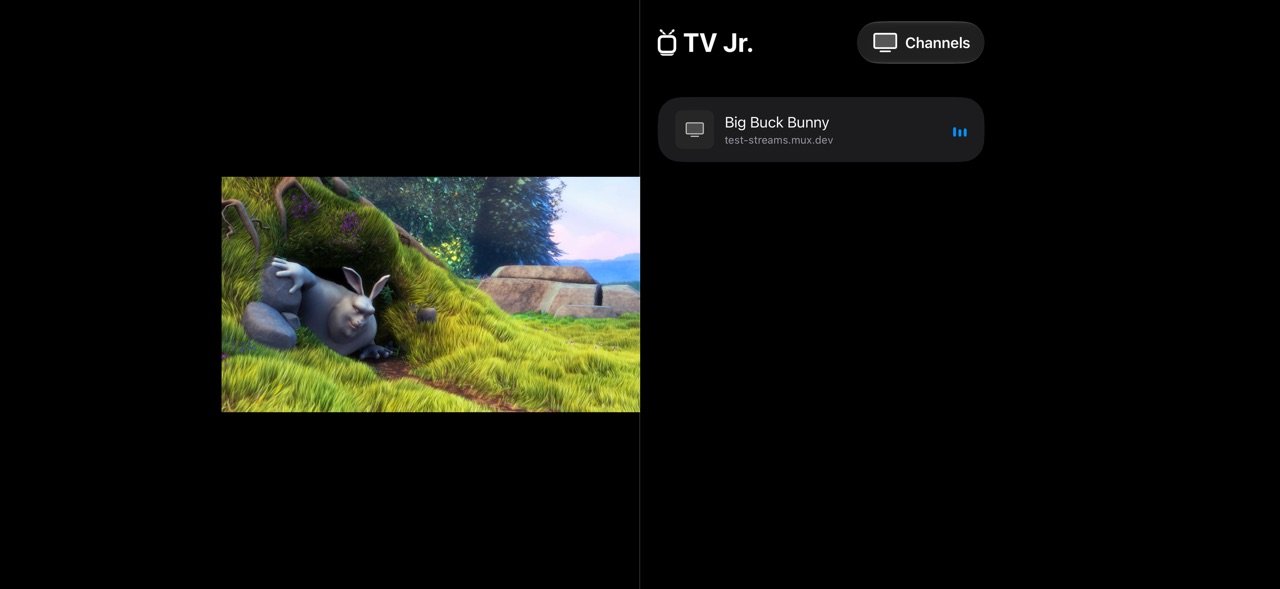
About TV Jr.
TV Jr. brings the live TV and movies you already have to iPhone and HomeView, in one simple app. It doesn't include any channels of its own.
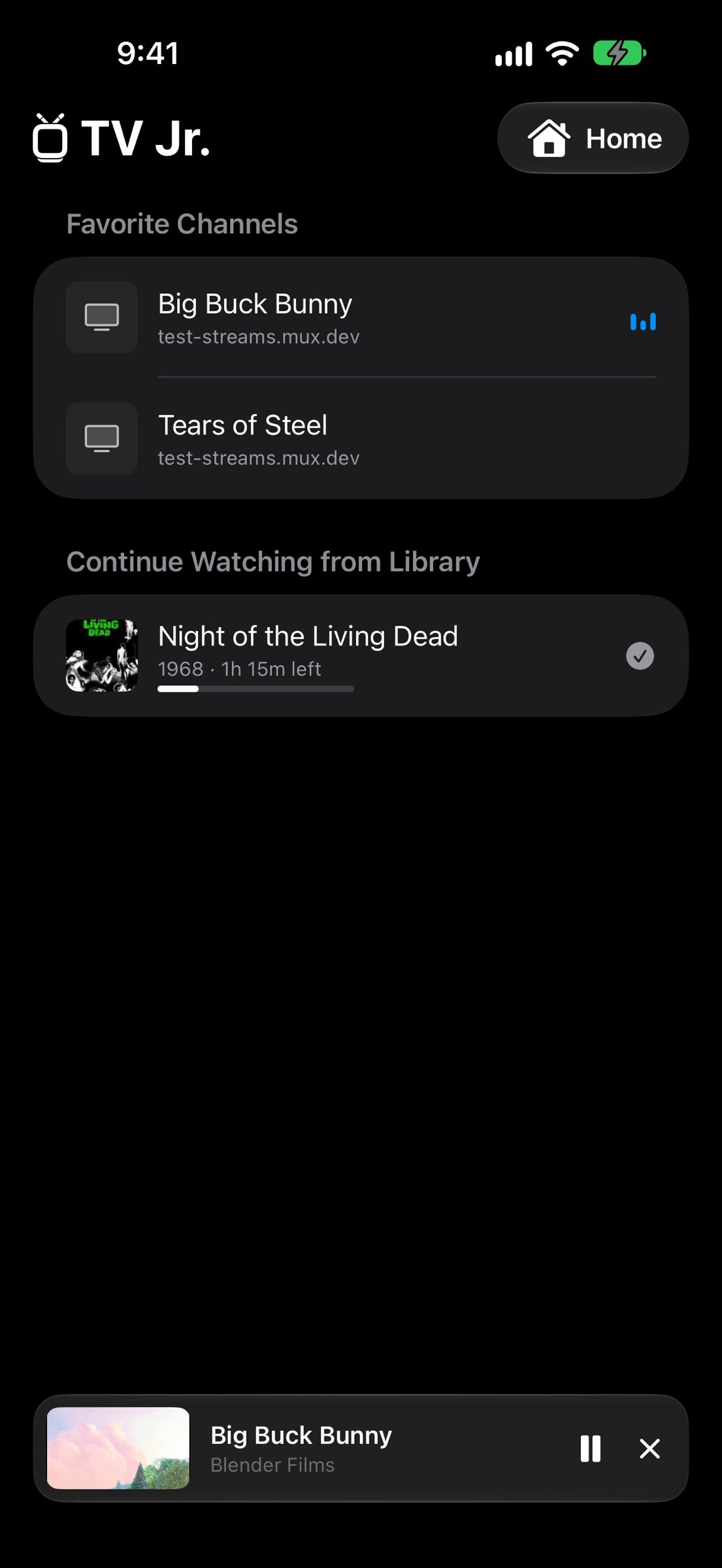
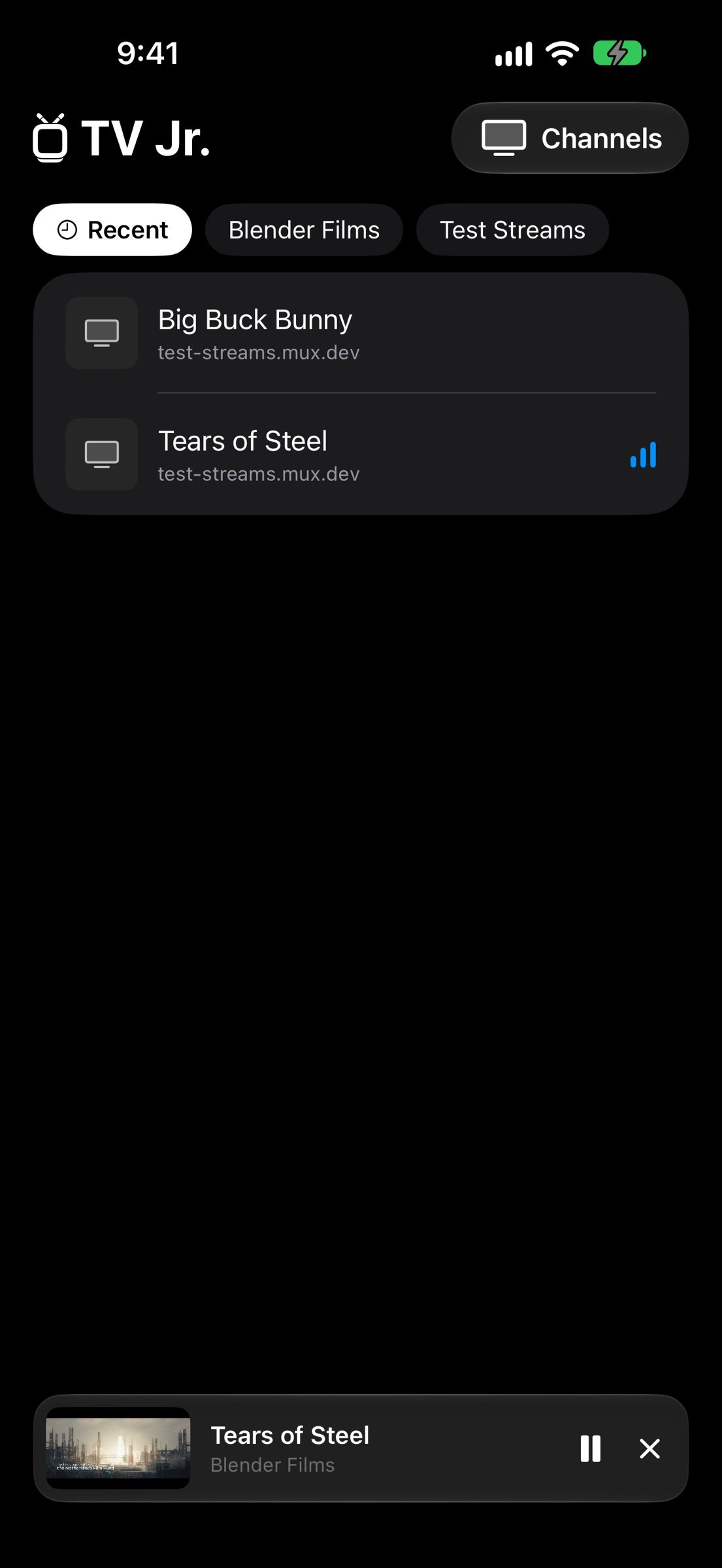
Pick from Home, Channels or Library at the top. Choose something and it opens full screen; close it and it keeps playing in the mini player while you browse.
o HDHomeRun: find your tuner on Wi-Fi and watch its antenna or cable channels, converted right on your iPhone. No DVR or server needed.
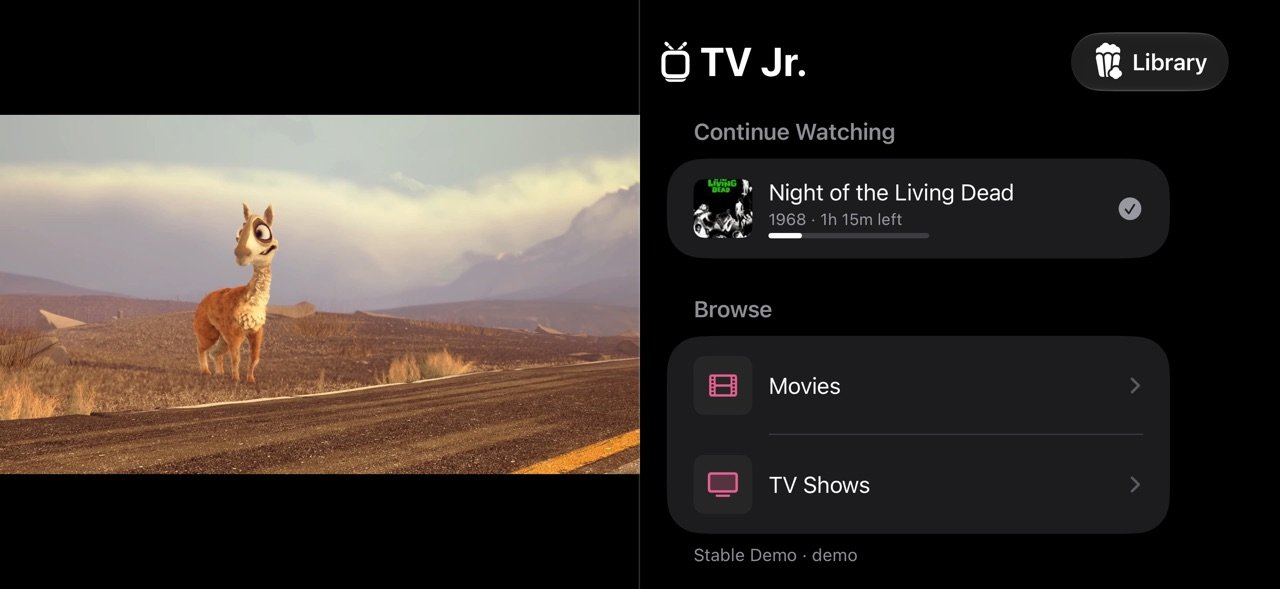
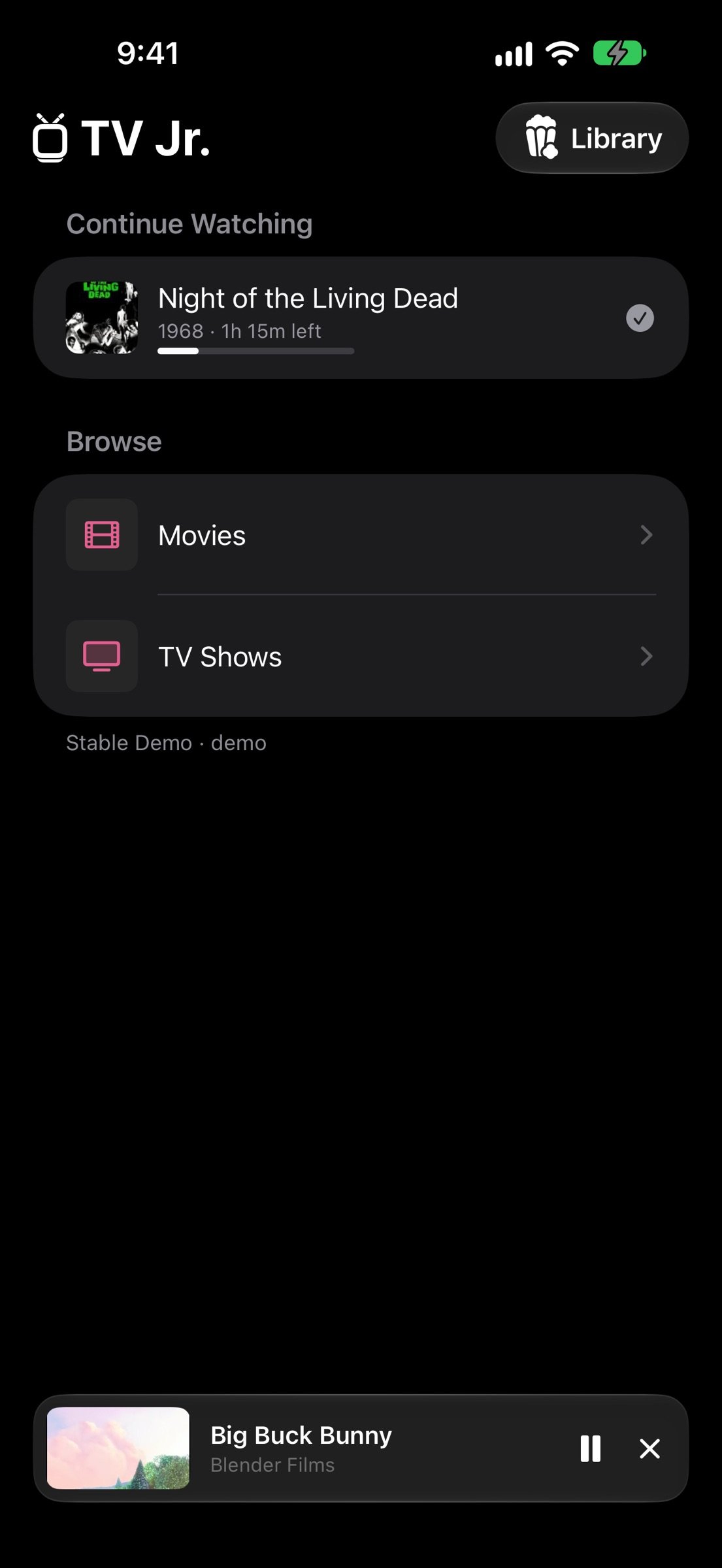
o Jellyfin: watch the movies and shows in your Jellyfin library. Sign in with Quick Connect, see Continue Watching and Recently Added, and pick up where you left off. Your place is saved back to Jellyfin.
o ErsatzTV: add your own custom channels in one tap.
o HomeView: Home, Channels and Library on HomeView too, playing full screen.
o What's on now: the current show and time left for HDHomeRun channels and playlists that publish a guide.
o Playlists: import an M3U playlist from your home media server and pick the channels you want. Links refresh automatically.
o Stream links: add a single live stream (.m3u8).
o Favorites, Recent channels, and sources you can turn on or off and reorder.
o iPhone Duo: open it up to watch on one side and browse on the other.
o Captions on HDHomeRun channels, AirPlay, and Picture in Picture.
o Light and dark mode. Your channels back up to your own iCloud.
Where streams come from: an HDHomeRun tuner on your network, your own Jellyfin or ErsatzTV server, your TV or internet provider, broadcasters that publish free live streams, or your own media server. Only add streams you have the right to watch.
Jellyfin is a trademark of the Jellyfin project; TV Jr. is not affiliated with it. Screenshots feature Big Buck Bunny and Tears of Steel, (C) Blender Foundation (blender.org), licensed under CC BY 3.0, and Caminandes, (C) Blender Foundation, licensed under CC BY.
License: Commercial
Pick from Home, Channels or Library at the top. Choose something and it opens full screen; close it and it keeps playing in the mini player while you browse.
o HDHomeRun: find your tuner on Wi-Fi and watch its antenna or cable channels, converted right on your iPhone. No DVR or server needed.
o Jellyfin: watch the movies and shows in your Jellyfin library. Sign in with Quick Connect, see Continue Watching and Recently Added, and pick up where you left off. Your place is saved back to Jellyfin.
o ErsatzTV: add your own custom channels in one tap.
o HomeView: Home, Channels and Library on HomeView too, playing full screen.
o What's on now: the current show and time left for HDHomeRun channels and playlists that publish a guide.
o Playlists: import an M3U playlist from your home media server and pick the channels you want. Links refresh automatically.
o Stream links: add a single live stream (.m3u8).
o Favorites, Recent channels, and sources you can turn on or off and reorder.
o iPhone Duo: open it up to watch on one side and browse on the other.
o Captions on HDHomeRun channels, AirPlay, and Picture in Picture.
o Light and dark mode. Your channels back up to your own iCloud.
Where streams come from: an HDHomeRun tuner on your network, your own Jellyfin or ErsatzTV server, your TV or internet provider, broadcasters that publish free live streams, or your own media server. Only add streams you have the right to watch.
Jellyfin is a trademark of the Jellyfin project; TV Jr. is not affiliated with it. Screenshots feature Big Buck Bunny and Tears of Steel, (C) Blender Foundation (blender.org), licensed under CC BY 3.0, and Caminandes, (C) Blender Foundation, licensed under CC BY.
License: Commercial
| Release info | Update on Nov 22, 2026 |
|---|---|
| Release notes | o Plex: sign in with your Plex account and watch your movies and shows on iPhone and HomeView, picking up where you left off. o Your libraries show up by their own names, for Plex and Jellyfin. o The menu lists each of your sources, like your HDHomeRun, playlists, Jellyfin and Plex, on iPhone and HomeView. Prefer the old layout? Settings -> Menu -> Group Menu -> By Type. o Home shows the last 3 channels you watched. o When you add a source, each channel shows what's on right now, and the guide fills in on its own. o Pasting a playlist into Add Stream (or a single stream into Import Playlist) now points you to the right place. o Fixed: playlists, streams and some HDHomeRun tuners with http:// links wouldn't load. |
| Listing data | App Store |
Reviews
No reviews yet. Be the first to review TV Jr..
Used TV Jr.? Tell other visitors what you thought.
Log in to write a reviewOther products by this publisher
- "No Distractions" for YouTube 4.10 ----
- #Bible 11.6.1 "Incredible App - My sister shared this app with me a few weeks ago and it is truly incredible.
- #filmphotography 1.4.2 So, you decided to shoot on film?
- #LookBusy Fake Calendar Events 1.0.6 Look Busy scans your work calendar for open time slots and fills them with realistic-looking (but secretly fake) work events.
- #Small Talk Is Canceled 1.0.2 #Small Talk Is Canceled — Conversations That Matter
Most viewed iOS Photo & Video
-
1
 ShortDiShow 2.0
Drama Quest Island — An offline interactive short-drama adventure.
-
2
 Face Witness 1.0.3
FaceWitness lets you create a face by putting together individual features.
-
3
 Infuse 8.5.10
Infuse: Enterprise provides the same great features as the standard version of Infuse and includes permanent access to all Pro features via a traditional paid app.
-
4
 AI Video Generator 2.0.3
Vixel – AI Video Generator
-
5
 OPlayer 4.8
Play all your videos directly without having to convert them!
- 6 #filmphotography 1.4.2 So, you decided to shoot on film?
-
7
 CapCut 20.2.0
CapCut offers easy-to-use video editing functions, in-APP fonts and effects, advanced features such as keyframe animation, smooth slow-motion, chroma key, and stabilization, to help you capture and snip moments.
-
8
 Necrometer II 1.3
Necrometer II is a paranormal investigation companion designed for ghost hunters and researchers.
-
9
 Ai Photo 1.1.2
AI Photo Retouch – BG Eraser
-
10
 Analog Radio 3.0
The iPhone and iPad devices don't have the FM/AM radio antenna installed.
Most downloaded iOS Photo & Video
-
1
 DJI Fly 1.21.18
DJI Fly is designed to help pilots fly drones with ease.
-
2
Infuse 8.5.10
Infuse: Enterprise provides the same great features as the standard version of Infuse and includes permanent access to all Pro features via a traditional paid app.
-
3
 TurboCollage Automatic 1.2.4
#1 Easy automatic photo collage maker for iPhone & iPad.
-
4
Analog Radio 3.0
The iPhone and iPad devices don't have the FM/AM radio antenna installed.
-
5
 ReelyGo 1.1.42
ReelyGo: Your Daily Drama Escape
-
6
 Rozeta Sequencer Suite 1.3.16
Rozeta is a suite of MIDI sequencers and controllers that lets you explore a new, freeform approach to sequencing and controlling mobile music apps.
-
7
 AGAIN. Rehearsal Notes 2.0.1
AGAIN. is the rehearsal app that remembers why the band stopped — and, new in Version 2, who said what in a writing session or a table read.
-
8
 Pop Dot Comics 1.48
Create a comic worthy of the Sunday newspaper or your favorite pulp-fiction cover.
-
9
 Sun Scout 1.5.0
If your work or play requires sunlight, Sun Scout is built for you.
-
10
 Treblo 1.6.6
Make songs with the world's best AI music model.