
treehouses remote 6330
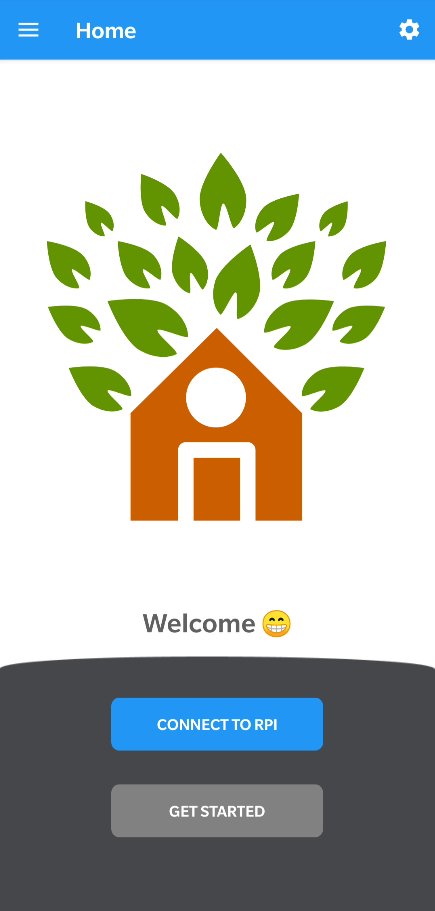
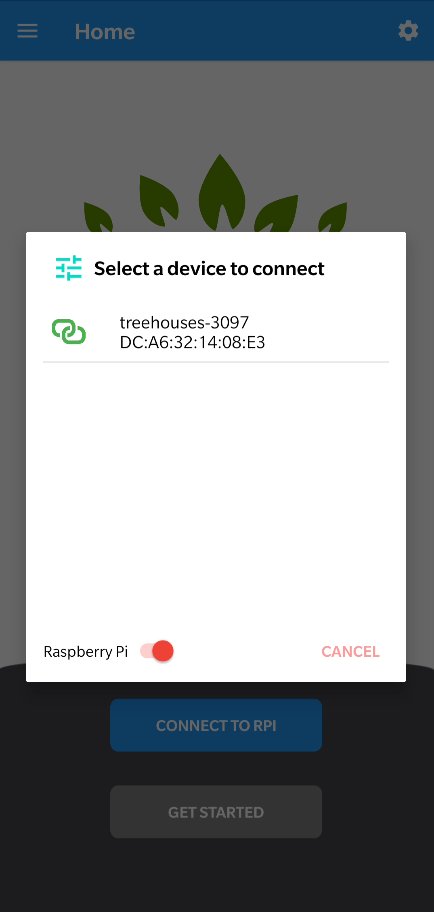
Communicate with headless Raspberry Pi mobile server running treehouses image vi
Download
9.32 MB · remote.apk
42downloads
15this week
FreeFreeware
0reviews
Screenshots
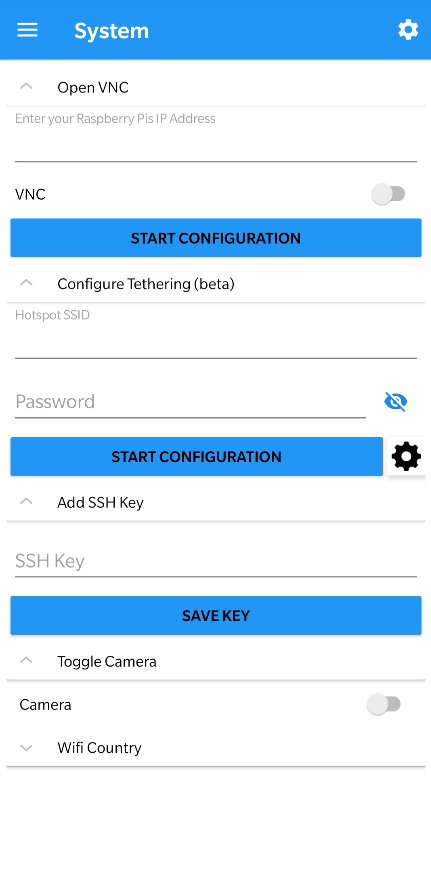
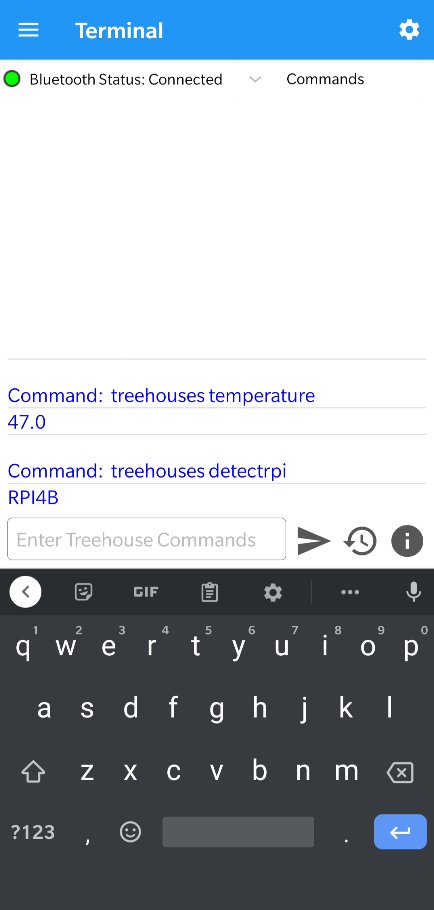
About treehouses remote
In order to use treehouses remote, it is required to download a custom Raspbian image that can be found [here]([link removed]) and flash it onto an SD card to be inserted into your Raspberry Pi.
With treehouses remote, you can:
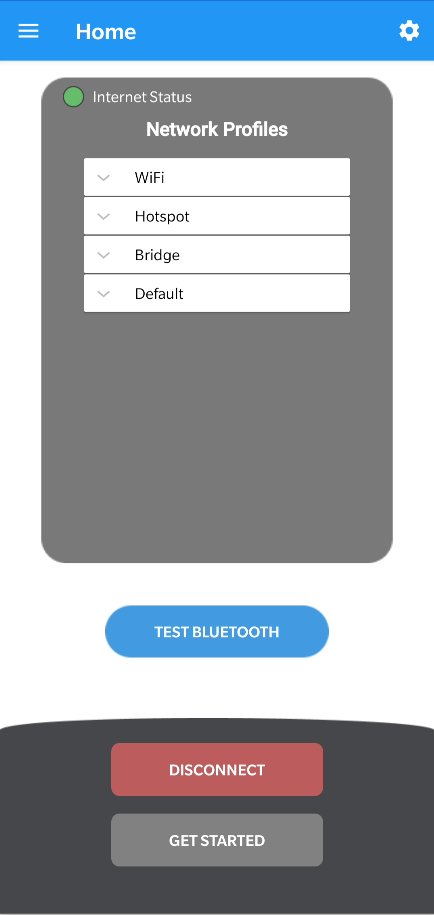
* Get detailed software and hardware information of a Raspberry Pi
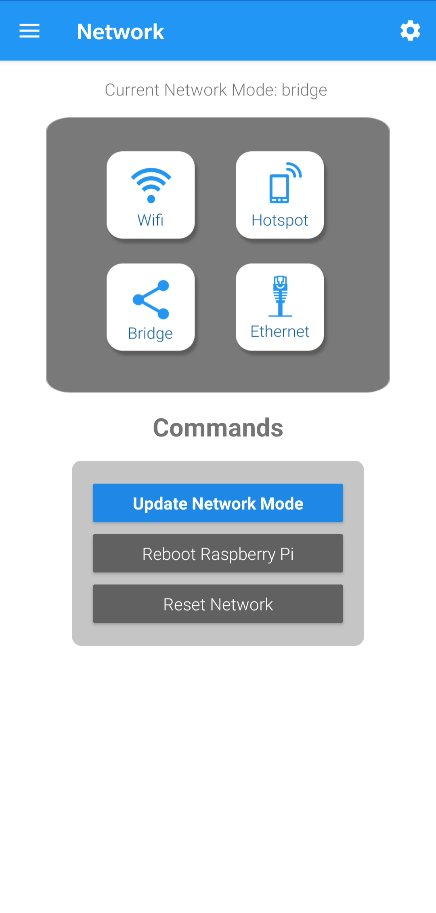
* Configure a Raspberry Pi through user-friendly interface
* Easily install and access services such as Nextcloud, Netdata, Transmission, MongoDB, MariaDB and Moodle on your RPi
* And utilize many more features!
Usage:
```
treehouses [command]
treehouses help [command]
```
Example Commands:
help --- gives you a more detailed info about the command or will output this
expandfs --- expands the partition of the RPi image to the maximum of the SD card
rename --- changes hostname
password --- changes the password for 'pi' user
sshkey --- used for adding or removing ssh keys for authentication
version --- returns the version of cli.sh command
image --- returns version of the system image installed
detectrpi --- detects the hardware version of a Raspberry Pi
detect --- detects the hardware version of any device
ethernet --- configures rpi network interface to a static IP address
discover --- performs network scan and discovers all Raspberry Pis on the network
wifi --- connects to a wifi network
wifihidden --- connects to a hidden wifi network
staticwifi --- configures RPi wifi interface to a static ip address
wifistatus --- displays signal strength in dBm and layman nomenclature
bridge --- configures the RPi to bridge the WLAN interface over a hotspot
container docker balena --- enables (and start) the desired container
bluetooth --- switches bluetooth from regular to hotspot mode and shows id or MAC address
ap --- creates a mobile ap, which has two modes: local (no eth0 bridging), internet (eth0 bridging)
apchannel --- sets or prints the current ap channel
timezone --- sets the timezone of the system
locale --- sets the system locale
ssh --- enables or disables the SSH service
vnc --- enables or disables the VNC server service
default --- sets a raspbian back to default configuration
wificountry --- sets the wifi country
upgrade --- upgrades cli.sh package using npm
sshtunnel --- helps adding an sshtunnel
led --- sets the led mode
rtc --- sets up the rtc clock specified
ntp --- sets rpi to host timing locally or to get timing from a remote server
networkmode --- outputs the current network mode
button --- gives the gpio pin 18 an action
feedback --- sends feedback
clone --- clones the current SDCard onto a secondary SD card or specified device
restore --- restores a treehouses image to an SD card or specified device
burn --- download and burns the latest treehouses image to the SD card or specified device
rebootneeded --- shows if reboot is required to apply changes
reboots --- reboots at given frequency | removes it if reboot task active
internet --- checks if the RPi has access to internet
services --- executes the given command on the specified service
tor --- deals with services on tor hidden network
bootoption --- sets the boot mode
openvpn --- helps setting up an openvpn client
coralenv --- plays with the coral environmental board
memory --- displays the total memory of the device, the memory used as well as the available free memory
temperature --- displays Raspberry Pi's CPU temperature
speedtest --- tests internet download and upload speed
camera --- enables camera, disables camera, captures png photo
cron --- adds, deletes a custom cron job or deletes, lists all cron jobs
usb --- turns usb ports on or off
License: AGPL-3.0-only
With treehouses remote, you can:
* Get detailed software and hardware information of a Raspberry Pi
* Configure a Raspberry Pi through user-friendly interface
* Easily install and access services such as Nextcloud, Netdata, Transmission, MongoDB, MariaDB and Moodle on your RPi
* And utilize many more features!
Usage:
```
treehouses [command]
treehouses help [command]
```
Example Commands:
help --- gives you a more detailed info about the command or will output this
expandfs --- expands the partition of the RPi image to the maximum of the SD card
rename --- changes hostname
password --- changes the password for 'pi' user
sshkey --- used for adding or removing ssh keys for authentication
version --- returns the version of cli.sh command
image --- returns version of the system image installed
detectrpi --- detects the hardware version of a Raspberry Pi
detect --- detects the hardware version of any device
ethernet --- configures rpi network interface to a static IP address
discover --- performs network scan and discovers all Raspberry Pis on the network
wifi --- connects to a wifi network
wifihidden --- connects to a hidden wifi network
staticwifi --- configures RPi wifi interface to a static ip address
wifistatus --- displays signal strength in dBm and layman nomenclature
bridge --- configures the RPi to bridge the WLAN interface over a hotspot
container docker balena --- enables (and start) the desired container
bluetooth --- switches bluetooth from regular to hotspot mode and shows id or MAC address
ap --- creates a mobile ap, which has two modes: local (no eth0 bridging), internet (eth0 bridging)
apchannel --- sets or prints the current ap channel
timezone --- sets the timezone of the system
locale --- sets the system locale
ssh --- enables or disables the SSH service
vnc --- enables or disables the VNC server service
default --- sets a raspbian back to default configuration
wificountry --- sets the wifi country
upgrade --- upgrades cli.sh package using npm
sshtunnel --- helps adding an sshtunnel
led --- sets the led mode
rtc --- sets up the rtc clock specified
ntp --- sets rpi to host timing locally or to get timing from a remote server
networkmode --- outputs the current network mode
button --- gives the gpio pin 18 an action
feedback --- sends feedback
clone --- clones the current SDCard onto a secondary SD card or specified device
restore --- restores a treehouses image to an SD card or specified device
burn --- download and burns the latest treehouses image to the SD card or specified device
rebootneeded --- shows if reboot is required to apply changes
reboots --- reboots at given frequency | removes it if reboot task active
internet --- checks if the RPi has access to internet
services --- executes the given command on the specified service
tor --- deals with services on tor hidden network
bootoption --- sets the boot mode
openvpn --- helps setting up an openvpn client
coralenv --- plays with the coral environmental board
memory --- displays the total memory of the device, the memory used as well as the available free memory
temperature --- displays Raspberry Pi's CPU temperature
speedtest --- tests internet download and upload speed
camera --- enables camera, disables camera, captures png photo
cron --- adds, deletes a custom cron job or deletes, lists all cron jobs
usb --- turns usb ports on or off
License: AGPL-3.0-only
| Release info | Update on Mar 04, 2026 |
|---|---|
| Listing data | F-Droid |
Reviews
No reviews yet. Be the first to review treehouses remote.
Used treehouses remote? Tell other visitors what you thought.
Log in to write a reviewOther products by this publisher
- "No Distractions" for YouTube 4.10 ----
- #Bible 11.6 "Incredible App - My sister shared this app with me a few weeks ago and it is truly incredible.
- #filmphotography 1.4.2 So, you decided to shoot on film?
- $quirrel 1.5.1 $quirrel Budget & Finance helps you plan each paycheck, track spending, manage debt, and see what is safe to spend before the next payday.
- % Percentage Calculator Pro 1.41 This is the Pro version of % Percentage Calculator.
Most viewed Android Internet
-
1
 Offline Web Search 1.0.39
Search curated websites, blogs, and RSS feeds completely offline and privately.
- 2 NOVA 0.1.41 Open-source client for Unraid® NAS servers
-
3
 URSA 1.3.4
Native Android client for Uptime Kuma with FOSS push, no Google services.
-
4
 Nextcloud Pantry 0.38.0
Shared household lists, photos & notes on your own server — and on your watch.
-
5
 Brevier 0.23.1
A reading browser: the web without JavaScript, set in your own type
- 6 Husk 1.4 Turn a spare Android phone into a remote camera and control rig
- 7 Intra 1.5.1 Encrypted DNS client
- 8 Phylax 2.13 Viewer for Frigate NVR with smart URL switching and notifications
-
9
 Atrium 1.10.2
Control your self-hosted media stack from one app
- 10 Jami 20260807-01 Share, freely and privately
Most downloaded Android Internet
- 1 Citrine 3.2.1 Nostr relay for Android
-
2
 Volksverpetzer 2.5.5
Read Volksverpetzer fact checks, analysis and articles on your mobile phone.
-
3
Brevier 0.23.1
A reading browser: the web without JavaScript, set in your own type
-
4
 Punch-hole Download Progress 2.11.0
Xposed module showing download progress around the camera cutout
-
5
 Twig 1.18.0
Dual-pane file manager: archives, SFTP, SMB, WebDAV, S3, restic, Jellyfin
- 6 Filester 3.4.0 Temporary cloud storage for fast, private file sharing
- 7 Cryptomator 2.1.0 Put a lock on your cloud: Take the security of your data into your own hands
- 8 kitshn (for Tandoor) 2.1.6 An unofficial client for the self-hosted Tandoor recipe management software.
-
9
 Webview Kiosk 0.26.26
Turn your Android device into a locked-down web page in fullscreen mode.
-
10
 RCX - Rclone for Android 1.12.2
A file manager for Android, using rclone for the heavy lifting.