
tone 2.1
tone is a photo app that gives your pictures the character of stencil printing.
Download
10.58 MB
15downloads
4this week
FreeFreeware
0reviews
Screenshots
About tone
tone is a photo app that gives your pictures the character of stencil printing.
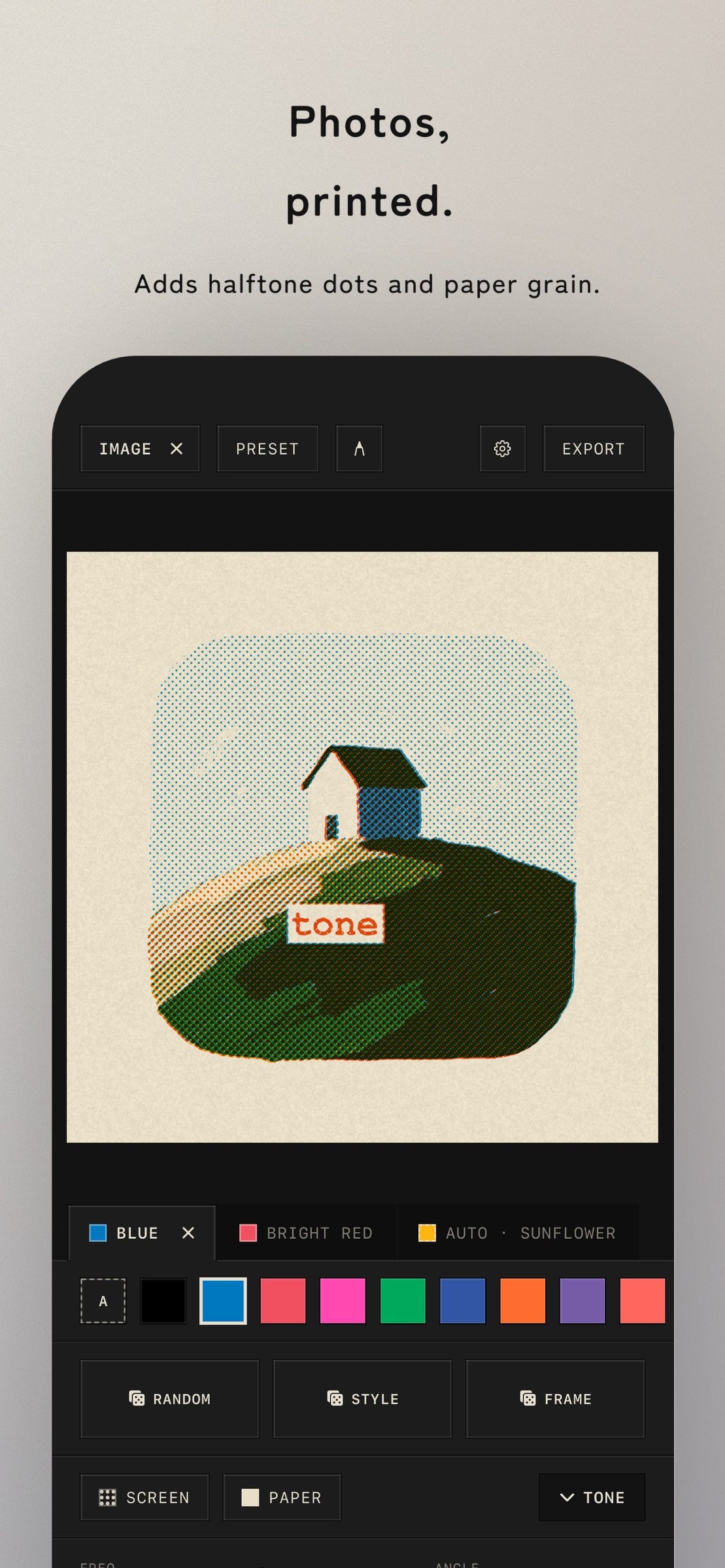
Pick a photo, and fine halftone dots and overlapping inks turn it into something like a two-color poster or zine page.
Layer photos together in one printed composition. Drawings and text can also be added as material for the overprint.
In Simple mode, tap the random buttons to explore combinations of colors, halftones, and frames. A guided tour walks you from loading an image to exporting it.
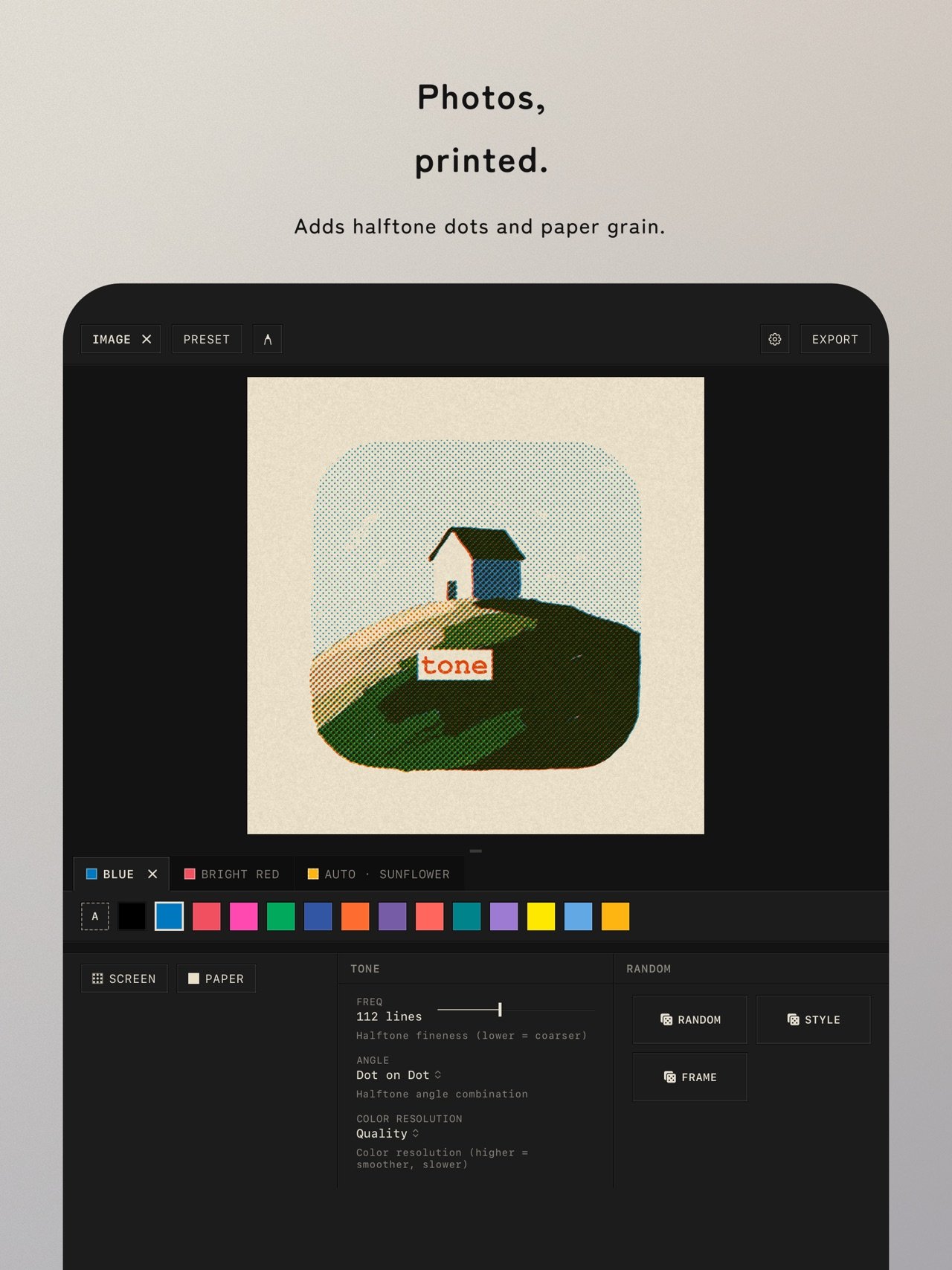
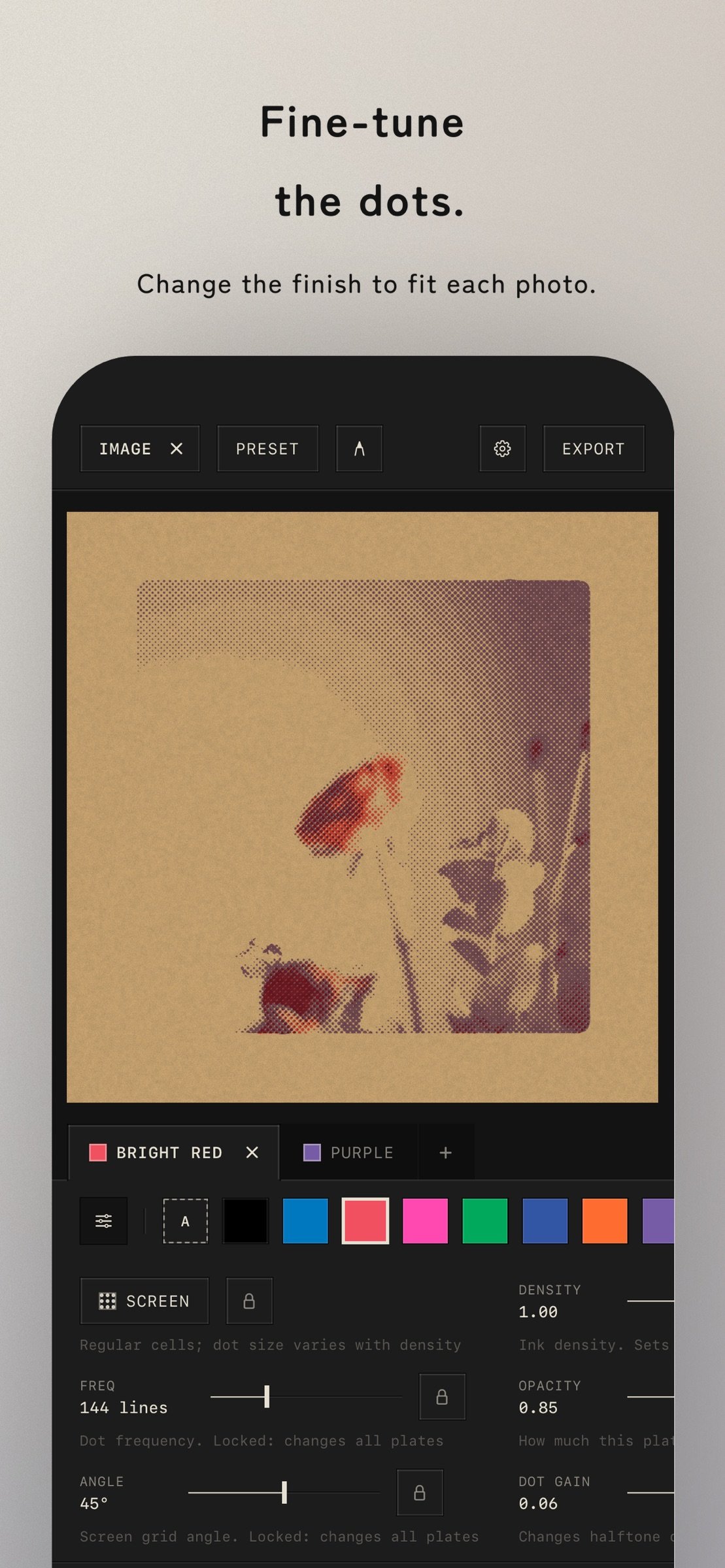
Inks that fit your photo can be chosen automatically. Export right away, or fine-tune dot frequency, screen angle, density, and print behavior for each color.
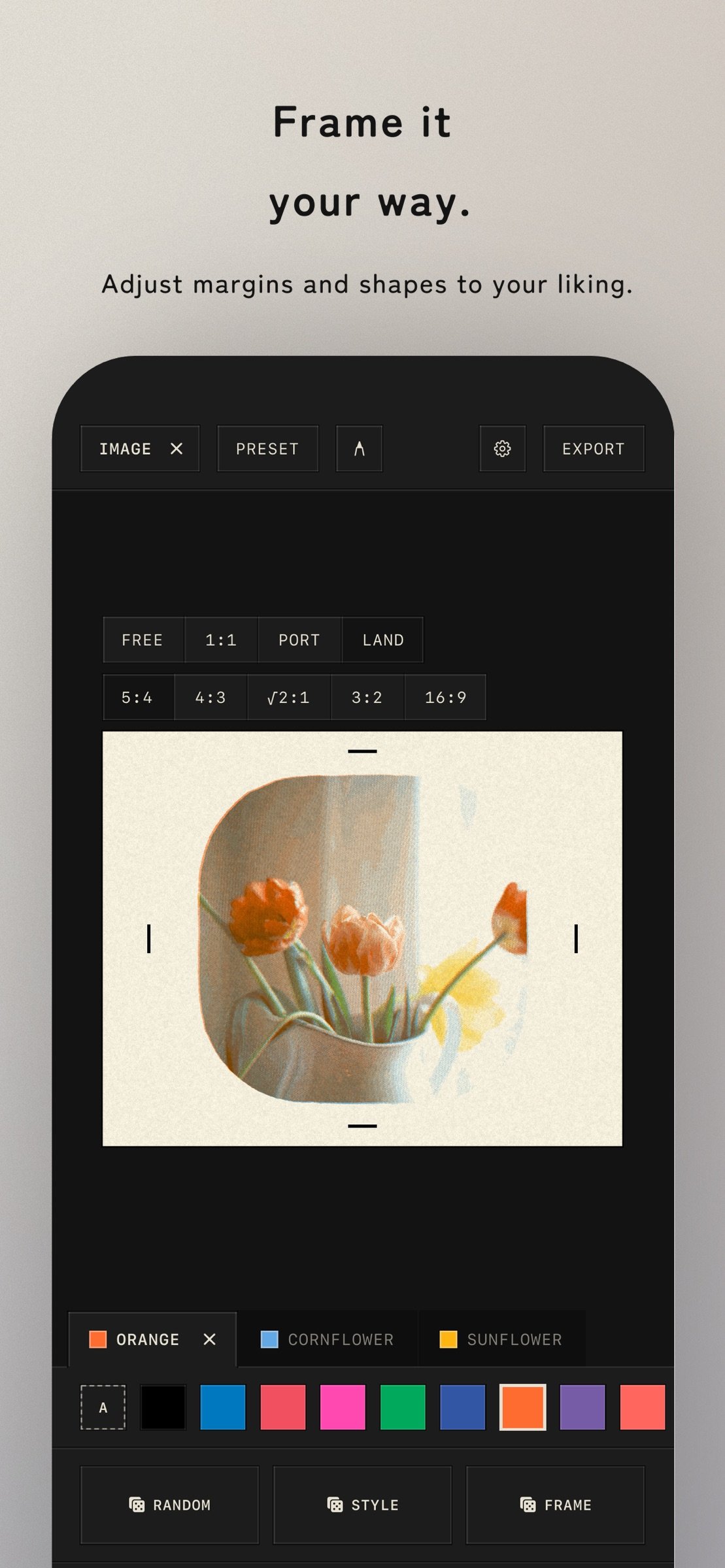
Move, scale, and rotate photos directly on the preview. Crop each image and edit its corners and margins on the canvas. Add rounded corners, hand-cut edges, and paper grain to finish it like a poster or card.
Save finished artwork to your photo library. For physical production, export print-ready artwork or a separate file for each ink with finished dimensions, bleed, Standard / Japanese crop marks, true-size imposition, and PNG / JPEG / PDF output.
tone supports iPad in portrait, landscape, and Split View. On a wide screen, keep the preview and controls side by side and adjust their widths for your workspace.
Your latest artwork and editing settings are saved on device and restored automatically the next time you launch tone.
Features:
- Give photos the character of stencil printing
- Layer multiple photos in one overprinted composition
- Simple, Customize, and Advanced modes
- Two screening methods: halftone dots and grain
- Automatic ink selection that fits your photo
- Per-color dot, angle, density, and print controls
- Five paper stocks, including white, natural, gray, and kraft
- Direct move, scale, rotate, crop, corner, and margin editing
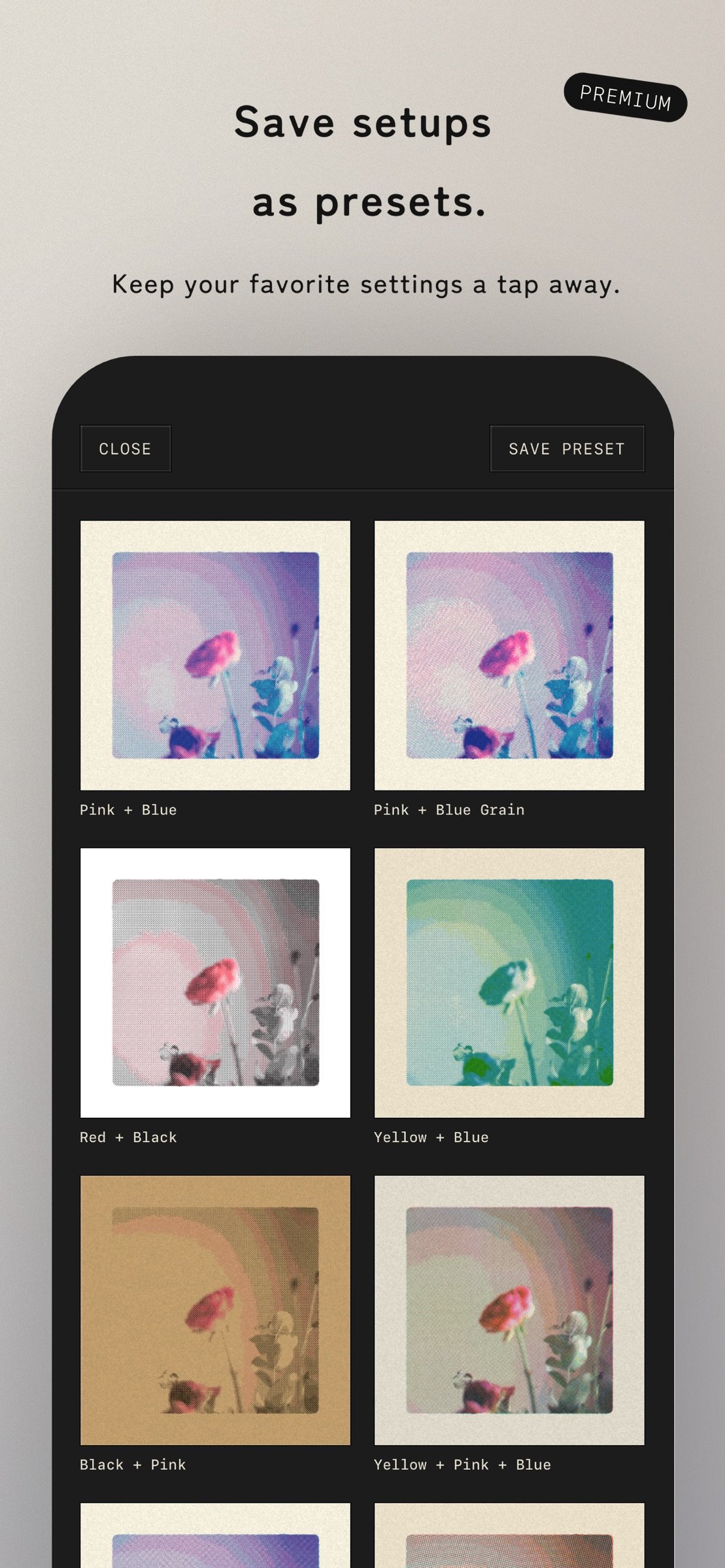
- Built-in presets and whole-composition custom presets
- Step-by-step views of separation, screening, and overprint
- Print-ready and per-ink separation export
- Bleed, crop marks, and true-size imposition
- iPhone and iPad, portrait, landscape, and Split View
- Automatic editing-session save and restore
- Available in Japanese, English, Korean, and Chinese (Simplified, Traditional, Hong Kong)
7 extra inks, custom preset saving, and 2x/3x high-resolution artwork export are unlocked with the one-time purchase “Ink Set 02”.
License: Free
Pick a photo, and fine halftone dots and overlapping inks turn it into something like a two-color poster or zine page.
Layer photos together in one printed composition. Drawings and text can also be added as material for the overprint.
In Simple mode, tap the random buttons to explore combinations of colors, halftones, and frames. A guided tour walks you from loading an image to exporting it.
Inks that fit your photo can be chosen automatically. Export right away, or fine-tune dot frequency, screen angle, density, and print behavior for each color.
Move, scale, and rotate photos directly on the preview. Crop each image and edit its corners and margins on the canvas. Add rounded corners, hand-cut edges, and paper grain to finish it like a poster or card.
Save finished artwork to your photo library. For physical production, export print-ready artwork or a separate file for each ink with finished dimensions, bleed, Standard / Japanese crop marks, true-size imposition, and PNG / JPEG / PDF output.
tone supports iPad in portrait, landscape, and Split View. On a wide screen, keep the preview and controls side by side and adjust their widths for your workspace.
Your latest artwork and editing settings are saved on device and restored automatically the next time you launch tone.
Features:
- Give photos the character of stencil printing
- Layer multiple photos in one overprinted composition
- Simple, Customize, and Advanced modes
- Two screening methods: halftone dots and grain
- Automatic ink selection that fits your photo
- Per-color dot, angle, density, and print controls
- Five paper stocks, including white, natural, gray, and kraft
- Direct move, scale, rotate, crop, corner, and margin editing
- Built-in presets and whole-composition custom presets
- Step-by-step views of separation, screening, and overprint
- Print-ready and per-ink separation export
- Bleed, crop marks, and true-size imposition
- iPhone and iPad, portrait, landscape, and Split View
- Automatic editing-session save and restore
- Available in Japanese, English, Korean, and Chinese (Simplified, Traditional, Hong Kong)
7 extra inks, custom preset saving, and 2x/3x high-resolution artwork export are unlocked with the one-time purchase “Ink Set 02”.
License: Free
| Release info | Update on Oct 29, 2026 |
|---|---|
| Release notes | Expanded print and separation export. - Save print and separation settings as an Export Profile, apply it to other artworks, and share or add profiles with a link - Combine several plates on one sheet (GANG) and mix orientations in imposition. Custom sheets, DPI, and lists of paper and device sizes are available - Apply fixed layouts for print jigs from a Profile - The preview now matches the exported image and can be enlarged with a tap. Added heart-shaped registration marks - Save separations for each ink to your photo library at once - Reduced fine moiré in halftoned separations, with the adjusted line screen and angle shown for each plate - Added Texts and Multiple Images to the built-in presets - The app version is shown at the bottom of Settings - Refined inputs and guidance on the export screen, and fixed minor issues |
| Listing data | App Store |
Reviews
No reviews yet. Be the first to review tone.
Used tone? Tell other visitors what you thought.
Log in to write a reviewOther products by this publisher
- "No Distractions" for YouTube 4.10 ----
- #Bible 11.6 "Incredible App - My sister shared this app with me a few weeks ago and it is truly incredible.
- #filmphotography 1.4.2 So, you decided to shoot on film?
- $quirrel 1.5.1 $quirrel Budget & Finance helps you plan each paycheck, track spending, manage debt, and see what is safe to spend before the next payday.
- % Percentage Calculator Pro 1.41 This is the Pro version of % Percentage Calculator.
Most viewed iOS Photo & Video
-
1
 ShortDiShow 2.0
Drama Quest Island — An offline interactive short-drama adventure.
-
2
 Infuse 8.5.10
Infuse: Enterprise provides the same great features as the standard version of Infuse and includes permanent access to all Pro features via a traditional paid app.
-
3
 AI Video Generator 2.0.2
Vixel – AI Video Generator
-
4
 OPlayer 4.8
Play all your videos directly without having to convert them!
-
5
 Necrometer II 1.2
Necrometer II is a paranormal investigation companion designed for ghost hunters and researchers.
-
6
 CapCut 20.1.0
CapCut offers easy-to-use video editing functions, in-APP fonts and effects, advanced features such as keyframe animation, smooth slow-motion, chroma key, and stabilization, to help you capture and snip moments.
-
7
 Ai Photo 1.1.2
AI Photo Retouch – BG Eraser
-
8
 Treblo 1.6.0
Make songs with the world's best AI music model.
-
9
 CNU 3.0.12
CNU?????????????????????,???????????????
-
10
 TouchSiren Delta 3.1
--------------------------------------------------------------
Most downloaded iOS Photo & Video
-
1
Infuse 8.5.10
Infuse: Enterprise provides the same great features as the standard version of Infuse and includes permanent access to all Pro features via a traditional paid app.
-
2
 DJI Fly 1.21.18
DJI Fly is designed to help pilots fly drones with ease.
-
3
 Analog Radio 3.0
The iPhone and iPad devices don't have the FM/AM radio antenna installed.
-
4
 TurboCollage Automatic 1.2.4
#1 Easy automatic photo collage maker for iPhone & iPad.
-
5
 ReelyGo 1.1.42
ReelyGo: Your Daily Drama Escape
-
6
 AGAIN. Rehearsal Notes 2.0.1
AGAIN. is the rehearsal app that remembers why the band stopped — and, new in Version 2, who said what in a writing session or a table read.
-
7
Treblo 1.6.0
Make songs with the world's best AI music model.
-
8
 Rozeta Sequencer Suite 1.3.16
Rozeta is a suite of MIDI sequencers and controllers that lets you explore a new, freeform approach to sequencing and controlling mobile music apps.
-
9
 SSS IPTV, Simple, Smart Super 1.0.2
An Easiest way to watch TV Online or Movies or Series, Bring your Own list M3u,
-
10
 Pop Dot Comics 1.48
Create a comic worthy of the Sunday newspaper or your favorite pulp-fiction cover.