12downloads
1this week
FreeLicense
0reviews
Screenshots
About Tintero
Tintero is a writing studio for long or structured projects. It was built for creative writers, so characters, worldbuilding, scenes, plot grids, cork boards and screenplay formatting come built in, but at its core it is a place to write, link and organize text. A novel, a screenplay, a thesis, a research paper, a role-playing campaign, a set of documentation or a personal knowledge base all fit, and dozens of project templates (classic story structures, academic papers, memoirs, business documents) give each one a starting point. Your files stay on your device unless you choose to sync them.
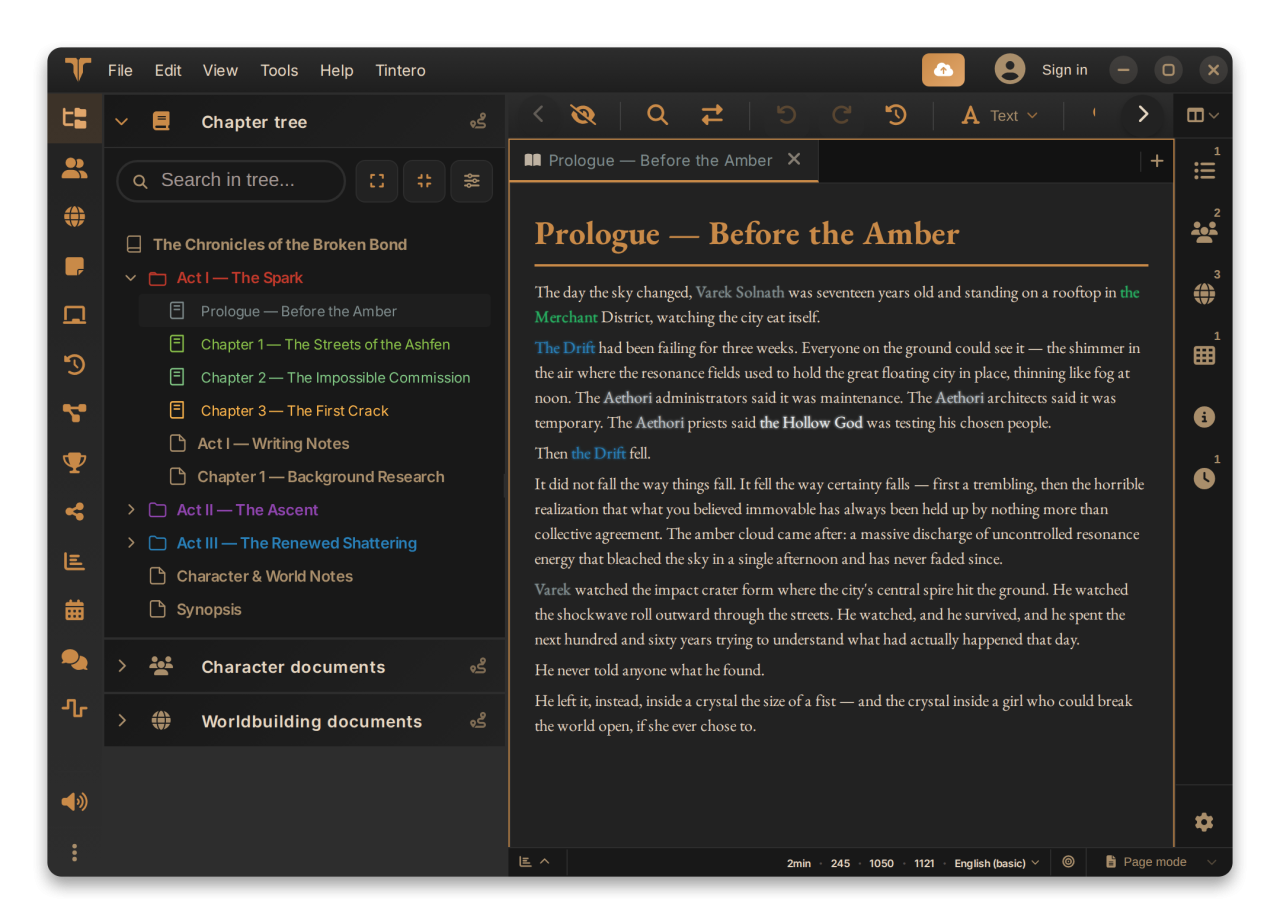
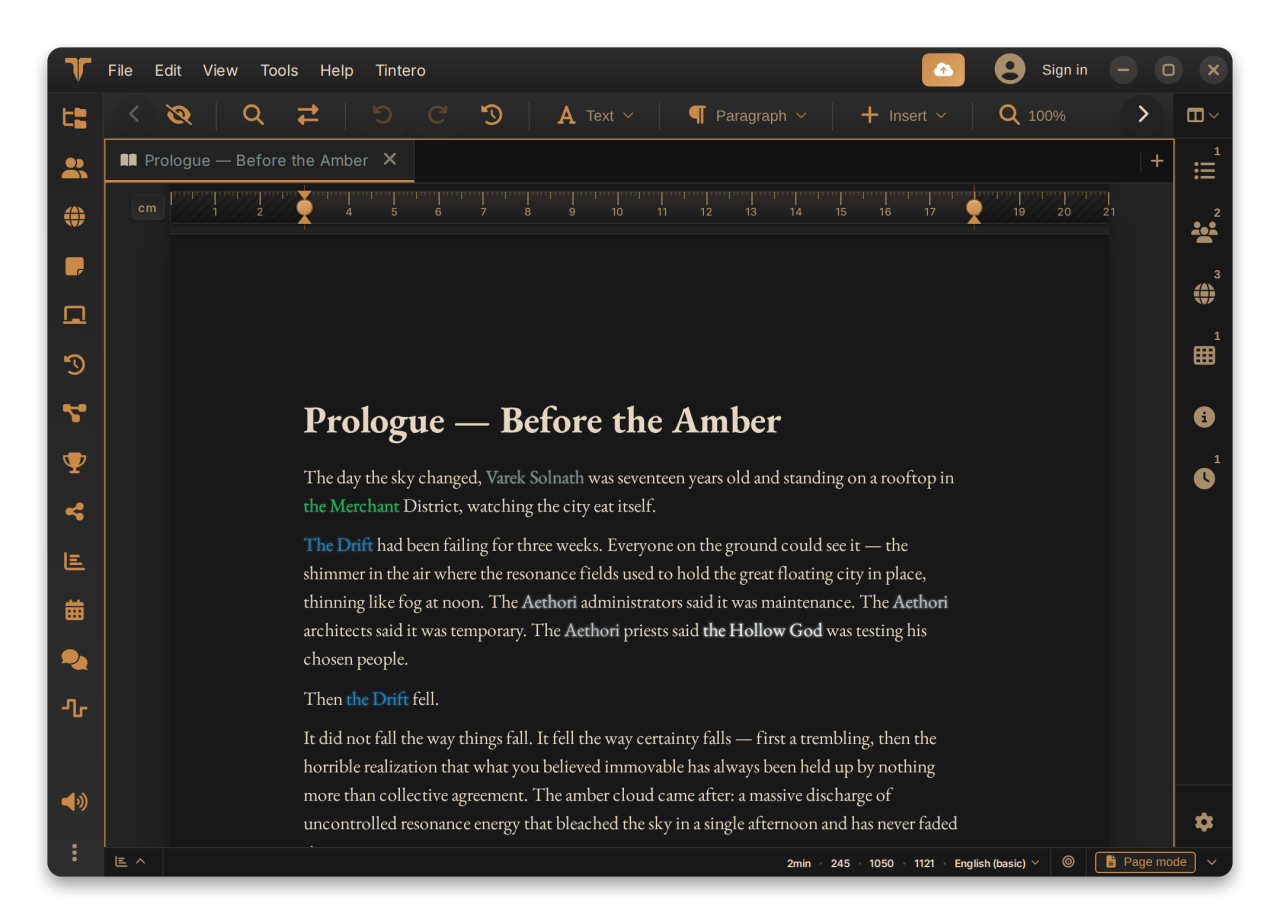
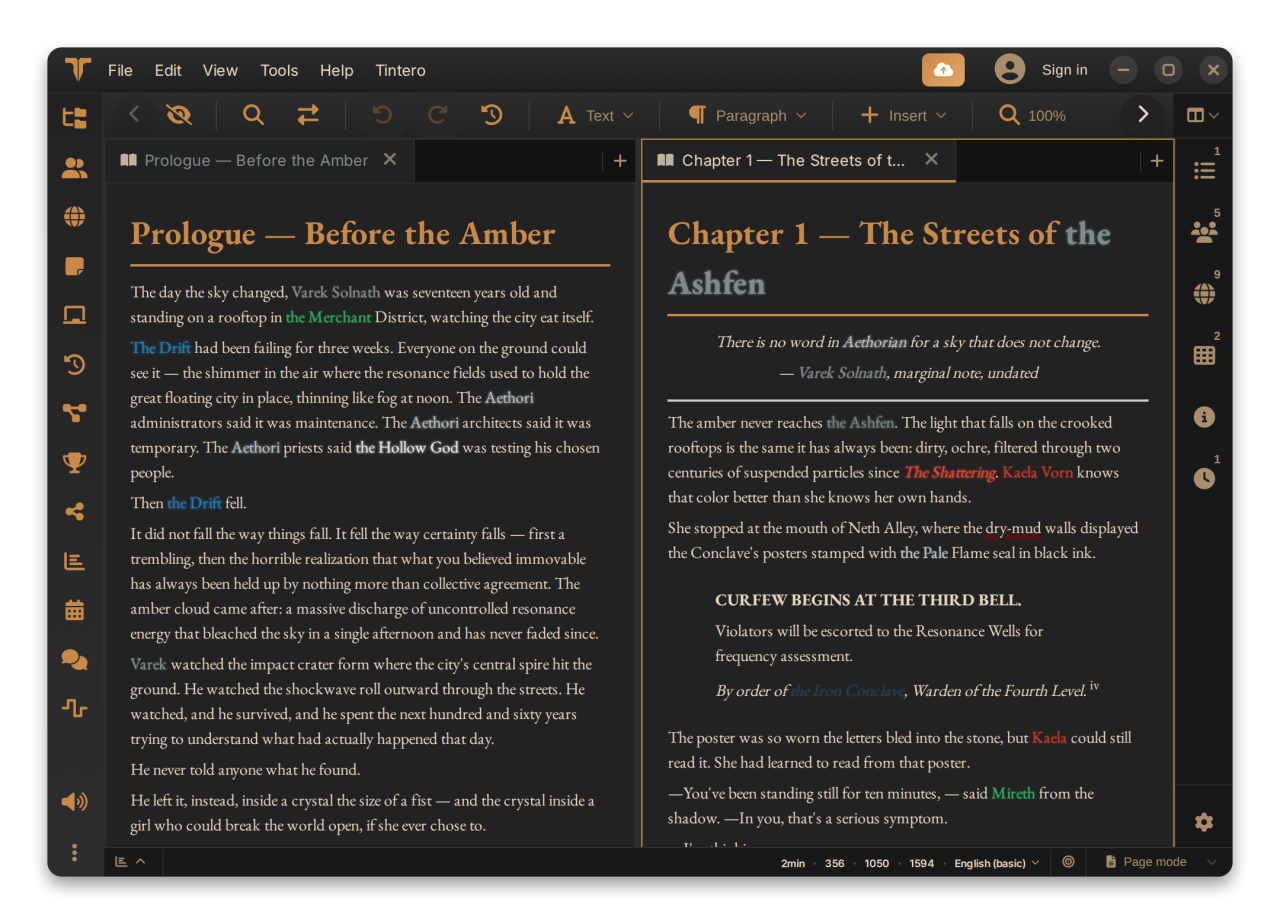
The editor adapts to what you write: distraction-free and typewriter modes, a manuscript page view and dedicated screenplay formatting. Open several documents side by side, insert elements from a quick slash menu, link documents to each other, search and replace across the whole project, and see your characters and worldbuilding elements highlighted directly in the text.
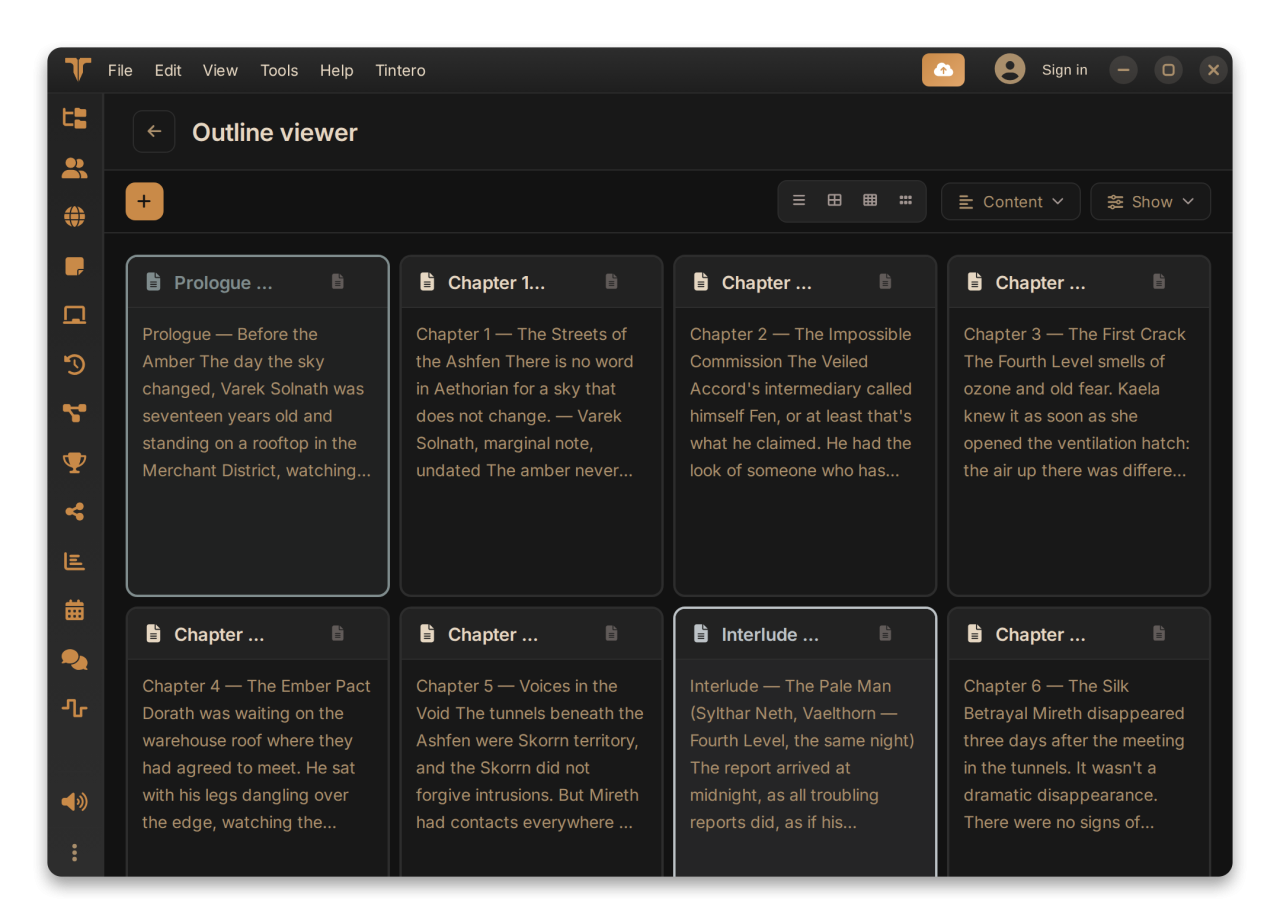
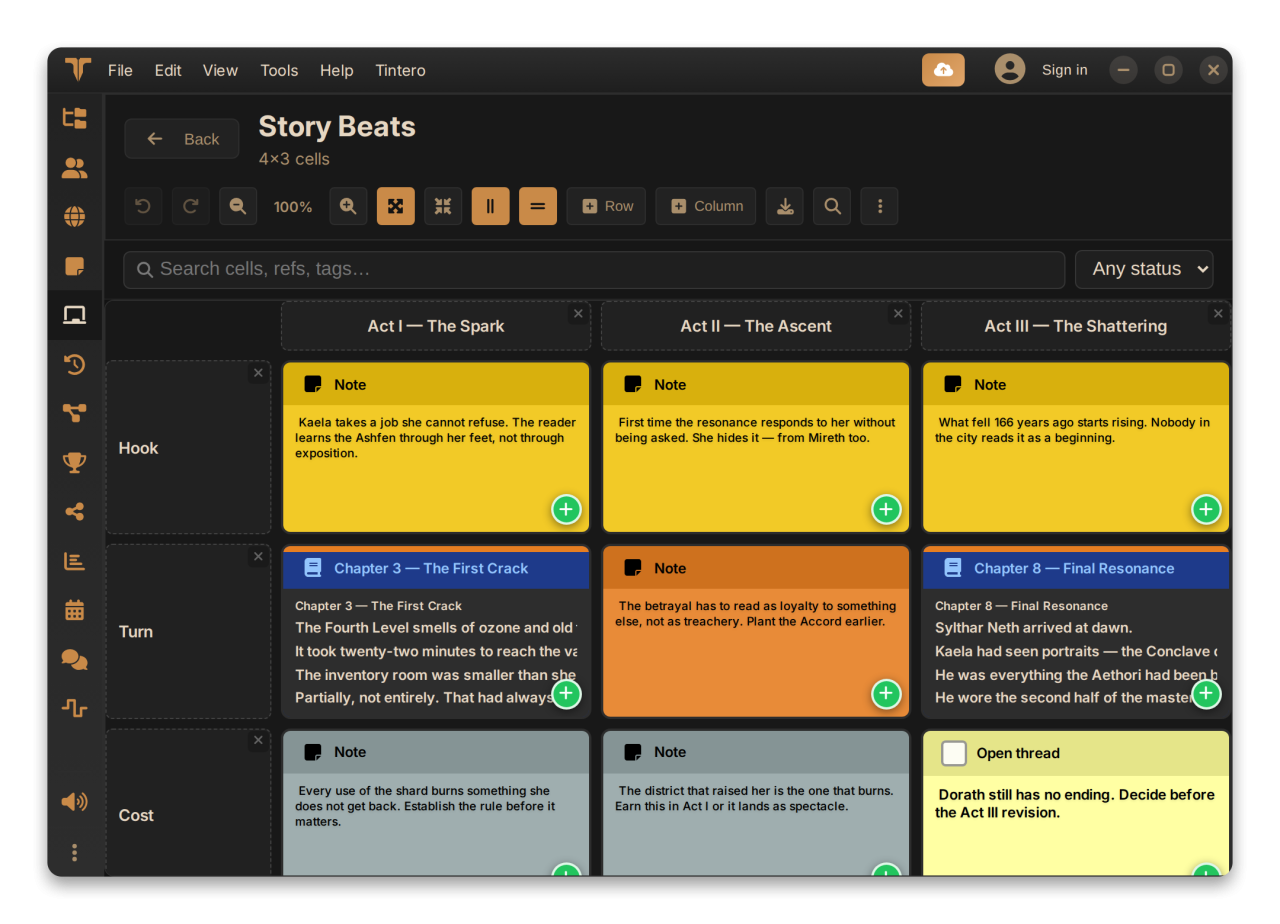
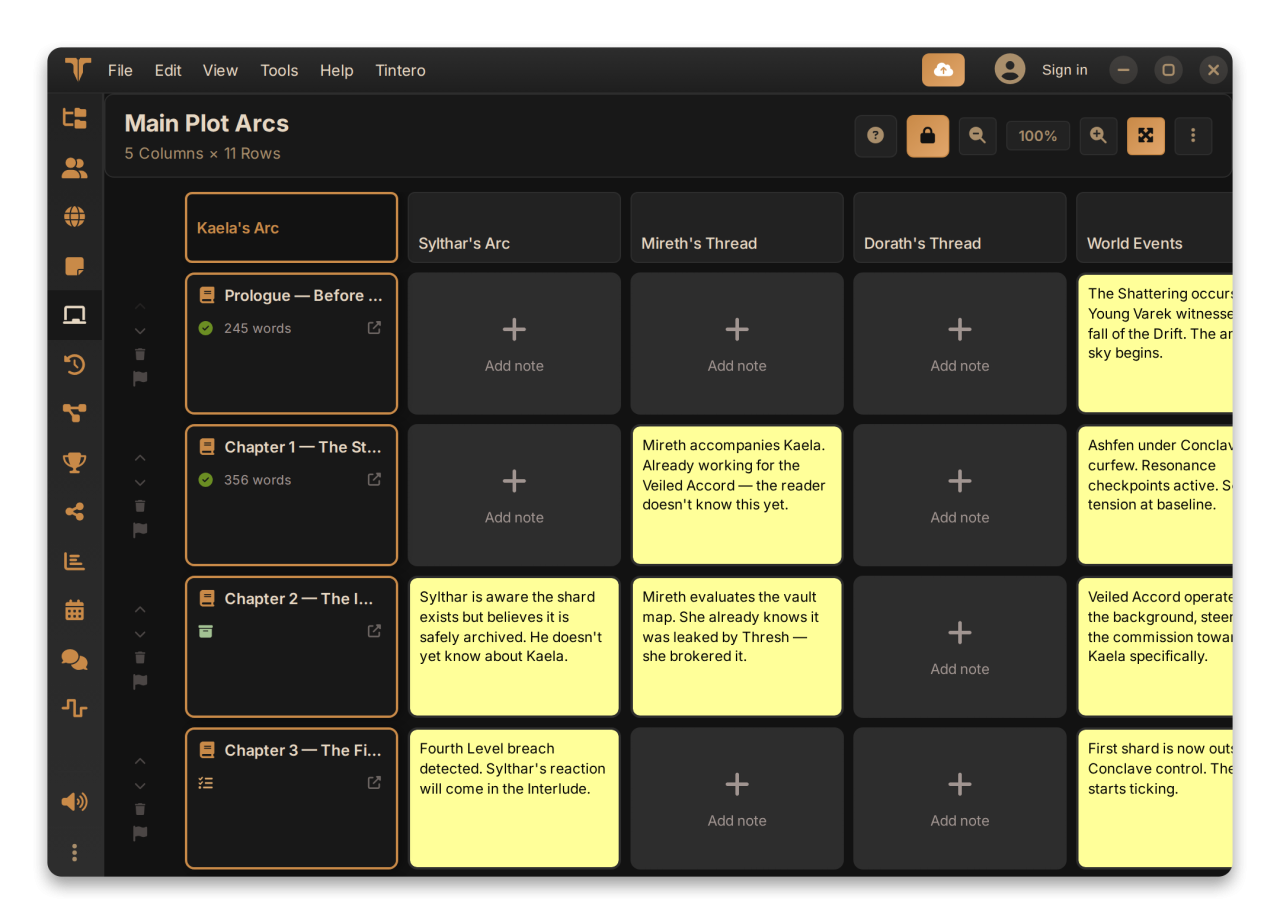
Organize everything in a hierarchical tree with colors, icons and status, and see how it all connects in the project map, a graph of documents, links, characters and worldbuilding. Plan on a cork board, track plot lines and character arcs in a plot grid, place events on timelines and draw flow maps for branching stories. Sticky notes, collections and an outline view keep the big picture within reach.
Build detailed character profiles with galleries, relationships, variants and psychological traits, and describe your world with more than a dozen entity types: locations, factions, items, events, species, languages, magic systems, deities and more. A global relationship map shows how they relate to one another.
Listen to your manuscript with natural voices, or produce a directed multi-voice narration by annotating who speaks and how. Dictate straight into the document. An optional AI assistant can brainstorm, summarize and answer questions about your own project, running on a local model (Ollama or LM Studio) or on your own cloud provider: it is there to consult, not to write for you.
Import DOCX, RTF, Markdown, HTML, Fountain and plain text, or whole projects from Scrivener, bibisco and novelWriter. Export the whole book to PDF, EPUB, DOCX or HTML from the Book Studio, or single documents to Markdown, RTF and plain text. Loose Markdown or DOCX files can be opened and edited without a project. Share private drafts with beta readers and collect their inline comments, and extend Tintero with plugins and about thirty themes. Snapshots, version comparison and backups protect your work, and optional live sync (a premium feature) keeps desktop, mobile and web in step, with end-to-end encryption if you want it.
Highlights:
• Distraction-free, typewriter, page view and screenplay modes in a multi-tab editor
• Links between documents and a project map that draws the whole project as a graph
• Cork board, plot grid, timelines and flow maps for planning
• Characters and worldbuilding with relationships, variants and inline highlighting
• Narrated audio with directed multi-voice packs, and voice dictation
• AI assistant on a local model or your own provider, focused on your project
• Import from DOCX, RTF, Markdown, Fountain, Scrivener and more; export to PDF, EPUB and DOCX
• Statistics, writing sessions and custom writing goals with a progress calendar
• Snapshots, version comparison, backups and optional live sync with end-to-end encryption
• Plugins, about thirty themes, beta reader sharing and zero telemetry by default
License: Proprietary
The editor adapts to what you write: distraction-free and typewriter modes, a manuscript page view and dedicated screenplay formatting. Open several documents side by side, insert elements from a quick slash menu, link documents to each other, search and replace across the whole project, and see your characters and worldbuilding elements highlighted directly in the text.
Organize everything in a hierarchical tree with colors, icons and status, and see how it all connects in the project map, a graph of documents, links, characters and worldbuilding. Plan on a cork board, track plot lines and character arcs in a plot grid, place events on timelines and draw flow maps for branching stories. Sticky notes, collections and an outline view keep the big picture within reach.
Build detailed character profiles with galleries, relationships, variants and psychological traits, and describe your world with more than a dozen entity types: locations, factions, items, events, species, languages, magic systems, deities and more. A global relationship map shows how they relate to one another.
Listen to your manuscript with natural voices, or produce a directed multi-voice narration by annotating who speaks and how. Dictate straight into the document. An optional AI assistant can brainstorm, summarize and answer questions about your own project, running on a local model (Ollama or LM Studio) or on your own cloud provider: it is there to consult, not to write for you.
Import DOCX, RTF, Markdown, HTML, Fountain and plain text, or whole projects from Scrivener, bibisco and novelWriter. Export the whole book to PDF, EPUB, DOCX or HTML from the Book Studio, or single documents to Markdown, RTF and plain text. Loose Markdown or DOCX files can be opened and edited without a project. Share private drafts with beta readers and collect their inline comments, and extend Tintero with plugins and about thirty themes. Snapshots, version comparison and backups protect your work, and optional live sync (a premium feature) keeps desktop, mobile and web in step, with end-to-end encryption if you want it.
Highlights:
• Distraction-free, typewriter, page view and screenplay modes in a multi-tab editor
• Links between documents and a project map that draws the whole project as a graph
• Cork board, plot grid, timelines and flow maps for planning
• Characters and worldbuilding with relationships, variants and inline highlighting
• Narrated audio with directed multi-voice packs, and voice dictation
• AI assistant on a local model or your own provider, focused on your project
• Import from DOCX, RTF, Markdown, Fountain, Scrivener and more; export to PDF, EPUB and DOCX
• Statistics, writing sessions and custom writing goals with a progress calendar
• Snapshots, version comparison, backups and optional live sync with end-to-end encryption
• Plugins, about thirty themes, beta reader sharing and zero telemetry by default
License: Proprietary
| Release info | New Release on Oct 04, 2026 |
|---|---|
| Release notes | Double-clicking .tintero files opens the project on Windows and Linux, with clearer messages when a project can't be opened, much more reliable Scrivener, novelWriter and bibisco imports, new-version notices that come from the store itself on Google Play, Flatpak and Snap, long audio packs that wait instead of stopping when the generation limit is reached, an editor context menu usable with the keyboard, double-click in the timeline to open a document, dialog windows that always fit on the screen, and various minor fixes on mobile and in the editor. • Double-clicking a .tintero file now opens the project on Windows and Linux, and when a project can't be opened the message explains why. • Much more reliable imports from Scrivener, novelWriter and bibisco: no more missing text or scenes, and formatting, footnotes and links are kept. • On Google Play, Flatpak and Snap, the new-version notice now comes from the store itself. • Long audio packs no longer stop halfway when the generation limit is reached: Tintero waits and carries on. • The editor's context menu can now be used with the keyboard. • Double-click a chapter or scene in the timeline to open its document. • Dialog windows now always fit on the screen. • Various minor fixes on mobile and in the editor. |
| Related tags | writing writer author |
| Listing data | Flathub |
Reviews
No reviews yet. Be the first to review Tintero.
Used Tintero? Tell other visitors what you thought.
Log in to write a reviewOther products by this publisher
- "No Distractions" for YouTube 4.10 ----
- #Bible 11.6 "Incredible App - My sister shared this app with me a few weeks ago and it is truly incredible.
- #filmphotography 1.4.2 So, you decided to shoot on film?
- $quirrel 1.5.1 $quirrel Budget & Finance helps you plan each paycheck, track spending, manage debt, and see what is safe to spend before the next payday.
- % Percentage Calculator Pro 1.41 This is the Pro version of % Percentage Calculator.
Most viewed Linux Office Suites
-
1
 Qpdf Tools 3.1.3
Manage and optimize PDF files
-
2
 Tintero 0.10.6
Write and plan long-form projects
-
3
 Manuskript 0.17.0
Write your masterpiece
-
4
 Gummi 0.8.3
The simple LaTeX editor
Most downloaded Linux Office Suites
-
1
Tintero 0.10.6
Write and plan long-form projects
-
2
Manuskript 0.17.0
Write your masterpiece
-
3
Qpdf Tools 3.1.3
Manage and optimize PDF files
-
4
Gummi 0.8.3
The simple LaTeX editor