
0downloads
0this week
FreeFreeware
0reviews
Screenshots
About Theo Notes
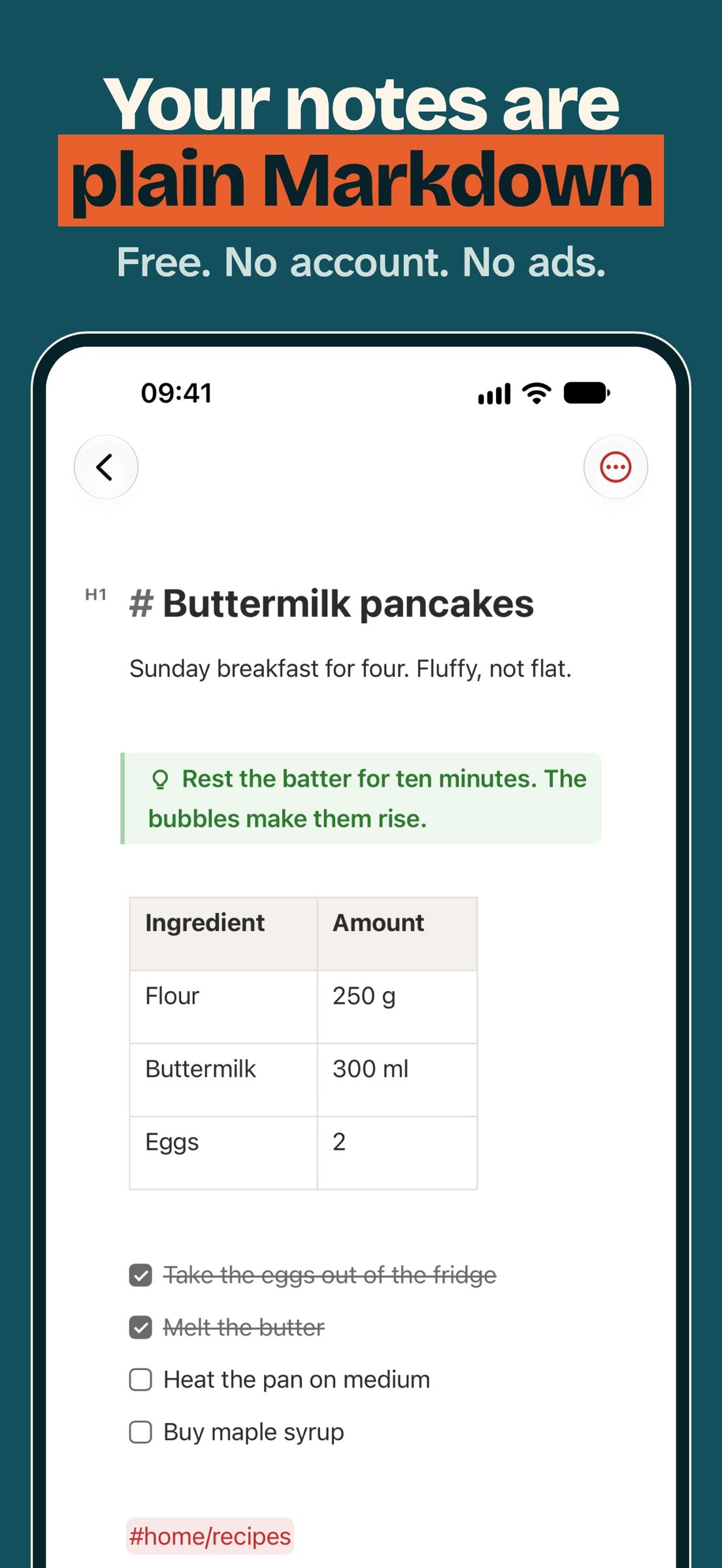
Theo Notes is a free notes app for iPhone, iPad and Apple Watch. Your notes are plain Markdown text. There is no account to make, no ads and no tracking.
WRITE
- Markdown with tables, checklists, quotes and callouts
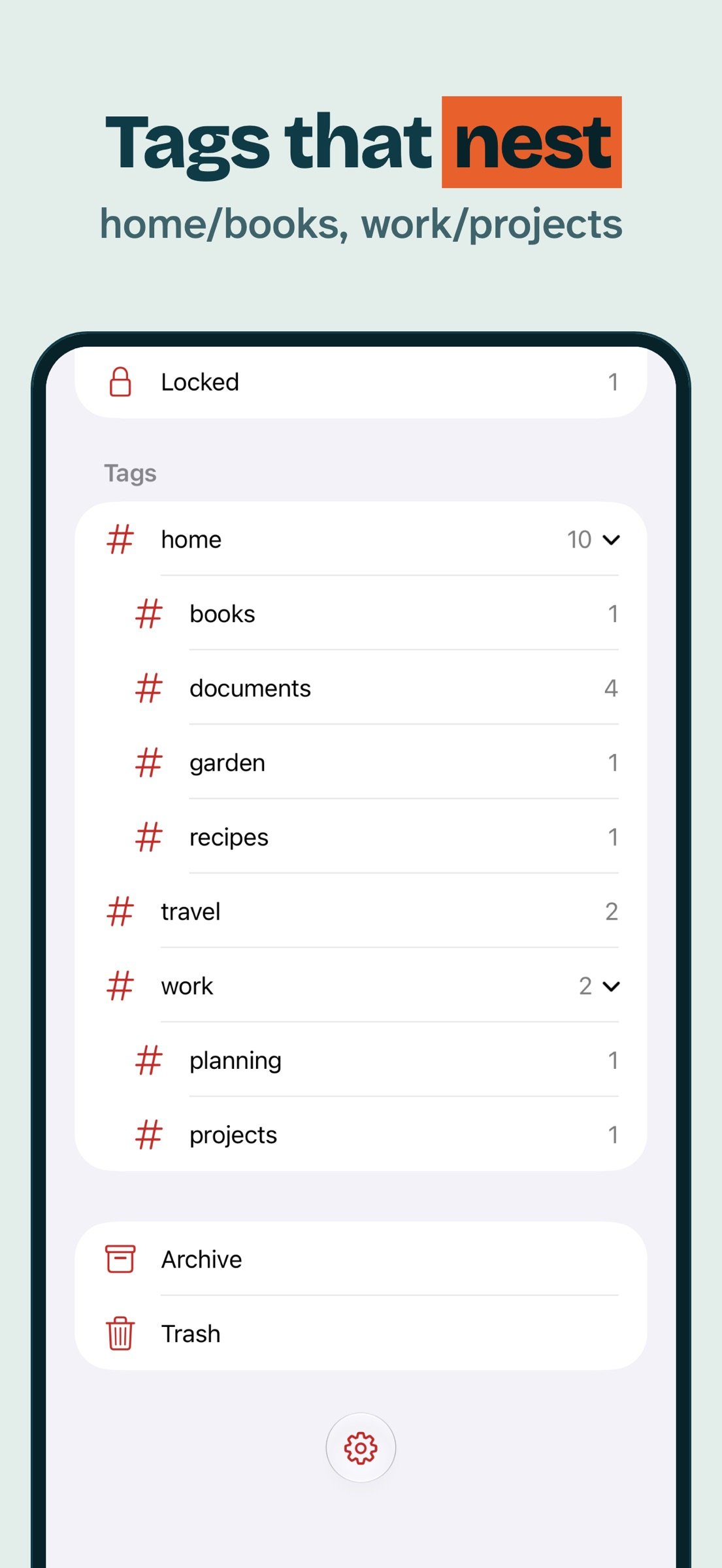
- Tags that nest, such as #work/clients
- Links between notes: put a title in double brackets
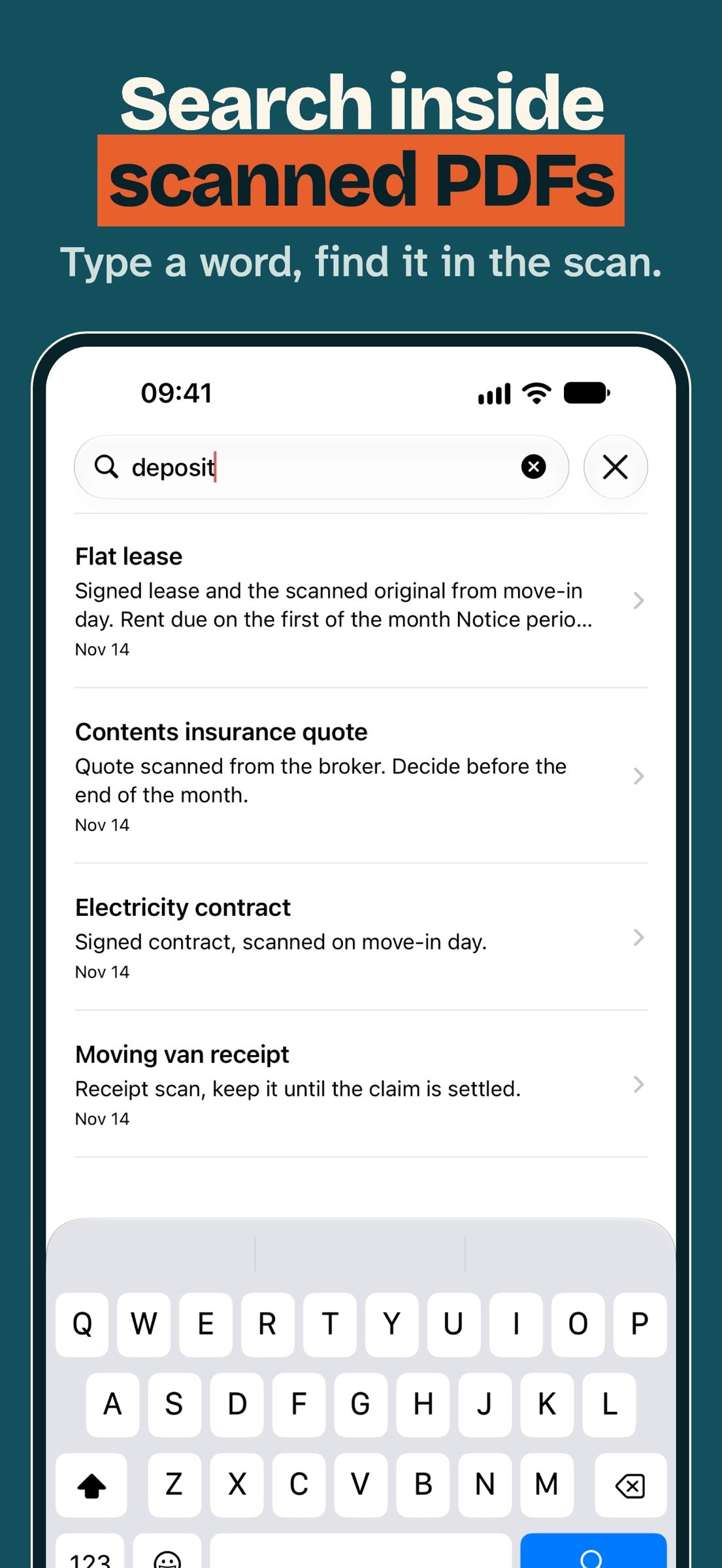
- Search across every note, including words inside photos and PDFs
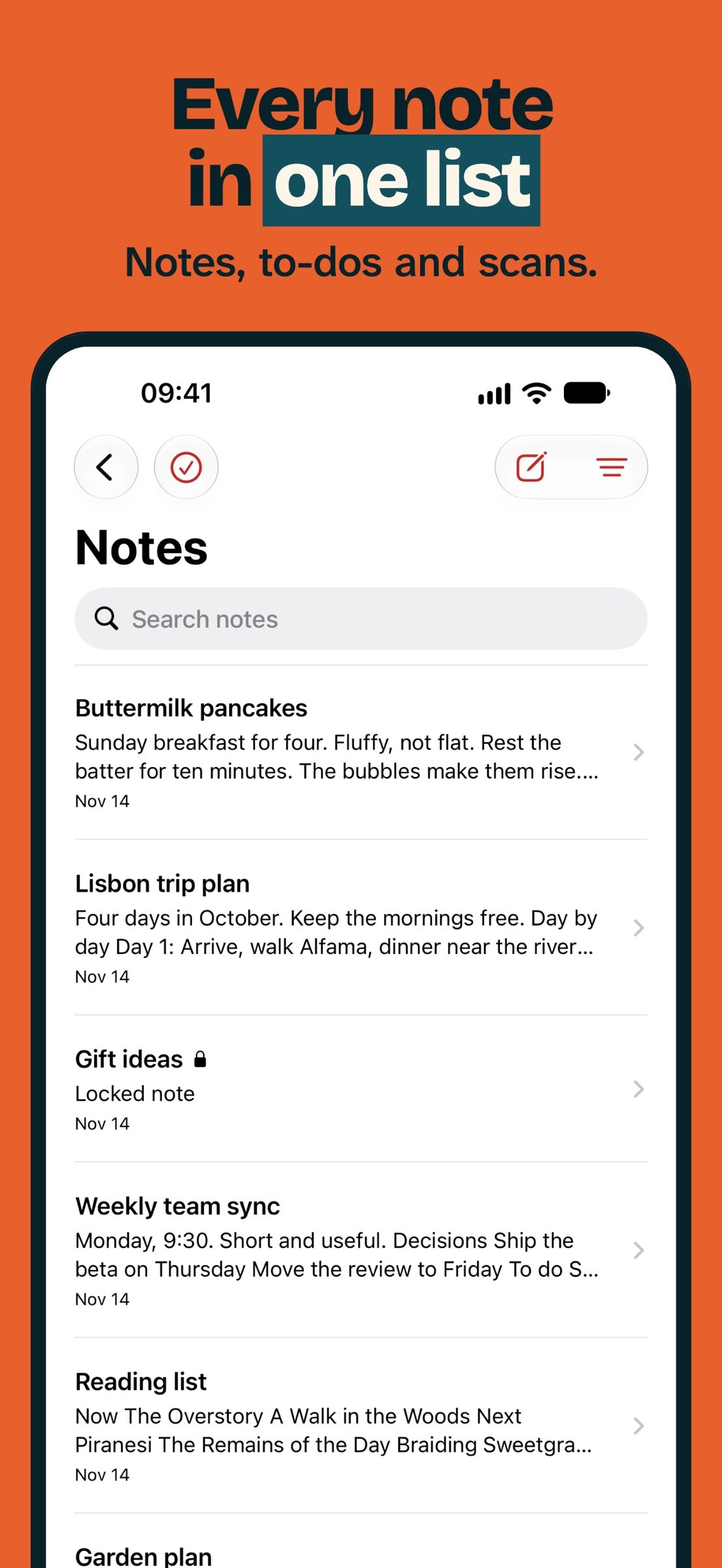
- Three simple note types, Idea, Log and Reference, that you can set later. Notes without a type wait in an Inbox
CAPTURE
- Share text, a link, a photo or a file to Theo Notes from any app
- Home Screen widgets: new note, a pinned note, the notes of a tag or your Inbox, search, and a card called Next Up that shows one note to pick up
- Lock Screen widgets and Control Center buttons for a new note, a to-do, a voice note, a scan and search
- Voice notes: your speech is turned into text on your device, and the recording stays with the note
- Take a photo or scan a multi-page document. It becomes one PDF in your note
- Draw a sketch with Apple Pencil or your finger. It sits in the note as an ordinary picture
- Find notes with Spotlight, or press and hold the app icon for quick actions
APPLE WATCH
- Tap New note on the Watch, or its complication on the watch face, and dictate
- Read your 15 most recently changed notes, add to one by dictation and tick off to-dos
- The Watch app works together with Theo Notes on your iPhone. If the iPhone is out of reach, the Watch keeps a new note until it can hand it over
IPAD
- Open a note in a window of its own and keep another note next to it
PRIVATE
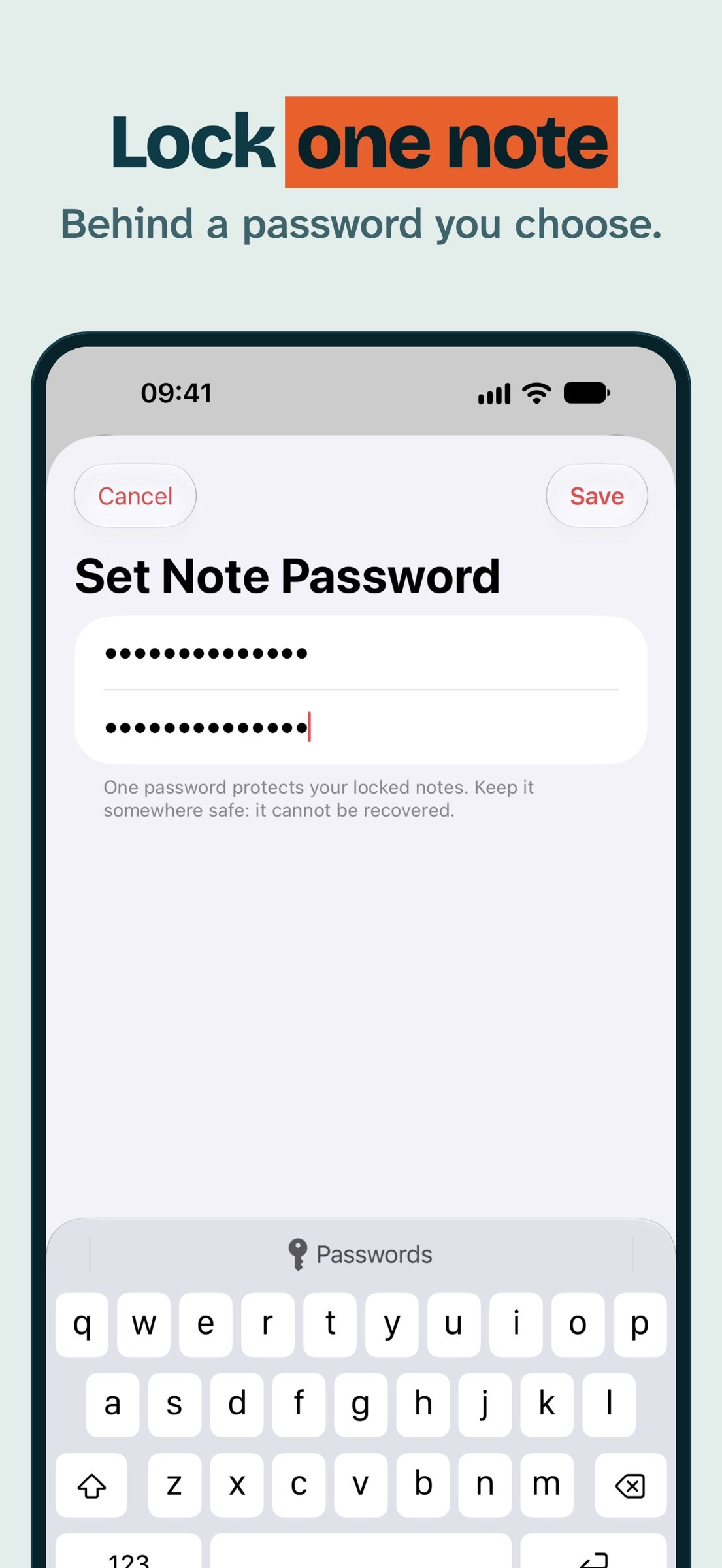
- Lock single notes with a password, Face ID or Touch ID. A locked note is encrypted on your device and never reaches the Apple Watch
- Switch on an optional app lock. Then widgets show no note text, Spotlight lists no notes and the Watch shows none
- The app has no analytics, no advertising and no tracking, and it uploads no crash reports
SYNC IF YOU WANT IT
- Sync is off until you switch it on in Settings. It uses your own iCloud storage
- Your notes are encrypted before they leave your device. We cannot read them and neither can Apple
- You can write down 24 recovery words when you set up sync. If you lose every device, your recovery words and your iCloud Keychain, nobody can recover your synced notes
YOURS TO KEEP
- Import notes from files
- Export notes as files
- Create a full backup file with notes, attachments, tags and pins, and restore it later. Locked notes stay locked inside it
- A free Mac app is available from theonotes.app
WHY IT IS CALLED THEO
Theo was the name of my teddy bear when I was little. I could tell him everything. That is why this app has his name.
Jan, who makes Theo Notes
Questions or ideas: hello@theonotes.app. More at theonotes.app.
| Release info | New Release on Nov 26, 2026 |
|---|---|
| Release notes | New in 1.1.1: - Settings now shows where the source code lives: Theo Notes is free software under the GNU GPL v3. - Reliability fixes under the hood. |
| Listing data | App Store |
Reviews
No reviews yet. Be the first to review Theo Notes.
Used Theo Notes? Tell other visitors what you thought.
Log in to write a reviewOther products by this publisher
- "No Distractions" for YouTube 4.10 ----
- #Bible 11.6.1 "Incredible App - My sister shared this app with me a few weeks ago and it is truly incredible.
- #filmphotography 1.4.2 So, you decided to shoot on film?
- #LookBusy Fake Calendar Events 1.0.6 Look Busy scans your work calendar for open time slots and fills them with realistic-looking (but secretly fake) work events.
- #Small Talk Is Canceled 1.0.2 #Small Talk Is Canceled — Conversations That Matter
Most viewed iOS Productivity
-
1
 WordPress 27.5
Manage or create your WordPress blog or website right from your iOS device: create and edit posts and pages, upload your favorite photos and videos, view stats and reply to comments.
- 2 Voice Translator - Alive 1.6 Translation app that turns your iPhone into an interpreter instantly.
-
3
 Life360 26.45.0
Whether at home, online, or on the move, our comprehensive family safety features bring peace of mind to your loved ones AND help safeguard your personal belongings.
-
4
 Claude by Anthropic 1.261123.51
Meet Claude, your AI problem solver and thinking partner.
- 5 "No Distractions" for YouTube 4.10 ----
-
6
 WristMemo 2.0
WristMemo turns your Apple Watch into an all-day voice recorder.
-
7
 Colicine 1.3.0
Have you ever been there—
-
8
 DeepSeek 2.10.0
Experience seamless interaction with DeepSeek's official AI assistant for free!
- 9 (beat) for iOS 0.5.10 An elegant Fountain screenwriting app, created by a screenwriter for screenwriters.
-
10
 Howbout 16.8.0
The shared calendar for friends, couples, and family
Most downloaded iOS Productivity
- 1 Voice Translator - Alive 1.6 Translation app that turns your iPhone into an interpreter instantly.
-
2
 SessionsAI 1.2.1
Sessions AI is a private AI workspace that runs entirely on your iPhone, iPad, or Mac.
-
3
DeepSeek 2.10.0
Experience seamless interaction with DeepSeek's official AI assistant for free!
-
4
 Voices AI 1.16.18
Discover Voices, the premier voice transformation app designed exclusively for iOS.
-
5
 Block Distracting Websites 1.11
"It's a great way to save time, and stop browsing Reddit when you should be doing coursework."
-
6
 Google Docs 1.2026.47103
Create, edit, and collaborate on online documents with the Google Docs app.
-
7
 Plot Digitizer 1.4.1
Plot Digitizer is an app to extract numerical data from plot images.
-
8
 MyHyundai with Bluelink 5.4.6
The MyHyundai app makes getting information about your Hyundai vehicle easier than ever.
-
9
 Pixy Mood Tracker 1.110.0
Track your mood, one pixel at a time.
-
10
 Minder 1.4
Minder turns your phone into a pair of eyes that watch you work.