The Clock by seense 4.9.12
After 10 years on the Mac and tens of thousands of happy users, The Clock now on your iPhone/iPad.
Download
19.37 MB
5downloads
4this week
FreeCommercial
0reviews
Screenshots

About The Clock by seense
After 10 years on the Mac and tens of thousands of happy users, The Clock now on your iPhone/iPad.
The Clock
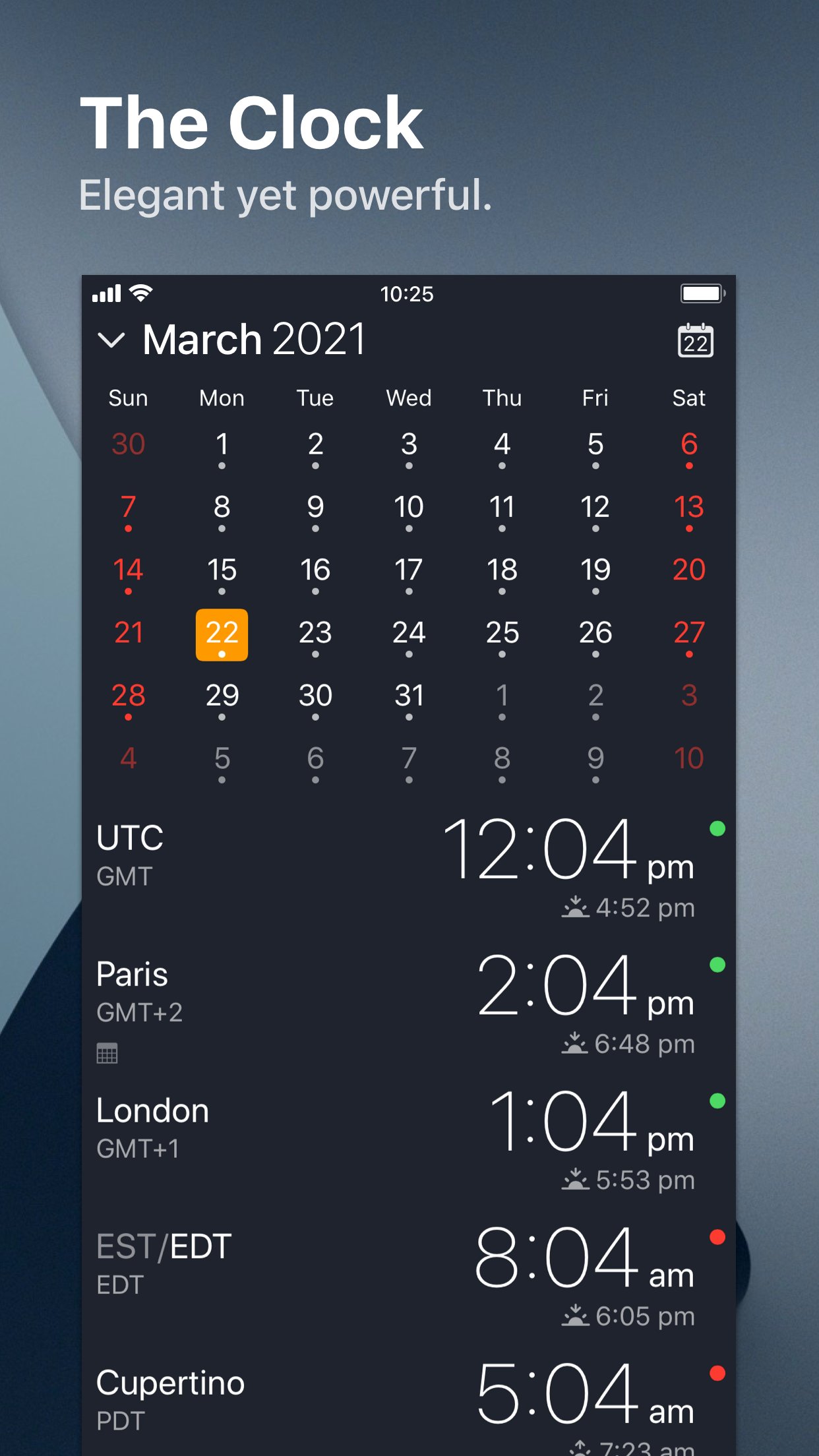
• Keep track, easily and efficiently of your contacts in different time zones.
• Have a quick view on a Calendar, which can be integrated with the iOS Calendar
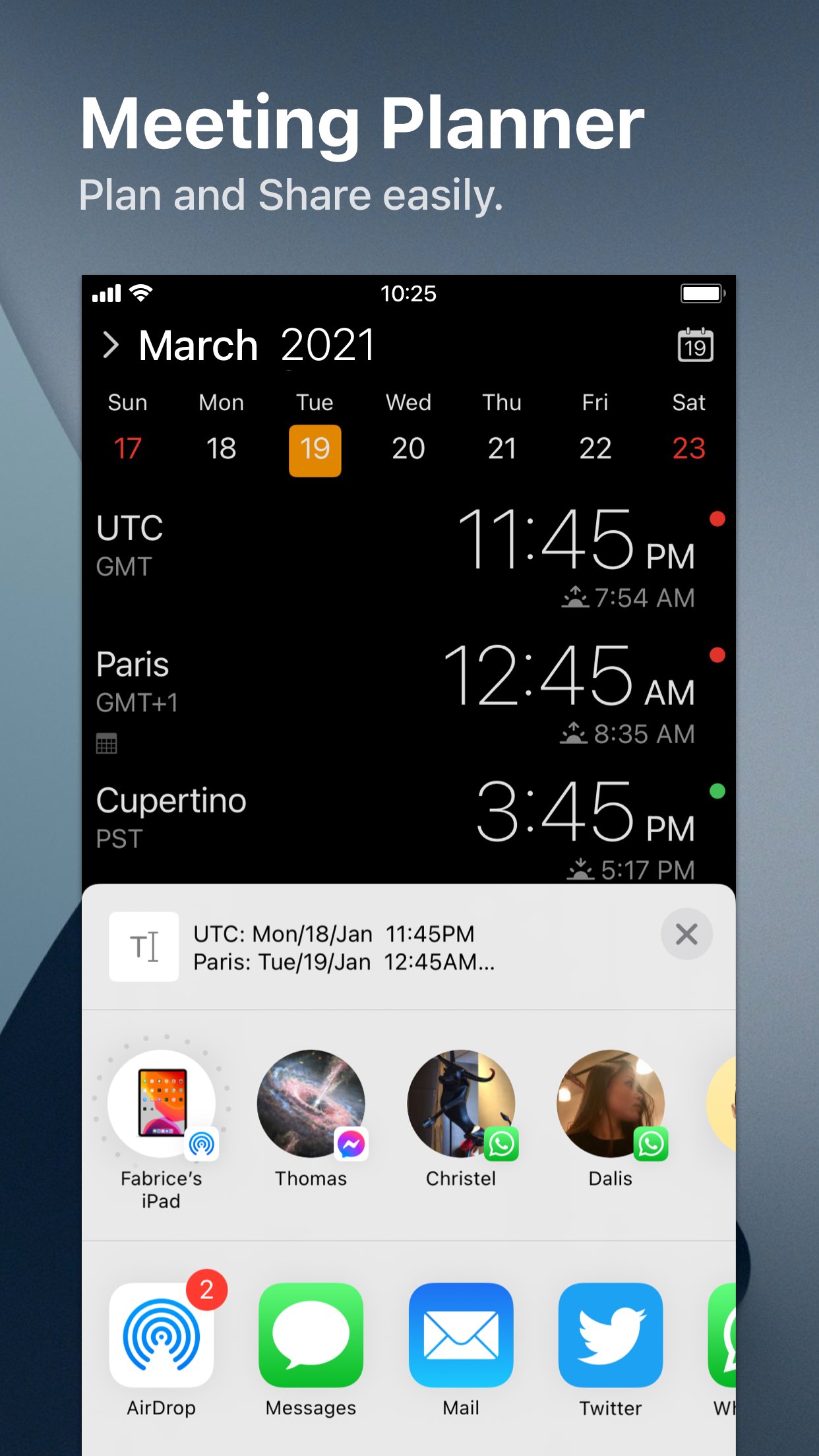
• Easily setup meetings with the Meeting Planner.
• Have a highlight on the Business Hours and Holidays of your subcontractors, customers, ...
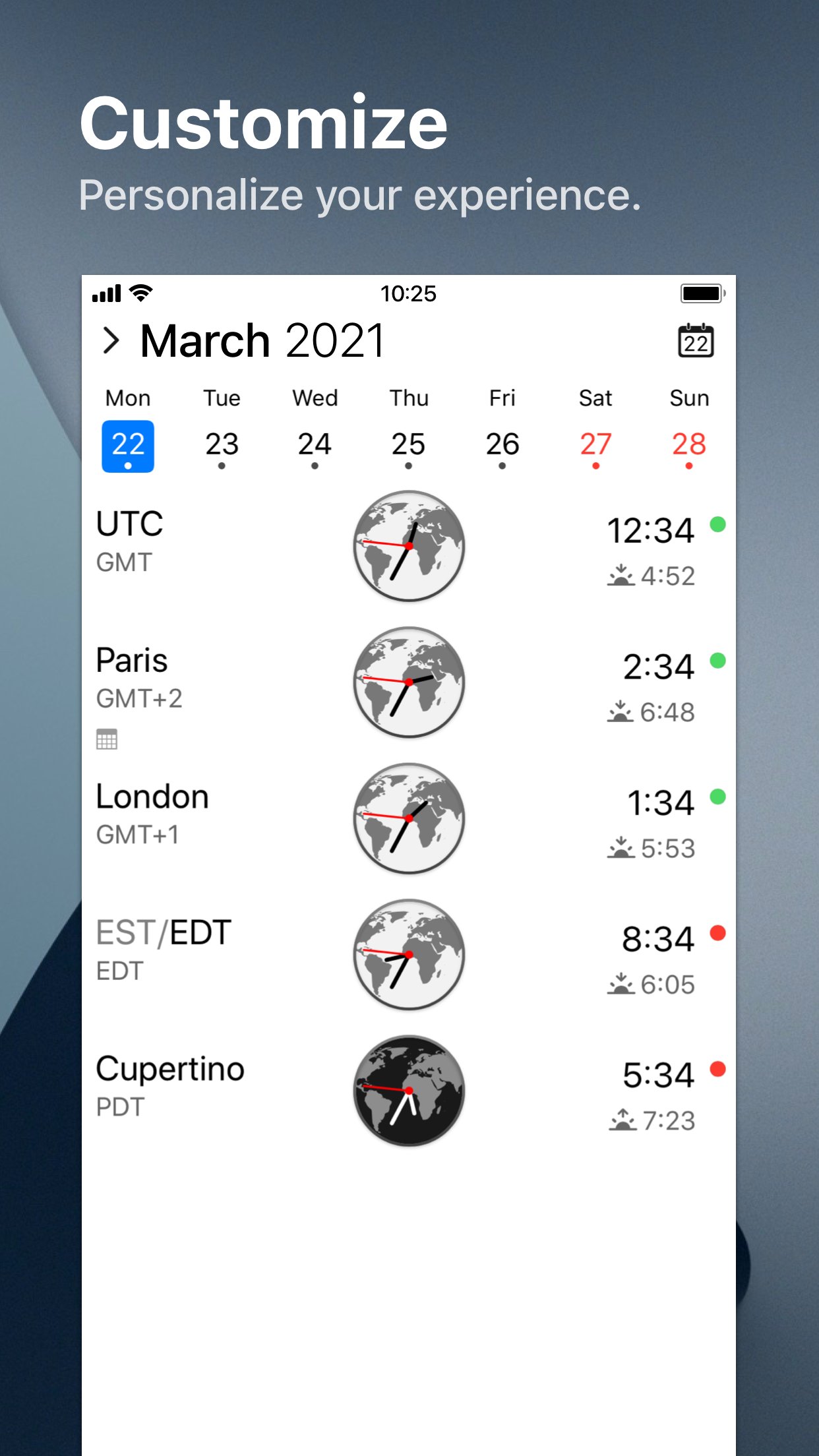
• Highly customizable.
• Be reminded when to Take a Break and relax.
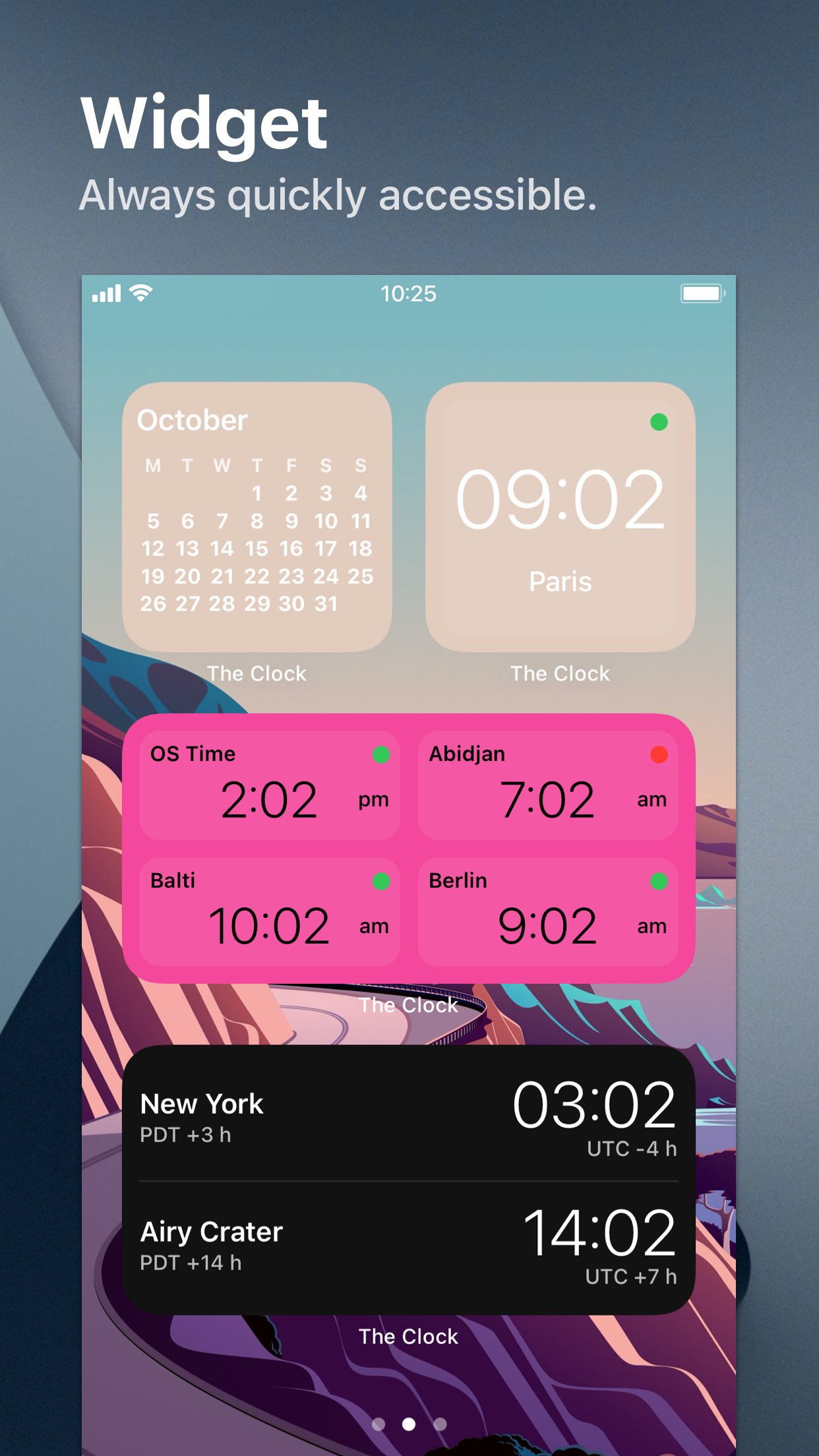
• Widget ready for your convenience.
• Siri Shortcuts available.
• Responsive design to adapt to portrait/landscape view.
• HandOff with The Clock on your Mac.
The World Clocks
• AM/PM or 24Hours.
• Analog or Digital Clock view.
• Choose among a wide range of complications
• Business Hours.
• Time offset.
• Sunrise/Sunset.
• Country.
• Time Zone offset (PDT, CDT, UTC…).
• Yesterday, Today, Tomorrow.
• AM/PM, 24H.
• Drag&Drop the world clocks to order them.
• Beautiful clock face displaying day and night.
• Personalize the world clock time format per cities.
• Change the city name.
• PDT, CDT, MDT, GMT… and more automatically adapting during daylight saving period.
Meeting Planner
• Meeting Planner swipe the screen to travel through time.
• Business Hours led to check if your contact is in the working hours time frame.
• Select a date in the calendar for an accurate Daylight Saving adjustment.
• With the iOS Calendar integration into The Clock have a quick look on your schedule
• With the Calendar Complication, automatically know if you are busy while planning a meeting.
• Export easily your schedule information with the share menu or Drag & Drop (iPad).
• Slider automatically round the time to 15/30 min.
Calendar
• Navigate the months with a tap, or keyboard shortcuts (iPad Pro).
• Show/Hide the Calendar.
• Toggle week/month view.
• Show/Hide the weeks number.
• Select your referenced calendar for the week number. (Regional settings, or ISO 8601).
• Select a day in Meeting Planner for an accurate Daylight Saving adjustment.
• Highlight days off per city.
• Follow the iOS setting for Calendar first day of the week or set your own...
• Choose to integrate or not with the iOS Calendar.
• Have a quick view on your calendar events.
• Calendar complication to immediately see what is coming next on your schedule.
Accessibility
• Voice Over.
• Dynamic Type for font size to adapt to your need.
• Color blind friendly.
• Haptic feedback (for device supporting it).
Other
• Choose between 4 beautiful themes (White/Dark/Daisy Blue/Deep Dark).
• Select clock faces.
• Keyboard Shortcuts for most common actions (on iPad Pro with keyboard).
• Backup/Restore your settings easily (Local, Dropbox, iCloud).
• Enjoy the Take a Break feature, and relax.
• And more …
• And with a real user manual to go deeper in the discovery of all the features.
License: Commercial
The Clock
• Keep track, easily and efficiently of your contacts in different time zones.
• Have a quick view on a Calendar, which can be integrated with the iOS Calendar
• Easily setup meetings with the Meeting Planner.
• Have a highlight on the Business Hours and Holidays of your subcontractors, customers, ...
• Highly customizable.
• Be reminded when to Take a Break and relax.
• Widget ready for your convenience.
• Siri Shortcuts available.
• Responsive design to adapt to portrait/landscape view.
• HandOff with The Clock on your Mac.
The World Clocks
• AM/PM or 24Hours.
• Analog or Digital Clock view.
• Choose among a wide range of complications
• Business Hours.
• Time offset.
• Sunrise/Sunset.
• Country.
• Time Zone offset (PDT, CDT, UTC…).
• Yesterday, Today, Tomorrow.
• AM/PM, 24H.
• Drag&Drop the world clocks to order them.
• Beautiful clock face displaying day and night.
• Personalize the world clock time format per cities.
• Change the city name.
• PDT, CDT, MDT, GMT… and more automatically adapting during daylight saving period.
Meeting Planner
• Meeting Planner swipe the screen to travel through time.
• Business Hours led to check if your contact is in the working hours time frame.
• Select a date in the calendar for an accurate Daylight Saving adjustment.
• With the iOS Calendar integration into The Clock have a quick look on your schedule
• With the Calendar Complication, automatically know if you are busy while planning a meeting.
• Export easily your schedule information with the share menu or Drag & Drop (iPad).
• Slider automatically round the time to 15/30 min.
Calendar
• Navigate the months with a tap, or keyboard shortcuts (iPad Pro).
• Show/Hide the Calendar.
• Toggle week/month view.
• Show/Hide the weeks number.
• Select your referenced calendar for the week number. (Regional settings, or ISO 8601).
• Select a day in Meeting Planner for an accurate Daylight Saving adjustment.
• Highlight days off per city.
• Follow the iOS setting for Calendar first day of the week or set your own...
• Choose to integrate or not with the iOS Calendar.
• Have a quick view on your calendar events.
• Calendar complication to immediately see what is coming next on your schedule.
Accessibility
• Voice Over.
• Dynamic Type for font size to adapt to your need.
• Color blind friendly.
• Haptic feedback (for device supporting it).
Other
• Choose between 4 beautiful themes (White/Dark/Daisy Blue/Deep Dark).
• Select clock faces.
• Keyboard Shortcuts for most common actions (on iPad Pro with keyboard).
• Backup/Restore your settings easily (Local, Dropbox, iCloud).
• Enjoy the Take a Break feature, and relax.
• And more …
• And with a real user manual to go deeper in the discovery of all the features.
License: Commercial
| Release info | Update on Nov 05, 2026 |
|---|---|
| Release notes | • Minor bug fixes. |
| Listing data | App Store |
Reviews
No reviews yet. Be the first to review The Clock by seense.
Used The Clock by seense? Tell other visitors what you thought.
Log in to write a reviewOther products by this publisher
- "No Distractions" for YouTube 4.10 ----
- #Bible 11.5 "Incredible App - My sister shared this app with me a few weeks ago and it is truly incredible.
- #filmphotography 1.4.2 So, you decided to shoot on film?
- $quirrel 1.5.1 $quirrel Budget & Finance helps you plan each paycheck, track spending, manage debt, and see what is safe to spend before the next payday.
- % Percentage Calculator Pro 1.41 This is the Pro version of % Percentage Calculator.
Most viewed iOS Productivity
- 1 Voice Translator - Alive 1.6 Translation app that turns your iPhone into an interpreter instantly.
-
2
 WordPress 27.4
Manage or create your WordPress blog or website right from your iOS device: create and edit posts and pages, upload your favorite photos and videos, view stats and reply to comments.
-
3
 Claude by Anthropic 1.261104.19
Meet Claude, your AI problem solver and thinking partner.
- 4 "No Distractions" for YouTube 4.10 ----
- 5 (beat) for iOS 0.5.10 An elegant Fountain screenwriting app, created by a screenwriter for screenwriters.
-
6
 DeepSeek 2.7.2
Experience seamless interaction with DeepSeek's official AI assistant for free!
-
7
 Life360 26.42.0
Whether at home, online, or on the move, our comprehensive family safety features bring peace of mind to your loved ones AND help safeguard your personal belongings.
-
8
 Howbout 16.6.0
The shared calendar for friends, couples, and family
-
9
 Plot Digitizer 1.4.1
Plot Digitizer is an app to extract numerical data from plot images.
-
10
 Voices AI 1.16.11
Discover Voices, the premier voice transformation app designed exclusively for iOS.
Most downloaded iOS Productivity
- 1 Voice Translator - Alive 1.6 Translation app that turns your iPhone into an interpreter instantly.
-
2
DeepSeek 2.7.2
Experience seamless interaction with DeepSeek's official AI assistant for free!
-
3
 SessionsAI 1.2.1
Sessions AI is a private AI workspace that runs entirely on your iPhone, iPad, or Mac.
-
4
Voices AI 1.16.11
Discover Voices, the premier voice transformation app designed exclusively for iOS.
-
5
 Block Distracting Websites 1.11
"It's a great way to save time, and stop browsing Reddit when you should be doing coursework."
-
6
Plot Digitizer 1.4.1
Plot Digitizer is an app to extract numerical data from plot images.
-
7
 Google Docs 1.2026.43105
Create, edit, and collaborate on online documents with the Google Docs app.
-
8
 VPN 2.60.0
VPN - Super Unlimited Proxy is a free VPN and proxy app for iPhone, iPad, Mac and Apple Vision Pro.
- 9 (beat) for iOS 0.5.10 An elegant Fountain screenwriting app, created by a screenwriter for screenwriters.
-
10
Life360 26.42.0
Whether at home, online, or on the move, our comprehensive family safety features bring peace of mind to your loved ones AND help safeguard your personal belongings.