
Texifier 1.9.33
Edit and typeset LaTeX, Plain TeX and Markdown on your iPad or iPhone, no internet connection required, using Texifier, formerly known as Texpad.
Download
61.29 MB
12downloads
1this week
FreeCommercial
0reviews
Screenshots
About Texifier
Edit and typeset LaTeX, Plain TeX and Markdown on your iPad or iPhone, no internet connection required, using Texifier, formerly known as Texpad.
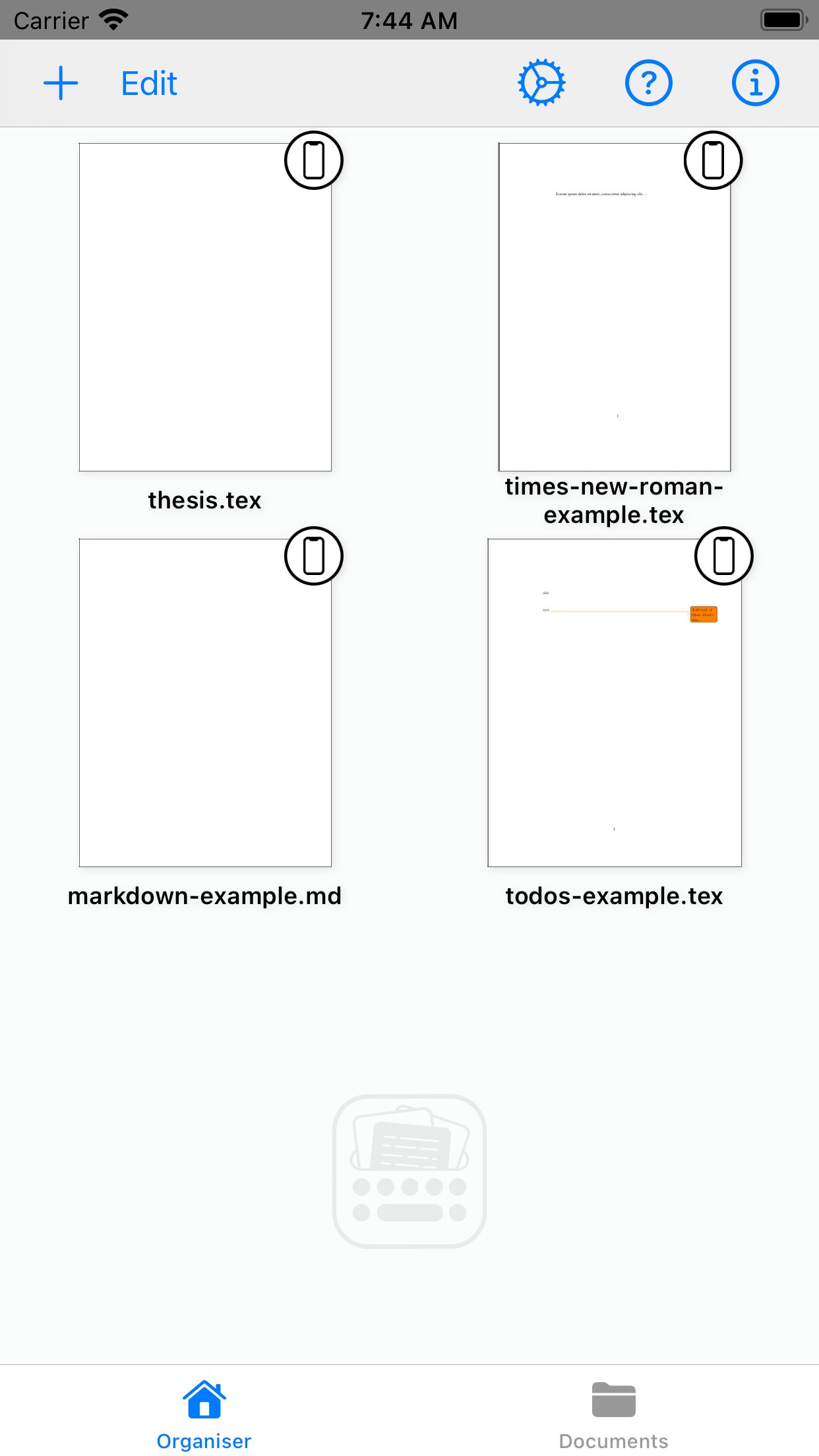
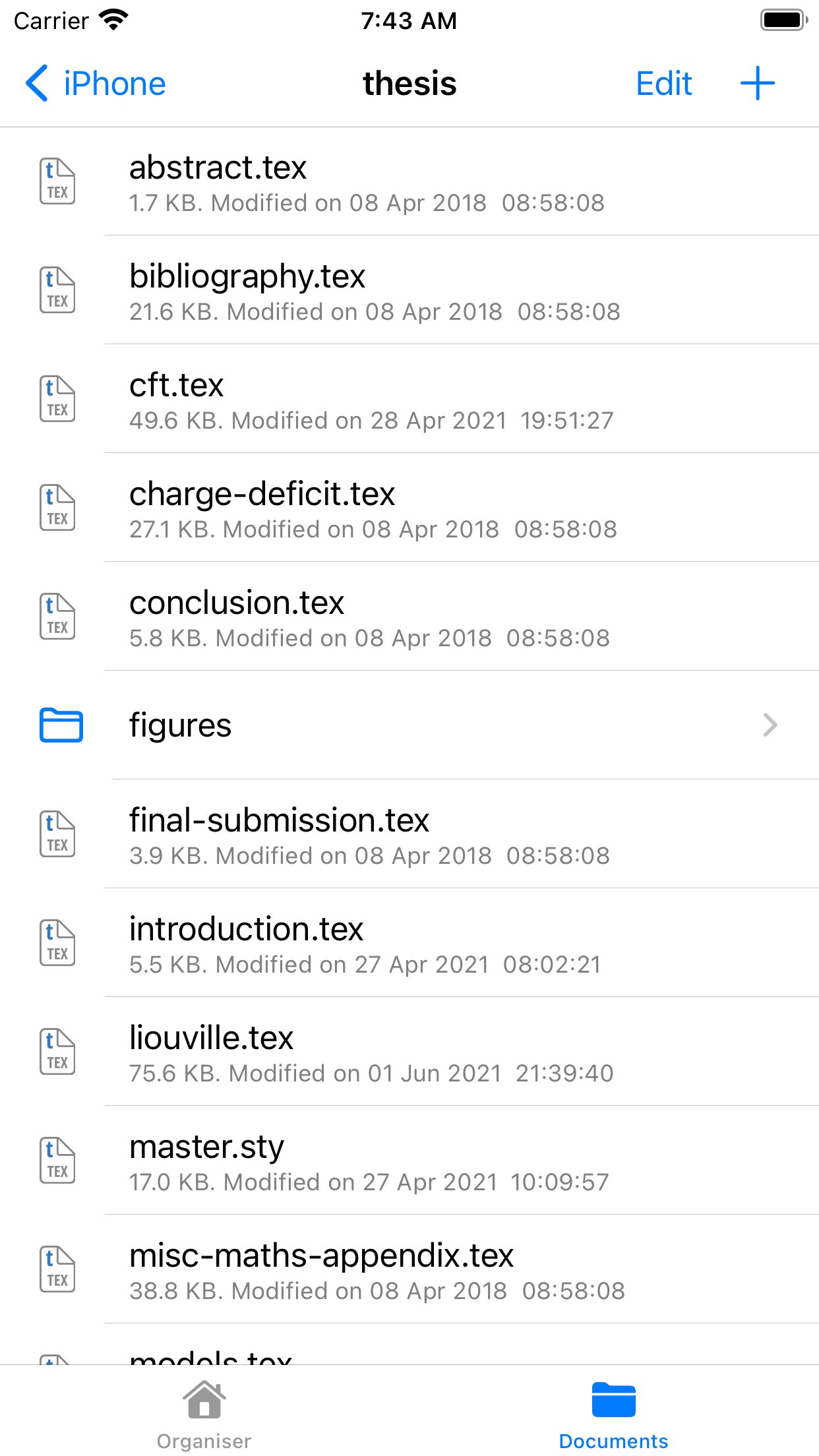
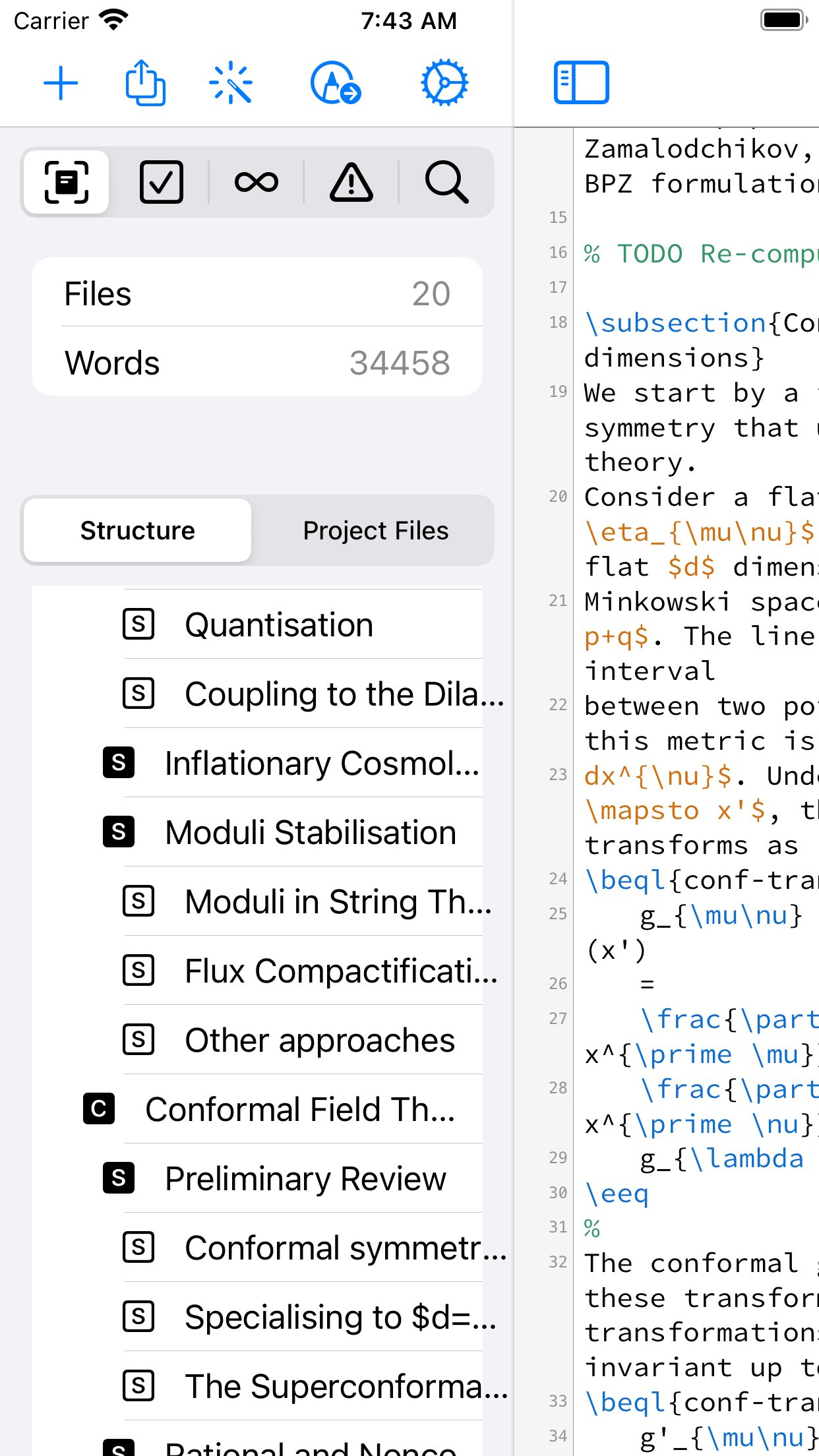
Texifier is a LaTeX editor designed for straightforward navigation, editing and typesetting of projects of any size. Open a LaTeX root file, and Texifier will scan it, open any referenced files, extract the document structure for display in the outline view, and configure the typesetter according to the packages and tools used by your document.
Texifier's editor comes with a choice of themes, syntax highlighting, autocomplete of commands, including those defined in your document, and autofill for \cite commands, \ref commands and others. The powerful sidebar can show you a summary of your document structure allowing you to navigate through large multi-file projects with ease. Additionally Texifier's outline lists all labels, figures, tables, todos and it contains a powerful search function that can search and replace across your entire project using either normal text searches or regular expression searches.
TexpadTeX - Texifier's internal, no internet connection required, typesetter comes with PGF drivers, Native Fonts extensions, a Unicode and more, allow it to support almost any LaTeX package available. TexpadTeX also integrates a BibteX tool and a Makeindex compatible indexer for documents that require those tools. The integrated bundle manager takes care of downloading, installing and updating LaTeX packages for you, giving you access to almost the entire LaTeX ecosystem without using any more space on your device than needed.
TexpadTeX can run in Live mode, updating the output as you type, so you never need wait for a typeset to finish again.
For the rare cases of documents that are not compatible with TexpadTeX, you can use our free cloud typesetters. This is fully integrated into Texifier so press typeset, and Texifier will run the typeset in the Cloud, presenting the results just as if they were typeset on your device.
After all typesets, any errors in your document are organised in a table of issues. Tap on an issue to jump directly to the offending line of LaTeX source, or the line in the original log if you wish to read the original output.
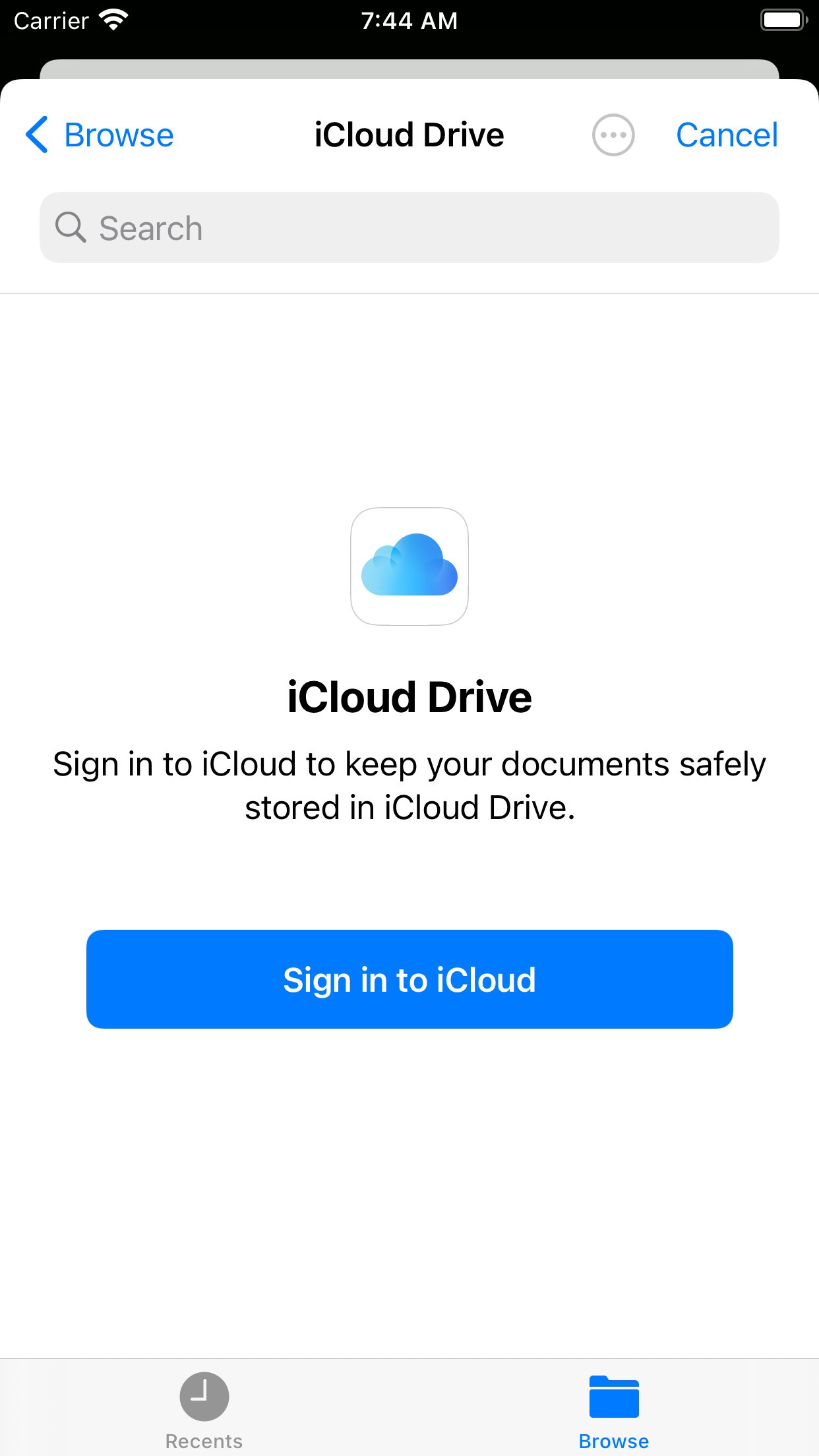
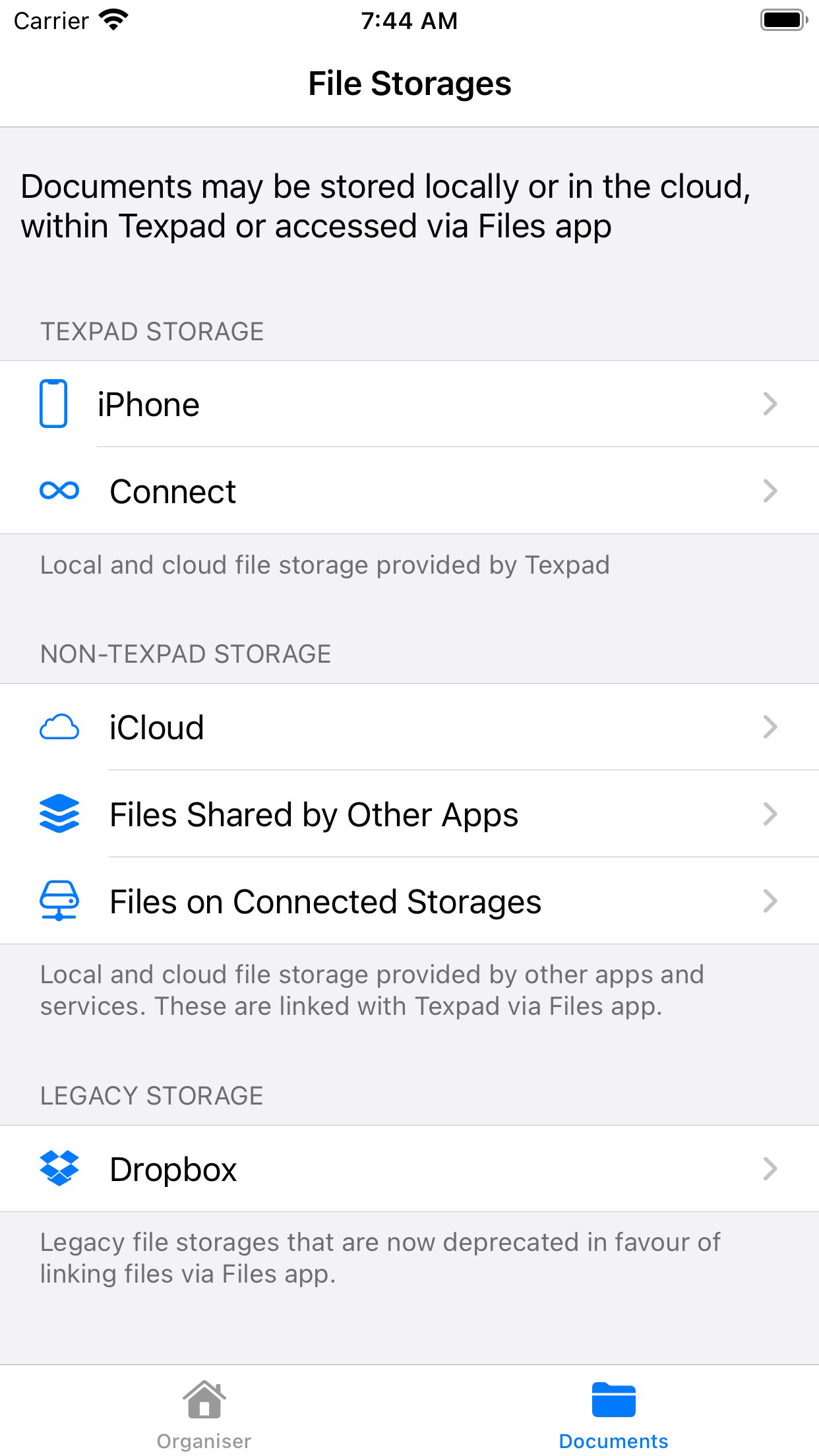
Texifier works well with Files App, allowing you to store and work on your documents wherever you wish. On top of that Texifier Connect is directly integrated into Texifier for working across devices and collaborators.
Texifier supports Markdown along with LaTeX. Edit your document in Texifier's syntax highlighting editor, browse the document by outline, then when you press Typeset, the document will be transparently converted and typeset by LaTeX (using a standard template), giving you the informal ease of Markdown with LaTeX's ability to create beautiful and high quality PDFs. Likewise Plain TeX users can edit and typeset their documents in Texifier.
Features:
- Universal binary for iPhone and iPad, optimised for the latest generation of devices.
- Typeset LaTeX to PDF on your iPad and iPhone without need for an internet connection
- Support for LaTeX, Plain Tex and Markdown
- Navigate easily through even the largest projects using the Outline view
- Search all files by string or regex with the global search view
- Browse the typeset errors and warnings either as a raw log, or with the errors and warnings table view.
- Texifier's editor autocompletes commands, and autofills commands such as \ref{...} or \cite{...}
- Use iOS Files app to edit documents in any storage that supports file or folder access
- Instant Live typeset using Texifier's built in TexpadTeX typesetter
- The onboard typesetter supports virtually any LaTeX package or font, including, but not limited to: Beamer, Tikz, Fontspec, Koma Script, e-TeX, graphicx, pgfplots, AMS, RevTeX, Babel, Bibtex and Indices.
- Free typesetting through our secure cloud servers gives you access to all packages in the latest TeXLive distribution.
License: Commercial
Texifier is a LaTeX editor designed for straightforward navigation, editing and typesetting of projects of any size. Open a LaTeX root file, and Texifier will scan it, open any referenced files, extract the document structure for display in the outline view, and configure the typesetter according to the packages and tools used by your document.
Texifier's editor comes with a choice of themes, syntax highlighting, autocomplete of commands, including those defined in your document, and autofill for \cite commands, \ref commands and others. The powerful sidebar can show you a summary of your document structure allowing you to navigate through large multi-file projects with ease. Additionally Texifier's outline lists all labels, figures, tables, todos and it contains a powerful search function that can search and replace across your entire project using either normal text searches or regular expression searches.
TexpadTeX - Texifier's internal, no internet connection required, typesetter comes with PGF drivers, Native Fonts extensions, a Unicode and more, allow it to support almost any LaTeX package available. TexpadTeX also integrates a BibteX tool and a Makeindex compatible indexer for documents that require those tools. The integrated bundle manager takes care of downloading, installing and updating LaTeX packages for you, giving you access to almost the entire LaTeX ecosystem without using any more space on your device than needed.
TexpadTeX can run in Live mode, updating the output as you type, so you never need wait for a typeset to finish again.
For the rare cases of documents that are not compatible with TexpadTeX, you can use our free cloud typesetters. This is fully integrated into Texifier so press typeset, and Texifier will run the typeset in the Cloud, presenting the results just as if they were typeset on your device.
After all typesets, any errors in your document are organised in a table of issues. Tap on an issue to jump directly to the offending line of LaTeX source, or the line in the original log if you wish to read the original output.
Texifier works well with Files App, allowing you to store and work on your documents wherever you wish. On top of that Texifier Connect is directly integrated into Texifier for working across devices and collaborators.
Texifier supports Markdown along with LaTeX. Edit your document in Texifier's syntax highlighting editor, browse the document by outline, then when you press Typeset, the document will be transparently converted and typeset by LaTeX (using a standard template), giving you the informal ease of Markdown with LaTeX's ability to create beautiful and high quality PDFs. Likewise Plain TeX users can edit and typeset their documents in Texifier.
Features:
- Universal binary for iPhone and iPad, optimised for the latest generation of devices.
- Typeset LaTeX to PDF on your iPad and iPhone without need for an internet connection
- Support for LaTeX, Plain Tex and Markdown
- Navigate easily through even the largest projects using the Outline view
- Search all files by string or regex with the global search view
- Browse the typeset errors and warnings either as a raw log, or with the errors and warnings table view.
- Texifier's editor autocompletes commands, and autofills commands such as \ref{...} or \cite{...}
- Use iOS Files app to edit documents in any storage that supports file or folder access
- Instant Live typeset using Texifier's built in TexpadTeX typesetter
- The onboard typesetter supports virtually any LaTeX package or font, including, but not limited to: Beamer, Tikz, Fontspec, Koma Script, e-TeX, graphicx, pgfplots, AMS, RevTeX, Babel, Bibtex and Indices.
- Free typesetting through our secure cloud servers gives you access to all packages in the latest TeXLive distribution.
License: Commercial
| Release info | New Release on Jan 23, 2026 |
|---|---|
| Release notes | - Misc. stability improvements and bug fixes - Minor iOS 26 issues addressed - Menu display issue fixed |
| Listing data | App Store |
Reviews
No reviews yet. Be the first to review Texifier.
Used Texifier? Tell other visitors what you thought.
Log in to write a reviewOther products by this publisher
- "No Distractions" for YouTube 4.10 ----
- #Bible 11.6 "Incredible App - My sister shared this app with me a few weeks ago and it is truly incredible.
- #filmphotography 1.4.2 So, you decided to shoot on film?
- $quirrel 1.5.1 $quirrel Budget & Finance helps you plan each paycheck, track spending, manage debt, and see what is safe to spend before the next payday.
- % Percentage Calculator Pro 1.41 This is the Pro version of % Percentage Calculator.
Most viewed iOS Productivity
-
1
 WordPress 27.4
Manage or create your WordPress blog or website right from your iOS device: create and edit posts and pages, upload your favorite photos and videos, view stats and reply to comments.
- 2 Voice Translator - Alive 1.6 Translation app that turns your iPhone into an interpreter instantly.
-
3
 Claude by Anthropic 1.261106.19
Meet Claude, your AI problem solver and thinking partner.
- 4 "No Distractions" for YouTube 4.10 ----
- 5 (beat) for iOS 0.5.10 An elegant Fountain screenwriting app, created by a screenwriter for screenwriters.
-
6
 DeepSeek 2.7.5
Experience seamless interaction with DeepSeek's official AI assistant for free!
-
7
 Life360 26.42.0
Whether at home, online, or on the move, our comprehensive family safety features bring peace of mind to your loved ones AND help safeguard your personal belongings.
-
8
 Howbout 16.7.0
The shared calendar for friends, couples, and family
-
9
 Voices AI 1.16.15
Discover Voices, the premier voice transformation app designed exclusively for iOS.
-
10
 Plot Digitizer 1.4.1
Plot Digitizer is an app to extract numerical data from plot images.
Most downloaded iOS Productivity
- 1 Voice Translator - Alive 1.6 Translation app that turns your iPhone into an interpreter instantly.
-
2
 SessionsAI 1.2.1
Sessions AI is a private AI workspace that runs entirely on your iPhone, iPad, or Mac.
-
3
DeepSeek 2.7.5
Experience seamless interaction with DeepSeek's official AI assistant for free!
-
4
Voices AI 1.16.15
Discover Voices, the premier voice transformation app designed exclusively for iOS.
-
5
 Block Distracting Websites 1.11
"It's a great way to save time, and stop browsing Reddit when you should be doing coursework."
-
6
Plot Digitizer 1.4.1
Plot Digitizer is an app to extract numerical data from plot images.
-
7
 Google Docs 1.2026.43105
Create, edit, and collaborate on online documents with the Google Docs app.
-
8
 Pixy Mood Tracker 1.110.0
Track your mood, one pixel at a time.
-
9
 VPN 2.61.0
VPN - Super Unlimited Proxy is a free VPN and proxy app for iPhone, iPad, Mac and Apple Vision Pro.
-
10
Life360 26.42.0
Whether at home, online, or on the move, our comprehensive family safety features bring peace of mind to your loved ones AND help safeguard your personal belongings.