TeXeTeScribe 1.5
Read and write in text-based files: TXT, JSON, HTML, CSV, XML, YAML, INI, MD
Download
4.46 MB
19downloads
1this week
FreeFreeware
0reviews
Screenshots
About TeXeTeScribe
TeXeTeScribe provides what default Android lacks: read and edit text-based files. It also implements concept of a folder with a notebook functionality.
You data is always readable. If a platform can display characters, it can handle a TXT file: Android, iOS, Windows, Linux, macOS, ChromeOS, Smart TVs, e-readers, gaming consoles, embedded and IoT devices, cloud storage and collaboration tools (Google Drive, iCloud, Dropbox, etc). TXT files are the most universal format because every operating system "understands" them. Text files avoid compatibility issues of proprietary formats, ensuring flawless transfer across devices and platforms.
Future proof your content. Text files are universal and future-proof, free from the compatibility problems that plague proprietary note formats. You don't need a specific app to access TXT file. It can be viewed and edited on basically everything with a processor.
Notes in TXT files never get trapped. Most note-taking apps store data inside private app databases or proprietary cloud formats. If the app stops working from a bad update or glitch, or disappears from the app store, your notes often go with it. Unreadable, unexportable, and locked behind a backup you cannot open. Plain .txt files avoid all of that.
Notes survive phone failures. When data is stored in internal memory, Android encrypts it by default, starting 2015. If the system glitches after an update, or the phone can't run its OS, all data in phone's internal memory becomes unaccessible, and basically lost - often Android repair process implies wiping all data. Saving notes on a microSD card keeps them physically separate from the system. Just insert SD card into any other device: files stay fully accessible in any file manager.
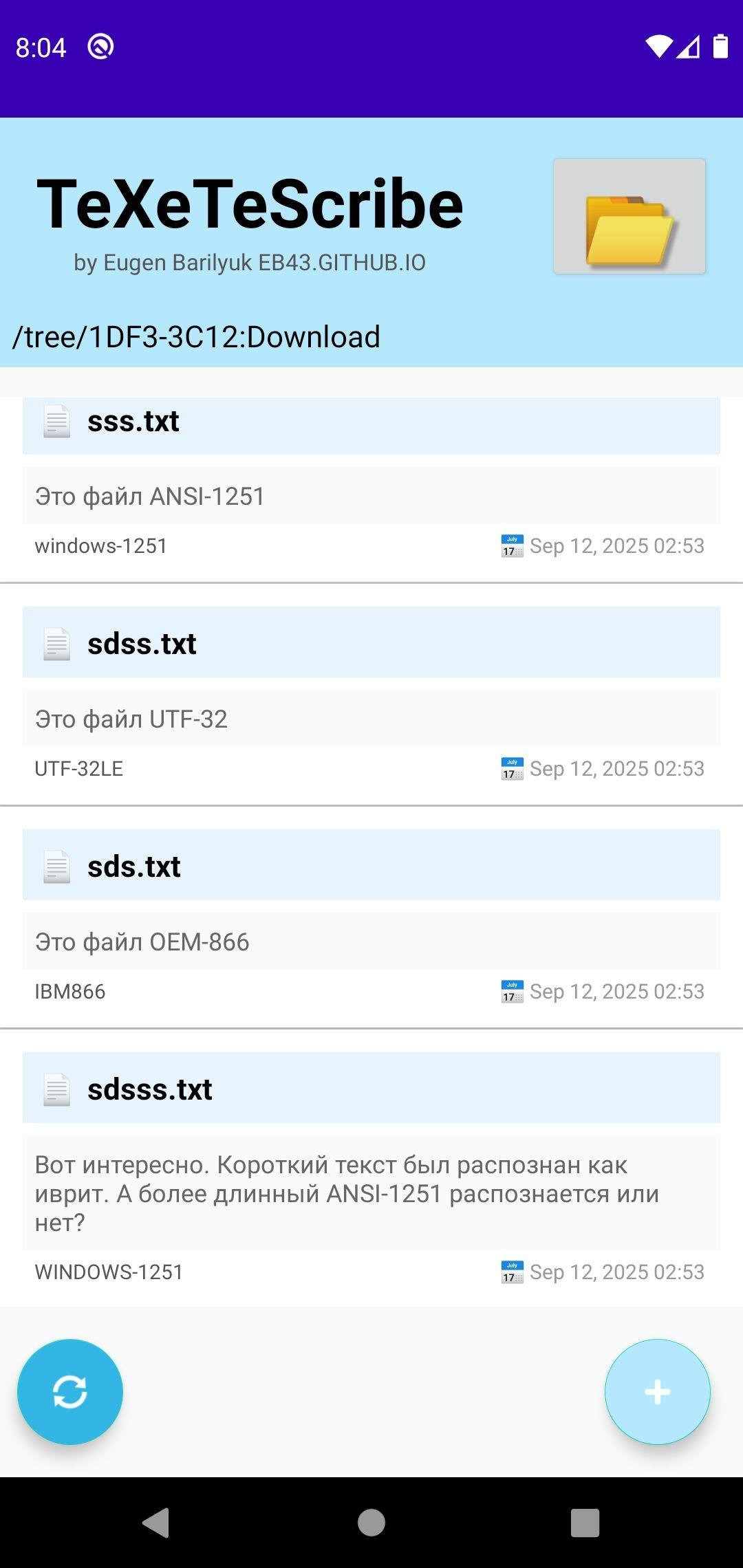
Text always looks readable. Every text file has its own encoding. Android uses UTF-8 by default, Windows often saves text in ANSI (Windows-1251), old DOS programs use CP866, and classic macOS systems relied on MacRoman. There is also UTF-32, used in some technical files. Most Android apps simply assume everything is UTF-8, which is why older documents or foreign-language text often appear as unreadable gibberish. TeXeTeScribe app automatically detects the correct encoding, and shows the text readably.
See what’s inside before opening.
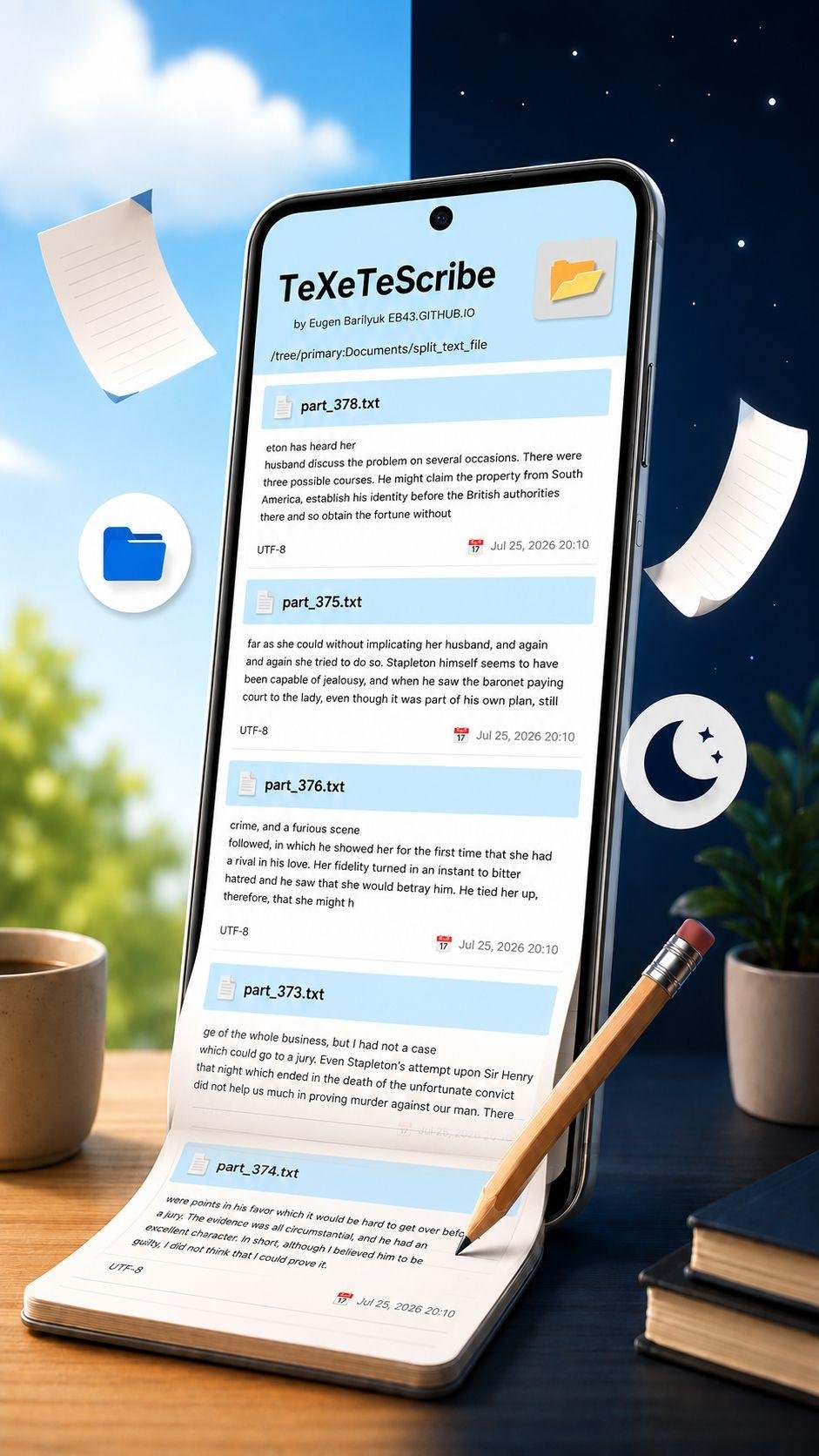
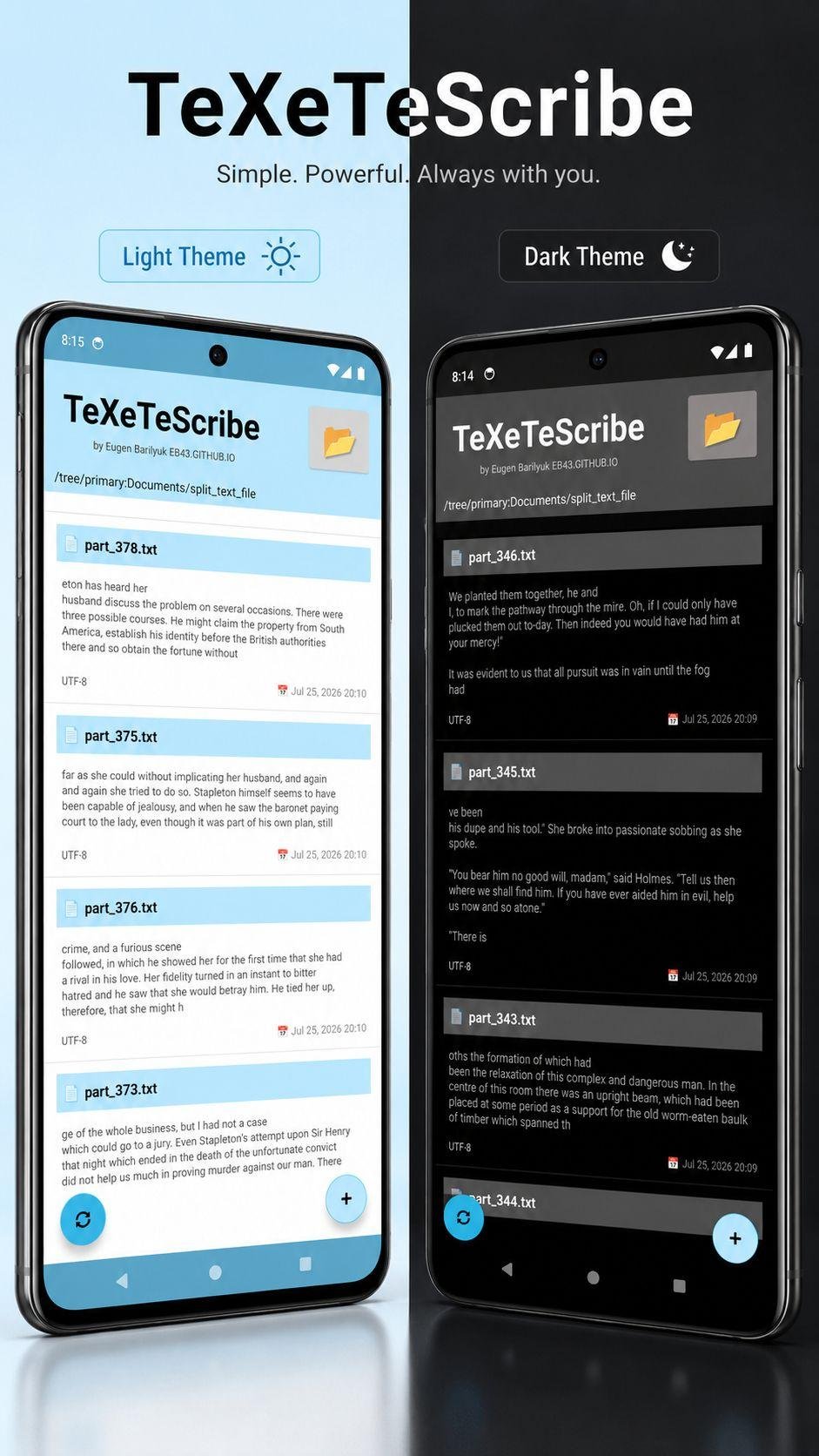
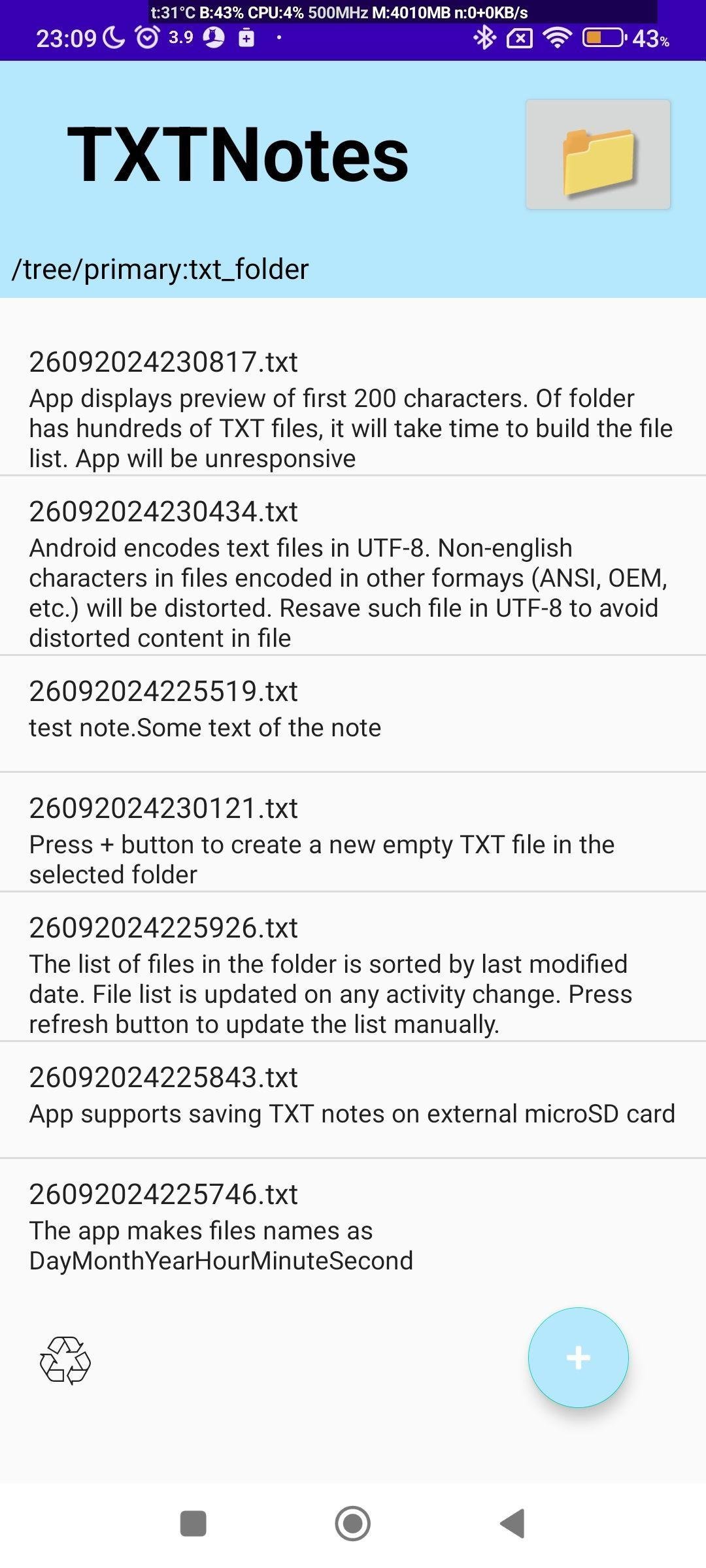
App shows list of files beyond simple filenames. You get short content previews of each file and its modification time. This lets you instantly recognize which note or document you need without wasting time opening files one by one.
Your latest thoughts stay on top.
Typical note apps mix your notes together alphabetically or by title, making yesterday’s idea vanish in the pile. TeXeTeScribe reflects how real note-taking works: what you just wrote is what you are most likely to continue developing. The notes you worked on most recently stay right at the top, so you can continue writing or reviewing without searching.
Open almost any text-based file.
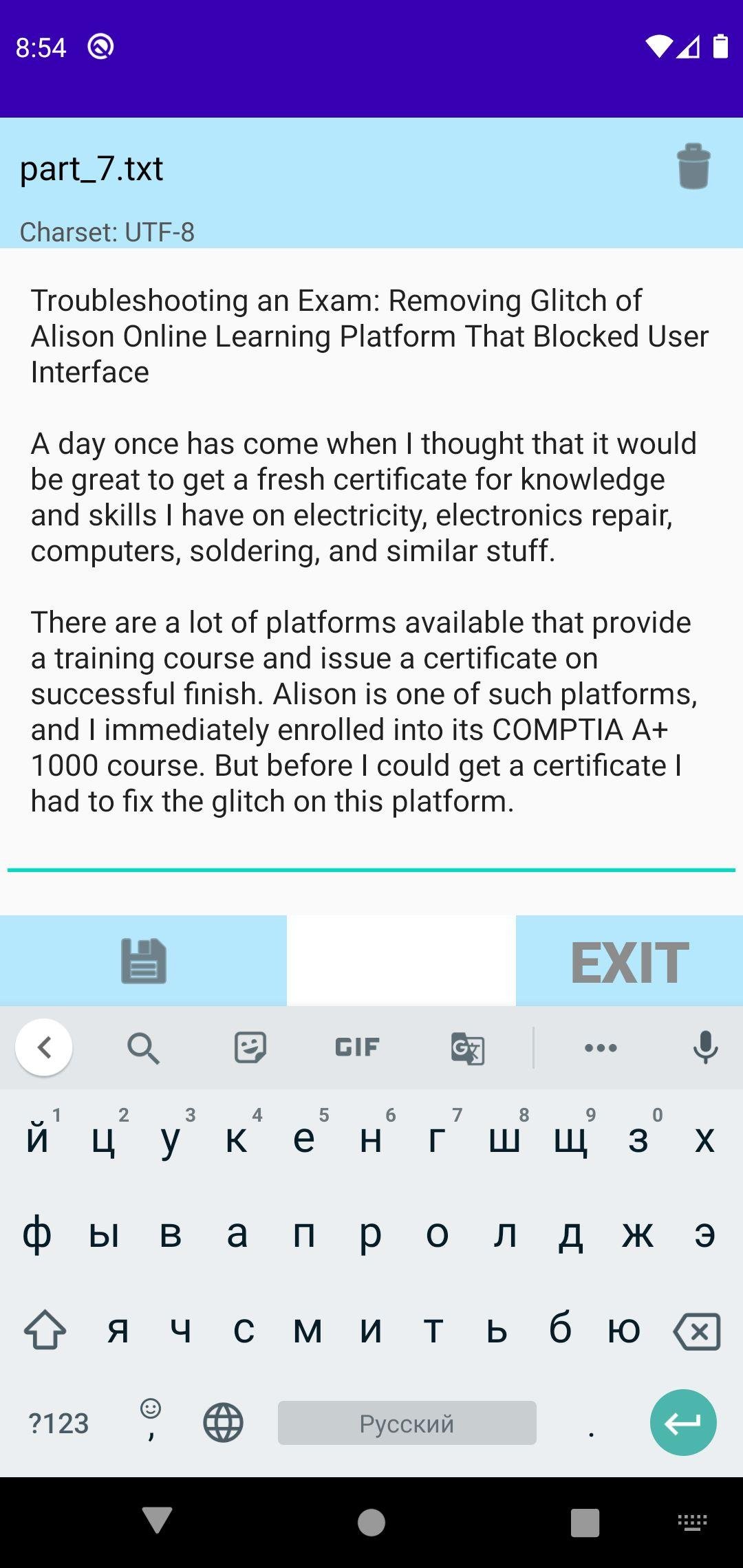
TeXeTeScribe recognizes and edits many everyday formats: .txt, .md, .json, .xml, .csv, .html, .log, .yaml, .cfg, and more. It saves time when you just need to read or fix a file, without searching for a different tool.
Work offline forever.
Because everything is stored locally, the app works without a connection. Your notes, configuration files, and logs are always available, even on airplanes or in areas without service.
TeXeTeScribe lets you create, read, and edit plain text notes that remain fully accessible and compatible across all devices and platforms. Your data stays future-proof, portable, and never locked inside proprietary formats or apps.
Created by Eugen Barilyuk EB43 [link removed]
License: GPL-3.0-only
You data is always readable. If a platform can display characters, it can handle a TXT file: Android, iOS, Windows, Linux, macOS, ChromeOS, Smart TVs, e-readers, gaming consoles, embedded and IoT devices, cloud storage and collaboration tools (Google Drive, iCloud, Dropbox, etc). TXT files are the most universal format because every operating system "understands" them. Text files avoid compatibility issues of proprietary formats, ensuring flawless transfer across devices and platforms.
Future proof your content. Text files are universal and future-proof, free from the compatibility problems that plague proprietary note formats. You don't need a specific app to access TXT file. It can be viewed and edited on basically everything with a processor.
Notes in TXT files never get trapped. Most note-taking apps store data inside private app databases or proprietary cloud formats. If the app stops working from a bad update or glitch, or disappears from the app store, your notes often go with it. Unreadable, unexportable, and locked behind a backup you cannot open. Plain .txt files avoid all of that.
Notes survive phone failures. When data is stored in internal memory, Android encrypts it by default, starting 2015. If the system glitches after an update, or the phone can't run its OS, all data in phone's internal memory becomes unaccessible, and basically lost - often Android repair process implies wiping all data. Saving notes on a microSD card keeps them physically separate from the system. Just insert SD card into any other device: files stay fully accessible in any file manager.
Text always looks readable. Every text file has its own encoding. Android uses UTF-8 by default, Windows often saves text in ANSI (Windows-1251), old DOS programs use CP866, and classic macOS systems relied on MacRoman. There is also UTF-32, used in some technical files. Most Android apps simply assume everything is UTF-8, which is why older documents or foreign-language text often appear as unreadable gibberish. TeXeTeScribe app automatically detects the correct encoding, and shows the text readably.
See what’s inside before opening.
App shows list of files beyond simple filenames. You get short content previews of each file and its modification time. This lets you instantly recognize which note or document you need without wasting time opening files one by one.
Your latest thoughts stay on top.
Typical note apps mix your notes together alphabetically or by title, making yesterday’s idea vanish in the pile. TeXeTeScribe reflects how real note-taking works: what you just wrote is what you are most likely to continue developing. The notes you worked on most recently stay right at the top, so you can continue writing or reviewing without searching.
Open almost any text-based file.
TeXeTeScribe recognizes and edits many everyday formats: .txt, .md, .json, .xml, .csv, .html, .log, .yaml, .cfg, and more. It saves time when you just need to read or fix a file, without searching for a different tool.
Work offline forever.
Because everything is stored locally, the app works without a connection. Your notes, configuration files, and logs are always available, even on airplanes or in areas without service.
TeXeTeScribe lets you create, read, and edit plain text notes that remain fully accessible and compatible across all devices and platforms. Your data stays future-proof, portable, and never locked inside proprietary formats or apps.
Created by Eugen Barilyuk EB43 [link removed]
License: GPL-3.0-only
| Release info | New Release on Jul 27, 2026 |
|---|---|
| Listing data | F-Droid |
Reviews
No reviews yet. Be the first to review TeXeTeScribe.
Used TeXeTeScribe? Tell other visitors what you thought.
Log in to write a reviewOther products by this publisher
- "No Distractions" for YouTube 4.10 ----
- #Bible 11.6 "Incredible App - My sister shared this app with me a few weeks ago and it is truly incredible.
- #filmphotography 1.4.2 So, you decided to shoot on film?
- $quirrel 1.5.1 $quirrel Budget & Finance helps you plan each paycheck, track spending, manage debt, and see what is safe to spend before the next payday.
- % Percentage Calculator Pro 1.41 This is the Pro version of % Percentage Calculator.
Most viewed Android Text Editors
-
1
 MA Office 2.6.11
Viewer/editor supporting ODF and Microsoft files, with E2EE collaboration
-
2
 Xed-Editor 3.4.5
Advanced Text Editor for Android
- 3 FontStylr 1.1 stylize your text with cool fonts - emo, goth, bolt, gl1tch3d
-
4
 SimpleMarkdown 2026.10-free
A simple markdown editor
-
5
 Scrib 0.1.9
A simple text workspace to edit text before pasting somewhere else.
-
6
TeXeTeScribe 1.5
Read and write in text-based files: TXT, JSON, HTML, CSV, XML, YAML, INI, MD
Most downloaded Android Text Editors
-
1
Xed-Editor 3.4.5
Advanced Text Editor for Android
-
2
MA Office 2.6.11
Viewer/editor supporting ODF and Microsoft files, with E2EE collaboration
-
3
SimpleMarkdown 2026.10-free
A simple markdown editor
- 4 FontStylr 1.1 stylize your text with cool fonts - emo, goth, bolt, gl1tch3d
-
5
TeXeTeScribe 1.5
Read and write in text-based files: TXT, JSON, HTML, CSV, XML, YAML, INI, MD
-
6
Scrib 0.1.9
A simple text workspace to edit text before pasting somewhere else.