Teleprompt+ 3 3.1.10
The industry-leading professional teleprompter for iOS just got a whole lot better!
Download
56.87 MB
0downloads
0this week
FreeCommercial
0reviews
Screenshots
About Teleprompt+ 3
The industry-leading professional teleprompter for iOS just got a whole lot better! Featuring a brand-new design and a ton of new features, Teleprompt+ 3 is perfect for presenters, students, teachers, broadcasters, podcasters, filmmakers, musicians, business professionals, or anyone who would benefit from having a powerful visual aid while engaged in a public speaking activity.
Teleprompt+ 3 offers many advanced options and features that will enable you to custom tailor your prompting setup according to your needs.
STANDARD FEATURES:
Write your scripts using the robust text editor, or import your text from other applications or online services.
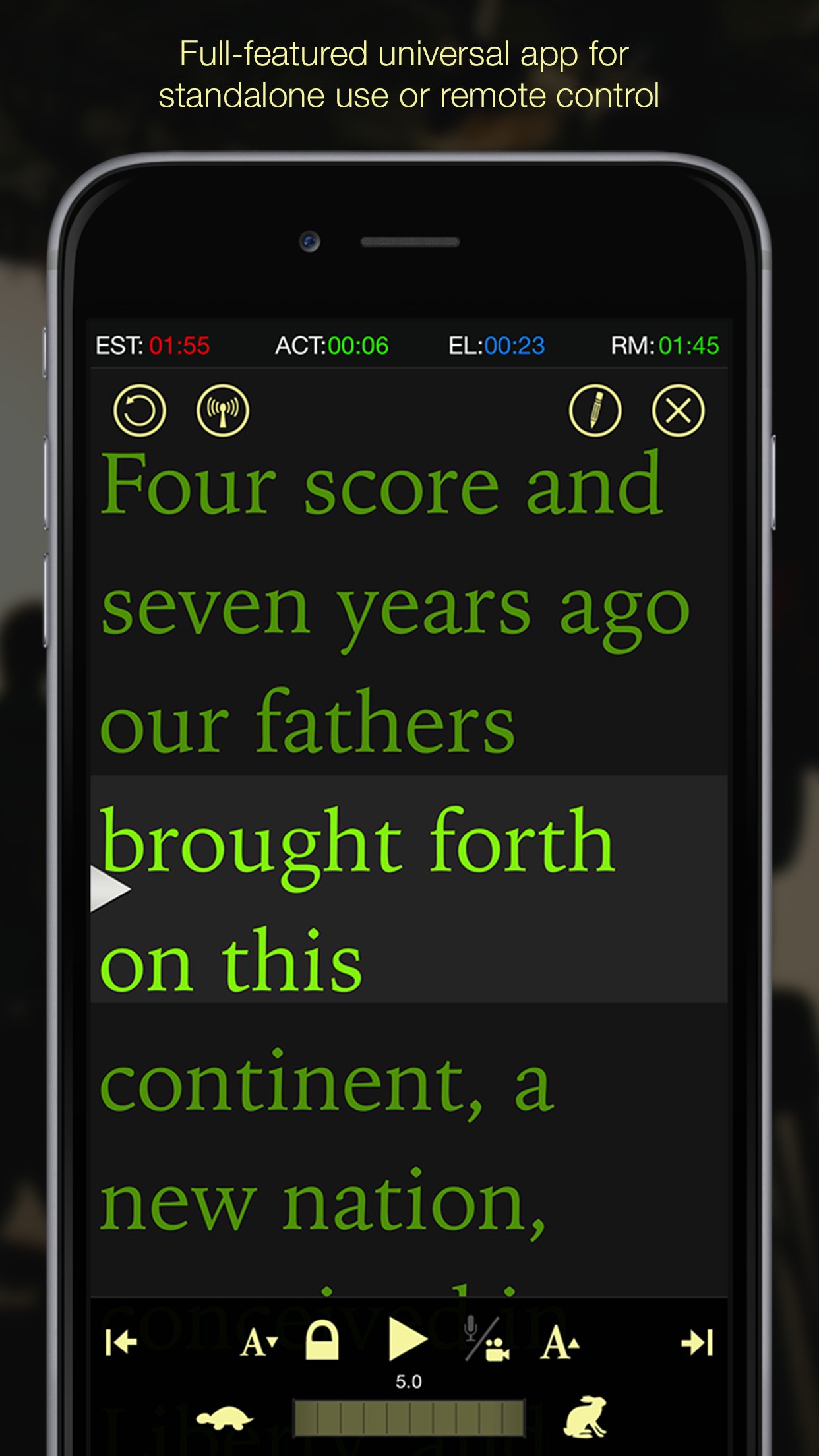
Track your progress using the integrated timer display (estimate, actual, elapsed and remaining time).
Pause, play, and adjust scrolling speed during prompting using on-screen controls or gestures.
ADVANCED FEATURES:
RICH TEXT
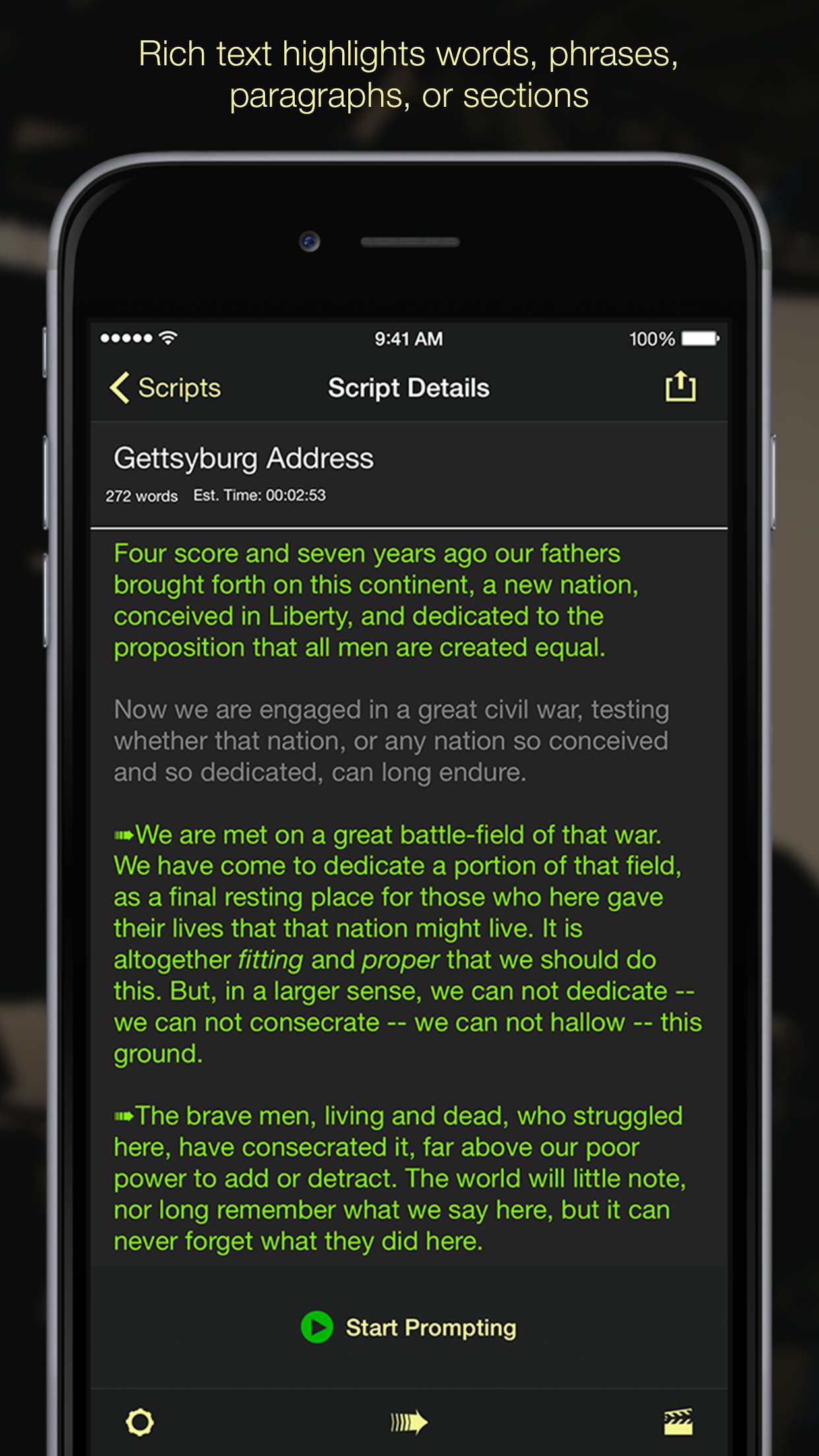
Sometimes you need certain words to stand out. With rich text editing you can make specific portions of your script bold, underline, or italic, or change the color of the text of selected words, phrases, or entire paragraphs with ease.
QUICK EDIT
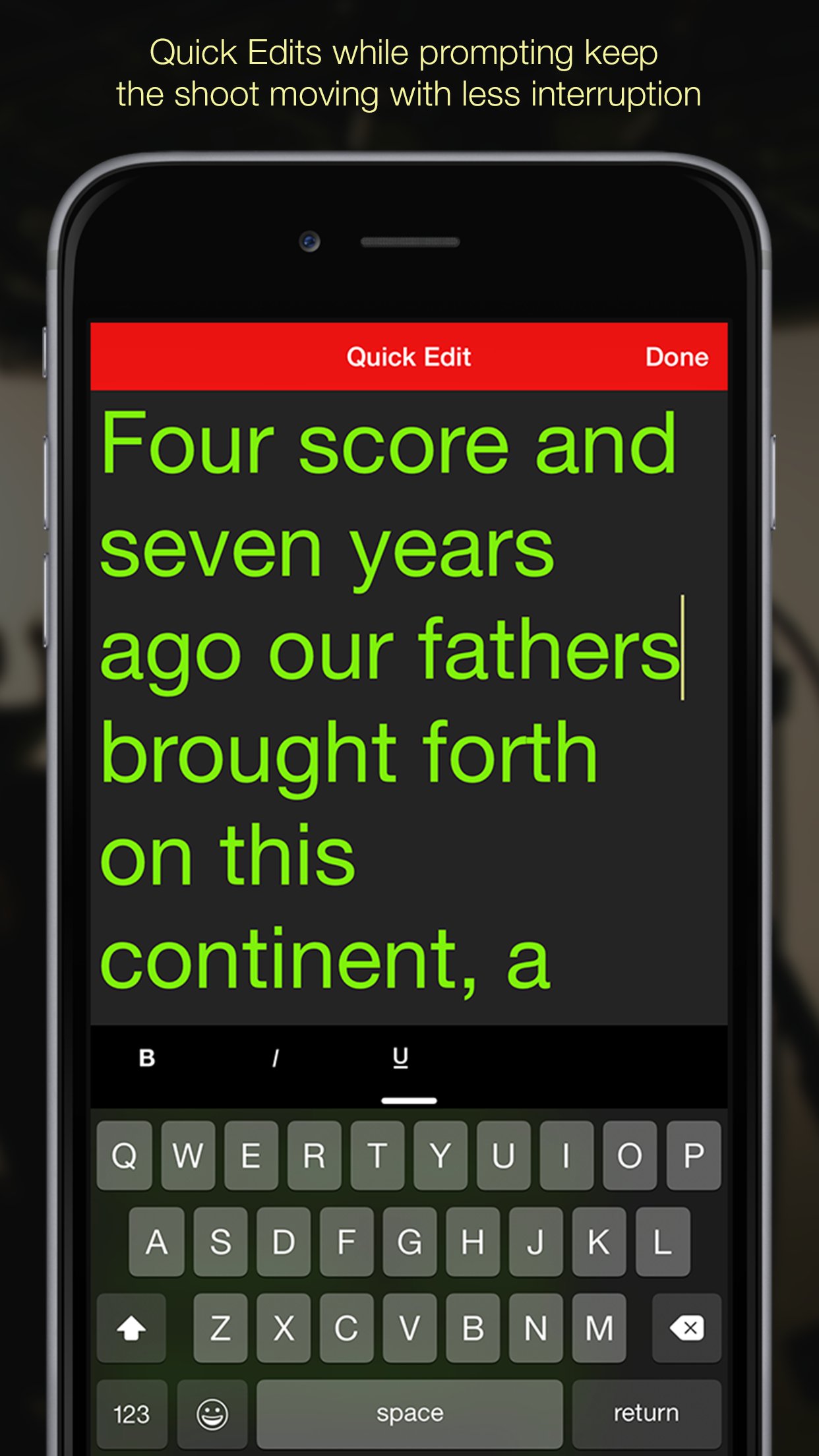
Quick edit allows you to make quick changes to your script without ever leaving the prompting screen.
REMOTE SESSIONS
Use an iOS device with Teleprompt+ installed to remotely control speed, font size, and scrolling of any number of other iOS devices running Teleprompt+ via Wifi or Bluetooth. Also edit the script right from the remote device and the changes are immediately displayed on all connected devices.
VIDEO AND AUDIO RECORDING
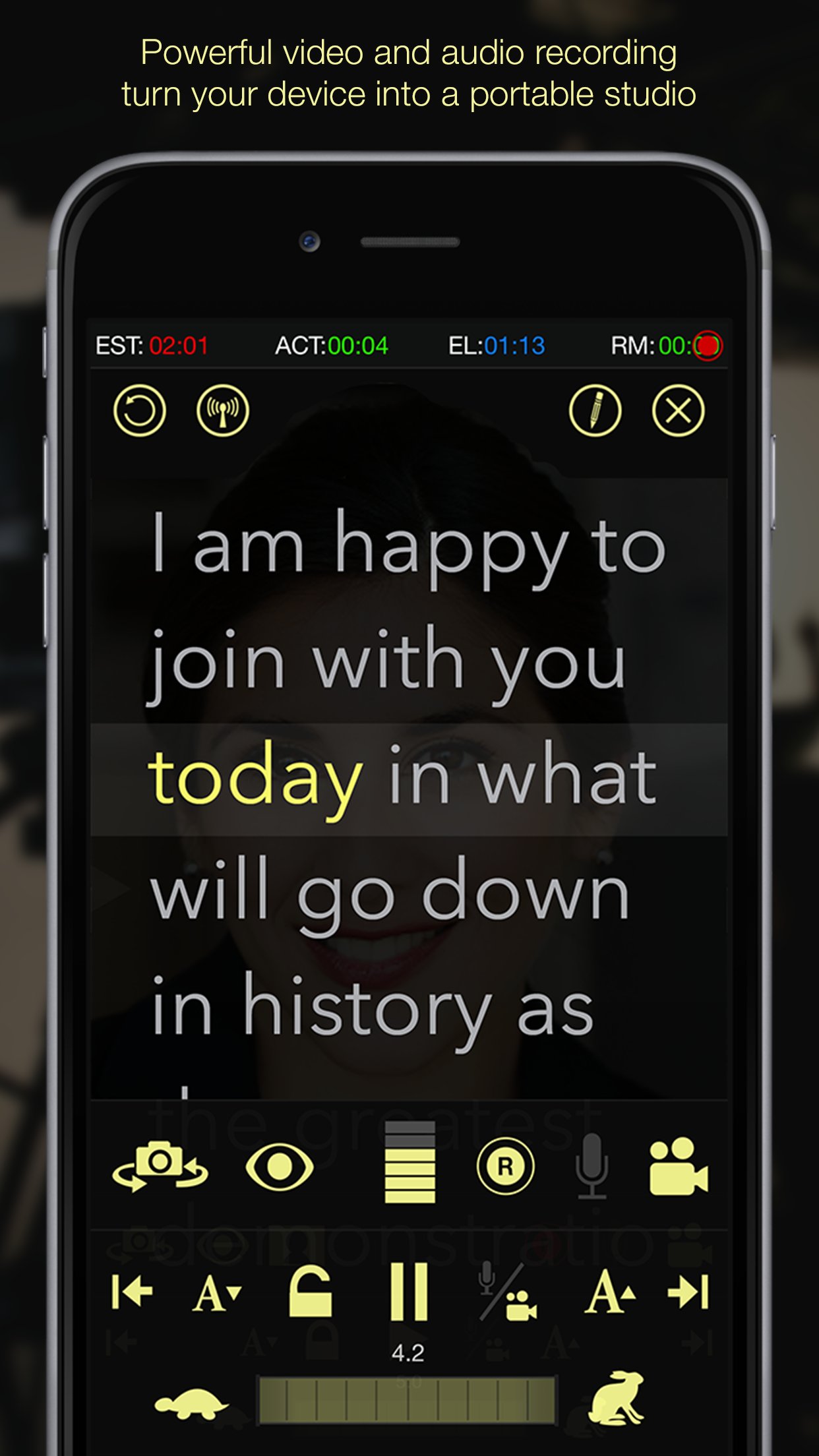
Record yourself or your talent with the built-in microphone and/or camera on your iOS device and then quickly export any recordings to Dropbox, Google Drive, or email with a few taps.
PRECISION PROMPTING AND SPEED CONTROL
Choose between 100 fine-tuned scrolling speeds or choose the total time for your presentation and the scrolling speed will adjust automatically.
Use the speed wheel for precision scroll speed adjustment during prompting.
IMPORT AND EXPORT
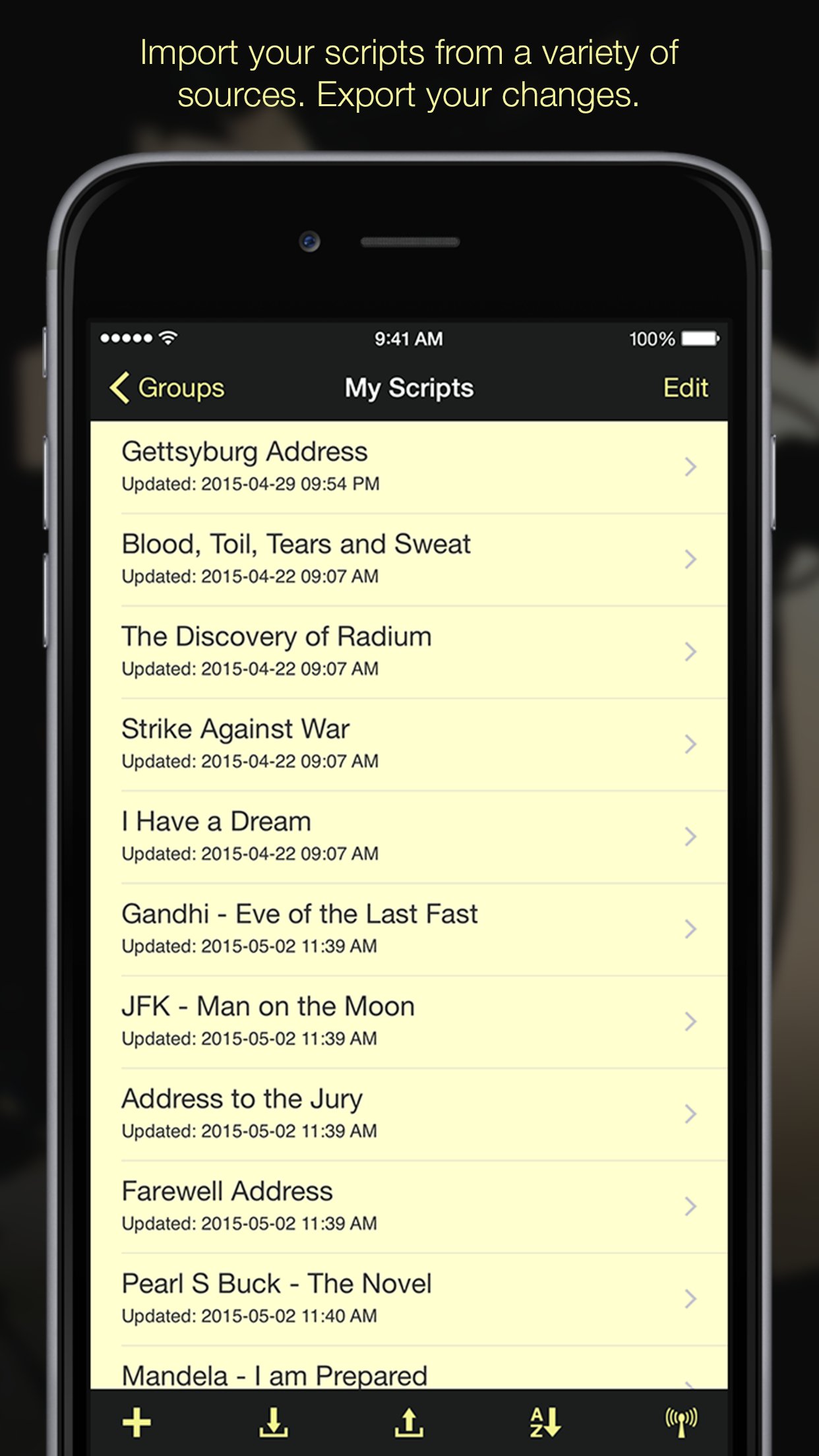
Import and export plain text, Word documents (.docx) and rich text (.rtf) files from the app to your Dropbox or Google Drive accounts. Allows for quick editing and synchronization of your scripts on any device with either Dropbox or Google Drive.
READING GUIDES
Improve your focus with one of three reading guide styles.
CUE POINTS
Easily add cue points while editing and quickly advance or return to a cue point during prompting
TEXT MIRRORING
Text can be inverted on screen (for teleprompter reflector setups)
EXTERNAL DISPLAY SUPPORT
Supports Apple VGA Adapter or the Apple Digital AV Adapter. You can also setup AirPlay on the device to send video to an AppleTV or other AirPlay-compatible monitor.
- Text/reading guides appear on the external display while prompting
- Supports text mirroring
BLUETOOTH KEYBOARD SUPPORT
Play, Pause, Adjust speed, cue points, font size and stop and start recordings right from a Bluetooth keyboard
BLUETOOTH FOOT PEDAL SUPPORT
Use the AirTurn (www.airturn.com) foot pedal to control the prompter hands-free
Perfect for musicians and other performers/presenters who need hands-free operation
Questions/feedback? We care deeply about our customers and want them to have the best experience possible with our products. If you are having any issues with Teleprompt+, we want to help. Please contact us through email at support@bombingbrain.com. If you have a problem or question please do not put this in an app review as we have no way of responding or helping you through reviews.
If you're enjoying Teleprompt+ 3 please consider leaving a review. It greatly helps get the word out about the app so we can continue to improve and grow the app.
License: Commercial
Teleprompt+ 3 offers many advanced options and features that will enable you to custom tailor your prompting setup according to your needs.
STANDARD FEATURES:
Write your scripts using the robust text editor, or import your text from other applications or online services.
Track your progress using the integrated timer display (estimate, actual, elapsed and remaining time).
Pause, play, and adjust scrolling speed during prompting using on-screen controls or gestures.
ADVANCED FEATURES:
RICH TEXT
Sometimes you need certain words to stand out. With rich text editing you can make specific portions of your script bold, underline, or italic, or change the color of the text of selected words, phrases, or entire paragraphs with ease.
QUICK EDIT
Quick edit allows you to make quick changes to your script without ever leaving the prompting screen.
REMOTE SESSIONS
Use an iOS device with Teleprompt+ installed to remotely control speed, font size, and scrolling of any number of other iOS devices running Teleprompt+ via Wifi or Bluetooth. Also edit the script right from the remote device and the changes are immediately displayed on all connected devices.
VIDEO AND AUDIO RECORDING
Record yourself or your talent with the built-in microphone and/or camera on your iOS device and then quickly export any recordings to Dropbox, Google Drive, or email with a few taps.
PRECISION PROMPTING AND SPEED CONTROL
Choose between 100 fine-tuned scrolling speeds or choose the total time for your presentation and the scrolling speed will adjust automatically.
Use the speed wheel for precision scroll speed adjustment during prompting.
IMPORT AND EXPORT
Import and export plain text, Word documents (.docx) and rich text (.rtf) files from the app to your Dropbox or Google Drive accounts. Allows for quick editing and synchronization of your scripts on any device with either Dropbox or Google Drive.
READING GUIDES
Improve your focus with one of three reading guide styles.
CUE POINTS
Easily add cue points while editing and quickly advance or return to a cue point during prompting
TEXT MIRRORING
Text can be inverted on screen (for teleprompter reflector setups)
EXTERNAL DISPLAY SUPPORT
Supports Apple VGA Adapter or the Apple Digital AV Adapter. You can also setup AirPlay on the device to send video to an AppleTV or other AirPlay-compatible monitor.
- Text/reading guides appear on the external display while prompting
- Supports text mirroring
BLUETOOTH KEYBOARD SUPPORT
Play, Pause, Adjust speed, cue points, font size and stop and start recordings right from a Bluetooth keyboard
BLUETOOTH FOOT PEDAL SUPPORT
Use the AirTurn (www.airturn.com) foot pedal to control the prompter hands-free
Perfect for musicians and other performers/presenters who need hands-free operation
Questions/feedback? We care deeply about our customers and want them to have the best experience possible with our products. If you are having any issues with Teleprompt+, we want to help. Please contact us through email at support@bombingbrain.com. If you have a problem or question please do not put this in an app review as we have no way of responding or helping you through reviews.
If you're enjoying Teleprompt+ 3 please consider leaving a review. It greatly helps get the word out about the app so we can continue to improve and grow the app.
License: Commercial
| Release info | New Release on Jun 16, 2017 |
|---|---|
| Release notes | More updates to fix some Google Drive issues. Thanks for the feedback, help and patience while we resolve these issues. |
| Listing data | App Store |
Reviews
No reviews yet. Be the first to review Teleprompt+ 3.
Used Teleprompt+ 3? Tell other visitors what you thought.
Log in to write a reviewOther products by this publisher
- "No Distractions" for YouTube 4.10 ----
- #Bible 11.6 "Incredible App - My sister shared this app with me a few weeks ago and it is truly incredible.
- #filmphotography 1.4.2 So, you decided to shoot on film?
- $quirrel 1.5.1 $quirrel Budget & Finance helps you plan each paycheck, track spending, manage debt, and see what is safe to spend before the next payday.
- % Percentage Calculator Pro 1.41 This is the Pro version of % Percentage Calculator.
Most viewed iOS Productivity
-
1
 WordPress 27.4
Manage or create your WordPress blog or website right from your iOS device: create and edit posts and pages, upload your favorite photos and videos, view stats and reply to comments.
- 2 Voice Translator - Alive 1.6 Translation app that turns your iPhone into an interpreter instantly.
-
3
 Claude by Anthropic 1.261111.19
Meet Claude, your AI problem solver and thinking partner.
-
4
 WristMemo 2.0
WristMemo turns your Apple Watch into an all-day voice recorder.
- 5 "No Distractions" for YouTube 4.10 ----
-
6
 Life360 26.43.0
Whether at home, online, or on the move, our comprehensive family safety features bring peace of mind to your loved ones AND help safeguard your personal belongings.
- 7 (beat) for iOS 0.5.10 An elegant Fountain screenwriting app, created by a screenwriter for screenwriters.
-
8
 Colicine 1.3.0
Have you ever been there—
-
9
 DeepSeek 2.8.0
Experience seamless interaction with DeepSeek's official AI assistant for free!
-
10
 Howbout 16.7.2
The shared calendar for friends, couples, and family
Most downloaded iOS Productivity
- 1 Voice Translator - Alive 1.6 Translation app that turns your iPhone into an interpreter instantly.
-
2
DeepSeek 2.8.0
Experience seamless interaction with DeepSeek's official AI assistant for free!
-
3
 SessionsAI 1.2.1
Sessions AI is a private AI workspace that runs entirely on your iPhone, iPad, or Mac.
-
4
 Voices AI 1.16.15
Discover Voices, the premier voice transformation app designed exclusively for iOS.
-
5
 Block Distracting Websites 1.11
"It's a great way to save time, and stop browsing Reddit when you should be doing coursework."
-
6
 Plot Digitizer 1.4.1
Plot Digitizer is an app to extract numerical data from plot images.
-
7
 Google Docs 1.2026.45104
Create, edit, and collaborate on online documents with the Google Docs app.
-
8
 Pixy Mood Tracker 1.110.0
Track your mood, one pixel at a time.
-
9
 MyHyundai with Bluelink 5.4.5
The MyHyundai app makes getting information about your Hyundai vehicle easier than ever.
-
10
 ScreenRecess 1.0.0
A gentle nudge to put your device down when it’s hard to stop.