
Tab Bar Icons with Source Vector Files 2013
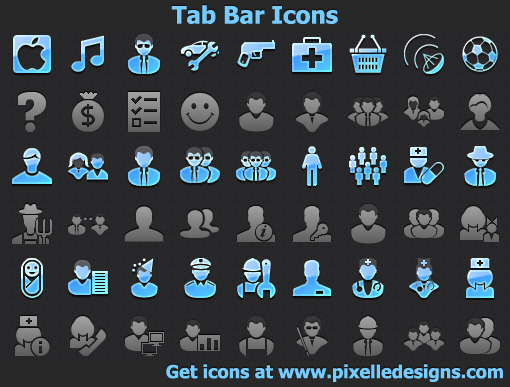
The collection of Tab Bar Icons with Source Vector Files brings more than 1200 high-resolution images for iPad, iPhone, and iPod devices. iOS developers will find everything they need to design navigation bars, toolbars and tab bars for iOS devices.
Download
7.81 MB · tab-bar-icons.zip
976downloads
0this week
$99Shareware
0reviews
Screenshots
About Tab Bar Icons with Source Vector Files
The collection of Tab Bar Icons with Source Vector Files brings more than 1200 high-resolution images for iPad, iPhone, and iPod devices. iOS developers will find everything they need to design standard-compliant navigation bars, toolbars and tab bars for iOS devices. High-resolution raster versions are rendered to look crisp, clean and detailed on new-generation Retina displays, with optional vector sources offering unlimited growth potential. Costing only $99 for 1238 unique images, Tab Bar Icons with Source Vector Files represent the greatest bargain at just 8 cents per icon!
Tab Bar Icons with Source Vector Files are designed in strict accordance with Apple's graphic design guidelines for iOS apps. In particular, the images carefully follow the corresponding guidelines for navigation bars, toolbars and tab bars, allowing developers to concentrate on product's functionality and overall look and stop caring about every little detail.
Tab Bar Icons with Source Vector Files come in resolutions of 20x20, 30x30, 40x40, and 60x60 pixels, in black and white monochrome versions. Raster versions are provided in 32-bit PNG files with alpha-channel, while vector sources are optionally available in AI, and SVG formats.
Tab Bar Icons with Source Vector Files is our company's most comprehensive collection. Including more than a thousand unique images, Tab Bar Icons with Source Vector Files offer everything an iOS developer needs for designing an app. A variety of navigation icons, signs, symbols, actions and people's images are included, allowing to build applications covering the widest range of topics.
The collection of Tab Bar Icons with Source Vector Files is royalty-free, allowing customers to re-use the images between multiple applications and platforms. Re-distribution with your apps and Web sites is allowed except for repackaging (distributing Tab Bar Icons with Source Vector Files as part of a larger icon set).
| Release info | Major Update on Jan 04, 2013 |
|---|---|
| Release notes | New tab bar icon set with 1238 icons. |
| Related tags | tab bar icons stock icons stock icon icons |
Reviews
No reviews yet. Be the first to review Tab Bar Icons with Source Vector Files.
Used Tab Bar Icons with Source Vector Files? Tell other visitors what you thought.
Log in to write a reviewMost viewed Windows Icon Tools
-
1
 Image2Ico 2.3
Powerful and easy-to-use utility for convert bitmap and gif images to icons. All icon sizes and types are supported.
-
2
 TiffCombine 1.5
The most user-friendly tool to combine TIFF files. Tiff Combine combines several pages into one tiff file in seconds. It is easy-to-use due to transparent interface. You can combine selected TIFF files or Tiff files within folders.
-
3
 Perfect Icon 2.45
Perfect Icon makes icon from any graphic file (PGN, JPEG, BMP, TIFF, WMF and more) in just seconds. Create stylish icons for Windows XP/7/8/10. Easily replace, colorize and save icons that Windows uses to display standard objects, folders, files.
-
4
 Sib Icon Extractor 3.42
Sib Icon Extractor is a handy tool for extracting icons from almost any location, be it a local folder, a zip-archive, a Mac OS icon file or even a website. You can also rejuvenate the look of your desktop with new icons in a couple of clicks.
- 5 AT File Mole 2.2.3 Low-level editing ANI, CUR, ICO, WAV files. Extracting icons, cursors and bitmaps from EXE, DLL, OCX, CPL, SCR files and saving theirs in ICO, CUR, BMP, JPG, GIF, PNG formats or copying to clipboard. Support alpha blending. Zoom for preview
-
6
 Axialis CursorWorkshop 6.33
Use a professional authoring tool to create, edit and manage cursors for Windows, web sites and applications. Make high quality cursors in minutes using built in drawing tools or ready to use image objects easily assembled in a few drag and drops.
-
7
 RealWorld Icon Editor 2006.1
RealWorld Icon Editor is a feature rich icon maker and extractor. It automatically creates Windows XP icons from images and 3D models. On each generated image, a configurable special effect is applied. Includes a library of 36 icons and 3D objects.
-
8
 Sib Icon Editor 5.15
Sib Icon Editor is a power-packed icon editor, featuring abilities to work with Windows and Mac icons and to extract icons from all files in selected (sub) folders and save them as icon libraries. It has a knack for refining your system interface!
-
9
 Perfect Automation Icons 2013.1
Save time on software graphics with perfect automation icons available in different sizes and a variety of formats. Ready made custom quality icons make software development easier without the use of a graphics editor.
-
10
 RPG Game Icons 2013.1
Save time on your RPG gaming illustrations with ready made royalty-free RPG gaming icons available in different sizes and a variety of formats. Ready made and custom made RPG stock icons make RPG game development easier without a graphics editor.
Most downloaded Windows Icon Tools
-
1
Image2Ico 2.3
Powerful and easy-to-use utility for convert bitmap and gif images to icons. All icon sizes and types are supported.
-
2
Perfect Icon 2.45
Perfect Icon makes icon from any graphic file (PGN, JPEG, BMP, TIFF, WMF and more) in just seconds. Create stylish icons for Windows XP/7/8/10. Easily replace, colorize and save icons that Windows uses to display standard objects, folders, files.
-
3
Axialis CursorWorkshop 6.33
Use a professional authoring tool to create, edit and manage cursors for Windows, web sites and applications. Make high quality cursors in minutes using built in drawing tools or ready to use image objects easily assembled in a few drag and drops.
- 4 AT File Mole 2.2.3 Low-level editing ANI, CUR, ICO, WAV files. Extracting icons, cursors and bitmaps from EXE, DLL, OCX, CPL, SCR files and saving theirs in ICO, CUR, BMP, JPG, GIF, PNG formats or copying to clipboard. Support alpha blending. Zoom for preview
-
5
RealWorld Icon Editor 2006.1
RealWorld Icon Editor is a feature rich icon maker and extractor. It automatically creates Windows XP icons from images and 3D models. On each generated image, a configurable special effect is applied. Includes a library of 36 icons and 3D objects.
-
6
TiffCombine 1.5
The most user-friendly tool to combine TIFF files. Tiff Combine combines several pages into one tiff file in seconds. It is easy-to-use due to transparent interface. You can combine selected TIFF files or Tiff files within folders.
-
7
Sib Icon Extractor 3.42
Sib Icon Extractor is a handy tool for extracting icons from almost any location, be it a local folder, a zip-archive, a Mac OS icon file or even a website. You can also rejuvenate the look of your desktop with new icons in a couple of clicks.
-
8
RPG Game Icons 2013.1
Save time on your RPG gaming illustrations with ready made royalty-free RPG gaming icons available in different sizes and a variety of formats. Ready made and custom made RPG stock icons make RPG game development easier without a graphics editor.
-
9
 Sib Icon Catalog 2013.2
Browse ready stock icon sets and search among thousands of icons in minutes. Sib Icon Catalog makes it easy to buy royalty-free icons with on-time delivery guarantee. Preview individual icons and entire icon collections with no watermarks.
-
10
Sib Icon Editor 5.15
Sib Icon Editor is a power-packed icon editor, featuring abilities to work with Windows and Mac icons and to extract icons from all files in selected (sub) folders and save them as icon libraries. It has a knack for refining your system interface!